-
-
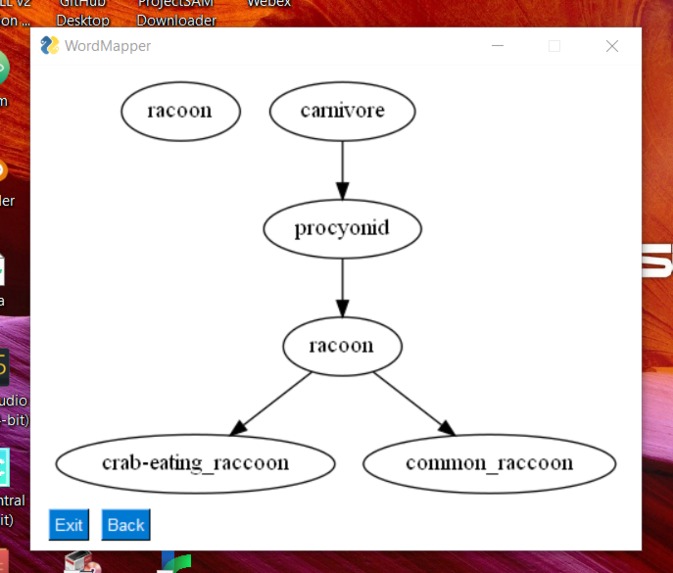
Output
-
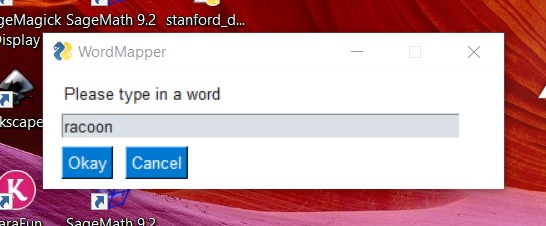
GUI
Inspiration
We were interested in learning more about how to use WordNet, a popular lexical database by Princeton University. We also wanted to learn more about the structure of graphs and a simple GUI library in Python. We found this project a great choice to forward these goals.
What it does
This application displays a hierarchical mind map of words that are related to a user input word. In particular, it displays conceptual supercategories and subcategories of that word. For example, the word 'food' displays supercategories such as 'substance' and 'matter' and subcategories such as 'beverage' and 'cocoa'.
How we built it
We used Python with the NLTK WordNet interface for the algorithm, GraphViz for saving graph files, and PySimpleGUI for the frontend. One member did the algorithm while the other worked on the frontend.
Challenges we ran into
- We found it difficult to work directly with the frontend and GraphViz on different OS platforms. However, we learned more about packaging applications on the way.
Accomplishments that we're proud of
We are proud of the modular class design for the algorithm.
We are proud of using Python to create a GUI application, something that we did not expect to do while learning the language.
What we learned
- We learned to use the NLTK corpus, graph algorithms in Python, and how to use GUI libraries with Python.
What's next for WordMapper
- We'll probably be including an interactive frontend on the web and a larger array of user features, such as multiple words as input.
Additional Note
We encountered a glitch where certain words caused the window to appear outside the bounds of the computer screen, but we ran out of time to fix this bug before the deadline. This issue can be circumvented on Windows by selecting [SHIFT + Right Click] on the application in the taskbar, selecting move, and then using your arrow keys to move it back on the screen. You can also view the output by navigating to the test-output/graph.gv.png file.

Log in or sign up for Devpost to join the conversation.