-
-
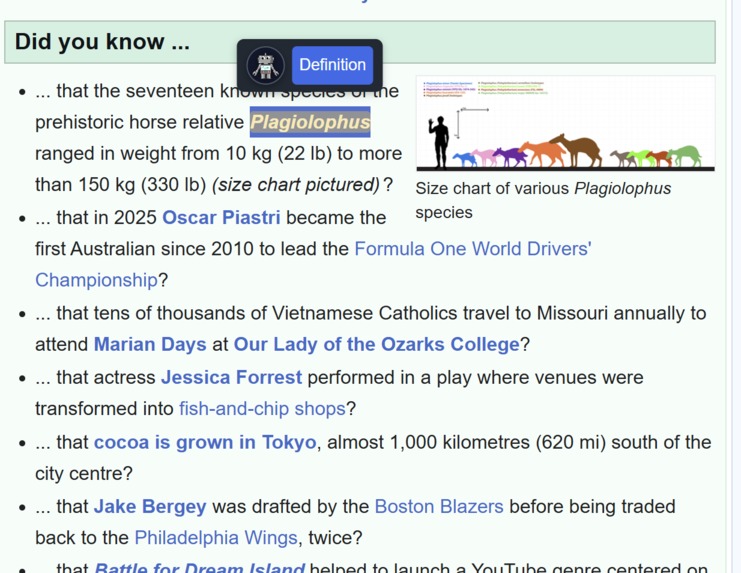
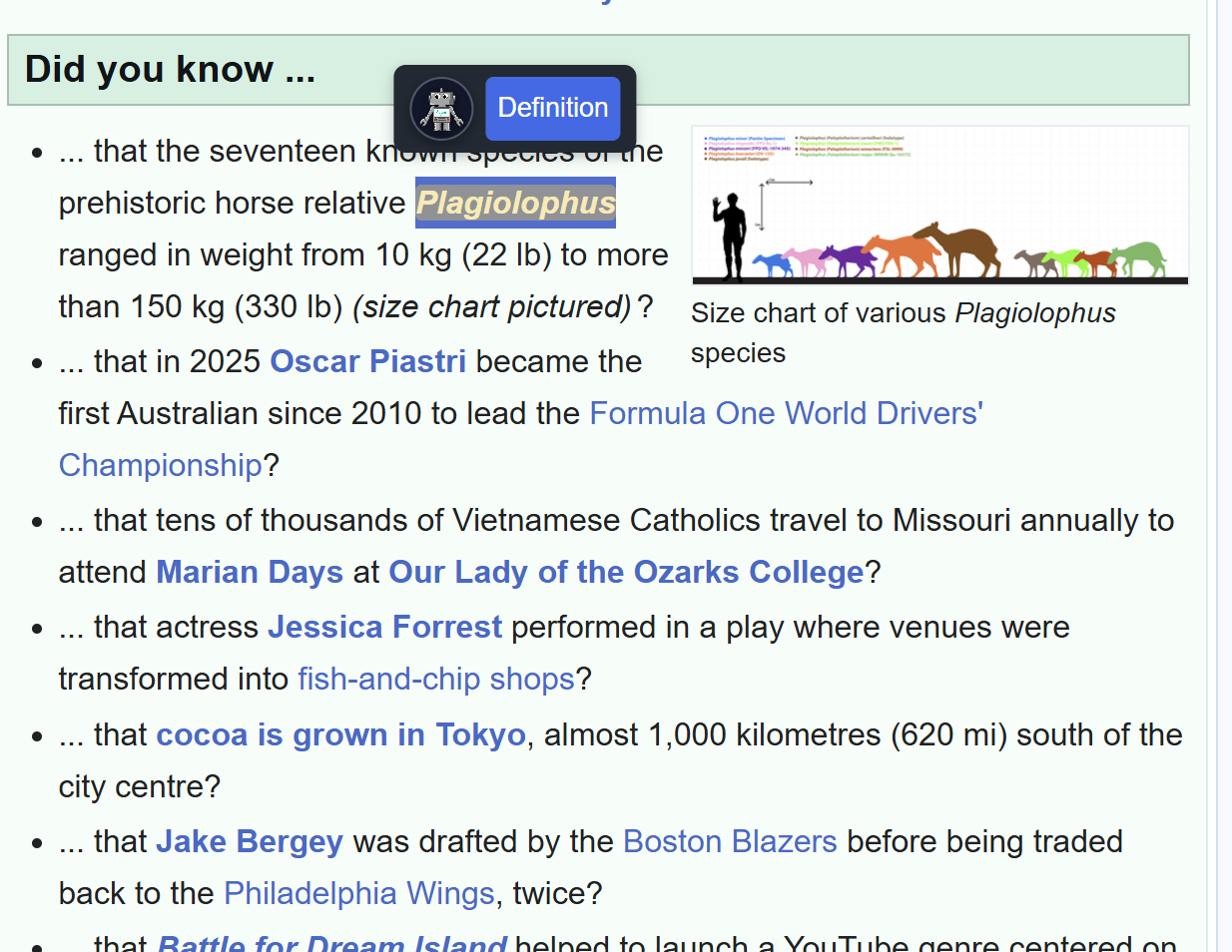
pop up after highlighting a word
-
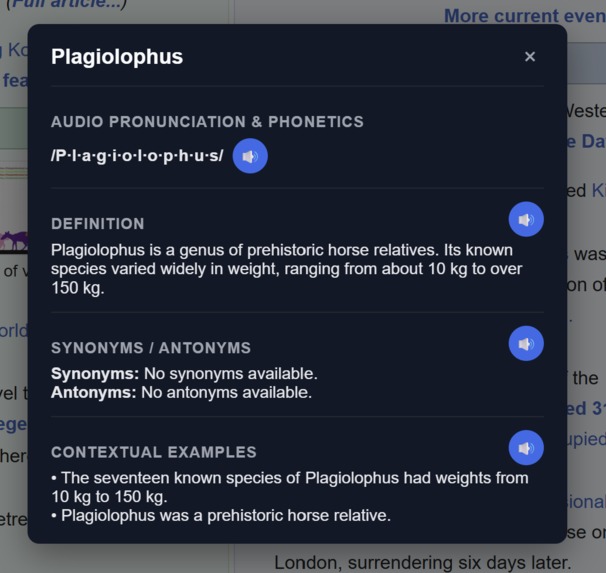
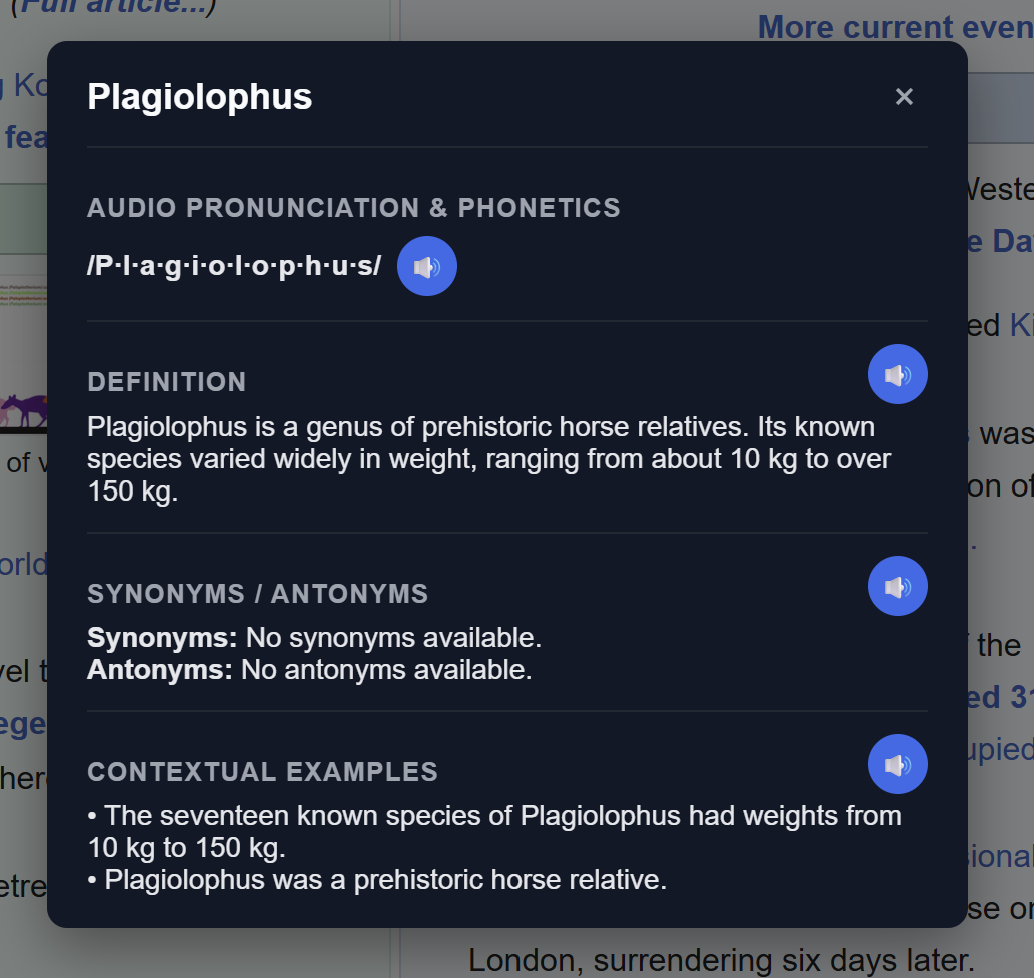
main interface for singular word definitions
-
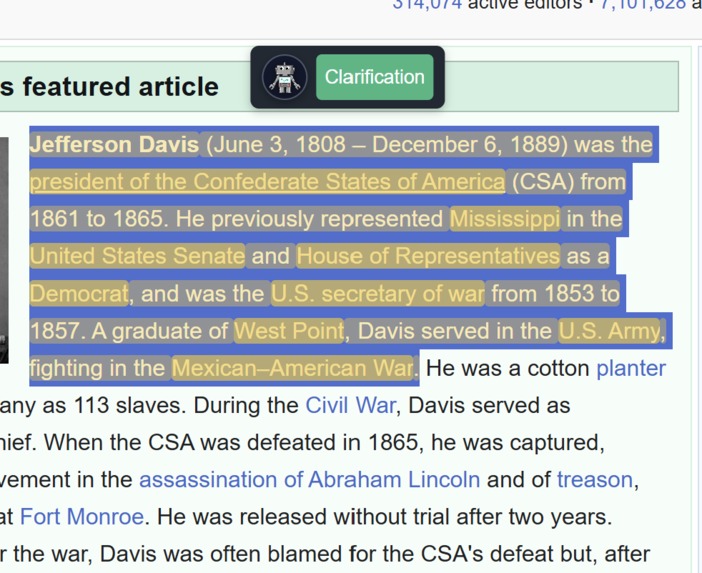
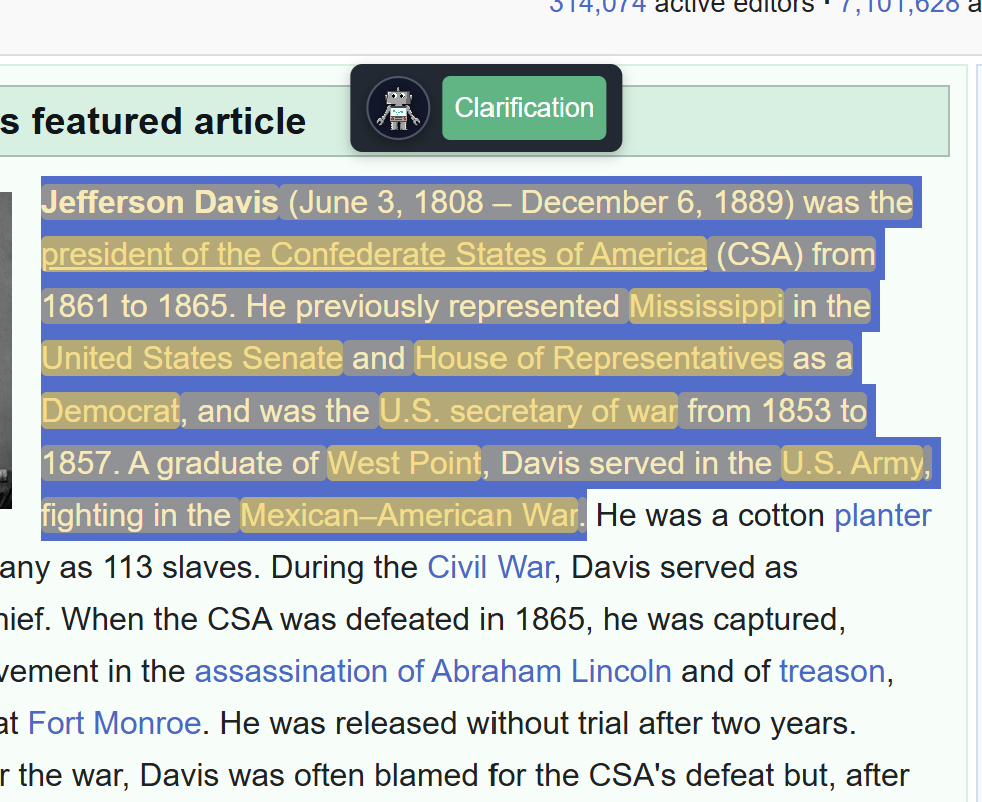
pop up after highlighting a sentence
-
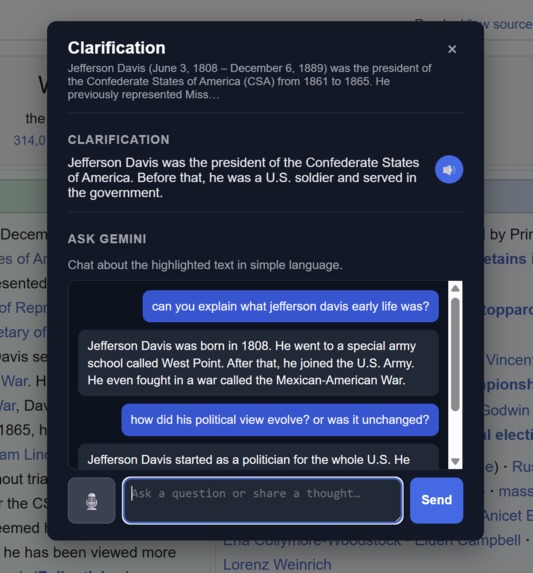
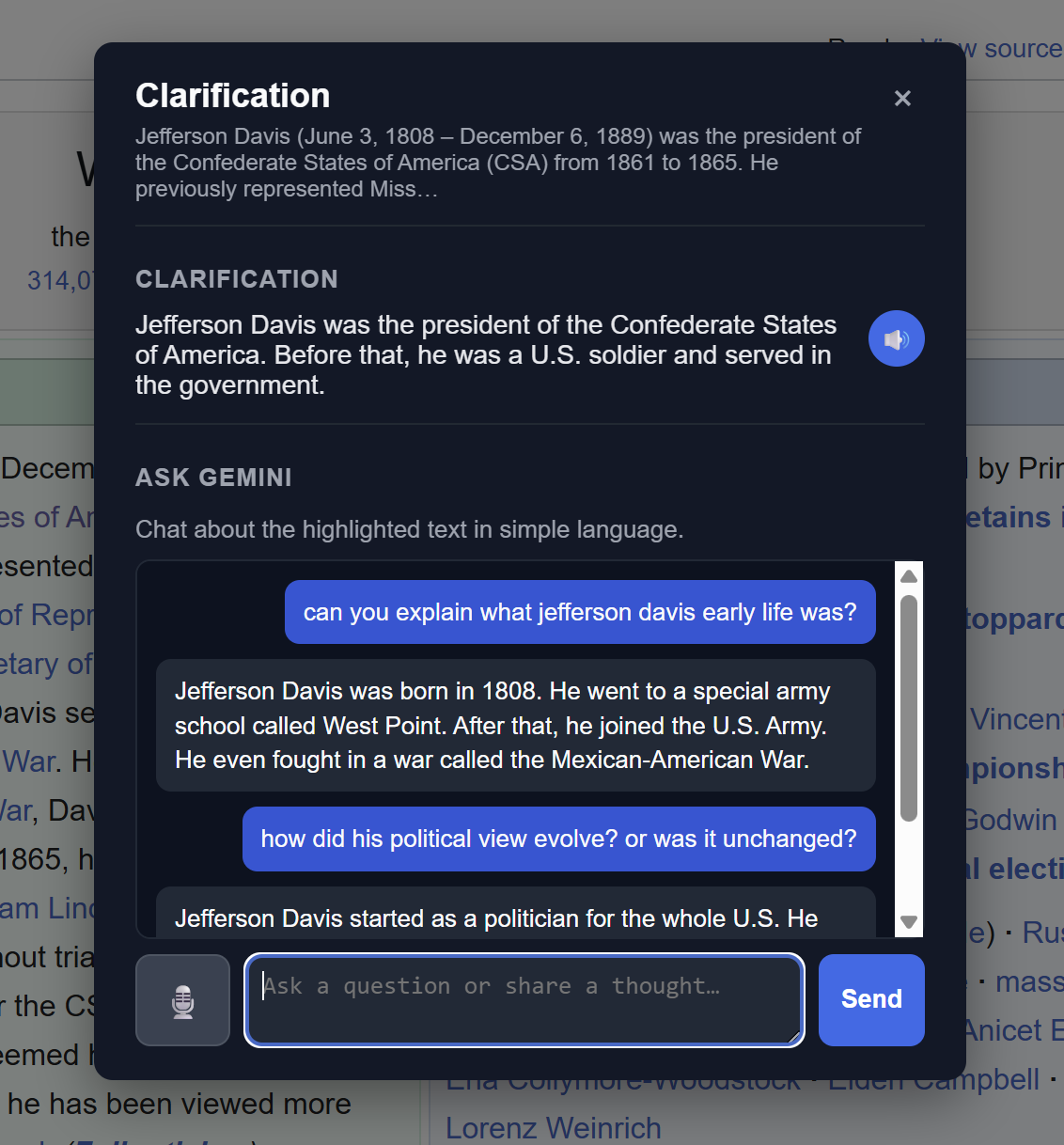
main interface for sentence clarification and chatbot interactions
-
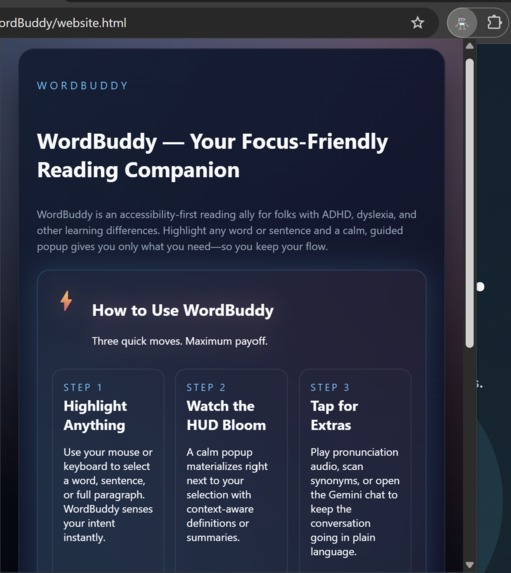
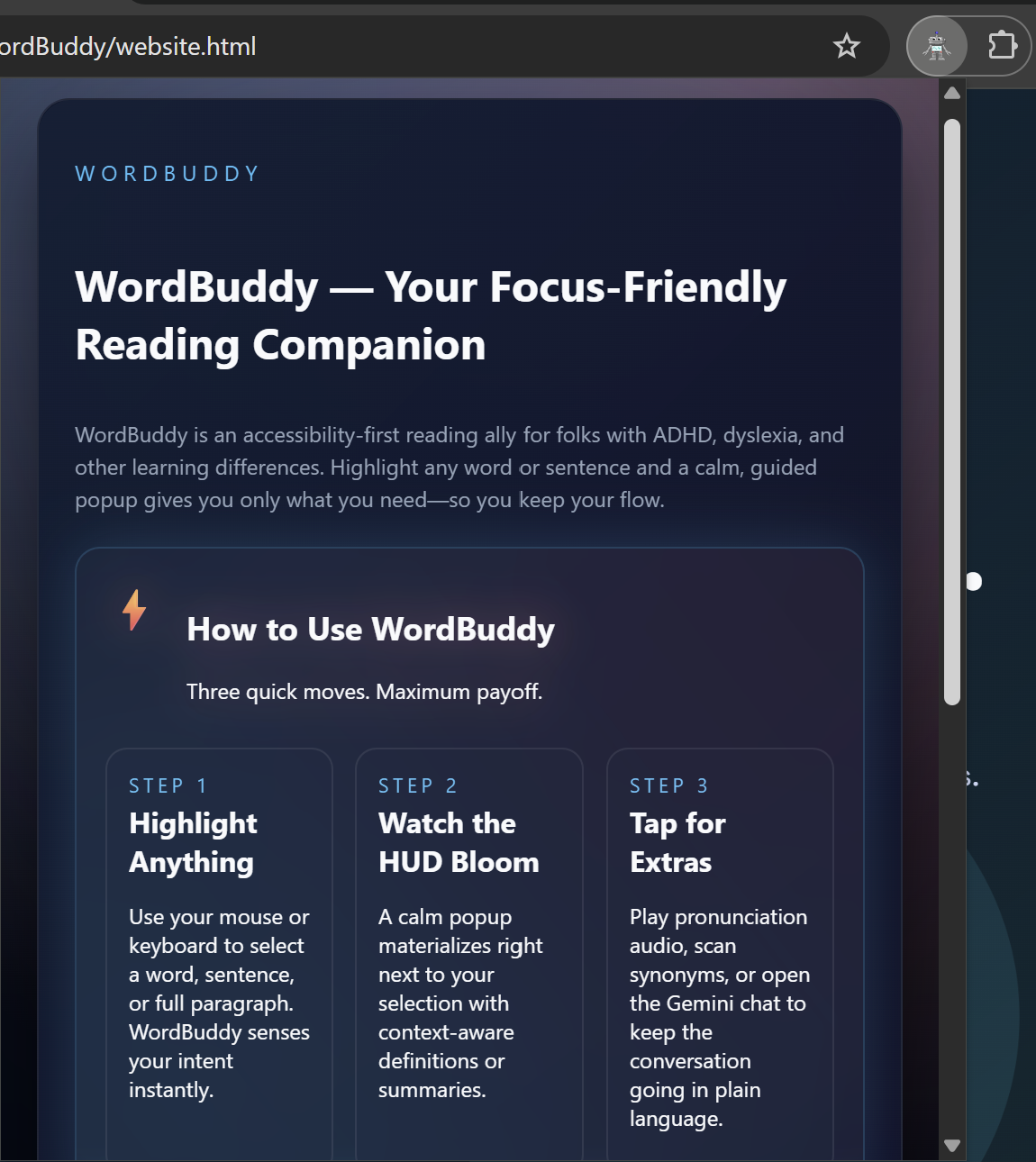
extension popup for information about the project.. etc..
Inspiration
WordBuddy was inspired by a frustrating reality: reading online can be mentally exhausting, especially for people with ADHD, dyslexia, or those that are unfamiliar with the language. Switching tabs to look up a definition, reread a dense paragraph, or decode an unfamiliar word creates constant context-switching, which makes focus even harder. We wanted to build a tool that meets the reader where they are and reduces cognitive load instead of increasing it
What it does
WordBuddy helps users instantly understand any word or sentence they highlight online using a friendly AI-powered popup.
For single words, WordBuddy provides:
- A simple, context-aware definition
- Audio pronunciation and phonetic spelling
- Synonyms and antonyms
- Example sentences rewritten for clarity
For full sentences, WordBuddy offers:
- A plain-language summary
- A lightweight “Ask Me Anything” AI chat
- Explanations that use the entire article as context
- A focus-first design that places the user’s highlighted text at top priority
How we built it
We built WordBuddy as a browser extension using:
JavaScript + Manifest V3 for extension logic HTML/CSS for the popup UI A lightweight inline speech-bubble widget injected directly into the page AI API calls (OpenAI / Gemini / etc.) for contextual definitions, summaries, and examples Text parsing + priority scoring to ensure the highlighted section receives the highest contextual weight We focused heavily on clean UI, accessibility principles, and minimizing distractions.
Challenges we ran into
Screen injection without disrupting site layouts. Ensuring the popup rendered cleanly above text across different websites was harder than expected.
Giving priority to the highlighted text while still incorporating full-page context required careful prompt engineering and weighting strategies.
Response cleanliness. Designing for ADHD meant reducing visual clutter, shortening explanations, and preventing the “AI avalanche” of information.
Accomplishments that we're proud of
It works! We created an application that successfully provides information to users in an easy-to-digest manner. We are also proud of our clean UI design, especially considering that none of us were proficient in JavaScript/CSS/HTML.
What we learned
Even advanced AI needs thoughtful constraints to remain user-friendly Small UI decisions (spacing, timing, simplicity) massively impact ADHD-friendly usability. We also learned how to implement API's into our software.
What's next for WordBuddy
We plan to branch out to multiple languages, and adding an option to change the complexity of answers that the AI provides.
Built With
- css
- dictionary-api
- gemini-ai-api
- html5
- javascript
- webspeech-api

Log in or sign up for Devpost to join the conversation.