Inspiration
Word Nest was inspired by the idea that language learning should happen naturally, especially when we come across words we don’t understand. A lot of vocabulary tools expect learners to memorize lists, but we wanted to build something more helpful—an app that lets users look up unfamiliar words, learn their meaning, and practice them later. The goal is to give learners support in real moments of confusion and turn that into long-term vocabulary growth.
What it does
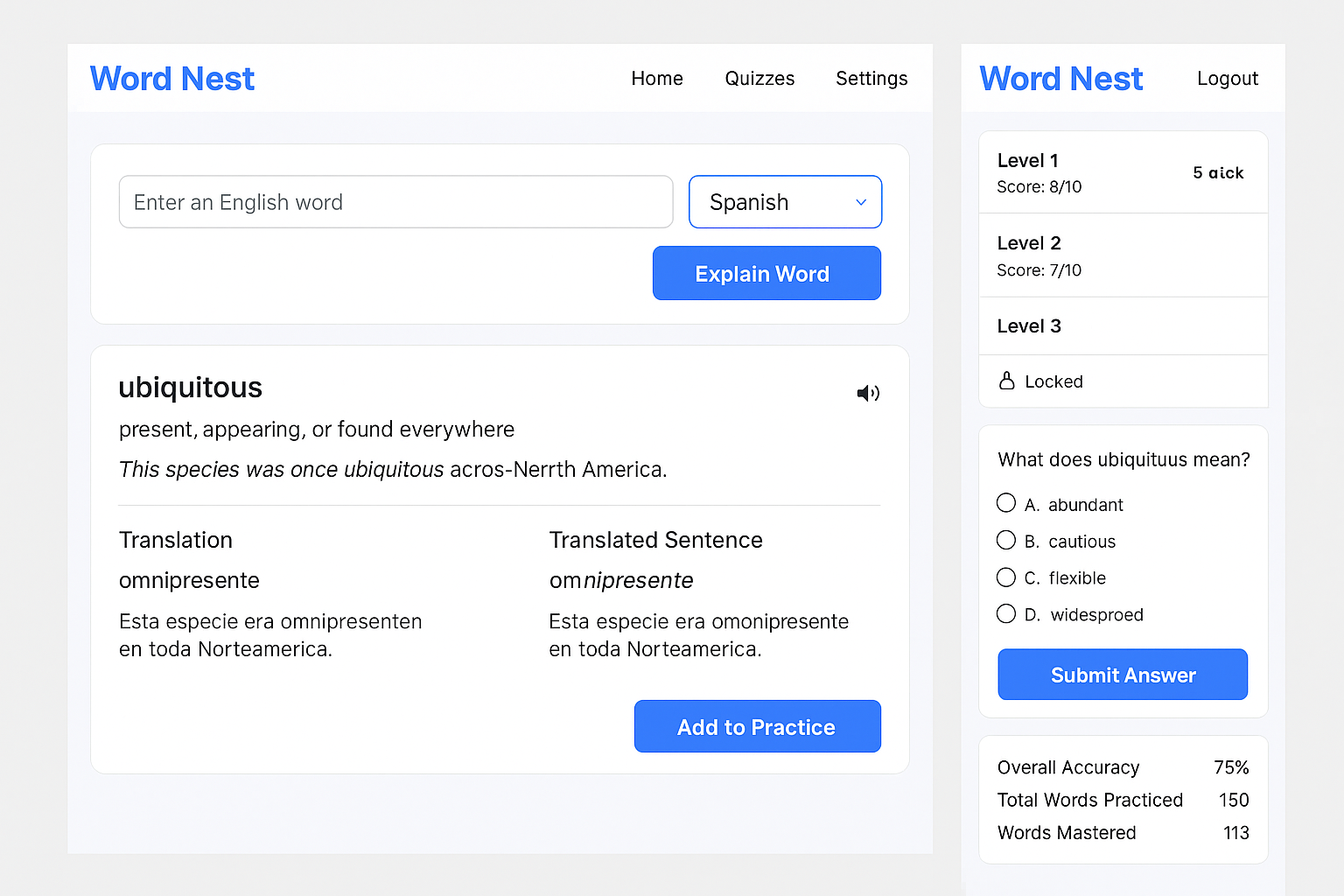
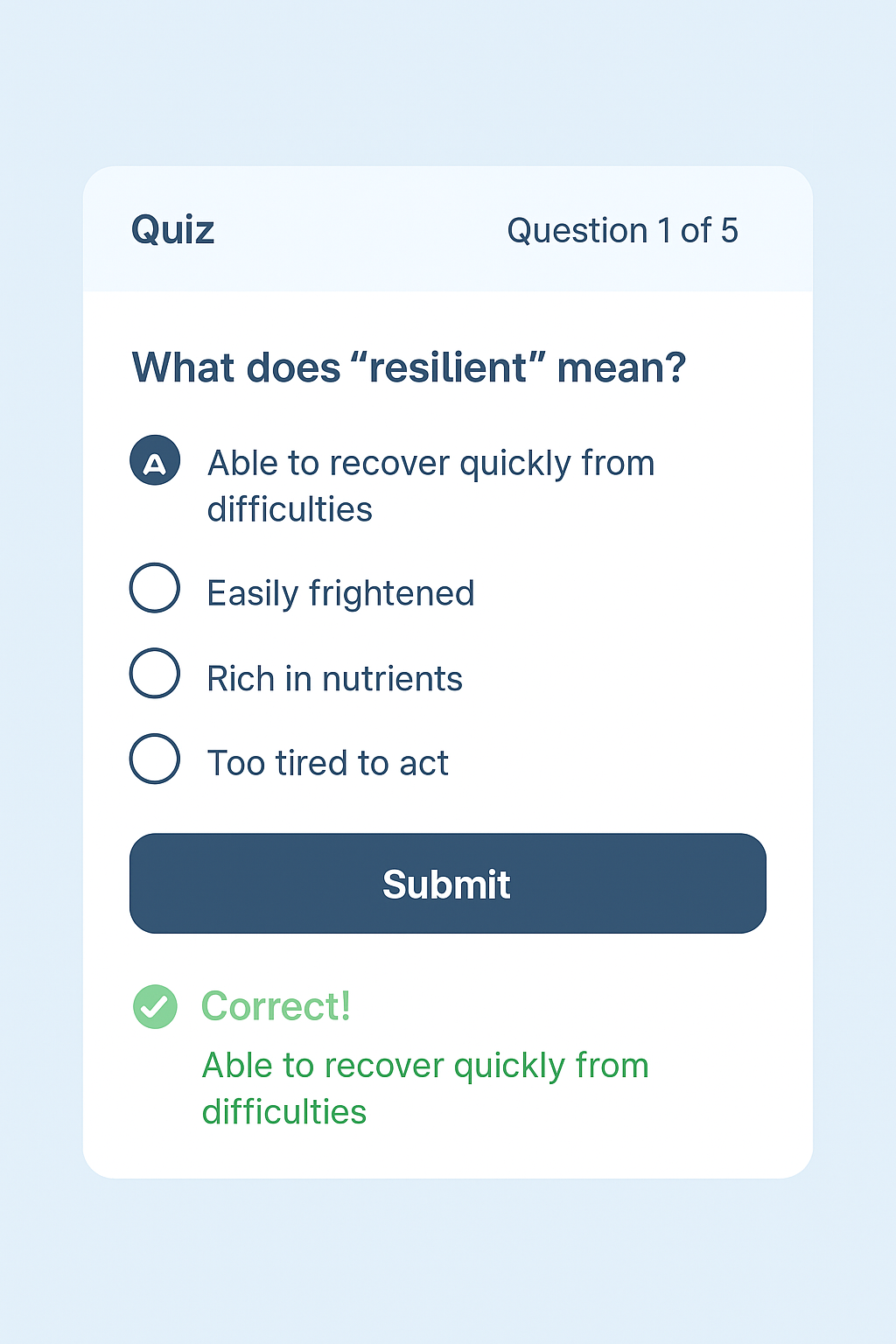
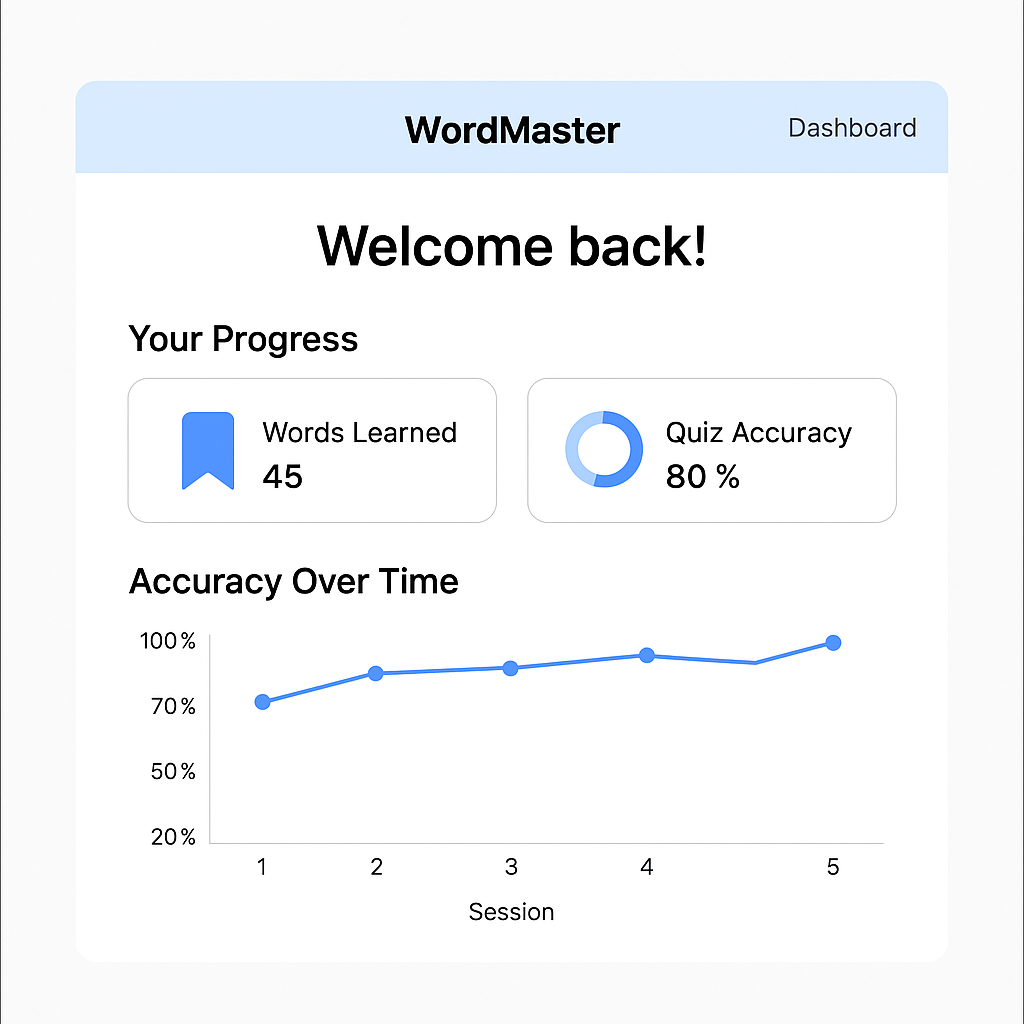
Word Nest is a vocabulary learning tool that helps users understand and practice English words. After logging in, users can enter any English word they don’t know. The app will show the word’s meaning, an example sentence, a translation into their preferred language, and a translation of the example sentence. It also has a speaker button so users can hear the pronunciation, and an "Add to Practice" button to save the word. Later, users can take quizzes based on the words they saved. Each quiz has ten questions and gets harder as they progress. Users must score at least 70 percent to unlock the next quiz level. The app also tracks their progress, accuracy, and how many words they’ve mastered.
How we built it
The app was built using React to create the user interface. We used Auth0 to handle user login and registration. For storing user data like saved words and quiz scores, we used a database called MongoDB. We connected everything using APIs, and Axios was used to handle those API requests. To power the explanations, translations, and quizzes, we used the Gemini API from Google. The Gemini API helps generate definitions, example sentences, translations, and quiz questions. All of the code is stored and updated on GitHub.
Challenges we ran into
One challenge was getting good responses from the Gemini API. We had to work on the right way to ask questions so the API would give consistent and useful answers. Another challenge was making sure that the translations and example sentences matched well in different languages. It also took time to get the quiz system working smoothly, especially making sure users could unlock the next level only after reaching the right score. Setting up user login with Auth0 and connecting it to user data also took some effort.
Accomplishments that we're proud of
We’re proud that Word Nest brings together translation, explanation, and learning all in one place. It’s also exciting to see how the app helps users focus on the words they personally struggle with and supports their learning step by step.
What we learned
We learned how to build a full-stack web app that connects the frontend, backend, and APIs. We gained experience with React and how to manage different pages and components. We also learned how to use Auth0 for user authentication and how to store and retrieve user data using a database. One of the most interesting lessons was learning how to write good prompts for the Gemini API so it could give helpful results. Most of all, we learned how to build a user-friendly app that supports real learning.
What's next for Word Nest
In the future, we want to add more features like dark mode, daily practice streaks, and the ability for users to write notes for each word. We also plan to support more languages, like Arabic and Japanese. Making the app mobile-friendly is another goal, and we might even build a mobile app version. Later on, we might add voice chat so users can practice speaking and listening to vocabulary, too.

Log in or sign up for Devpost to join the conversation.