-
-
Promo
-
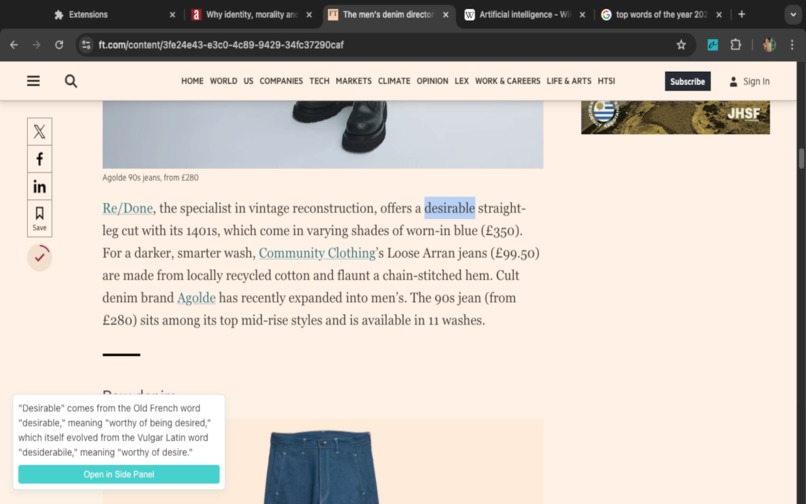
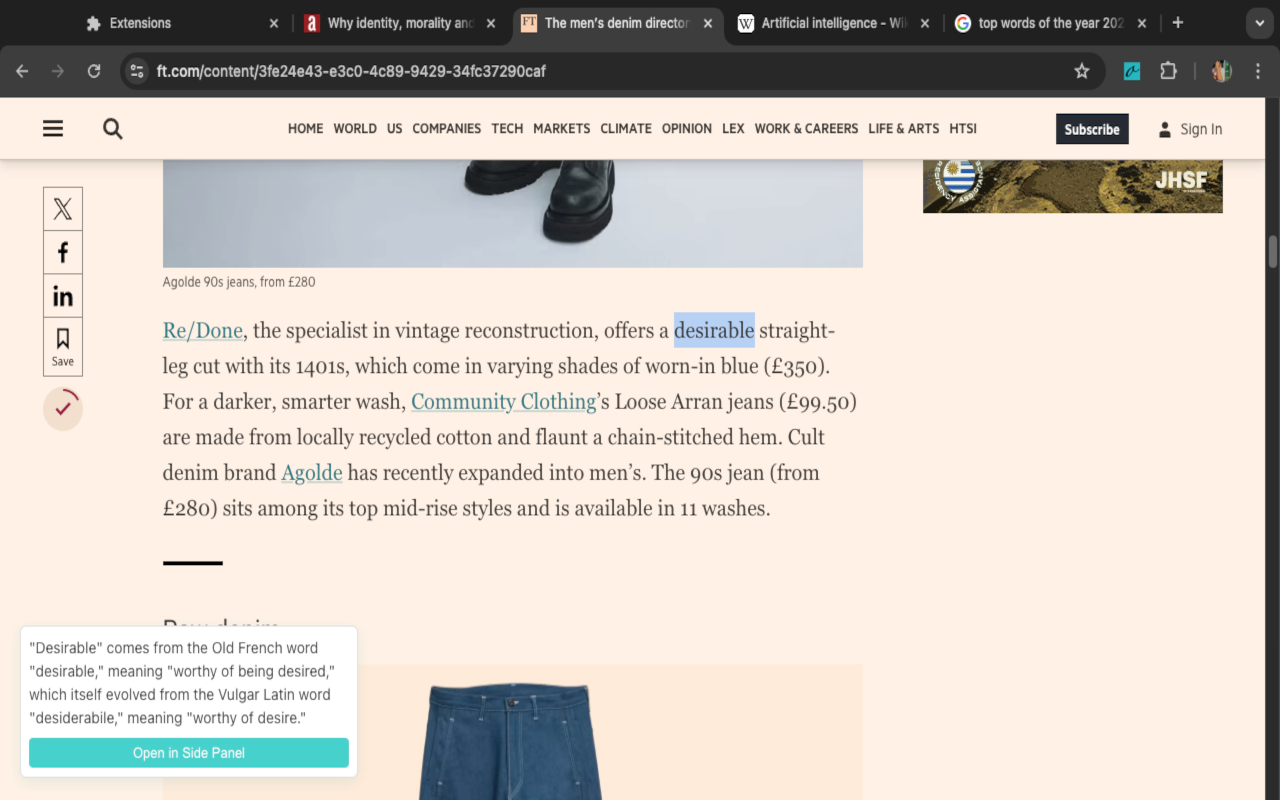
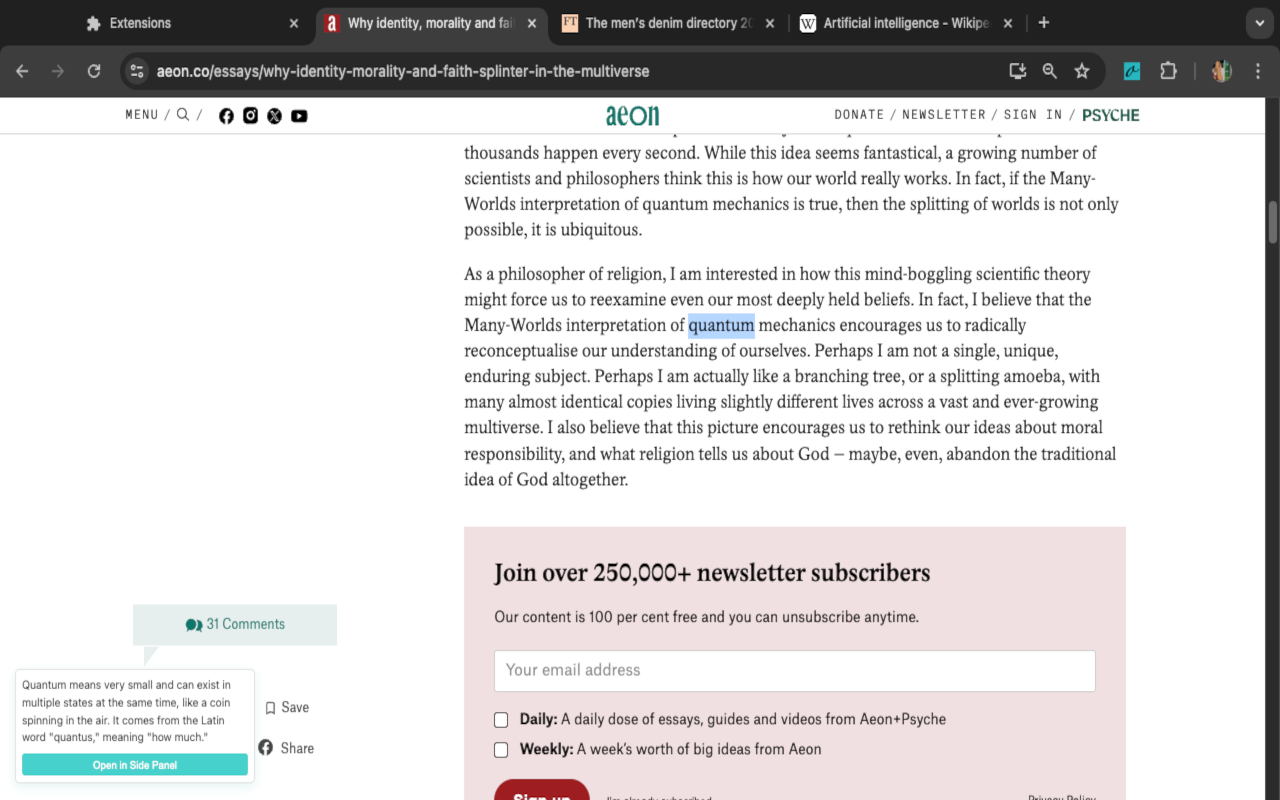
Double click any word to get it's etymology
-
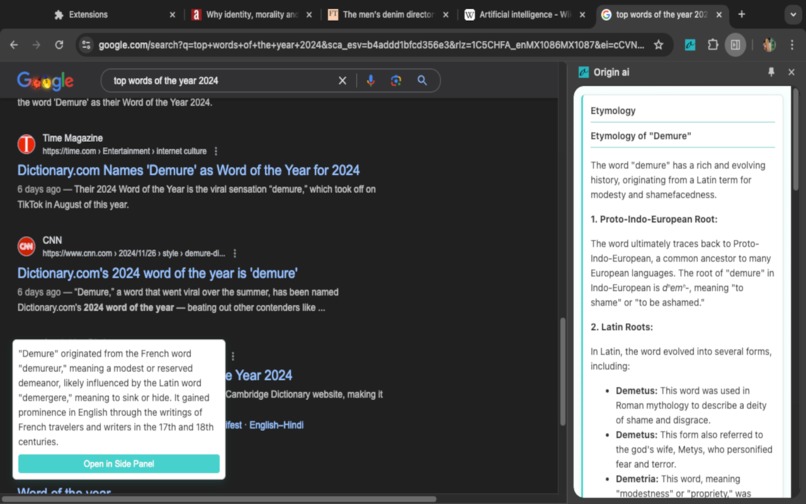
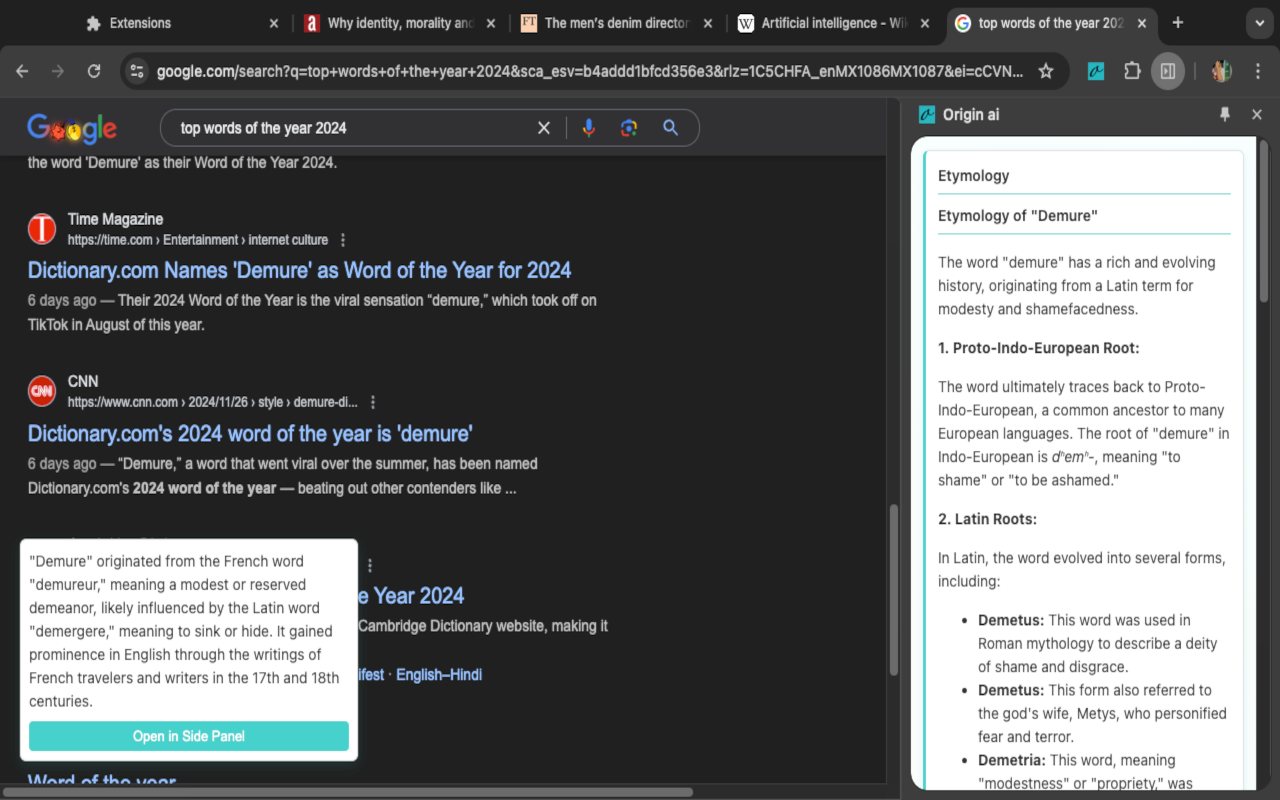
You can also open the side panel to get more information about the chosen word
-
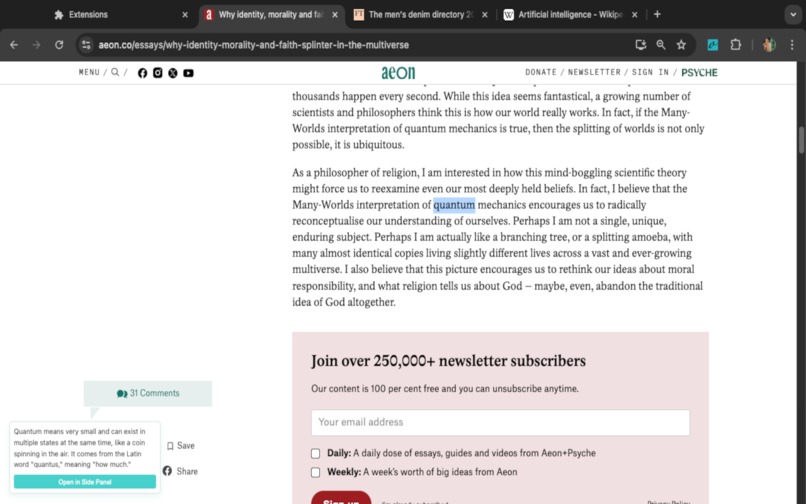
Sync between tabs

Inspiration
As a dedicated English language learner, I regularly engage with content on intellectual platforms like Aeon and Psyche. However, my reading flow is frequently interrupted when encountering unfamiliar vocabulary, as I must navigate away from the article to search for definitions in a separate browser tab. This context-switching disrupts my comprehension and diminishes the overall reading experience.
What it does
This Chrome extension enriches vocabulary learning by instantly revealing word origins and etymological insights. Users can seamlessly access etymological information through two intuitive methods: Quick Lookup: Simply double-click any word on the current webpage to trigger a non-intrusive popup containing essential etymology details. Comprehensive View: Access an expandable side panel that provides in-depth etymological analysis, including historical word evolution, related terms, and linguistic connections. The extension operates seamlessly within your browsing experience, requiring no external searches or tab switches, making it an invaluable tool for language enthusiasts, students, and curious readers.
How we built it
This Chrome extension was developed leveraging the Chrome Extensions Manifest V3 architecture and the Prompt API integration. The development workflow was optimized using:
- Chrome Extensions API: Implemented core functionality following Google's latest extension development guidelines
- Prompt API: Integrated with a trial access token for etymology data retrieval
- Modern Development Environment: Utilized Cursor AI IDE enhanced with Claude 3.5 Sonnet capabilities for intelligent code assistance and pair programming
- Best Practices: Adhered to Chrome Web Store's security policies and performance optimization guidelines The development process emphasized clean code architecture, proper API handling, and efficient resource management while maintaining a focus on user privacy and data security.
Challenges we ran into
Sometimes the model attempts to output text in an untested language, I don't have control over this error so the extension has to be configured to display a related message on the UI
- Error: NotSupportedError: The model attempted to output text in an untested language, and was prevented from doing so.
Accomplishments that we're proud of
User Experience
As a language enthusiast deeply passionate about etymological research, this extension transforms the way I explore word origins. The seamless double-click interaction eliminates traditional research friction, providing instant access to rich etymological data without disrupting the reading flow.
Key Benefits
Academic Research
- Immediate access to word origins enhances scholarly understanding
- Streamlines research workflow
- Supports academic writing and analysis
Language Learning
- Direct etymology insights strengthen vocabulary retention
- Facilitates deeper understanding of word relationships
- Enhances memorization through contextual learning
Linguistic Appreciation
- Deeper understanding of language evolution
- Reveals fascinating word relationships
- Illuminates historical language development
Reading Efficiency
- Maintains immersion in complex texts
- Eliminates context-switching disruption
- Enhances comprehension through instant clarification
The extension serves as an essential tool for anyone who shares a fascination with linguistic heritage and the historical development of language.
What we learned
The model output can affect the way we want to display the responses to users. I need to have a better understanding of how to handle errors related to model output like the one described in the challenges section.
What's next for Origin ai : Word insight
Next Steps
Visual Learning Integration
- Implement AI-powered image generation for selected words
- Create a dedicated visual gallery section in the sidebar
Personal Etymology Collection System
- Develop a local-first storage architecture using Chrome's Storage API
- Create an exportable word collection feature
- Design an intuitive collection management interface


Log in or sign up for Devpost to join the conversation.