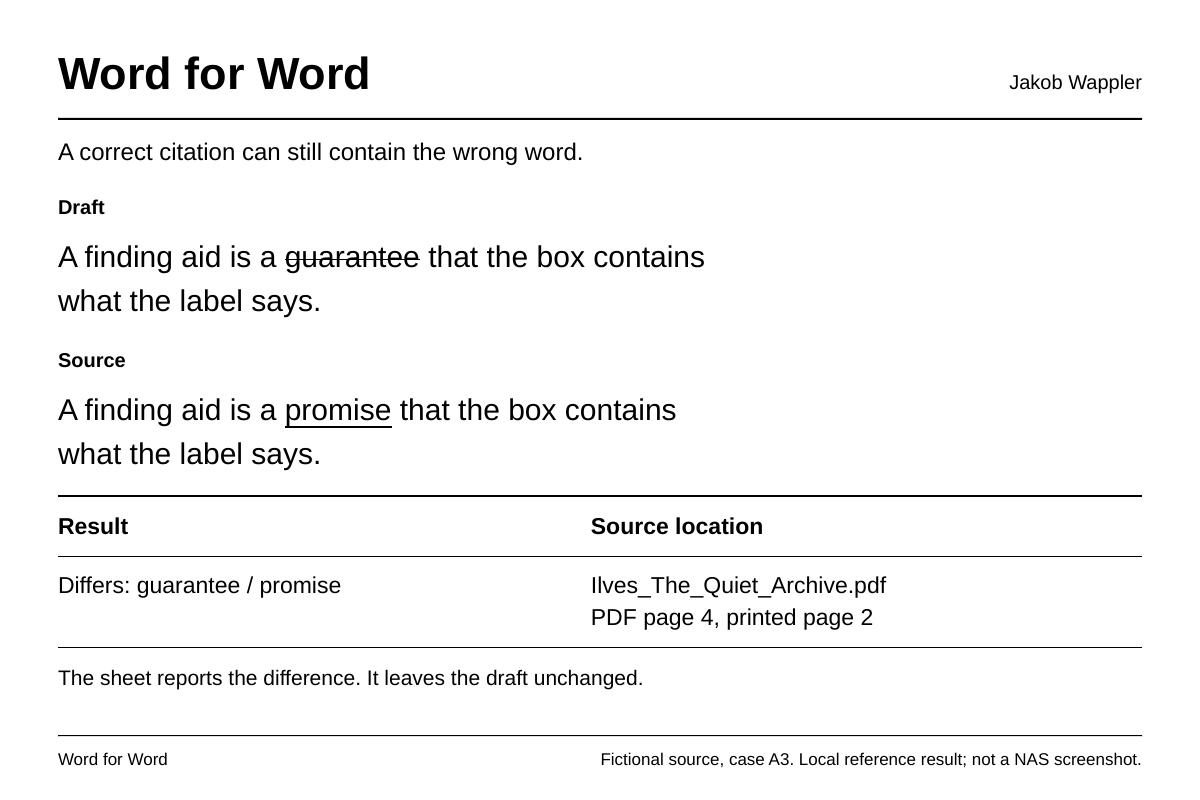
A page number can be right and the quote can still be wrong. In one of my test drafts the sentence has “a guarantee”. On page 2 of the source it says “a promise”. I wanted a way to see both versions and go straight to the page.
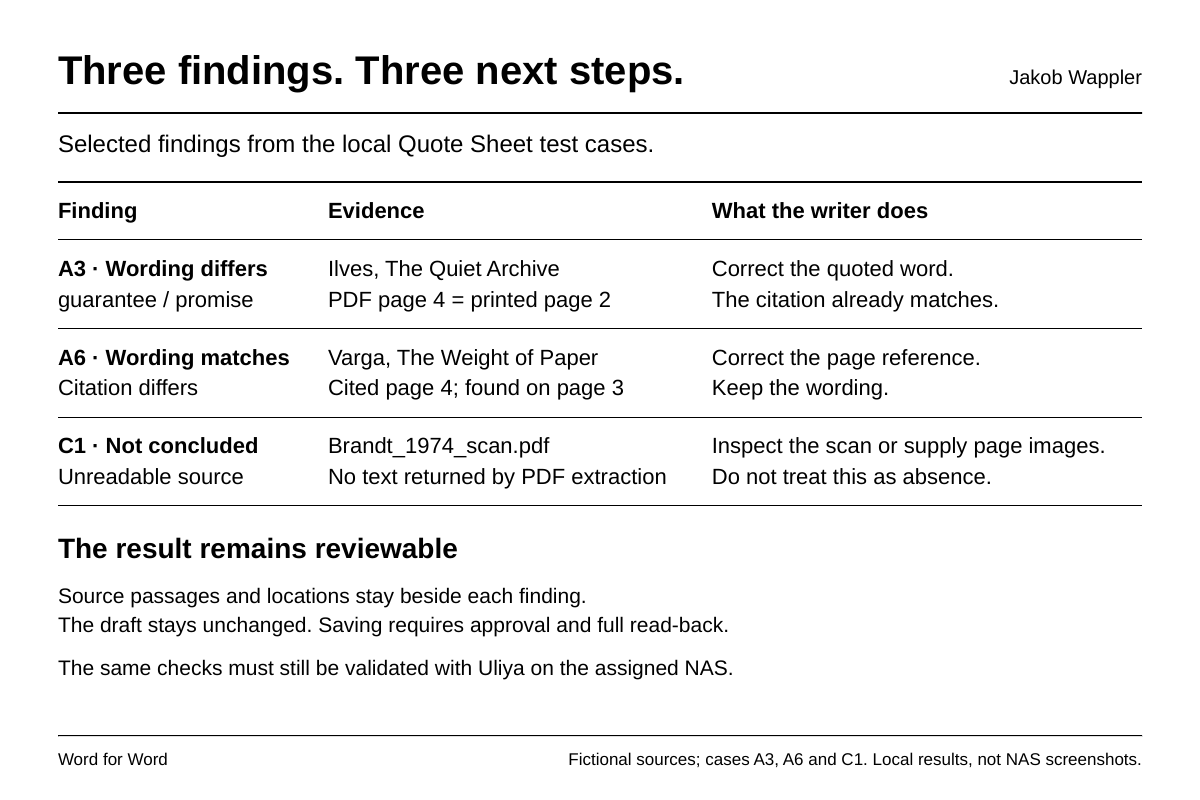
I pick the draft and the source folder. Word for Word lists the quotations it found. After I confirm the list, it looks for the passages in the documents, page photos and recordings on the NAS. The report puts each quote beside the source wording and the page or time. If the words match and the page number is off, I can fix the reference. If a scan can't be read, the report leaves the check open.
The draft stays as it is. When I approve a report, Uliya is meant to save a new Markdown file and read the whole file back. The NAS owner's model setting determines where the text is processed. For unpublished or confidential material I would use the local model.
Round 1
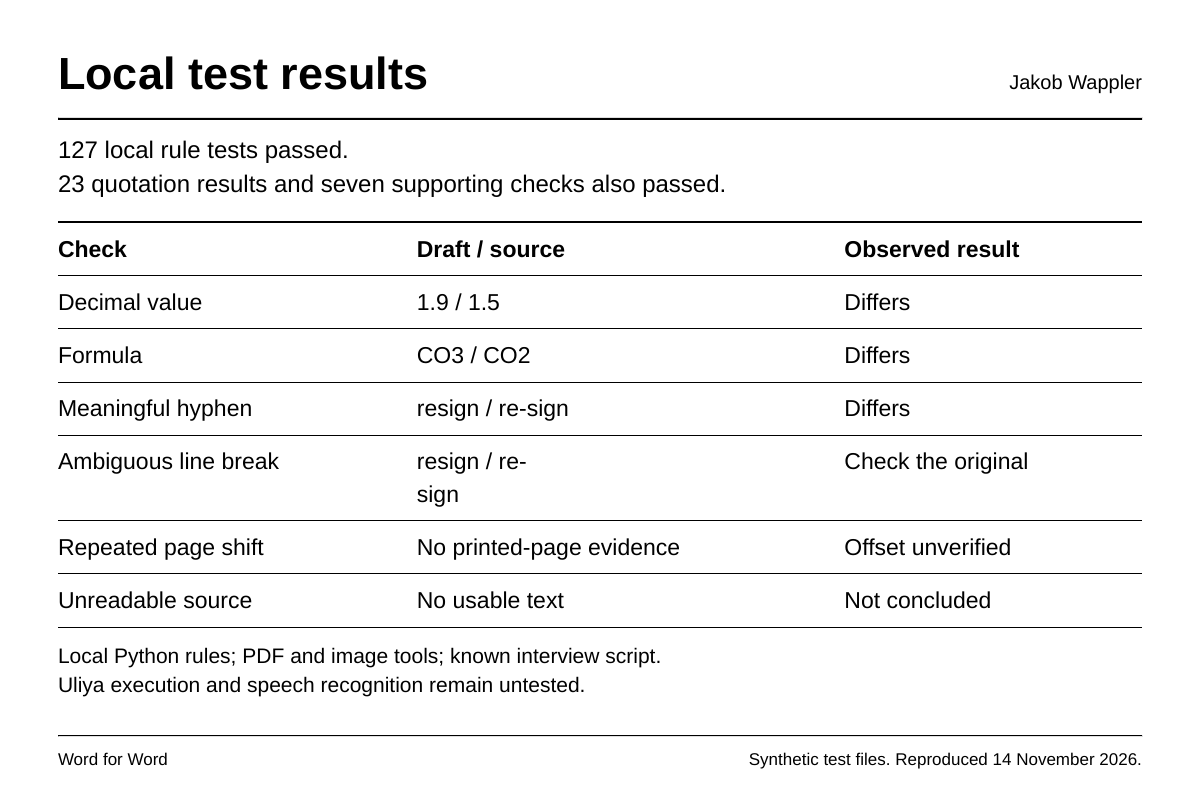
The ZIP contains the Uliya instructions for finding files, reading documents and page photos, checking recordings and saving the report. The separate Python reference passed 127 rule tests and 30 fixture checks. The UGREEN checker reported zero errors and warnings. The fixture run used the known script for the recording.
In a separate desktop comparison, a short prompt and this version both got the same 13 quotation statuses right. The next test is on Uliya: can the experts return the right passage from a photo or a recording, and can I check it and save the report? The images show examples from the local test material.
AI assistance
I used GPT/Claude for workflow drafts.
