-
-
-
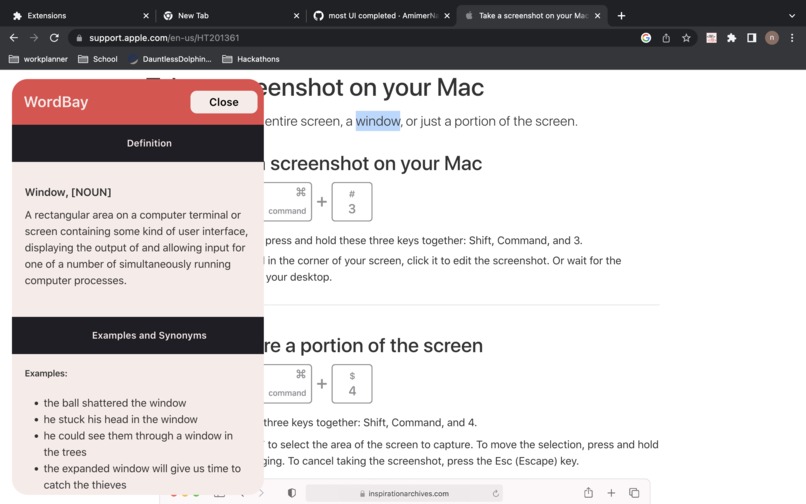
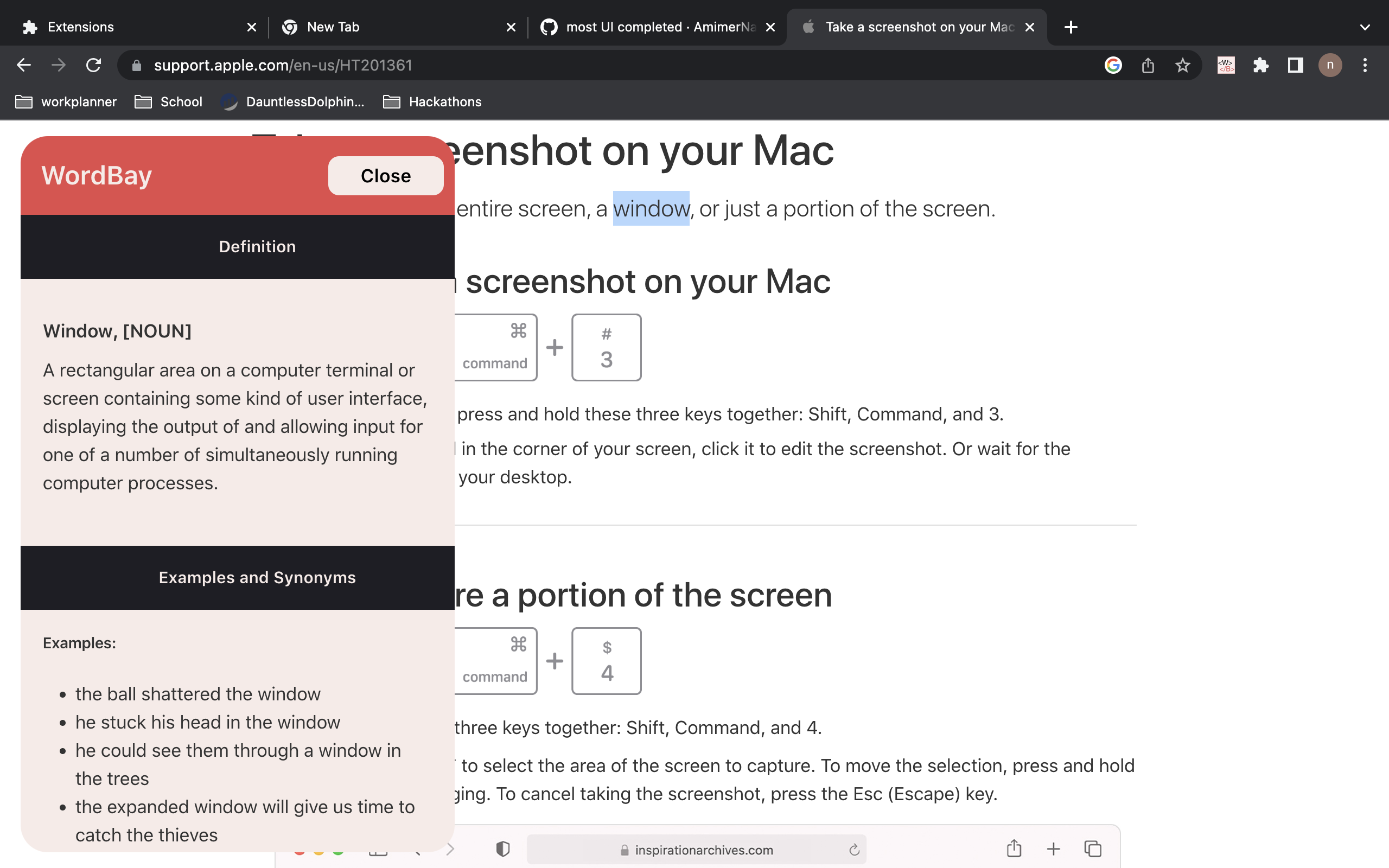
Example of a noun
-
-
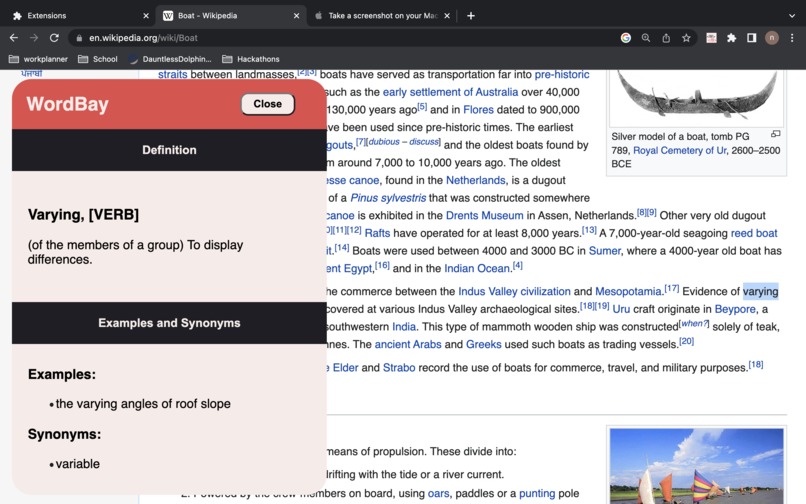
Example of a verb
-
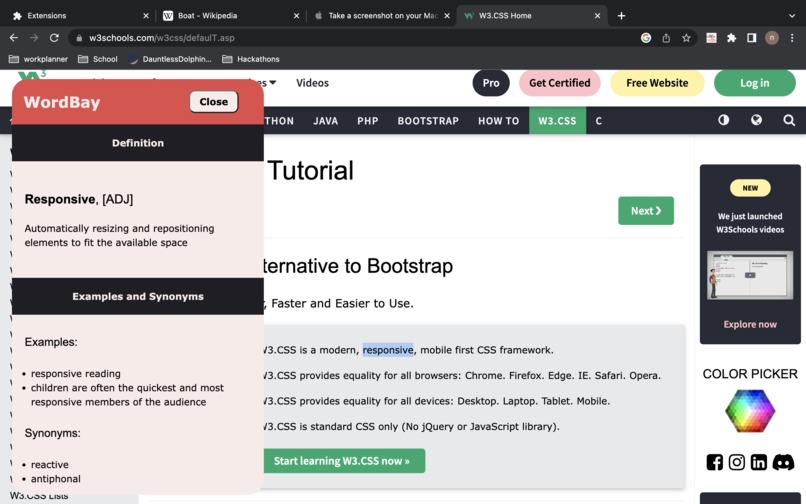
Example of an adjective
-

Inspiration
Our inspiration stems from all the teachers in our lives who ever told us to look up complicated words from readings if we don't understand the meaning of the word. Realistically, most people don't look up the words and just forget about them. We realized that english, being a very specific and precise language, does not allow much room for miscomprehension. So we decided to create this wonderful chrome extension to help out students, and anyone who often reads online.
What it does
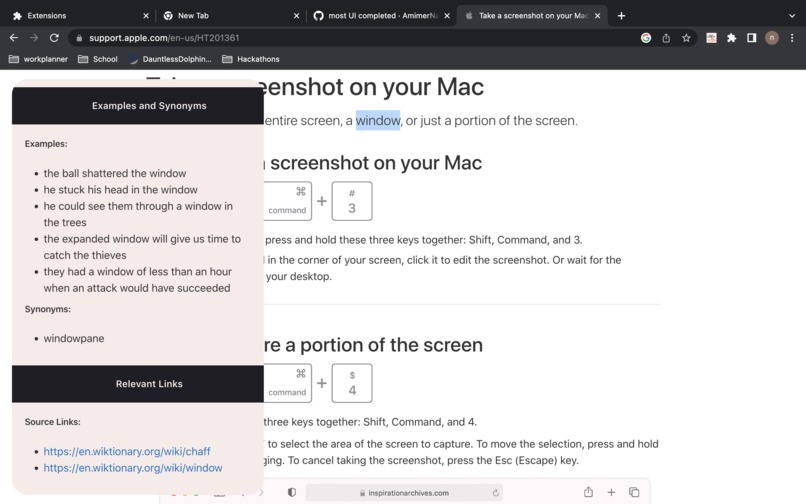
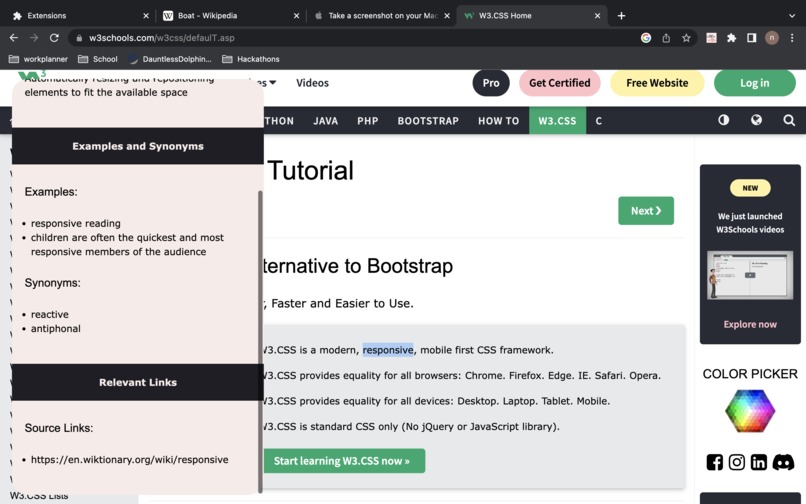
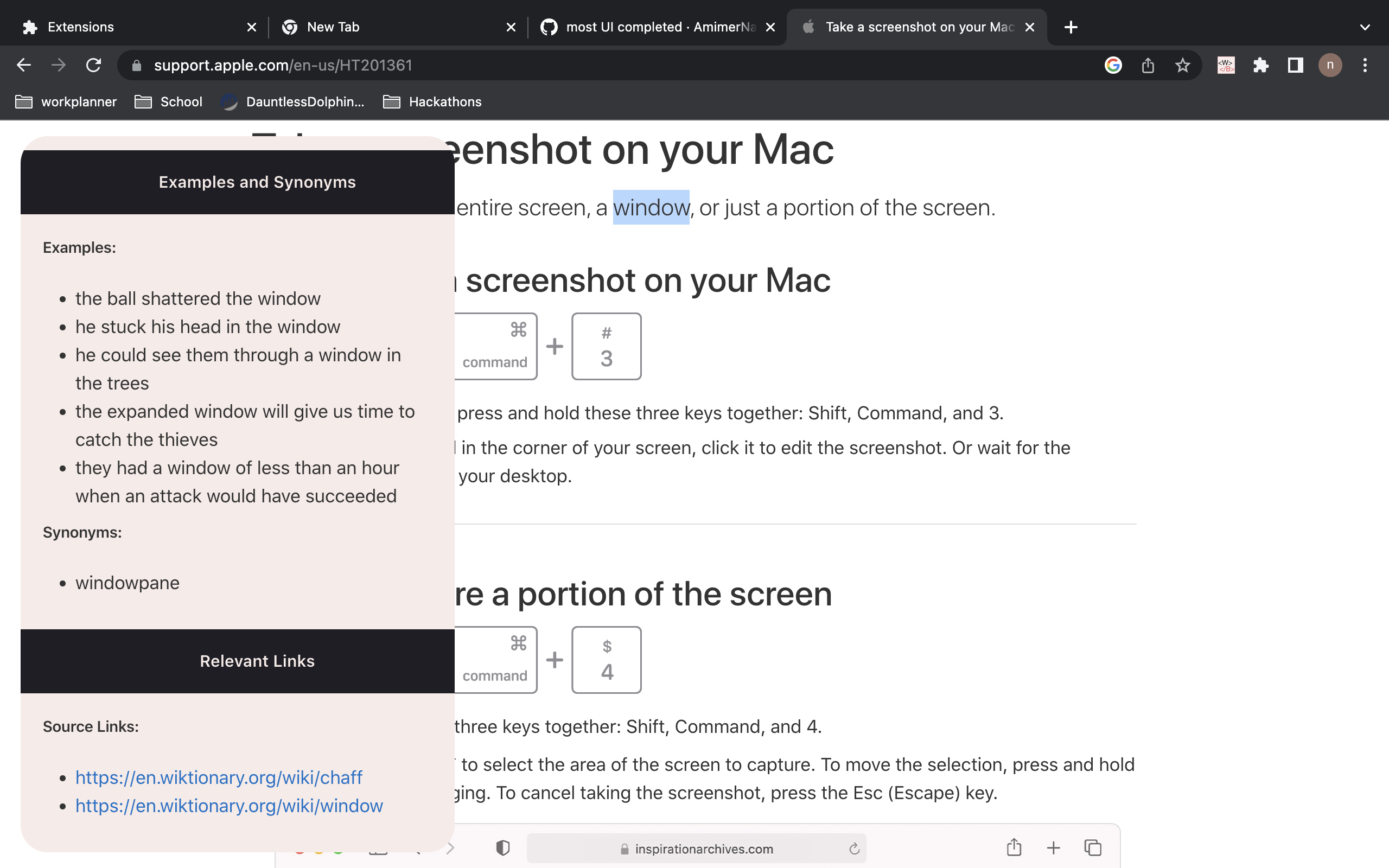
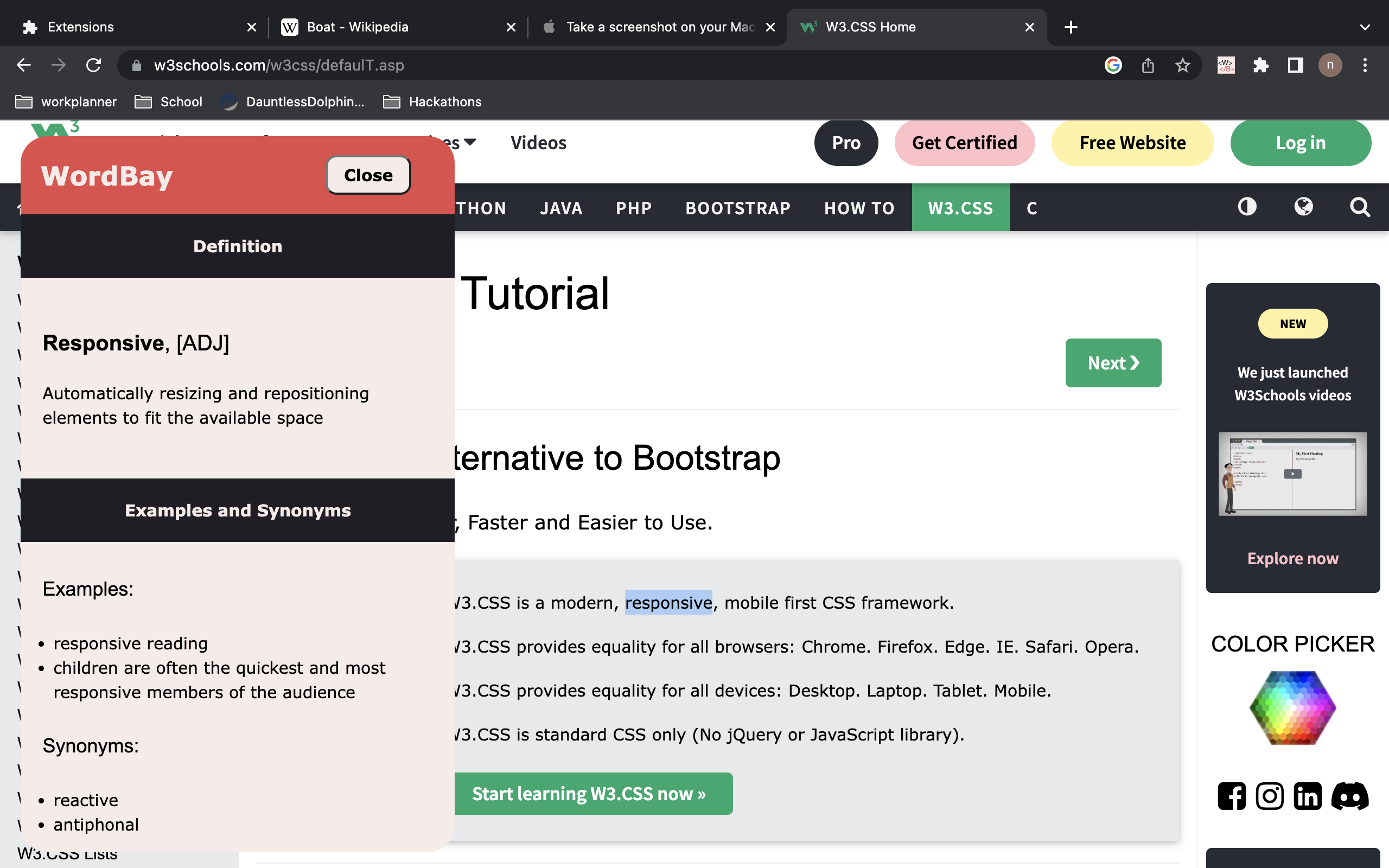
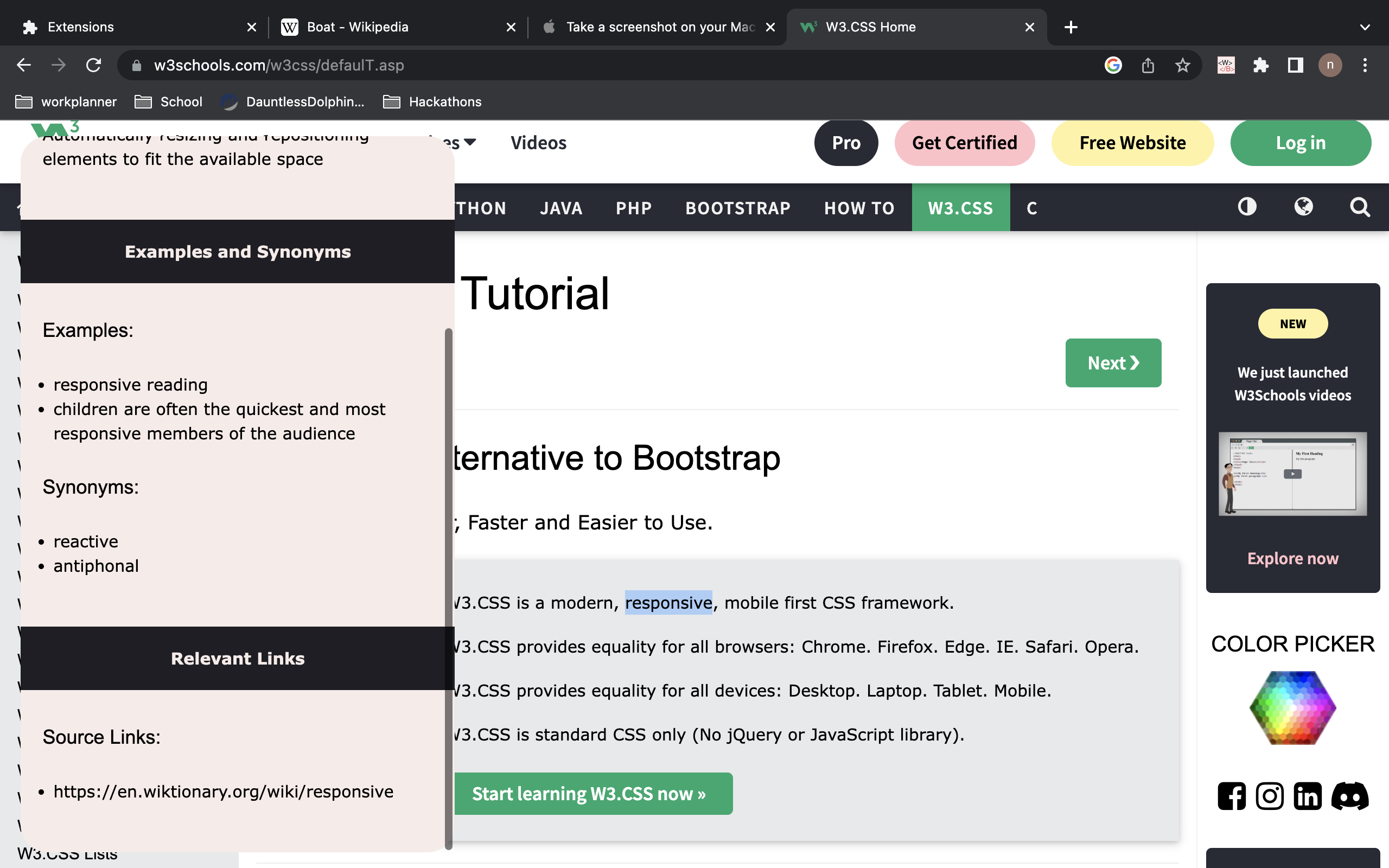
WordBay offers a platform for people who often read long and complicated texts online. It allows its users to quickly and easily find the definition to any word on a website by using a simple keyboard shortcut. By highlighting a word and using the shortcut, the user is presented with a beautiful graphical interface listing out the best definition, synonyms, examples and links related to the selected word. To avoid inconsistent data, we made sure that any string that contains spaces is not considered in the word search.
How we built it
To build WordBay, we had to use a variety of technologies and programming languages.
Firstly, we had to figure out that the chrome extension was the best idea for this project. It quickly became a realization that it was the best solution as it offered us the possibility of injecting html, css and javascript into any webpage of our choice.
We then had to structure the application into its respective aspects:
- Frontend
Content/content.jsContent/content.css
- Backend
Backgrounds/background.jsPython_backend/main.py
Using python and flask for the backend was the best way to communicate between our app components using a REST API. We essentially communicated the selected words and some definitions to the python API which handles the AI and returns the predicted data.
Challenges we ran into
The first challenge we ran into was determining the type of the selected word (Verb, Noun, Adjective, etc). This is a crucial step for our AI as finding this information would help us reduce the amount of definitions to filter through. In order to do this, we used an NLP library in python called SpaCy. This library offers a wide variety of models to simplify lexical and semantics analysis.
The second challenge we ran into was understanding the methods and values returned from the SpaCy library. Despite their concise documentation, it took sweat and tears to find a correct and valid way to use the definitions returned from our dictionary APIs along with the NLP models at our disposition.
Another element which represented a challenge for us, was to understand the basic communication methods between the components of a chrome extension. As we were all newbies to extension development, we spent a majority of our time watching tutorials on the matter.
The hardest challenge we had, was ironically not related to AI. It was to determine in which sentence was the selected word was in. Javascript can return the entire content of the parent element of our selection and this is good enough when the word only appears once, but this quickly becomes a problem as multiple appearances can cause issues. Eg, if the word is a noun in one sentence and a verb in another. The AI model heavily depends on this information and as such, this issue can shift the response to something irrelevant.
Accomplishments that we're proud of
We are most proud of the User Interface we designed and created for our extension. We made the decision of creating a pop-up window with collapsible sections to make the page more simple and concise.
This hackathon was our first artificial intelligence hackathon, our first time working with google chrome extensions, our first time doing natural language processing and we managed to deliver a product that can successfully accomplish what we initially wanted to do. We surpassed our expectations and managed to complete the most complicated parts of the project we had envisioned.
We are also all proud of each other because, as a team, we managed to sleep a lot less, and work a lot more than our last hackathon :).
What we learned
Our biggest and most important learning experience was our opportunity to learn a bunch about creating google chrome extensions. We wrote, from scratch our own extension and managed to test it ourselves from our own machines. Ideally, we would've wanted to deploy our extension on the google chrome store, but we could not deploy our extension on time since google takes time to approve any extensions that can access and modify a user's browser page.
Natural language processing, being a big part of the project, we learned how to navigate extensive string arrays to obtain results we want. Along with that, we also got the chance to work with linguistics and broaden our knowledge in other domains. Our project, revolving around language processing, allowed us to improve our skills in programming and problem solving as well as linguistics.
We improved our knowledge of APIs, working with functions we had never explored before, managed to create objects with APIs we found on the day of the project. We also all developed our web programming skills using languages like javascript, HTML and CSS. More generally, we learned how to write clean, concise code that can be easily understood and interpreted by a team member who hasn't seen the code yet. Additionally, we improved our git skills using git commands such as "rebase" and learned how to manage different git branches to organize our task separation much better.
Finally, we learned how to work with the python Flask server that allowed us to communicate with a chrome extension using the Rest API.
What's next for WordBay - CHAP
We envision a bright future for WordBay.
First of all, we wish to complete the word correlation that will allow us to find the best possible definition based on the sentence meaning. It will be able to read the entire sentence and compare it to all the definitions to find the best match for the use of the word we are looking for
We also want to add a history with detailed information about the results. The historical results would be displayed when the user clicks on the extension button on their google chrome page. Ideally, we want to be able to save all the past searches and list them by frequency of search. The more someone uses a definition, the higher up in the list of historical results it will be.
Finally, we really want to improve our AI with the GPT-3 language model. It would give our project the highest versatility possible and allow us to expand on all our other plans for wordBay.
Built With
- api
- chrome
- css3
- flask
- html5
- javascript
- natural-language-processing
- python
- rest
- spacy
- web-dev


Log in or sign up for Devpost to join the conversation.