-
-
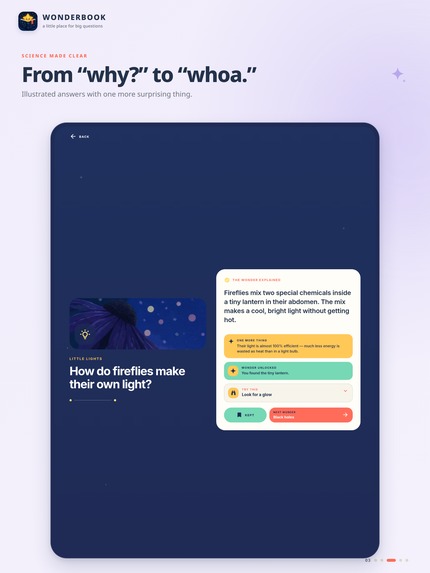
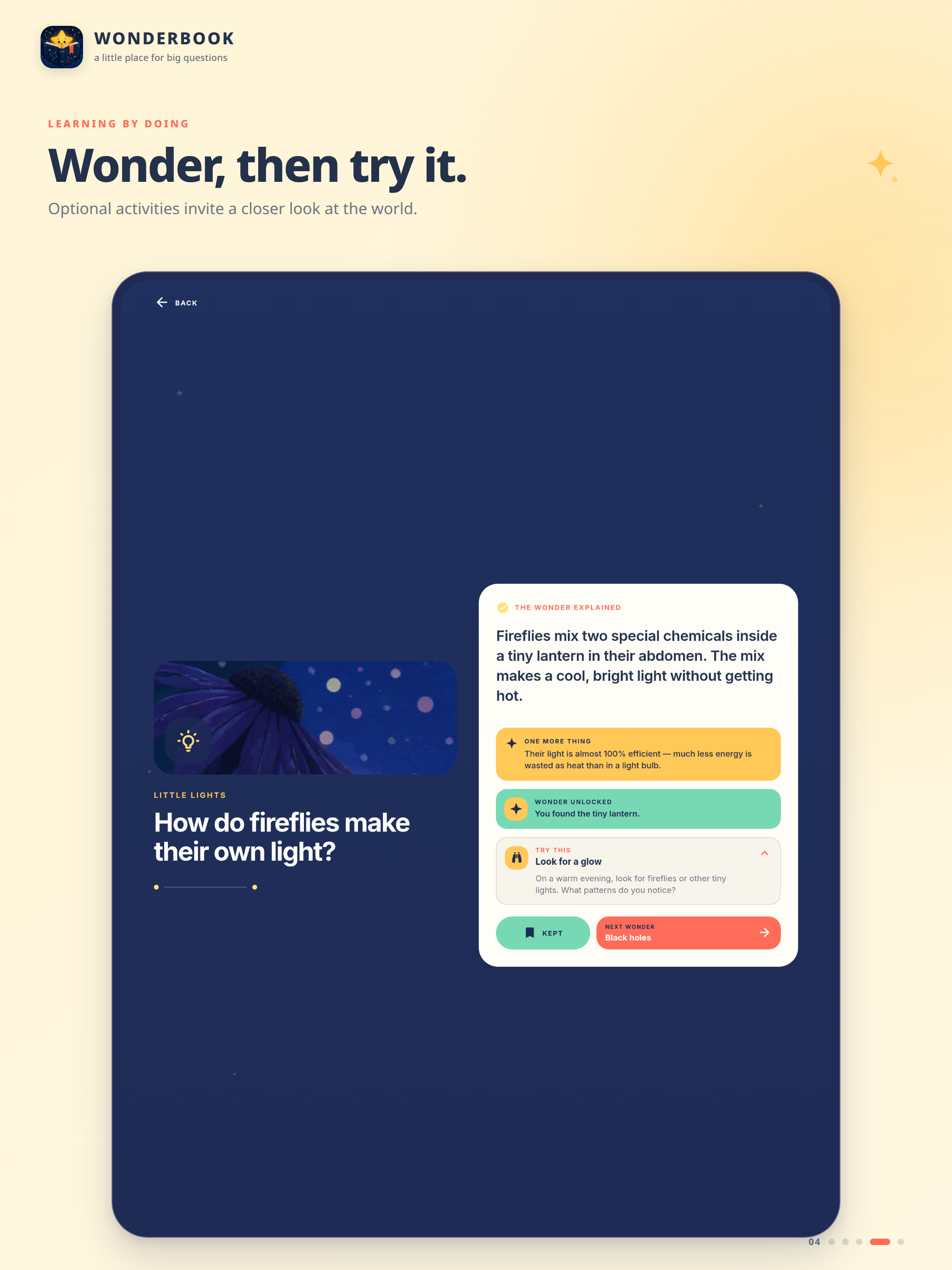
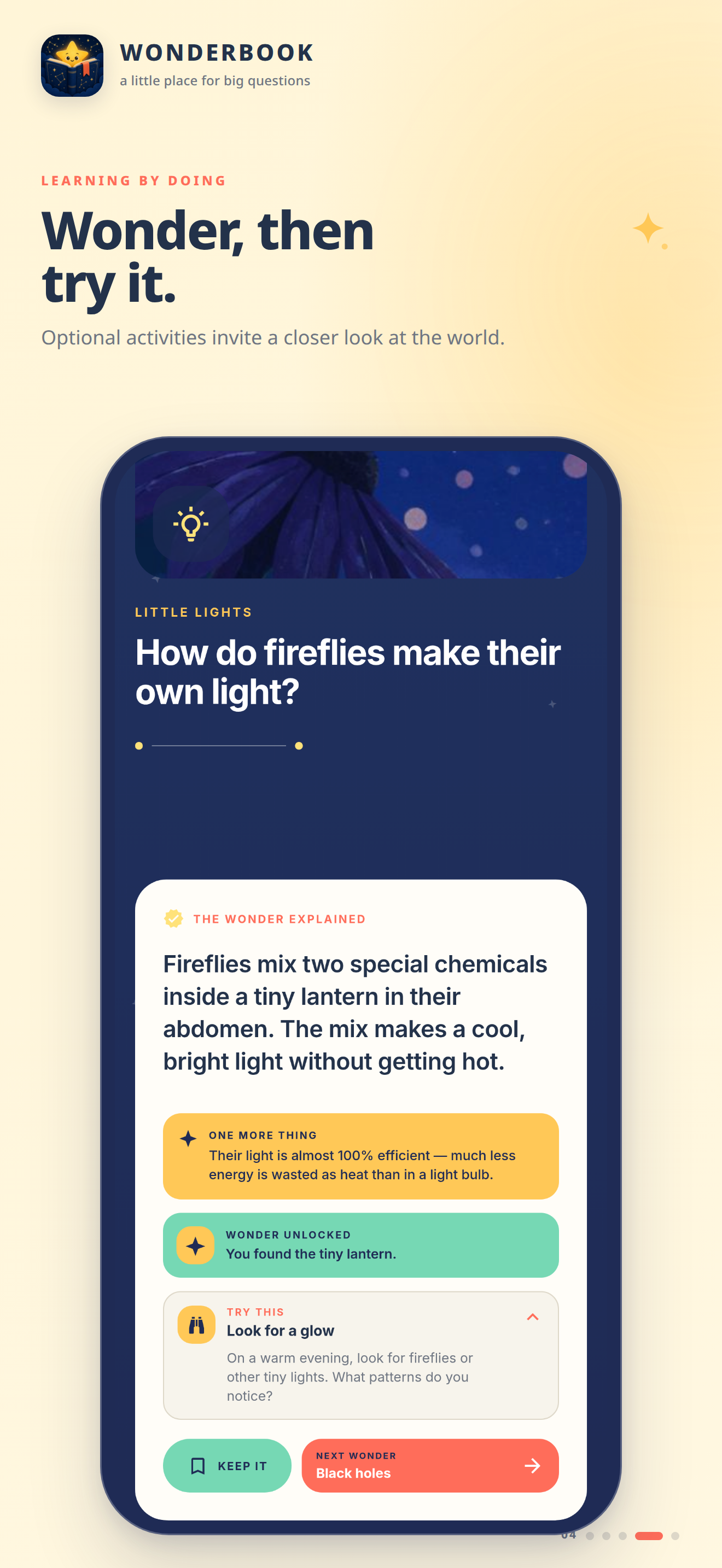
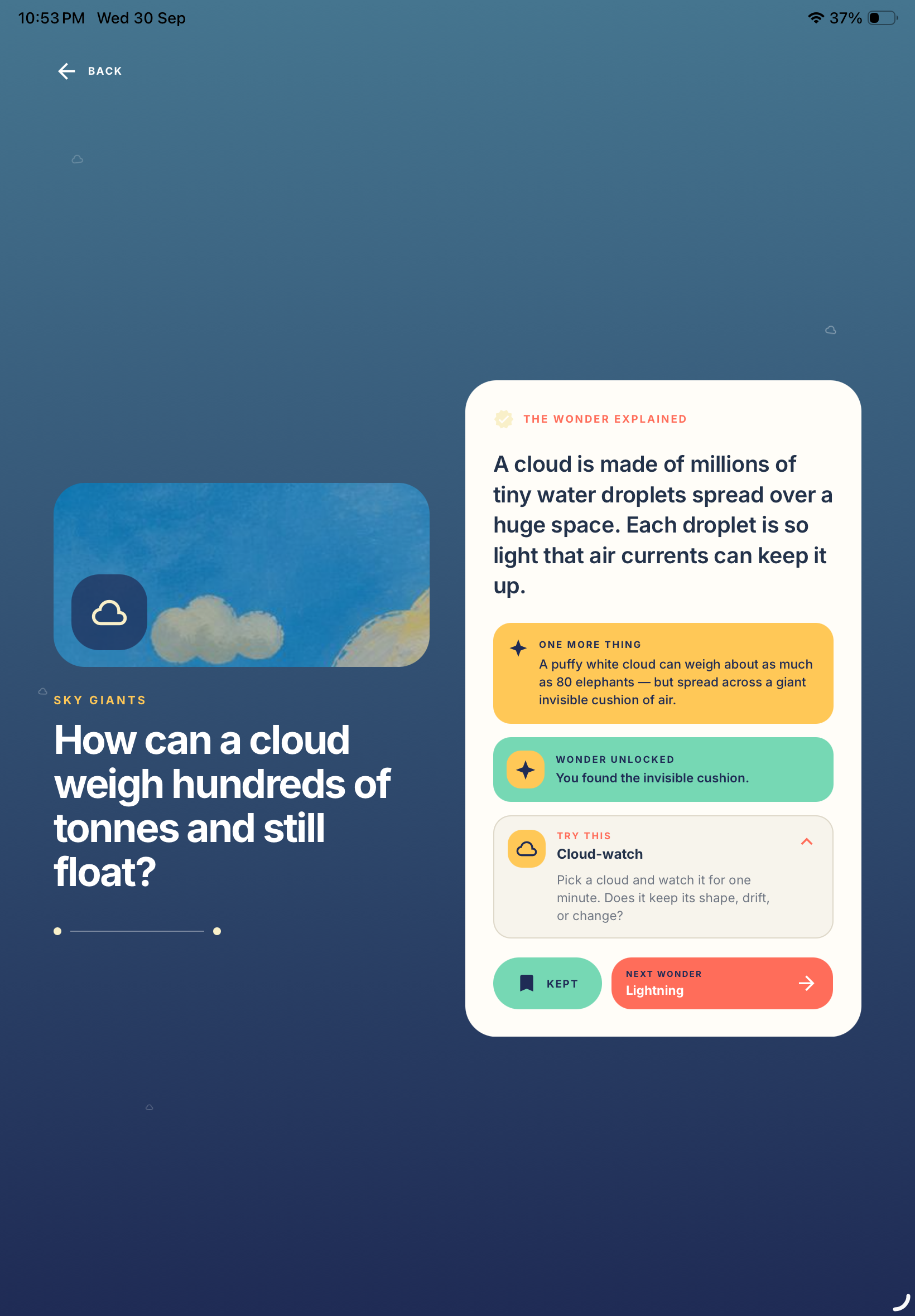
iPad: Get clear, illustrated answers with surprising facts that make every question memorable.
-
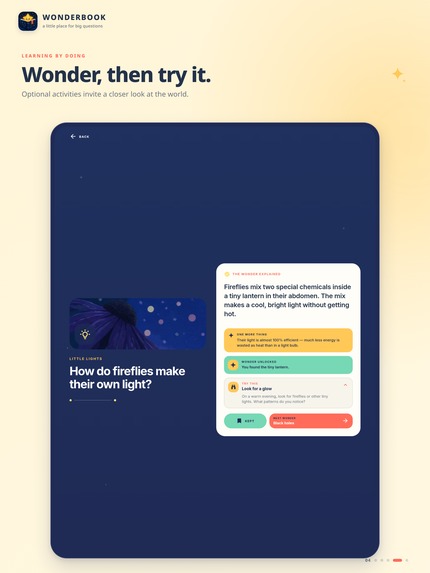
iPad: Take curiosity further with optional activities that help you notice, explore and try things yourself.
-
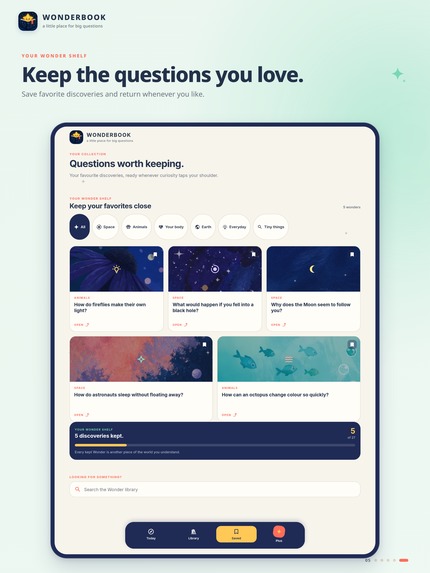
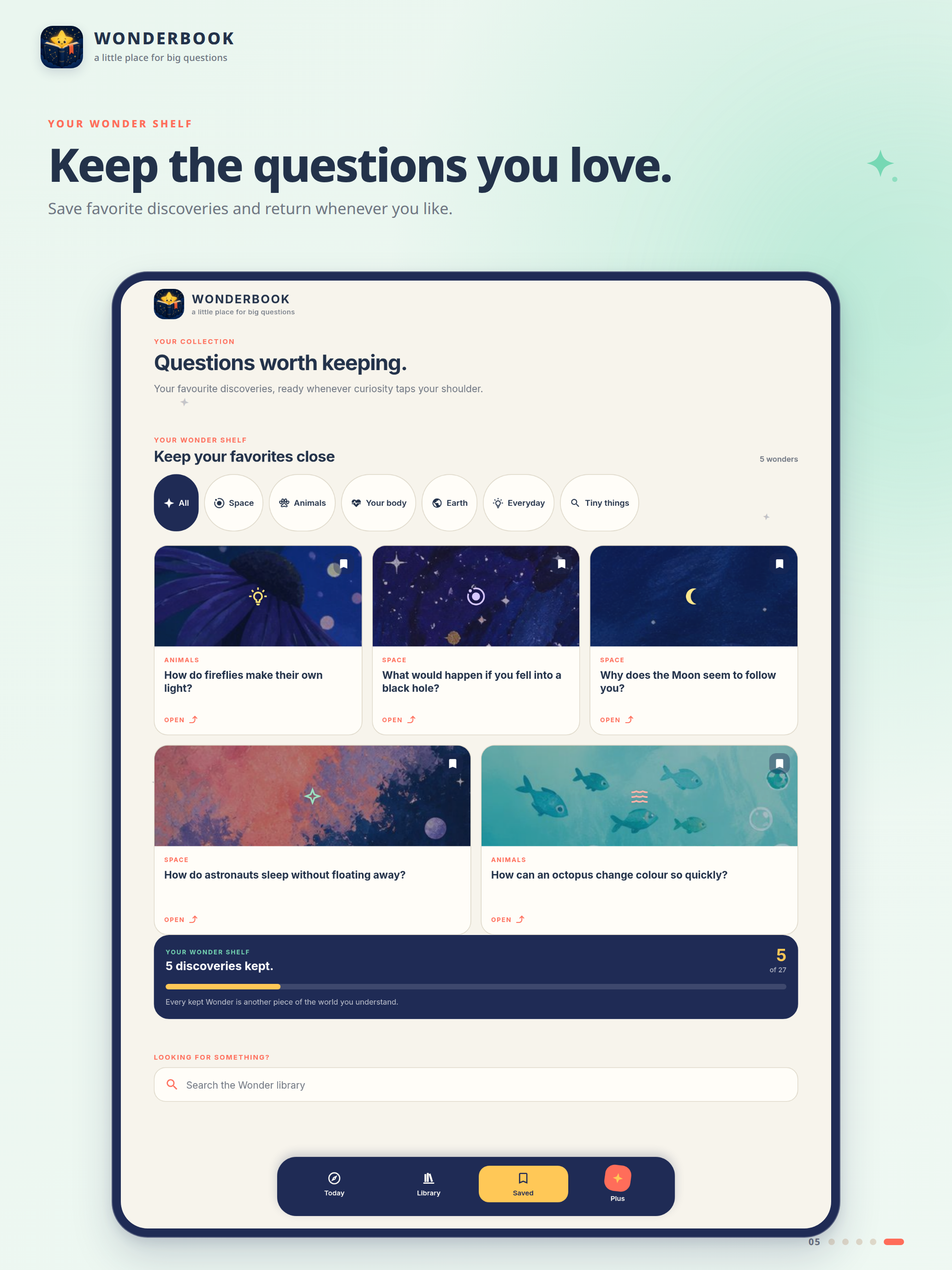
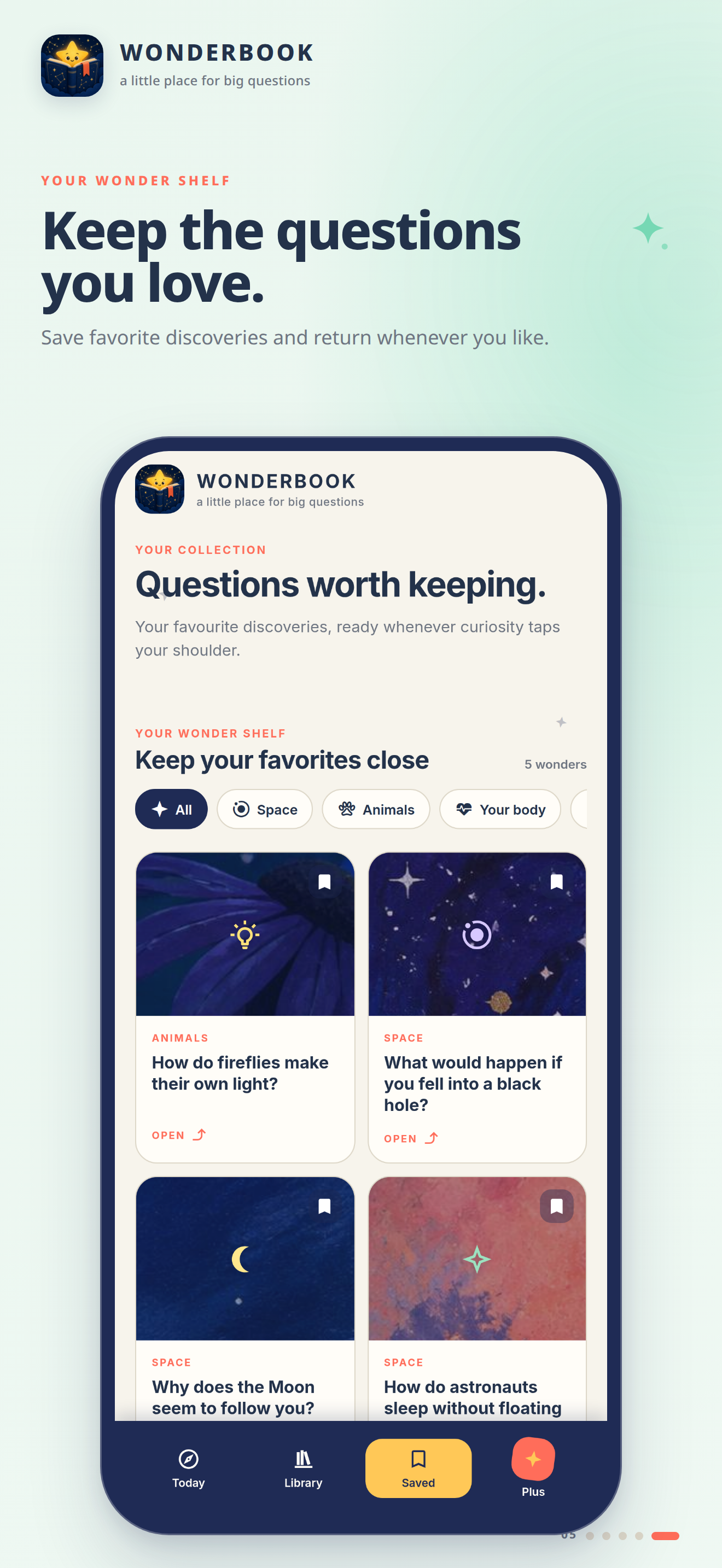
iPad: Save your favourite Wonders and build a personal shelf of questions worth coming back to.
-
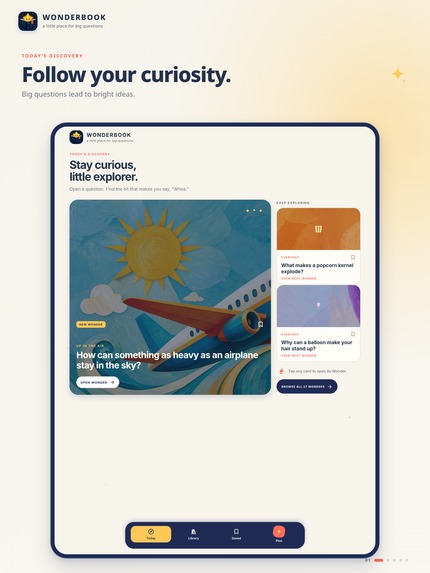
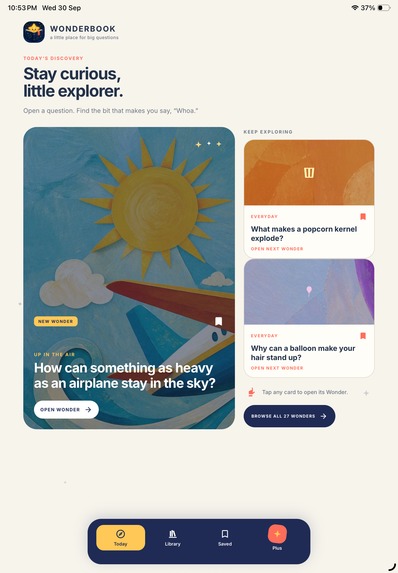
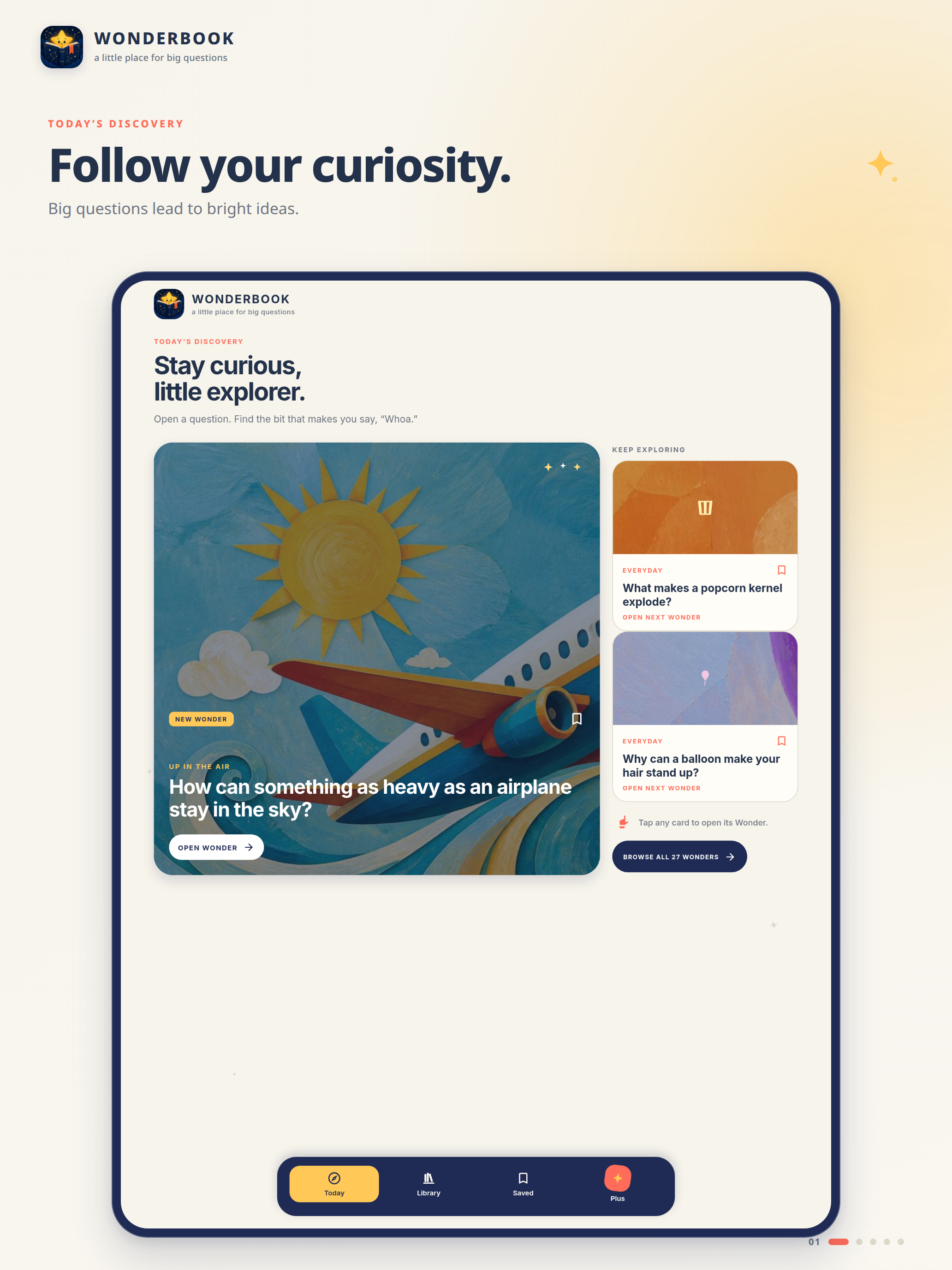
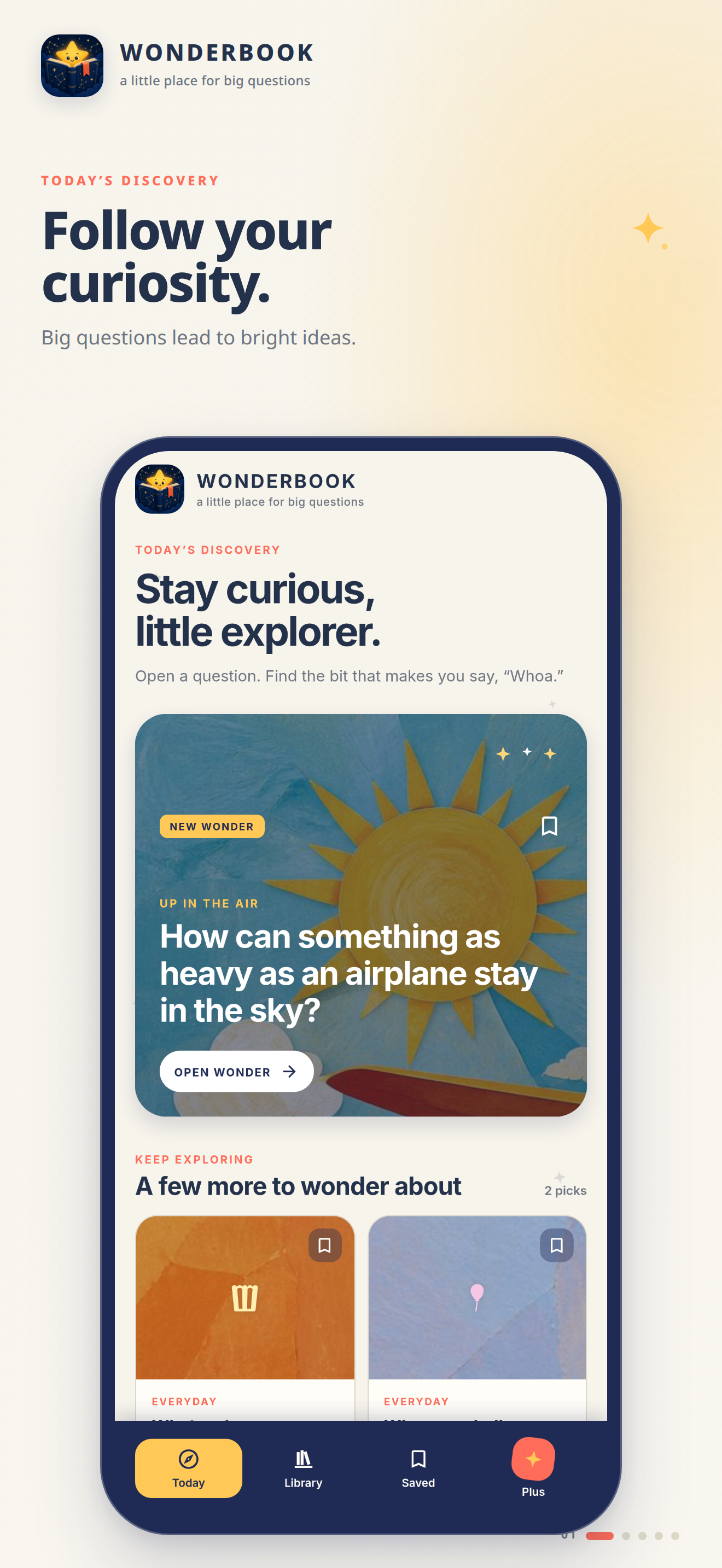
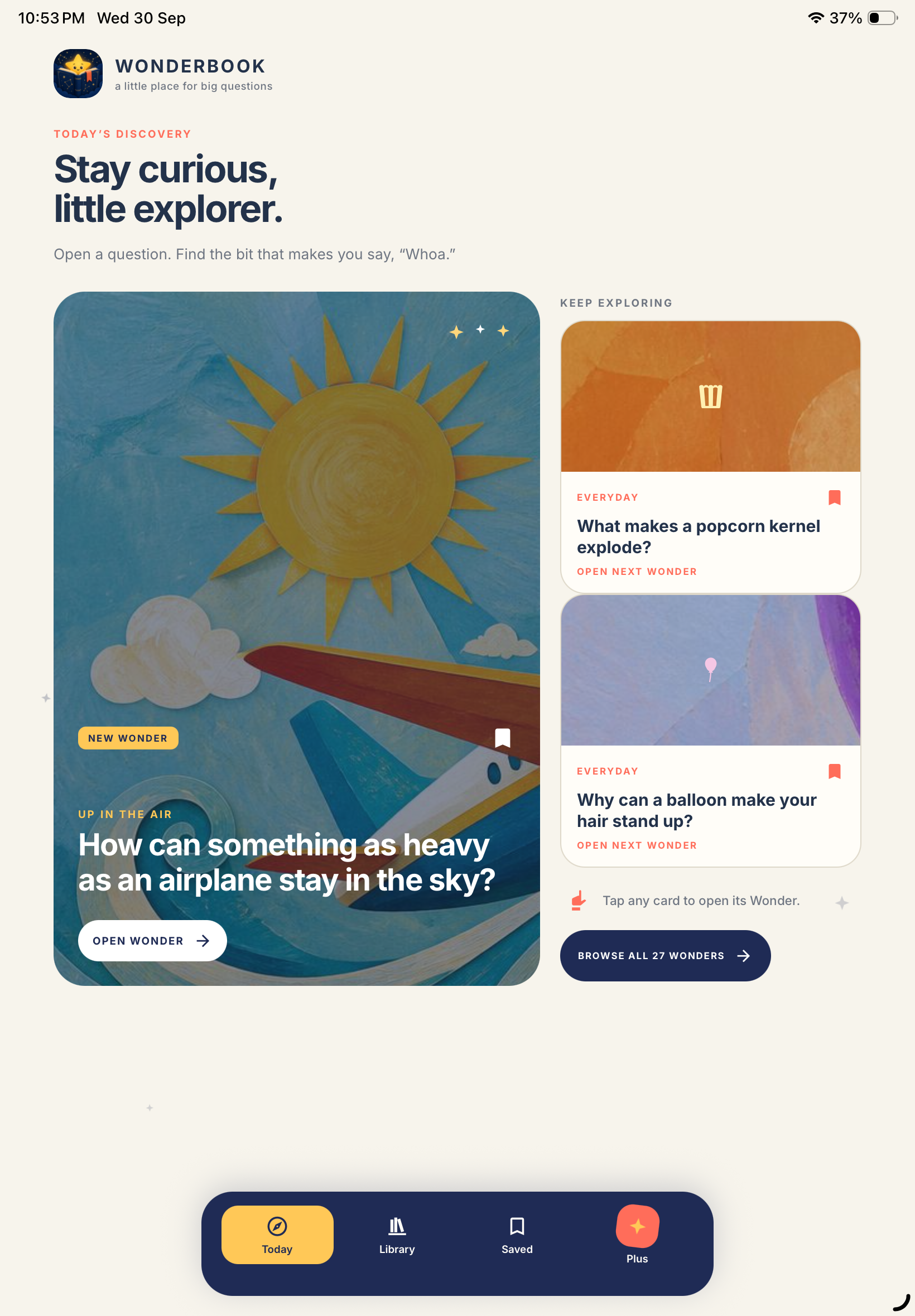
iPad: Discover a new question every day and follow your curiosity wherever it leads.
-
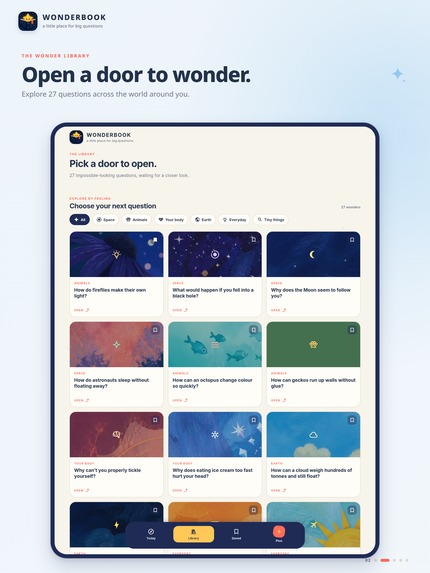
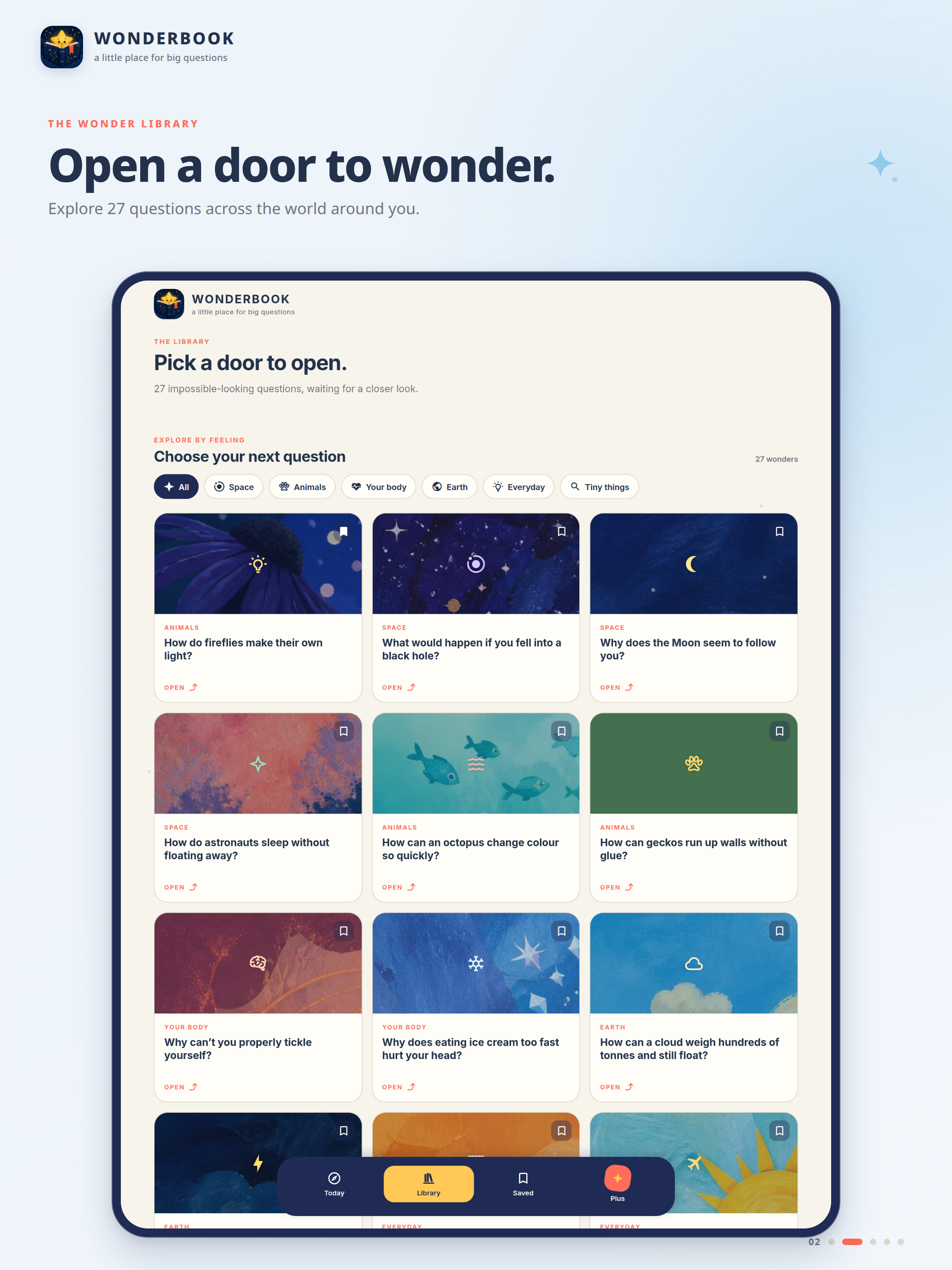
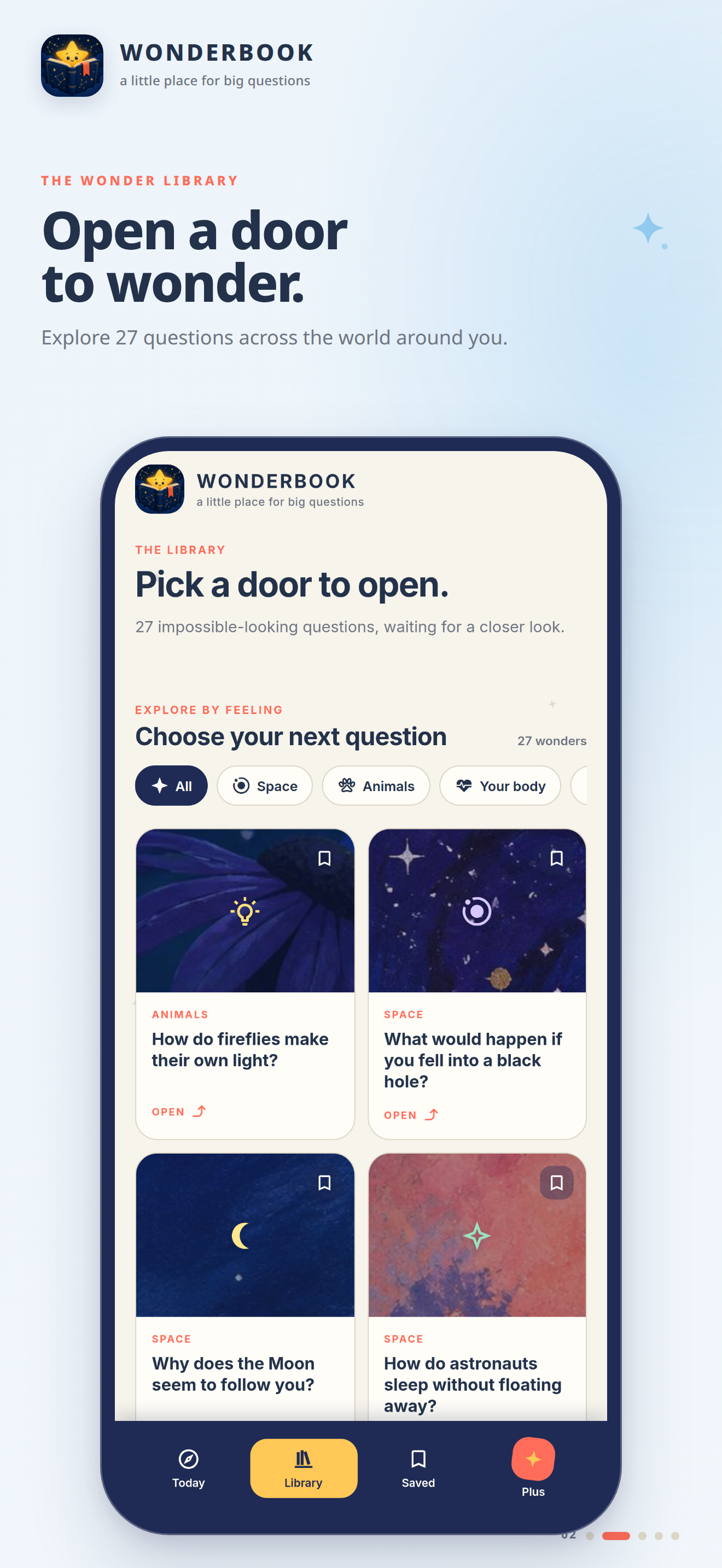
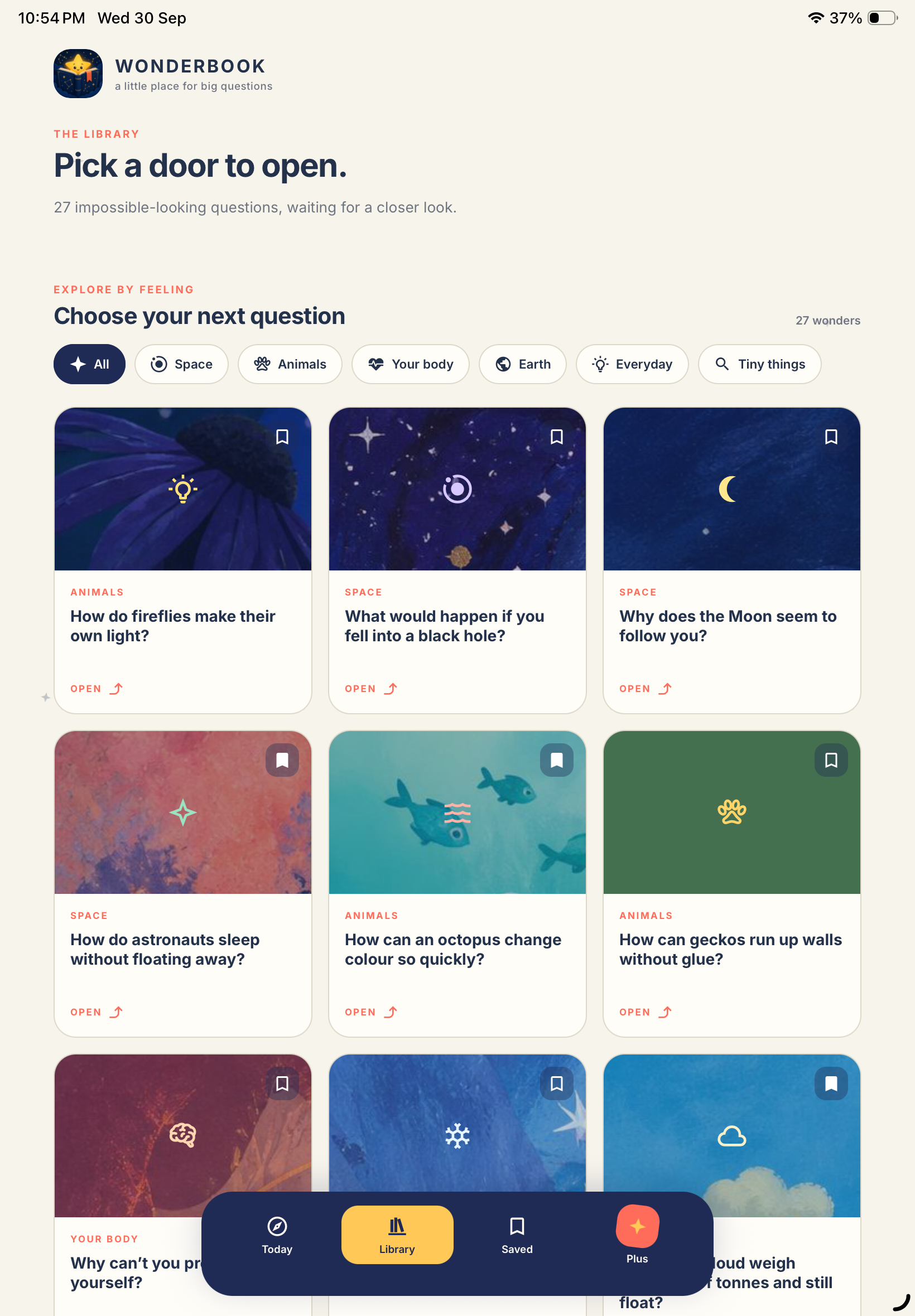
iPad: Explore 27 fascinating Wonders across space, animals, your body, Earth, everyday life and more.
-
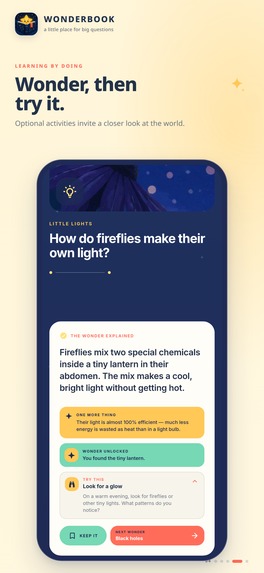
iPhone: Get clear, illustrated answers with surprising facts that make every question memorable.
-
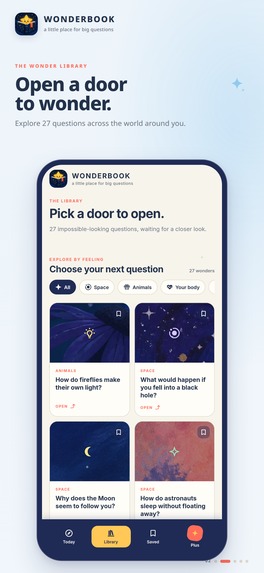
iPhone: Explore 27 fascinating Wonders across space, animals, your body, Earth, everyday life and more.
-
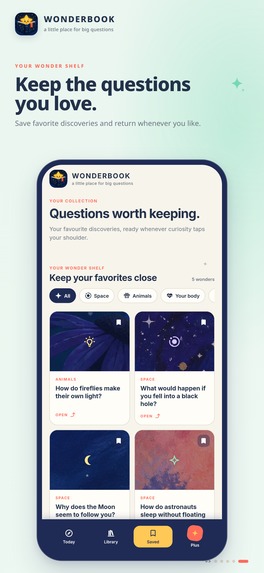
iPhone: Save your favourite Wonders and build a personal shelf of questions worth coming back to.
-
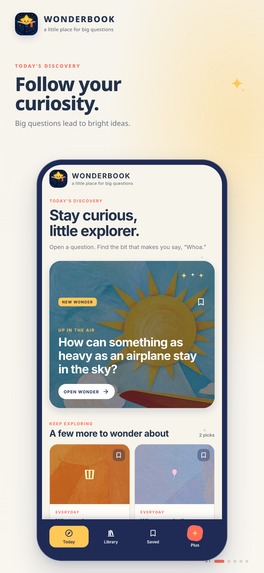
iPhone: Discover a new question every day and follow your curiosity wherever it leads.
-
Wonderbook app icon
-
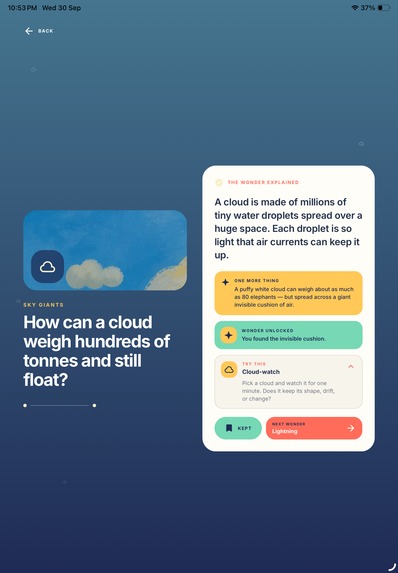
Explore a wonder
-
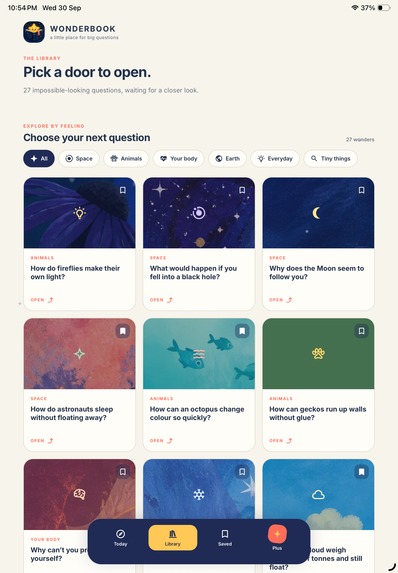
Even more wonders...
-
Stay curious!
-
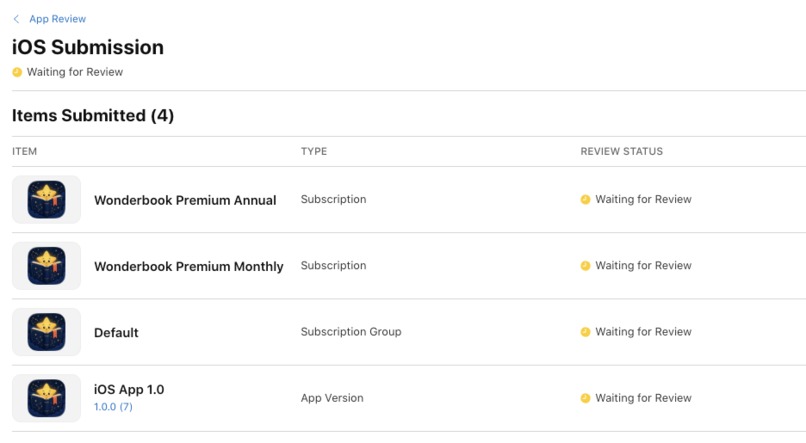
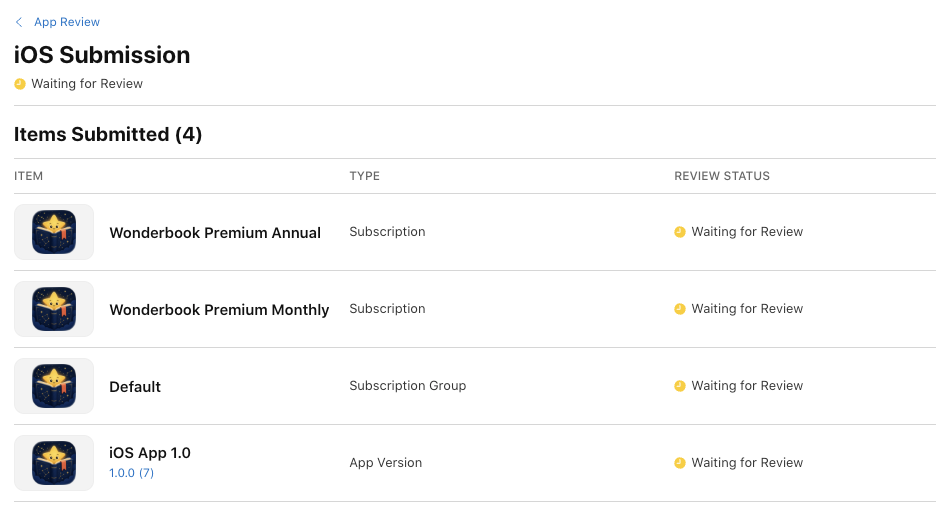
App in review
-
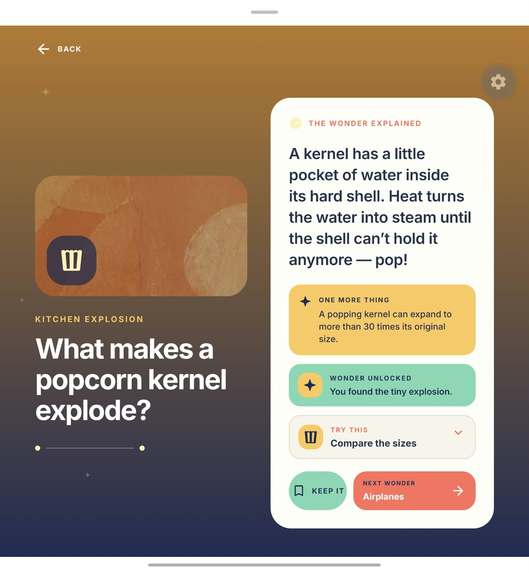
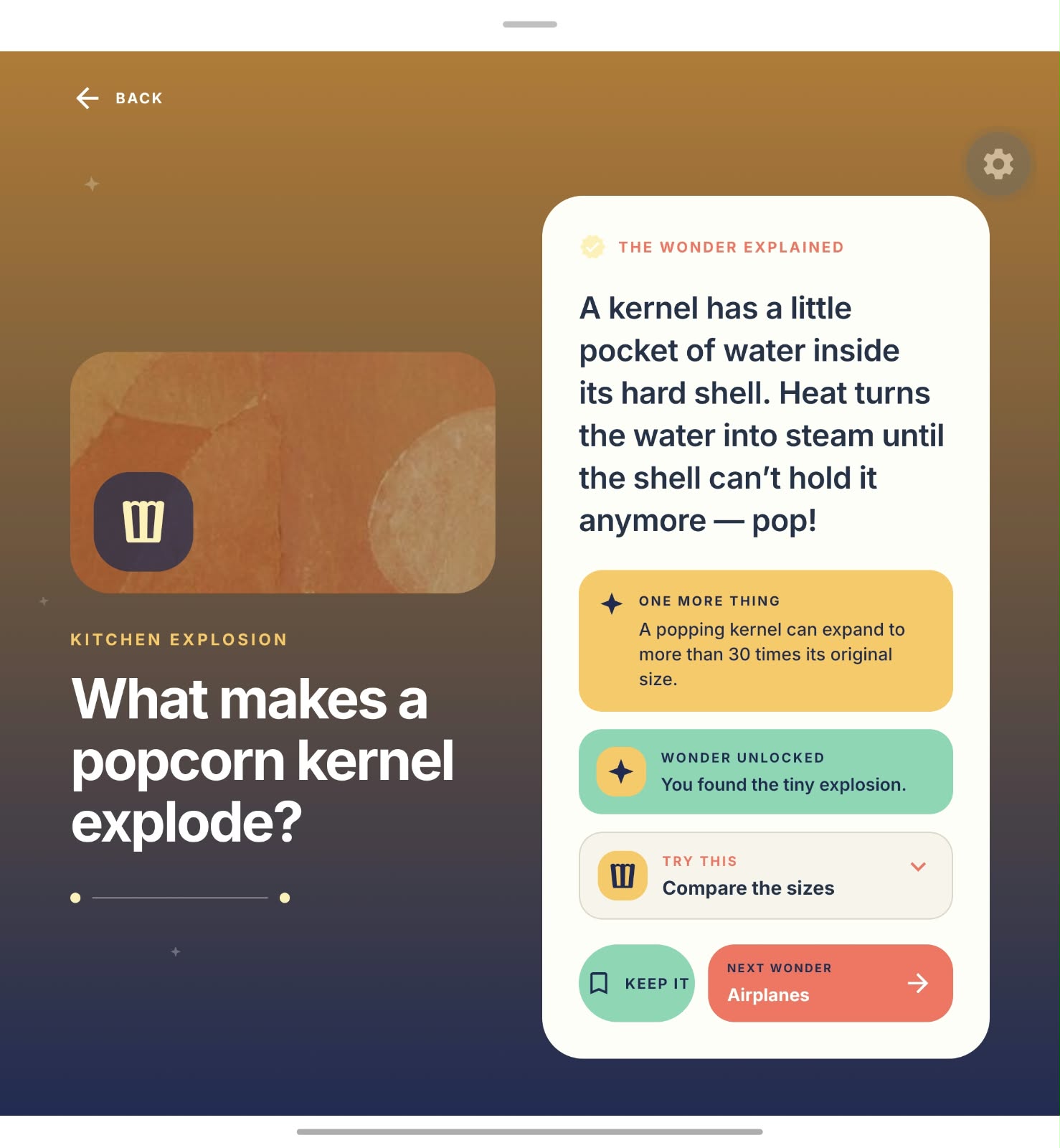
Experience on a foldable device
Inspiration
The idea for Wonderbook came from a simple observation: curiosity usually starts with a very small question.
Why does the Moon seem to follow you? How can an airplane stay in the sky? Why does ice cream make your head hurt?
Searching for an answer often leads to long articles, videos, ads, or information overload. I wanted to create the opposite: a calm, delightful place where you can open one interesting question and understand it in a few moments.
The goal was not to build another course, quiz app, or productivity-driven learning system. Wonderbook is about making curiosity itself feel rewarding.
Learning is a delightful, life-long journey. Hence, Wonderbook is designed for curious minds of all ages, with explanations that are simple, visual, and child-friendly.
I have always loved learning new things, exploring the world I and am ever curious. And, I want to share that joyous love of learning with others through Wonderbook.
What it does
Wonderbook contains 27 illustrated Wonders across Space, Animals, Your Body, Earth, Everyday, and Tiny Things.
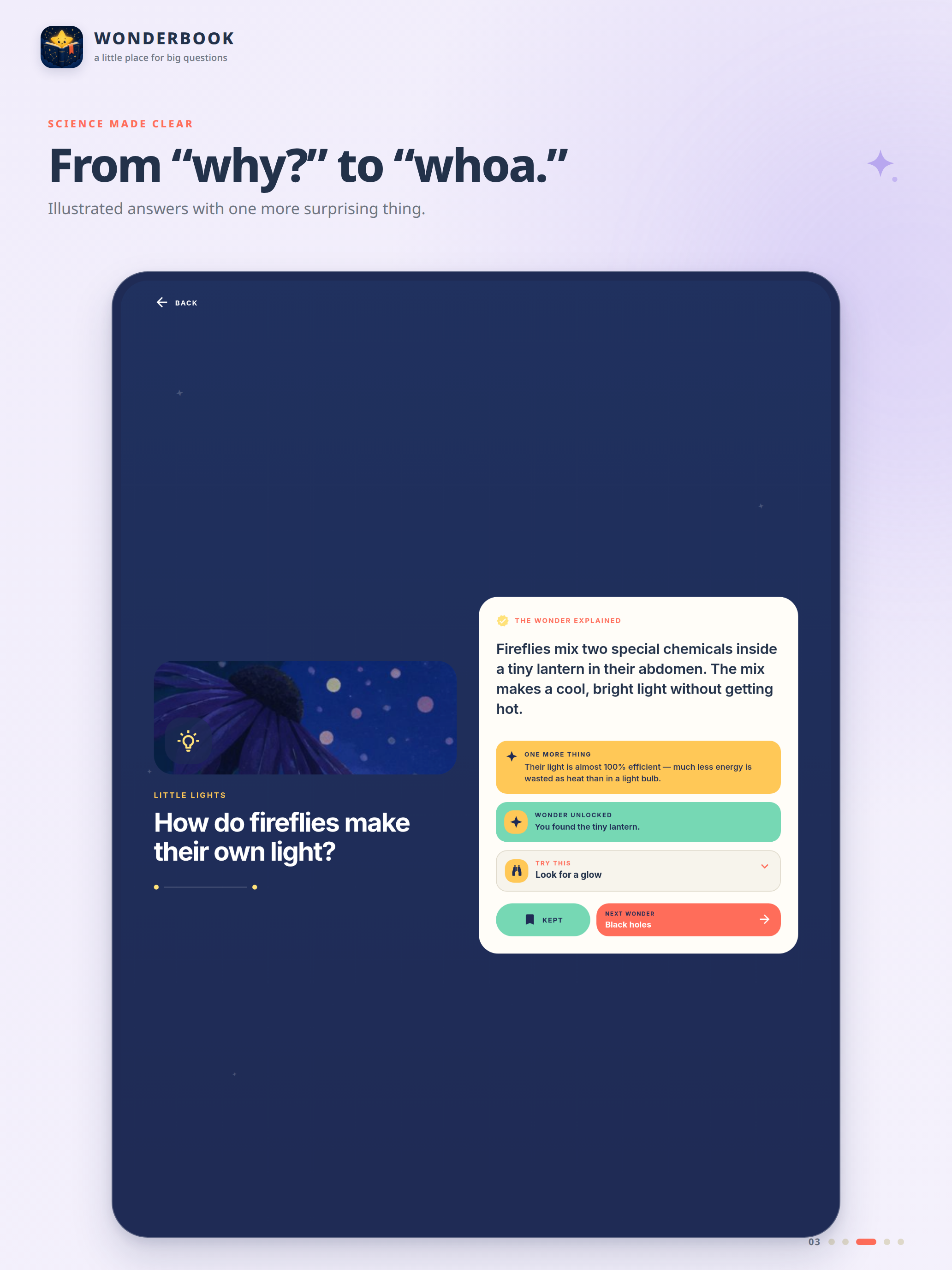
Each Wonder starts with a question and unfolds into a short learning experience:
- A visual introduction to the question
- An answer revealed progressively
- A surprising “One More Thing” fact
- An optional “Try This” activity
- The ability to save interesting Wonders for later
- A next Wonder to keep the discovery going
The Today screen offers a daily starting point, while the Library lets you explore the entire collection by topic or search.
Wonderbook also includes Wonderbook Plus, which unlocks 12 additional Wonders through monthly or annual subscriptions.
The experience intentionally avoids streaks, points, complicated dashboards, and endless feeds. I wanted opening Wonderbook to feel more like opening a beautiful book and discovering something unexpected.
How I built it
I designed Wonderbook around a very small core loop:
See a question → get curious → discover the answer → learn something surprising → explore another.
The interface was built to make that loop feel visually rich without becoming complicated. Illustrations carry most of the personality, while the UI remains intentionally quiet and consistent.
The app includes responsive layouts so the experience can adapt from smaller mobile screens to more expansive layouts while retaining the same visual language.
Saved Wonders are stored locally, so the core product does not require an account or cloud profile. For monetization, I integrated RevenueCat with Apple in-app subscriptions. RevenueCat handles entitlement state for Wonderbook Plus, while the app provides purchase, restore, subscription-status, and error-handling flows around it.
The result is a product where the free experience stands on its own, while Plus naturally expands the library rather than interrupting the learning experience.
Challenges I ran into
I am a first-time mobile app developer. So development was challenging but it was made easy with Replit Agent. And, one of the hardest product challenges was finding the right balance between delight and simplicity.
It was easy to keep adding features such as progress systems, streaks, achievements, personalization, and gamification. But each addition made Wonderbook feel less like a place for curiosity and more like another app asking the user to complete things.
A lot of iteration went into removing unnecessary UI and making the question itself the hero.
Another challenge was pacing the Wonder experience. Showing the entire explanation immediately felt flat, but excessive animation made learning feel slow. The final experience progressively reveals the answer, then the surprising fact and optional activity, while respecting reduced-motion settings.
Subscriptions introduced another layer of complexity. Purchase state, entitlement refreshes, restoring purchases, unavailable offerings, errors, and existing subscribers all need to behave predictably without making the Plus screen feel technical.
Responsive design was also challenging because the larger layouts needed to feel intentionally composed rather than simply being enlarged mobile screens.
I made sure to make it suitable for foldable devices to give that amazing textbook or coffee table kind of an experience, with the question on the left and answer on the right.
Accomplishments that I am proud of
I’m especially proud that Wonderbook became a cohesive product rather than just a collection of educational content. The Today screen, Library, Wonder experience, Saved shelf, and Plus subscription flow all support the same simple idea: find something that makes you wonder and understand it quickly. I’m also proud of:
- Creating a complete catalog of 27 Wonders
- Building a distinctive illustrated visual system across very different topics
- Making the core experience work without accounts or complicated onboarding
- Designing Plus as an expansion of the product rather than a disruptive paywall
- Integrating real subscription entitlement and purchase flows through RevenueCat
- Keeping the experience accessible with reduced-motion support
- Building something that feels playful enough for younger learners but still polished enough for adults
What I learned
The biggest lesson was that learning products do not necessarily need more mechanics. Sometimes they need better questions and better presentation.
A strong question already creates motivation. The product's job is to protect that curiosity rather than bury it beneath features.
I also learned how much small interaction details affect the feeling of a product: the timing of an answer reveal, the transition into the next fact, the placement of a bookmark, or how quickly someone can move from one Wonder to another.
On the technical side, integrating RevenueCat reinforced how much subscription UX extends beyond simply displaying a purchase button. Entitlements, restoration, loading states, platform differences, and failure states are all part of the product experience.
Most importantly, building Wonderbook changed the question from “How do I make people learn?” to “How do I make people want to know what happens next?”
What's next for Wonderbook
The first priority is expanding the Wonder library with more questions, illustrations, and categories while preserving the short, focused format.
I also want to experiment with richer Wonders that use subtle animation and interaction when they genuinely make an idea easier to understand, rather than adding interaction for its own sake.
Over time, Wonderbook could also introduce lightweight ways to rediscover saved questions, themed collections, seasonal Wonders, and deeper explorations of particularly interesting topics.
But the core principle will stay the same:
Open Wonderbook with a question. Leave knowing one more fascinating thing about the world.
Built With
- ios
- revenuecat


Log in or sign up for Devpost to join the conversation.