-
-
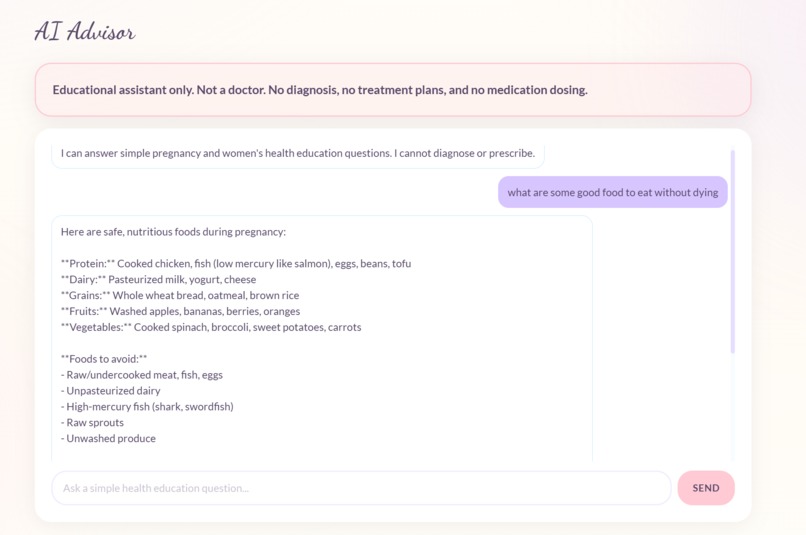
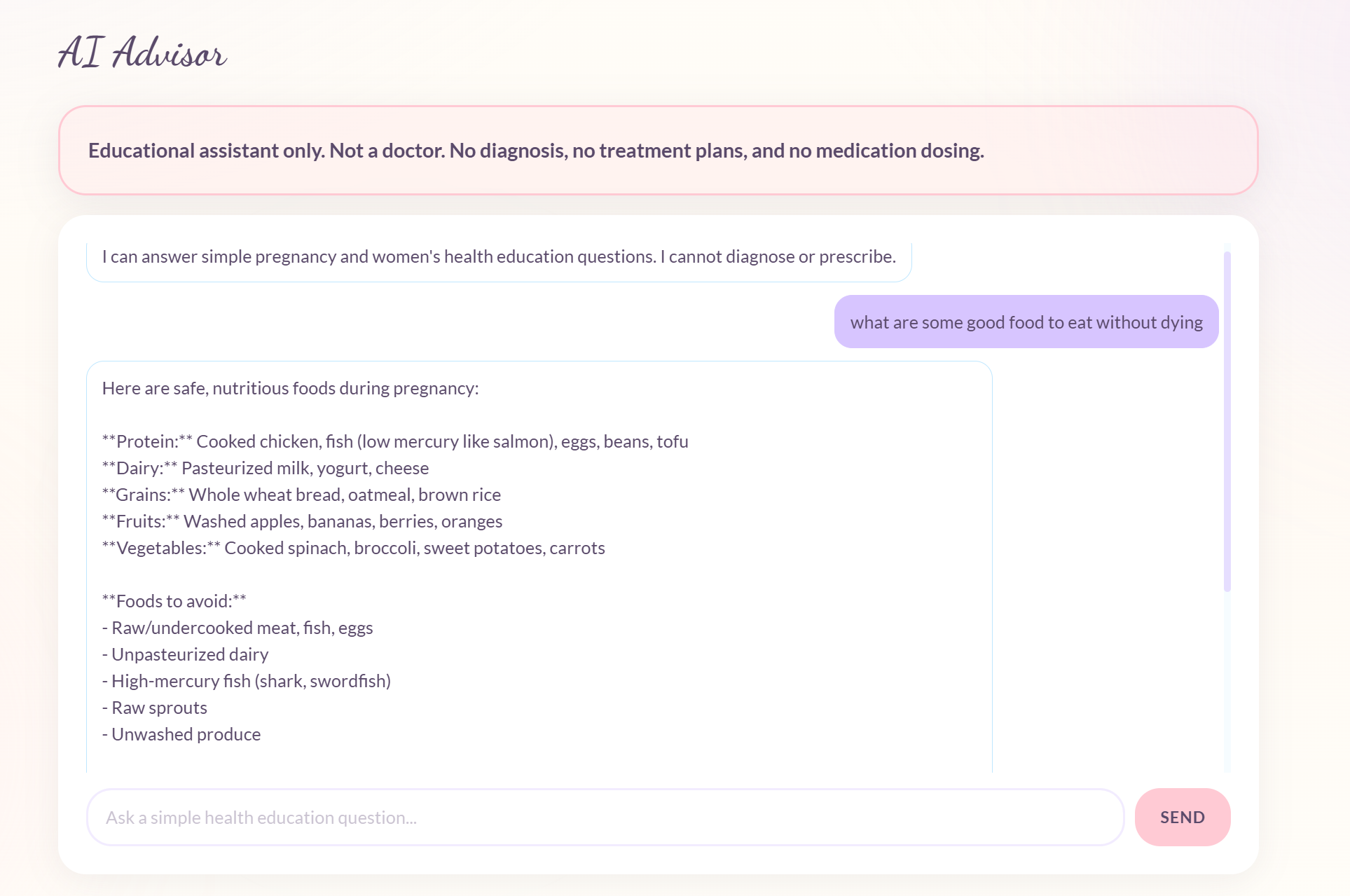
AI Advisor, that moms can use not as a doctor, but rather for some advice on a natal topic, it makes sure to emphasis not being a doctor
-
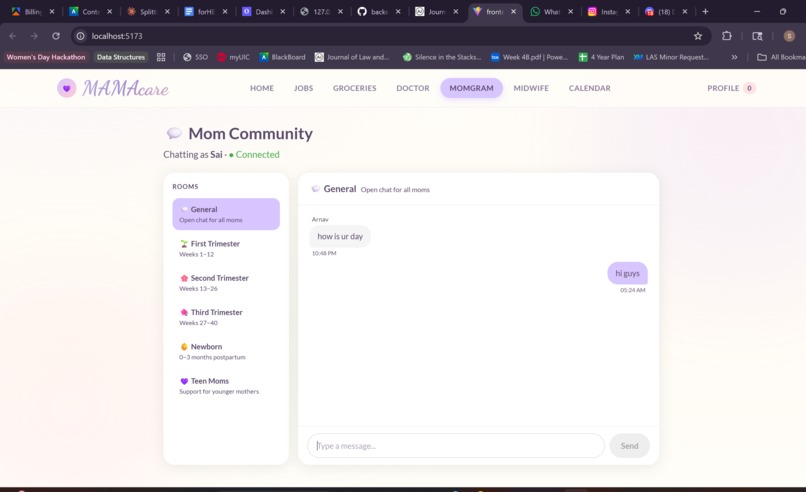
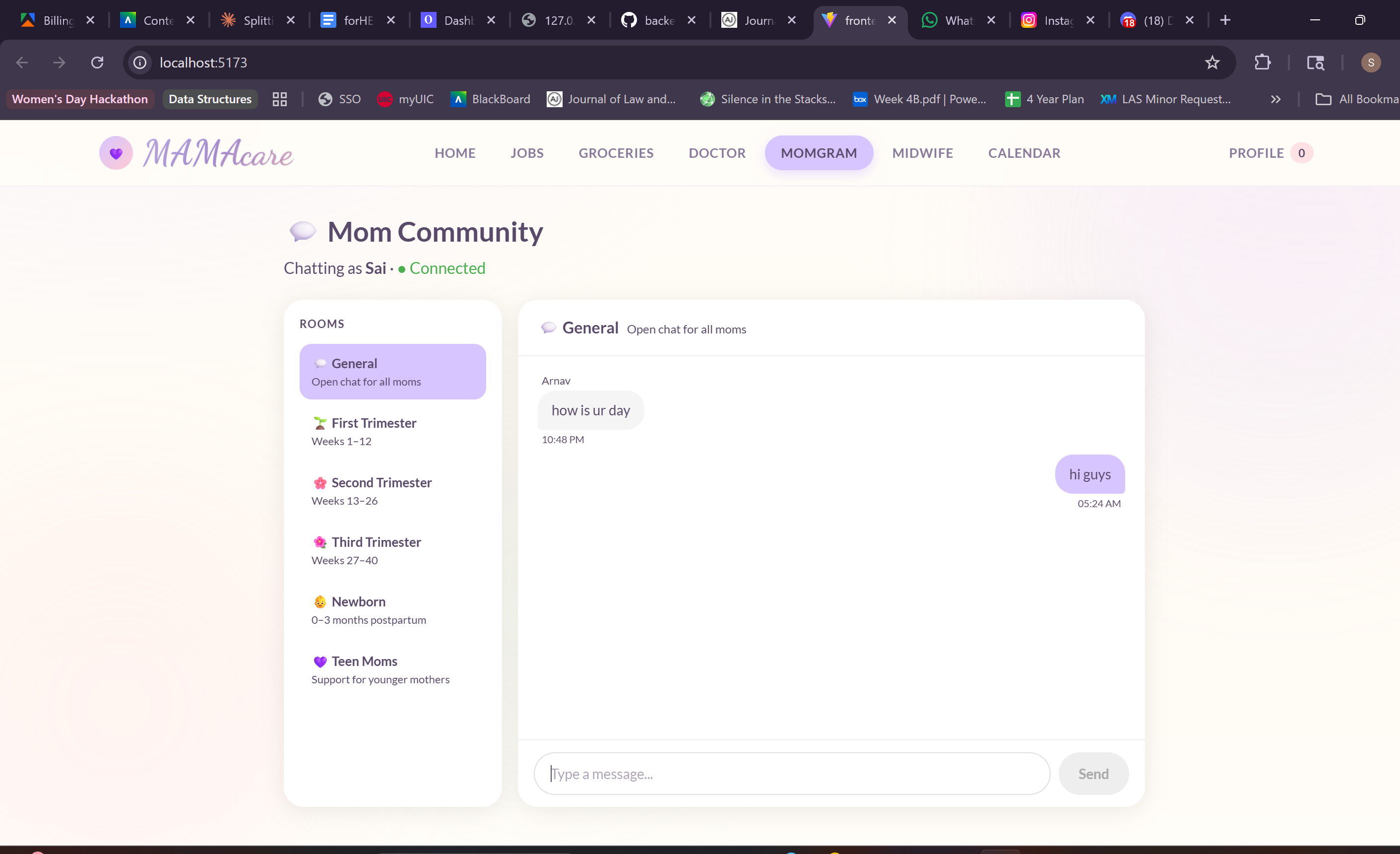
MamaGram, where moms can communicate, ask advice, and provide support, to each other
-
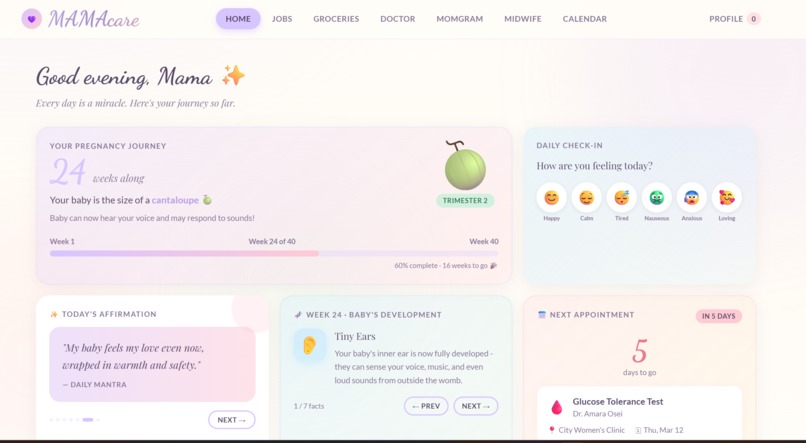
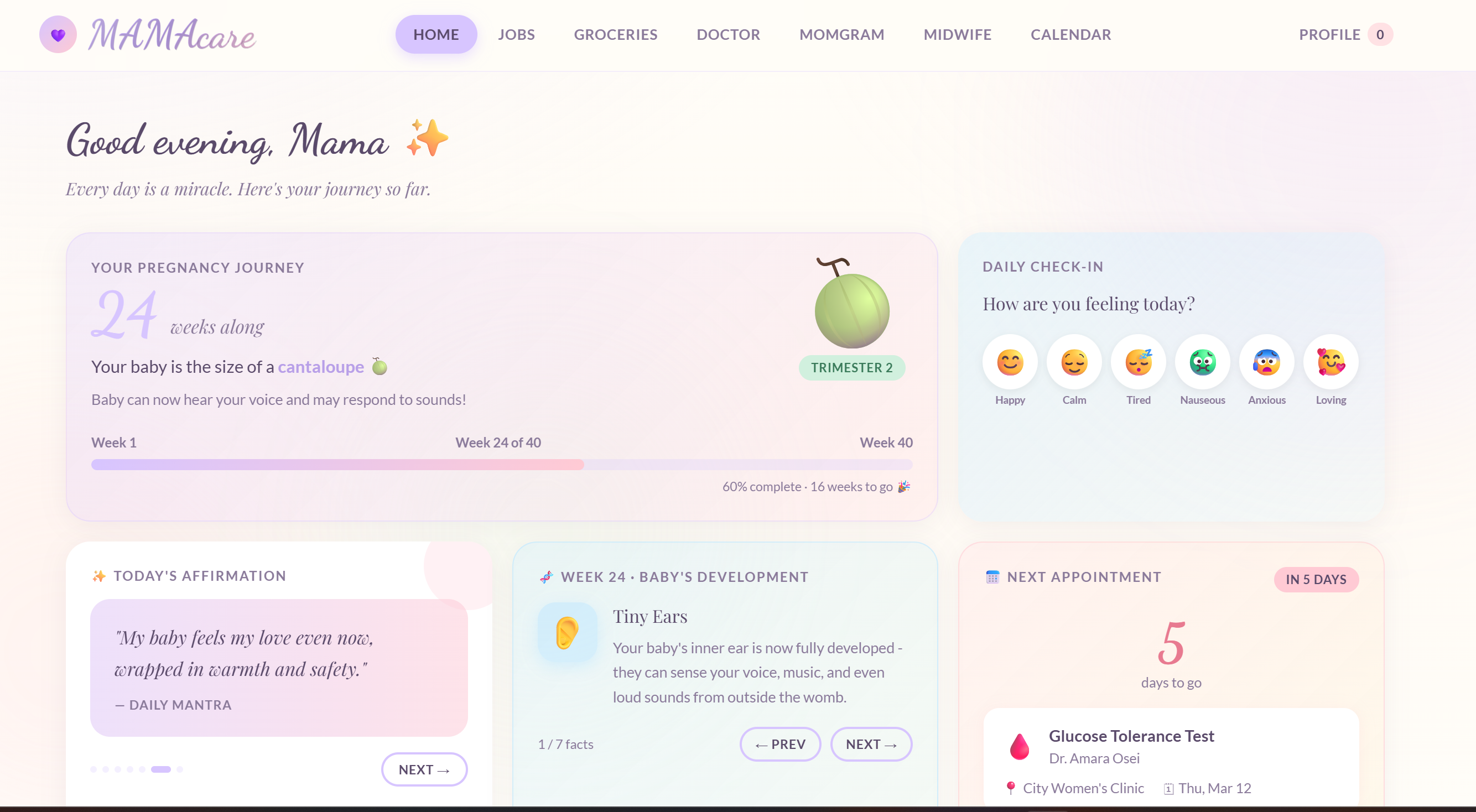
The vibrant, comfortable MamaCare homepage, meant to feel as comforting and welcoming for the Mamas who use the website
-
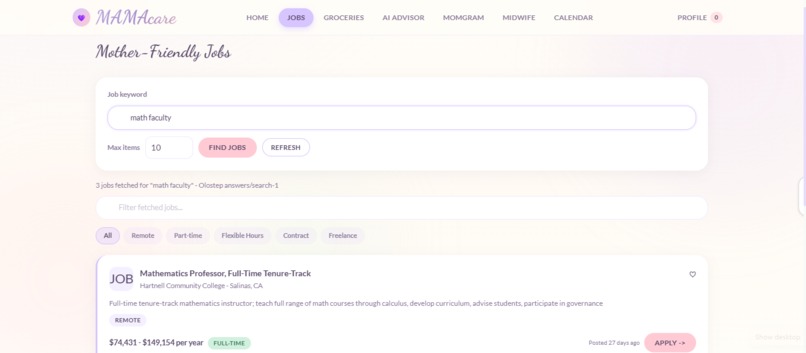
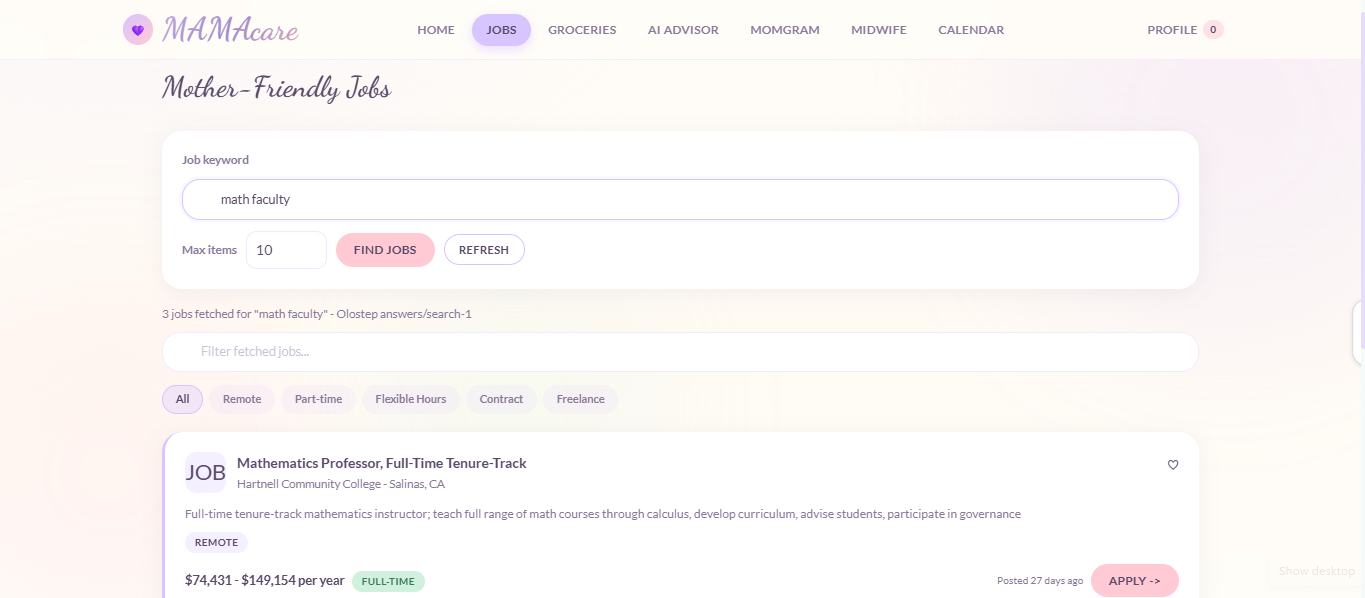
The Job Scraper, allows the mom to search for jobs across all platforms: LinkedIn, Indeed, etc.
-
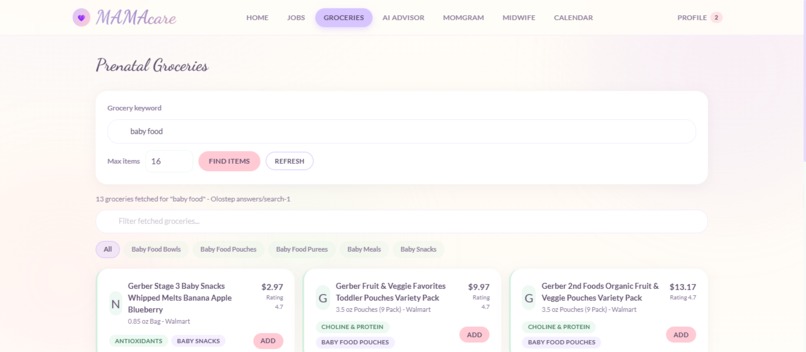
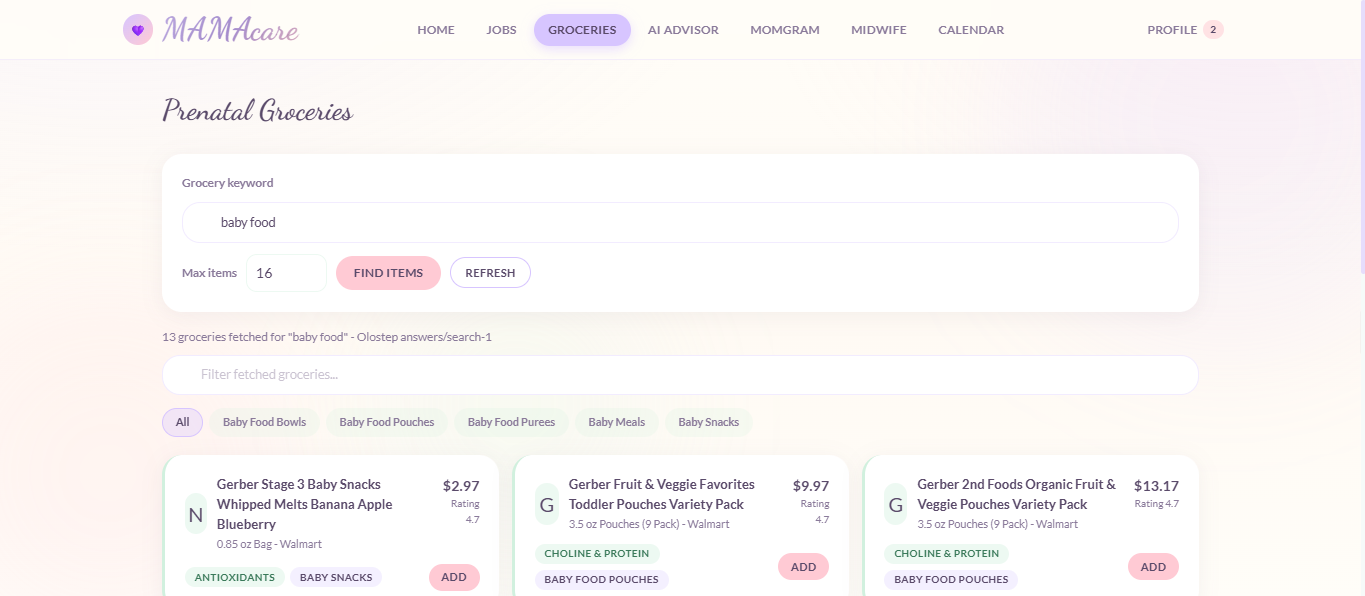
The Grocery Scraper, where the mother can search fro items across all stores near her hospital
-
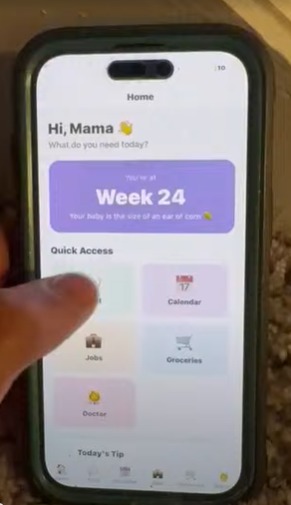
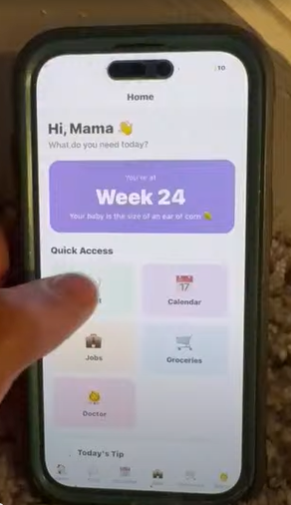
Mobile App homescreen
-
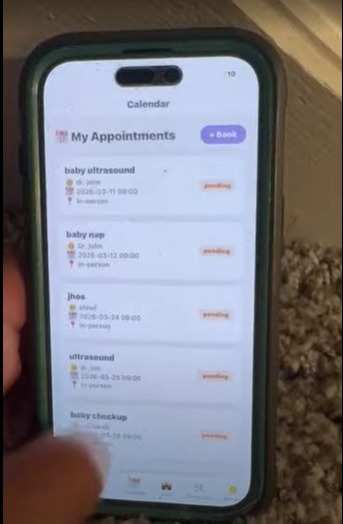
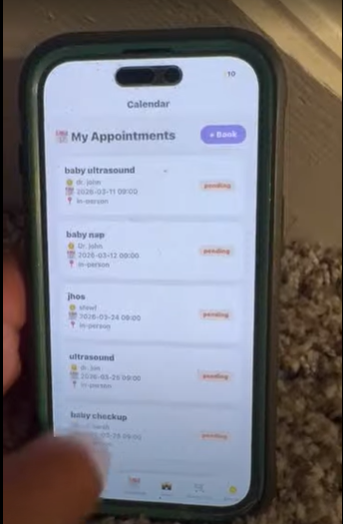
Mobile App Appointments screen
-

Logo

MamaCare
Inspiration
Pregnancy is one of the most transformative, and isolating, experiences in a woman's life. Between managing appointments, finding flexible work after maternity leave, staying on top of prenatal nutrition, and simply having someone to talk to at 2am, the mental load on expecting mothers is enormous. We have seen in the cases of our own mothers how hard that time was for them, and asked ourselves: what if there was one place that handled all of it? MamaCare was born from that question.
What It Does
MamaCare is a web and mobile platform built for mothers at every stage of their pregnancy journey. Mothers can chat in real time with other moms organized by trimester, book and manage prenatal appointments on a personal calendar, browse a curated feed of remote and family-friendly jobs, discover prenatal-safe groceries with nutritional benefit labels, and find doctors and specialists near them. Everything is also available on Android through our companion mobile app.
How We Built It
We built MamaCare as a split-stack application with three layers sharing one live backend. The backend was built in Python using FastAPI, structured into modular routers for each feature, with AWS DynamoDB as our database for appointments and chat messages. Real-time chat runs on AWS WebSockets with a custom ConnectionManager that tracks active users per room. Job and grocery data is powered by the Olostep API, which returns structured data from natural language queries. The web frontend was built in React + Vite, and the mobile app was built with Expo (React Native), both connect to the same Railway-hosted backend with no duplicated logic. The frontend is deployed on Vercel and auto-deploys on every GitHub push.
Challenges We Ran Into
Our biggest challenge was getting WebSocket-based chat to work reliably across local development, our Railway backend, and the Vercel frontend. We had many CORS policy conflicts and JSON parsing errors required multiple rounds of debugging. We also hit an Expo Go SDK version mismatch that blocked mobile development for nearly an hour. AWS App Runner was unavailable on our free tier, forcing us to deploy our backend to Railway mid-hackathon. And working across backend, web, and mobile simultaneously on one repo created several painful merge conflicts throughout the build.
Accomplishments That We're Proud Of
Every feature for Mamacare is live and connected to real data, not a mock or a prototype. Real-time chat works across multiple browsers simultaneously, appointments persist in AWS DynamoDB across sessions, and the job board returns real scraped listings. We also created a working 6-screen mobile app in under 4 hours that connects to the same backend as the web app with zero additional engineering. Shipping a full-stack web and mobile product with real-time features in 48 hours is something we're very proud of ourselves for, but mainly we are proud of helping women all across the world during a time they are very vulnerable and need all the help they can get.
What We Learned
We learned how to architect a production-grade split-stack app, keeping the backend stateless, designing DynamoDB tables around access patterns, and managing WebSocket connection state in memory. We also learned the hard way that CORS, environment variables, and deployment configuration need to be planned before the final hour, not during it.
What's Next for forHER
We plan to add an account feature so all user data and information is saved across all mediums, a verified Midwife Connect directory with in-app booking, a prenatal-safe Drugstore with real-time deal finding, push notifications for appointment reminders, and full profile sync so saved jobs and cart items carry over between the web and mobile apps.
Built With
- amazon-dynamodb
- amazon-web-services
- claude
- connectionmanager
- expo.io
- fastapi
- goose
- javascript
- next
- node.js
- olostep
- python
- railway
- react
- react-native
- router
- vercel
- websockets

Log in or sign up for Devpost to join the conversation.