Wolfie Sensei
A pixel-art study companion that coaches you to think first. It protects your ability to sit with something hard and work your way to understanding.
Inspiration
Understanding something hard means sitting with it: rereading the dense paragraph, being stuck, not knowing yet, and working your way through anyway. That struggle isn't a side effect of learning. It's how learning gets built. AI now lets anyone skip it, and the output looks just as good, so nobody notices what they didn't build.
The evidence
- 92% of UK undergraduates now use generative AI, up from 66% a year earlier. 88% have used it for graded assessments (up from 53%), and 18% have pasted AI-generated text straight into their work. Only 36% have been taught how to use it well (HEPI Student Generative AI Survey 2025).
- In a study of 666 people, heavier AI use was significantly linked to weaker critical thinking, driven by cognitive offloading (letting the tool think for you). Younger participants were the most dependent and scored lowest (Gerlich, Societies, 2025).
Why the cost stays hidden
Copy-paste gets the homework done but skips the learning, and the price arrives later: when the AI is wrong or unavailable, or when a problem is new enough to need an intuition you never formed.
- Offload. The tool does the thinking.
- Skip the rep. You lose a chance to practice staying with something hard.
- Atrophy. The less you practice, the harder it gets, so you offload more.
We wanted an AI that trains that skill instead of replacing it: one that holds back the answer, helps you stay with the problem, and aims to make you need it less over time.
What it does
Wolfie Sensei is a desktop study companion: a pixel-art wolf mascot that lives in the corner of your screen while you study. It only observes and coaches. It never clicks, types, or submits anything for you.
Stay with the problem
- Watches with you, with your consent. In Watch mode, Sensei looks at your active window every few seconds and keeps text notes on the paper, video, or problem set you're on, so you never have to re-explain your context. Private browser windows are skipped, and screenshots are never stored.
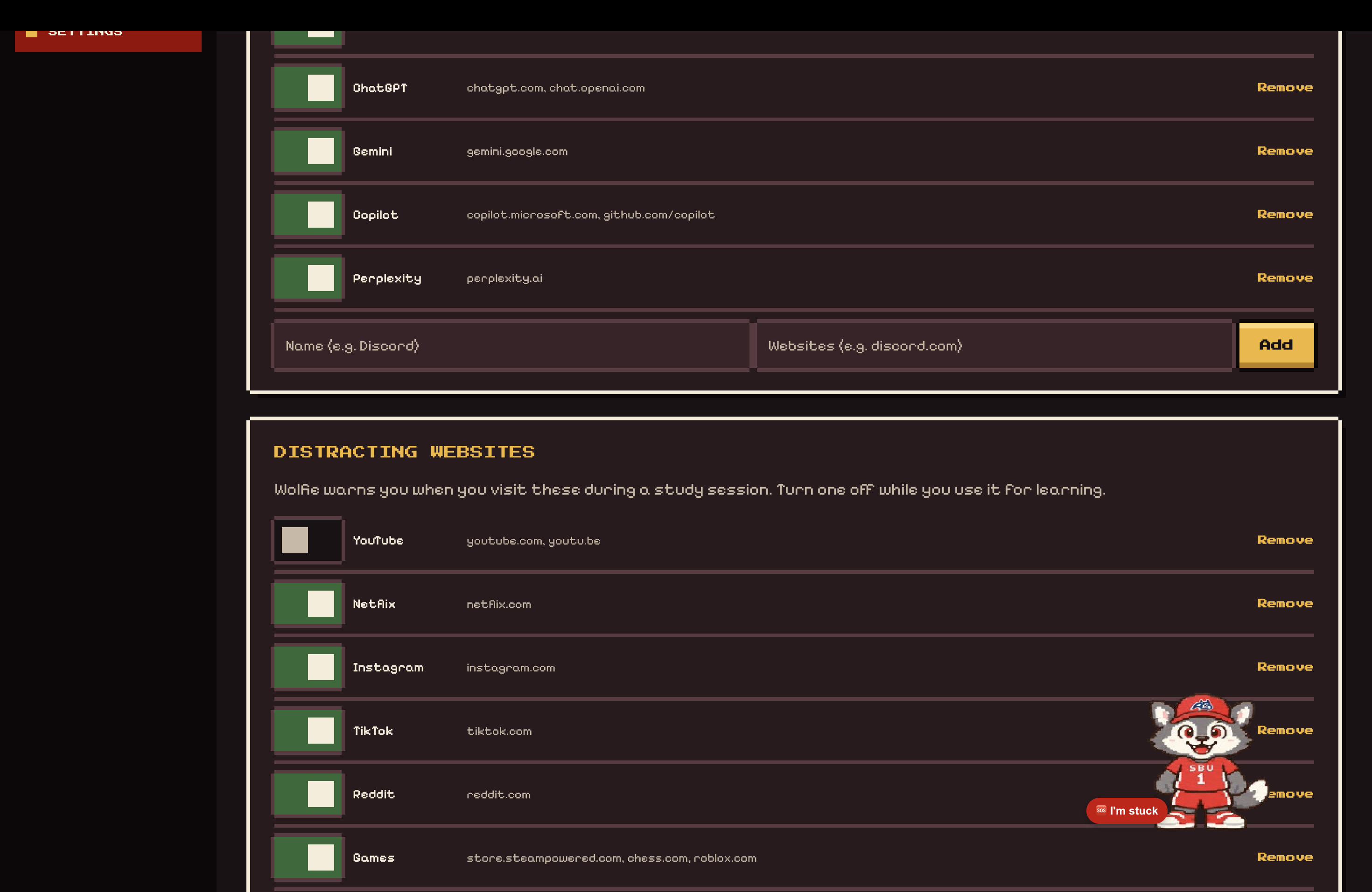
- Nudges you to think first. When you open an AI chatbot or drift to a distracting site mid-session, Sensei nudges you back in a warm, teacher-like voice. Cheap local signals also detect that you're stuck: repeated wrong answers, clicks on dead buttons, going back and forth between pages, long pauses, and bouncing between windows. Wolfie escalates gradually, from a glance to a "?" to a "Want a hint?" bubble, and finally a spoken offer. It never gives a hint unasked. There's also an I'm stuck button and a global hotkey.
- Hints, not answers. In homework mode, help climbs a five-step ladder: nudge, hint, explanation, analogous example, next step. It never jumps to the full answer, and a "graded work" switch removes "show the answer" entirely. Sensei also checks answers you write and flags what's off without giving the solution.
Learn with it
- Learning mode. For papers, lectures, and slides, Sensei answers directly, with citations to the page, section, or video timestamp, and suggests real videos and articles to fill gaps.
- Reads papers with you. Load a PDF or an arXiv paper and ask about any passage. Answers are grounded in the paper's text with section references, and anything outside the paper is labelled as general knowledge.
- Talks with you. Hold to talk, and Sensei reads replies aloud in a natural voice. You can interrupt it mid-sentence, and short commands like "stop" and "another hint" are handled locally with no model call.
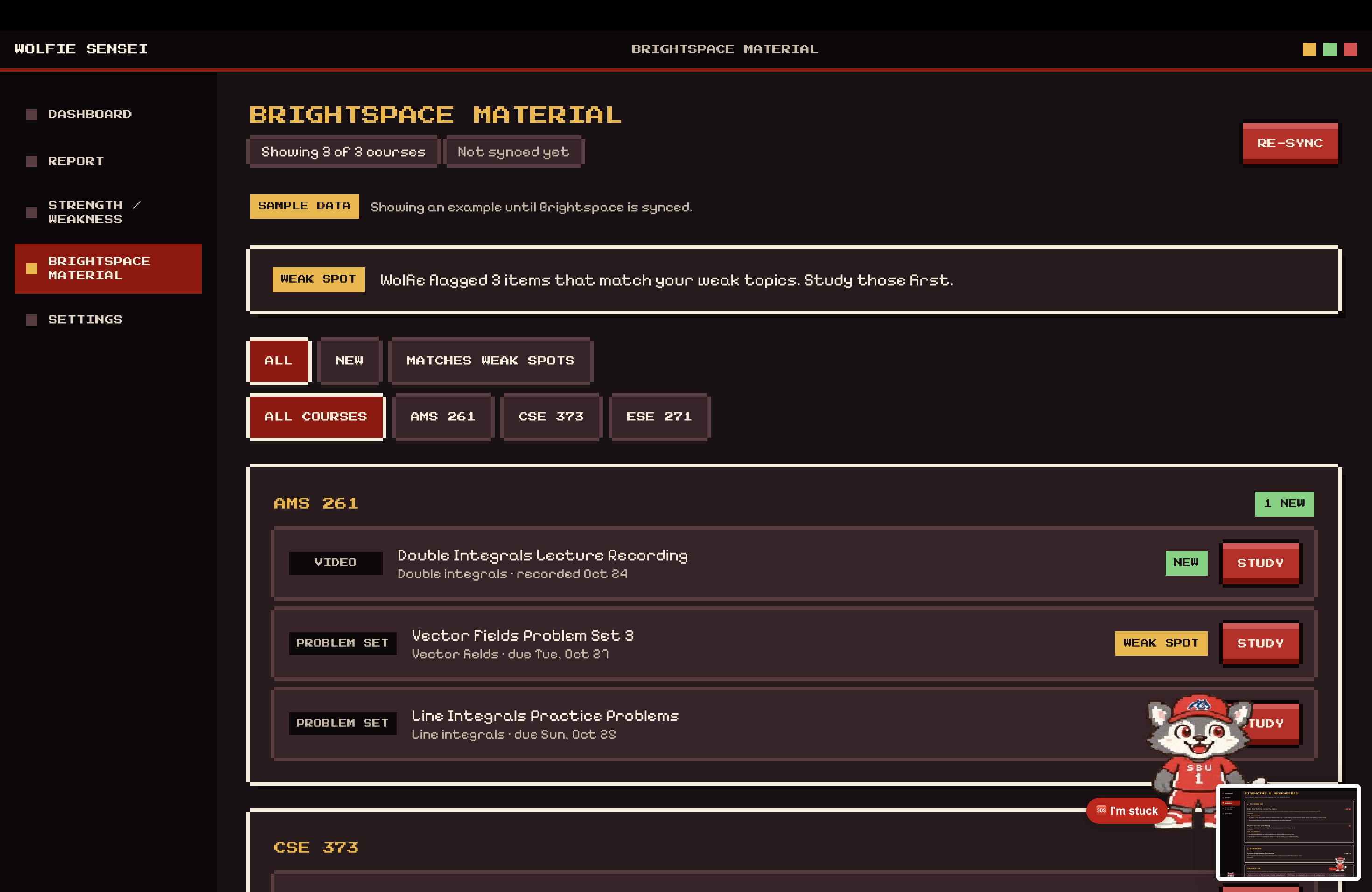
- Plans your semester. Enter courses, goals, and free hours (or import from Brightspace) and Sensei generates an editable plan. Recommended papers are checked against arXiv or Semantic Scholar so no citation is made up.
See how you're growing
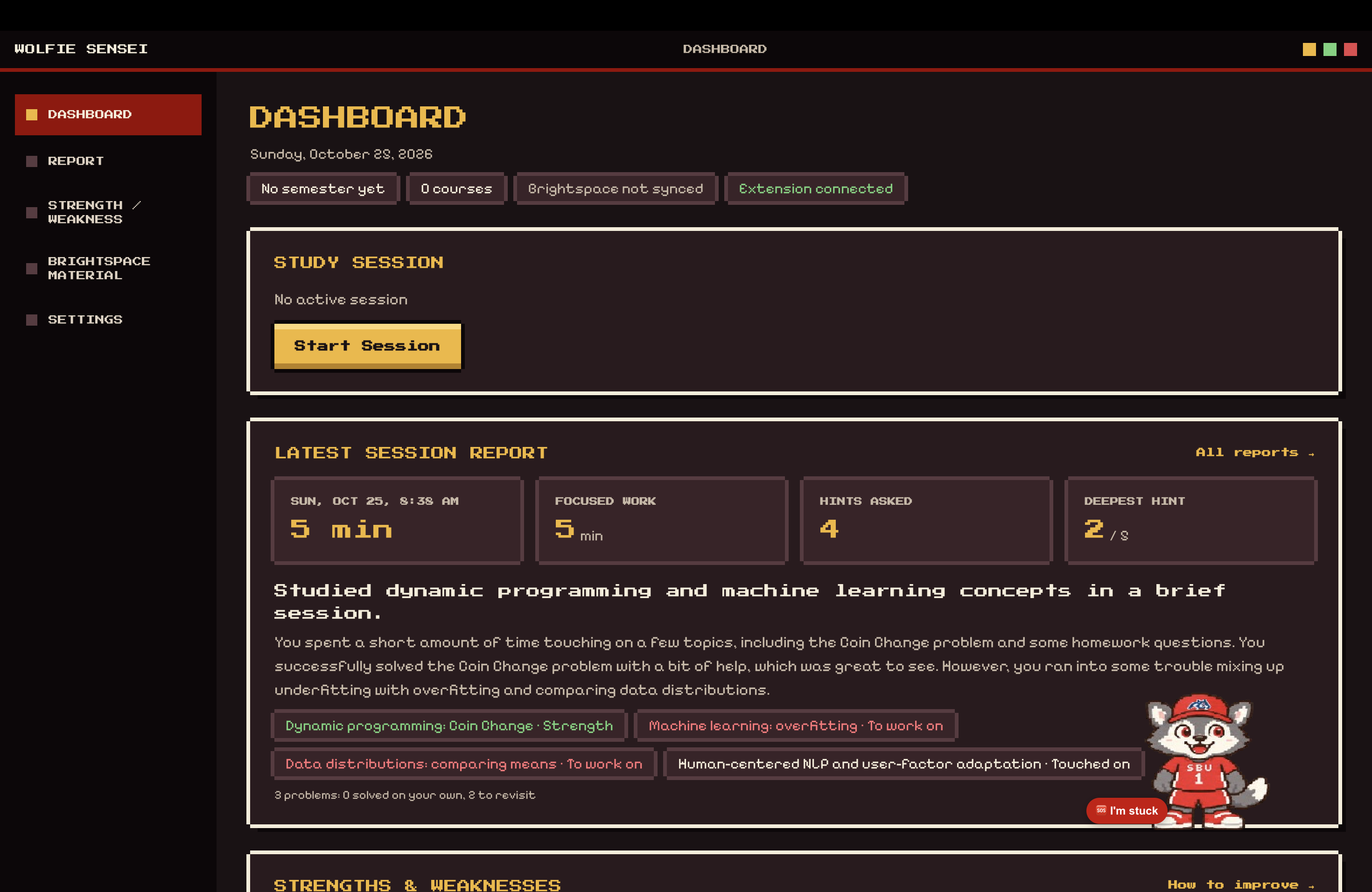
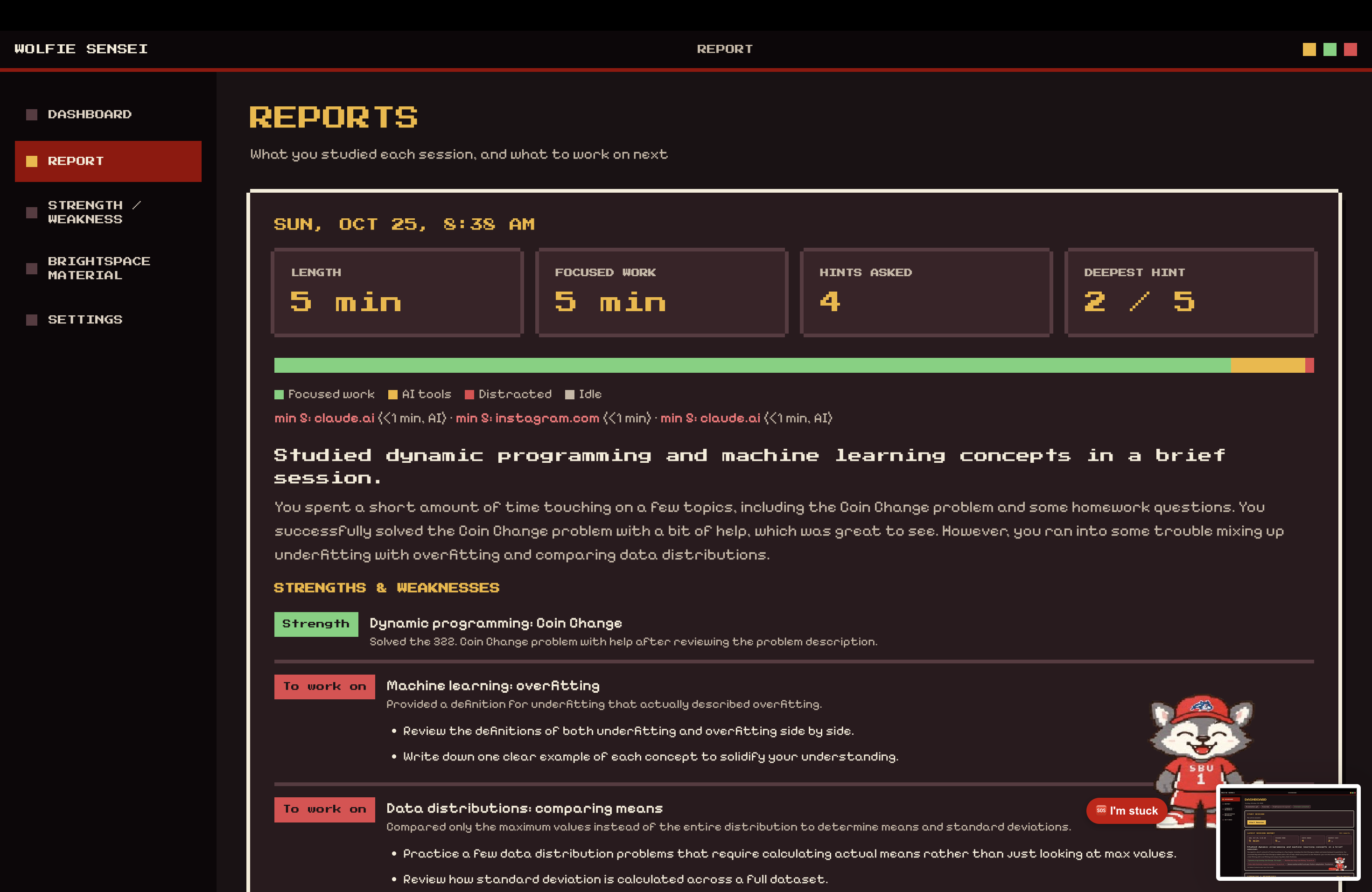
- Writes your session report. When you stop, Sensei reports what you studied, every problem and how it went (solved on your own, with help, or still open), and next steps.
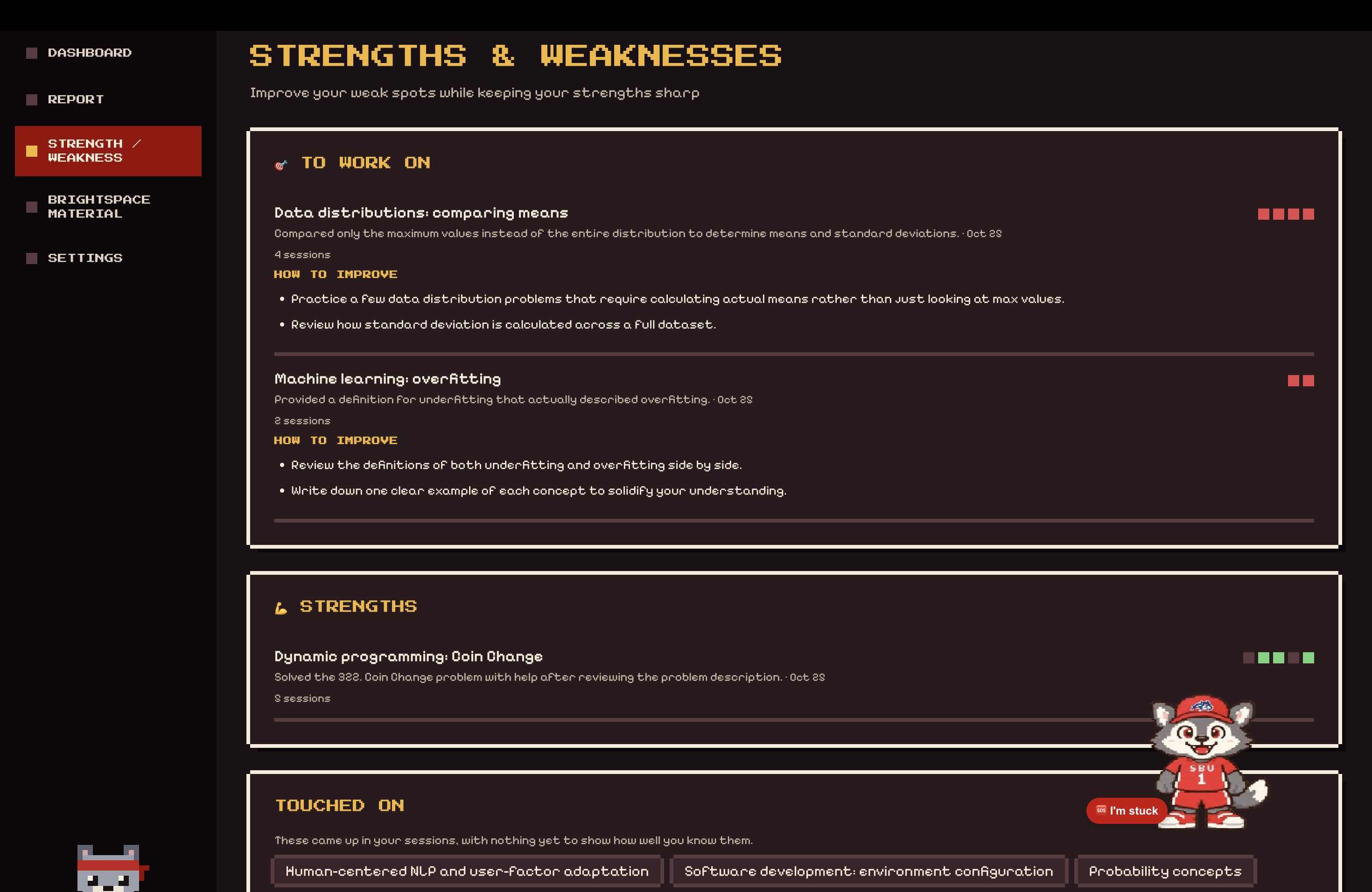
- Tracks strengths and weaknesses over time. The dashboard keeps a record of each skill across sessions (strength, to work on, improving), with evidence and a plan to improve. It also shows a Duolingo-style streak (20+ focused minutes a day, with streak freezes) and a self-reliance view: how much you did without leaning on AI.
How we built it
- Desktop app: Electron, React, and TypeScript, with a local SQLite database. Shared, validated data contracts (Zod) connect every part, in an npm-workspaces monorepo.
- Seeing the screen: a small native macOS helper written in Swift finds the exact window in front. Private windows are skipped, and screenshots are never stored. The watcher skips unchanged frames, so it only calls the model when something actually changed.
- Google Gemini:
- a fast flash-lite watcher model describes each look and checks visible answers;
- a second model answers questions from the whole session and writes the hint ladders, the session reports, and the skill record;
- Gemini can also watch the YouTube lecture you are on.
- All model output is schema-validated and retried once on bad JSON. The client has timeouts, retries, and a daily cap, and Sensei falls back to an offline hint ladder if the model is unreachable.
- ElevenLabs: streaming text-to-speech for Sensei's voice, and speech-to-text for push-to-talk. Audio is never stored or sent to the LLM.
- Chrome extension: Manifest V3. It reports the active tab and a compact summary of the page, and never reads password or payment fields.
- Privacy by design: everything is local-first with no cloud server. API keys and the database live only in the main process, and the UI talks to it over typed IPC.
- Demo-safe mode:
DEMO_MODE=1swaps in deterministic mock models and voices, and scripted demo pages reproduce each scenario reliably. - Quality: scripted runs of the real app (real clicks, real scrolling, real audio and model calls) on throwaway profiles.
The team. We worked in parallel from day one, using a shared spec, separate branches, a coordination doc, and written handoffs. Tuan built the brain: monitoring, the hint engine, Watch mode, voice, reports, and the skill record. Thu built the face: the mascot and its sprite animations, the overlay, onboarding, and the dashboard design.
Challenges we ran into
- Knowing when "stuck" is real. Browsing or entertainment must never count as struggling. The watcher only flags a stuck student when there's evidence, like the same content on screen for minutes or visible errors. We went through four versions of the watcher prompt to get this right.
- Hints that teach. We had to make the model refuse to hand over answers, even when asked, and still be useful at every level of the ladder.
- Trust and privacy. Watching someone's screen is sensitive, so consent, private-window detection, and no stored frames shaped the design from the start.
- Hallucinated citations. We verify every recommended paper against real search APIs instead of trusting the model.
- Two developers, one codebase. Splitting brain and face meant agreeing on contracts early, and we still had to merge long-running branches and fix the integration breakage.
- Tooling surprises. Native modules broke on a newer Node version, so we upgraded
better-sqlite3, which also meant tests could run in plain Node without an Electron rebuild step.
Accomplishments that we're proud of
- A companion that coaches without cheating: a five-level hint ladder that never hands over the answer, even in learning-adjacent tasks.
- Watch mode that follows the content of a session (papers, videos, problem sets) and answers with citations to the page or timestamp.
- A session report and skill record that show students not just what they did, but how much they did on their own.
- A privacy-first design: no stored screenshots, no cloud server, private windows skipped, and audio never kept.
- A polished retro pixel-art identity: an animated mascot with many sprite states, a full onboarding flow, and a themed dashboard.
- Robustness: an offline fallback when the model is down, and a deterministic demo mode so the demo never depends on the network.
What we learned
- Cheap and local first. Detecting struggle with simple local signals, and saving model calls for when they matter, made Wolfie faster, cheaper, and more private.
- Prompts are code. Versioning prompts and validating every output against a schema made the LLM behavior testable and easier to improve.
- Contracts let two people move fast. A shared spec, shared Zod schemas, and written handoffs mattered more than any single feature.
- Pedagogy is a product decision. Deciding when not to help, and how gradually to help, is as important as the model behind it.
- Trust is a feature. Students will only let an assistant watch their screen if it is clear, consent-based, and private.
What's next for Wolfie Sensei
- Test voice and monitoring more widely on real student machines, beyond our own hardware.
- Richer insights: deeper strengths-and-weaknesses tracking and study plans that adapt to the record.
- More resilience mechanics beyond the streak.
- Windows support, since the OS-specific code is already behind interfaces.
Built With
- applescript
- chrome
- electron
- elevenlabs
- esbuild
- gemini-api
- google-gemini
- macos
- node.js
- pdf.js
- pwa
- react
- sqlite
- swift
- typescript
- vite
- vitest
- web-audio-api
- websockets
- zod

Log in or sign up for Devpost to join the conversation.