-
-
Write notes like a Ghost
-
Table of Content
-
Mindmap
Inspiration
We noticed a gap in how AI assistants interact with personal productivity tools. Google Keep is where millions store their quick thoughts, shopping lists, and reminders, but there was no secure way for AI to help manage this data. We wanted to bridge that gap while maintaining strict security boundaries - giving users the power of AI-assisted note management without risking accidental data loss.
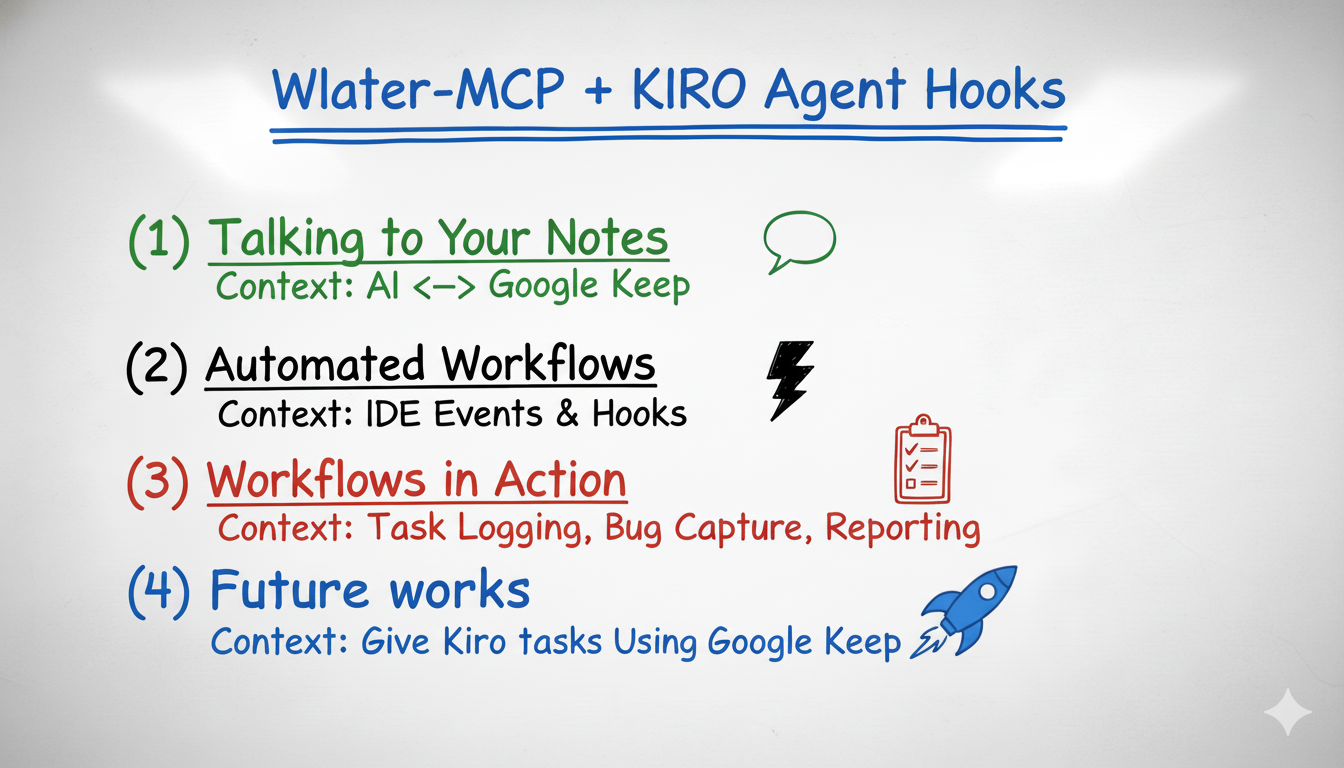
More importantly, we saw an opportunity to create intelligent workflows using Kiro's agent hooks. Imagine your development workflow automatically syncing with your Keep notes - completed tasks checking off todo items, code changes triggering note updates, or Keep lists launching automated workflows. This isn't just about accessing notes; it's about making your productivity system an active participant in your development process.
What it does
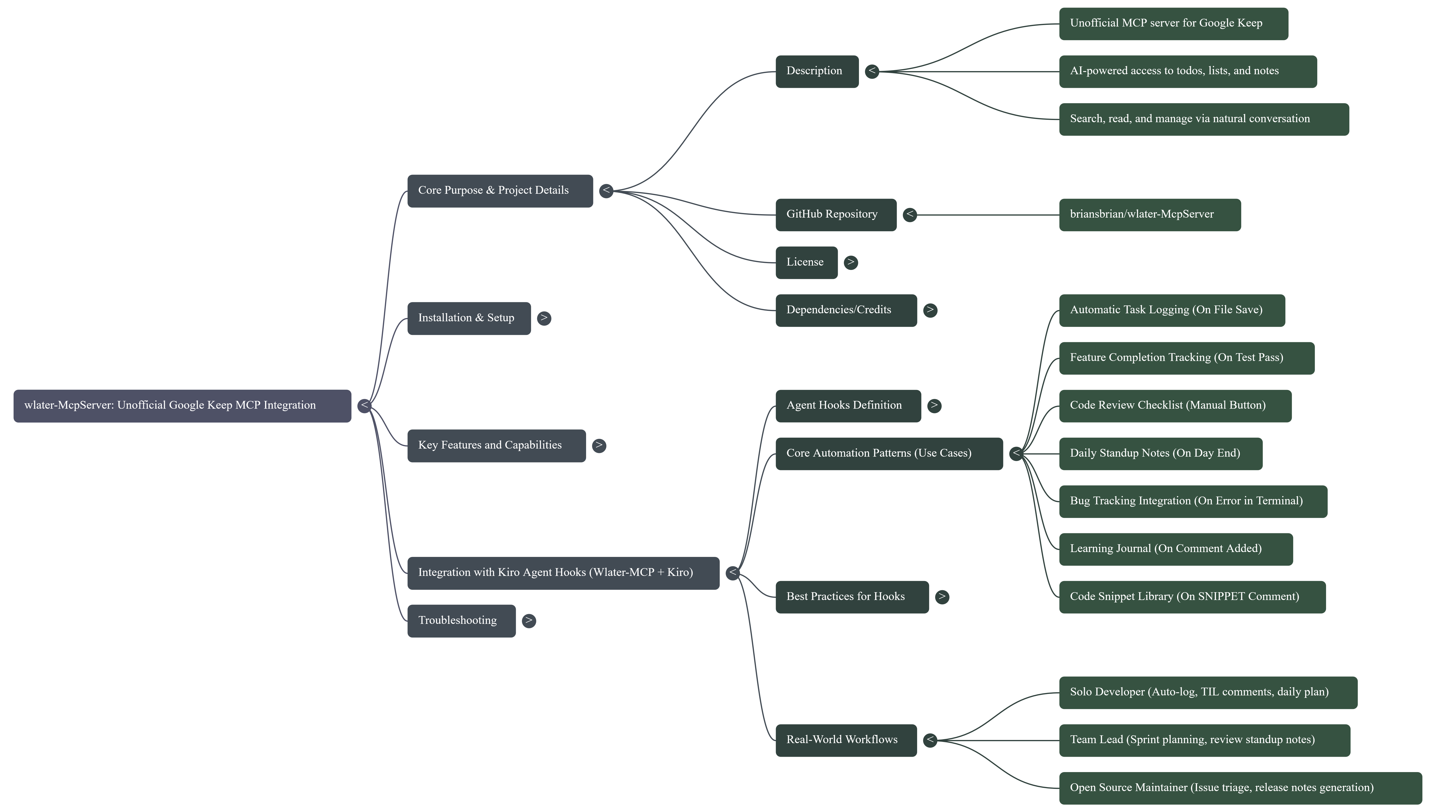
wlater MCP Server provides AI assistants with secure access to Google Keep notes and lists through the Model Context Protocol. Users can:
- Query their notes using natural language ("find my shopping list")
- Search across all notes and labels
- View and manage todo items with their checked/unchecked status
- Filter notes by color, pin status, or archive state
- Create, update, and organize notes directly from their AI assistant
- Analyze note content without leaving their development environment
Kiro Agent Hooks Integration: The real power comes from combining wlater with Kiro's agent hooks to create automated workflows:
- Auto-sync development tasks: File saves trigger AI to check off completed Keep todo items
- Smart note updates: Code commits automatically update project notes with progress
- Workflow triggers: Keep list changes can launch development tasks or reminders
This transforms Keep from a passive note storage tool into an active development workflow participant that responds to your coding activity in real-time.
How we built it
Tech Stack:
- Python 3.x - Core language
- FastMCP - Simplified MCP server implementation with decorators
- gkeepapi - Unofficial Google Keep API client
- keyring - OS-native credential storage (Windows Credential Locker, macOS Keychain, Linux Secret Service)
- Selenium - Automated OAuth token retrieval
Architecture: We implemented a layered architecture with clear separation of concerns:
- MCP Protocol layer (FastMCP handles stdio transport)
- Tool definitions layer (input validation, output formatting)
- Keep Client layer (wraps gkeepapi, manages authentication)
- Credential management layer (secure storage and retrieval)
The server uses lazy initialization - the Keep client is only created on first tool invocation, keeping startup fast.
Challenges we ran into
A reliable secure way to fetch credentials
This was our biggest challenge. Google Keep doesn't have an official API, so we had to work with the unofficial gkeepapi library which requires a master token. Getting this token securely proved complex:
Initial attempts:
- Manual token extraction was error-prone and confusing for users
- Storing tokens in plain text files was a security risk
- Different authentication flows for different Google account types
Our solution: We built a two-pronged approach:
- Automated Selenium script - Automates the Google login flow, extracts the OAuth token, and exchanges it for a master token using gpsoauth
- OS keyring integration - Stores the master token in the operating system's native credential manager (never in plain text)
- Config file separation - Non-sensitive data (email, android_id) stored in
~/.wlaterJSON file, sensitive tokens in keyring
This gives users a one-time setup experience that's both secure and user-friendly.
Accomplishments that we're proud of
- Security-first design: Implemented a tiered exposure model (Tier 1: read-only, Tier 2: modifications, Tier 3: destructive) with explicit sync control for write operations
- Seamless credential management: Users run one setup script and never think about authentication again
- Clean architecture: Clear separation between MCP protocol, tools, Keep client, and credentials
- Production-ready error handling: Graceful failures with helpful error messages guide users to solutions
- Cross-platform support: Works on Windows, macOS, and Linux with native credential storage on each
- Intelligent automation: Kiro agent hooks that combine wlater + Context7 MCP to create self-verifying, auto-updating workflows
- Context7 integration: Automated API verification after every code change ensures we're always using the latest patterns - caught FastMCP syntax updates automatically
What we learned
- MCP protocol internals: How to build robust MCP servers using FastMCP's decorator pattern
- OAuth token flows: Deep dive into Google's authentication mechanisms and token exchange
- Security best practices: Never store sensitive credentials in files, always use OS-native keyrings
- API wrapper design: How to create clean abstractions over complex third-party libraries
- User experience matters: Even for developer tools, setup friction can make or break adoption
What's next for wlater-MCP Server
Enhanced Kiro Hooks Workflows
Expand the agent hooks integration to create even more powerful automation:
- Bidirectional sync: Keep list changes trigger code generation or file updates
- Smart context switching: Opening files automatically surfaces relevant Keep notes
- Test-driven notes: Failed tests create Keep reminders, passing tests check them off
- Documentation sync: Code comments automatically update Keep documentation notes
- Team collaboration: Shared Keep lists trigger team notifications through hooks
Launch tasks from Google Keep
Enable users to convert Keep notes into actionable tasks that trigger workflows:
- Parse todo items and create calendar events
- Extract action items and send to task management tools
- Set up reminders based on note content
- Trigger CI/CD pipelines when specific notes are created or updated
- Launch development servers or scripts from Keep checklists
This would transform Keep from a passive storage tool into an active productivity hub that orchestrates your entire development workflow.
Docker for auth
To simplify the credential setup process even further:
- Containerized Selenium: Run the OAuth automation in a Docker container, eliminating the need for users to install Chrome/ChromeDriver
- One-command setup:
docker run wlater/setuphandles everything - Consistent environment: Same authentication flow regardless of host OS
- Easier troubleshooting: Isolated environment makes debugging auth issues simpler
This would reduce setup from "install Python, create venv, install dependencies, run script" to a single Docker command.
Additional Future Plans
- VScode Agents: Implements "Agent hooks" with the new Vscode agents feature
- Real-time sync: Watch for Keep changes and notify AI assistants instantly
- Collaborative features: Share notes with team members through AI assistant
- Advanced search: Semantic search using embeddings for better note discovery
- Multi-MCP orchestration: Combine wlater + Context7 + other MCP servers for complex workflows
- Export capabilities: Backup notes to markdown, JSON, or other formats
Built With
- fastmcp
- mcp-sdk
- python


Log in or sign up for Devpost to join the conversation.