-
-
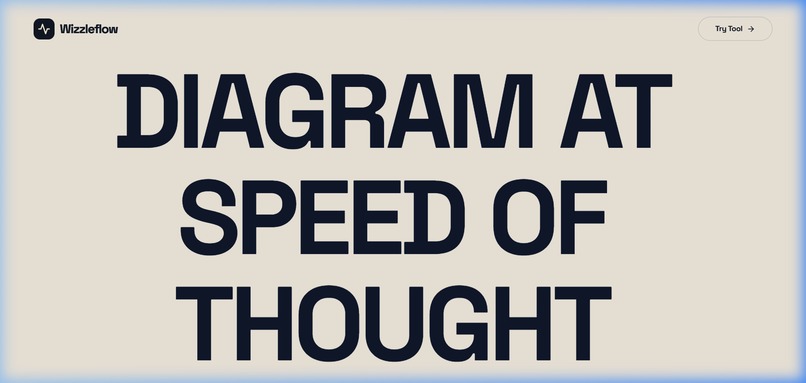
Landing Page - Clean, frictionless entry. Wizzleflow runs entirely in the browser with no logins required.
-
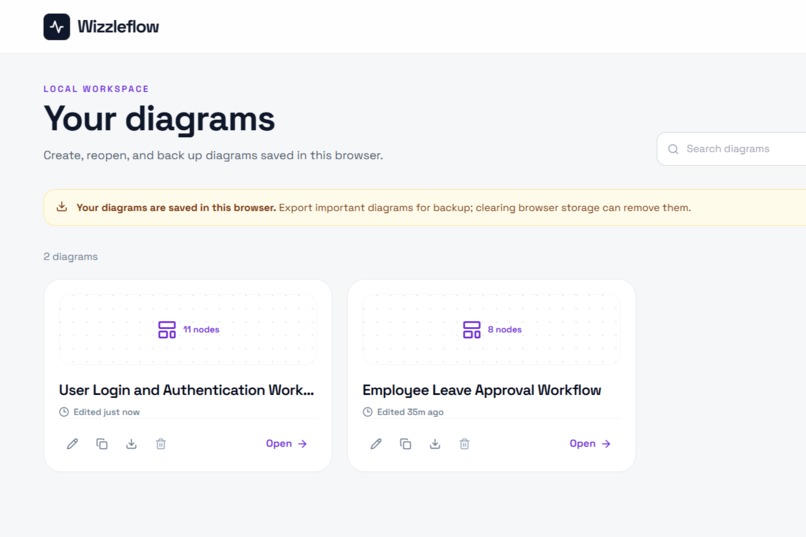
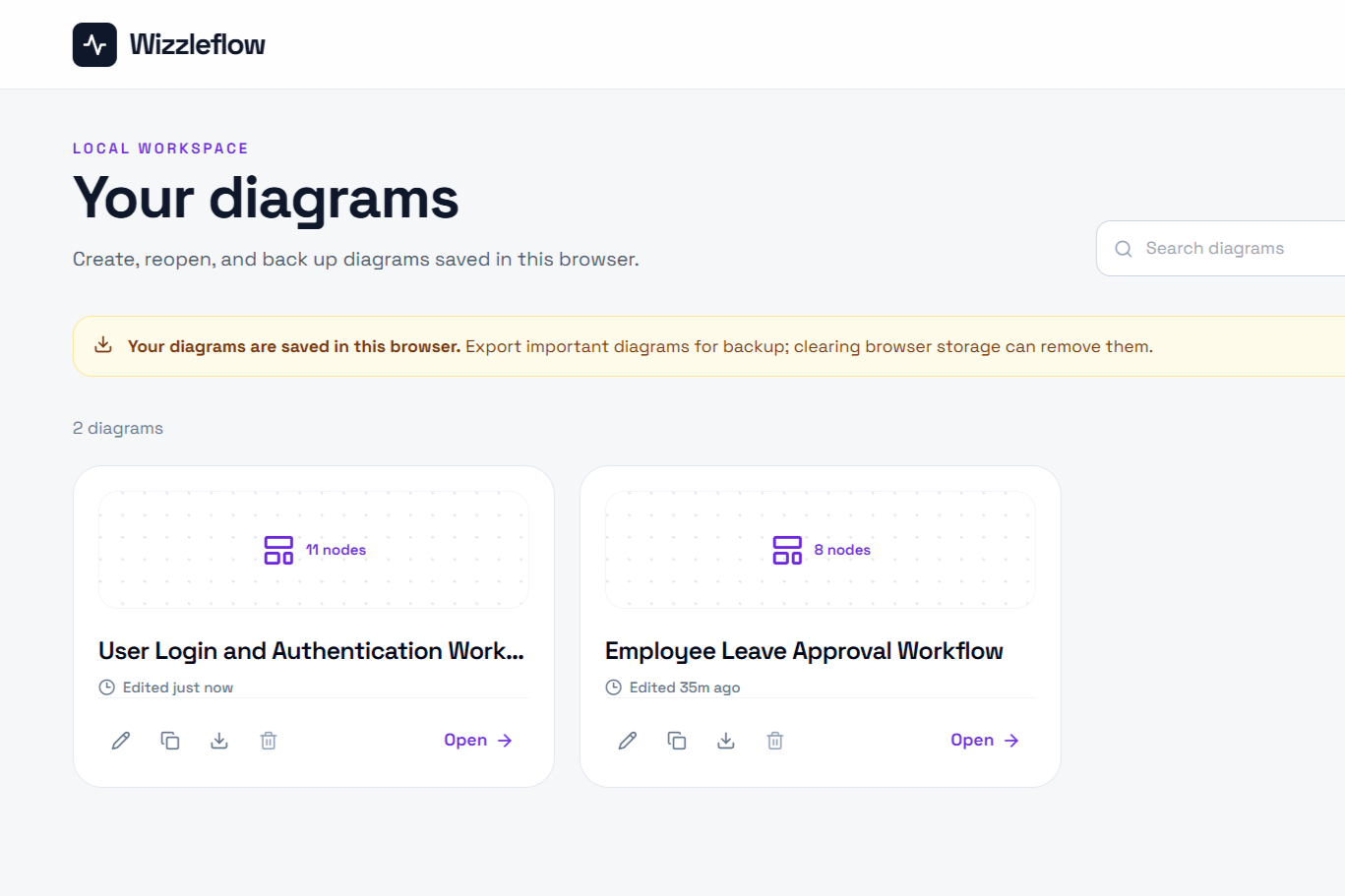
Dashboard - Local-first architecture. All diagrams are instantly saved and serialized to your browser's local storage for maximum privacy.
-
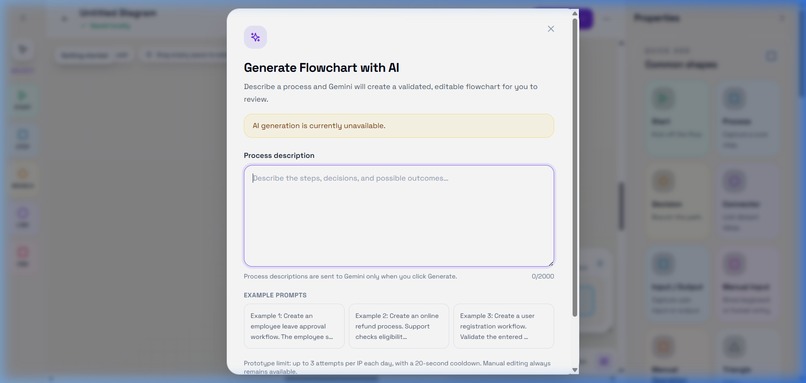
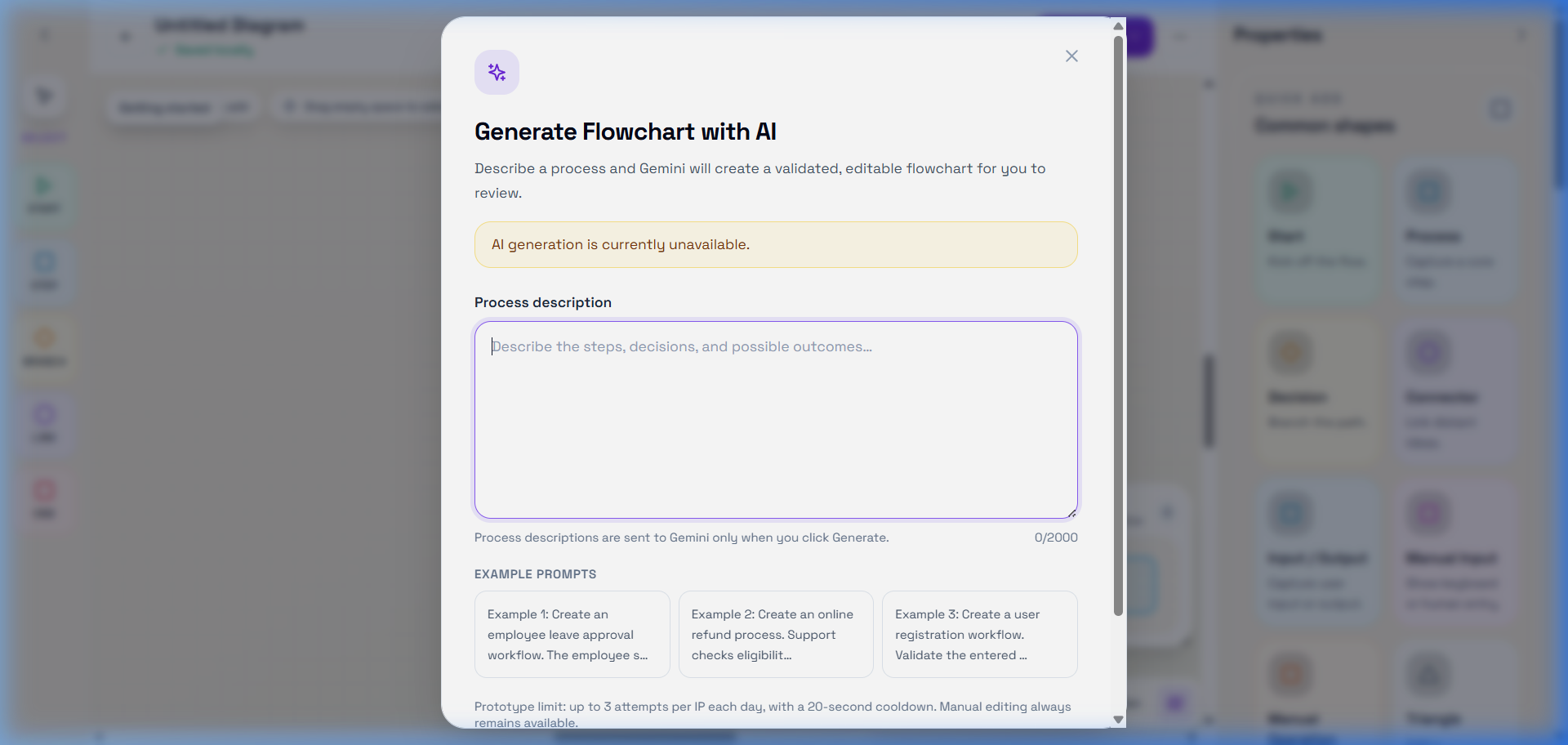
AI Prompt Modal - Prompt-to-Diagram: Describe any complex workflow in plain English and let the LLM do the heavy lifting.
-
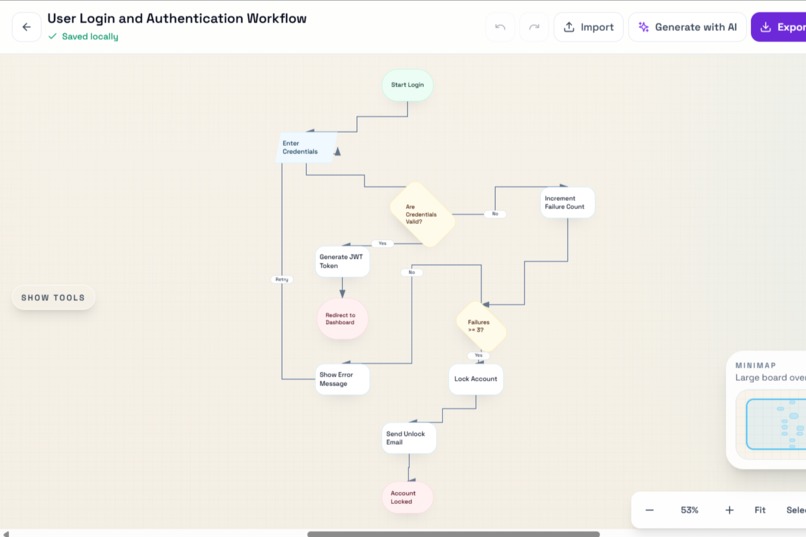
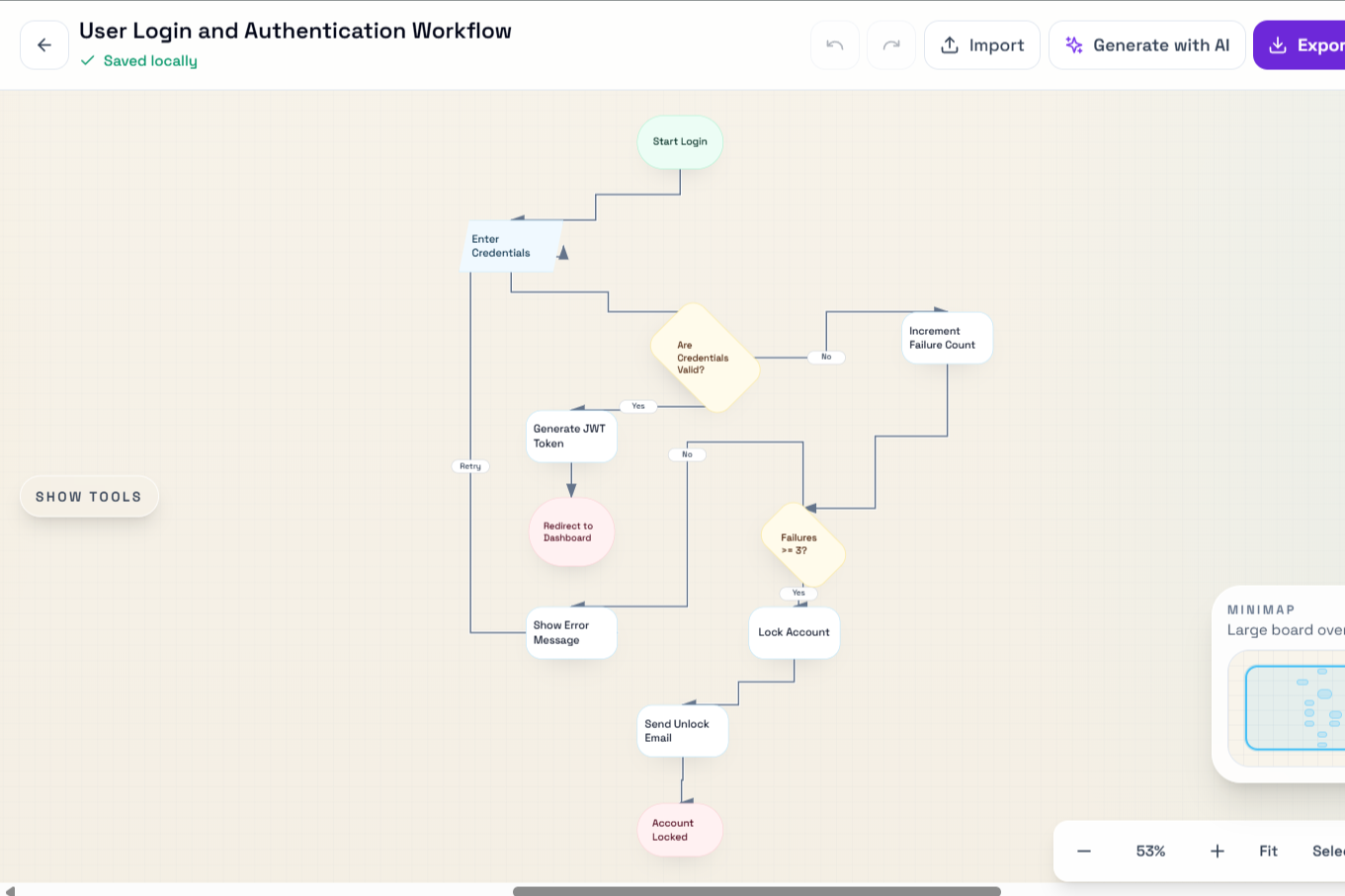
Flowchart - The result of our custom Breadth-First Search routing algorithm, rendering perfectly connected JSON structures onto the canvas.
-
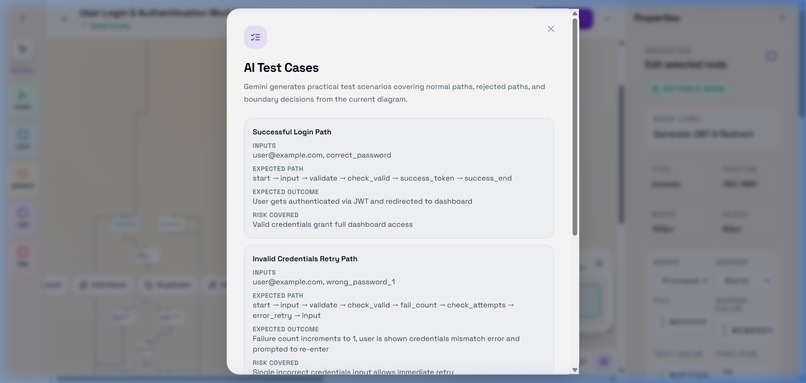
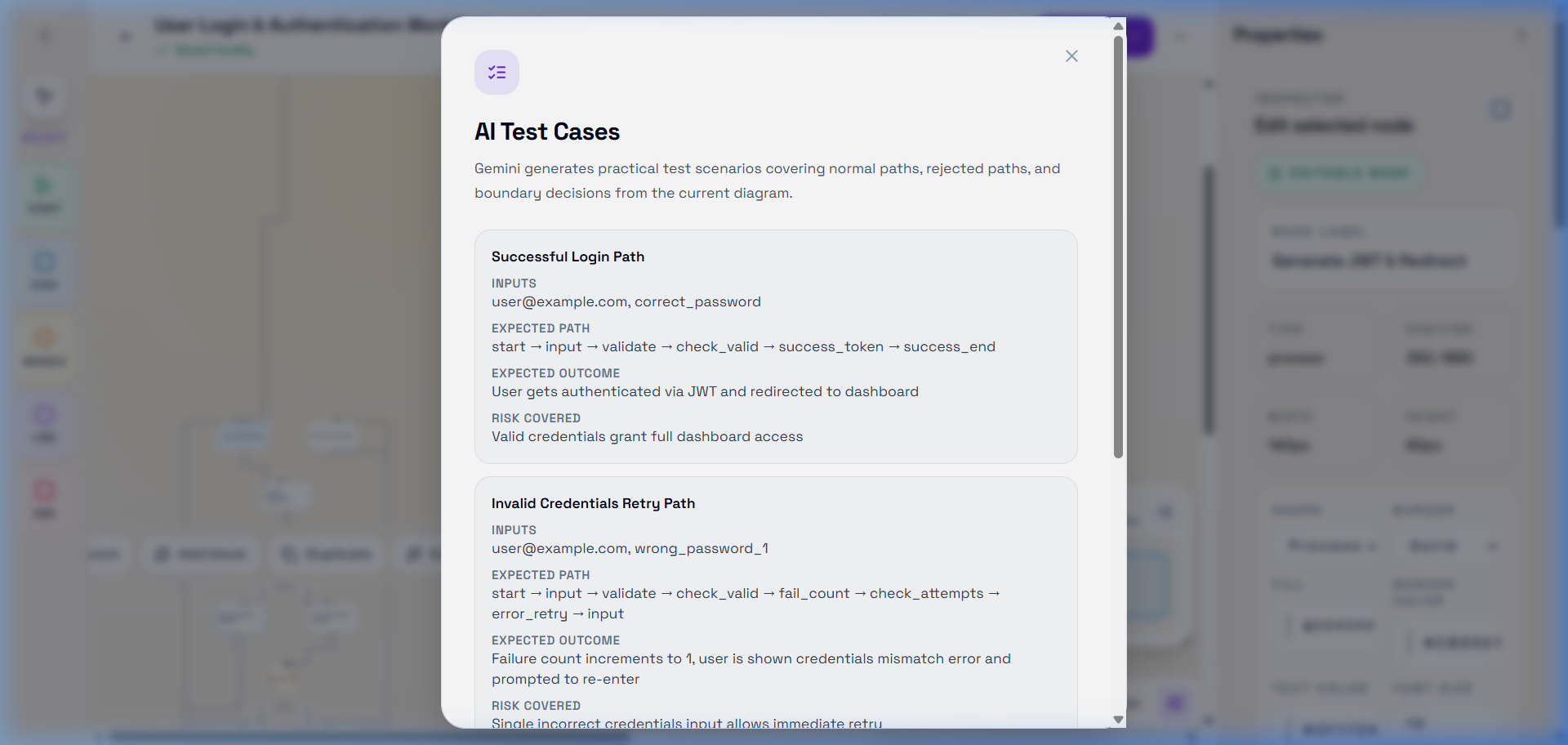
AI Test Cases / Review - Built-in AI Logic Review. GPT models instantly validate your workflows and generate practical QA test scenarios.
💡 Inspiration
Creating flowcharts is a universal business need, but the tooling is deeply flawed. Users are forced to sign up for bloated SaaS platforms, hand over their email addresses, and wrestle with manual drag-and-drop layout mechanics just to map out a simple process. We wanted to build a tool that felt frictionless—a local-first application where you can describe a workflow in plain English and instantly get a perfectly routed, editable flowchart.
⚙️ What it does
Wizzleflow is a direct-access, local-first flowchart editor. There are no accounts, no logins, and no cloud databases—everything saves instantly to your browser.
- Text-to-Flowchart: Describe a process (e.g., "Login flow with 3 retries and lockout") and the AI instantly generates a logically complete, editable diagram.
- Selective AI Editing: Select a specific branch of your flowchart and ask the AI to rewrite only that section.
- AI Review & QA: The AI can review your diagram for missing logic branches, unreachable nodes, and automatically generate QA test cases based on your flow.
🧠 How we built it (Collaboration with Codex & GPT-5.6)
We built Wizzleflow with a React 18 frontend and a custom HTML/SVG canvas rendering engine. The core innovation is our Deterministic Graph Pipeline, and we relied heavily on OpenAI's Codex and GPT-5.6 to pull this off:
- Architecture & Design Decisions: Early on, we consulted GPT-5.6 on how to handle flowchart rendering. GPT-5.6 helped us pivot away from heavy third-party graph libraries (like React Flow) toward a custom, lightweight SVG renderer. It pointed out that for deterministic AI-generated flowcharts, a custom renderer would be significantly faster and easier to serialize for local storage.
- Algorithm Generation with Codex: We used Codex to rapidly prototype our Breadth-First Search (BFS) layout algorithm. By describing the node and edge relationships in our prompts, Codex generated the core logic to dynamically compute X/Y coordinates on the canvas, saving us days of manual mathematical tuning.
- Structured Outputs: We used Codex to help map our TypeScript interfaces to strict Zod schemas, ensuring that the structured JSON outputs generated by the AI perfectly matched our application's data model without hallucinations.
🚧 Challenges we ran into
Getting an LLM to output a reliable, fully connected graph without hallucinating edges was a major challenge. We solved this through strict system prompting and runtime schema validation. Additionally, getting the BFS layout engine to gracefully handle back-edges (loops and retries) without causing overlapping nodes required significant algorithm iteration alongside Codex.
🎓 What we learned
We learned that combining strict schema validation with a custom deterministic layout algorithm is the key to bridging the gap between generative AI and structured visual interfaces. We also learned how much users value privacy; the local-first architecture makes the app feel incredibly fast compared to traditional cloud tools.
Built With
- ai
- cloudflare-workers
- express.js
- framer-motion
- node.js
- react
- tailwind-css
- typescript
- vite
- zod


Log in or sign up for Devpost to join the conversation.