-
-
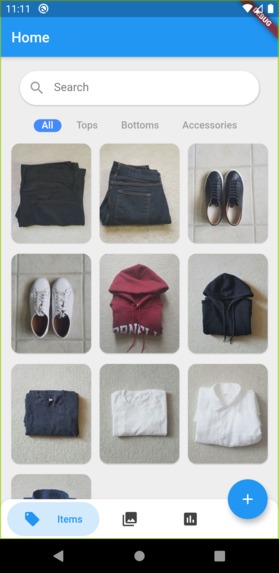
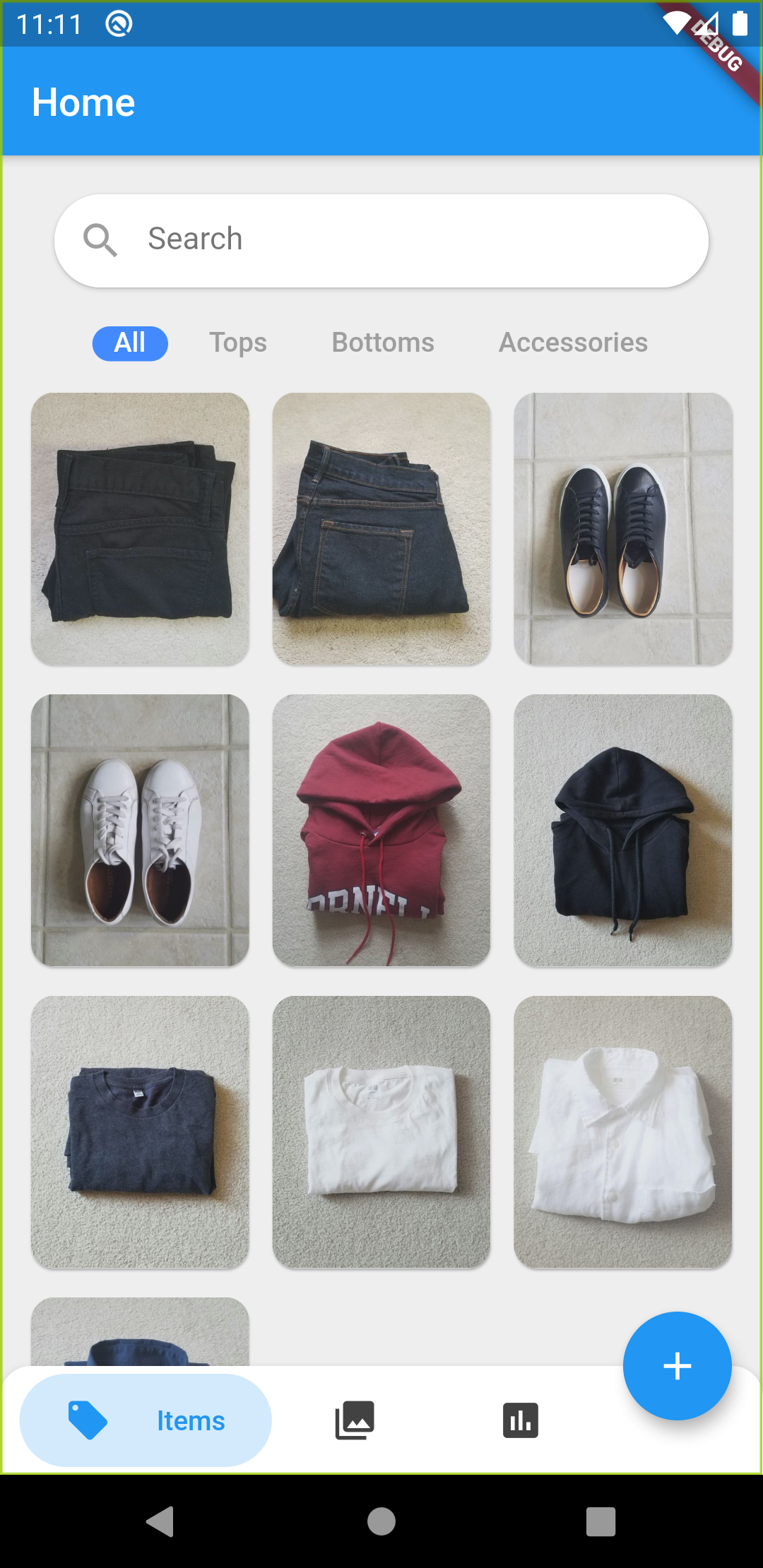
Items Screen showing all logged clothing items
-
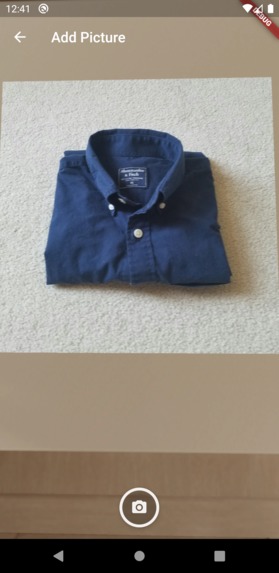
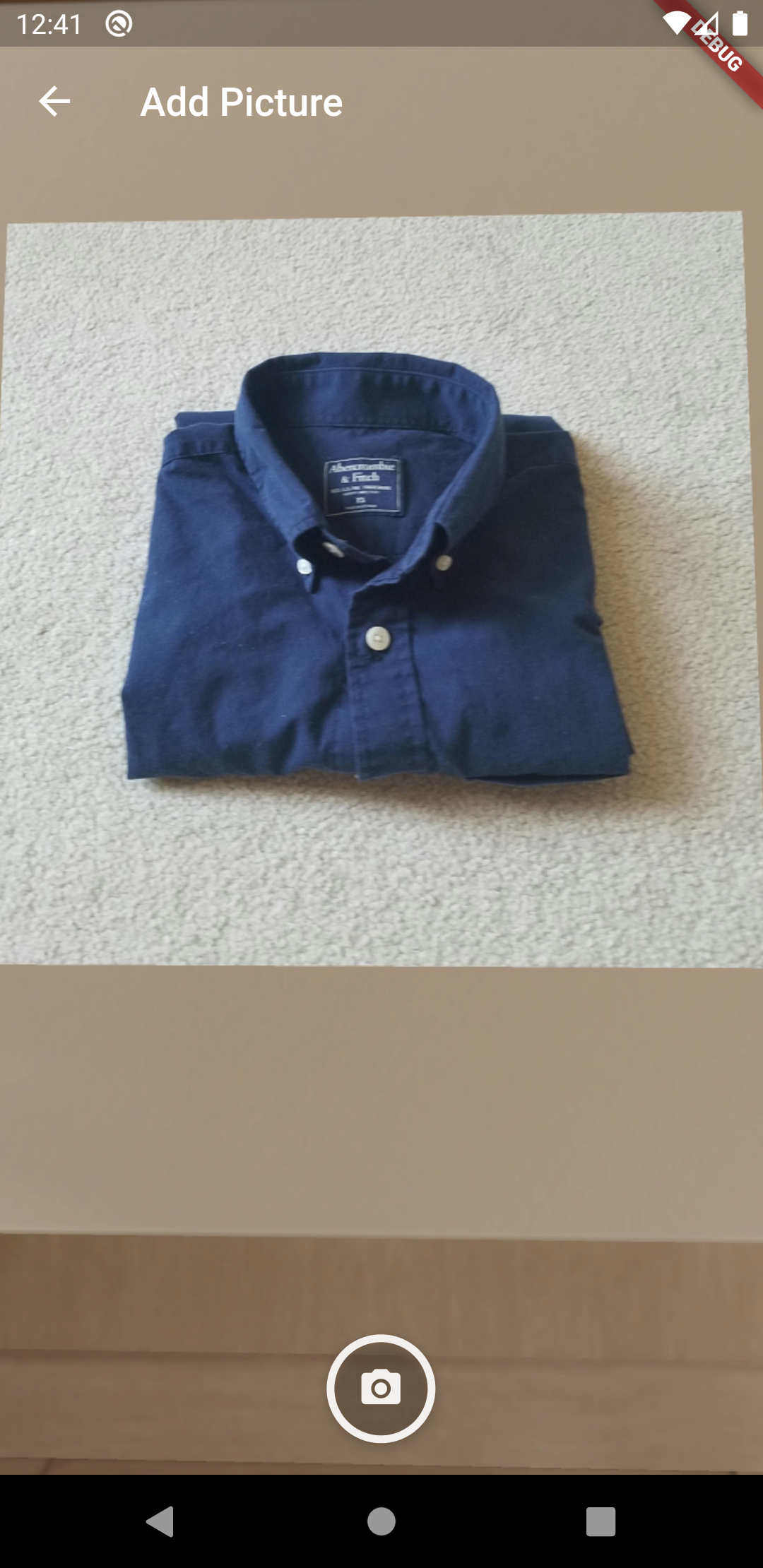
Camera view for adding new item
-
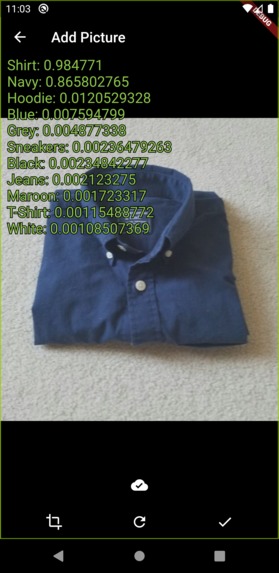
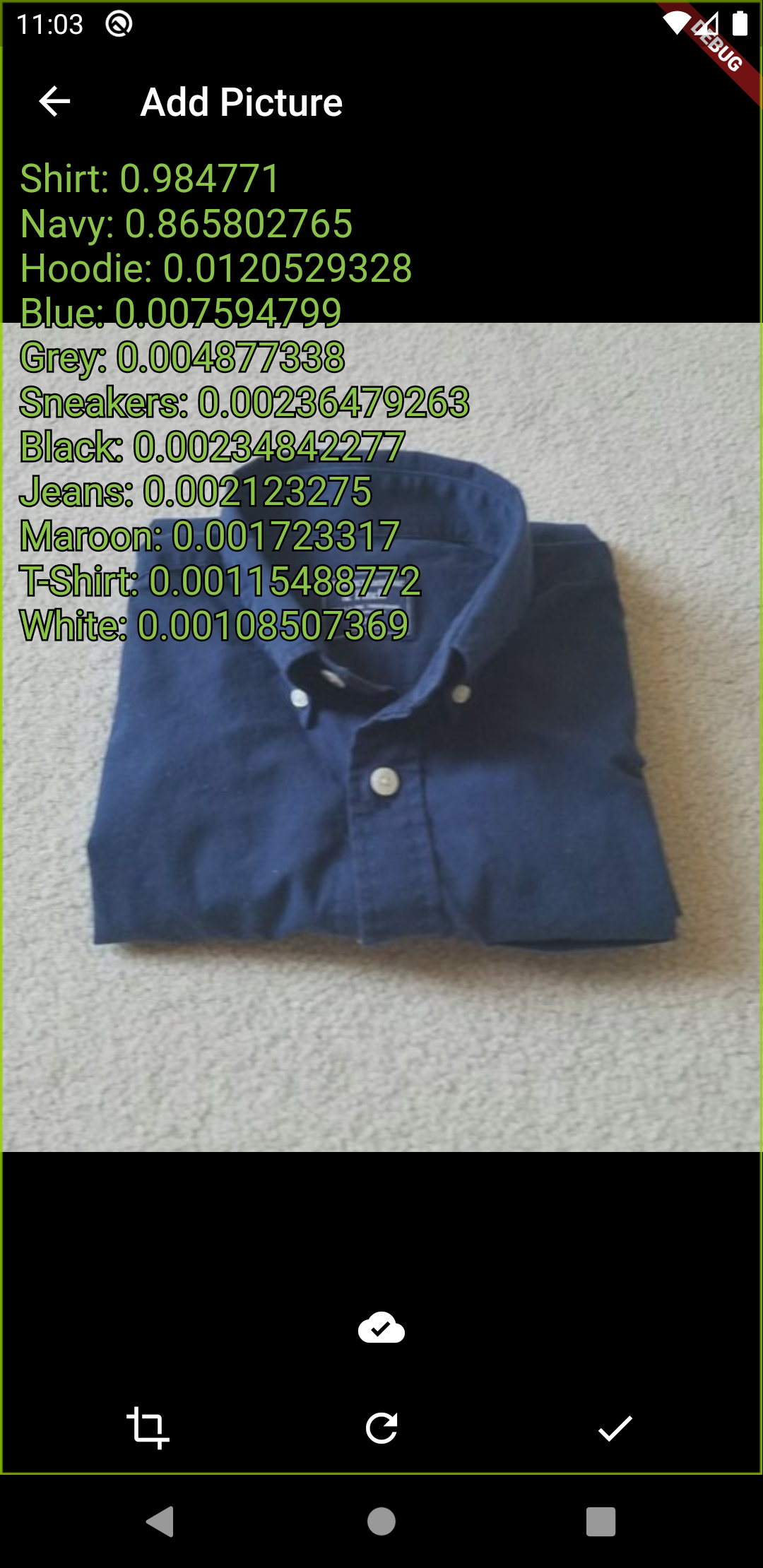
Clothing recognition probabilities
-
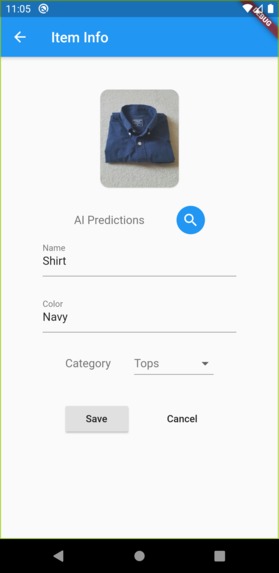
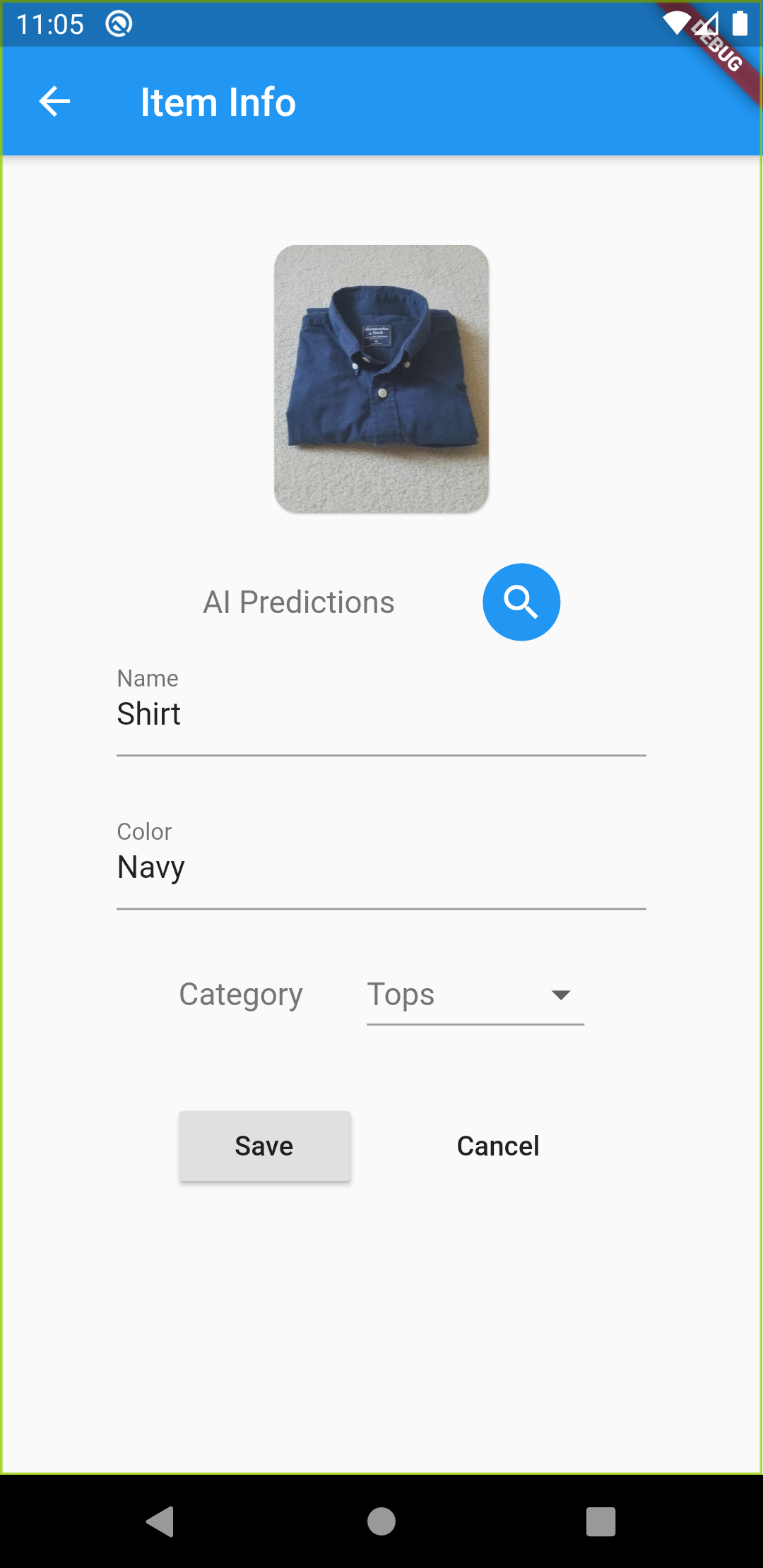
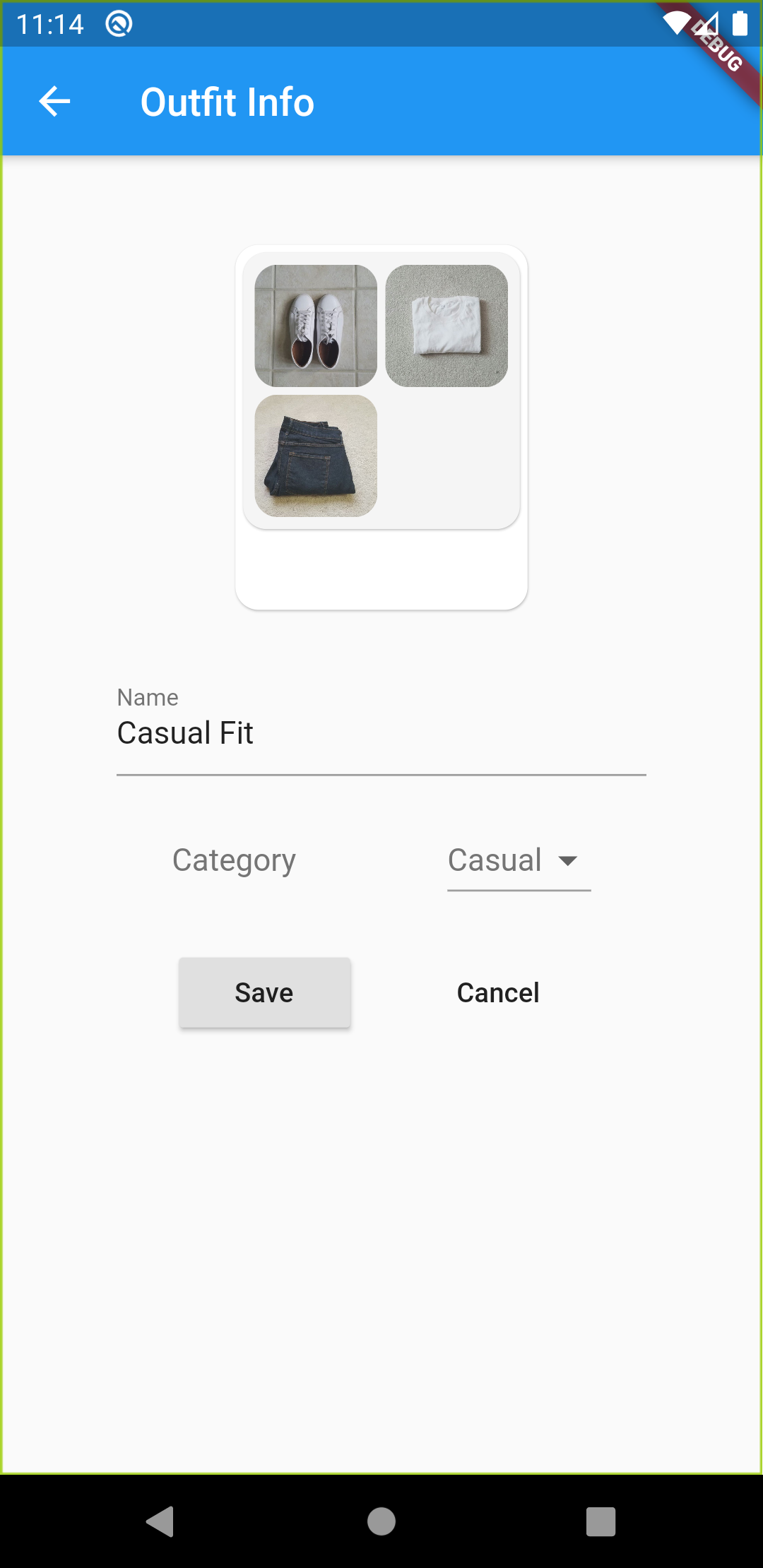
Form to confirm item details before saving
-
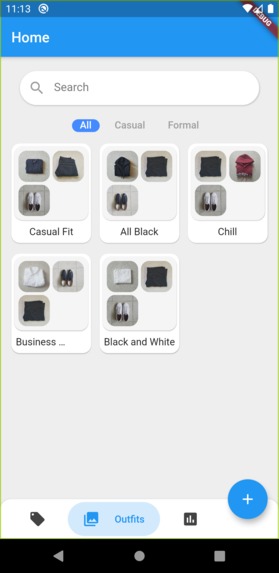
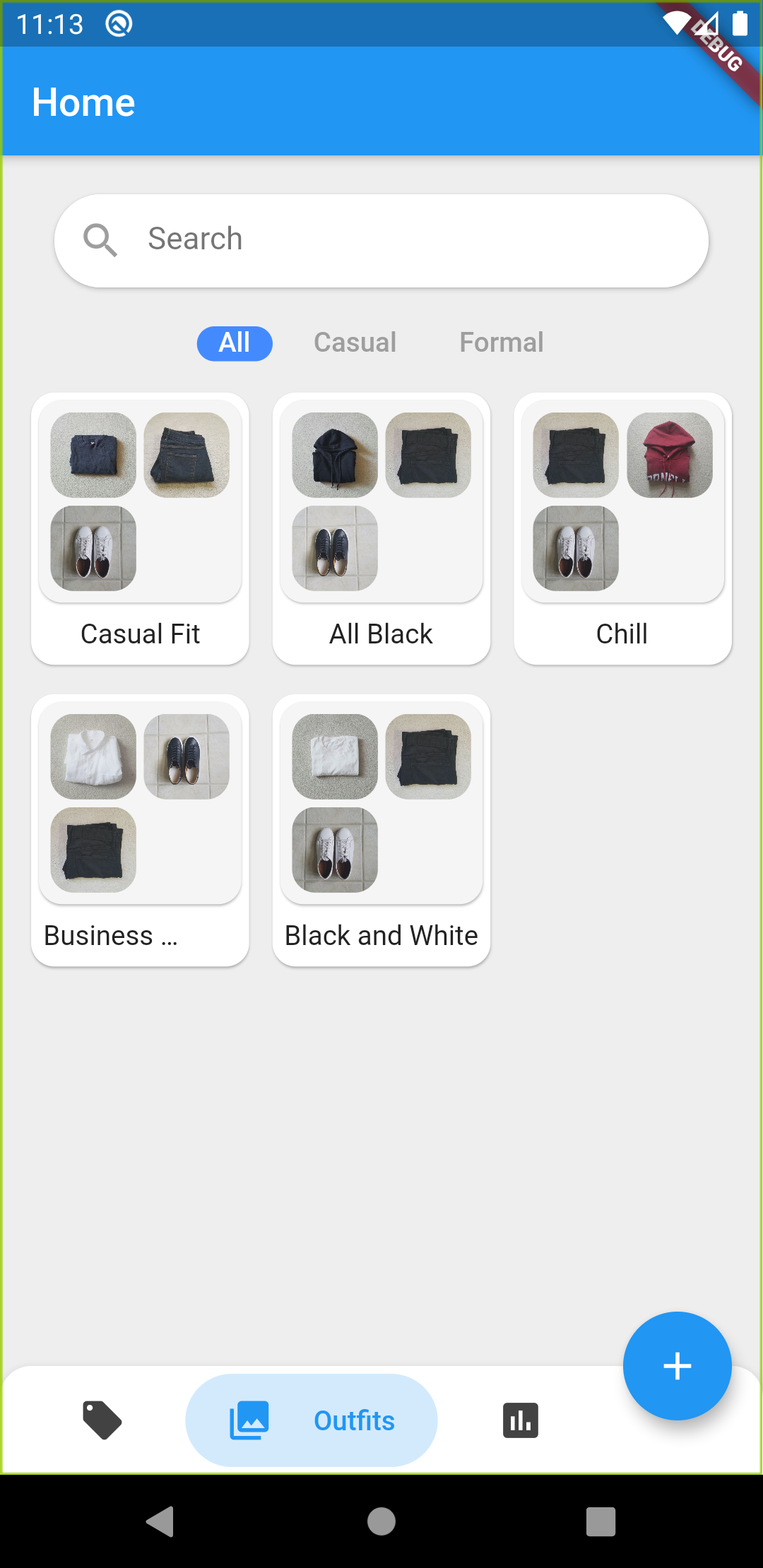
Outfits screen showing all logged outfits
-
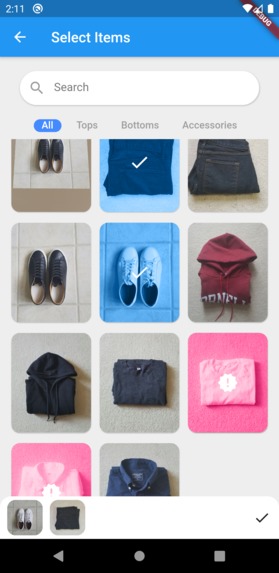
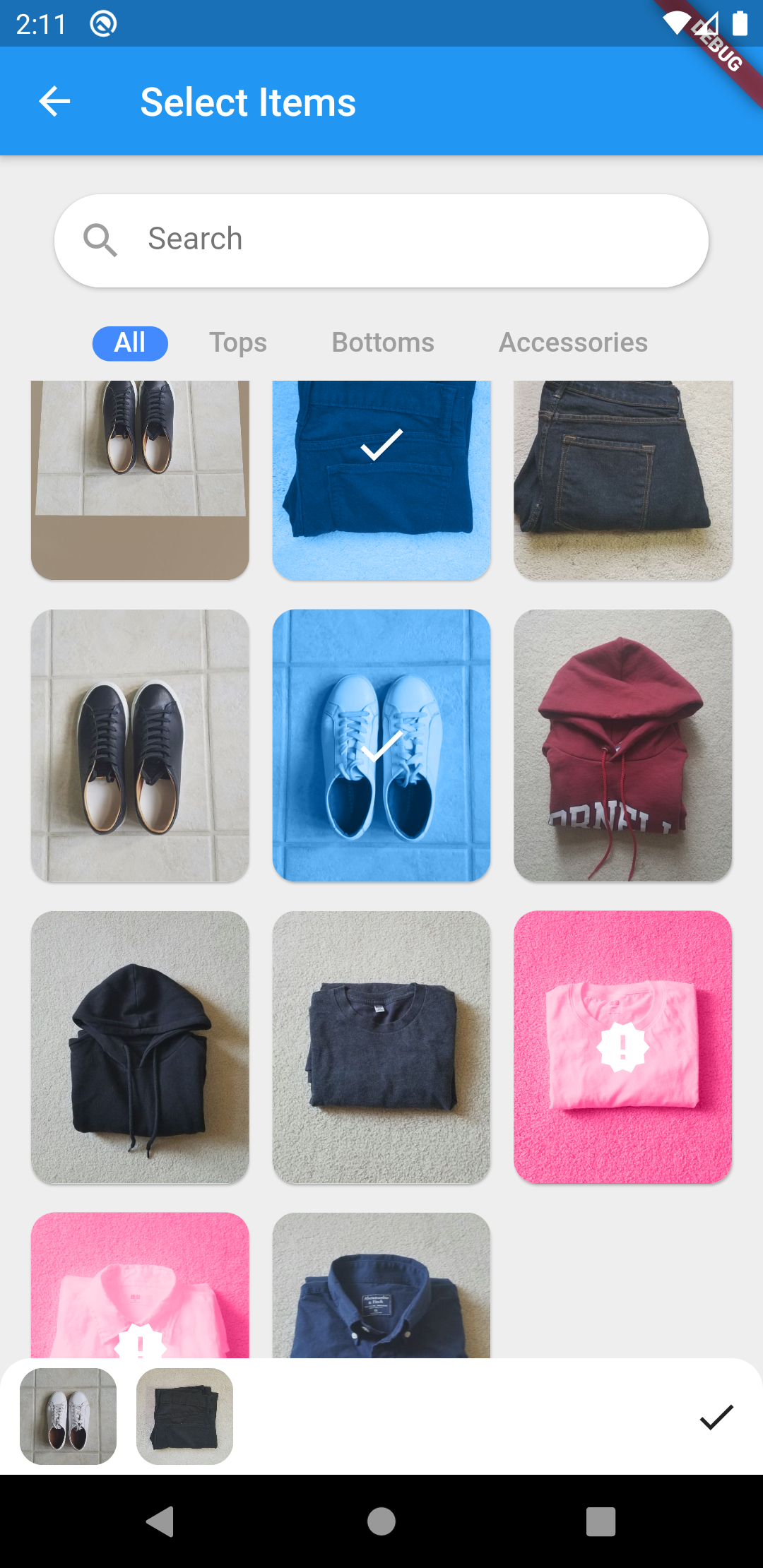
Outfit item recommendation (recommended items are highlighted in pink)
-
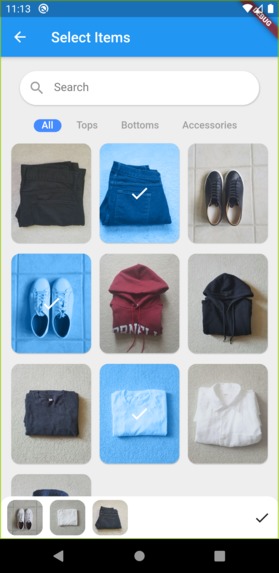
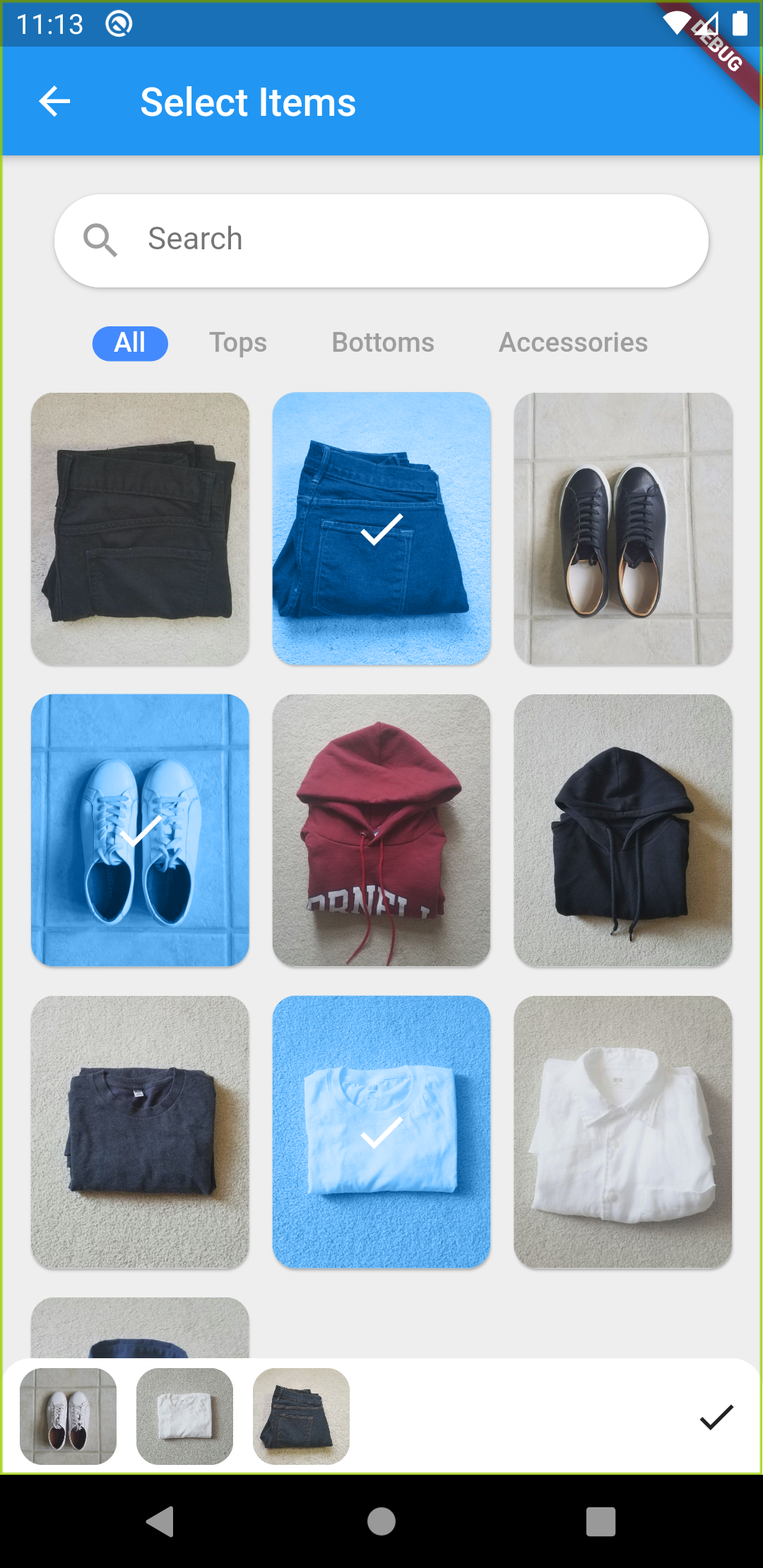
Item selection to add to new outfit
-
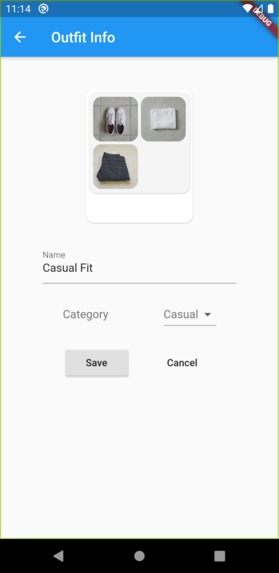
Form to confirm outfit details before saving
-
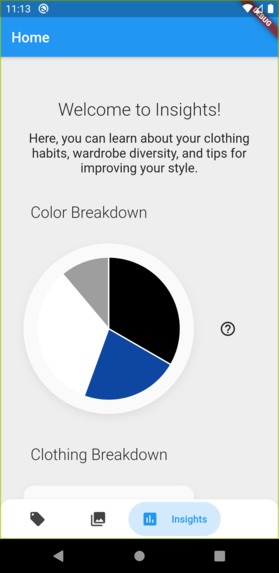
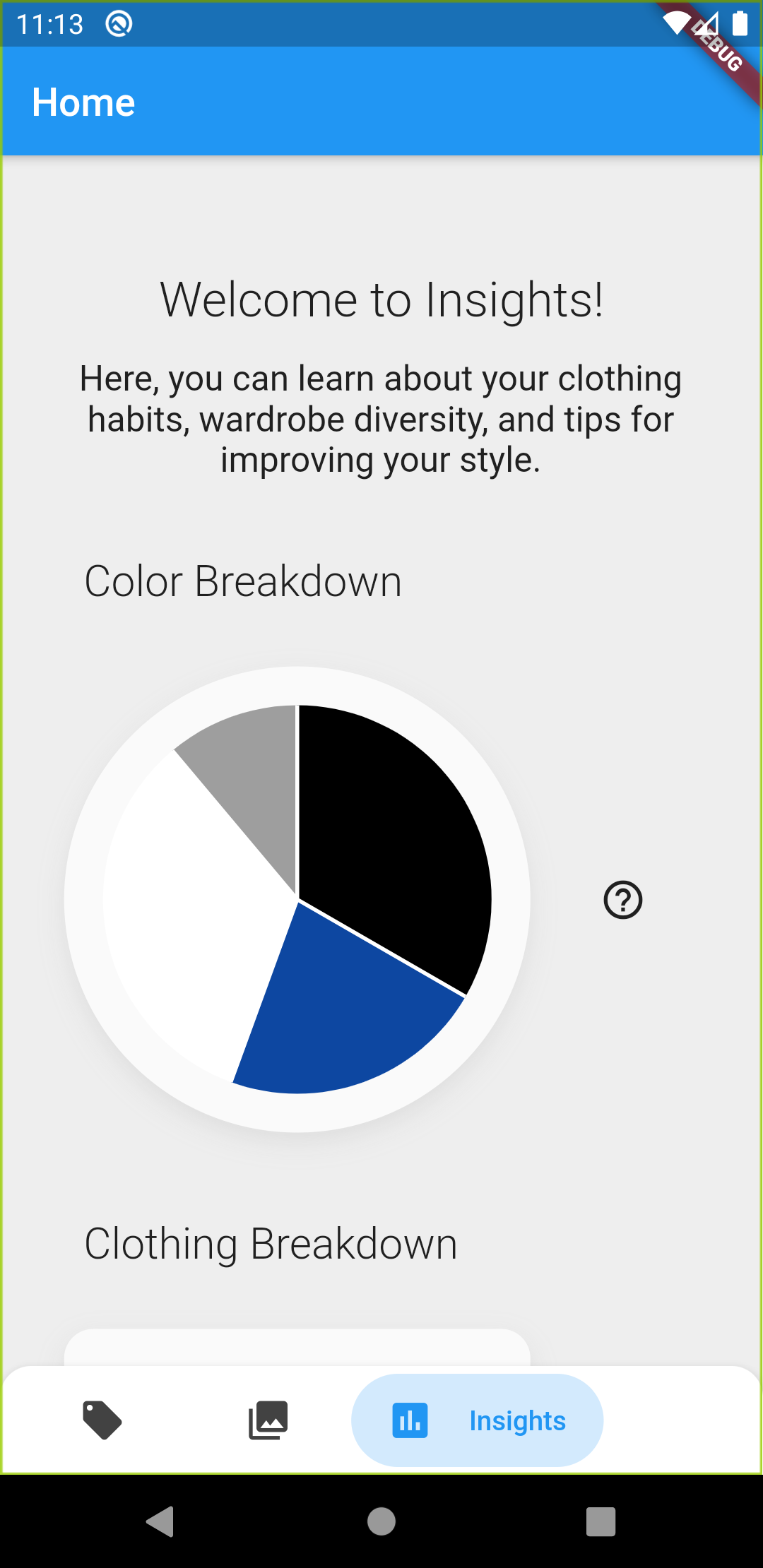
Insights screen showing wardrobe analysis and statistics
Inspiration
The classic saying, “dress for success” may not be something many of us take seriously. However, after a study concluded that dressing better caused an improvement in abstract thinking, and it was even correlated with a nearly 3x increase in salary, there might be more truth in this statement than you think. From this, we realized that learning how to dress well can have further reaching impacts than just looking and feeling your best. Thus we developed Wardrobe Wizard, a mobile application to help teach people of all ages how to “dress for success”.
What it does
At its core, Wardrobe Wizard educates users on their sense of fashion and style by allowing users to add articles of clothing and create and store outfits.
The main functionality allowed us to create an app both for users with little experience with style and fashion and also for users with ample experience. Our app’s tips and suggestions implemented throughout aid inexperienced users in creating outfits, matching colors and styles, and building a diverse wardrobe of clothing. For example, when creating a new outfit, our app suggests which clothing items will pair well together based on a machine learning model we trained with popular clothing and color combinations. Moreover, for more experienced users, the Insights page provides a comprehensive analysis of their clothing wardrobe with statistics on areas such as the color distribution of their clothes. The app aims to assist any user regardless of their experience in improving, and understanding their style.
Functionality (By Each Screen)
Item Screen - The Items Screen shows the user all of the clothing items they have saved on the application. Users can also add more items using the “+” button. When adding a new item, the user takes a picture with the phone camera and then our TensorFlow Lite image recognition model analyzes the image, predicting the type, color, and category of the item. After they take a picture, users then see a confirmation screen where they can edit the predictions before saving the item into the SQLite database on the device.
Outfit Screen - The Outfit Screen shows users all of the outfits they have saved on the application. Each outfit containers several items selected from the list of items saved on the app. Users can add more outfits through the “+” button, and when pressed, they are brought to a screen to select which items to add to the outfit. At this point, the app predicts and shows the user which items would pair well in an outfit using another machine learning model. After selecting which items to add to the outfit, users can name and categorize it before saving it on the device.
Insights Screen - The Insights Screen displays a variety of statistics calculated from the clothing items and outfits the user has saved on the app. Currently, the app displays a breakdown of the color diversity of the user’s wardrobe and if necessary, curated tips to improve it. The app also has a graph of the distribution of clothing tops, bottoms, and accessories. On this screen, users can both learn to improve and diversify their wardrobe and further understand their clothing habits and preferences.
How We built it
Flutter Application We built the app using Flutter. We first started by outlining the main functionality of the app (adding clothing items, creating outfits, and helping the user to develop their style). It was important to us that the app had an efficient, understandable user interface and impactful functionality. Once we had planned out the app, we started by creating the user interfaces and the item/outfit functionality before adding in the machine learning aspects.
Machine Learning Machine learning is implemented in 2 areas of our application: the image detection while adding a new item and the tips and suggestions to improve the user’s style. Both models use TensorFlow Lite, based on the Image Recognition and the On-device Recommendations respectively. To train the clothing recognition model, we utilized images from the internet along with over 800 photos of clothes we took by ourselves.
Challenges We ran into
While we had some experience with app development in the past, this was our first full fledged flutter application. We had some knowledge of how to use Flutter, but we had to learn a lot as we coded. Integrating machine learning into the app was especially hard because of our lack of experience combining machine learning and flutter apps. The TensorFlow Lite image recognition model we trained was working well in our test and training cases, but once we implemented it into the app, it behaved poorly with images from the phone camera. However, after some time tweaking and adjusting both the model and our training images, the model began to work as expected.
Accomplishments that We're proud of
We are very proud of how well the app works in practice. We had high hopes when we started coding, but based on past experience, we knew it was tough to create a fully functioning app in just 48 hours. However, we believe that the app in its current state is an effective and detailed representation of what we sought out to accomplish. We were able to implement all of the core features we had planned, some of the more auxiliary features, and polish the UI.
What We learned
Throughout this hackathon, we all learned a lot about Flutter and machine learning. This was the first time any of us had attempted to add machine learning into a Flutter application, and while it was not perfect at first, we worked through the issues and figured out how to work the models.
What's next for Wardrobe Wizard
While the core functionality has all been added, we plan to continue working on Wardrobe Wizard, adding more features and improving the existing ones. Some of the ideas we have for the future are creating a new, stylized user interface, adding a shopping system for users to expand their wardrobe, and a tracking system for the outfits a user has worn recently.
Built With
- dart
- flutter
- machine-learning
- sqlite
- tensorflow


Log in or sign up for Devpost to join the conversation.