Inspiration
Finding your next YouTube Channel to subscribe to can take multiple steps.
- Looking for an interesting Youtuber
- Going to their homepage
- Reading their channel descriptions
- Looking at the number of subscribers
- Watching a few of their videos
- Repeat…
This takes forever :(
It would be so nice if we could get all the information about the unknown YouTuber on the YouTube homepage!
It would be even better if we could achieve that by just hovering the cursor over their channel name!!
Time to make Christmas wishes ;)
What it does
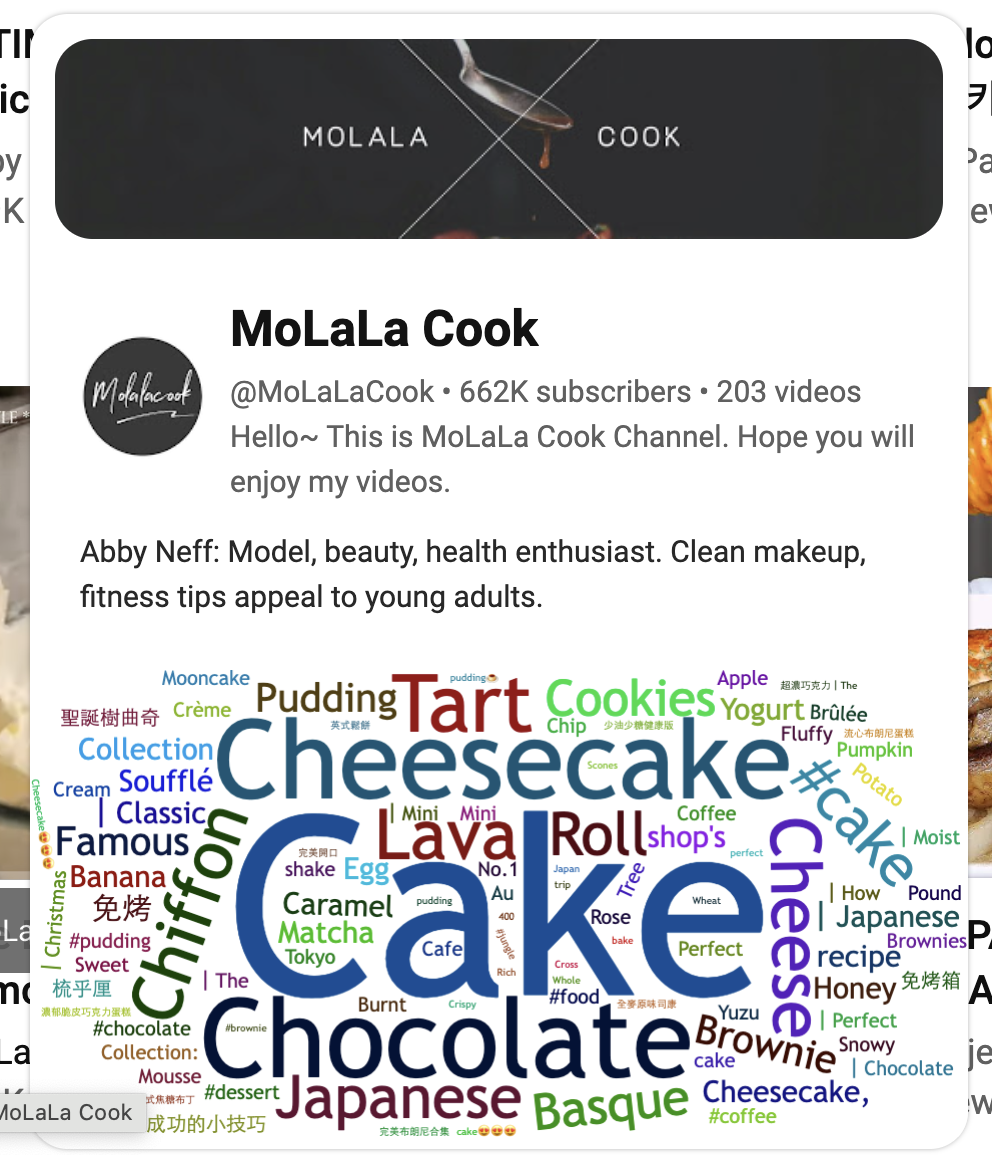
- Displays channel names and statistics.
- Summarizes the channel's content focus and video style using AI.
- Shows channel keywords via a word cloud.
All by simply hovering your cursor over the channel name!
How we built it
We created a Chrome Extension to display the channel information. The project was written in JavaScript, and we used YouTube Data API v3 to fetch the information about the channel. We displayed the basic info about the channel using HTML and CSS, used OpenAI Completion APIs to generate a summary about the channel from the video names and descriptions, and used wordcloud2 to create a word cloud of the video titles based on word frequency.
Challenges we ran into
Retrieving YouTube Channel Data through network requests and creating an AI summary with OpenAI GPT led to long wait times and poor user experience. The APIs were also limited by the quotas.
We integrated a Cache service using UpStash to store fetched information and AI-generated summaries. This reduced API usage and provided fast queries. Top channels which many users may hover through now only require making a single call to the YouTube and OpenAI API, significantly lowering the cost and improving stability.
Built With
- gpt
- javascript
- wordcloud
- youtube


Log in or sign up for Devpost to join the conversation.