-
-
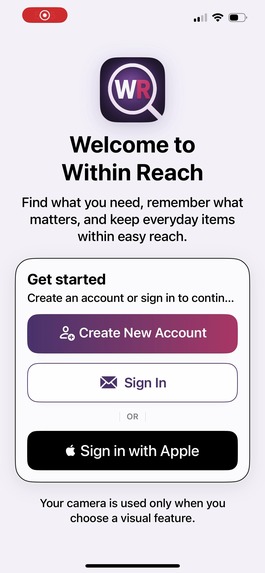
Sign In Screen
-
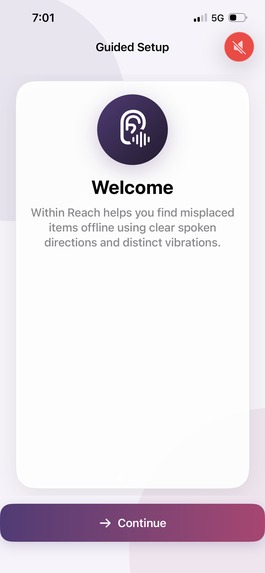
Setup Screen
-
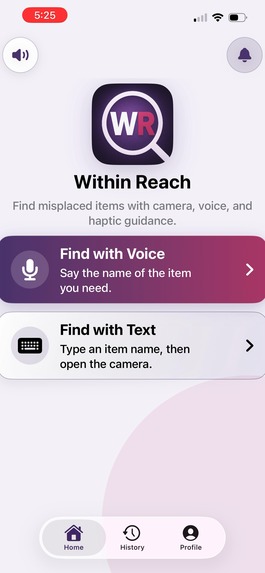
Home Screen
-
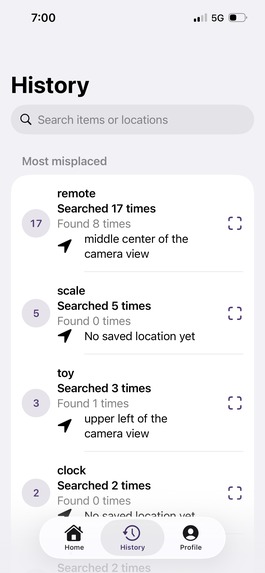
History Screen
-
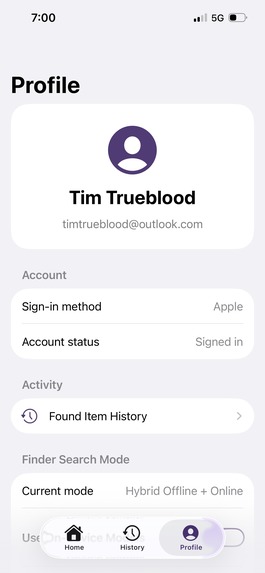
Profile Screen
-
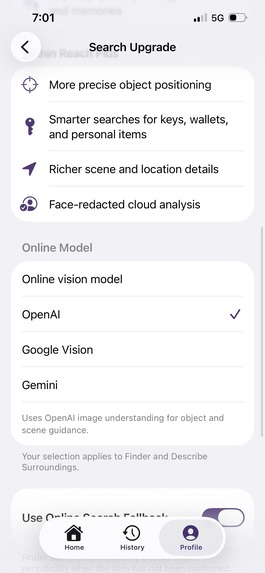
AI Models
-
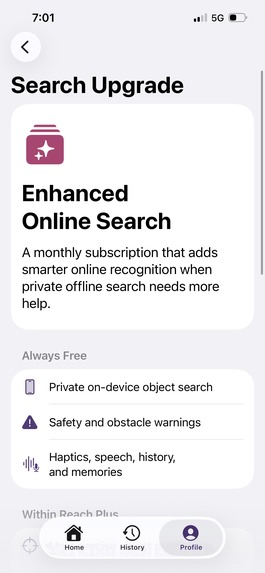
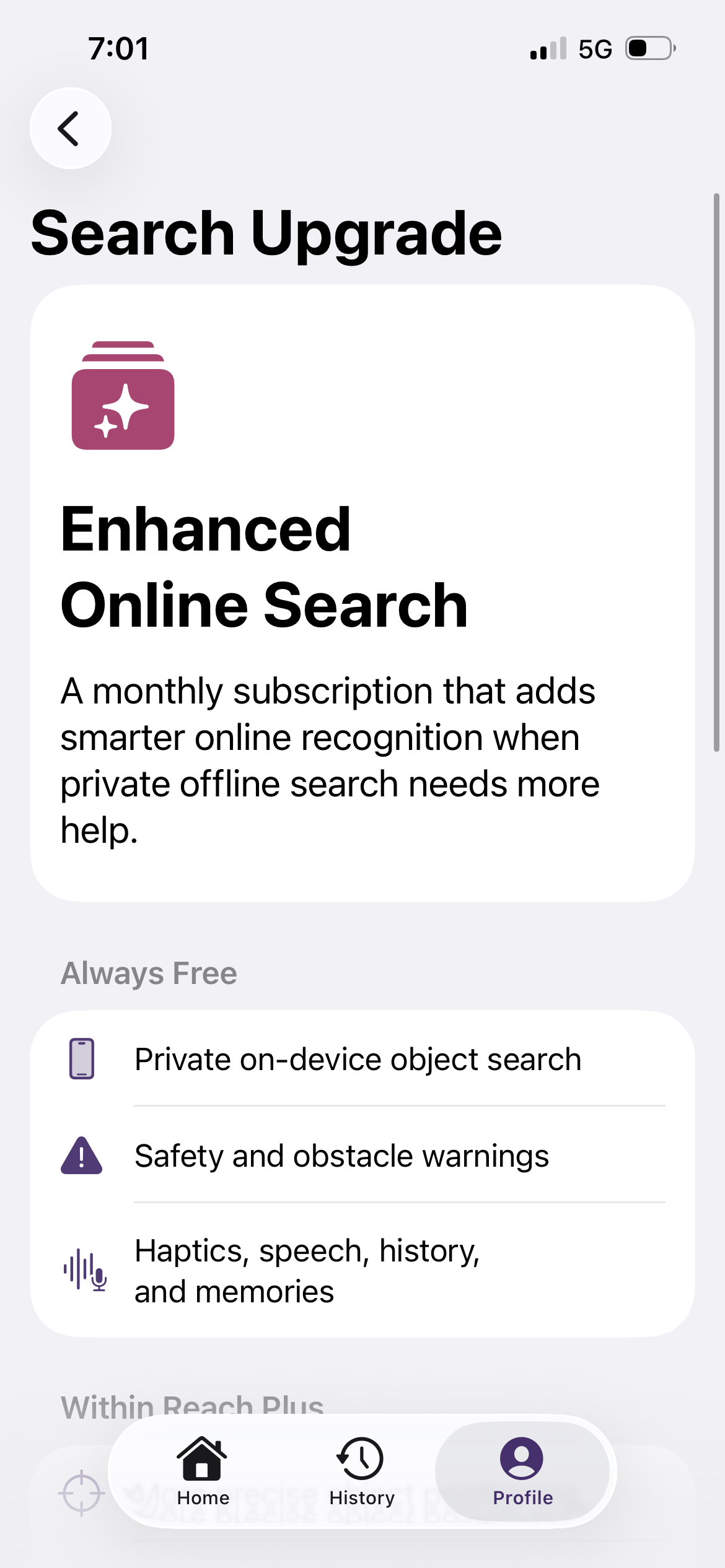
Subscription & Privacy Features Screen
-
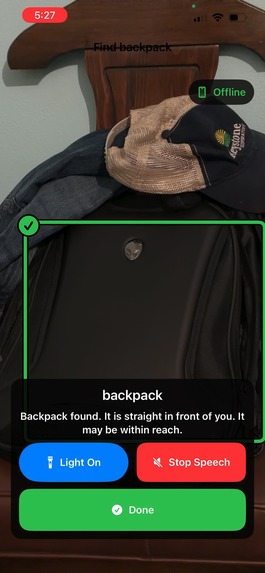
Find Backpack
-
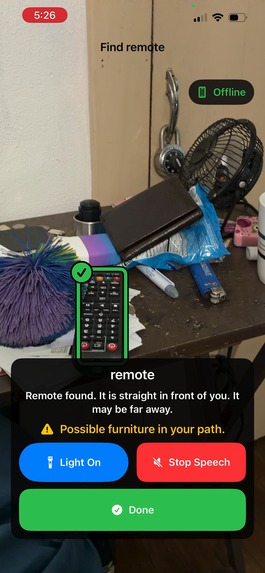
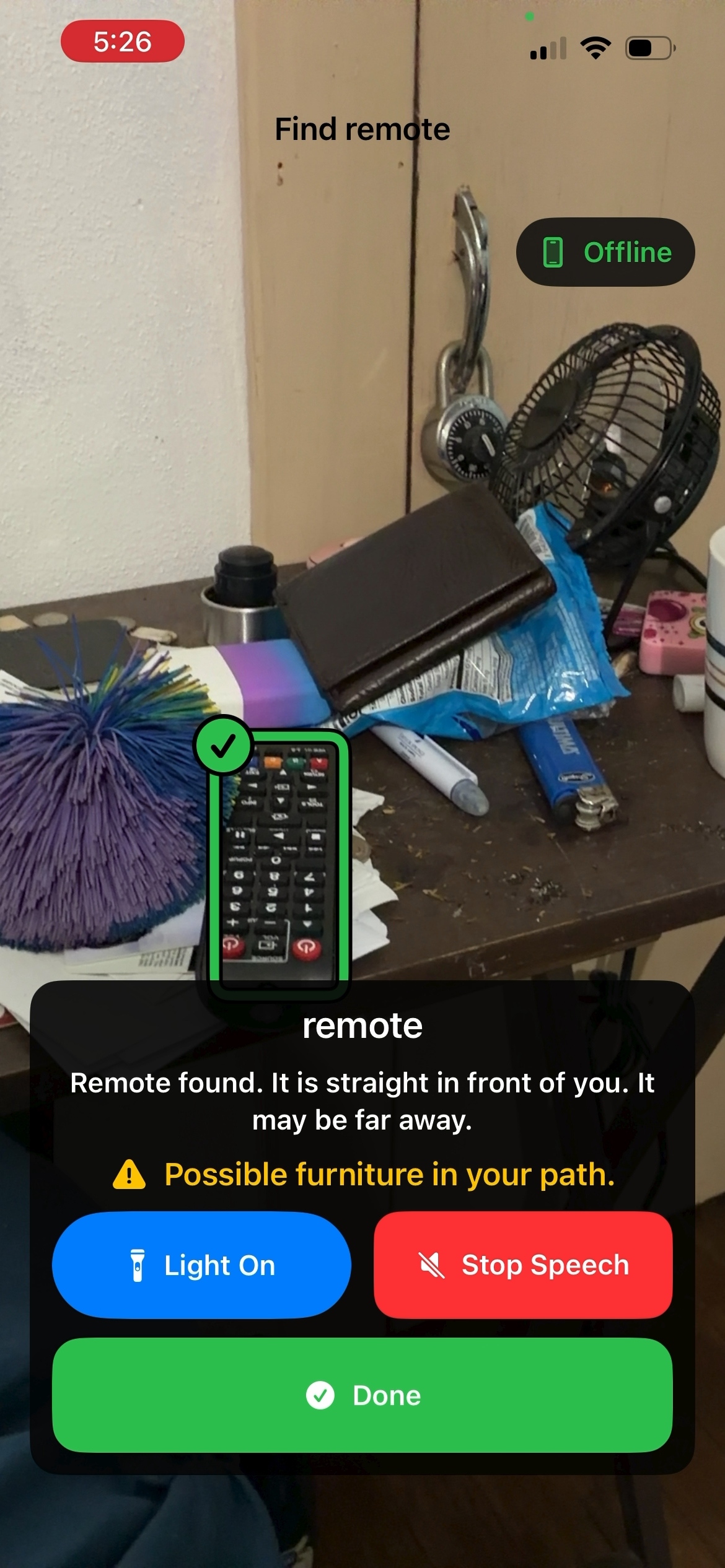
Find Remote
-
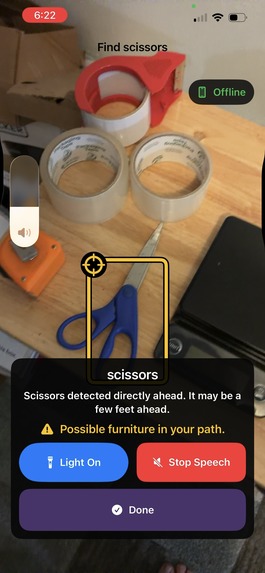
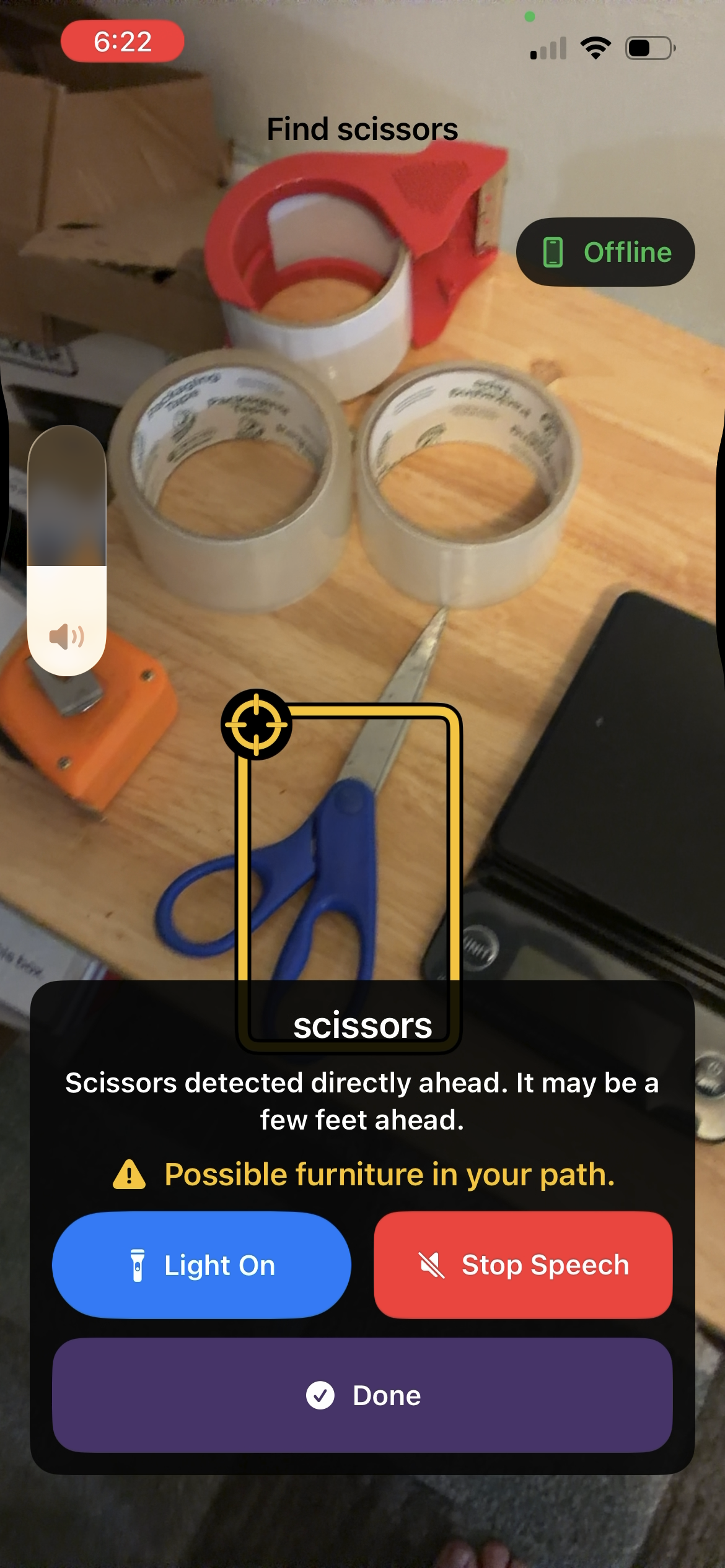
Find Scissors
-
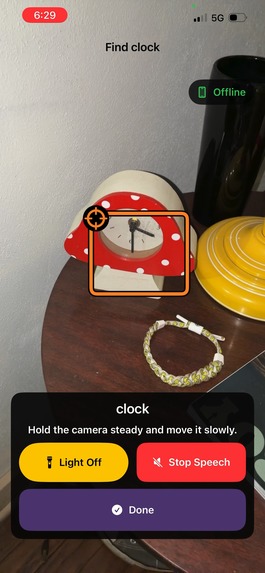
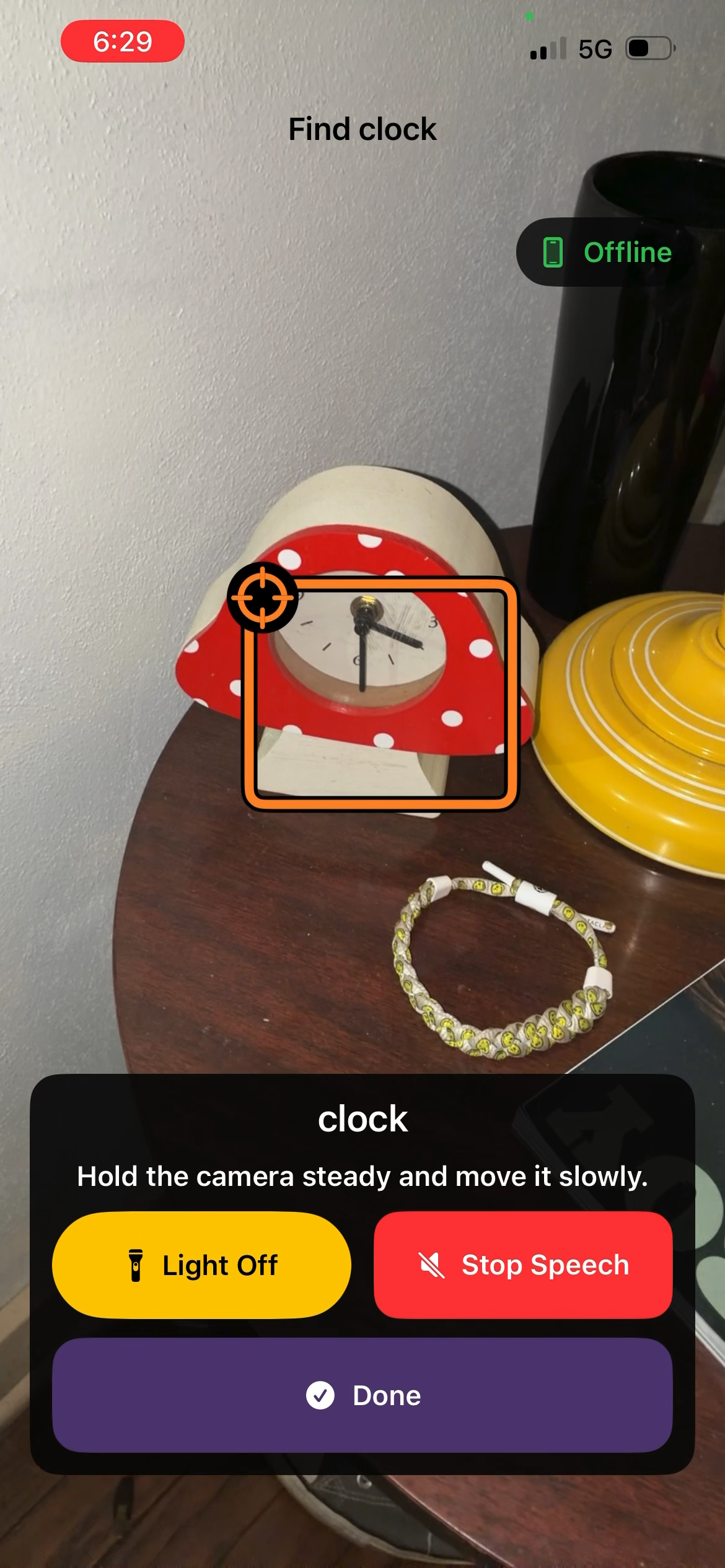
Find Clock



Inspiration
Misplacing an everyday item can be frustrating for anyone, but for someone who is blind or has low vision, finding it again may require assistance from another person. I created Within Reach to make that experience more independent, private, and accessible.
The project evolved from feedback on an earlier concept called LastSeen AI. That prototype relied on people photographing or registering belongings before losing them. Feedback revealed a fundamental problem: asking someone to prepare in advance creates additional work for the very person who needs help after an item goes missing.
That insight changed the product direction. Instead of requiring a catalog of belongings, Within Reach starts when the user needs help. A person names an item, scans the room with an iPhone, and receives clear spoken, visual, and haptic guidance toward it. No saved photograph or advance item registration is required.
What it does
Within Reach is an accessibility-first iPhone app that helps people who are blind or have low vision locate misplaced everyday items.
A user can say or type an item’s name and point the rear camera around the room. The app analyzes the live camera feed and provides directional guidance such as left, right, above, below, or centered. Guidance is communicated through synthesized speech, high-contrast visual overlays, and distinct haptic feedback.
The primary Finder experience runs on the device using bundled Core ML object-detection models. When offline recognition cannot confidently locate an item, the user can optionally enable enhanced online recognition for richer visual understanding.
Key capabilities include:
- Voice-first and text-based item searches
- No advance item registration or saved reference photo required
- Offline RT-DETR object detection
- Automatic SSDLite fallback with overlapping crop analysis
- Multi-frame confirmation to reduce uncertain detections
- Confidence-aware spoken, visual, and haptic directions
- Optional GPT-5.6 visual understanding for difficult scenes
- On-device face redaction before an optional online frame is uploaded
- A fail-closed privacy rule that blocks an upload if redaction fails
- Explicit confirmation before a successful find is saved
- Searchable History with most-misplaced rankings and Find Again
- On-device text recognition
- Optional surroundings descriptions
- VoiceOver metadata, Dynamic Type, high contrast, reduced motion, large touch targets, and adjustable speech and haptic settings
- Firebase Authentication with email/password and Sign in with Apple
- StoreKit 2 access controls for enhanced online recognition
Finder frames are not automatically saved. History is created only after the user confirms a successful search by selecting Done.
Within Reach is an assistive item-location tool. It is not an obstacle-avoidance, mobility-navigation, emergency, or other safety-critical system.
How I built it
I built Within Reach as a native SwiftUI iPhone application.
AVFoundation manages the live rear-camera feed. Apple Vision and Core ML provide on-device recognition and image processing. The Finder prioritizes a bundled RT-DETR R18 object-detection model and automatically falls back to SSDLite320 MobileNetV3 when RT-DETR is unavailable or cannot identify the requested object.
RT-DETR analyzes a 640-by-640 representation of the camera frame and returns object candidates and bounding boxes. The SSDLite fallback can analyze the complete frame and rotate through overlapping enlarged regions, improving the chance of recognizing small items that occupy only a small part of the image.
An item-name normalization layer converts natural requests into labels that the models understand. For example, variations such as “cellphone,” “mobile,” and “my phone” can be connected to the appropriate detection category.
The Finder converts each normalized bounding box into left, right, above, below, or centered guidance. It tracks detections across multiple frames so an uncertain single-frame result is not immediately treated as a successful find. Overlap suppression, confidence filtering, and model diagnostics make the recognition pipeline more stable and easier to test.
A dedicated feedback service coordinates:
- High-contrast target overlays
- Concise synthesized speech
- Haptic direction and confirmation patterns
- User preferences for speech speed, volume, guidance detail, haptic strength, contrast, motion, and handedness
For optional online recognition, the iPhone compresses a selected frame and performs face detection and blurring on the device. If privacy redaction fails, the frame is not uploaded.
The authenticated Python backend runs as Google Cloud Functions and supports selectable OpenAI, Google Cloud Vision, and Gemini analysis providers. Firebase Authentication supplies the user identity for protected requests.
The default OpenAI photo-analysis path uses GPT-5.6 through the OpenAI Responses API. It returns strict structured JSON containing the detected item, room or setting, supporting surface, nearby objects, relative position, description, and confidence. The live-location path defaults to the configurable GPT-5.6 Luna model, which determines whether the requested item is visible, returns a normalized bounding box, and creates concise spoken guidance.
OpenAI requests use:
- Strict JSON schemas
- Bounded output
- Low reasoning effort for responsive visual analysis
- Per-user safety identifiers
store=false
The app remains useful without a network connection or cloud model because the primary RT-DETR and SSDLite recognition paths run entirely on the iPhone.
Local profiles, preferences, memories, and confirmed finds are stored using SQLite, protected Application Support files, and UserDefaults. StoreKit 2 manages the optional enhanced online-search entitlement.
How I collaborated with Codex
I used Codex as a hands-on engineering collaborator throughout the project rather than as a one-time code generator.
I provided the user problem, accessibility priorities, product feedback, and final product decisions. Codex helped translate those decisions into working Swift, Python, tests, documentation, and submission materials.
My development loop was iterative:
- Inspect the existing implementation.
- Trace the relevant behavior across the app and backend.
- Discuss a focused product or engineering change.
- Implement the change across the affected layers.
- Review the result in the context of the complete product.
- Verify it with targeted builds, tests, diagnostics, or repository consistency checks.
Codex accelerated repository-wide reasoning across SwiftUI views, AVFoundation camera handling, Core ML services, SQLite persistence, Firebase authentication, StoreKit, and the Python backend. This was especially valuable when a change affected multiple layers, such as adding new location fields to the online response and then carrying them through Swift decoding, Finder guidance, and saved History.
Codex also helped implement and refine:
- The RT-DETR and SSDLite on-device detection pipeline
- Natural-language item-name normalization
- Multi-frame detection confirmation
- Confidence-aware directional guidance
- Spoken and haptic feedback
- Privacy redaction and fail-closed upload behavior
- Online-provider selection and entitlement controls
- History, most-misplaced rankings, and Find Again
- Recognition diagnostics and fallback behavior
- Client and server contract alignment
- Privacy, architecture, prior-art, setup, and demo documentation
I reviewed the proposed changes rather than accepting generated code blindly. I retained responsibility for the final scope, user experience, privacy model, accessibility decisions, and engineering tradeoffs.
The most important human-led decisions included making Finder the primary experience, removing advance registration from the core workflow, keeping recognition offline-first, making cloud AI optional, requiring explicit confirmation before saving History, using redundant forms of accessible guidance, blocking uploads when face redaction fails, and refusing to position the product as a safety-critical navigation system.
Codex helped me examine those decisions against the implementation and identify consequences or gaps. GPT-5.6 contributed directly to the optional online visual-understanding experience, while Codex accelerated the engineering work that made the complete app cohesive, testable, documented, and ready to present.
Challenges I ran into
One of the largest challenges was turning changing computer-vision results into guidance that remains understandable while the user moves the camera.
Detection confidence and position can change between frames. Without stabilization, the app might rapidly alternate between directions or announce a result based on a single uncertain detection. I addressed this with multi-frame confirmation, confidence-aware feedback, overlap suppression, detection tracking, and fallback recognition paths.
Small items presented another major challenge. Keys, remote controls, and similar objects may occupy only a small portion of the camera frame. I combined the higher-accuracy RT-DETR model with the smaller SSDLite fallback and overlapping crop analysis. Enlarging selected regions gives small objects more pixels during inference.
Natural language was also challenging because users do not always name an object exactly as it appears in a model’s training labels. The item-name normalization and alias system connects conversational requests with supported object categories.
Privacy required careful product and engineering decisions. Cloud recognition can add useful scene context, but a camera frame may contain people, photographs, or sensitive details from someone’s home. Within Reach detects and blurs faces on the iPhone before transmission. Redaction is fail-closed: if it cannot be completed, the app does not upload the frame.
Accessibility affected every layer of the product. I had to consider VoiceOver focus, camera instructions, speech interruption, haptic meaning, Dynamic Type, high contrast, reduced motion, touch-target size, error recovery, permission guidance, and how much information should be spoken while someone is moving a phone.
Another challenge was maintaining a consistent contract between the Swift client and the Python backend. Detection results, confidence values, normalized bounding boxes, location descriptions, room names, surfaces, and nearby objects all needed to remain aligned from model output through spoken guidance and saved History.
Accomplishments that I’m proud of
I am most proud that the core Finder does not require someone to photograph or register every belonging in advance. The experience begins when the item is already missing: name it, scan the room, and follow the guidance.
I am also proud of the multimodal feedback system. Speech, haptics, and high-contrast visuals communicate the same directional result, allowing users to choose the combination that works best for them.
Other accomplishments include:
- Bundling two complete Core ML detection paths with automatic fallback
- Running the primary Finder experience without a network connection
- Improving small-object detection with overlapping crop analysis
- Stabilizing results with multi-frame confirmation
- Adding natural-language item-name normalization
- Building on-device face redaction for optional online searches
- Blocking uploads when privacy redaction fails
- Integrating structured GPT-5.6 visual understanding
- Keeping cloud AI optional rather than making accessibility depend on it
- Saving History only after explicit confirmation
- Turning History into a result of normal Finder use rather than a required logging routine
- Supporting Find Again from previous successful searches
- Providing configurable speech, haptic, contrast, text-size, motion, and handedness preferences
- Documenting the architecture, privacy model, prior art, demo strategy, and Codex collaboration transparently
What I learned
I learned that an accurate model is only one part of an accessible computer-vision product. The timing, wording, repetition, stability, and reliability of feedback can matter as much as detection accuracy.
I learned that product feedback can be more important than adding another feature. The earlier registration-based concept was technically possible, but it placed responsibility on the user before an item was lost. Reframing the experience around live Finder created a simpler and more useful product.
I also learned that local and cloud recognition work best as complementary tools. On-device processing provides privacy, responsiveness, and offline availability. Optional online analysis can add semantic context for difficult scenes. The strongest architecture was not choosing one exclusively, but defining a clear boundary between them.
Privacy is not just a backend policy. It must be visible in the interface and enforced in code. Showing whether a scan is offline or online, redacting faces before transmission, blocking failed redactions, avoiding automatic frame storage, and requiring explicit confirmation before saving History all contribute to user trust.
Most importantly, I learned that accessibility cannot be added at the end. It must influence the information architecture, camera workflow, feedback system, privacy decisions, error handling, interaction timing, and definition of success from the beginning.
Working with Codex also taught me how valuable AI-assisted development can be when it remains an iterative collaboration. Codex was most effective when I supplied clear product intent, reviewed the implementation, made the final decisions, and used it to reason across the entire codebase.
What’s next for Within Reach
The next priority is testing Within Reach with more people who are blind or have low vision in real homes and everyday environments. Their feedback will help refine spoken directions, haptic patterns, scanning instructions, confirmation timing, and privacy explanations.
Future plans include:
- Expanding the range of supported household items
- Improving detection of small, partially hidden, and visually similar objects
- Exploring personalized on-device recognition for user-specific belongings
- Adding more automated accessibility, privacy, and regression tests
- Continuing physical-device testing in varied rooms and lighting conditions
- Improving saved-location memories without making logging a requirement
- Completing the remaining internal product-name migration
- Moving all temporary configuration to dedicated production endpoints
- Completing the production privacy policy, threat model, data-retention policy, and App Store disclosures
- Refining online model routing so the app uses cloud analysis only when it adds meaningful value
- Continuing to improve performance and battery use during extended camera sessions
The long-term goal is to make Within Reach a dependable accessibility tool that supports privacy, dignity, and greater independence.
Repository
The source repository is available to judges at:
https://github.com/trueblood/Accessibility-Companion
The project is licensed under the Apache License 2.0, with separate notices for bundled third-party models.


Log in or sign up for Devpost to join the conversation.