-
-
Within CAD
-
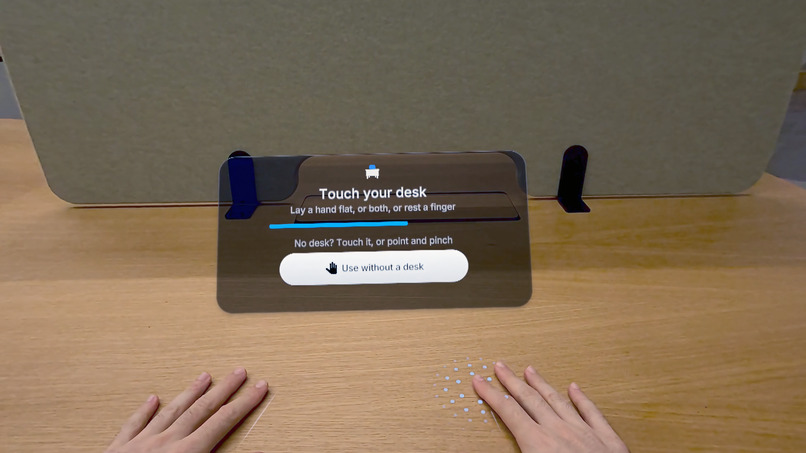
Set your workspace
-
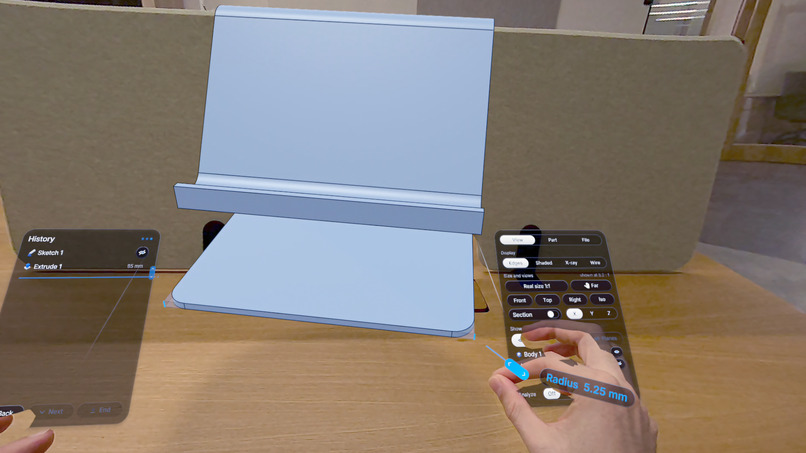
Edit in real time
-
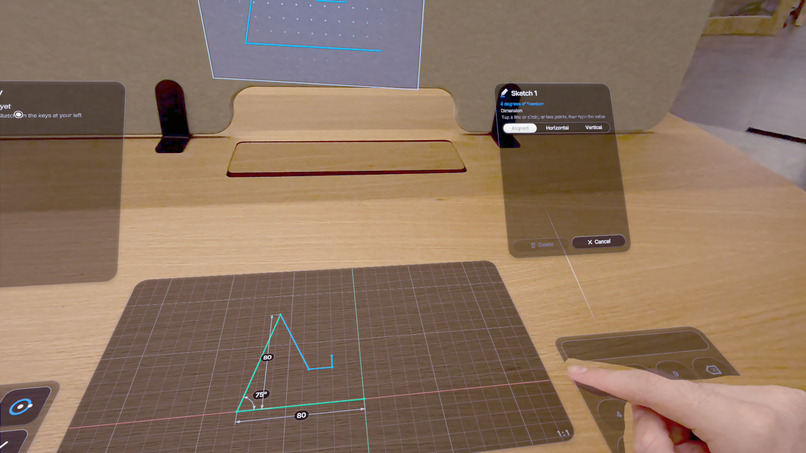
Sketch & Draw
-
Build in 3D
-
Design from anywhere
Inspiration
Virtual reality has changed how we experience 3D, but creating precise, functional objects is still tied to screens, keyboards and mice. As industrial designers, we kept asking: what if real, parametric CAD could happen directly in VR, with your hands, in the space where the object will exist?
WITHIN CAD was created to explore that: the precision of professional 3D modelling in a more direct, intuitive and spatial way of working.
What it does
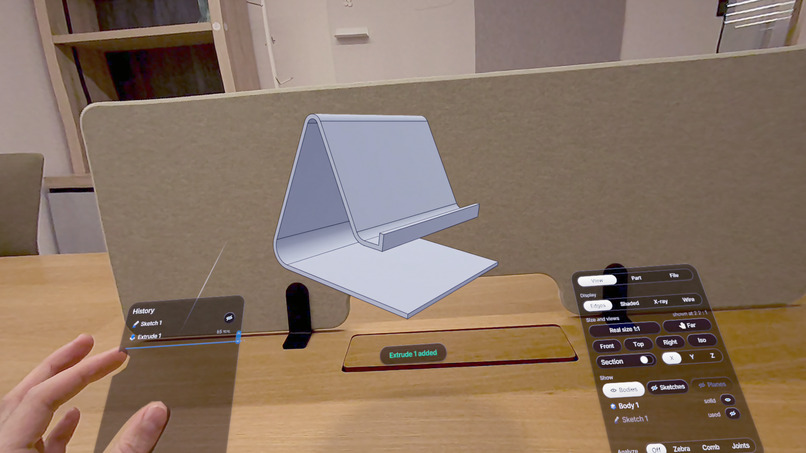
WITHIN CAD is a professional parametric CAD tool built natively for Meta Quest 3. Users sketch, dimension and build precise 3D models with hand tracking, with no controllers.
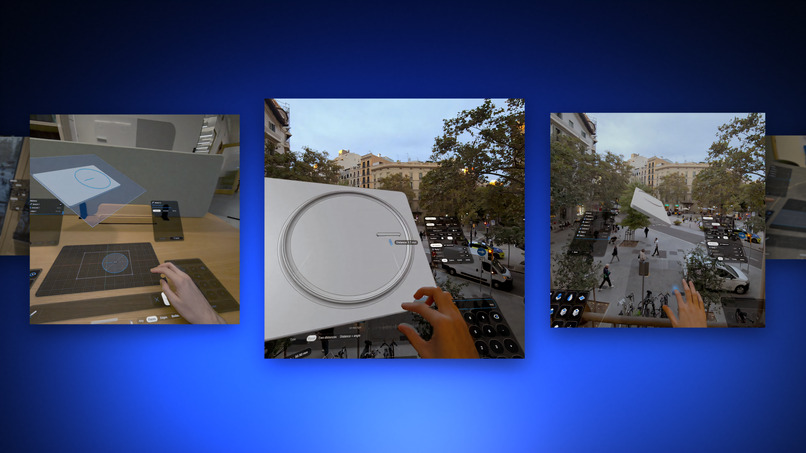
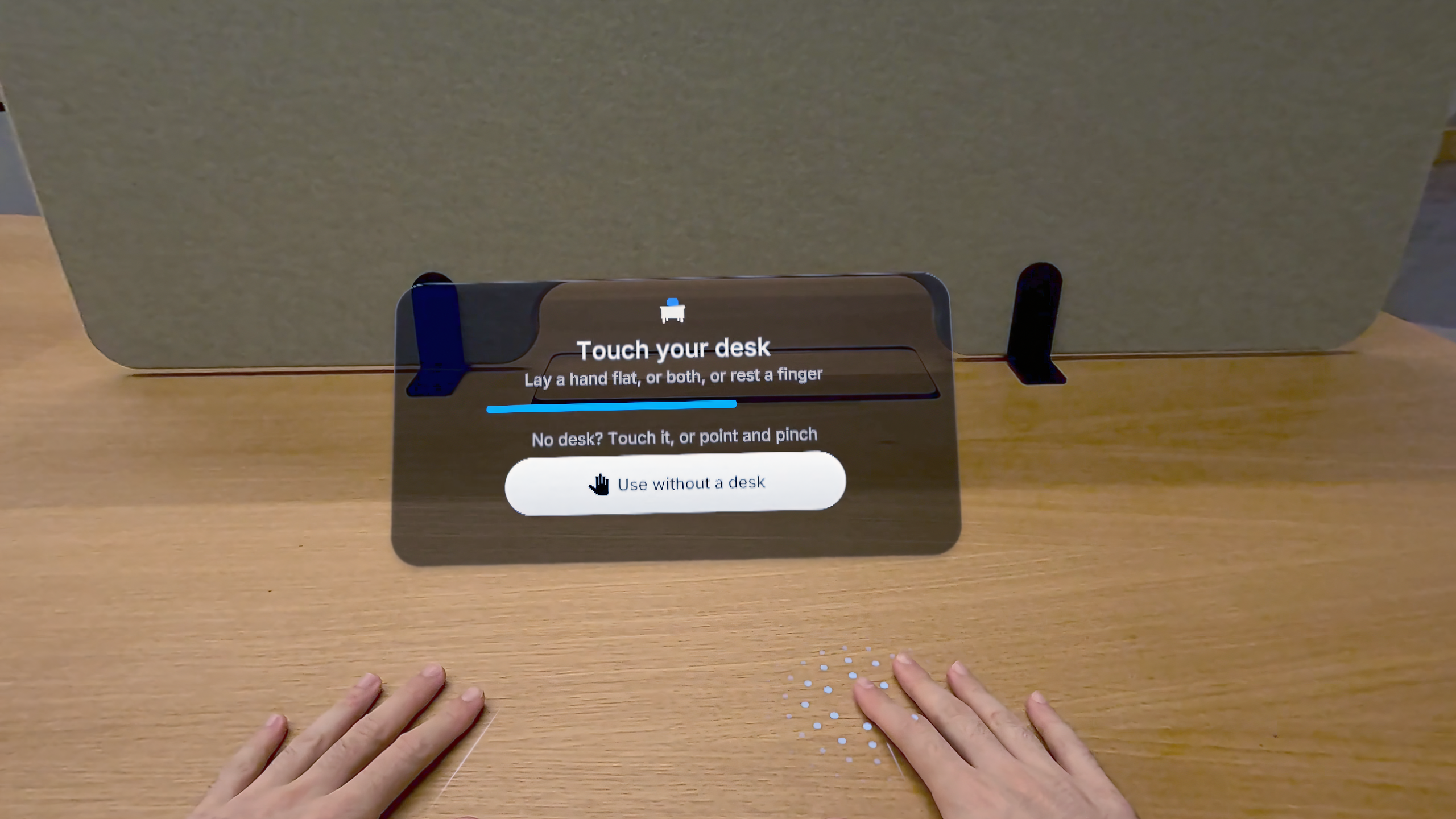
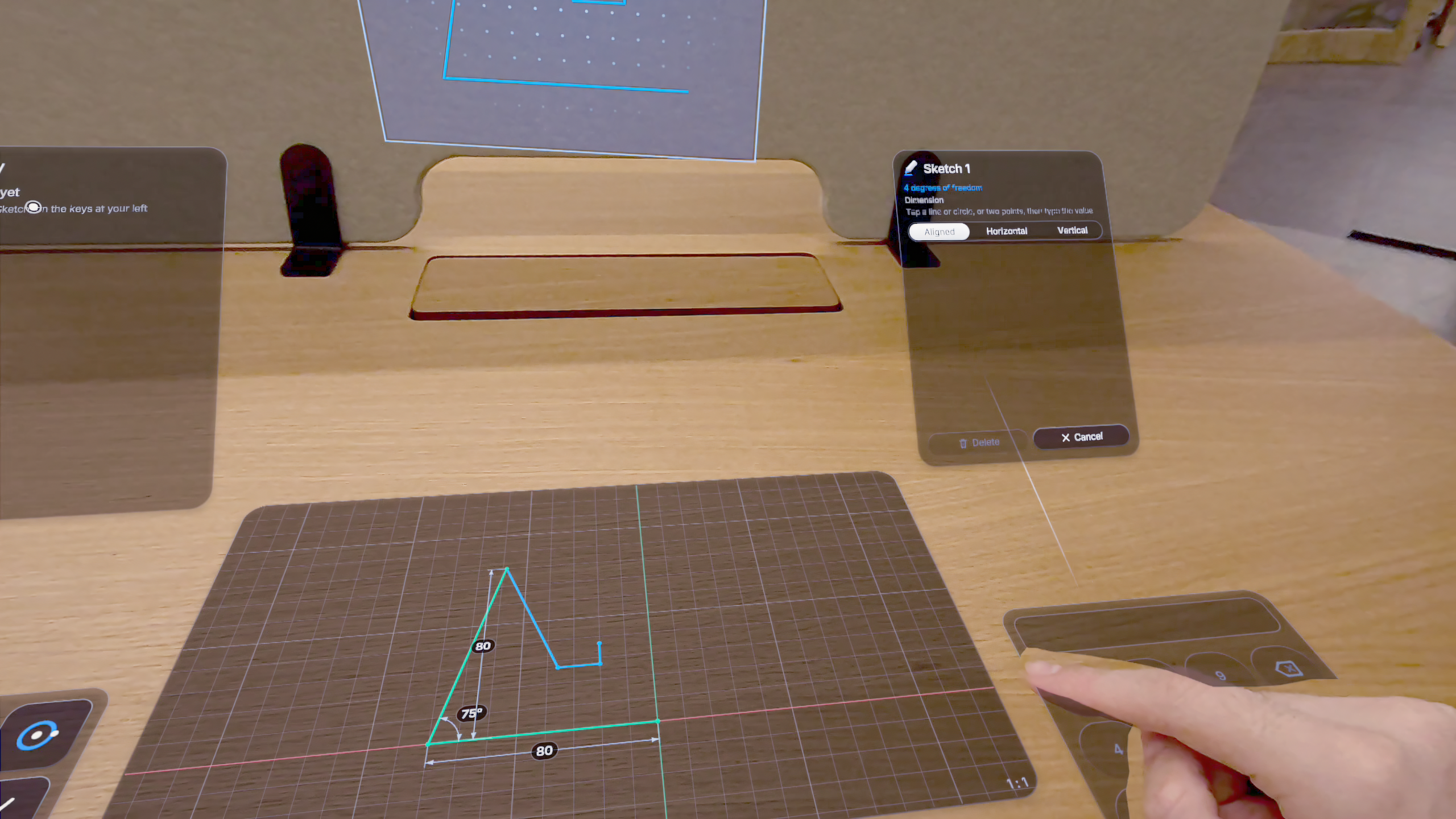
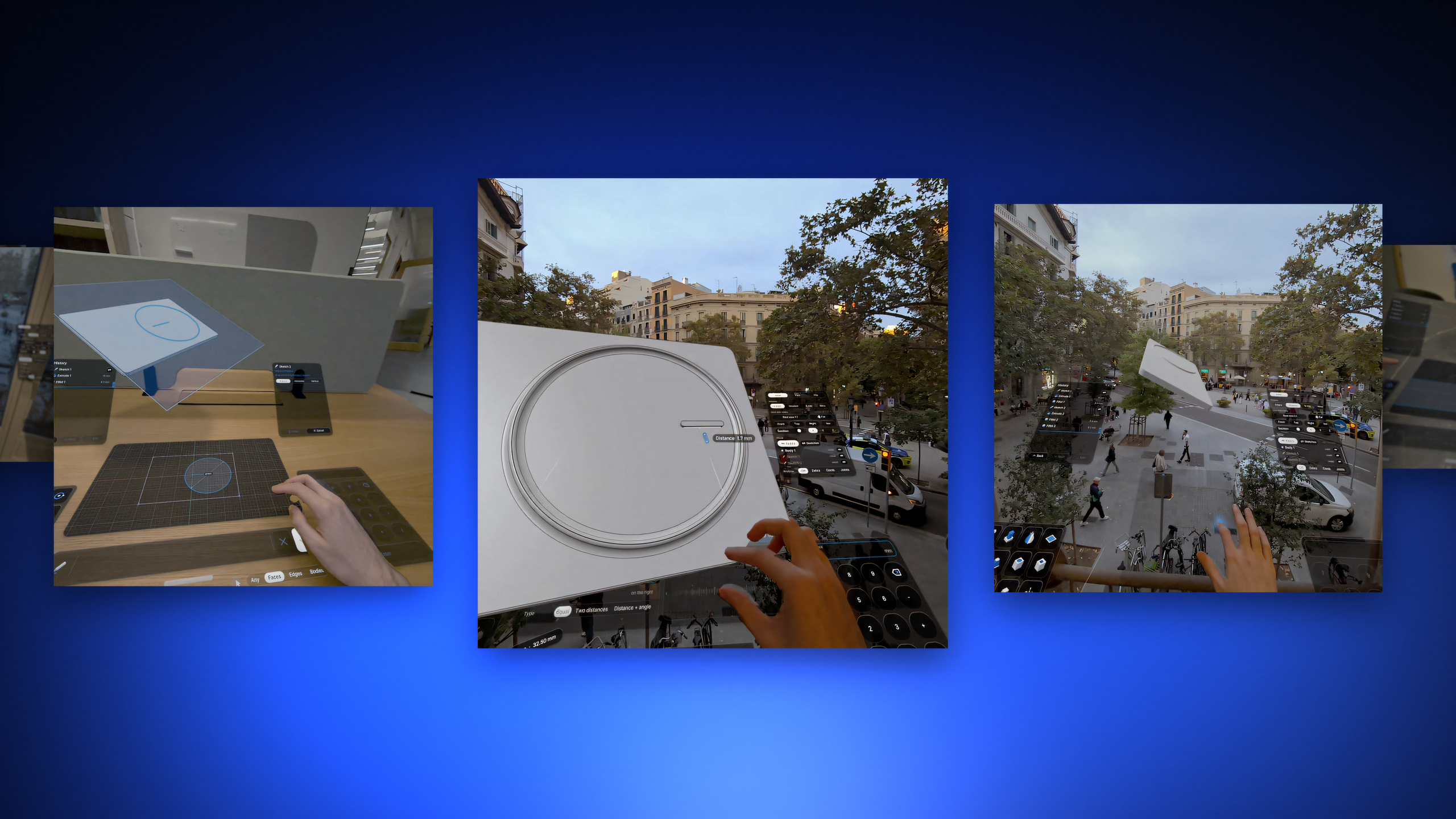
- Your desk becomes the workspace. Touch your real desk and the modelling surface, tools and numeric keypad align to it in passthrough. No desk? Work freely in the space around you.
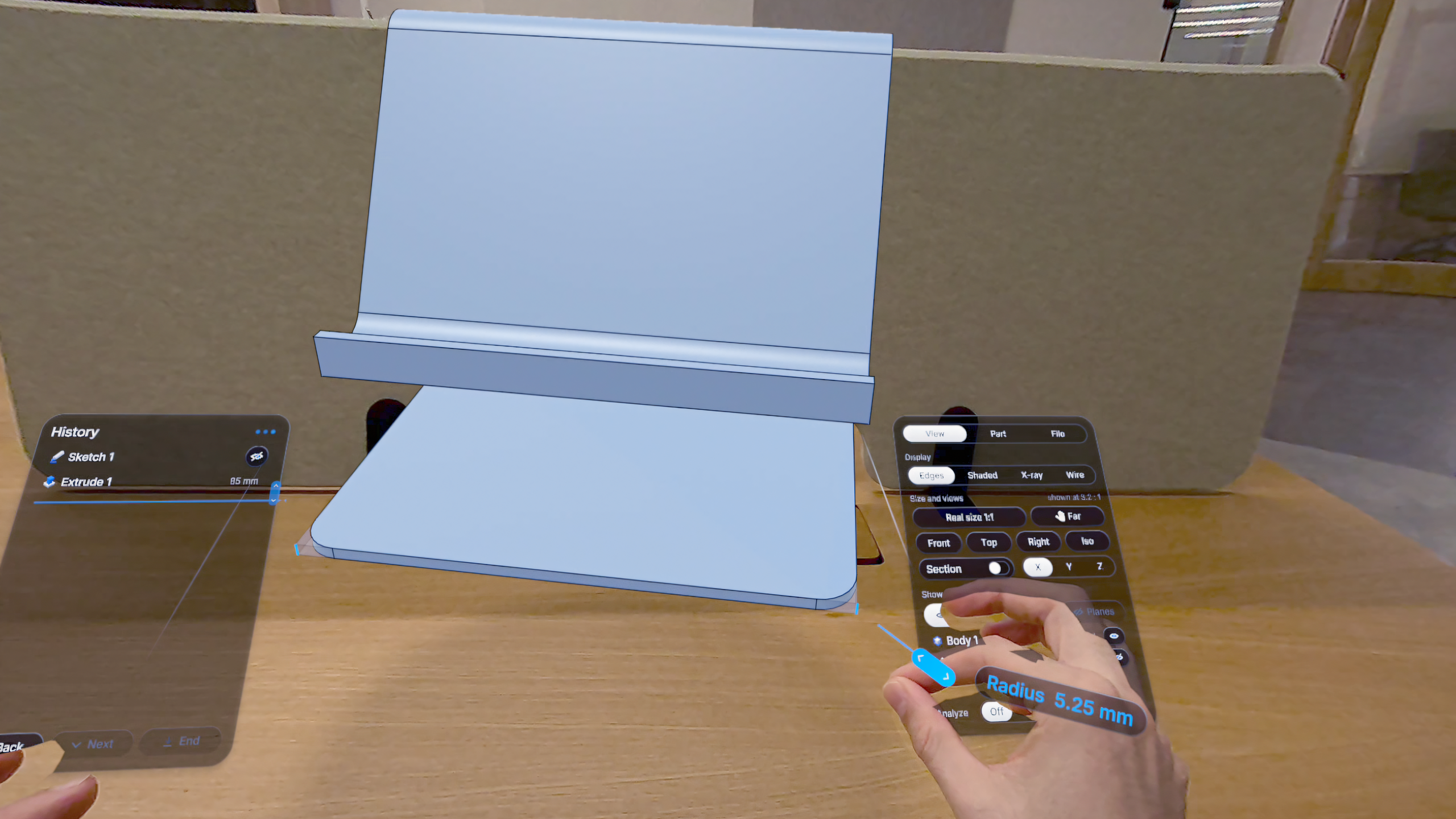
- Precision. Sketch with your fingertip: lines, rectangles, circles, arcs, slots, polygons, splines and ellipses, with exact dimensions and 13 geometric relations (horizontal, parallel, perpendicular, tangent, concentric, symmetric and more).
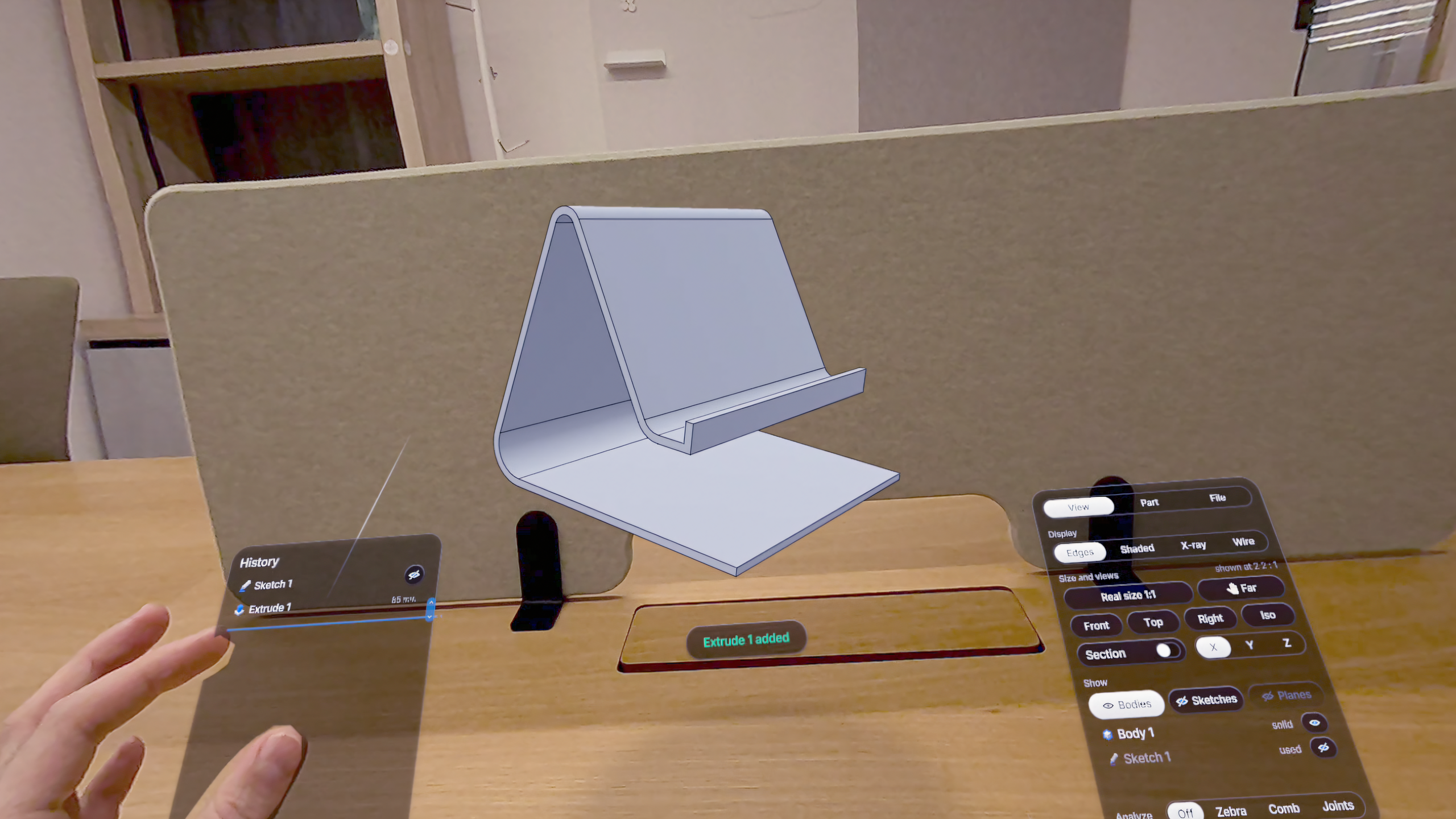
- Solid and surface modelling. Extrude, cut, revolve, push-pull, fillet, chamfer, shell, draft, holes, linear and circular patterns, mirror, loft and sweep, plus surface tools such as thicken, offset, knit and trim.
- Always editable. The parametric feature history lets you edit, roll back, suppress and reorder any operation, and named parameters drive the model, which rebuilds instantly.
- Inspect. Measure, section views and mass properties, all in the space around you.
- True scale. View the part at 1:1 to judge proportions, then step back to see the whole.
- Ready to make. Export STEP and STL for further development, manufacturing or 3D printing.
How we built it
WITHIN CAD is a native Meta Quest 3 application built on OpenXR. Its geometry core is Open CASCADE Technology (OCCT), the open-source CAD kernel (LGPL 2.1 with the OCCT exception), which provides true B-rep solid modelling. Every sketch, extrusion and fillet is real CAD geometry rather than a mesh, and models export to industry-standard STEP and STL through OCCT's data exchange.
On top of the kernel we designed our own spatial interface around the CAD workflow: hand tracking for direct manipulation, passthrough with the desk detected by touch as a physical reference surface, and a compact, seated layout that keeps essential tools, shortcuts and numeric input within comfortable reach and field of view. The interaction design, UI and VR integration are entirely our own work; OCCT provides the geometry engine underneath.
Challenges
Our biggest challenge was balancing the precision of professional CAD with hand-based interaction. CAD depends on accuracy, predictable input and editable geometry; gestures need to feel natural but also be reliable enough for exact work.
We solved this by pairing natural gestures for intent (draw, select, grab) with exact numeric input for values, and by keeping the parametric history as the single source of truth. We had to rethink not only individual tools, but how the whole modelling workflow should work in space.
What we learned
A physical desk makes a huge difference: touching a real surface gives hands a stable reference and makes precise input feel natural. We also learned that in VR less is more: fewer, larger, well-placed controls within arm's reach work better than recreating a desktop toolbar. And seeing a part at true scale changes design decisions that are easy to miss on a screen.
What's next
WITHIN CAD already supports parametric part modelling with your hands on a real desk. Next, we make the workspace more dependable and extend the path from design to production.
- Voice commands. Designed, not yet built: local push-to-talk, so you can call a tool without lifting your hands off the model.
- Keep the desk anchored. The work surface stays in place when the headset recenters, so you return to the same setup.
- Better occlusion. Environment depth puts your hands and real desk objects in front of virtual geometry.
- Deeper pro tools. More surfacing and fillet options, ribs, threads, design tables, interference checks and thickness analysis.
- Toward 3D printing. 3MF export and wall-thickness checks to take a model straight to print.
- Gaze selection. The input path is already in place, ready for eye-tracked hardware.
Target launch: January 2027.
Our goal: close the gap between designing in VR and making things in the real world.
WITHIN CAD. The desk is the interface.

