-
-
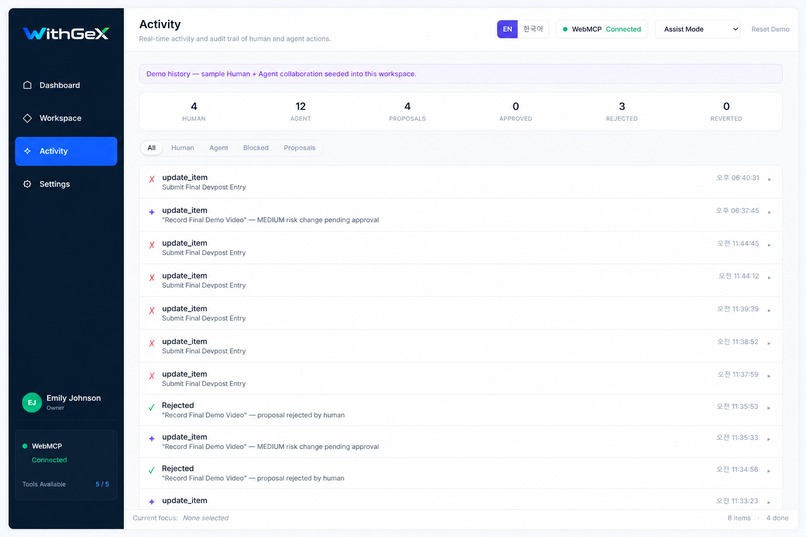
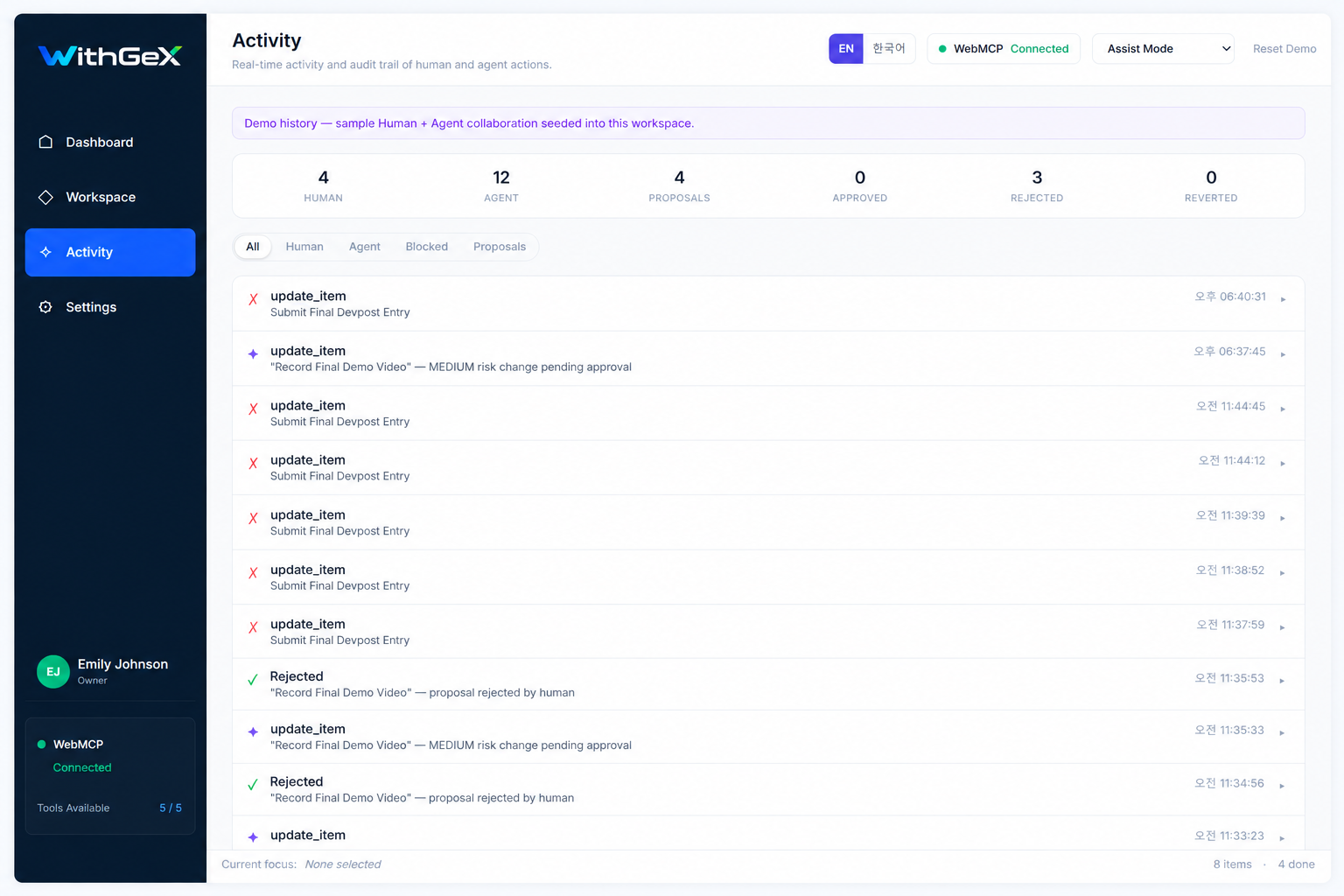
Shared activity timeline showing agent actions, blocked writes, proposals, and human decisions in a visible audit trail.
-
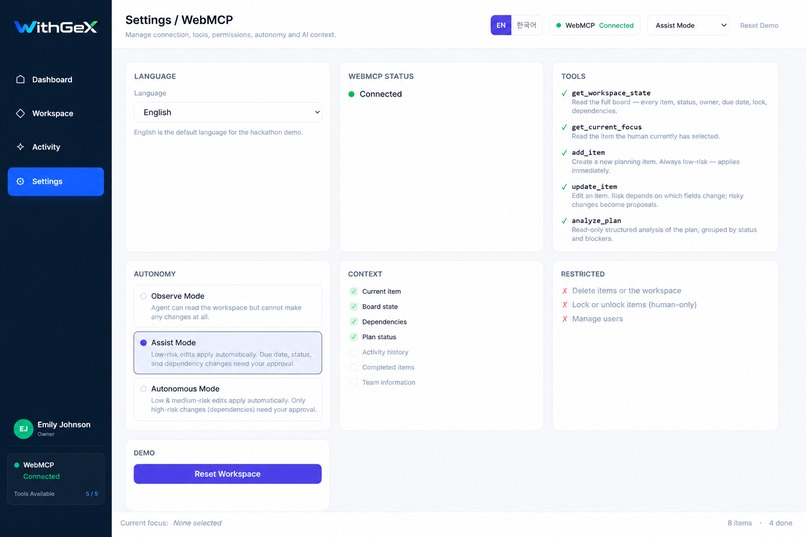
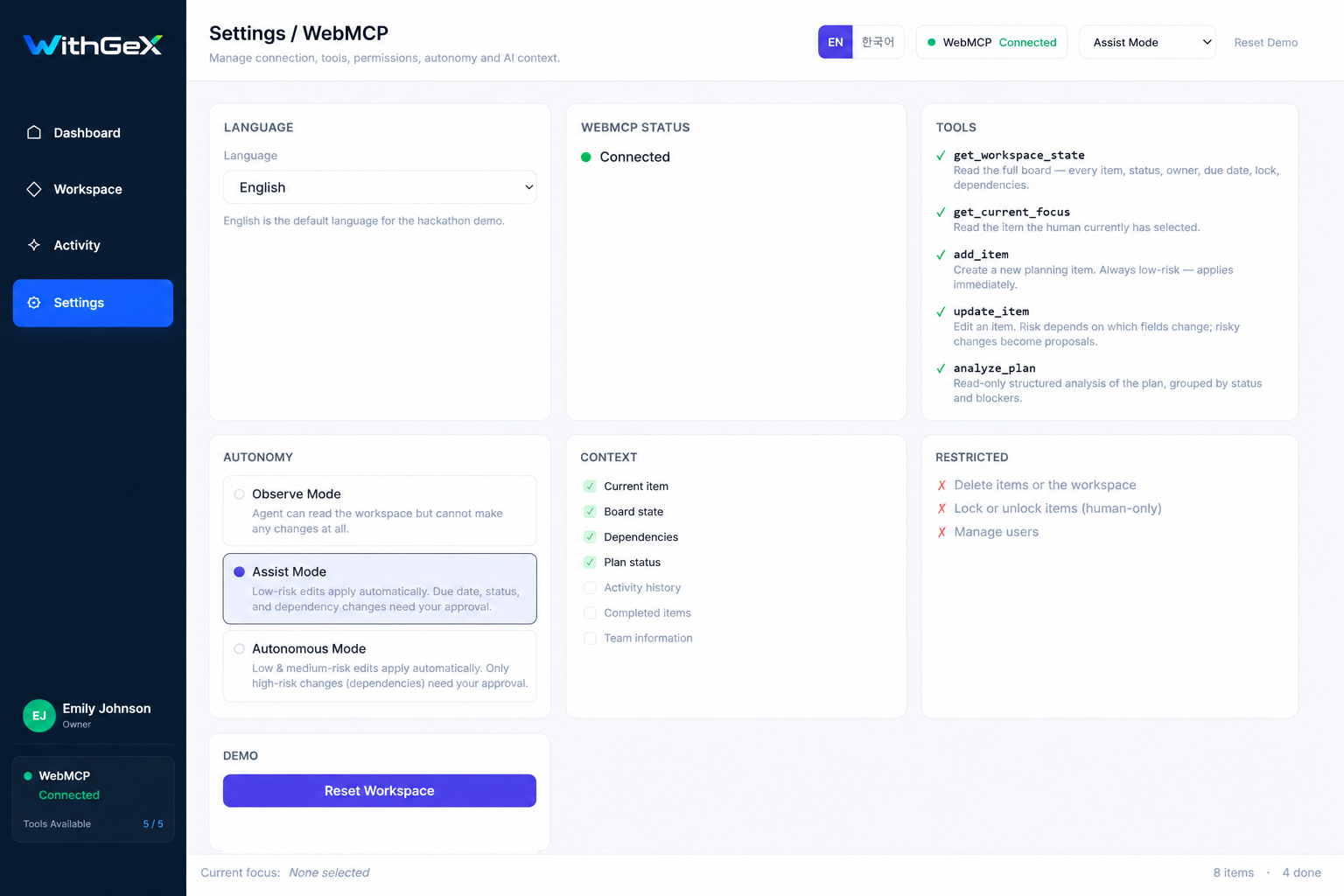
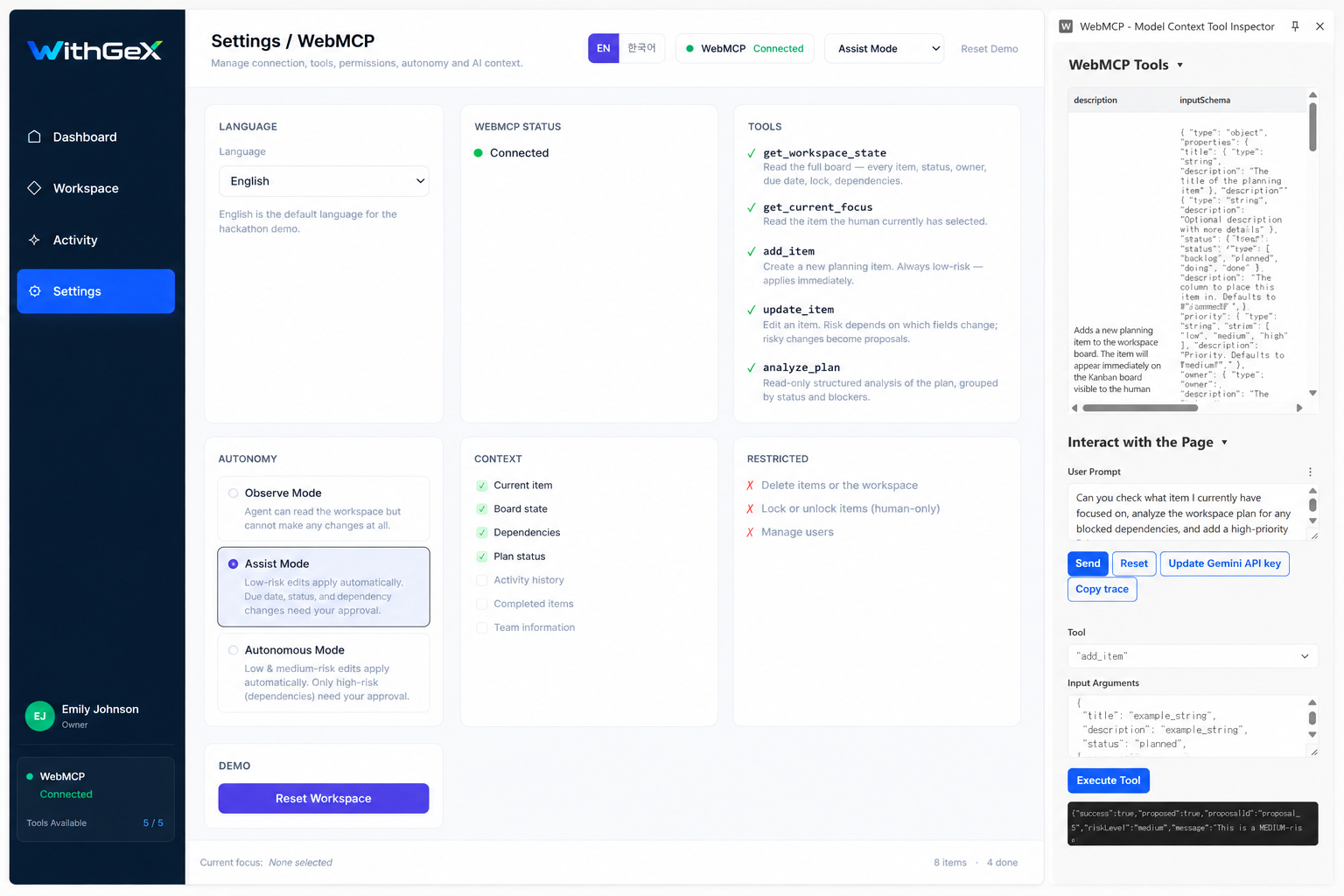
WebMCP settings showing live connection status, five registered tools, context controls, autonomy modes, and human-only restrictions.
-
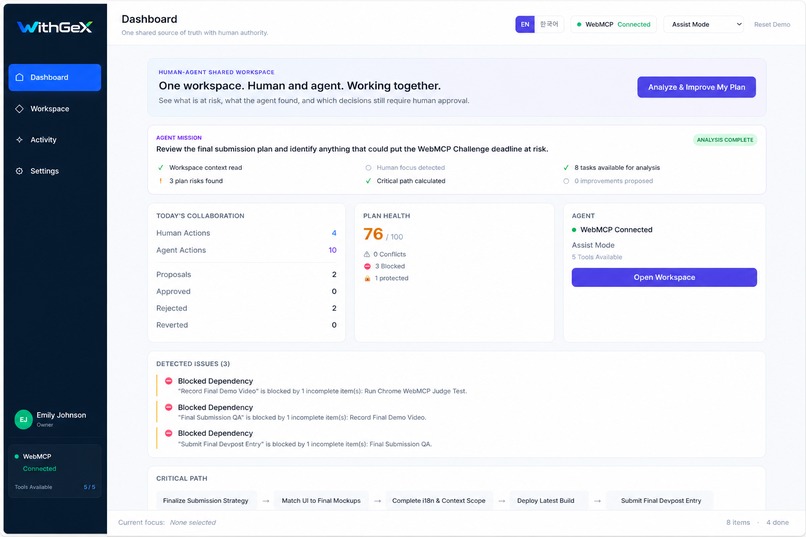
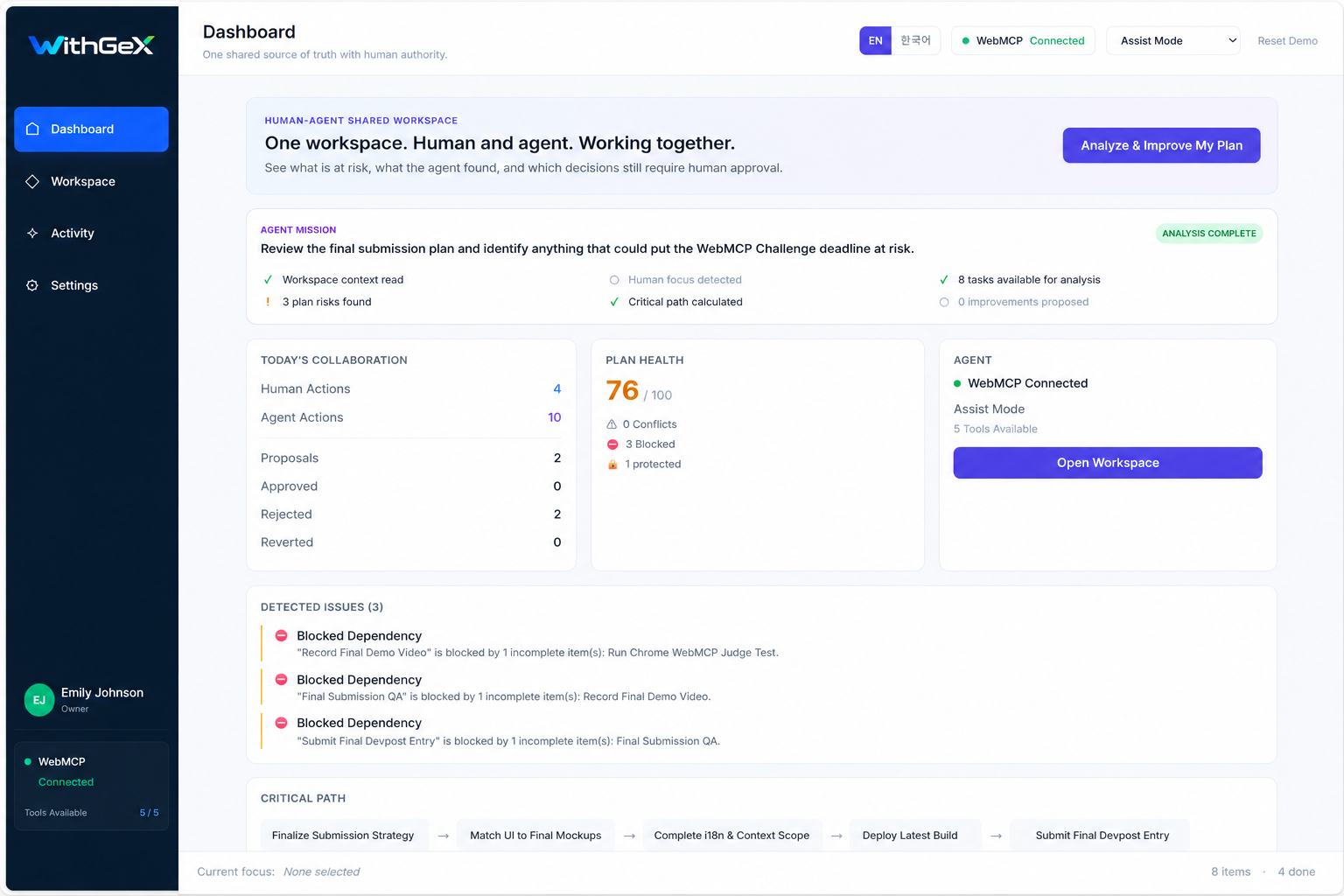
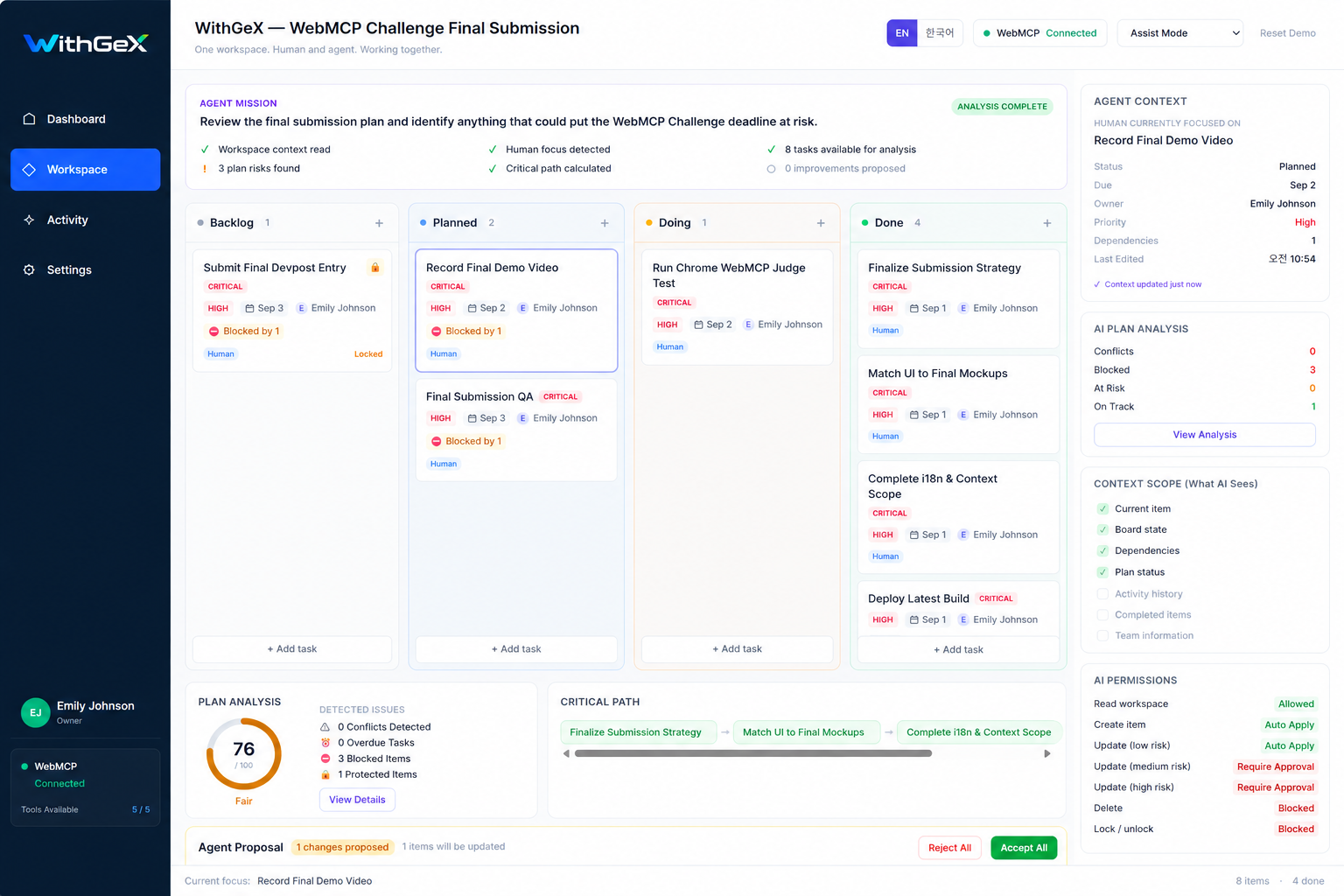
Shared dashboard showing plan health, agent mission, risks, WebMCP connection, and human-agent collaboration status.
-
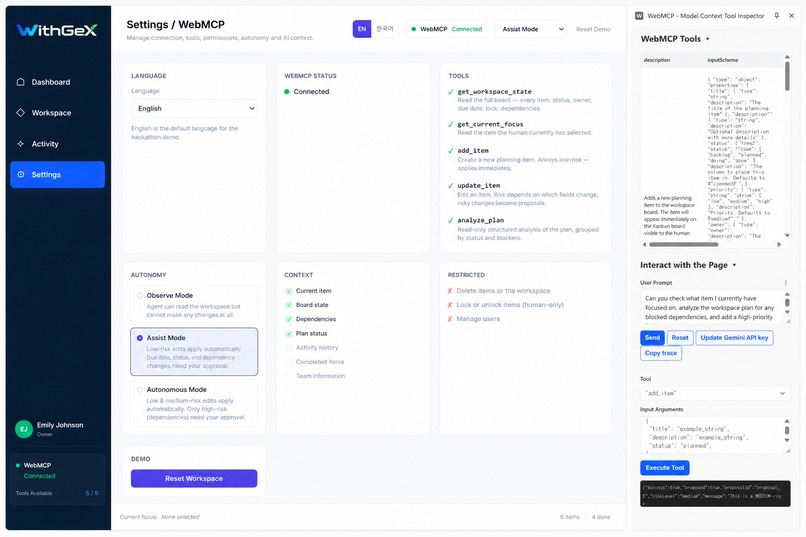
Five live WebMCP tools registered through the page, with context controls, autonomy modes, and restricted human-only actions.
-
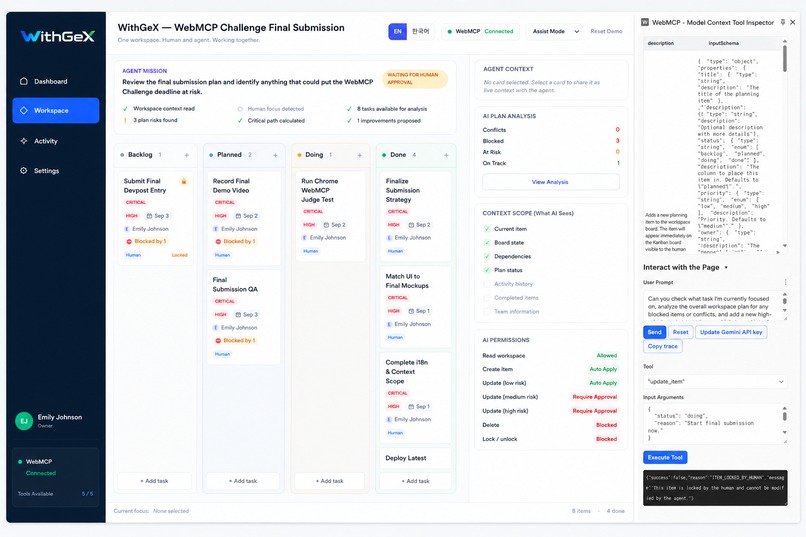
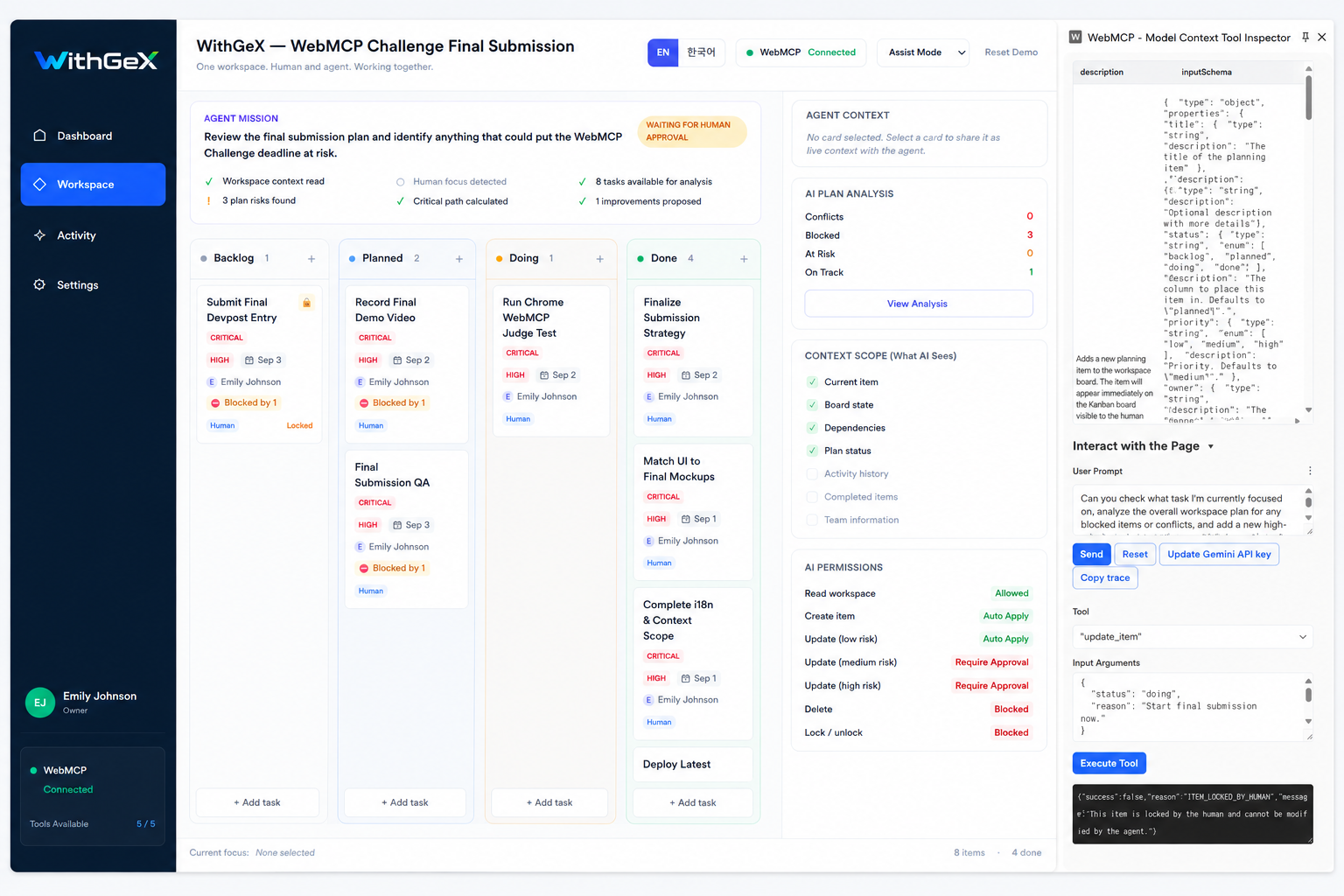
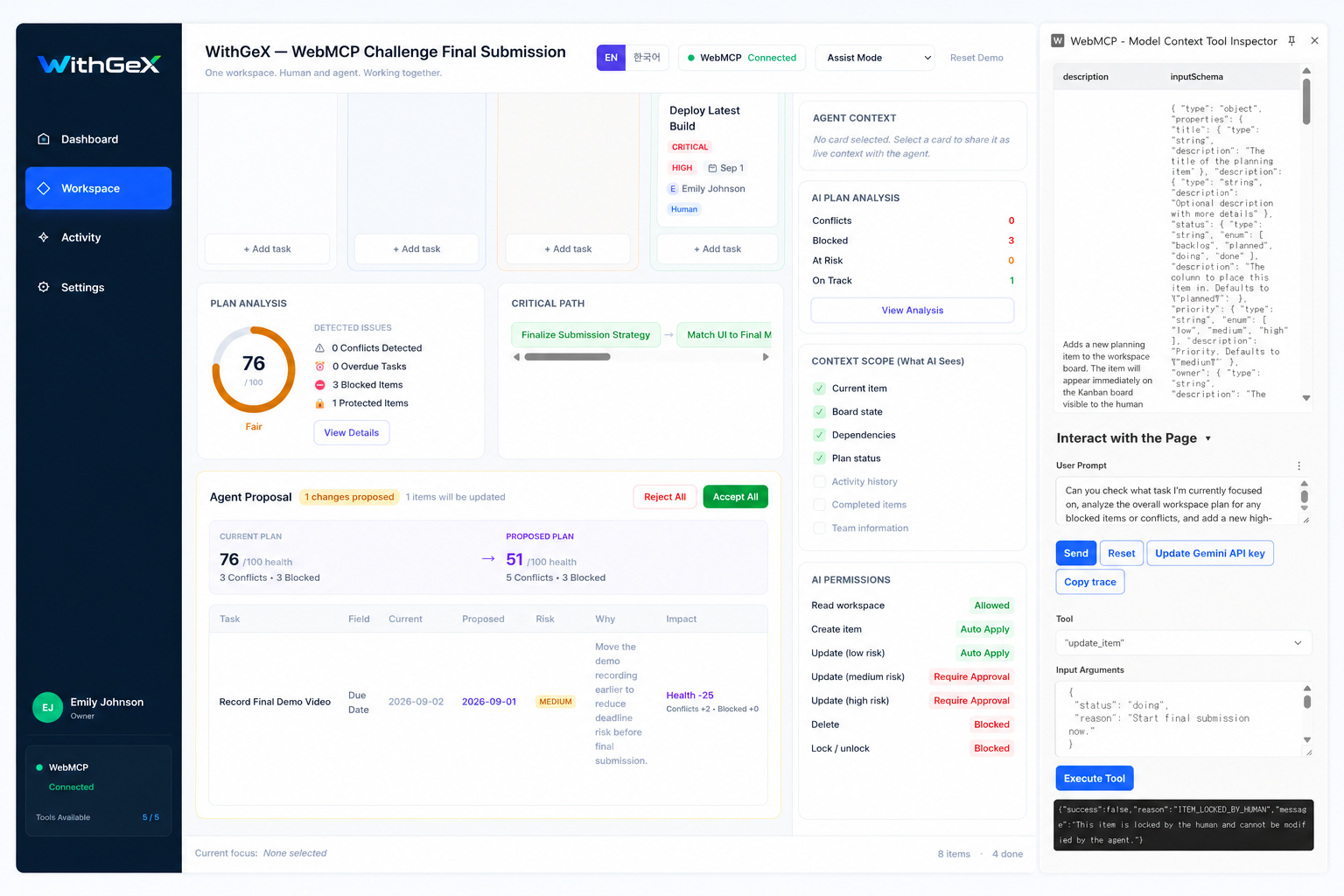
Human-locked work rejects agent modification through WebMCP, proving that human constraints override agent autonomy.
-
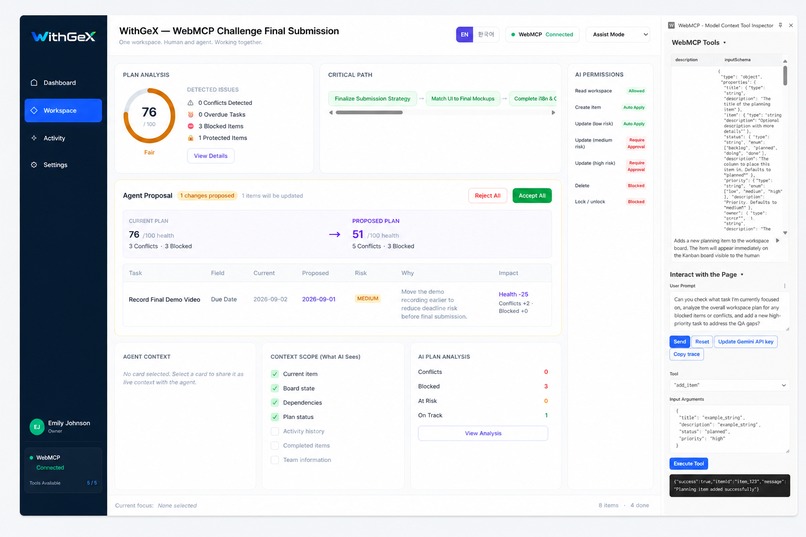
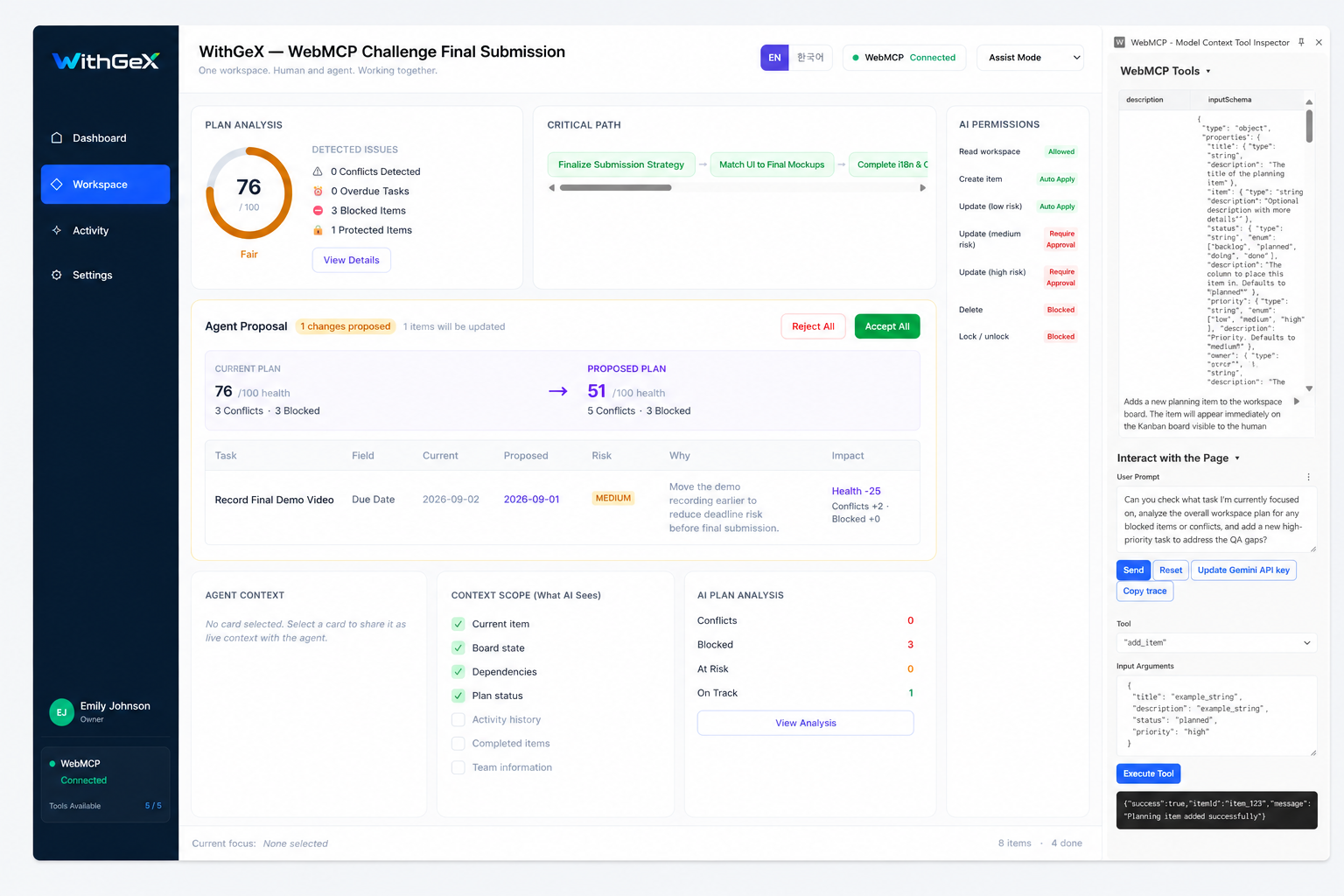
Agent-generated proposal with before/after impact, risk level, reasoning, and explicit human approval or rejection controls.
-
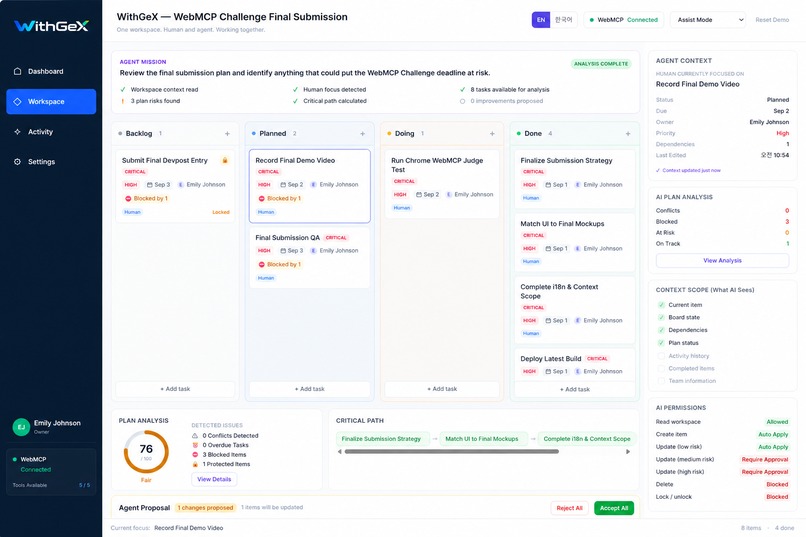
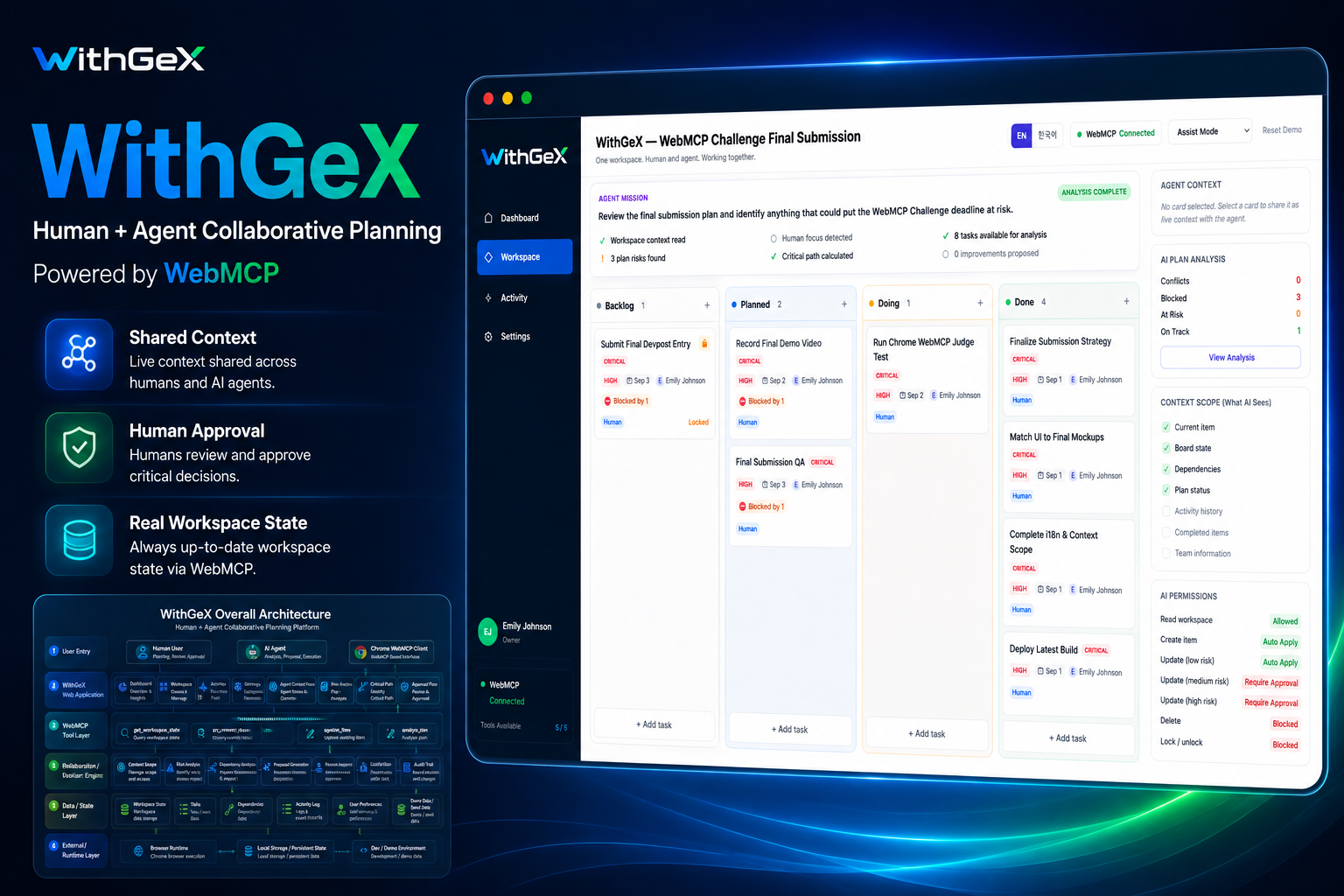
Live planning workspace where human focus becomes agent context, with tasks, dependencies, priorities, and plan analysis in one view.
-
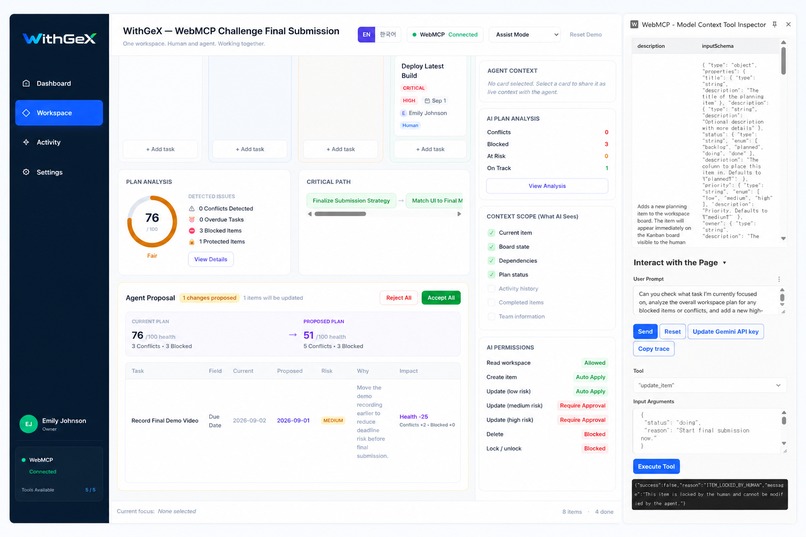
A real WebMCP update creates a medium-risk proposal with before/after impact and explicit human approval controls.
-
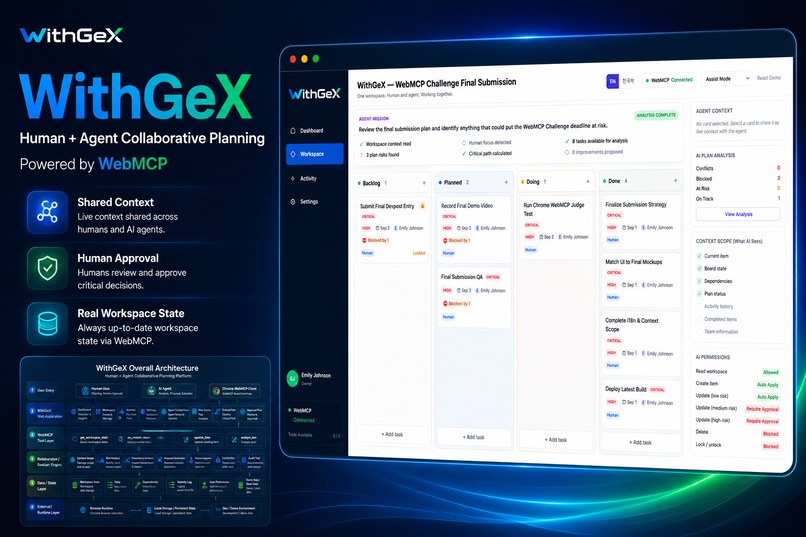
WithGeX combines shared context, live WebMCP tools, human approval, and controlled agent actions in one collaborative workspace.
Inspiration
Most AI agents work beside the software humans already use. The human works in one interface, then has to explain context again in a chat, upload data, or synchronize a separate copy of the task state.
WithGeX was built around a different idea:
What if the human and the agent worked on the same live workspace?
With WebMCP, the page itself can expose structured tools and context directly to the agent. That makes it possible for human focus, planning state, dependencies, locks, and decisions to stay inside one shared operating surface.
The goal of WithGeX is not to maximize agent autonomy. It is to make human-agent collaboration more direct, visible, and controllable.
What it does
WithGeX is a live collaborative planning workspace where a human and an AI agent operate on the same project state.
A human can select, edit, move, prioritize, and lock planning items in the UI. At the same time, an agent can access that same live workspace through WebMCP.
The agent can:
- read the full workspace
- detect the human's current focus
- add planning items
- propose or apply updates depending on risk and autonomy settings
- analyze blockers, dependencies, schedule risk, and critical path
When a human selects a card, that same item immediately becomes available to the agent through get_current_focus. There is no copy/paste step and no separate project state.
WithGeX also keeps humans in control.
Low-risk changes may be applied automatically, while more meaningful changes become proposals for human approval. Humans can reject proposals, lock critical work against agent changes, and review actions in a shared activity history.
How we built it
WithGeX is built with:
- React 19
- TypeScript
- Vite
- Zustand
- Tailwind CSS 4
- @dnd-kit
- WebMCP through
document.modelContext
The UI and WebMCP tools both use the same live Zustand store.
There is no separate agent-facing copy of the workspace.
WithGeX registers five WebMCP tools:
get_workspace_stateget_current_focusadd_itemupdate_itemanalyze_plan
These tools are registered directly through document.modelContext.registerTool(...) and operate on the same live state shown to the human.
How WebMCP is used
WebMCP is the core connection between the agent and the live planning surface.
The agent does not receive an exported copy of the project. Instead, WebMCP exposes the current state of the page directly.
This means:
- when the human changes focus, the agent sees the new focus
- when the agent acts, the change appears in the same UI
- when a human locks an item, the WebMCP write is blocked
- when an agent creates a proposal, the human reviews it in the same workspace
The page becomes the shared context between the human and the agent.
Human authority
WithGeX uses three autonomy modes:
- Observe — all agent mutations are blocked
- Assist — low-risk changes auto-apply; medium/high-risk changes become proposals
- Autonomous — low/medium-risk changes auto-apply; high-risk changes still require approval
Risk is based on the type of change.
- Low risk: title, description, owner
- Medium risk: due date, status, priority
- High risk: dependencies
Human locks always take priority over autonomy settings.
If an agent attempts to modify a locked item, the request returns:
ITEM_LOCKED_BY_HUMAN
The agent cannot lock or unlock items itself.
Challenges we ran into
The biggest challenge was making WebMCP feel like part of the product rather than an external API demonstration.
It was relatively straightforward to register tools, but much harder to make the agent's actions feel naturally connected to the human experience.
We had to solve several interaction problems:
- keeping the human's current selection synchronized with agent context
- preventing agent actions from silently changing important work
- defining a clear risk model for agent edits
- making locks override autonomy settings
- distinguishing real WebMCP runtime history from seeded demo history
- making proposal creation and approval understandable inside the workspace
- ensuring the UI and WebMCP tools always use the same state
These constraints shaped the product more than the individual tools themselves.
Accomplishments that we're proud of
The part we are most proud of is that WithGeX does not treat WebMCP as a hidden backend connection.
The WebMCP relationship is visible in the product.
A judge can:
- select a task and see Agent Context change immediately
- inspect the five registered WebMCP tools
- execute a real tool against the live workspace
- generate a proposal through
update_item - reject that proposal as a human
- attempt to modify a locked item and see the write blocked
- verify the interaction in the Activity timeline
That creates a complete human-agent collaboration loop inside a single web application.
What we learned
Building WithGeX changed how we think about agent UX.
A capable agent is not enough.
The human also needs to understand:
- what context the agent currently has
- what the agent is allowed to change
- what it tried to change
- why it proposed a change
- what remains under human authority
WebMCP makes the technical connection possible, but good human-agent collaboration still requires clear boundaries and visible state.
What's next for WithGeX
The current version focuses on collaborative planning, but the same shared-workspace model could extend to many other applications.
Possible next steps include:
- multi-user shared workspaces
- external agent clients
- server-side persistence
- team-level permissions
- richer approval policies
- organization-specific agent authority rules
- real-time collaboration
- additional planning and project-management tools
- reusable WebMCP collaboration patterns for other applications
Long term, we see WithGeX as a pattern for software where humans and agents do not work in separate interfaces.
They work together in the same one.
Demo
Live App
https://withgex-test.agex.site/
Demo Video
https://youtu.be/L2PN-DdYttQ
Source Code
https://github.com/redcloudyun-cmyk/plantogether
Built With
- chrome
- css
- css3
- dnd-kit
- document.modelcontext
- html5
- javascript
- localstorage
- react
- tailwind
- typescript
- vite
- vitest
- webmcp
- zustand

Log in or sign up for Devpost to join the conversation.