-
-
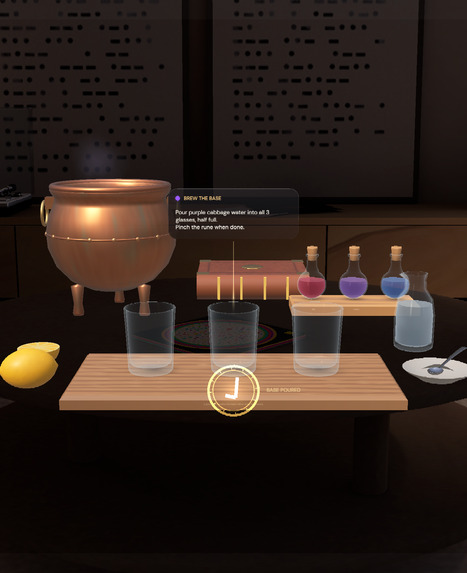
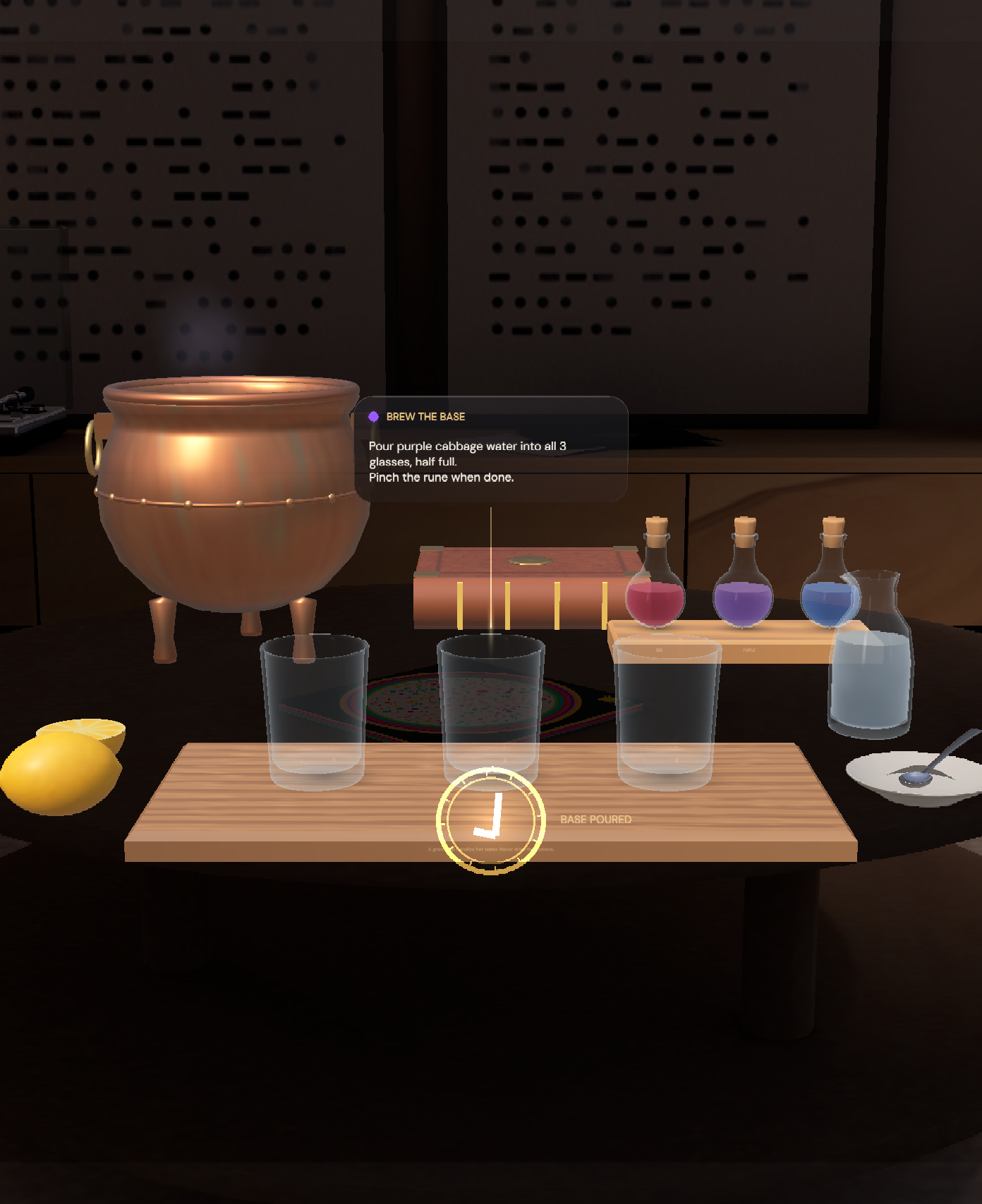
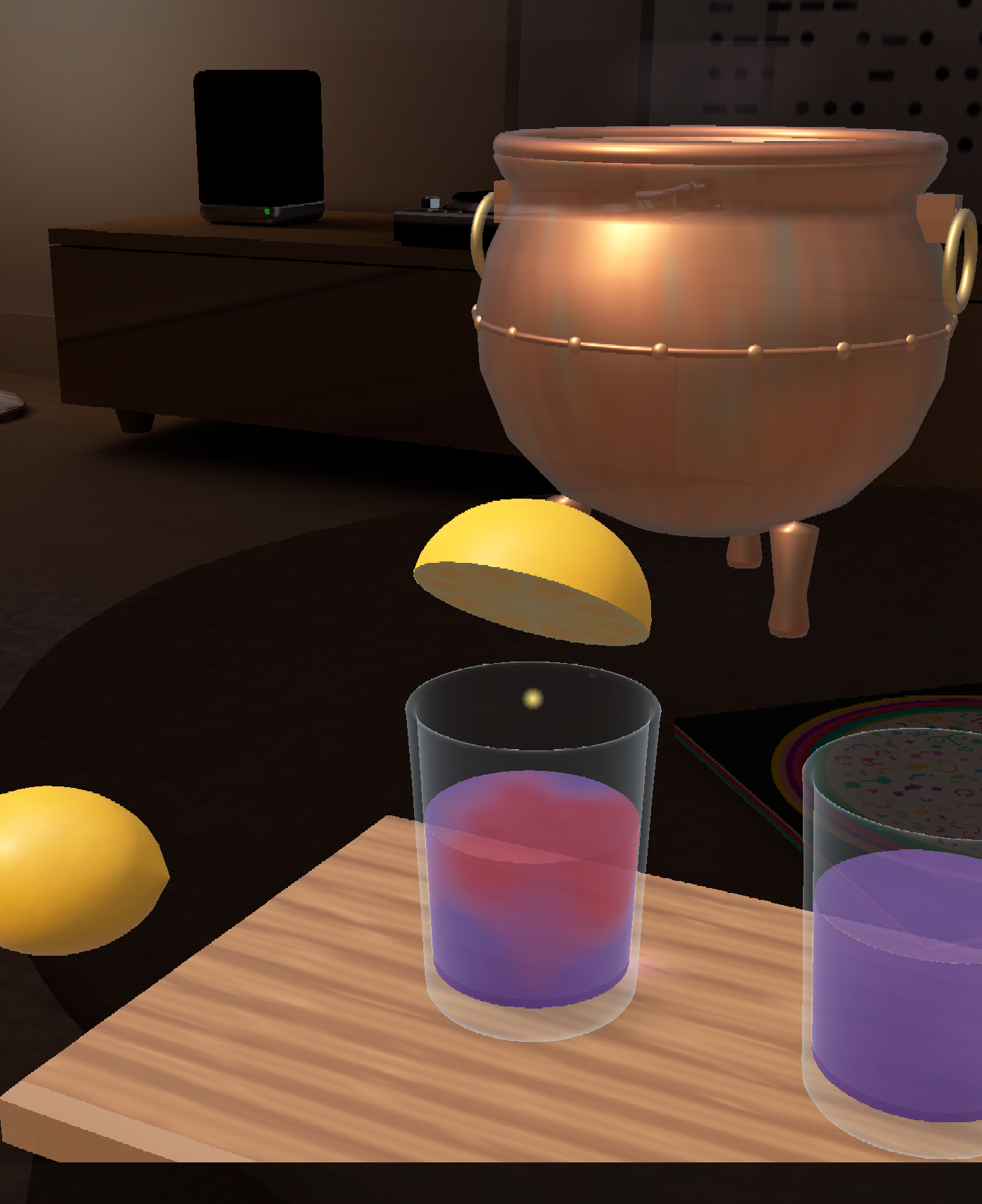
The lab sits on your real table at real size: copper cauldron, oak board, three glasses. One card, one big rune.
-
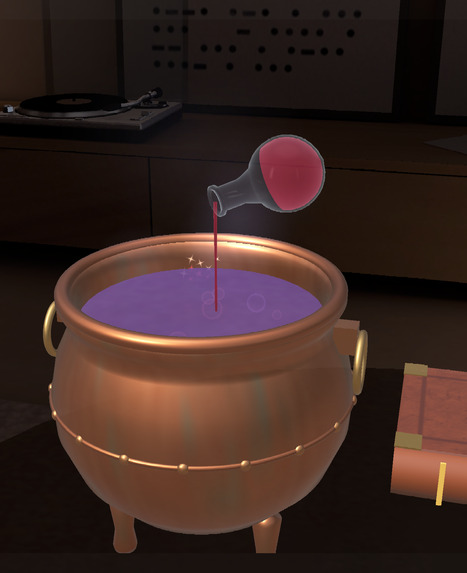
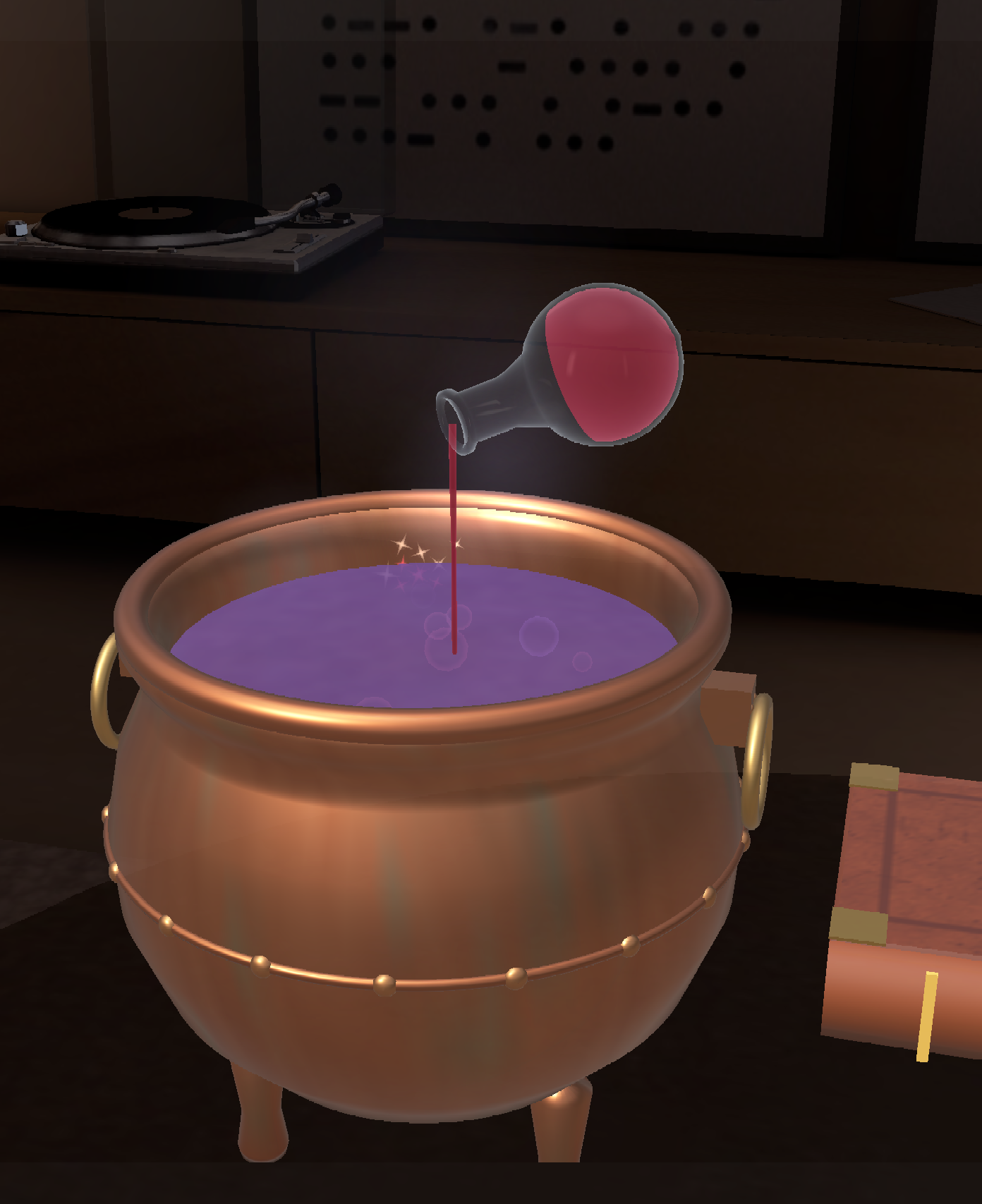
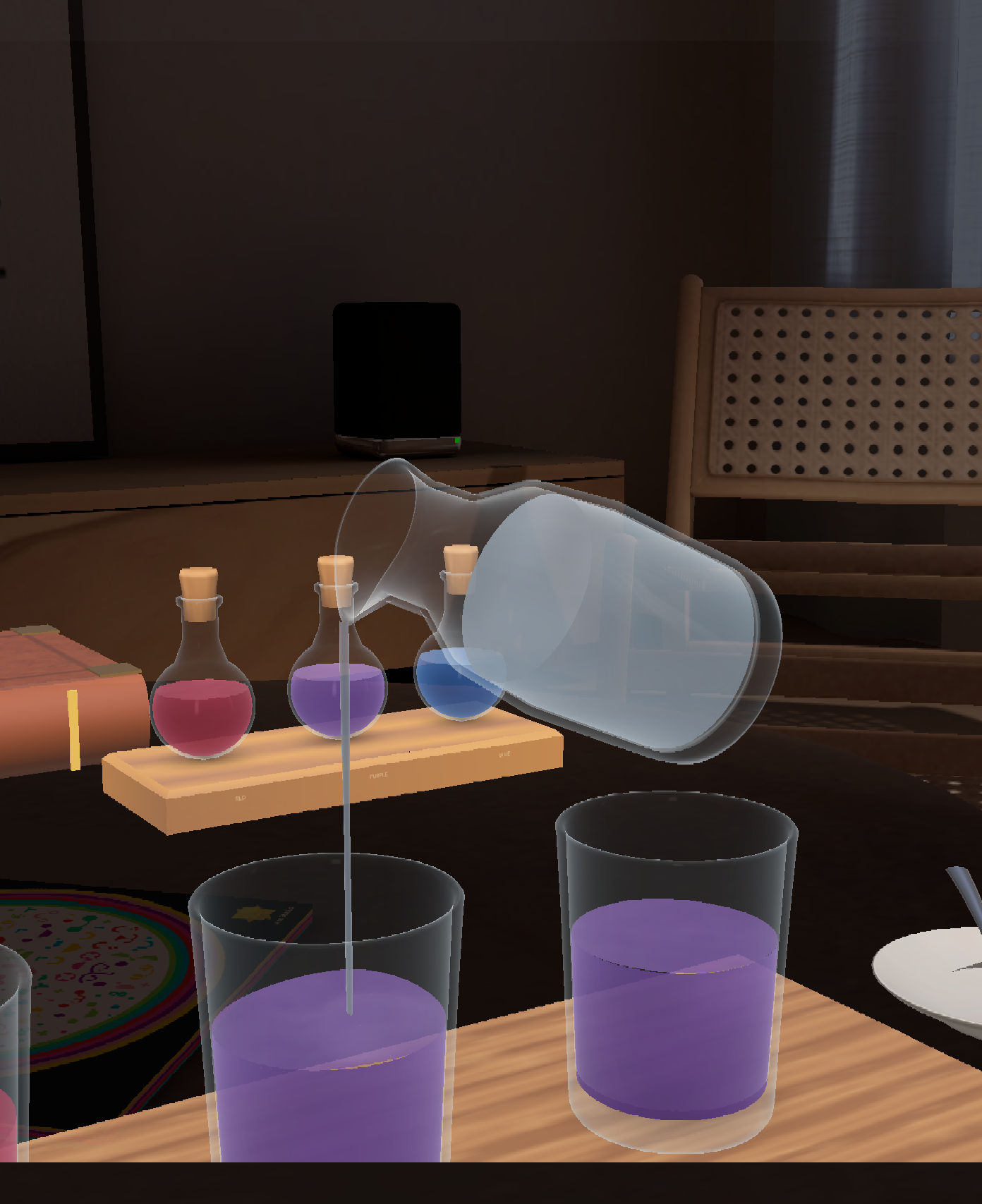
Bet first: the red vial pops its cork and pours into the cauldron. The brew takes your colour.
-
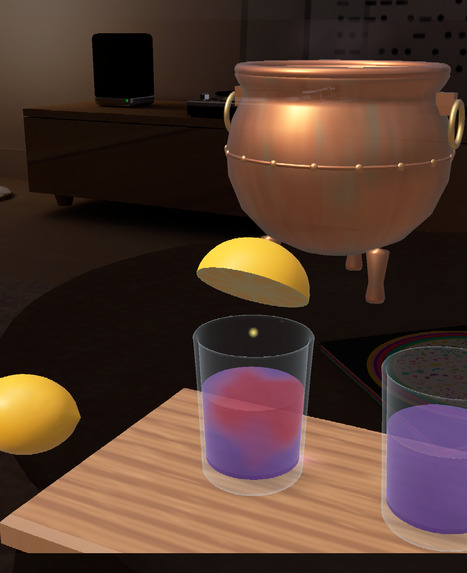
The half lemon is squeezed over the glass: a few drops, and the true red blooms through the purple indicator.
-
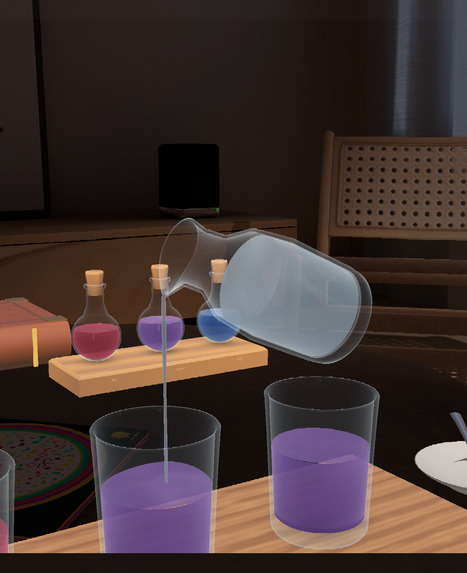
Water stays purple: the control glass. The card above names the colour, the pH and why.
-
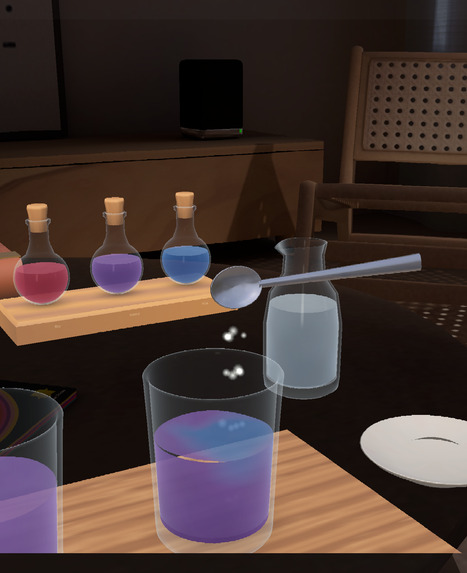
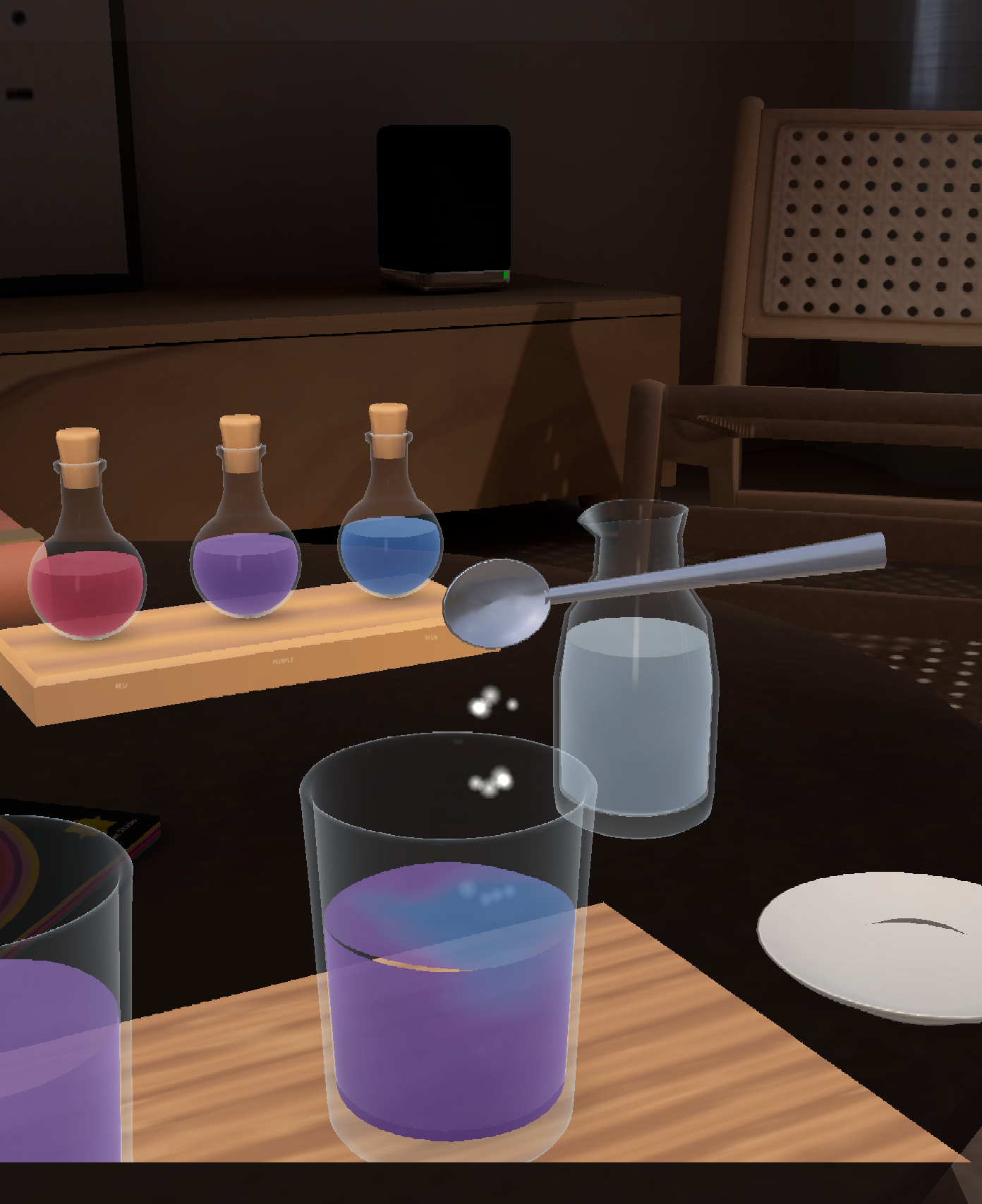
A fine rain of baking soda from the teaspoon: blue spreads from the surface while the last purple curls below.
-
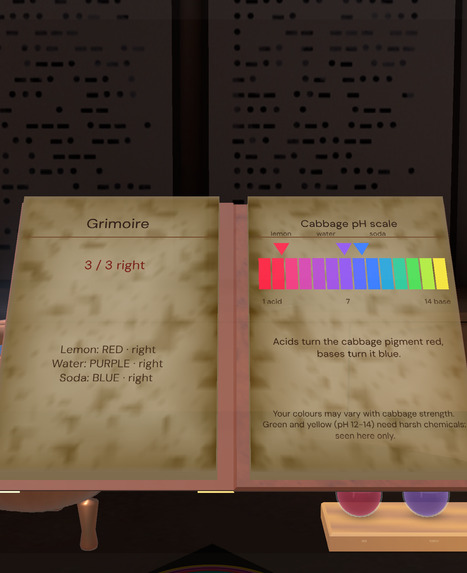
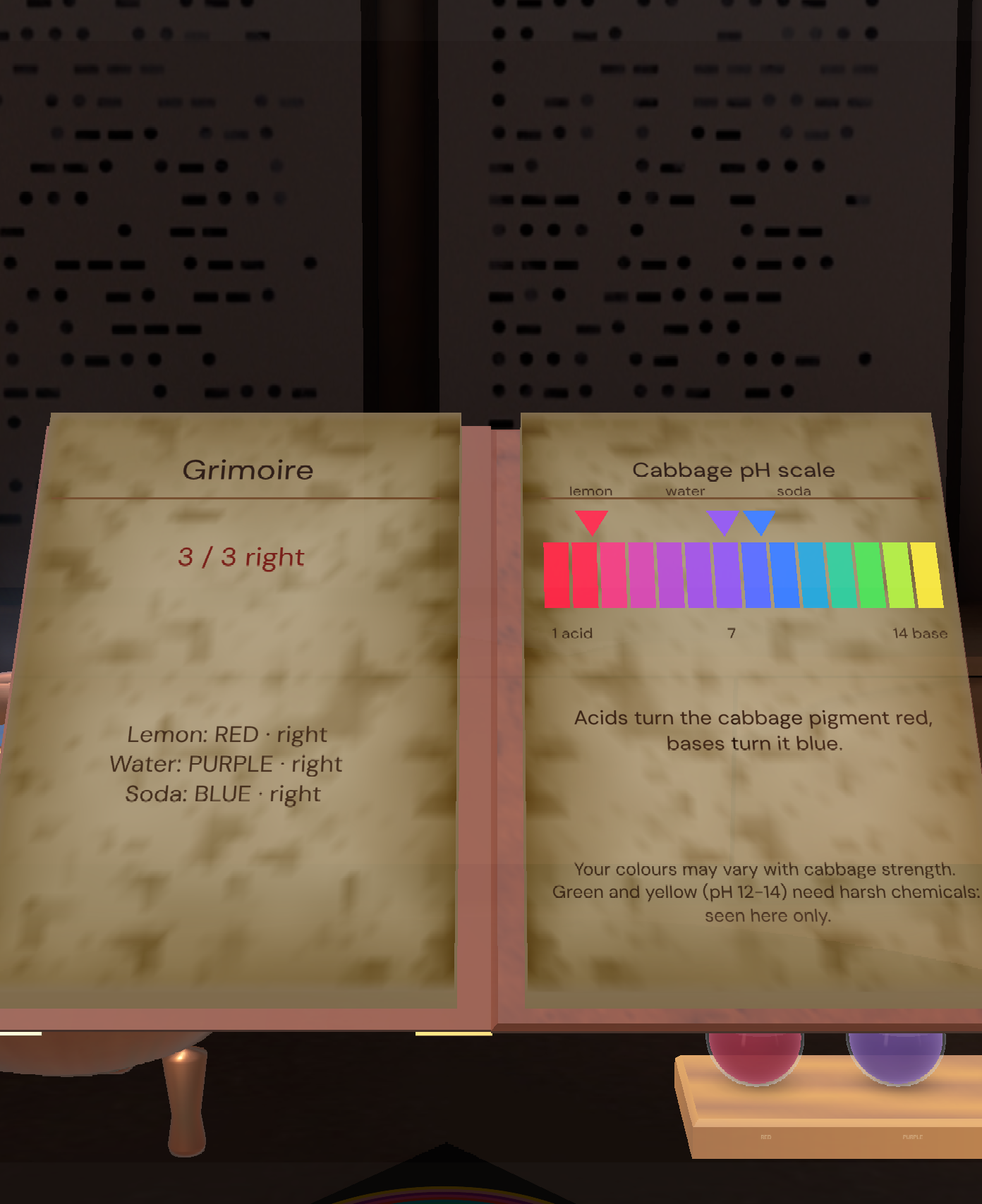
The grimoire lifts off the table and opens: your results pinned on a real pH 1–14 strip, 3 / 3.
Inspiration
I'm interested in the world of smart glasses.
Why on glasses rather than a phone? Because it's augmented reality.
The problem
Red-cabbage juice is the classic Halloween "colour-changing potion": add lemon and it turns red, add baking soda and it turns blue. University labs (Illinois IGB, CU Boulder's TeachEngineering, the Fleet Science Center) publish it as a home activity for kids. But at the kitchen table the adult's hands hold a spoon and a glass, the instructions sit on a wet phone, and the "why" never gets told at the moment the colour changes.
Who it's for
A parent or teacher doing the experiment with kids aged 8 to 12, hands busy, eyes on the glasses.
What it does
Witch's Lab puts the experiment on the table, at real size, and turns each step into a tiny game:
- Brew the base: one card above the middle glass. Pour purple cabbage water, pinch the rune, the three glasses fill.
- Predict: before pouring, drop a vial into the cauldron (grab-and-drop, throw, or just tap it). Red, purple or blue: that is your bet. The brew takes your colour.
- Pour for real, pinch the big gold rune: the matching gesture plays over the virtual glass (the half lemon is squeezed and drips, the teaspoon sifts a fine rain of baking soda, the carafe pours a stream of water), the true colour blooms from the pour point and curls through the indicator, and one line of chemistry appears ("Acid! Extra H+ turns the cabbage pigment into its red form").
- Next glass, with no extra click. If it is outside your narrow field of view, an arrow appears at the edge of view and a chime plays from the glass itself.
- Grimoire: the leather book resting on the table lifts off and opens; your three results are pinned on a real pH 1-14 colour strip, with your score and the colours we only show virtually (green and yellow need harsh chemicals).
Design choices (the four habits from the concept video)
- Info on the object, never in the way: one small smoked-glass card floating just above the glasses, with a thread of light to the glass it talks about; from where you sit it covers no object. The safety line is engraved on the board edge.
- Only what's needed now: one card and one rune at a time; vials only "breathe" when you can bet.
- Few, big targets: one 6.4 cm rune per step; tapping a vial is enough to bet, because hands are wet.
- Keep it where you look: Specs' field of view is narrow, so off-screen steps get an arrow plus a spatial chime.
Who decides what
- The colour of each glass comes from a fixed table of published indicator charts (lemon pH ~2.3 red, water pH 7 purple, baking soda pH 8.3 blue). Nothing is guessed.
- You decide when you have poured (pinch) and what you bet (you can change your mind until you pour).
- Invalid inputs (a vial thrown during a reveal, a double pinch) are refused by a pure state machine and change nothing.
- In the Lens Studio preview there is no real glass, so the table and glasses are virtual stand-ins at real size. The Lens never pretends to see your glass. Colours may vary with cabbage strength, and the grimoire says so.
How I built it
- The design brief,
devpost/design-brief.md, follows the Devpost Learn skill pack'splan-lenstemplate: the one spatial moment, where every object lives, hands and input, when things show, and five done criteria that can be checked in the preview. - Built by a coding agent with the CLAD plugin (ls-clad) through the Lens Studio MCP, starting from
specs-project-initand ending with a CLAD/LEAF verification pass: scene setup, materials and shaders created through the Editor API, script compilation and runtime log checks after every change, World Query placement tested in the Spectacles preview, preview captures reviewed frame by frame, and real Interaction Kit pinches injected to play the whole experiment. - It sits on your real table. World Query hit-tests where you look and sets the lab on the first level surface it finds (in the preview: the coffee table of the "Evening Room" scene, found at 77 cm). Everything is real size: 9 cm tumblers, a 25 cm copper cauldron, 10 cm potion flasks, a 17 x 23 cm grimoire.
- Every mesh is code-authored (MeshBuilder): thick-walled glass tumblers with a rounded rim and a heavy base, a liquid volume with a meniscus, a smooth hammered-copper cauldron with a rolled rim, a riveted band and verdigris, a small glass water carafe, an oak board with painted grain, round-bottom flasks with corks, a porcelain dish of baking soda, a teaspoon, a whole lemon and a half lemon, a book bound in pebbled leather with brass corners and aged parchment pages. No imported 3D model.
- Custom shaders written for the project (Lens Studio code-node shader graphs): glass with fresnel edges and thin studio reflections, a liquid with depth absorption, inner scattering and a moving surface shimmer, a soft highlight roll-off so nothing clips to pure white. Props use Lens Studio's Uber PBR with vertex colour, lit by one warm key light and the Echopark environment map.
- The colour change is a real diffusion, not a swap: each ingredient has its own gesture (lemon drops, a rain of powder, a stream from a small glass carafe), and the new colour blooms from the pour point and curls down through the indicator over 2.6 s (
diffuseMix, unit-tested). The liquid throws a soft coloured caustic on the board. - Physics that stays honest: nothing solid goes through anything else. A vial you let go falls and stands on whatever is under it; a missed throw stops on the surface; a vial flies out of its rack vertically before it arcs, tips over the cauldron, pops its cork and pours from the neck. At start-up and during every motion the Lens checks the bounding boxes of all solid props and logs the pairs that interpenetrate (the list is empty), including while the lemon, the spoon and the carafe travel over the glasses.
- Designed for an additive display: dark materials turn transparent on Specs, so the palette is luminous but dimmed (copper, oak, parchment, brass), the UI is a small smoked-glass card with semi-bold type, and the magic (runes, sparkles, steam) stays at low luminance.
- Every sound is synthesized with CLAD's build-sfx engine: pinch, pour, swirl, toss, plop, right, wrong, a spatial chime and a looping cauldron bubble bed.
- Interactions use the Spectacles Interaction Kit v4:
Interactablefor the runes,Interactable+InteractableManipulationfor the vials, plus my own ballistic flight.
Proof
- LEAF integration tests (CLAD
specs-leaf-*skills): 6/6 pass in the Spectacles preview, one scenario per done criterion of the design brief plus an arm-reach check: base fills purple, red vial bet, pour reveals red with a 2.55 s swirl (Lens clock), grimoire opens with 3 / 3, invalid inputs ignored, rune within reach. Report:devpost/clad-pass-report.mdin the repo. - 53/53 unit tests on the pure logic (chemistry table, a perfect run, refused inputs, change of mind, control glass, short card text, organic diffusion, a lob that lands in the cauldron, off-screen detection, contact physics: drops rest on the surface, missed throws stop on it, return paths clear the other vials).
- Runtime audit in Lens Studio:
layout check: collisions=[] support=[]at start-up andmotion check …: collisions=[]for the three vial pours, the lemon, spoon and carafe trips, and the grimoire lift. - 0 TypeScript errors, 0 runtime errors in Lens Studio.
- The video is one uncut take in the Spectacles preview, played with real Interaction Kit pinches: base, red bet, lemon turns red, purple bet, water stays purple, blue bet, baking soda turns blue, grimoire "3 / 3 right".
Challenges
- Black is transparent on Specs. My first iron cauldron looked like a ghost in the Spectacles preview. I moved to luminous materials (copper, oak, parchment) and kept the lighting dim and warm so nothing burns out.
- World Query in the preview only answers within about a metre, like real depth sensing: the lab is placed from a seated view of the table, and an editor-only anchor at the same spot keeps the preview stable if the camera starts too far.
- Nothing may pass through anything. I wrote a table plan with 2 cm gaps (
tools/layout_plan.py), then a runtime bounding-box audit; it caught a dish crossing the board, a spoon sweeping through a glass, and flasks only 0.9 cm apart in their rack. - A glass base exactly on the board z-fights (radial streaks); lifting it 0.4 mm fixed it within the 1 mm contact tolerance.
- The Interaction Kit v4 ships as
InteractionKit.lspkg, but my fresh project had it under its old folder name, so the preview-agent tools and UIKit could not compile. I renamed the package through the Editor API and dropped UIKit; the cards are code-authored smoked-glass panels.
What I learned
I learned that it is possible to create interactive experiences on Snap for smart glasses.
What's next
On real Specs: read the actual glass colour with the camera and compare it to the prediction; add apple juice, milk and egg white; a classroom mode where kids take turns betting.
Safety
An adult handles boiling water. Never drink the potions. Only lemon, water and baking soda. Never mix bleach with acids.
Built With
- clad
- leaf
- lens-studio
- lens-studio-mcp
- shader-graph
- snap-specs
- spectacles-interaction-kit
- typescript
- world-query
