-
-
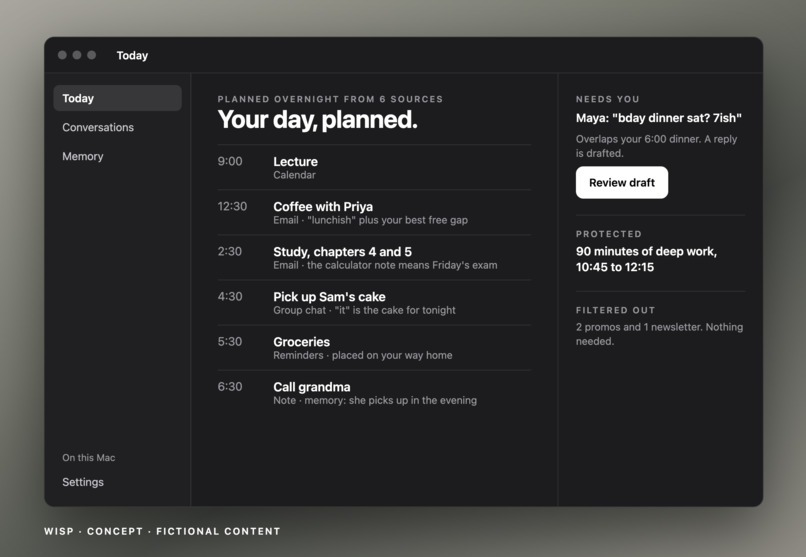
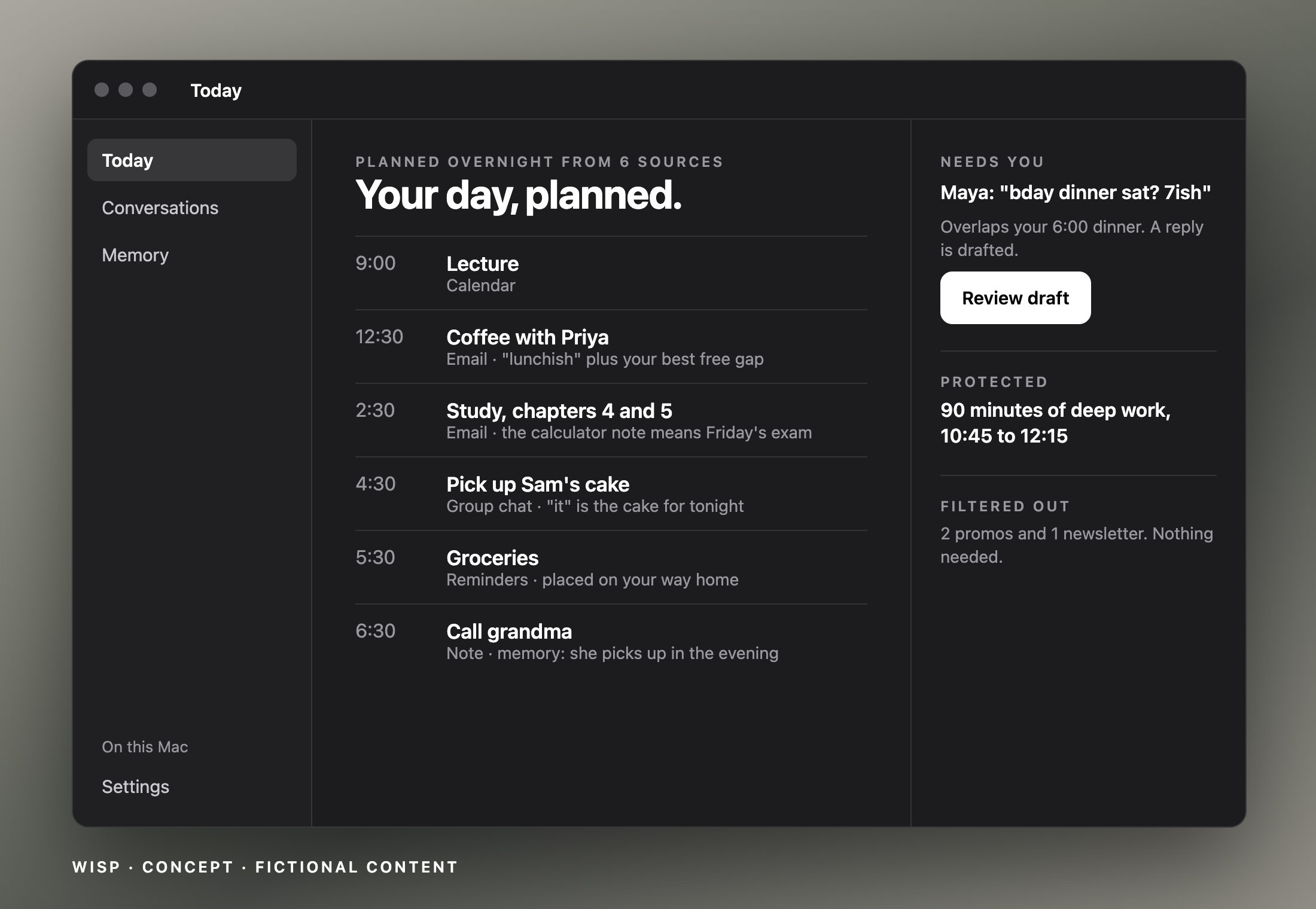
Your day, planned
-
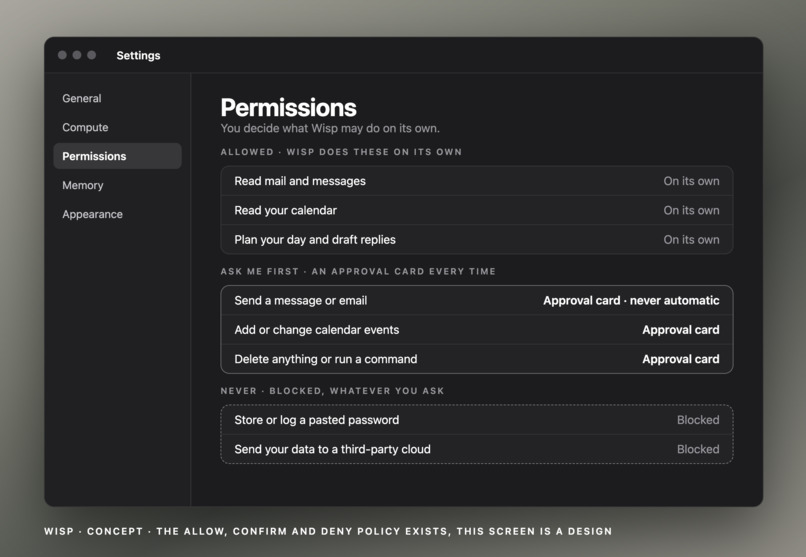
Safety
-
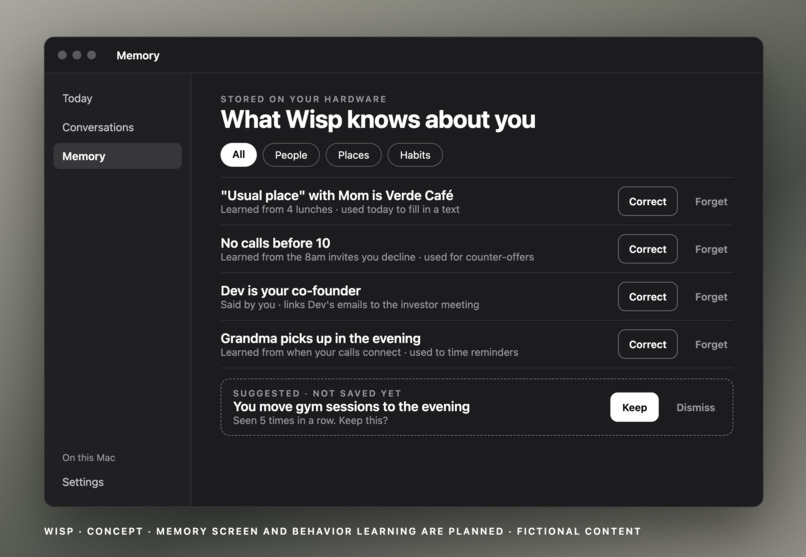
Memories
Inspiration
Students and founders miss things because life is scattered across group chats, email, calendar and notes, so you end up as the glue. Cloud agents like Meta’s Muse and OpenAI’s Dots wait to be asked and keep your data on someone else’s servers. We wanted an assistant that acts first and stays on hardware you own.
What it does
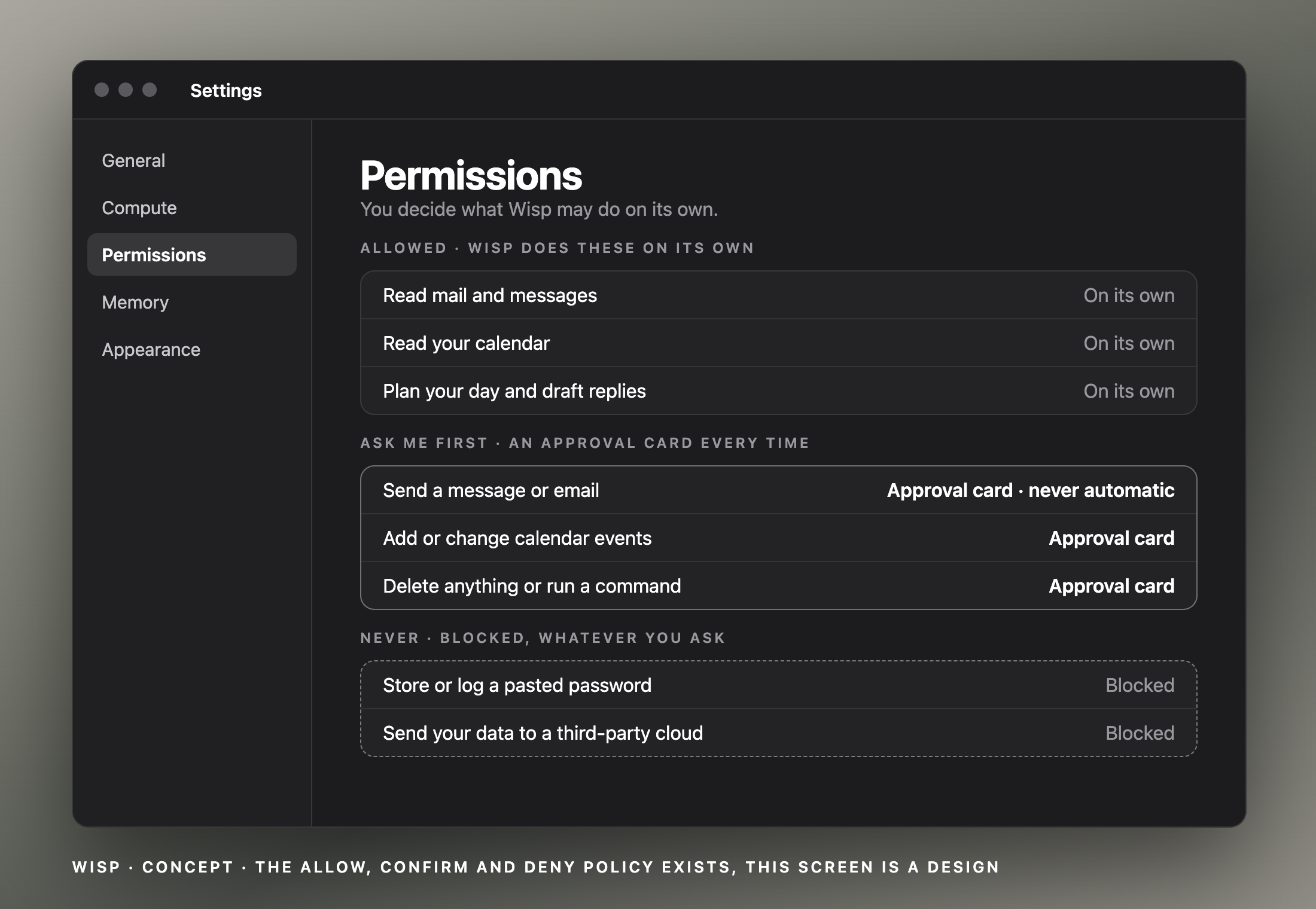
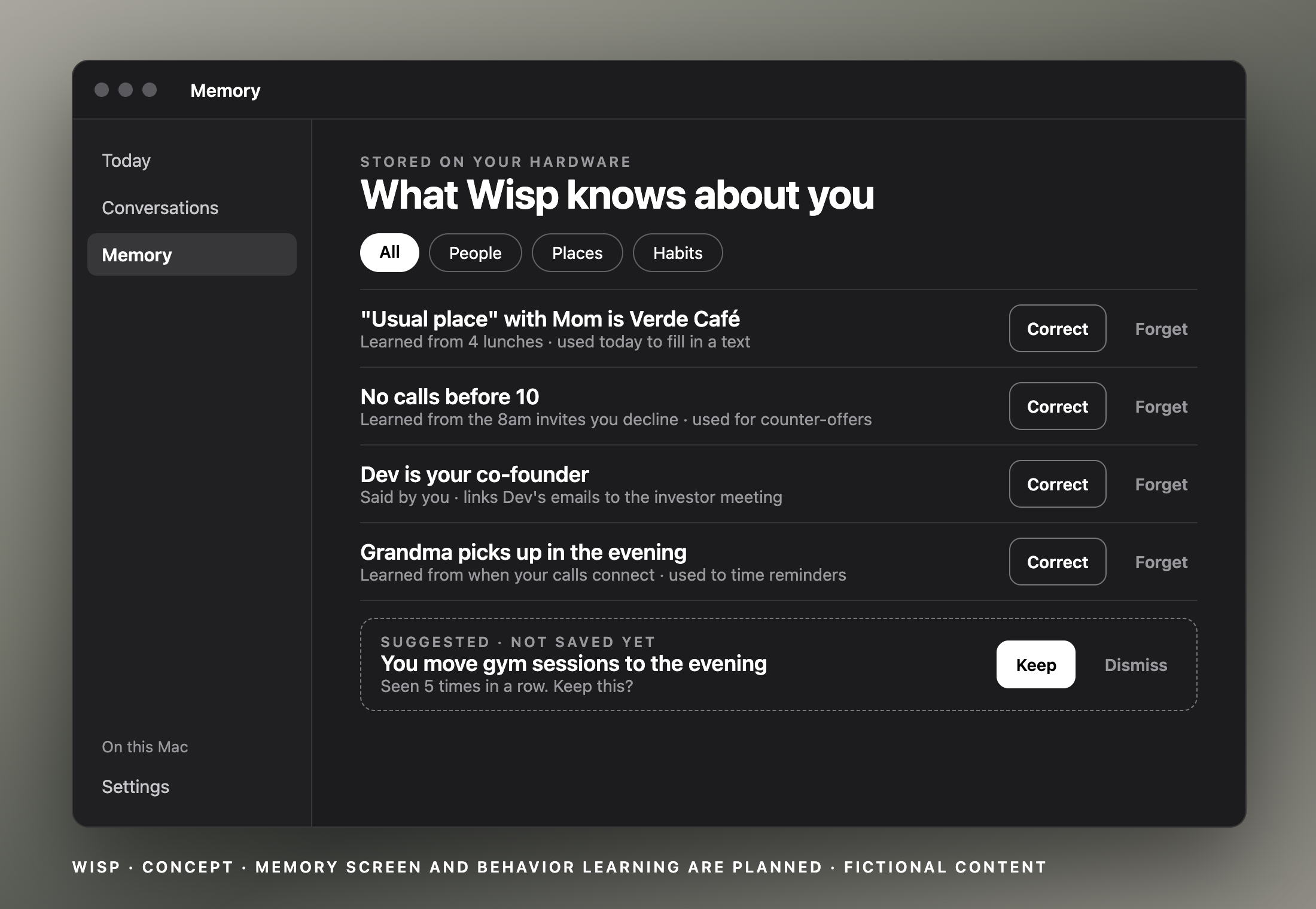
Wisp is an on-device personal chief of staff for macOS, opened with Option + Space. It reads your messages, mail, calendar and notes, plans your day hour by hour, and catches plans you never wrote down. Memory lets it read vague texts like “lunch tmrw? usual place.” Sends and calendar writes stop at an approval card. It comes in two versions. The edge version runs a small model on your Mac. The large version adds an ASUS GX10, linked over Tailscale, which runs a much larger model and is the home for an always-on scheduler and long-lived memory.
How we built it
A Swift menu-bar app talks to a Python FastAPI service. A typed task engine lets the model understand a request while ordinary code plans and executes it. Local inference runs through oMLX on the Mac, with the larger model on the GX10. Detection is rules first, with a local model reading only what survives, and every alert quotes its source. A fact store with conservative capture powers memory. A policy file allows, confirms or denies each of 160+ tools.
Challenges we ran into
Large models ran out of memory on a 24GB Mac because of context length, so we capped tool results. Tool schemas filled most of a small context window. Some models leaked their thinking into answers and broke tool chains. A corrupted memory fact once swapped a user’s email for their mom’s. Our local stack is built on oMLX, which only runs on Apple silicon, so the GX10 needed a separate serving path, and every model there brought its own chat template and tool-call parsing quirks that we had to normalize before multi-step tool use worked. Because decode is memory-bandwidth-bound (about 91% of our latency was output tokens, not prompt reading), a bigger model on the GX10 doesn’t make answers faster, and the Tailscale round trip plus a fail-back to the Mac when the node is offline became part of the latency budget.
Accomplishments that we’re proud of
We’re proud that Wisp now catches things we would have missed. In our demo it read a text from Mom, noticed the plan wasn’t on the calendar, and showed the exact message it relied on. It has only run on synthetic texts so far, but it was the first time the assistant told us something we hadn’t thought to ask.
We’re proud that we got a private two-machine setup running in a weekend. A small model works on a 24GB Mac, and an ASUS GX10 on our monitor, linked over Tailscale, runs a much larger one. None of our data touched a third-party cloud. Getting there meant tracking down memory blowups and context overflows that kept crashing the Mac, and we fixed them instead of falling back to a bigger machine.
What we learned
We learned that the most reliable way to build an agent is to let the model work out what you mean and let ordinary code do the planning and acting, instead of letting the model improvise its own tool calls. We learned that local latency is mostly output tokens, so shorter answers matter more than faster prompts, and that memory use is driven by context length more than by model size. Most of all, we learned that personal context is worth more than raw model capability, because a smaller model that knows who “Mom” and “the usual place” are beats a bigger one that doesn’t.
What’s next for Wisp
Drafted replies that check your calendar, writing plans to Calendar, an always-on GX10 scheduler with long-lived memory, learning from feedback, and an iPhone port. The Catch alert has only run on synthetic texts so far, and memory is being worked on to be more accurate.
Built With
- ai
- aiagents
- automation
- localai
- ml
- productivity

Log in or sign up for Devpost to join the conversation.