-
-
UI Navigator
Inspiration
I wanted an AI assistant that could control any application on any operating system — not just the browser. Every existing automation tool relies on APIs, DOM access, or browser extensions, which means they only work with specific apps. I thought: what if the AI could see the screen and use the keyboard and mouse exactly like a human? That's how WishCraft was born — a desktop genie that works with everything, from Gmail to Excel to VS Code to WhatsApp, without needing any APIs or special integrations.
The Gemini Live Agent Challenge was the perfect fit. Google's Gemini models gave me three key capabilities: real-time voice conversation (Live API), visual desktop automation (Computer Use), and intelligent content generation (Flash). I combined them into one brain that decides which approach to use for every task.
What it does
WishCraft is a 3D animated desktop genie powered by Google Gemini. It lives in your system tray — you summon it with a keyboard shortcut, talk to it by voice or text, and it performs tasks across your entire computer. When enabled, it sees your screen at ~1 FPS through Gemini's multimodal vision, understands what's happening, and acts using keyboard shortcuts and mouse clicks.
The core architecture: Gemini Live API is the Brain that handles everything
The Gemini Live API (gemini-2.5-flash-native-audio-preview) is the central brain — always connected via WebSocket, always listening for your voice, and (when enabled) watching your screen. It has 37 tool declarations and intelligently decides how to handle every request. It orchestrates everything: voice, vision, tool calling, and all other models.
The brain has two execution paths it chooses from:
Path 1 — Custom Functions (blind, fast, deterministic): These functions don't see the screen at all — they have no vision, no screenshots. They are pure keyboard shortcuts + mouse automation + CLI commands (AppleScript on macOS, PowerShell on Windows, xdotool on Linux). The Live API brain intelligently triggers them when it knows from context which app is open and what action to perform. Because they're deterministic, they're super fast and 100% accurate.
Example: User says "Reply to this email with thank you" → The brain calls gmail_reply() which presses r (Gmail keyboard shortcut to reply), types the text via clipboard paste, and sends with Cmd+Enter. No screenshot needed — just keyboard shortcuts fired in sequence.
The custom functions cover 33+ apps: Gmail (38 keyboard shortcuts), Word, Excel, Numbers, VS Code, Chrome, YouTube, Safari, Music, Finder, Notes, Mail, Calendar, Reminders, WhatsApp, and more. Each OS has its own equivalent automation module — macOS uses AppleScript, Windows uses PowerShell, Linux uses xdotool — all providing the same functions via the same interface.
Path 2 — Gemini Computer Use agent (visual, for complex tasks):
For unfamiliar UIs, complex visual navigation, and web browser tasks (shopping, form filling, reading pages), the brain hands over to the Computer Use agent (gemini-2.5-computer-use-preview). This agent automatically sees the screen (no manual enabling required) — it takes a screenshot, analyzes the UI visually, outputs executable actions (click at coordinates, type text, scroll), executes them via PyAutoGUI, then takes another screenshot to verify, and repeats until the task is done.
Auto-escalation — the system never gives up: If a custom function fails (e.g., Gmail isn't open, or the expected UI element isn't there), the brain automatically escalates to the Computer Use agent. The system always has a fallback path.
The brain also generates content via Gemini 3 Flash, answers factual questions via Google Search Grounding, talks back with native audio through a 3D avatar with real-time lip sync (8 voices, 70+ languages), and remembers user preferences across sessions.
How I built it
Three Gemini models, one brain:
| Model | Role | What it handles |
|---|---|---|
gemini-2.5-flash-native-audio-preview |
The Brain | Real-time voice via Live API WebSocket, optional screen vision at ~1 FPS, 37 tool declarations. Orchestrates everything — decides whether to use custom functions or Computer Use for each task |
gemini-2.5-computer-use-preview |
The Hands | Screenshot → AI analysis → click/type/scroll via PyAutoGUI. Handles complex UI navigation, browser tasks, and unfamiliar apps. Only activated when the brain decides visual navigation is needed |
gemini-3-flash-preview |
The Writer | Content generation, file analysis (images, videos, PDFs, audio), PPTX presentations, audio transcription |
The 3-Tier execution model:
- Tier 1 — Universal (< 0.5s): Open/close apps, click, type, scroll, drag, volume, brightness, file search, background removal, file organizer, notifications — same code on every OS via
executor.py+commands.py(~90 cross-platform functions) - Tier 2 — Platform Functions (1-3s): ~286 platform-specific deterministic functions (per OS) using keyboard shortcuts + PyAutoGUI with native OS tools. macOS has the most functions (AppleScript for Finder, Notes, Mail, Calendar, etc.), Windows and Linux have equivalent modules for the same apps. These functions are blind — no vision, no screenshots — just keyboard/mouse sequences fired by the brain
- Tier 3 — AI Visual (5-30s): Gemini Computer Use agent — screenshot → think → click → verify → repeat. Works on any app, any browser, any OS. Used for complex navigation, browser tasks, and when Tier 2 fails
If Tier 2 fails → auto-escalates to Tier 3. The system never gets stuck.
Desktop app: Electron 33 with Three.js 3D avatar (male/female models, lip sync, particle effects, 8 voices). Python bridge for automation via NDJSON stdin/stdout protocol.
Backend: Google Cloud Run (Node.js Express with 12 endpoints), Firestore (wish history, credits, sessions), Cloud Storage (encrypted config sync), Firebase Hosting (landing page). Deployed via automated deploy.sh script.
Security: AES-256-GCM encryption for everything (API key, memory, contacts, chats) with machine-specific key derivation. Electron isolation enabled. API key never sent in action payloads.
Challenges I ran into
Cross-platform automation — macOS, Windows, and Linux each handle window management, clipboard access, and accessibility permissions differently. I built equivalent automation modules per OS: AppleScript on macOS (7403 lines), PowerShell on Windows (734 lines), xdotool on Linux (820 lines) — all providing the same function interface.
Making the brain choose correctly — The Live API needs to decide in real-time whether to use a fast blind custom function or hand over to the slower visual Computer Use agent. I built detailed decision rules in the system prompt with tiered priorities: always prefer custom functions first, Computer Use only as last resort or for web/complex tasks.
Computer Use agent reliability — The agent sometimes clicked wrong elements or missed the target. I improved reliability by adding structured system prompts with clear guidelines for element detection, click coordinates, and verification screenshots after each action.
Real-time lip sync with streaming audio — Synchronizing the 3D avatar's mouth movements with Gemini's native audio output in real-time was tricky. I used an AudioWorklet for playback and mapped audio amplitude to morph targets on the 3D model.
Function deduplication — The Gemini model sometimes calls the same tool twice (e.g., sending the same Gmail twice). I built dedup protection to prevent duplicate actions.
Accomplishments that I'm proud of
- ~286 platform-specific + ~90 universal automation functions across 33+ apps — all blind keyboard/mouse automation, zero DOM access, with equivalent modules per OS
- Intelligent brain orchestration — the Live API decides in real-time: fast blind function or visual Computer Use agent
- Auto-escalation — custom function fails → Computer Use agent takes over, never gives up
- True cross-platform — macOS, Windows, and Linux with equivalent automation per OS
- No APIs, no DOM access, no browser extensions — works with any app on any OS
- 3D avatar with real-time lip sync across 8 voices and 70+ languages
- End-to-end security — AES-256-GCM encryption with machine-specific keys
- Fully automated cloud deployment with a single
./deploy.shcommand
What I learned
Two execution paths are better than one. Blind custom functions handle 80% of tasks in under 1 second — they're fast, accurate, and deterministic. The Computer Use visual agent handles the remaining 20% — unfamiliar UIs, dynamic layouts, and web navigation. The brain's job is to choose the right path.
Gemini Live API as the brain is the key insight. One model that listens, watches the screen, decides which tool to use, and speaks back — it becomes a true orchestrator. The function declarations give it the intelligence to pick the right automation path.
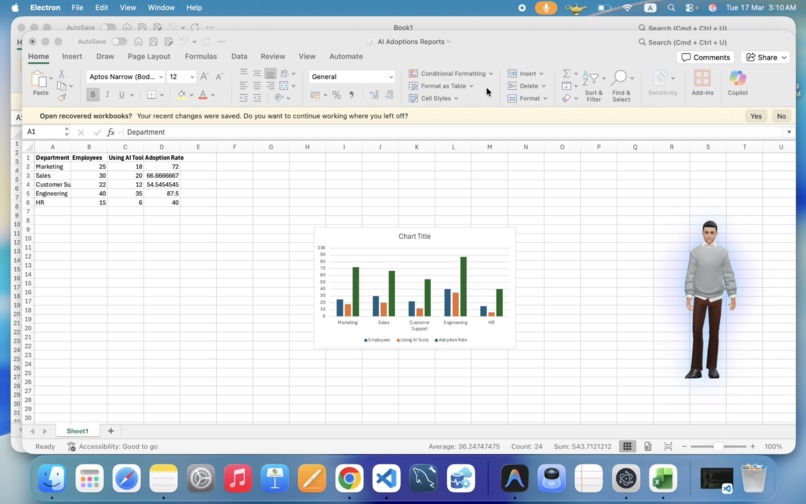
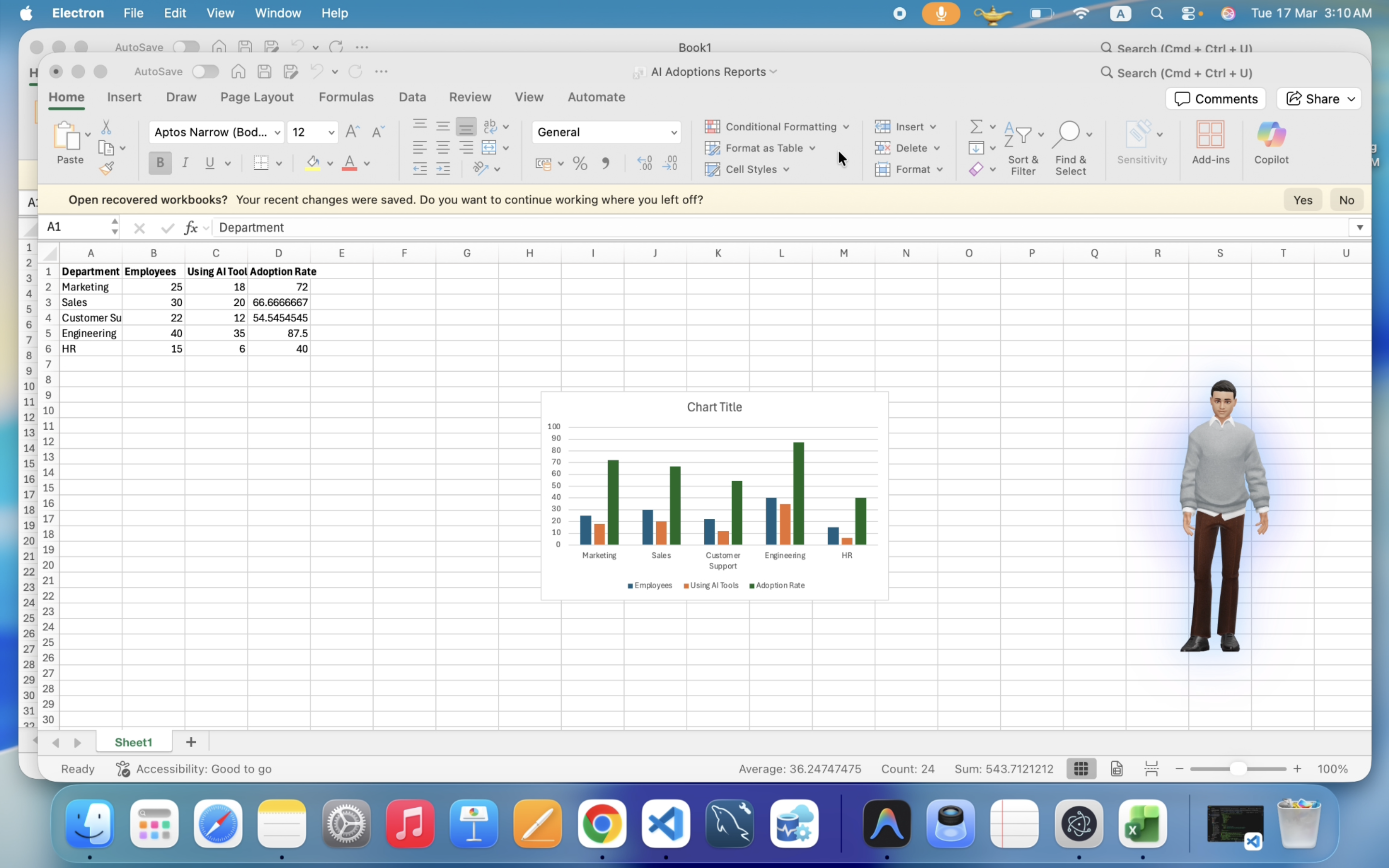
Cross-app chaining is the real power. Single-app tasks are easy. The real value is when the brain chains: Gmail → download attachment → open Excel → build spreadsheet → send it back — all from one voice command.
Good system prompts make Computer Use reliable. Detailed guidelines for element detection, click coordinates, and verification screenshots significantly reduced failed actions.
Security must be built in from day one. AES-256-GCM with machine-specific keys means data is useless on another machine. Ephemeral tokens (5-min TTL) ensure the API key never stays exposed.
What's next for WishCraft Universal UI Navigator
- Multi-agent orchestration — Run multiple Computer Use agents in parallel for complex multi-app workflows
- Visual memory — Let the agent remember UI layouts it has seen before to navigate faster on repeat visits
- Plugin system — Allow users to create and share custom automation skills for new applications
- Windows and Linux installers — Currently macOS is ready, Windows and Linux builds coming soon
- Deeper Gemini integration — Use future Gemini models with improved Computer Use accuracy
- Mobile companion app — Control your desktop remotely via voice through a mobile app
Built With
- applescript
- electron
- firestore
- gemini-3-flash
- gemini-computer-use
- gemini-live-api
- google-cloud
- google-cloud-run
- node.js
- powershell
- pyautogui
- python
- three.js
- xdotool


Log in or sign up for Devpost to join the conversation.