-
-
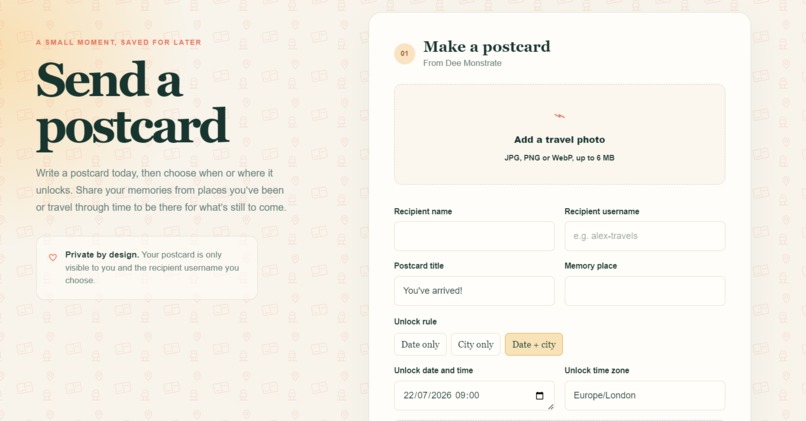
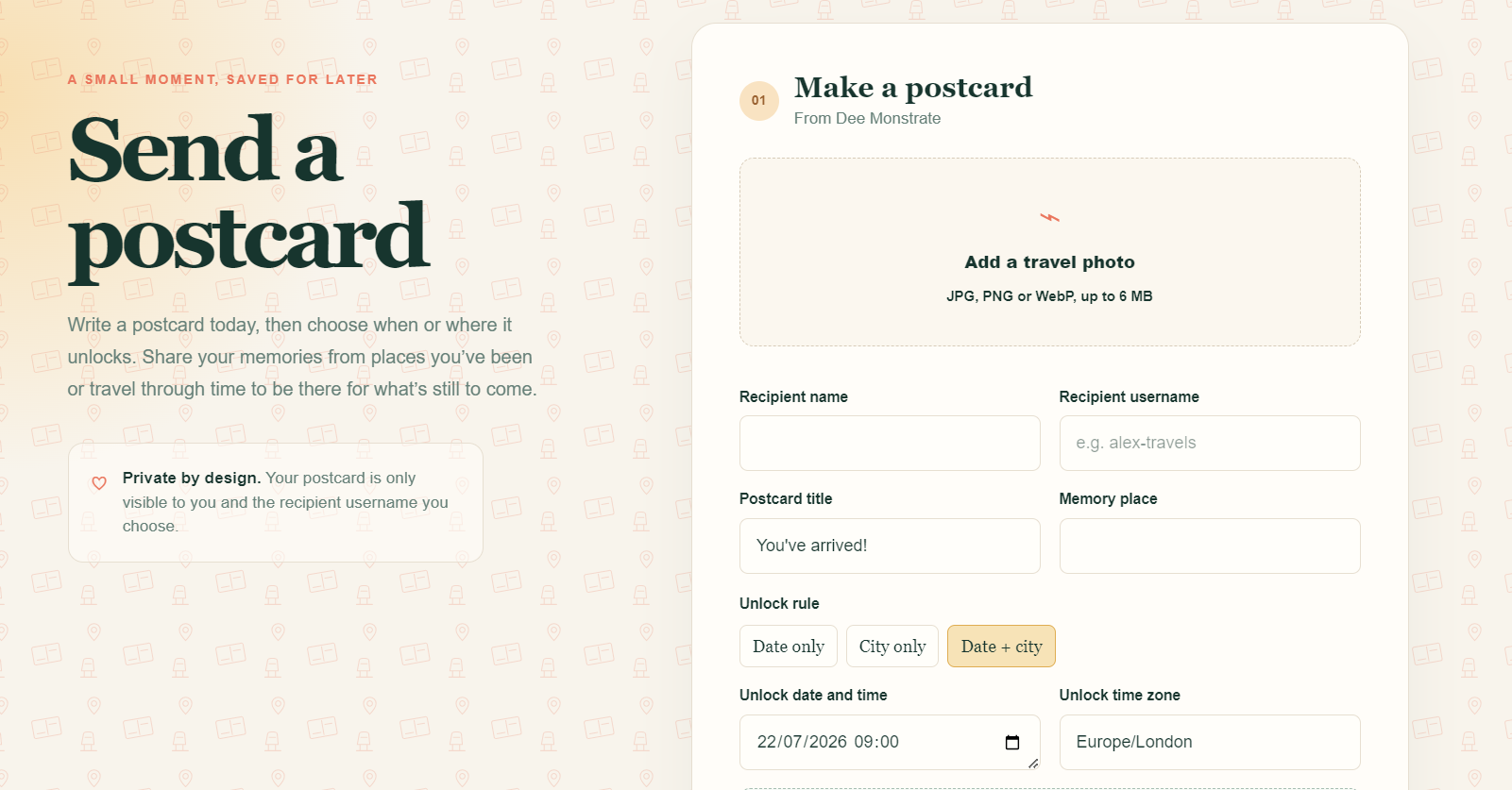
Here is the postcard build section where you can choose to lock the card by date or location
-
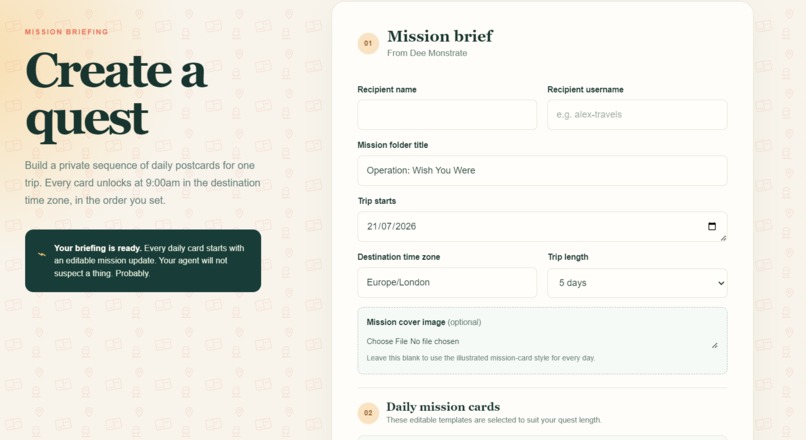
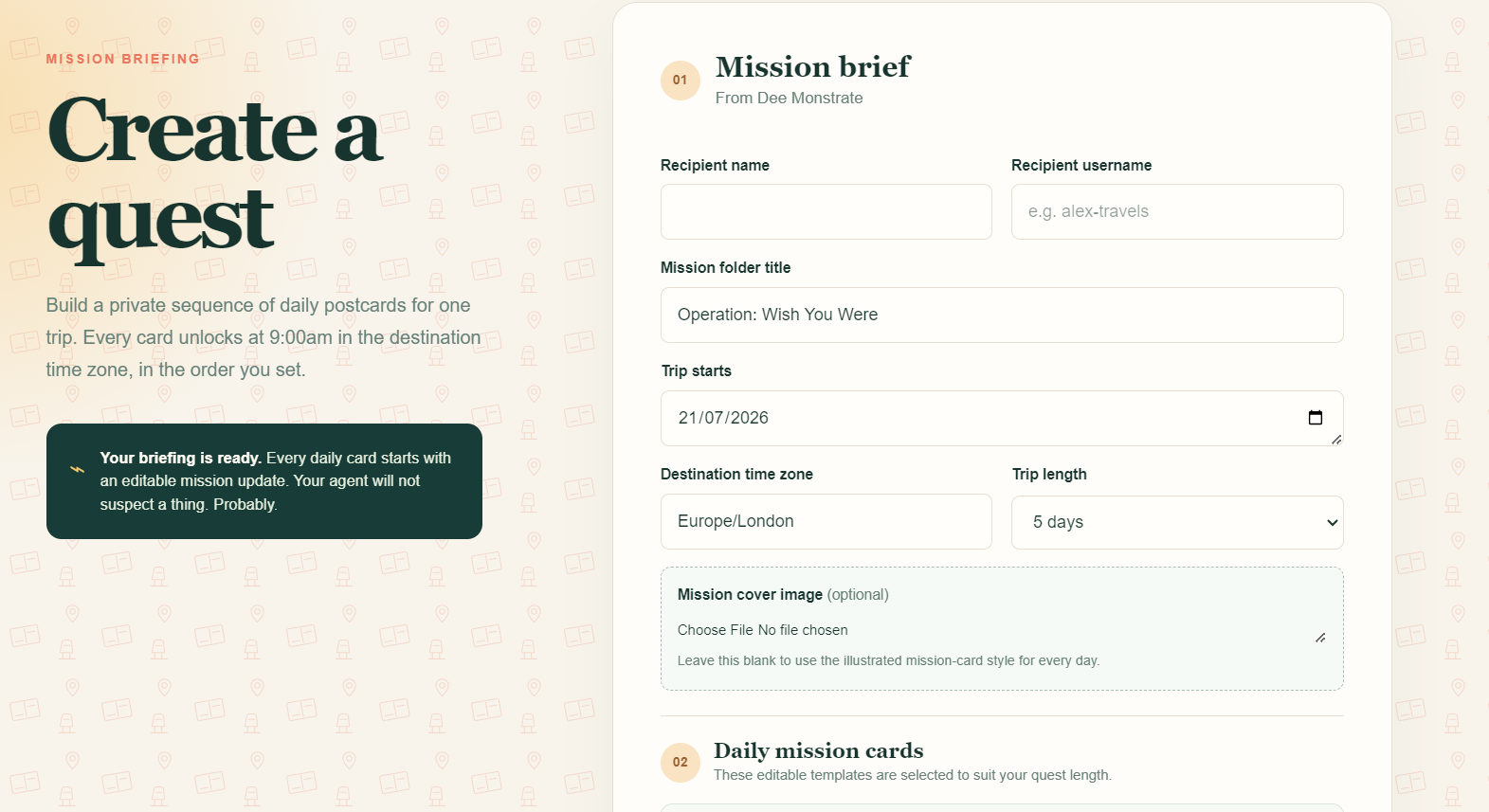
Here is the quest generation section
-
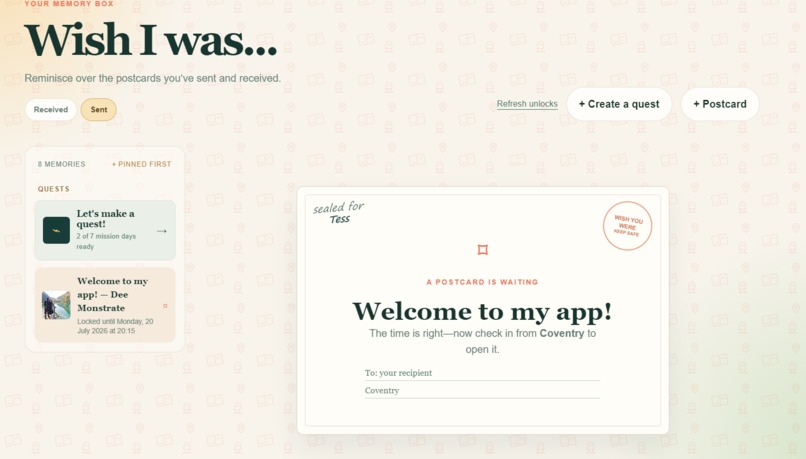
Here is a postcard locked by location
-
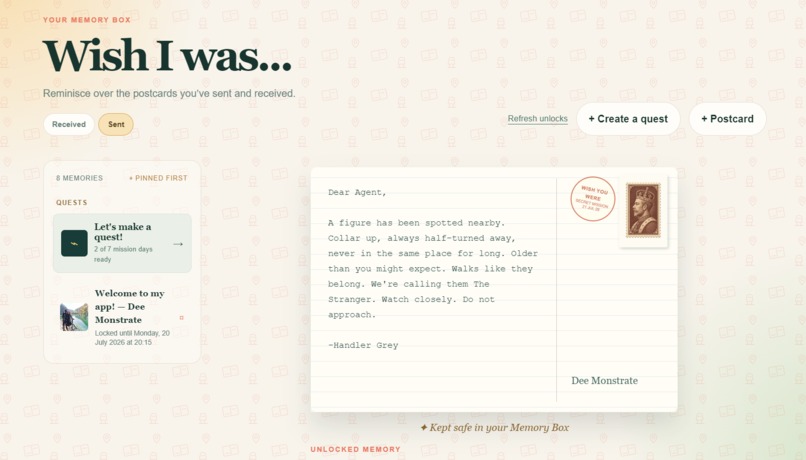
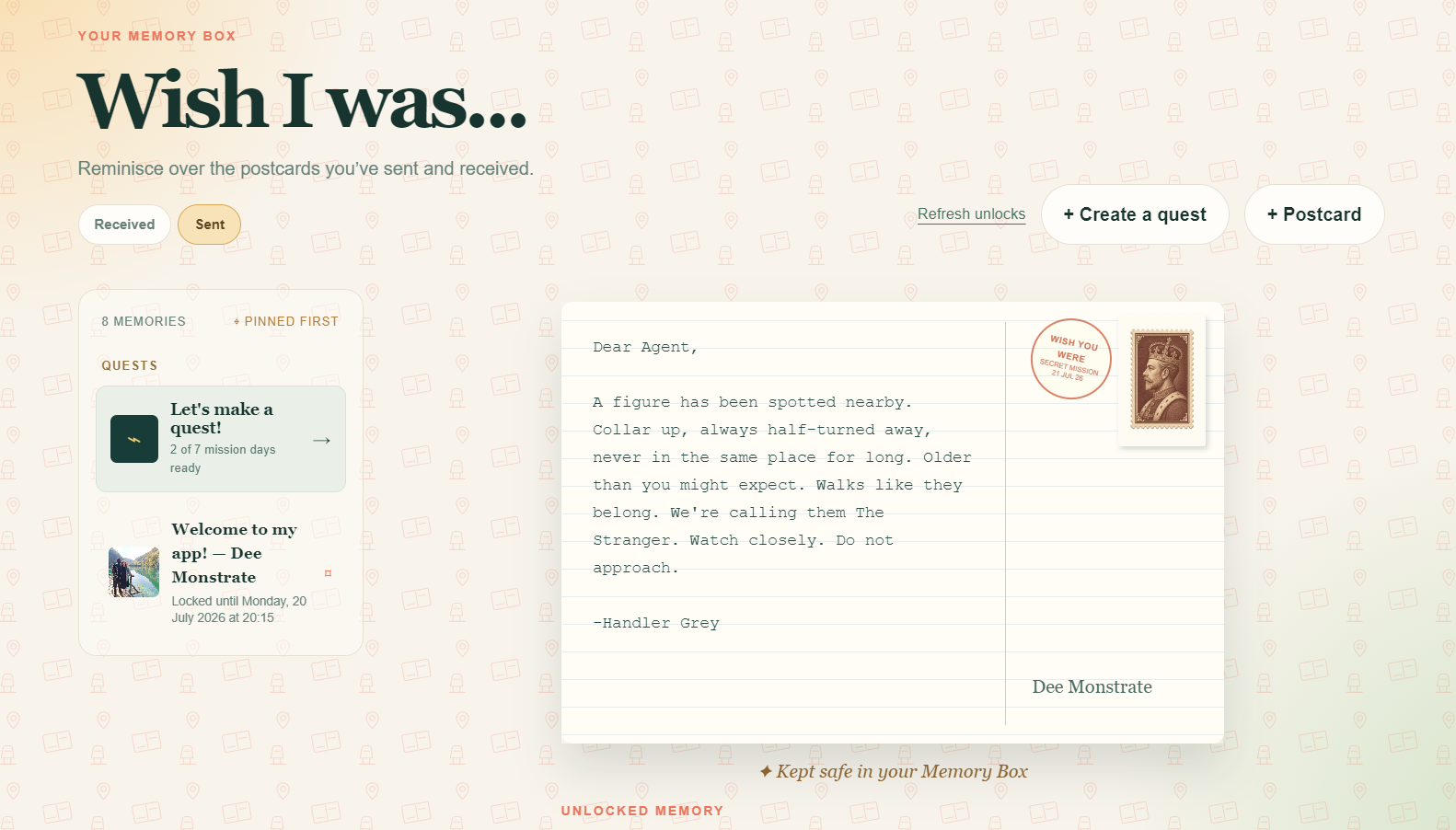
Here is the first postcard in the MI5 secret mission
-
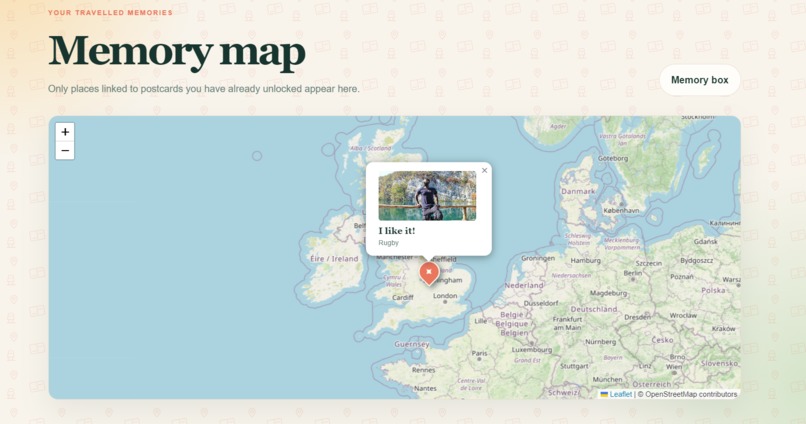
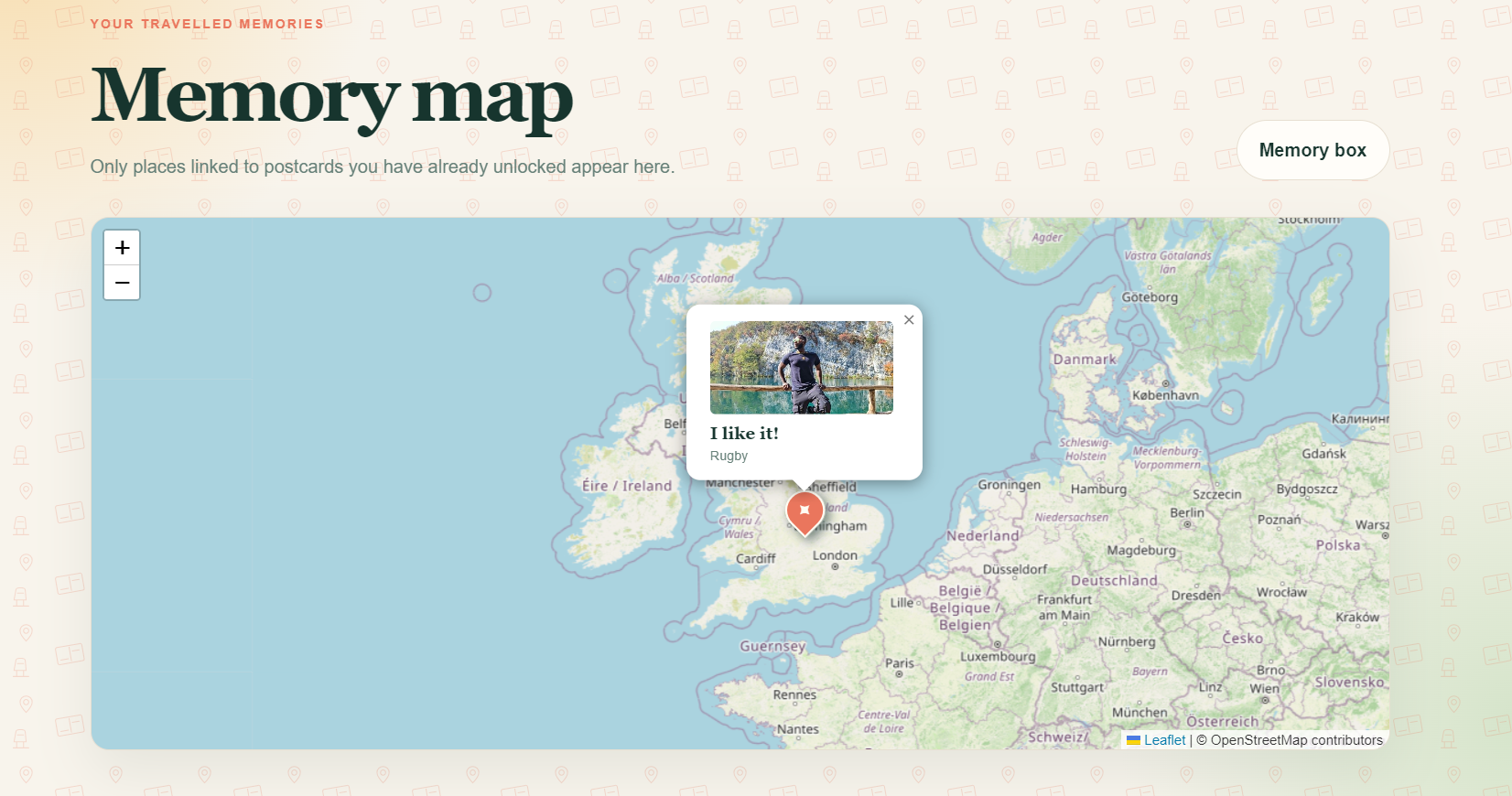
Here is the memory map with a pin linking to the postcard received there
-
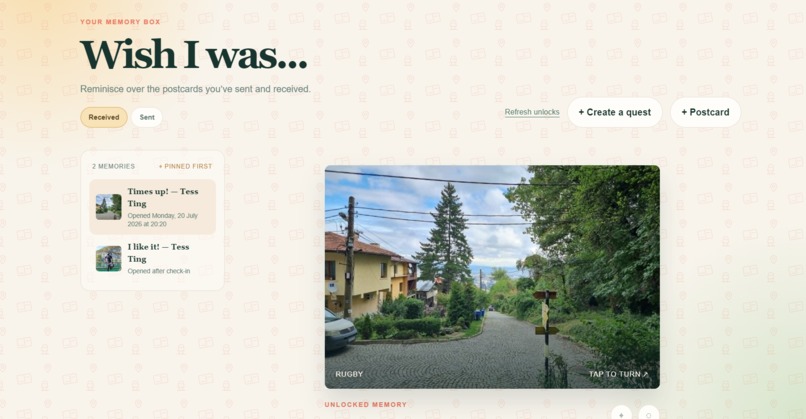
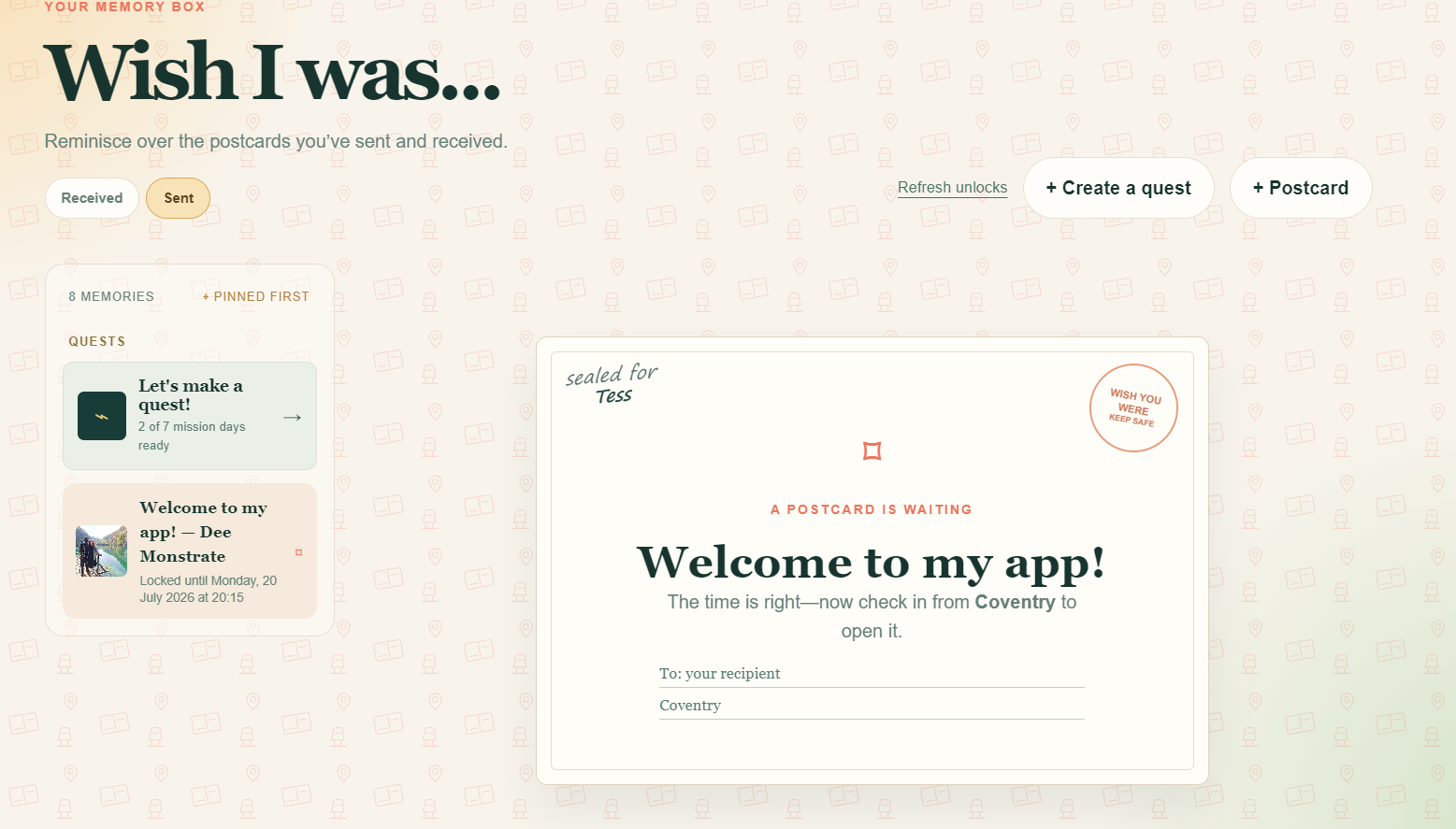
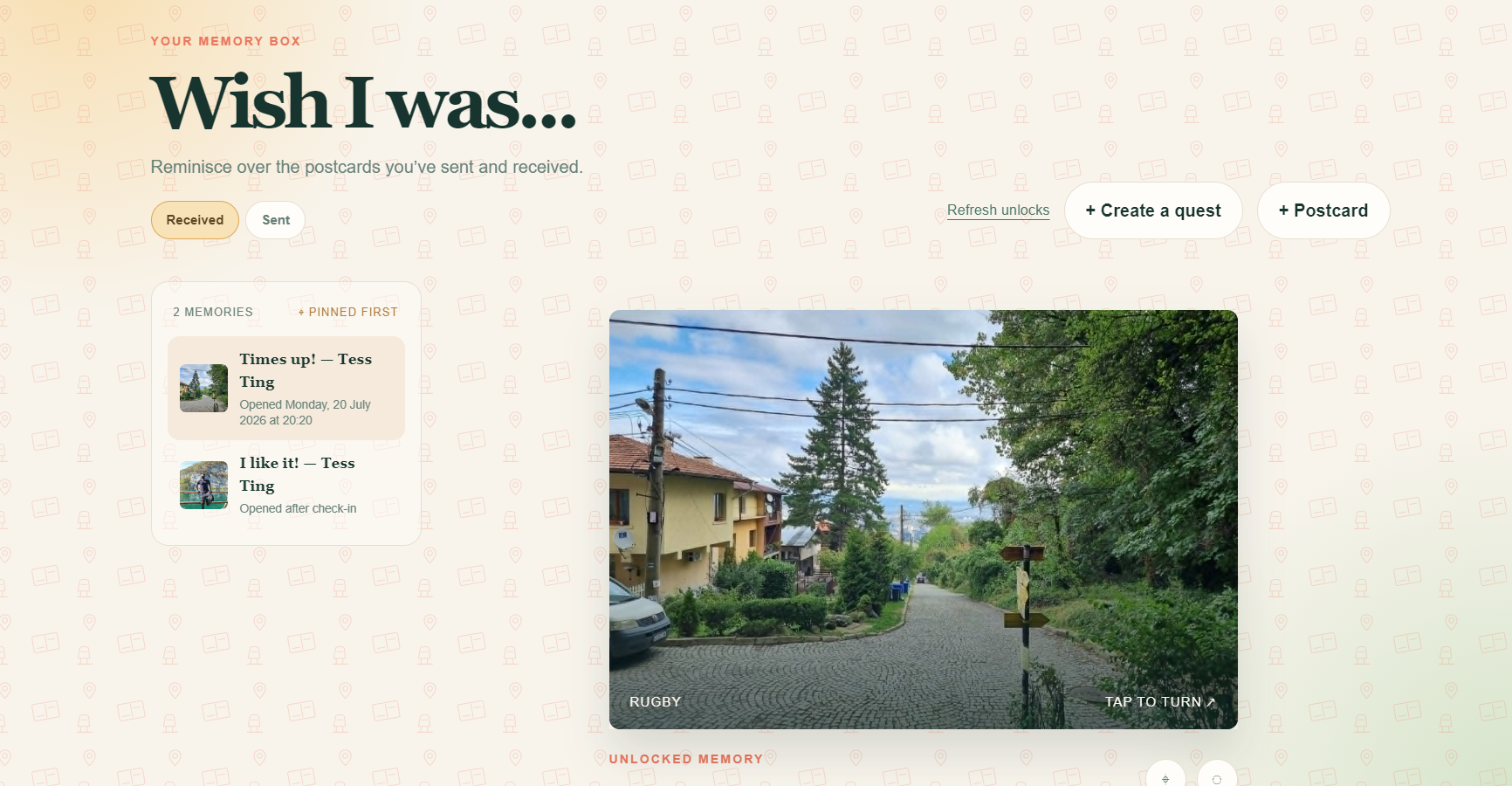
Here is a memory box with some postcards in it
-
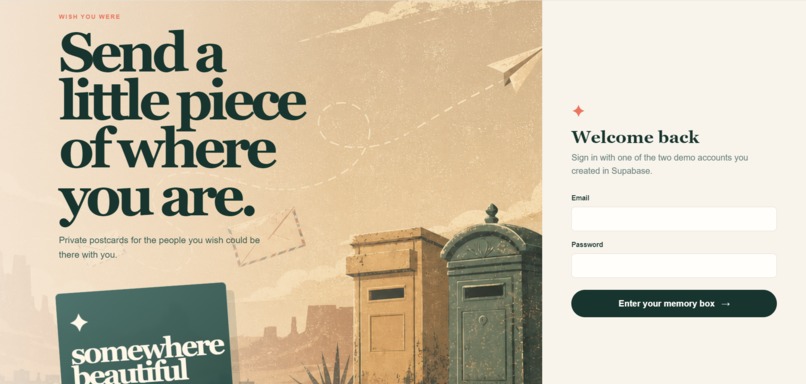
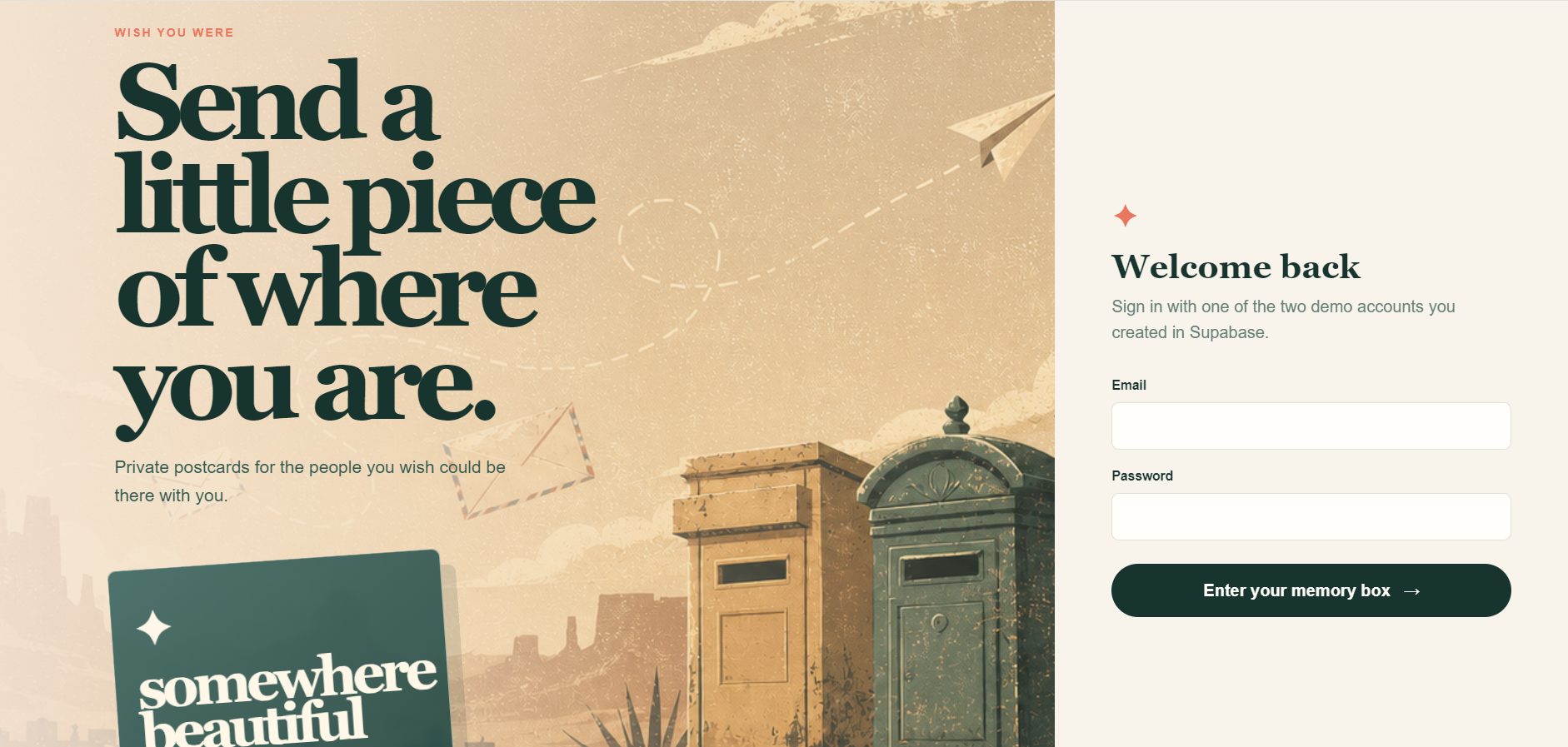
This is the login page
-
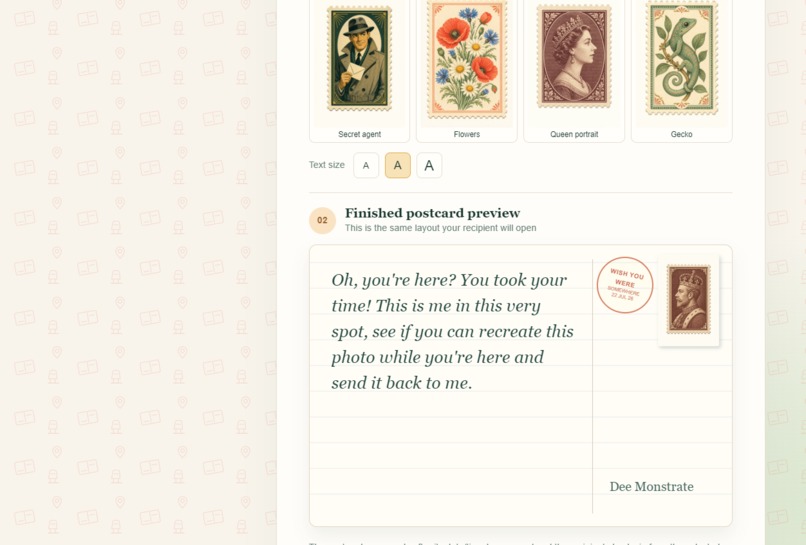
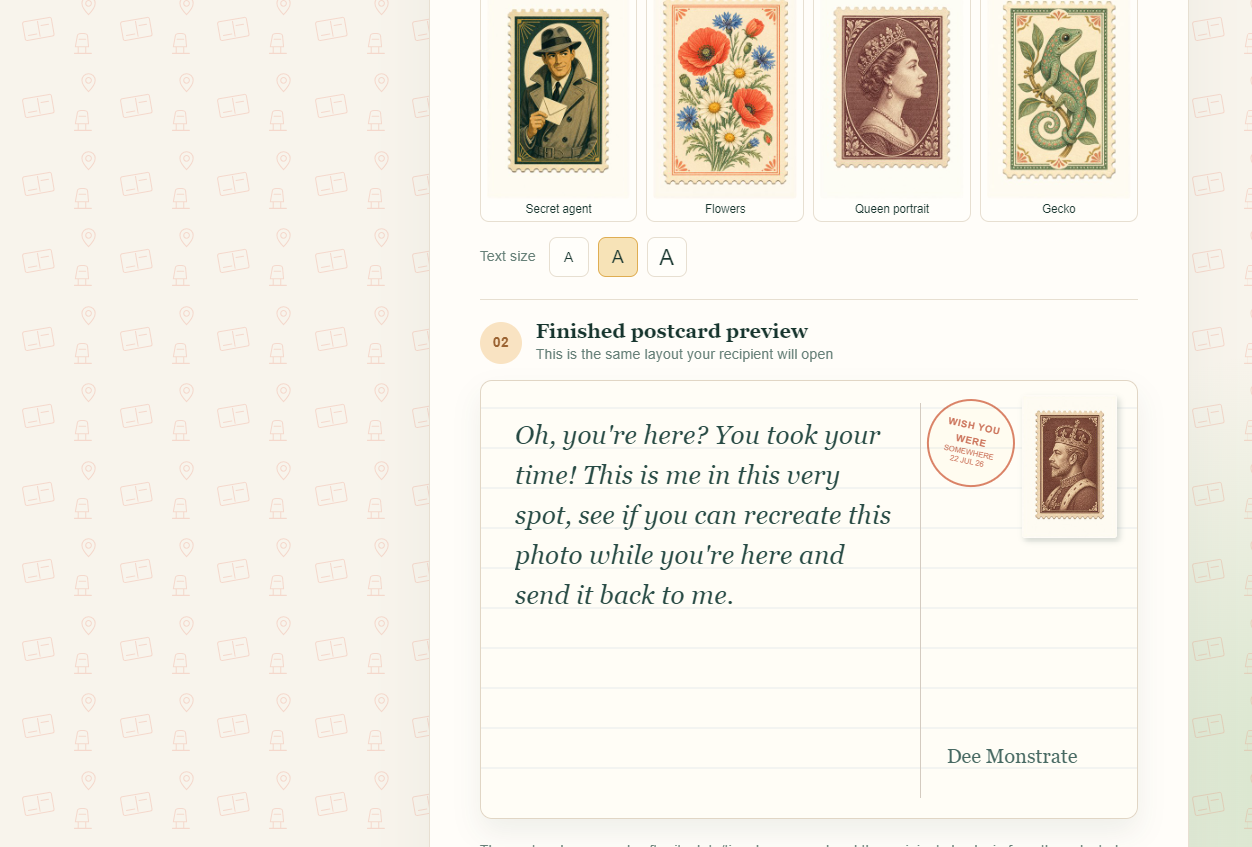
Here is the postcard preview on the create page
-
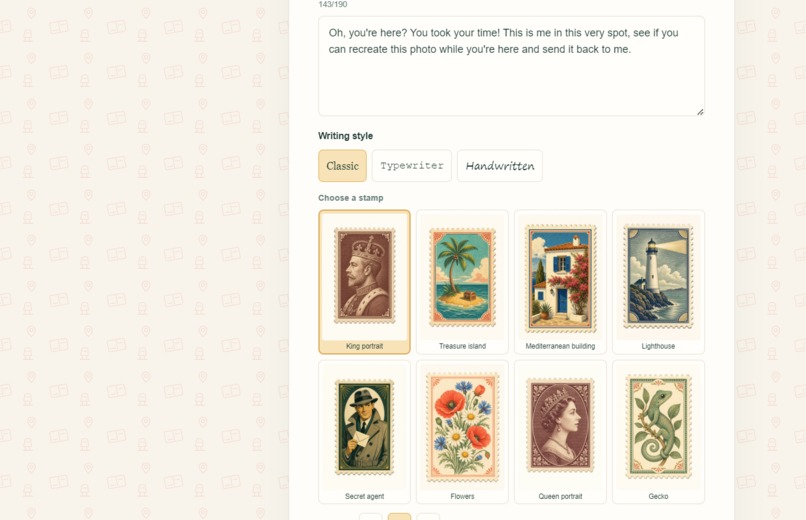
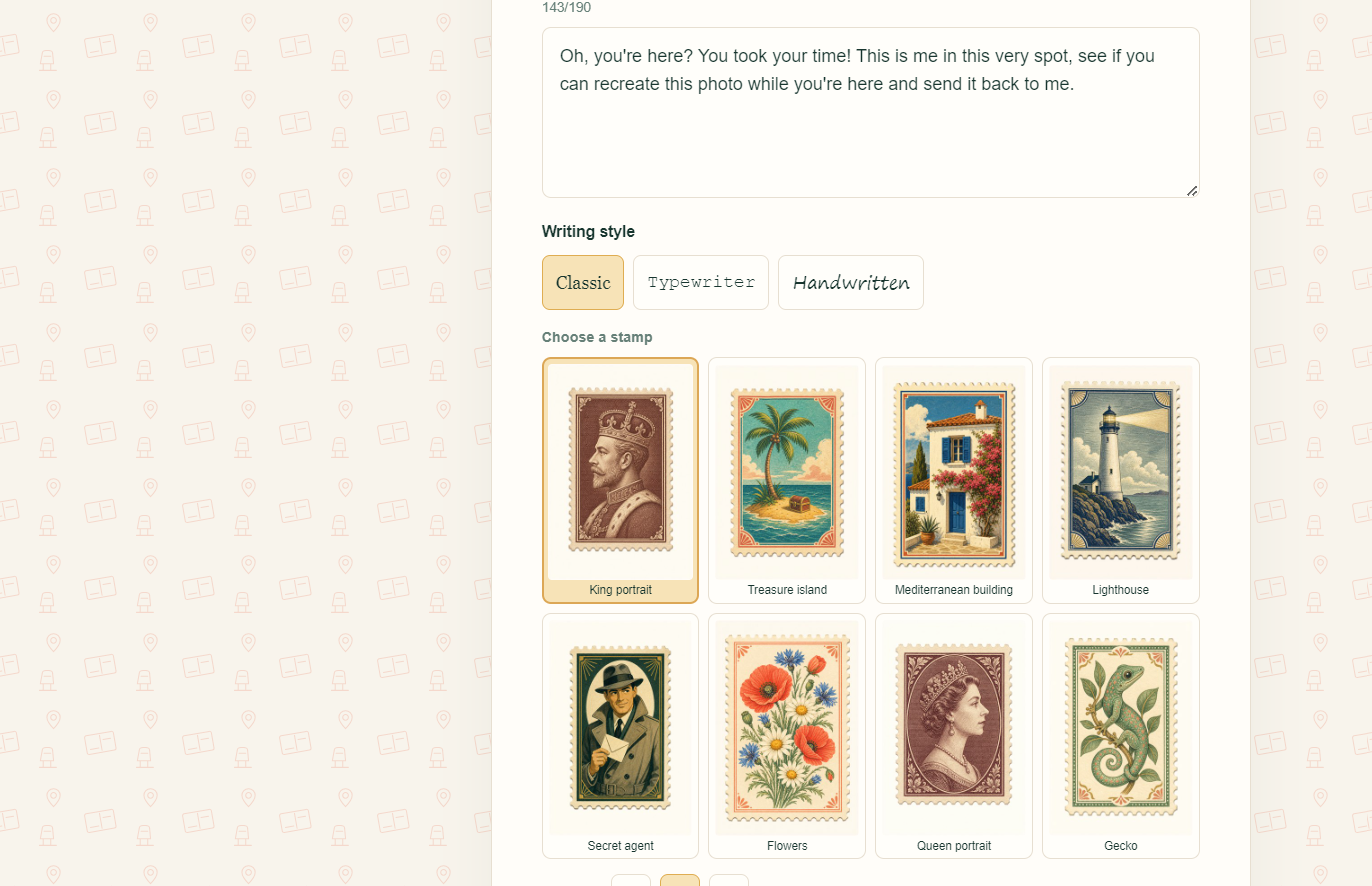
Here are the current formatting options for the postcard stamp and text
Inspiration
There is something really special about exploring a new place with someone, and unlocking a new experience together. I’d love to be better able to share my travel experiences with my family now that we all live far apart. I love having conversations with my grandma and delving into all of her experiences of all the places she’s been to, and wanted a way to capture those shared places in an app. So that different generations could share photos and experiences together, set challenges and celebrate the important moments while they’re far apart.
I was inspired by the city quests I’ve done when exploring new places, which added in a new level of gamification to the original idea. It was also a personal experiment to see if I could use AI to practically realise an idea I cared about without losing its authenticity.
What it does
This app allows people to send digital postcards which unlock either at a given date and time, or when the recipient reaches a certain destination. It has a postcard builder, quest builder, memory box and memory map.
Postcard builder: This allows the sender to choose the date or location (or both) that need to be met for the postcard to unlock. They can write a message, format the text and choose from a selection of stamp options before sending.
Quest builder: To add a layer of gamification, this feature allows senders to build a quest for their loved ones to complete on their travels. They can choose the number of days the quest will be for, and either write their own challenges or send the default MI5 mission I wrote. If choosing the default, the storyline adapts to the number of days they have selected, with the ordering rules I programmed in.
Memory box: Here users can view their sent and received postcards, hide or pin one to their box and see new postcards unlock in real time. Date-coded postcards are displayed with a live countdown while city-coded ones have a 'check my location' button to press before opening.
Memory map: This page shows a map of the world where users can see the location-based postcards they've sent and received. Clicking onto a location pin will show the image and title of the postcard received from there, and clicking again will take them to the exact postcard in their memory box.
How we built it
I built Wish You Were with Next.js, React, TypeScript, Tailwind CSS, Supabase, and Vercel. Supabase provides authentication, Postgres data, private image storage, row-level security, scheduled database jobs, and real-time unlock updates. Leaflet and OpenStreetMap support the Memory Map and city selection.
I began by giving Codex my product ideas and asking it to organize them into an AGENTS.md guide. This established the product vocabulary, privacy principles, accessibility expectations, and the core promise that scheduled postcards must unlock reliably across time zones.
I used GPT‑5.6 in Codex as a build partner. It helped scaffold and refactor the application, design the database schema, diagnose errors, write migrations, review recipient-level permissions, implement server-controlled unlocks, and improve the interface. I remained responsible for the product decisions, prompts, testing, visual direction, and deciding which suggestions fitted the experience I wanted to create.
Challenges I ran into
The main challenges came with the postcard formatting, I needed the text to sit correctly on the postcard no matter which size and font options were chosen. It also needed to be responsive for both mobile and desktop.
The privacy features were another challenge. The app needed enough information to verify arrival at a location without becoming a family location tracker. I used a single location reading for verification and set it not to retain the recipients current coordinates.
Accomplishments that we're proud of
I was really pleased to realise the creation of the live OpenStreetMap postcard map - which I didn't know was possible with AI. This was just how I envisioned the app being - a live world view of your memories and those of your loved ones. Set up so that future generations can recreate the images their parents took when in the same location.
I'm proud of the finished product, the sleek design and the real-time features, all which were created so quickly with Codex. I'm also proud I was able to create a real working product without coding experience!
What we learned
I learned how to prompt better, a little coding and what to look out for (in terms of security, privacy and other considerations) when building an app. I learned to make small changes at a time and verify my ideas before implementing them. When Codex made suggestions, I learnt to ask for clarification and to dig deeper to help find solutions that didn't compromise the app features and design.
Whilst I learnt how to generate, edit and deploy.sql files, I also found that collaborating effectively with Codex requires more than asking it to generate code. The best results came from clearly explaining the intended user experience, privacy constraints, and exploring multiple options for features. I am still learning how to use GitHub and Vercel to deploy my app onto a live domain.
What's next for Wish You Were
Next I would love to expand the quest feature, allowing users to generate bespoke quests based on the locations they're travelling to. I would expand the postcard design options, and allow users to add filters to their pictures and build custom designs.
I would the add family invitations, notifications, memory box organisation options and a time capsule section for photos they intend to remake or revisit in the future. I would test the site with more users, and build out the onboarding experience.
I'm excited to continue this build post-hackathon - thank you for the opportunity!
Built With
- codex
- gpt-5.6
- next.js
- react
- supabase
