-
-
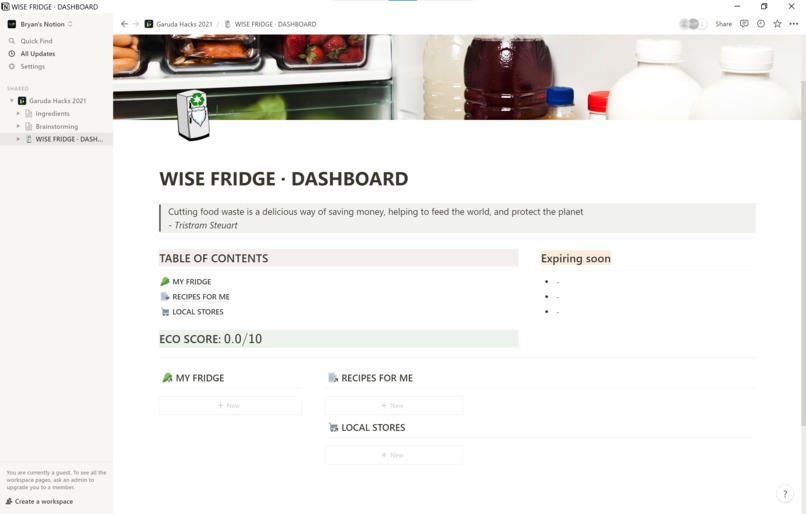
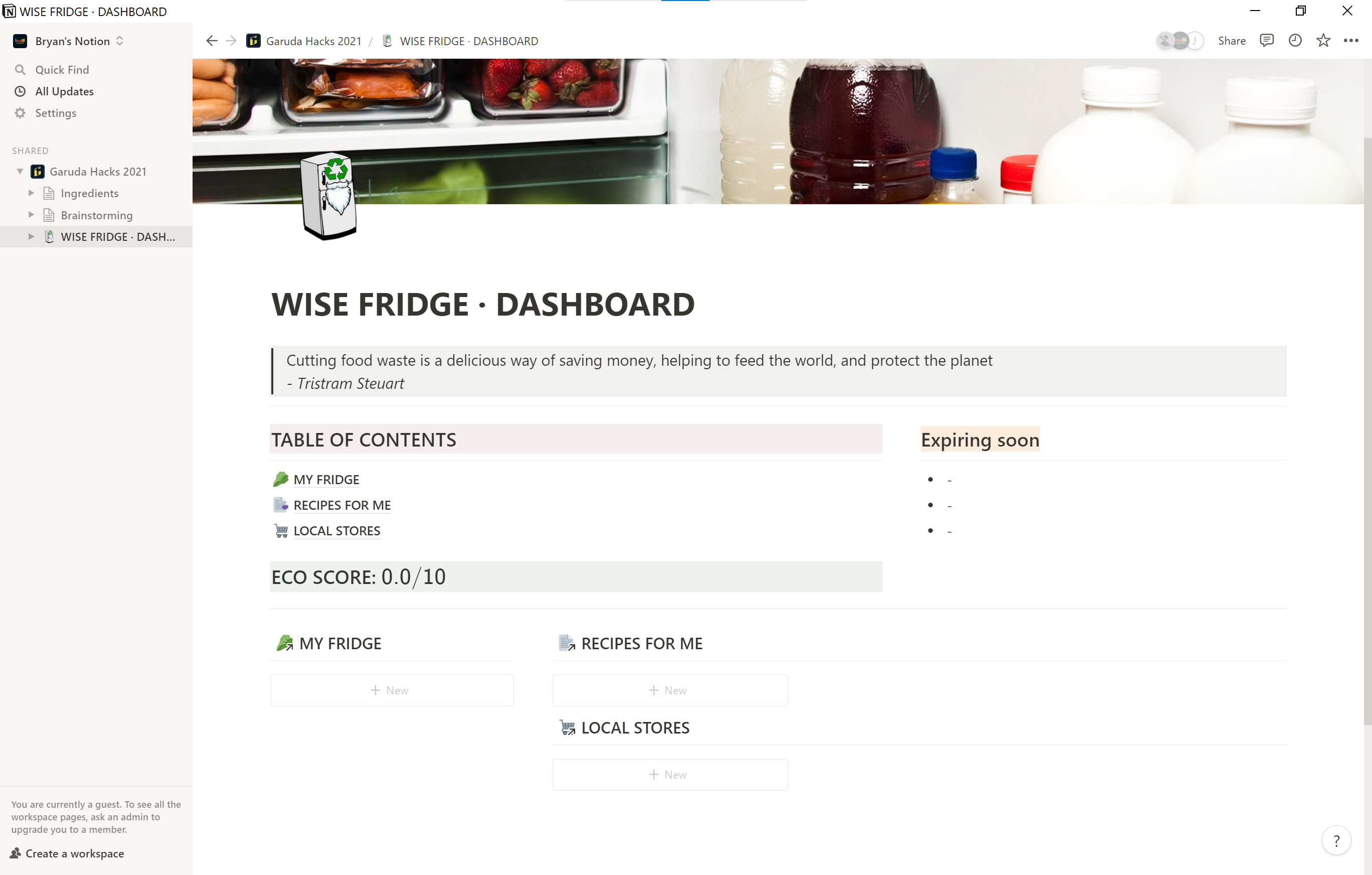
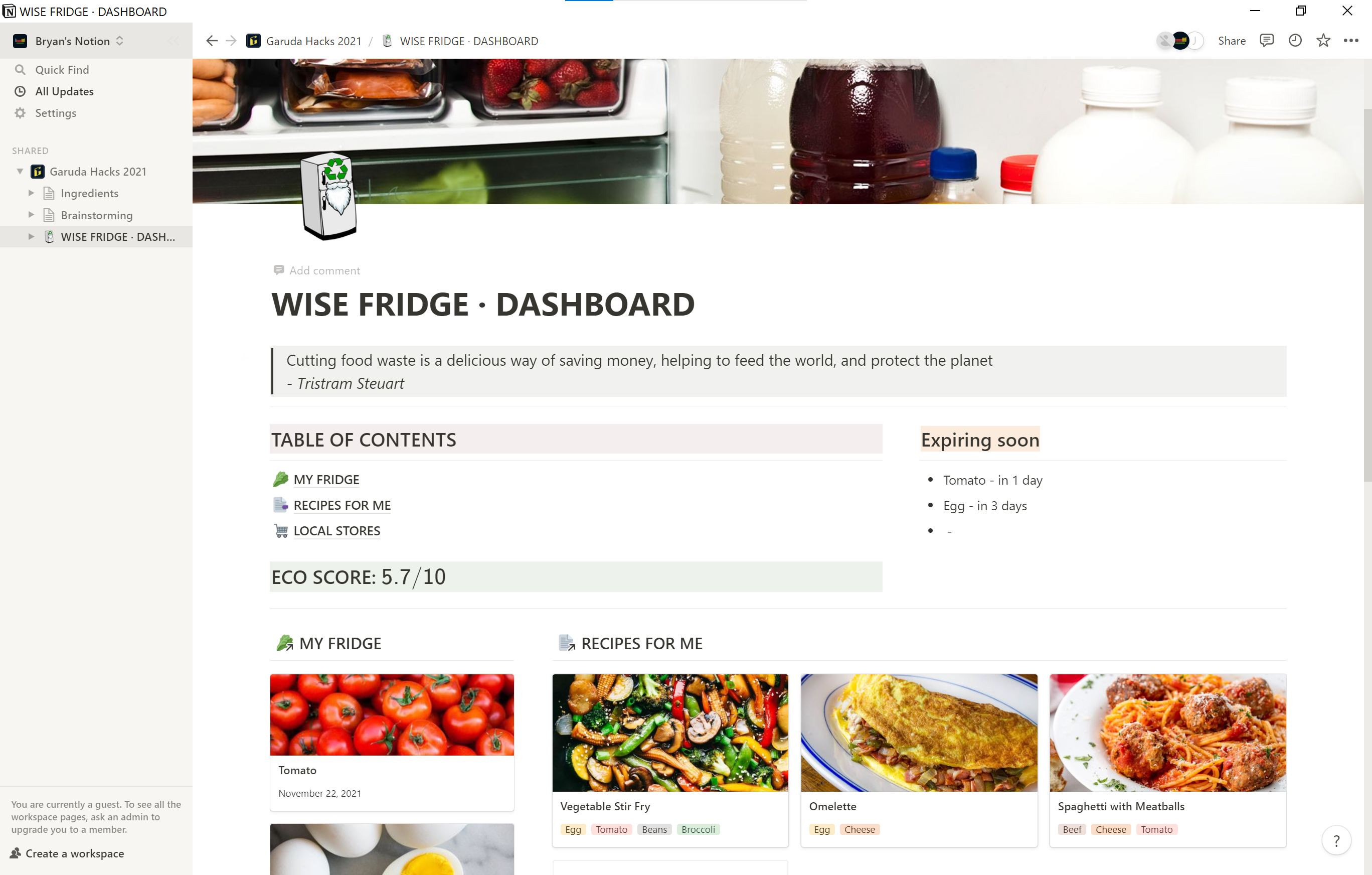
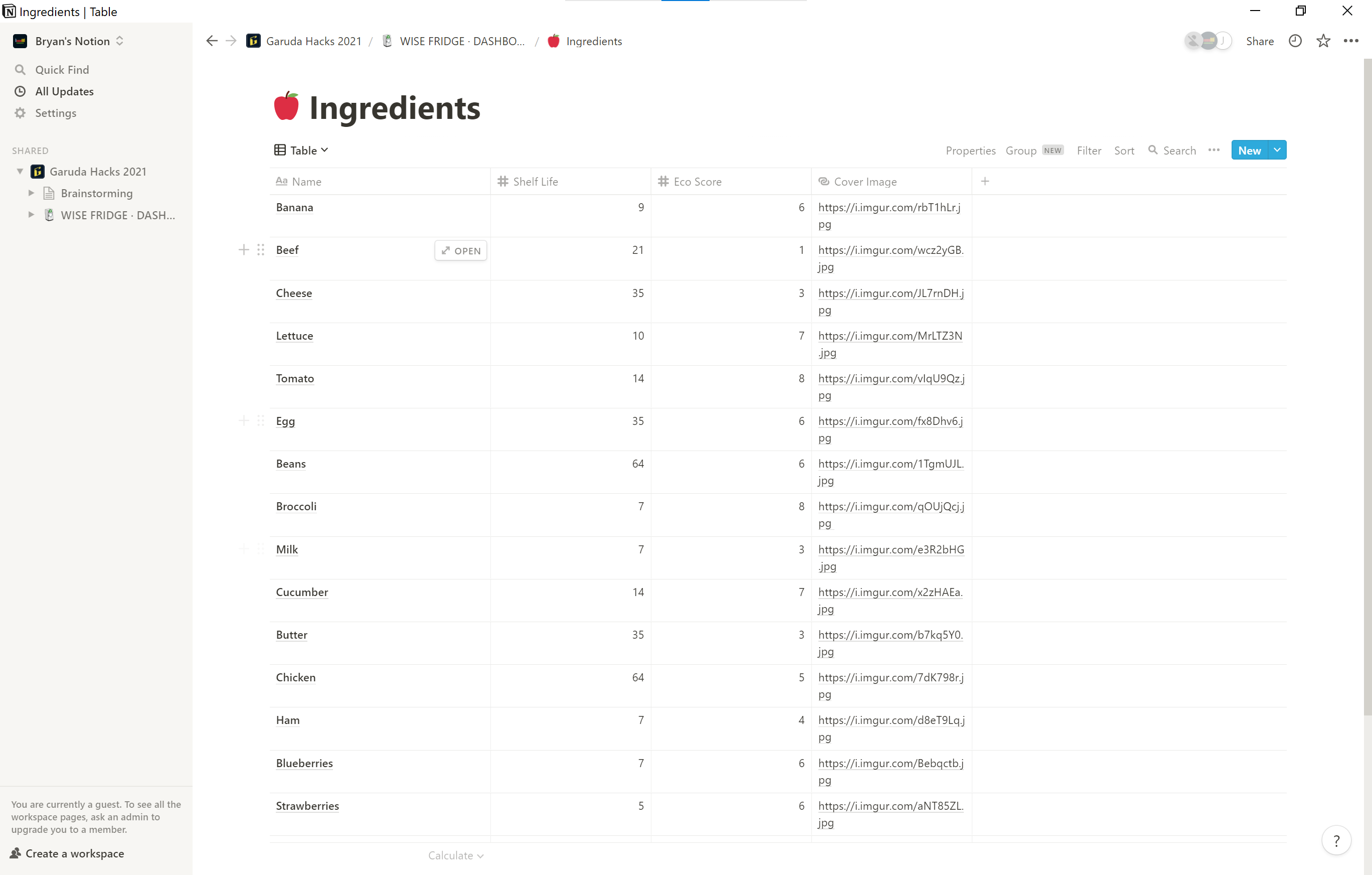
Wise Fridge uses Notion as a database and as the primary user interface
-
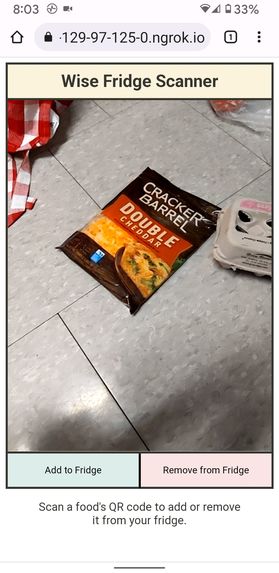
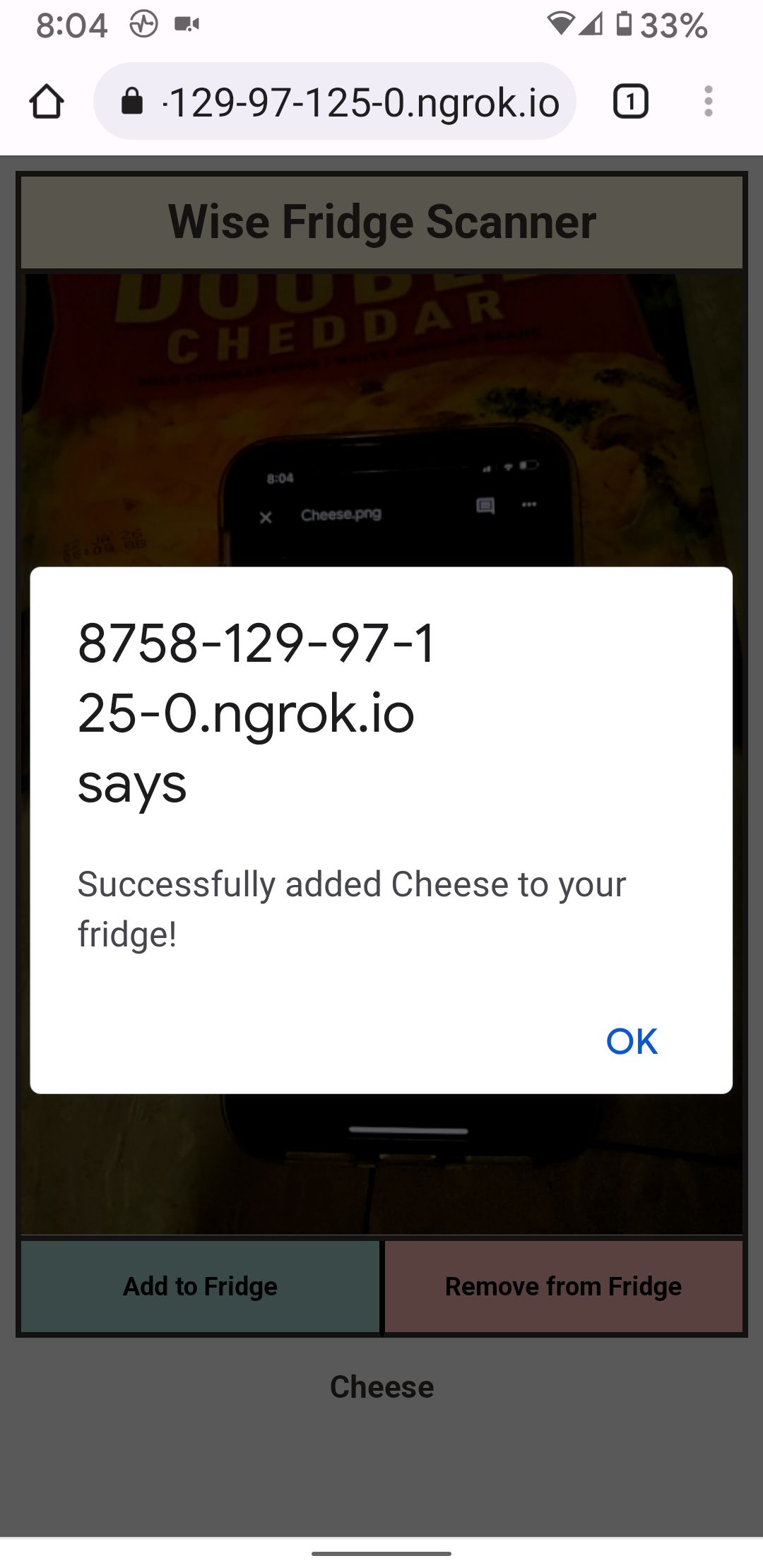
Start by scanning foods using our mobile website QR code scanner
-
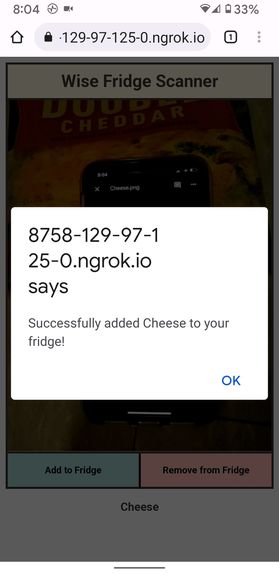
Scanned items will automatically be entered into the system, keeping track of expiry dates
-
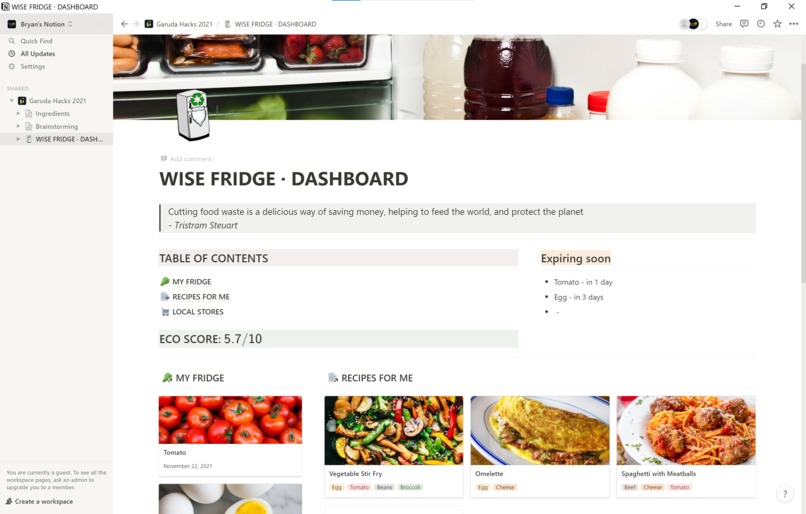
View your fridge, recommended recipes, your ECO score, and more in the dashboard
-
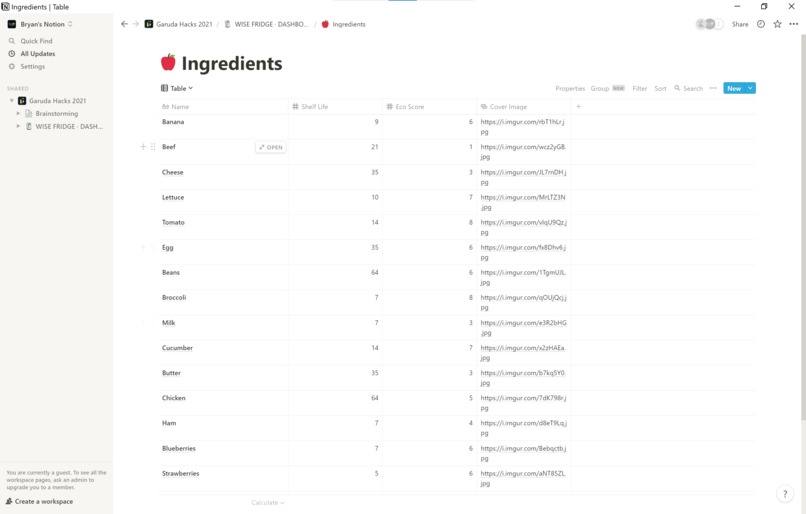
All data is stored in Notion databases and is kept up-to-date via the Notion public API
-
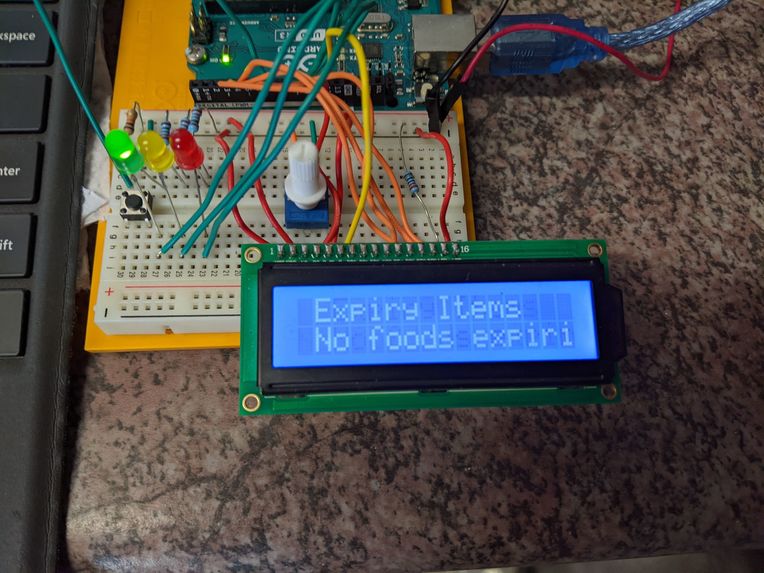
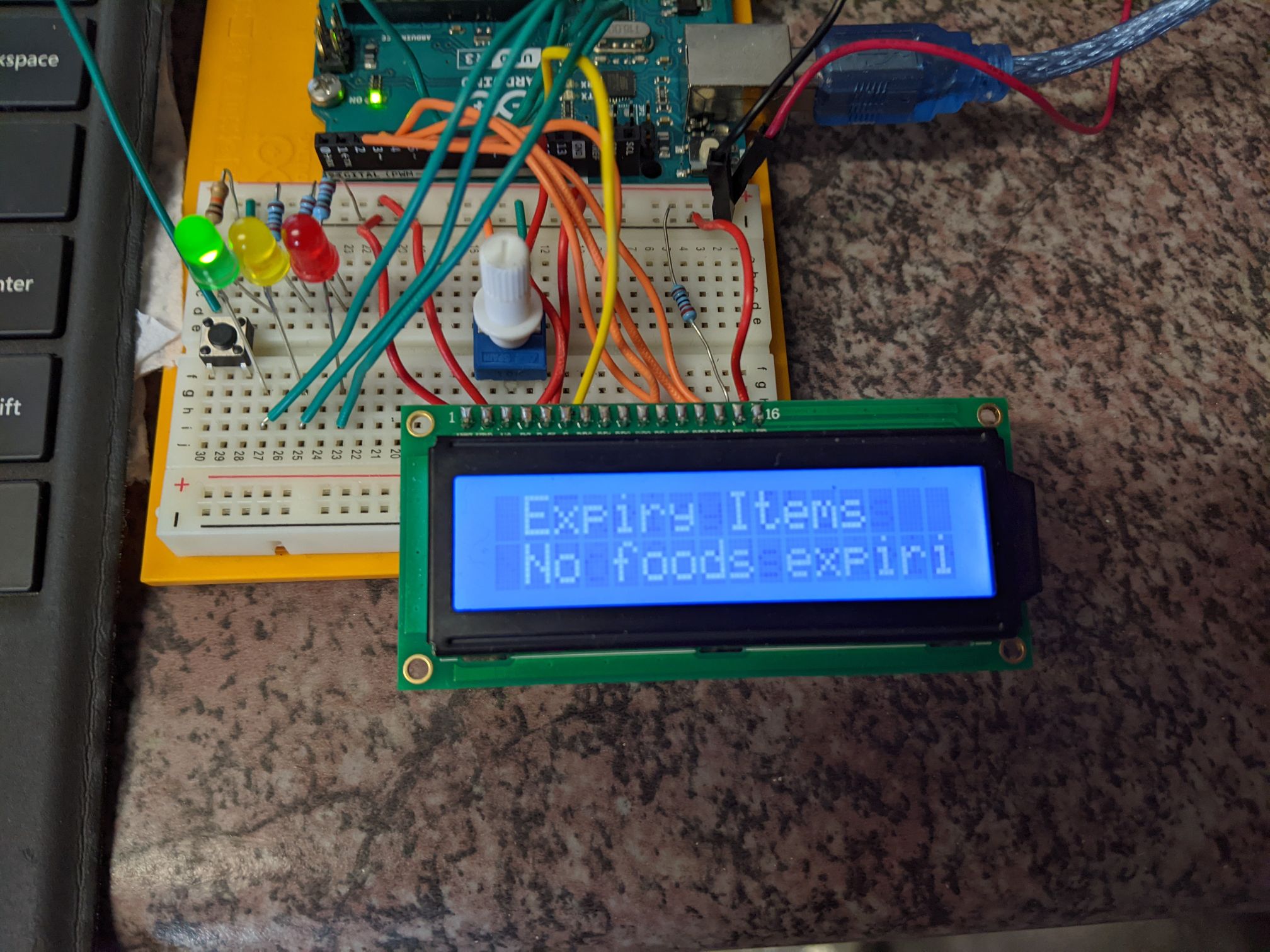
An Arduino-powered LCD display and LED indicators indicate when everything is ok...
-
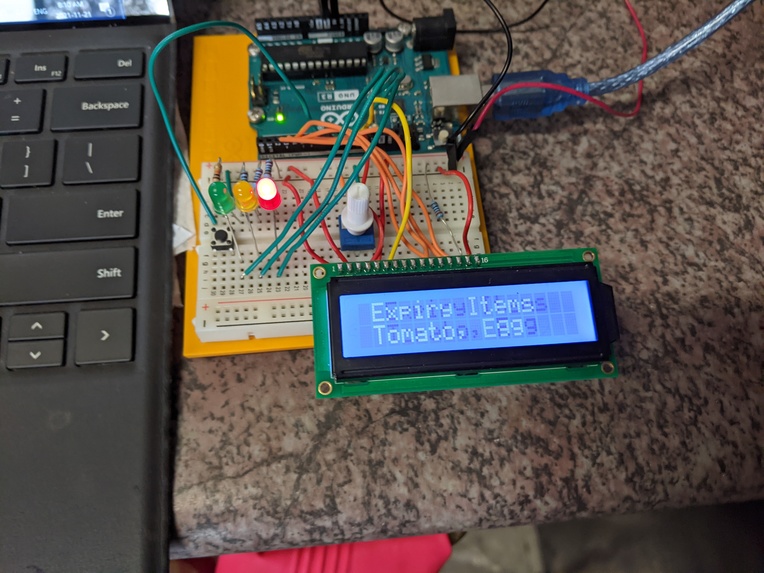
...and notify you when something is expiring soon


Inspiration
According to many estimates, one-third of all food produced is wasted. Food waste is a massive issue for the environment in several ways. The greenhouse gases emitted from wasted food exceed the total greenhouse gas emissions of all but two countries. The resources that go into producing, packaging and transporting our food — water, land, plastic, you name it — are all wasted when the food they produce goes uneaten. Cutting back on food waste on a large scale makes many of the environmental issues we face vastly easier to solve.
This is what inspired our project. We've all heard of smart fridges that can do things like take notes and play music. But we're at a point where we need more than just a smart fridge. We need a fridge that can advise us in our eating habits to prevent waste and promote eco-friendly eating. These times call for a wise fridge, and that's exactly what we have for you today.
Our Project
Wise Fridge is the world's first fridge [citation needed] that gives you food tips with an eco twist! Wise Fridge uses QR codes to keep track of foods you put in your fridge, then recommends recipes based on what you have. You can find all of your fridge's contents, recommended recipes and local grocery stores in one place with the convenient Notion-integrated database. What's more, Wise Fridge will alert you when foods are about to go bad so that you'll never again have to waste food you forgot was there!
How we built it
The scanning website was made in raw HTML/CSS/JS using a built-in Barcode Detector API. HTTP requests are made to a server backend when buttons are clicked.
The backend was implemented in typescript for scalability and type safety. It incorporated the Notion API for interfacing with Notion pages and databases, as well as an express.js server to communicated with the frontend and serial ports library to communicate with the Arduino.
The Arduino implemented an LCD and the default Arduino LCD library. The Arduino made requests to the backend to constantly update the information being displayed and sync it to the Notion/database.
Challenges we ran into
Initially, we wanted to use another Arduino peripheral called "RFID tags and sensors" but, we were faced with two issues. The first issue was that some of the ports between the RFID and LCD overlapped so we couldn't use both peripherals at the same time. We also couldn't get the RFID tags to work. After several attempts of trying to make it work, we concluded that the sensor was fried and unusable.
As a solution, we decided to use QR codes to scan food items instead of RFID tags. This opened up the opportunity to build a mobile website for the purpose of scanning QR codes, and greatly increased the scalability of our program due to the ease of creating new unique QR codes to represent a growing library of foods. Overall, using QR codes to scan food items turned out better than using RFID tags would have.
Accomplishments that we're proud of
We're proud that we were able to implement so many interfaces together, especially the Arduino, with which none of us have had much experience.
What we learned
We learned that pulling an all-nighter is difficult, but not impossible.
What's next for Wise Fridge
As our user base grows, we will look into more efficient and account-based databases to store fridge data, ingredients, stores and recipes. We can also implement a location-based feature that displays local stores near the user. Also, as this project increases in scope, we would like to integrate the functionality we have designed into physical refrigerators.
Built With
- arduino
- barcode-scanner
- css
- express.js
- html
- http
- javascript
- led
- node.js
- notion-api
- typescript

Log in or sign up for Devpost to join the conversation.