
- Many cosmetic products are not designed with disabled people in mind, making it difficult for them to access and use them.
- While there are commercially available accessibility devices for cosmetic and beauty products, they are not readily available or suitable for many people's needs.
- Creating custom 3D printed accessibility devices is a solution to this problem. However this can be challenging due to the complexity of 3D modelling software.
- To address this issue, the Access3D Generator app was developed, which simplifies the 3D modeling process and allows users to create custom accessibility devices.
- With the app, users can select an A3D file (a new file type created for this project that contains a customisable 3D model), customise it with a range of options, and export the file for 3D printing.
- The app is currently available for Windows, with plans to make it web-based in the future.
- By making custom accessibility devices more accessible, the app aims to empower disabled individuals to use cosmetic products with greater ease.
Continue reading for the full story...

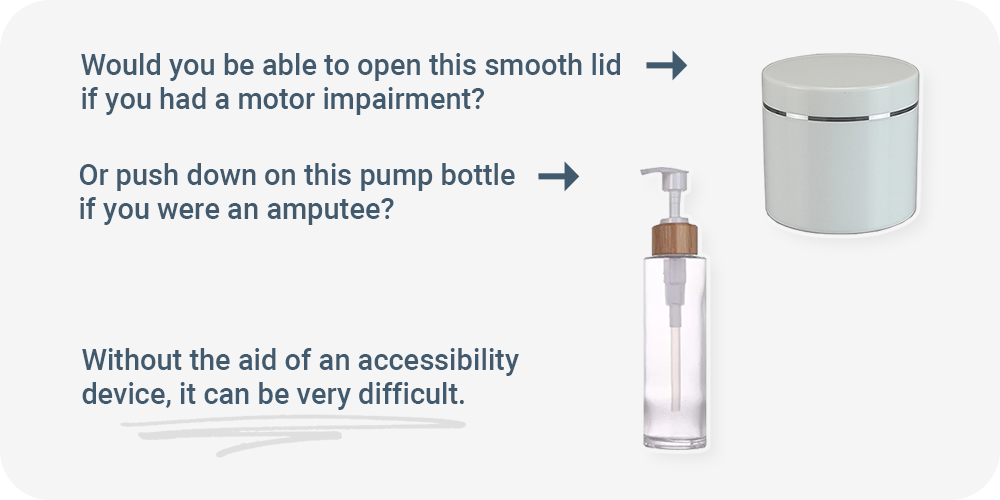
For many of us, using cosmetic products is a daily routine. But have you ever considered how accessible they are for people with disabilities?
There’s a huge range of cosmetics to choose from. From everyday items like sunscreen and shampoo, to beauty products like concealer and lipstick... But these products are not designed with disabled people in mind.

To address this problem I developed Access3D Generator - an app that makes accessibility devices more accessible.
But first, let's discuss existing accessibility solutions for cosmetics products...

There are a few commercially available accessibility devices for cosmetic products - like the Flex Brushes and the Guide Wand - which are both awesome tools.
But commercially available products only go so far to address accessibility concerns in the beauty industry. And there just aren't very many to begin with.
3D printing accessibility devices solves this issue. (3D printing is the action of making a physical object from a digital 3D model, typically by laying down many thin layers of plastic in succession.)
It's not just a good alternative, a lot of the time it’s the only way to get accessibility devices into peoples hands. In 2023, it’s really easy to 3D print things at public libraries or using online services that deliver 3D prints to you - all while being less expensive than buying a similar off-the-shelf product.


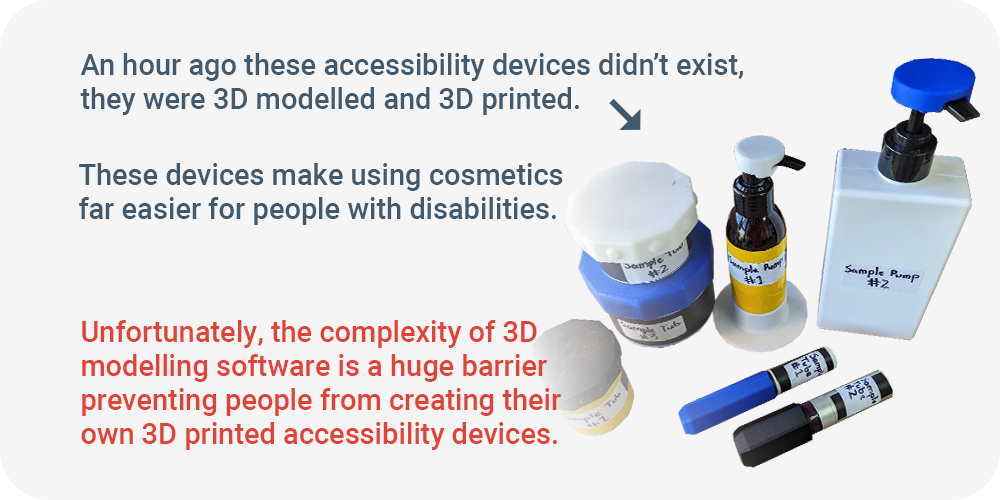
If you're unfamiliar with 3D modelling, creating (or modifying) 3D models is incredibly difficult and has a steep learning curve. This is a huge barrier for disabled people who want to create their own 3D printed accessibility devices.
To create your own 3D printed accessibility device, you will either need to learn complicated 3D modelling software or find an expert to do it for you. Regardless, this is an often insurmountable barrier.
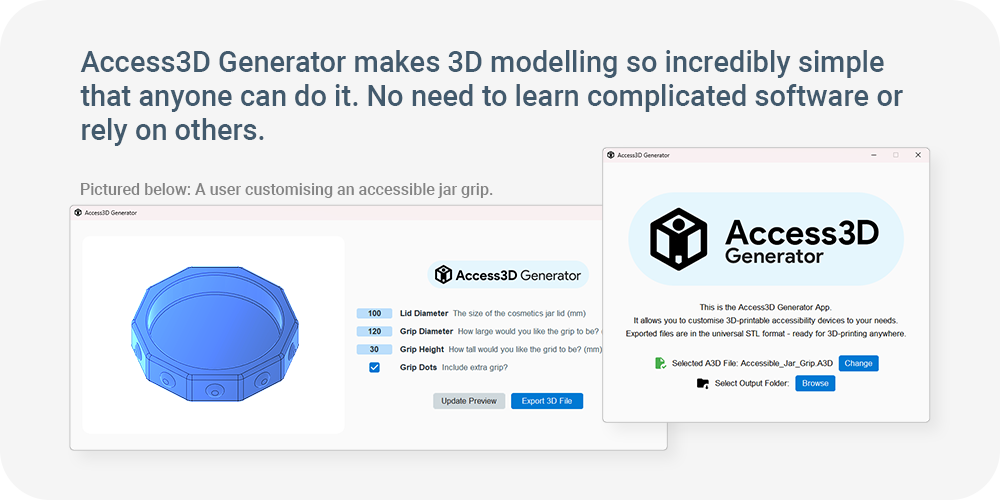
This is why I made Access3D Generator - an app that makes custom accessibility devices more accessible by completely removing this barrier. It does this by making 3D modelling your own accessibility devices incredibly simple.


- First, open Access3D Generator
- Then, select an A3D file. This is a new file type I made for this app that anyone can make and share. It stands for Access3D and contains a customisable 3D model. To demonstrate, I’ll select the jar grip file.
- Then select an output location and click continue.

- This is the customisation menu. The A3D file we selected contains a range of options that we can use to configure our custom 3D accessibility device model. Edit the values to suit your needs, and click the ‘update preview’ button to view your changes. For example, we can change this cosmetic jar opener to be wider, or to have additional grips around the edges.
- When you’re happy with the changes you’ve made, click the export button.

- Now you’re ready to 3D print the exported file.
That’s how easy it is to customise accessibility devices with Access3D Generator. In no time at all I designed 3 separate jar grips for 3 differently sized containers without having to learn complicated software or rely on others.

Included with the app are a few sample files (pictured below). But my favourite part about the app is that anyone with 3D modelling knowledge can create an A3D file. Instead of designers creating one-size-fits-all solutions that aren’t suited for a wide range of people, they can instead create an A3D file that is infinitely customisable within the Access3D Generator app so that disabled people can customise them to suit their exact needs.


It’s all about making custom accessibility devices more accessible.

Currently, Access3D Generator is a fully functional app that runs only on Windows. An update is being worked on that will allow it to run on the web, meaning that it will work on every platform including mobile. This will ensure that Access3D Generator is as accessible as possible.
This will also mean that it can be embedded on web pages. Imagine a button on each cosmetic product page that downloaded a 3D accessibility device model according to its specifications.

- For details on installing the Windows App, please consult the technical GitHub documentation. If you have issues with installation, please feel free to contact me via Slack or email.
- For details on creating your own customisable A3D file, please consult the technical GitHub documentation.
- Access3D Generator was built using Python.
- Access3D Generator utilises open source software, without which it would not have been possible, including OpenSCAD and PySimpleGUI.
Built With
- openscad
- python




Log in or sign up for Devpost to join the conversation.