Inspiration
Health changes rarely announce themselves. Before an infection, dehydration, a medication side effect, a bout of delirium or a slow cognitive decline gets noticed, it usually shows up in small ways: someone who has made tea the same way for years skips a step, pours twice, or stands still halfway through. Those changes are easy to miss. Check-ups and screenings happen occasionally, carers and families are stretched thin, and nobody can watch every routine every day.
We wanted those small signs to be noticed against each person's own normal, early enough to act on, without putting a camera recording in anyone's home and without pretending to diagnose anything.
What it does
Routinely watches an everyday routine, like making tea or a protein shake, and flags a change for review when it starts going differently from that person's usual. Every routine has signs, and Routinely helps someone notice them early, whatever the cause turns out to be.
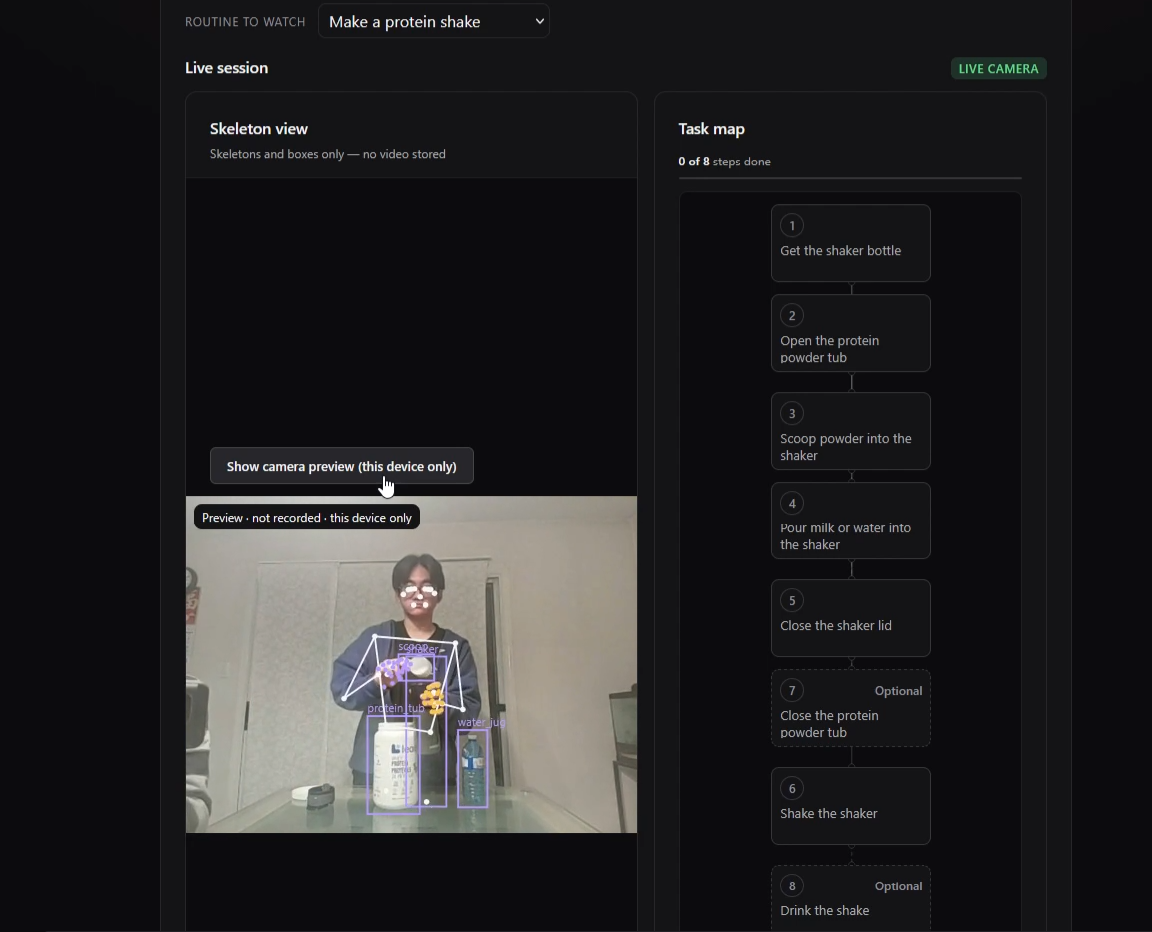
- Live, skeleton-only: a webcam feeds MediaPipe pose and hand tracking plus our own object detector. Each frame is reduced to landmarks, boxes and timestamps, then thrown away. No video is stored.
- Step tracking: each routine is a graph of steps and what has to come before what, not a fixed script, so valid alternative orders are never mistakes. Routinely detects skipped steps, wrong order, repeats, the wrong object, hesitation and abandoned tasks, live on a task map.
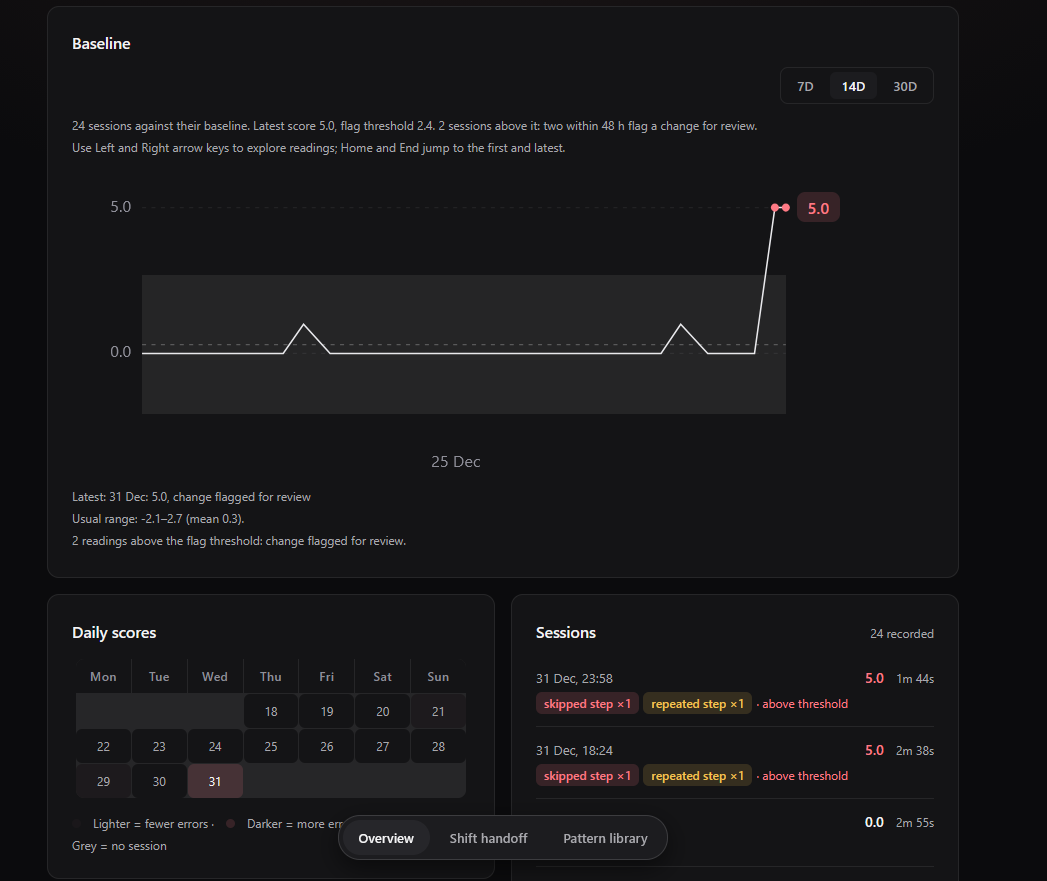
- A personal baseline: one bad session never alerts. A flag needs two unusual sessions within 48 hours, measured against that person's own history.
- Evidence on every flag: the exact errors with timestamps, a skeleton replay, the comparison with their usual, the patterns the change is consistent with from a library of common causes (for example infection, dehydration, medication effects, delirium, fatigue or gradual decline), what to rule out, and suggested checks. Claude writes the plain-language summary, and only from the detected evidence. It never diagnoses.
- For yourself or for someone you support: "My routine" for the person, and "People I support" for family, carers or nurses, linked by an invite code. Supporters can confirm or dismiss alerts, and that feedback tunes the threshold for that person.
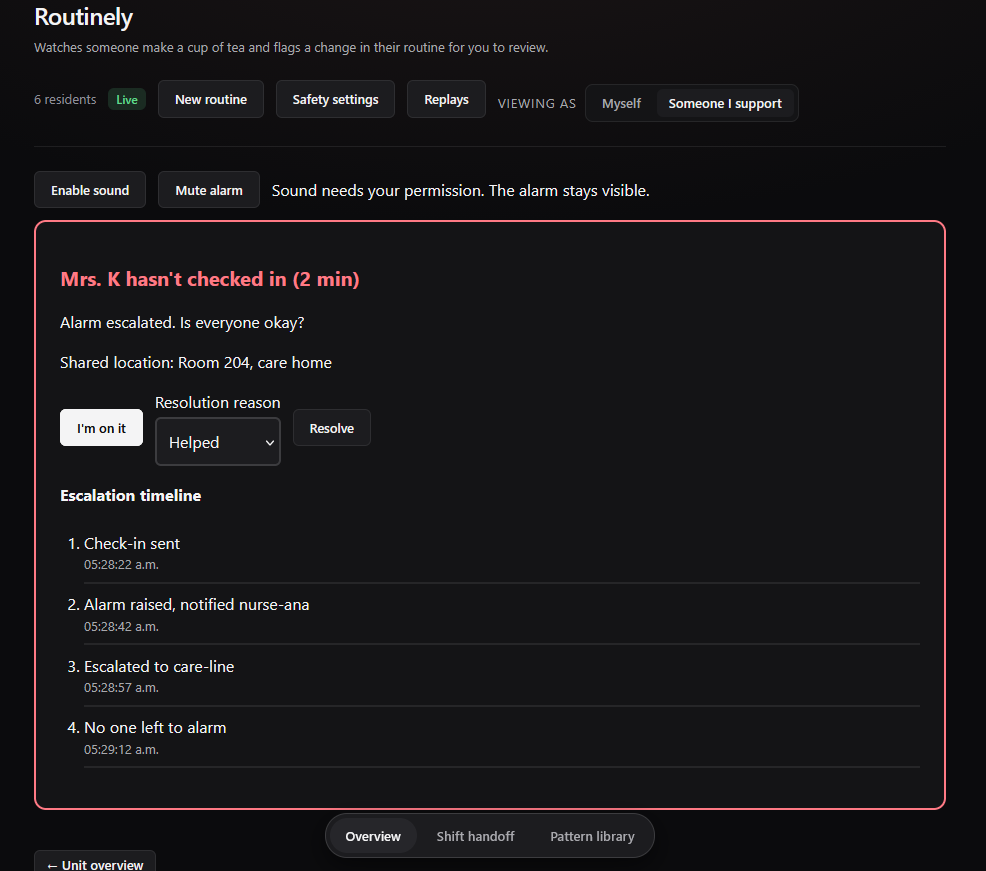
- Safety check-ins: when an alert fires, the person is asked to check in. If they don't, their supporter gets an alarm, then the next supporter. There's a safety PIN, a duress PIN that looks like a normal cancel but silently asks for help, a server-side countdown that survives a dropped connection, and per-supporter sharing permissions.
- Routine builder: describe a new routine in words, or show it once in a setup clip (Gemini, opt-in, not stored), and get an editable step graph that the whole pipeline understands.
How we built it
- Capture: OpenCV and MediaPipe for pose and hands. We filmed and labelled our own clips in Roboflow and trained a YOLO11 detector locally on an NVIDIA RTX 5060, exported to ONNX and run on the laptop with ONNX Runtime. No hosted inference.
- Recognition: reusable action building blocks (pick up, put into, pour, open, close, shake, bring to face) over hand–object contacts, so a new routine is a YAML file, not new code.
- Backend: Python and FastAPI, with REST plus a WebSocket for the live view. Error rules, the personal baseline and change detection are plain, testable functions. Sessions, steps and errors are stored as time series in Tiger Data (TimescaleDB).
- AI: Gemini verifies uncertain steps and drafts routines from video. Claude writes evidence-only summaries and drafts routines from text. Both sit behind fakes and an on-disk cache, so the demo runs fully offline.
- Frontend: React 19, TypeScript and Vite, with a dark design system, hand-built SVG charts and Web Audio alarms.
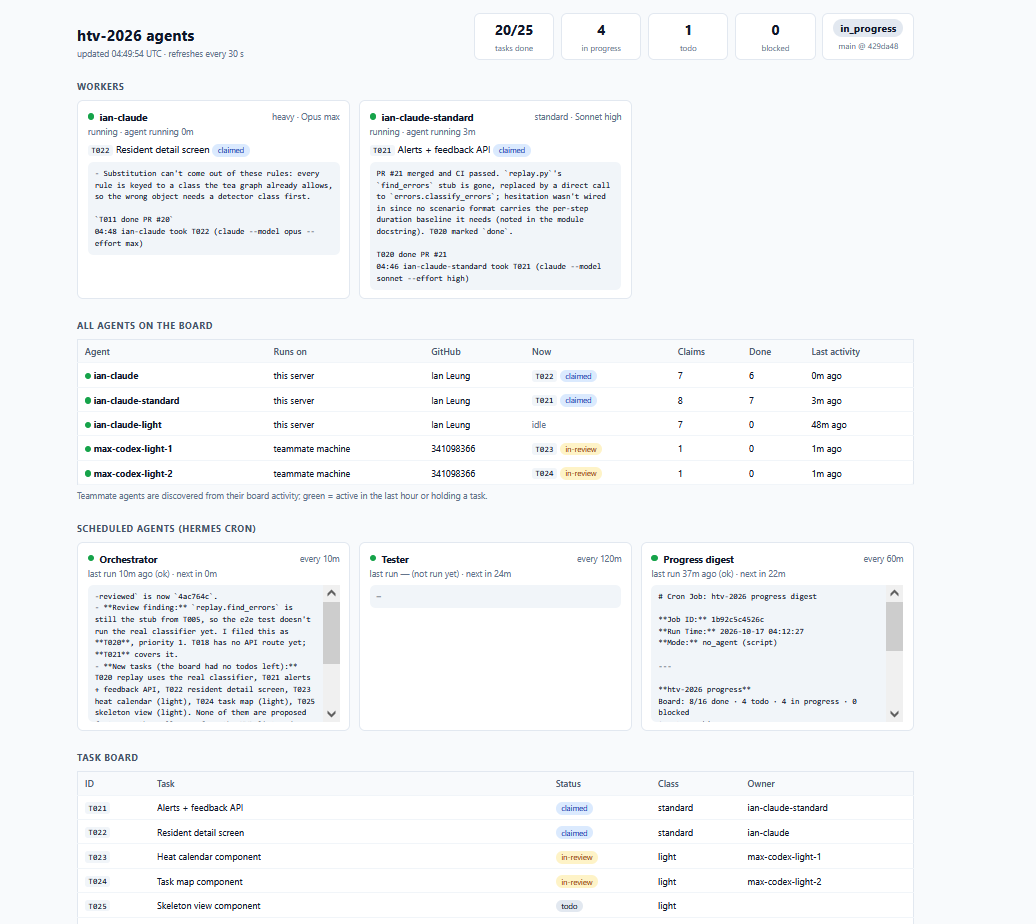
- Process: we wrote the spec, architecture and design ourselves, and used AI coding agents coordinated by Hermes to speed up implementation. Every change went through tests, end-to-end replays of recorded scenarios and CI before it merged.
Challenges we ran into
- Telling similar objects apart: our first detector kept confusing the shaker with the water bottle and the protein tub. The confusion matrix made the problem obvious, and more targeted clips, consistent labels and empty-scene frames fixed it.
- Errors versus normal variation: people do steps in different orders, pick things up twice and pause. Modelling routines as dependency graphs, with optional and repeatable steps, was what made the alerts trustworthy.
- False alarms: a single bad day shouldn't alarm anyone, so the flag needs two unusual sessions against a personal baseline, and nurse feedback moves the threshold.
- Privacy versus a convincing demo: we wanted judges to see the kitchen without breaking "no video leaves the device". So the camera preview is served only to the same machine and never recorded, and everyone else sees skeletons.
- Real-world plumbing: webcams that WSL can't see, Windows line endings breaking scripts, and an LLM reply format that changed under us.
Accomplishments that we're proud of
- A complete loop, live: camera → skeleton → steps → errors → baseline → explained alert → supporter feedback, with no video stored.
- A detector we trained ourselves on our own footage.
- Adding a new routine (protein shake) as data, not code, plus a builder that drafts one from words or a clip.
- Every alert explains itself, and the AI is only allowed to restate evidence.
- An offline evaluation harness that replays a synthetic cohort through the real pipeline, so we can measure catch rates and false alarms before any real-world testing.
- Safety check-ins covering all seven Project KAZE scenarios, simulated end to end.
What we learned
- Structure beats a bare LLM for spotting errors. Rules over a task graph, plus a personal baseline, are more reliable and explainable than asking a model "did something go wrong?". The model is better used to explain and to handle ambiguous cases.
- Data quality matters more than model size. Our detector improved most from better, more consistent labels, not a bigger model.
- Privacy is a design constraint, not a feature: deciding up front that only skeletons leave the device shaped every part of the architecture.
- Wording matters in health tools: "flagged for review" and "consistent with…" build trust in a way "diagnosis" never could.
What's next for Routinely
We want Routinely to be the quiet early-warning layer for anyone living independently or in care. People would choose which routines to watch, supporters would get alerts with evidence they can act on, and a care team could see trends across a unit. Then comes validation with occupational therapists and care homes: which changes in routines come before which health problems, and how early they can be caught.
Next steps
- Better UX: a smoother first-run setup, a clearer live view and alert screens that are even faster to read, tested with older adults, carers and nurses.
- More customization and configuration: let people and supporters tune everything themselves (which routines to watch, steps and objects, sensitivity and alert rules, check-in timings, who is notified and what they can see) from the app.
- Pilot study: a consented pilot with a care home or OT clinic, measuring real catch rates, false alarms and lead time against the CAM screen.
- More routines: dressing, taking medication with water, brushing teeth, each built in the routine builder and checked by an OT.
- Real accounts and linking: move invites and supporter links from the browser to the server, with proper consent records.
- Real notifications: phone push and SMS escalation for check-ins, plus wearable signals as an optional input.
- Robustness: better pose accuracy for people using walkers and wheelchairs, low-light capture, and a smaller on-device model.
- Care-record context: connect medication changes, temperatures and fluid intake to alerts, with permission.
Built With
- claude
- codex
- docker
- fastapi
- gemini
- mediapipe
- onnx-runtime
- opencv
- pydantic
- python
- pytorch
- react
- roboflow
- tiger-data
- timescaledb
- typescript
- ultralytics
- uvicorn
- vite
- websockets
- yolo


Log in or sign up for Devpost to join the conversation.