-
-
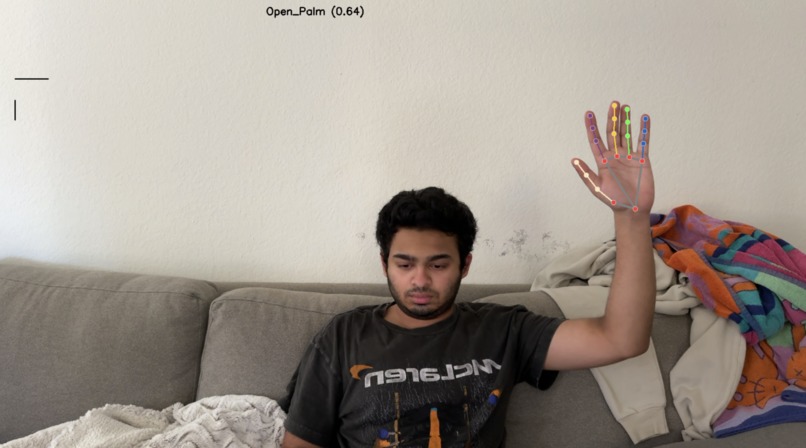
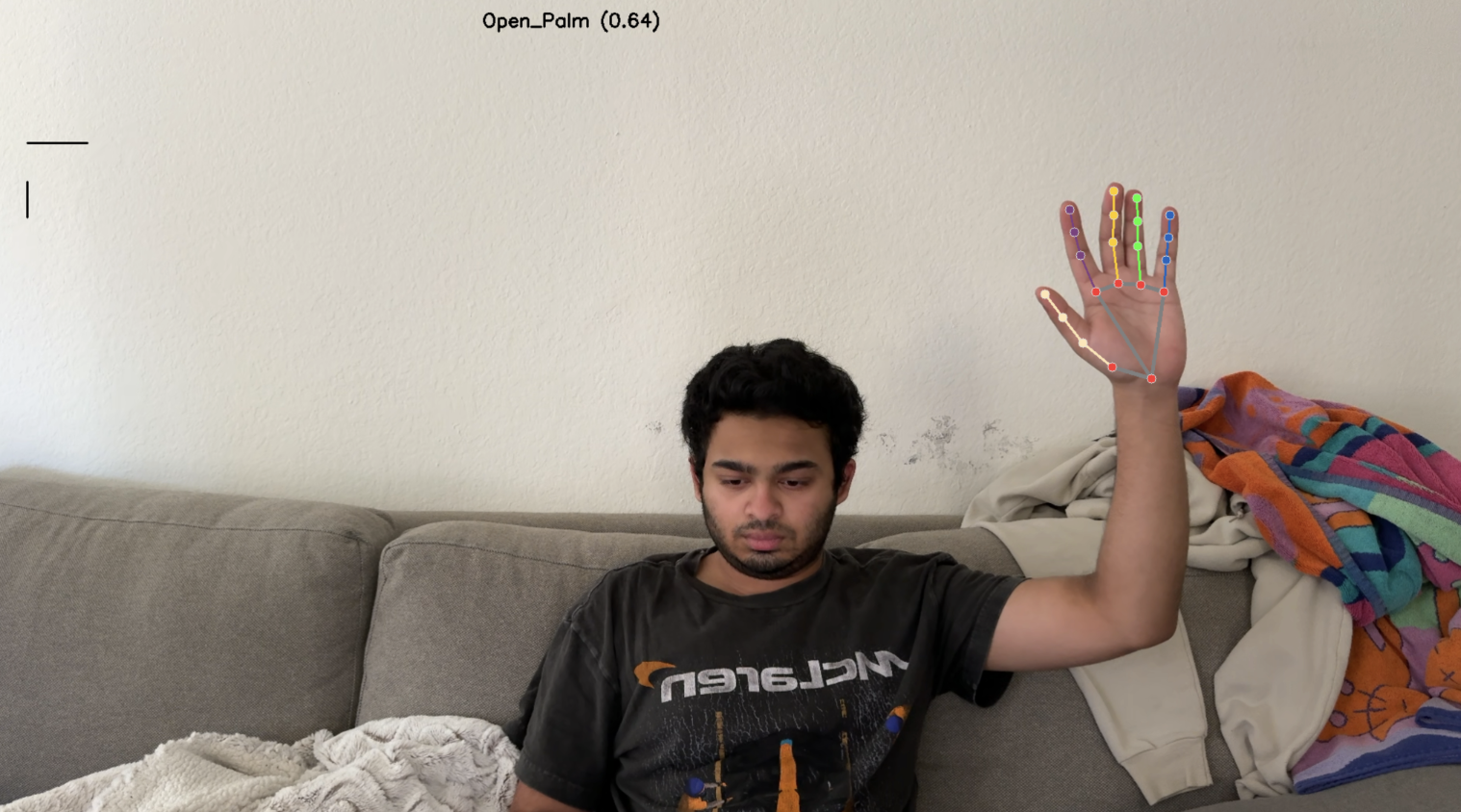
MediaPipe gesture recognizer with one hand
-
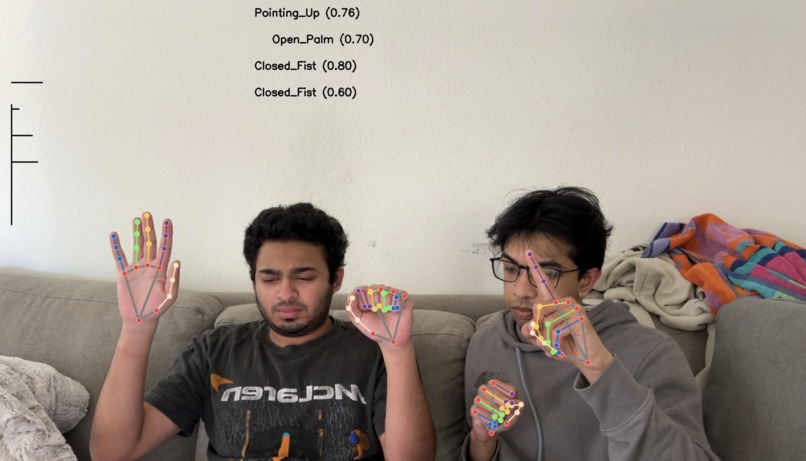
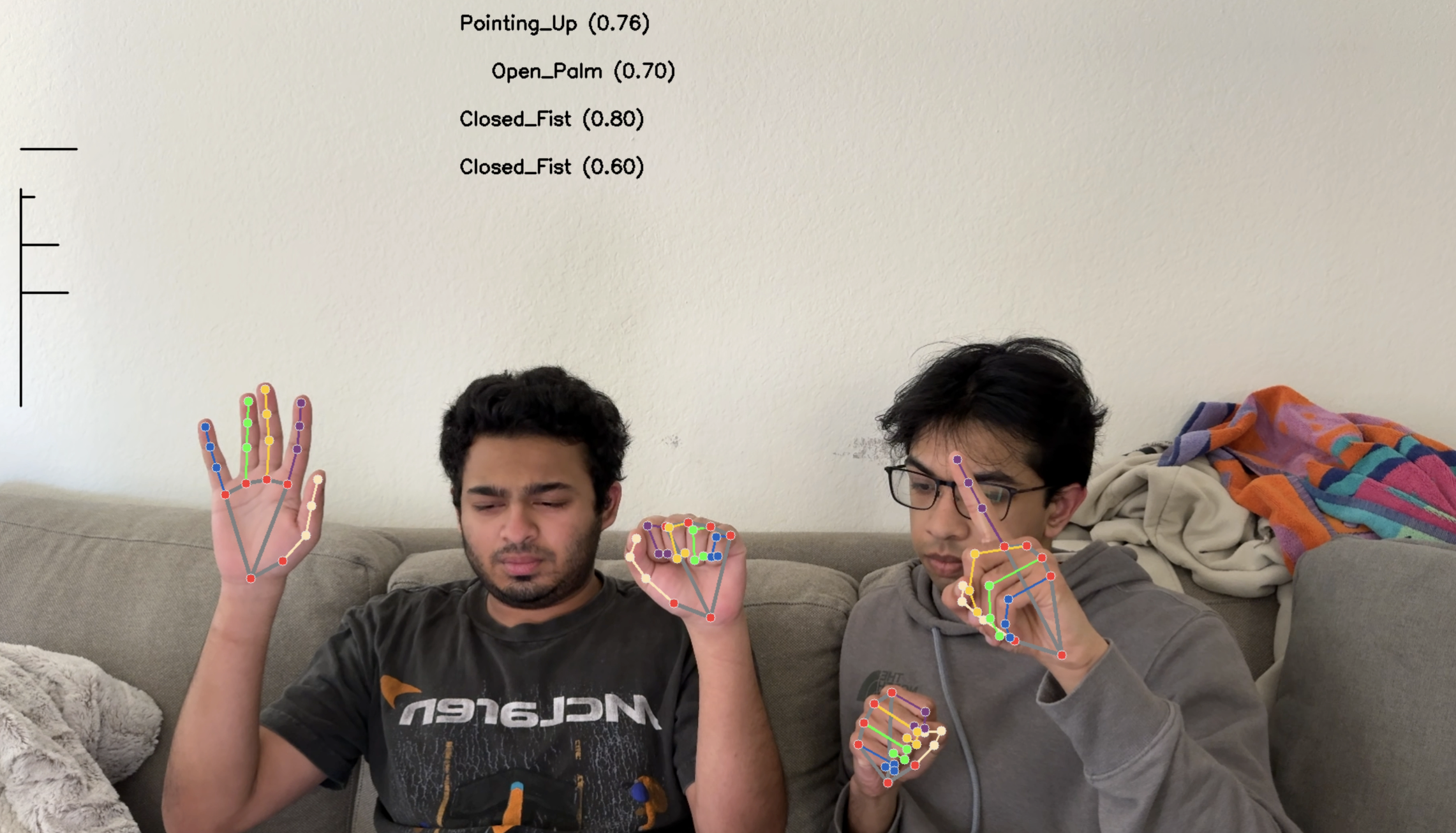
MediaPipe gesture recognizer with four hands
-
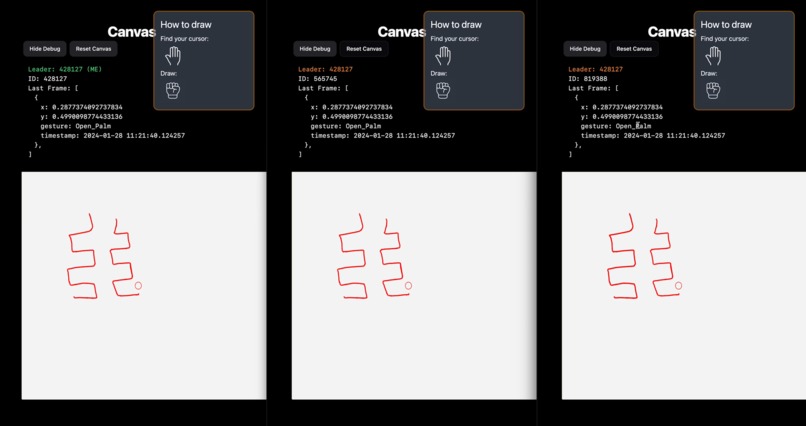
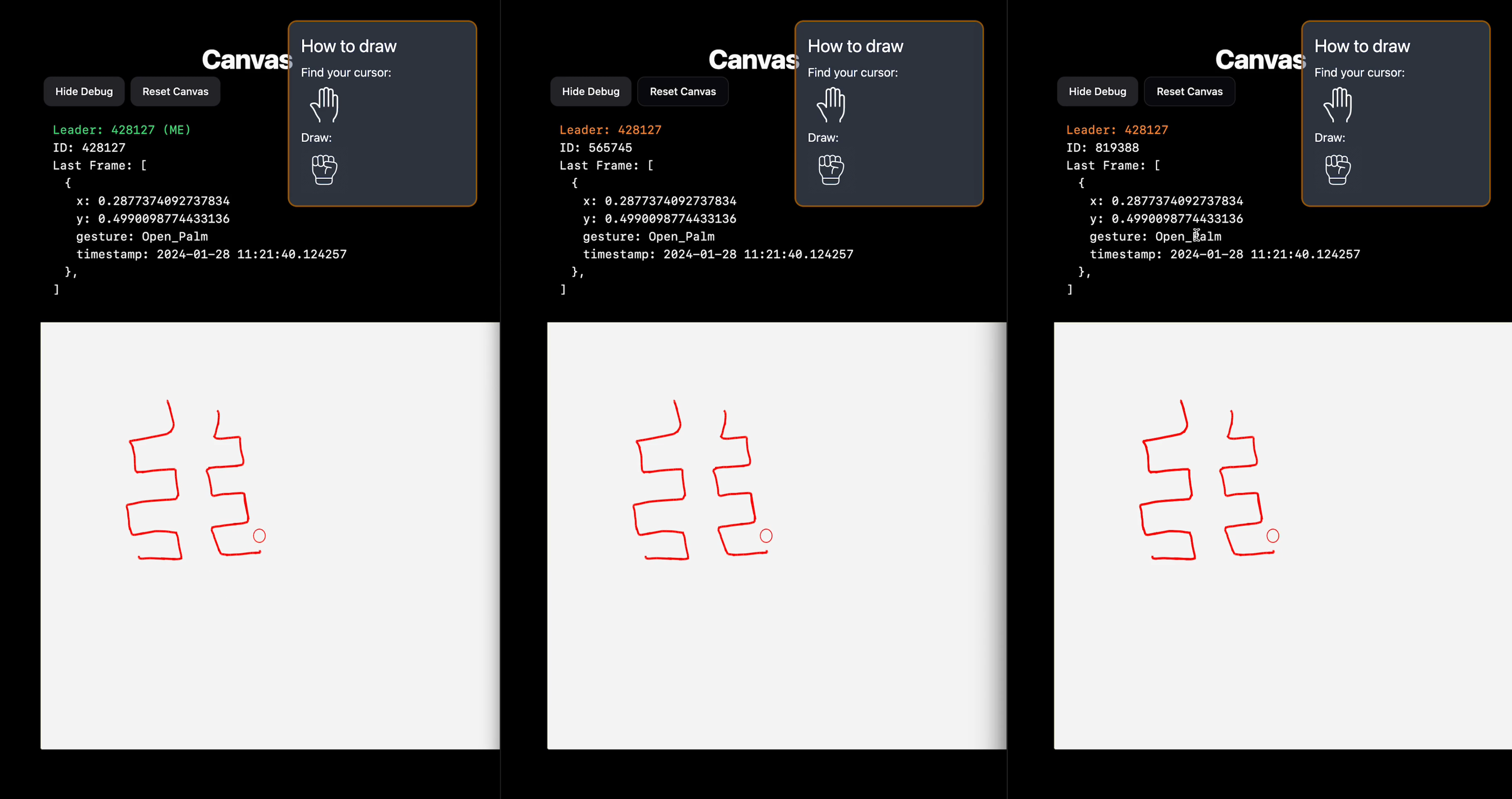
Canvas syncing across multiple clients through a Leader-Follower consensus protocol
-
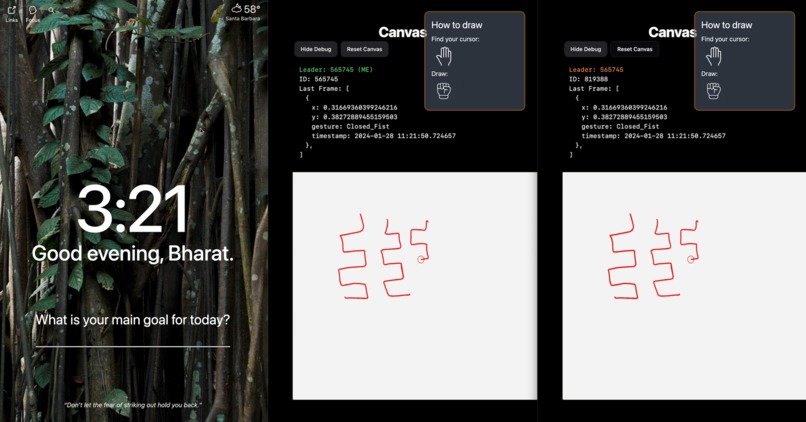
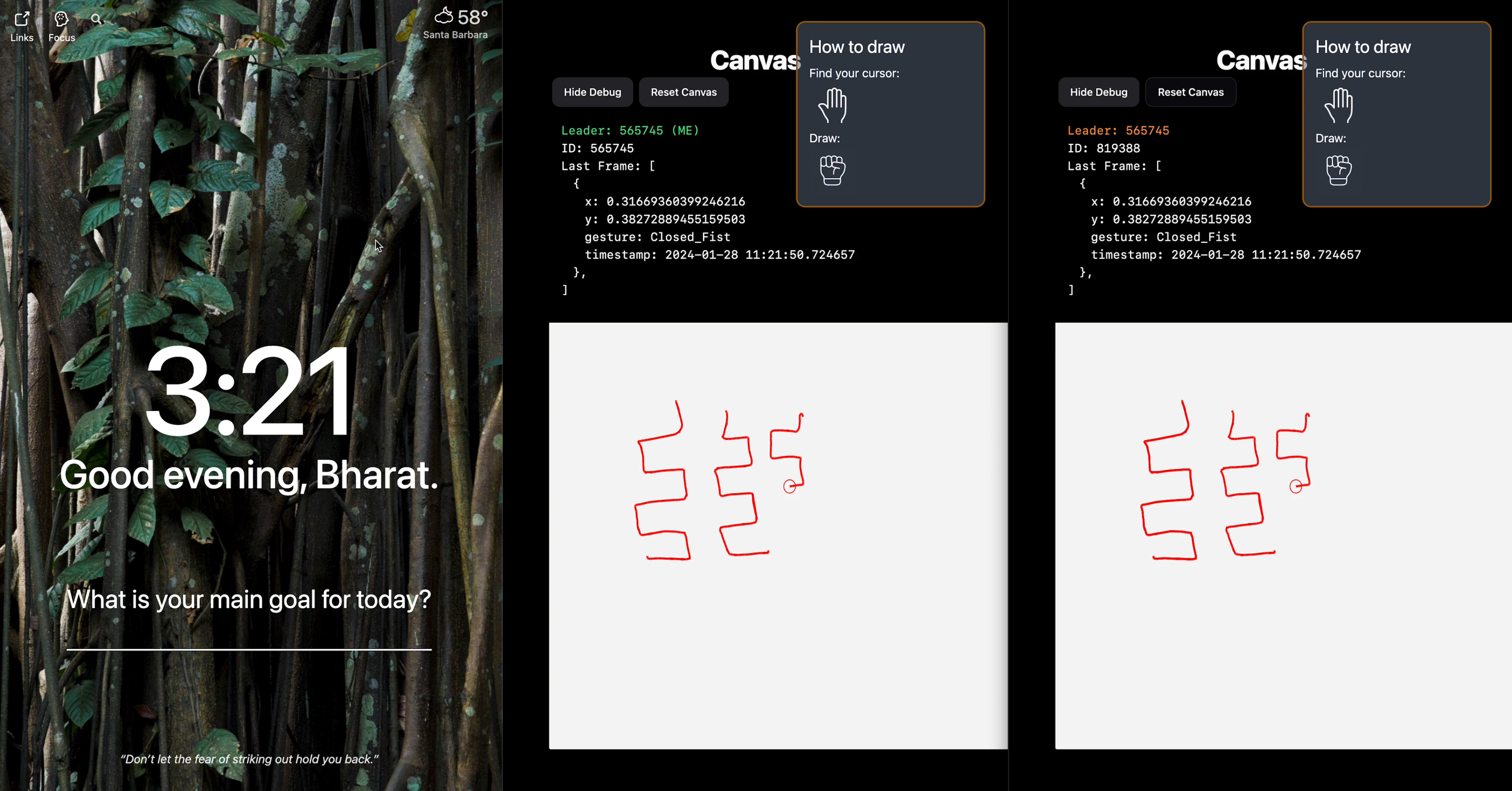
Canvas adapting to client disconnect and correctly syncing state from new Leader
Inspiration
Have you ever noticed that some of your best ideas come to you when you're not confined to a desk or chair? For many, the simple act of standing up and moving around can be a catalyst for creative inspiration. We believe that the flow of ideas should be as dynamic as the process itself. That's why we embarked on a mission to reimagine idea generation in a way that seamlessly integrates movement, collaboration, and visualization.
What it does
Our app allows multiple users in a 3D environment to brainstorm on a collaborative canvas using only their hand gestures. Upon detecting a user's hand in the camera frame, each hand gets assigned a color and a corresponding cursor on the display, which allows an intuitive collaborative experience for multiple users. With the point of a finger, users can draw on the shared canvas.
To ensure a quality shared experience, our app allows multiple users to view the shared canvas. Users don’t have to worry about their work disappearing because each canvas is saved and loaded onto new clients until the lead user resets the canvas.
Each user gesture is tied to a drawing action:
Pointing: Draw
Zot: Change color
Fours: ….
Zot: …
How we built it
The backend takes in a camera stream, then leveraging MediaPipe, we extracted hand keypoints as model inputs. The model uses a keras neural network given the context of hand gesture recognition. It's been trained to identify different classes, labeled 0 through 9, which could correspond to different hand gestures from just pointing an index finger to the Zot Anteater hand gesture. The model receives input features, possibly the coordinates of hand keypoints detected by MediaPipe, and outputs a class prediction. Our approach involved designing a dynamic MLP, experimenting with neuron counts and activation functions to fine-tune performance. We utilized backpropagation paired with optimizers like SGD or Adam, refining weights to minimize loss. Here are some of our metrics:
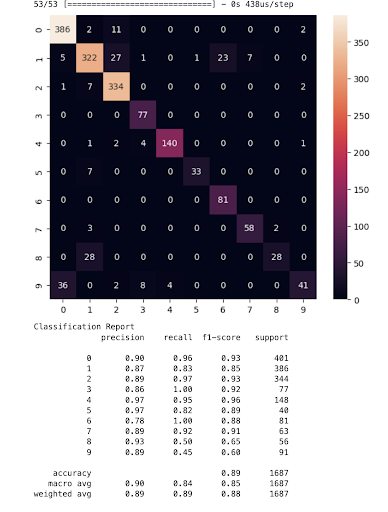
We were able to get 85-95% accuracy when classifying gestures which is amazing for such a lightweight model that could run on an older iPhone!
From there the server continuously sends a list of hand objects that contain coordinates of the actual hand in the camera view as well as the gesture to the frontend through a websocket connection. The frontend then maps the coordinates given to coordinates on an HTML canvas. Based on the gesture detected, it draws lines on the canvas following the hand coordinates. Since multiple hands can be detected and sent simultaneously, the frontend can render multiple people drawing at the same time. We wanted the frontend to be accessible from multiple devices at the same time so that people from all over can see the drawings being updated in real time. To accomplish this, we used Google’s Cloud Firestore to sync the state of the canvas across frontend clients.
Challenges we ran into
Allowing multiple clients to connect to the same backend and see the drawings being updated in real time proved to be a much more difficult task than we initially anticipated. At first, we simply had all clients connect to the backend websocket endpoint. However since the backend only keeps track of the current hand position and gesture, it meant that new clients would only be able to display drawings on the canvas from the point they joined.
This video showcases this phenomenon: link
To solve this problem, we decided to use Google’s Cloud Firestore to store the state of the canvas so that new clients can fetch the existing drawings on their initial load. With multiple clients, we need to make sure that only one of them is updating the canvas state in Firestore. Then when a new client connects, it can fetch the existing canvas state from Firestore and carry on receiving the new hand coordinates from the backend and update its own canvas accordingly.
But what if the client in charge of updating the canvas state on Firestore disconnects? We need a way to make sure that the client in charge of updating Firestore is dynamically decided based on which clients are connected at any given moment. To accomplish this, we created a sort of consensus protocol.
Our system works by having each client assign itself an ID and update a document on Firestore every half second. The backend server checks which clients are connected by seeing how many client documents have been updated in the last second. Then it randomly picks one to be the “Leader”. This is the client that will be updating the canvas state on Firestore. If the client disconnects, it will stop updating its document on Firestore. The server checks for stale client documents every quarter-second and will delete them. If a client document being deleted is marked as the leader, then a new leader will be randomly selected from the remaining connected clients. Since Firestore allows us to listen to updates of certain documents in real-time, the clients will be notified whenever a new leader has been selected. Finally, the new leader will start updating the canvas state on Firestore. This whole cycle continues until all clients are disconnected, at which point the server will reset the canvas state (erase everything) on Firestore.
This video showcases our consensus protocol in action: link
Accomplishments that we're proud of
During the hackathon, our focus was on the technical development of a custom hand gesture recognition model. We tackled the intricate task of data annotation, ensuring our model had a solid foundation for learning. Our iterative approach to refining the model's architecture, tweaking layers, and neurons, was both a huge challenge as we had never implemented our own models before. We also devoted considerable effort to feature engineering, leveraging keypoints to enhance the model's interpretive accuracy. The balance between precision and recall was a persistent theme, guiding our optimization strategies as we pursued an effective and efficient algorithm. All of us can now say we have worked on a pretty cool Computer Vision project which is cool
What we learned
This project was the first time any of us used the HTML canvas, so we learned a lot about its API and its various quirks. One specific quirk we discovered was sizing the canvas across devices. We needed to maintain a constant aspect ratio so that the camera hand coordinates could scale properly to the window sizes of different devices. The Canvas API was a little finicky regarding this so we had to play around with different CSS properties to finally get a consistent user interface across devices. What's next for the Canvas? We would like to expand our current functionality with the ability to change brush sizes, colors, and shapes. Deployment, persistence, dynamic displays.
What's next?
Firstly, we aim to bring more tools into Canvas. After fine-tuning our model with new gestures, we are ready to expand the current functionality of Consensus Canvas.


Log in or sign up for Devpost to join the conversation.