Inspiration
WinReclaim started because my Windows drive was nearly full, and I could not understand what was consuming the space.
My first suspicion was WhatsApp. I assumed years of downloaded media and cached files had quietly taken over the drive, so I used Codex to investigate the system, inspect large folders, trace which tools owned them, and determine what could be removed safely.
WhatsApp was using only around 766 MB.
The real storage pressure came from everything I had accumulated as a developer:
- local AI models
- Hugging Face caches
- Android emulators
- Docker data
- Gradle and npm caches
- Rust build targets
- Python virtual environments
- generated project output
- temporary Windows files
The investigation eventually reclaimed approximately 27.55 GB without deleting my projects or Ollama models.
It also consumed a significant portion of my Codex limits.
I kept asking the same kinds of questions:
What created this folder?
Is it a cache or important application data?
Is it safe to remove?
Will it need to be downloaded again?
Can I restore it later?
That made me realise the problem was not simply deleting files. The real problem was understanding storage ownership, consequences, and recovery.
I built WinReclaim so another user would not need to spend hours—or AI limits—manually investigating their own drive.
WinReclaim was built for OpenAI Build Week — July Edition with GPT-5.6 Sol. GPT-5.6 Sol and Codex assisted the development process, but the finished application does not depend on the OpenAI API. Its assistant inference runs locally with Qwen.
What it does
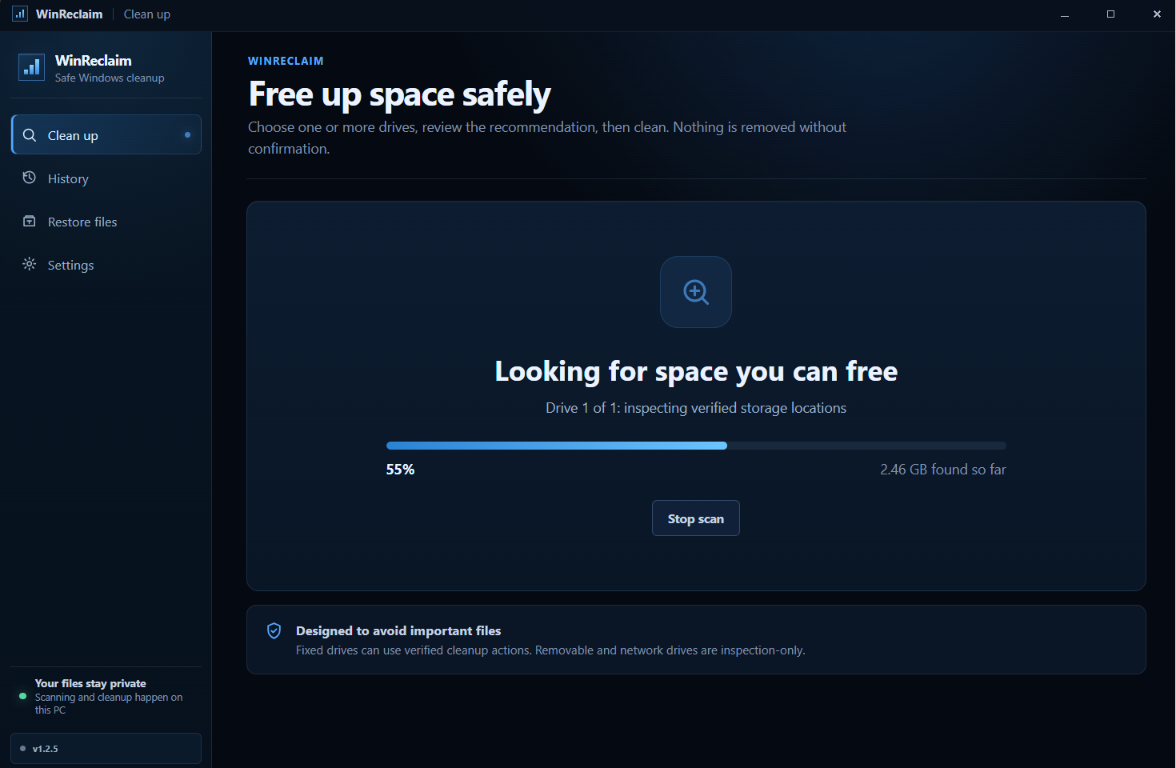
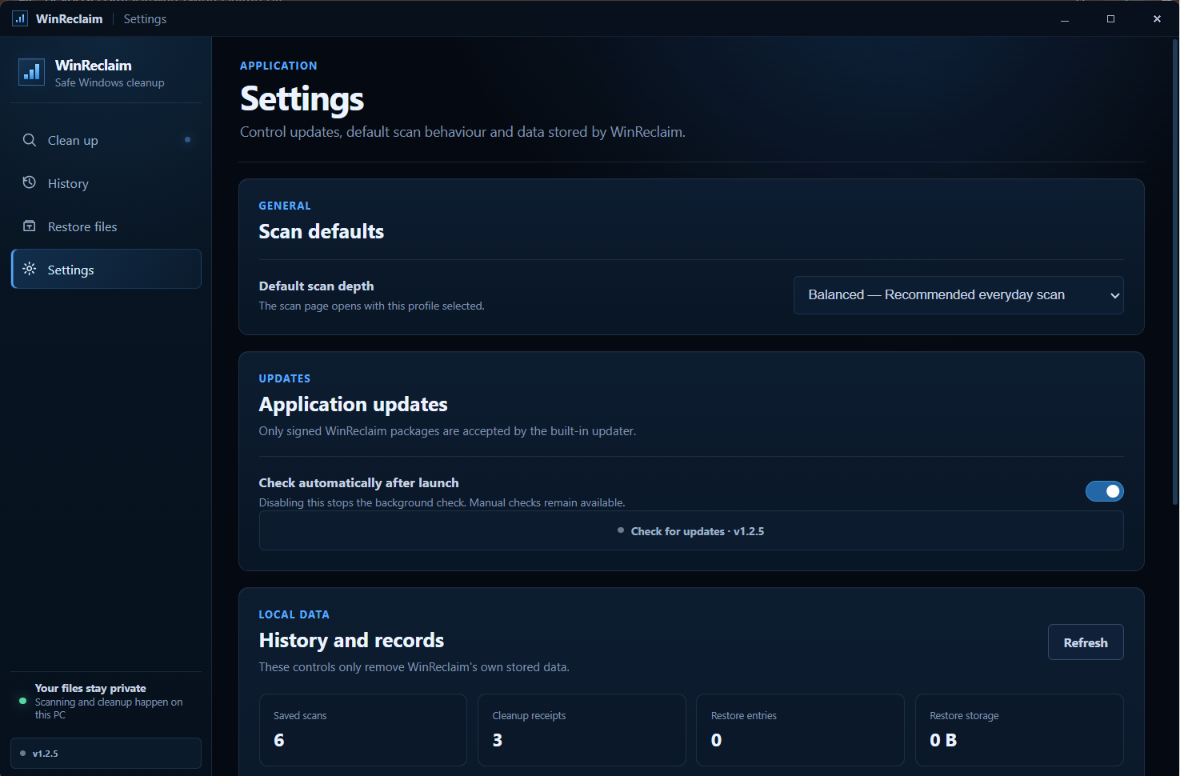
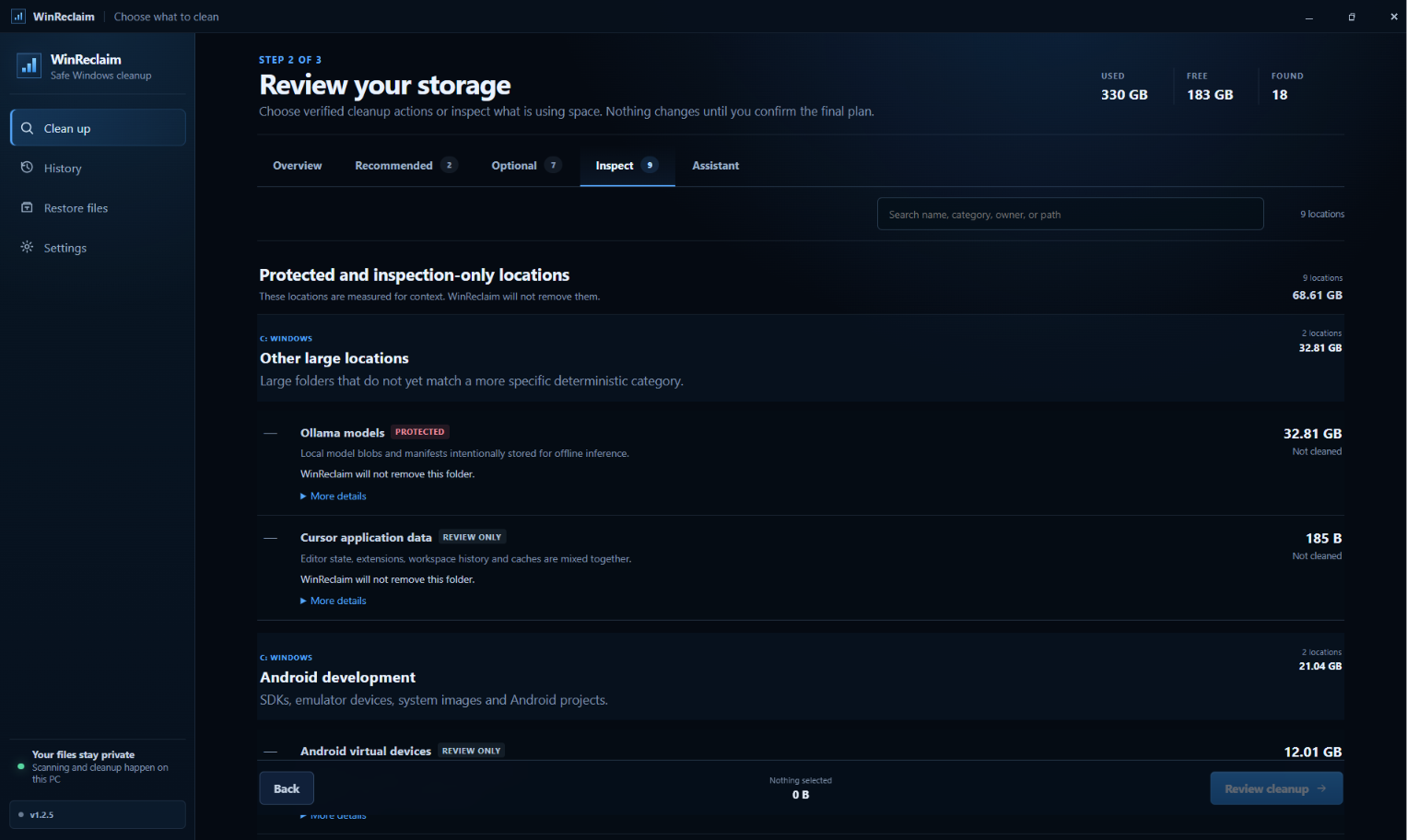
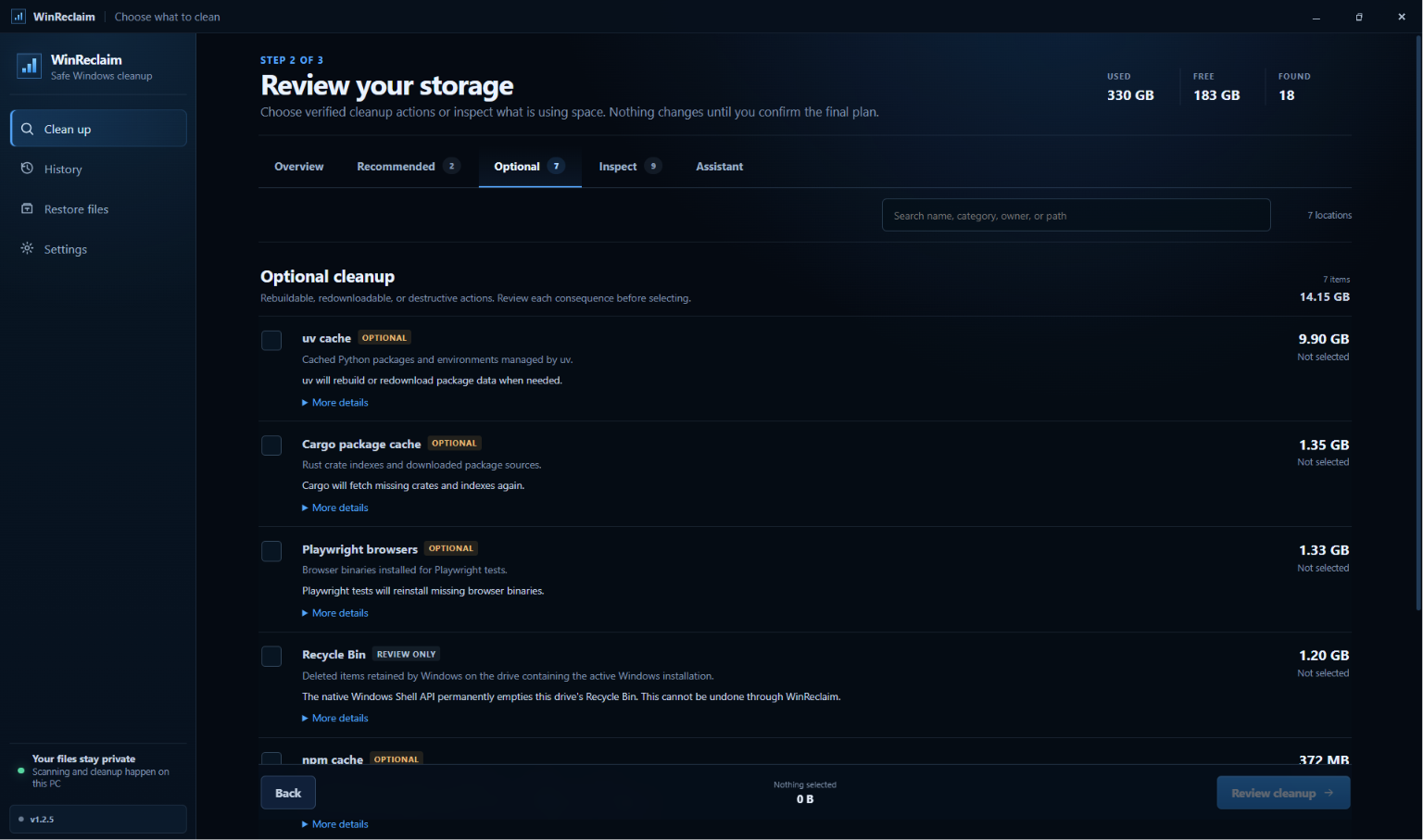
WinReclaim is a local-first Windows storage intelligence application.
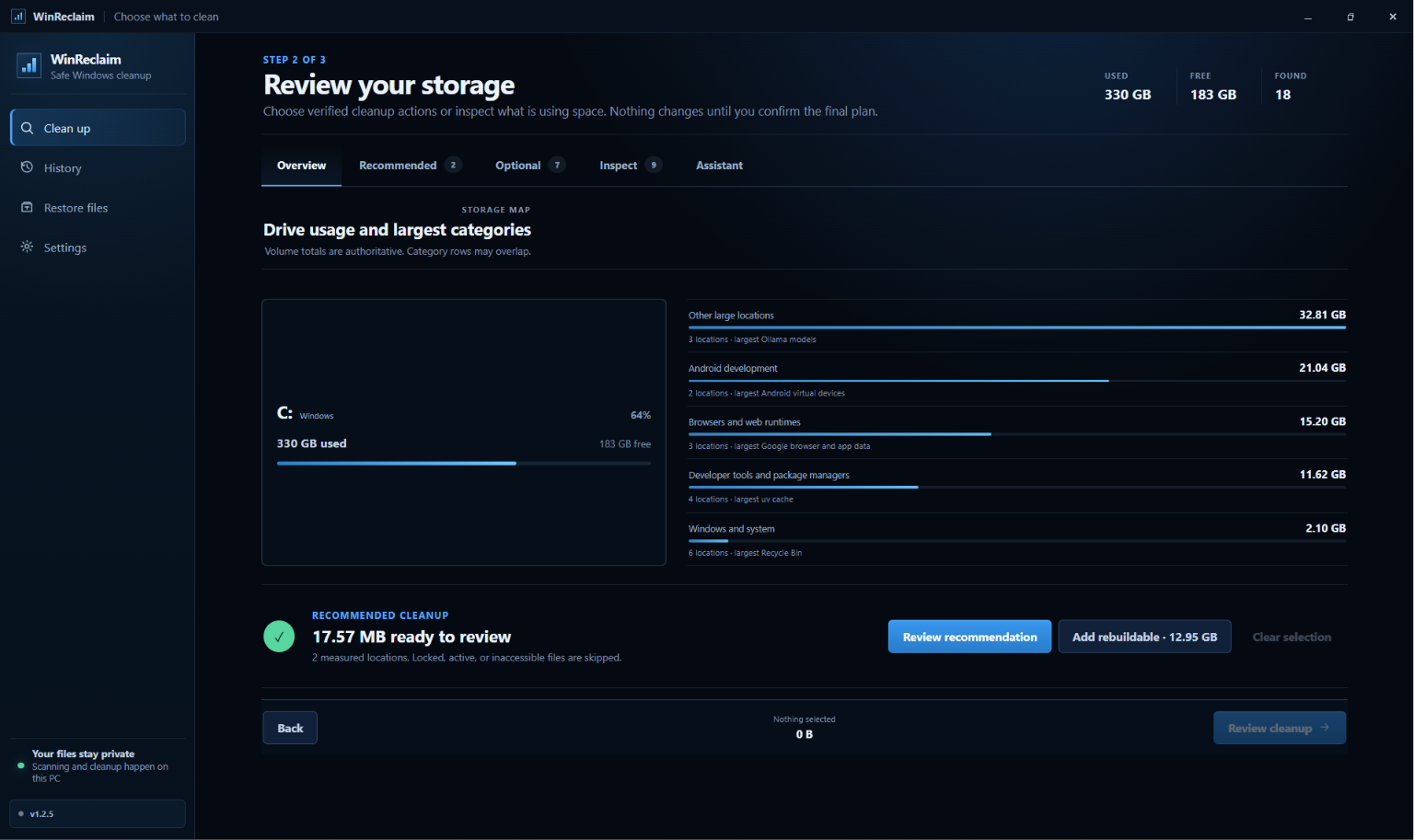
Instead of presenting a generic list of large folders, it explains:
- what is consuming disk space;
- which application or development workload likely owns it;
- what changed since an earlier scan;
- whether the data is eligible for cleanup;
- whether it must be restored, rebuilt, or downloaded again;
- whether the operation can be reversed.
Storage Time Machine
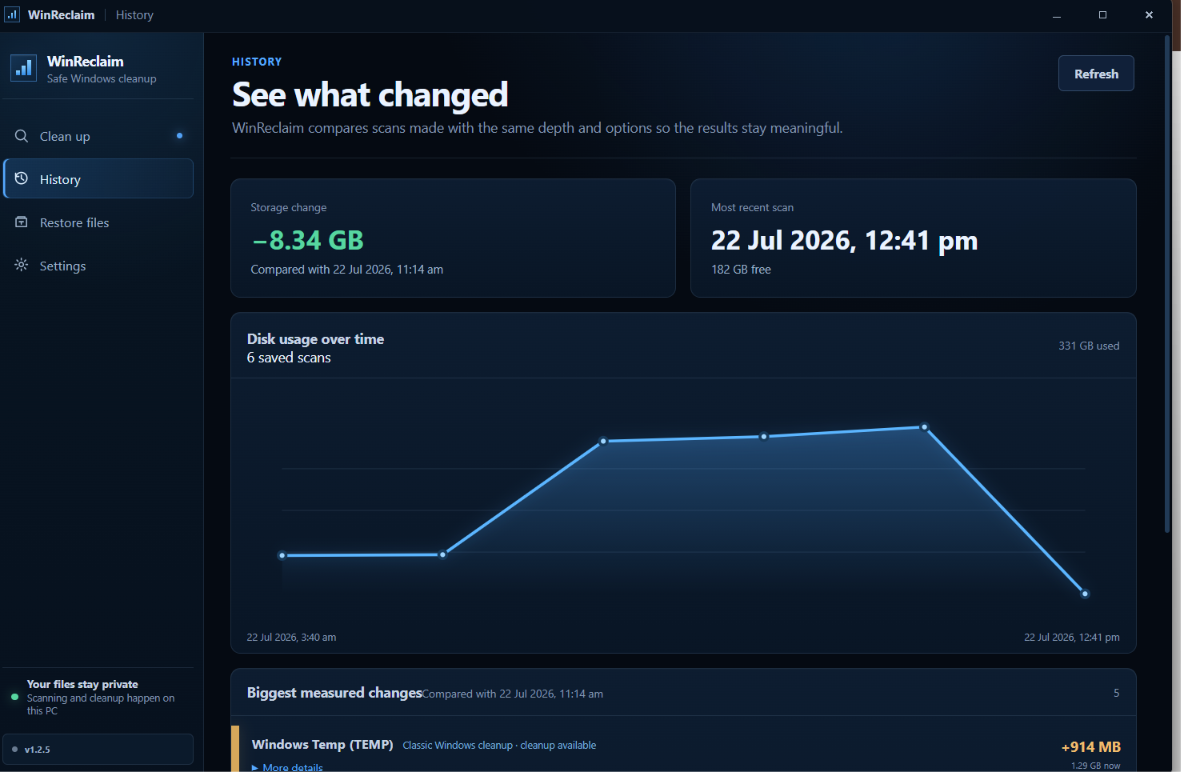
Every completed scan creates a local snapshot. Compatible scans can be compared to show which storage areas have grown or shrunk over time.
This helps identify growth from development tools, package caches, local models, Android environments, Docker data, browser caches, and generated project output.
Reclaim Passports
Each recognised finding receives a passport describing:
- its likely owner;
- the evidence used to classify it;
- its safety class;
- whether cleanup is reversible;
- whether the data must be rebuilt or downloaded again;
- the consequences of removal.
Reclaim Simulation
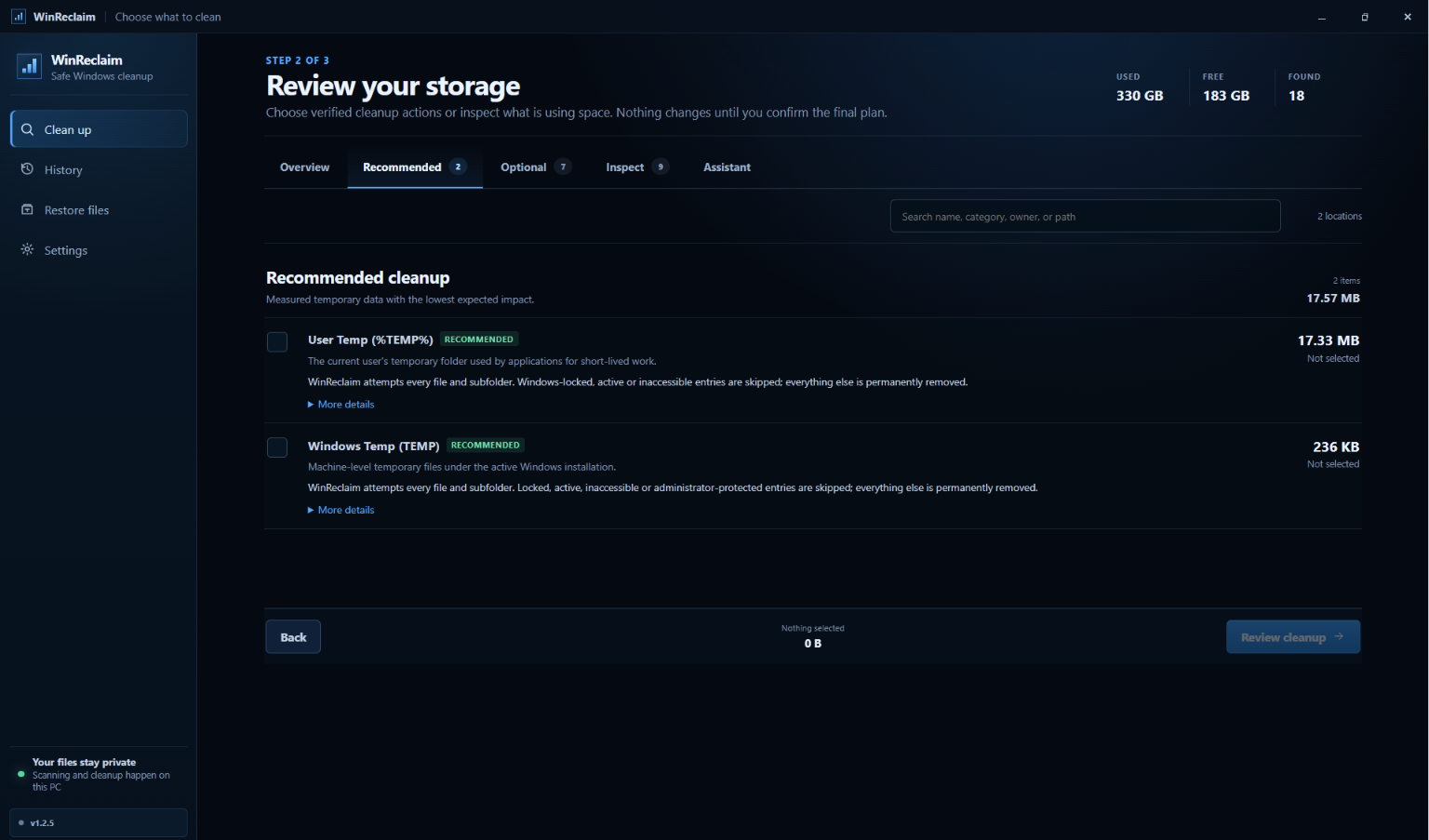
Before execution, WinReclaim creates an immutable cleanup plan showing:
- estimated reclaimable storage;
- projected free space;
- reversible, rebuildable, redownloadable, and irreversible portions;
- the number of affected actions;
- any protected findings involved.
After execution, the receipt records the actual disk-space change measured by Windows.
Safe Undo Vault
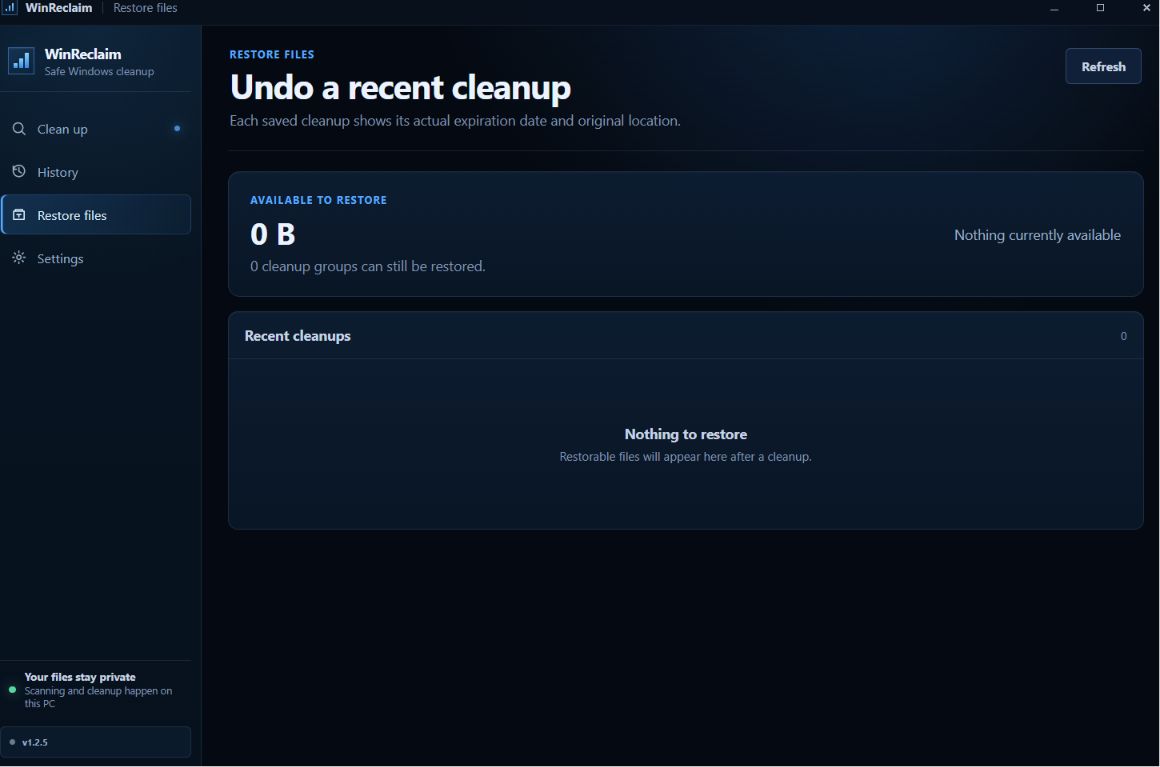
Eligible temporary files and crash dumps are moved into a compressed local vault instead of being immediately destroyed.
Vault entries preserve their original relative paths and can be restored without overwriting files that already exist.
Deterministic cleanup
The frontend cannot submit arbitrary paths for deletion.
Cleanup actions are implemented as compiled, allowlisted Rust adapters. Paths are validated again immediately before execution, and protected findings cannot become executable cleanup actions.
Local Storage Assistant
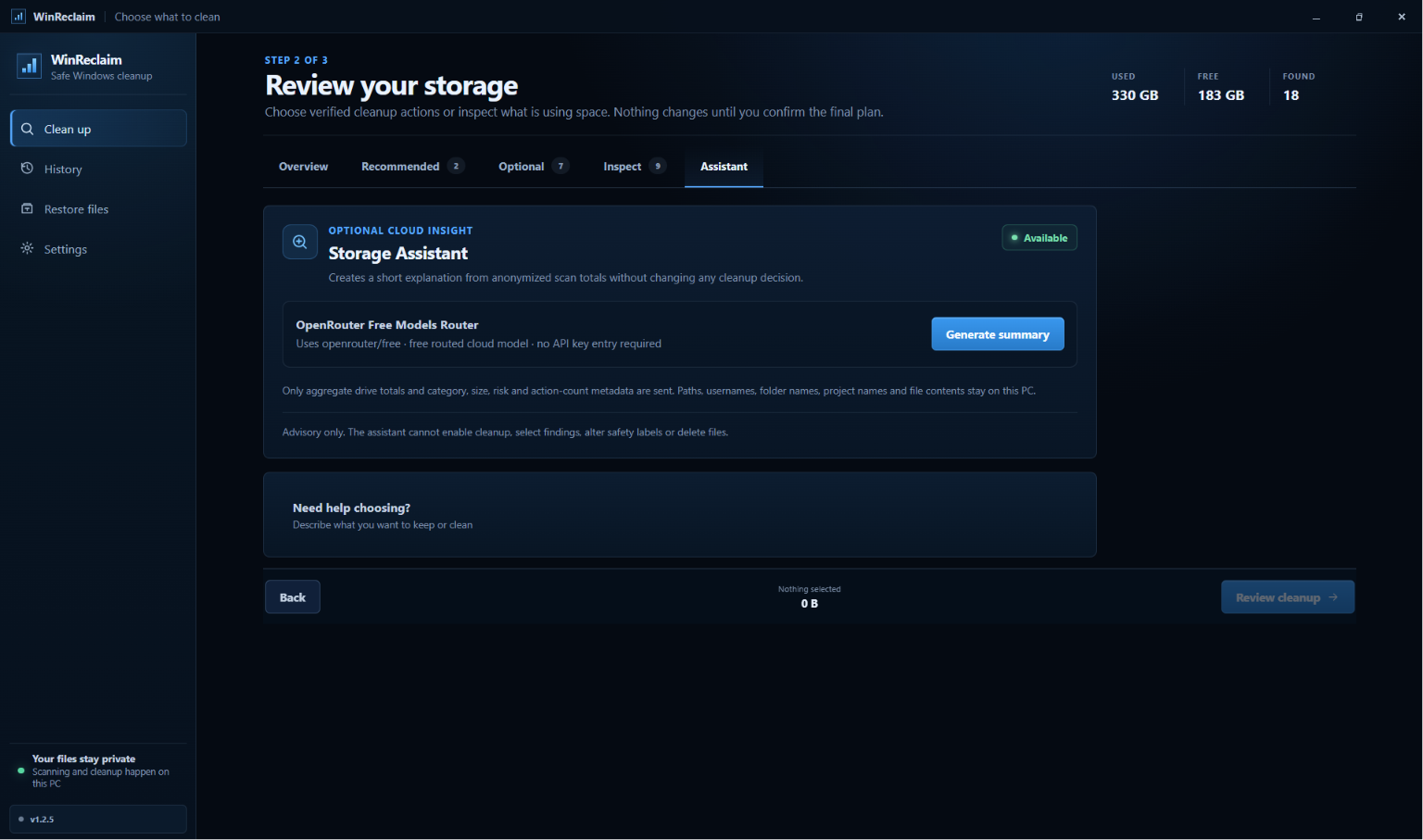
WinReclaim includes an optional local Storage Assistant based on Qwen3.5-2B, using a verified GGUF model and a pinned llama.cpp Windows CPU runtime.
The model is downloaded only after explicit user confirmation and is verified before use.
The assistant can:
- summarise a completed storage scan;
- identify the largest reported areas;
- suggest clearer labels for ambiguous folder names;
- group findings into understandable categories;
- explain likely ownership with an explicit confidence value.
It cannot:
- inspect file contents;
- calculate storage sizes;
- change safety classifications;
- enable cleanup actions;
- select findings for deletion;
- create cleanup plans;
- execute cleanup;
- override protected data.
All model inference happens locally on the user's machine. WinReclaim does not require an OpenAI API key.
How I built it
WinReclaim is a Windows desktop application built with:
- Rust for scanning, classification, safety enforcement, cleanup planning, execution, receipts, vault management, and Windows integration;
- Tauri 2 for the native desktop shell and signed updates;
- React and TypeScript for the interface;
- Vite for frontend development and production builds;
- Qwen3.5-2B for the optional local Storage Assistant;
- llama.cpp as the local CPU inference runtime;
- GitHub Actions for validation and signed Windows releases;
- Vercel for the project landing page.
The frontend communicates with Rust through typed Tauri commands.
A scan produces structured findings. Deterministic rules classify those findings, and the planner resolves selected finding IDs against the current scan. It then serialises and hashes the cleanup plan.
Execution requires both the plan ID and the matching plan hash. This prevents cleanup targets from being silently changed after the user reviews the plan.
External tools are launched with explicit argument arrays rather than user-controlled shell strings. Filesystem actions reject unsupported targets, protected roots, symbolic links, and Windows reparse points.
Challenges I faced
Large does not mean disposable
An Ollama model, Android emulator, browser profile, package cache, virtual environment, and temporary folder can all occupy several gigabytes.
However, removing each one has very different consequences.
The difficult part was designing WinReclaim to explain those consequences instead of reducing everything to a misleading “clean” button.
Detecting unknown folders safely
Hardcoding every Windows application is impossible.
WinReclaim combines known rules with bounded dynamic discovery. Unknown folders can be displayed for inspection, but discovery alone never grants permission to delete them.
Generic cleanup is available only when a target matches a verified cache or project fingerprint and still passes the same checks immediately before execution.
Making undo truthful
Moving files to another directory on the same drive does not automatically free disk space.
The Undo Vault therefore uses NTFS compression and reports the measured net storage change.
Actions performed through package managers or external tools may not be reversible, so WinReclaim labels them as redownloadable, rebuildable, or irreversible rather than claiming that every action can be undone.
Keeping the local model advisory
The Storage Assistant is useful for interpretation, but it must never control cleanup.
The Qwen model receives structured scan metadata and returns advisory text. Rust validates its output, rejects unknown finding IDs and unsupported claims, and keeps every safety-critical decision outside the model.
Windows-specific behaviour
Windows cleanup involves:
- locked and inaccessible files;
- administrative permissions;
- filesystem reparse points;
- the native Recycle Bin API;
- Windows command shims;
- WebView2;
- MSI and NSIS packaging;
- updater signatures.
Handling these safely required significantly more work than recursively deleting directories.
What I learned
The main lesson was that storage cleanup is a context and trust problem, not merely a file-deletion problem.
Users need to understand:
- why a folder exists;
- which tool created it;
- whether it is still needed;
- what happens after removal;
- whether it can be restored;
- whether reported savings are estimates or measurements.
I also learned that local AI works best here as an interpretation layer behind deterministic boundaries.
Qwen can help explain confusing storage findings, but Rust remains responsible for scanning, measurement, classification, planning, validation, and execution.
Accomplishments that I am proud of
- Turning a one-time Codex-assisted investigation into a reusable Windows application.
- Reclaiming approximately 27.55 GB during the original cleanup.
- Building historical storage comparison rather than only a one-time scanner.
- Creating immutable, hash-verified cleanup plans.
- Implementing a compressed, restorable Undo Vault.
- Measuring actual free-space changes after execution.
- Running the assistant completely locally with Qwen and llama.cpp.
- Keeping the local model outside the cleanup authority boundary.
- Publishing signed NSIS and MSI installers with updater metadata.
- Creating complete architecture, security, contribution, licensing, testing, and release documentation.
What is next
Future development may include:
- faster NTFS-aware scanning;
- USN Change Journal support for incremental updates;
- improved tool ownership attribution;
- more compiled cleanup adapters;
- broader accessibility testing;
- expanded anonymised evaluation for the local Storage Assistant;
- more recovery and verification workflows;
- community detection rules that remain separate from executable cleanup code.
WinReclaim began because I wasted Codex limits trying to understand my own drive.
The goal is that the next person should not need to.


Log in or sign up for Devpost to join the conversation.