-
-
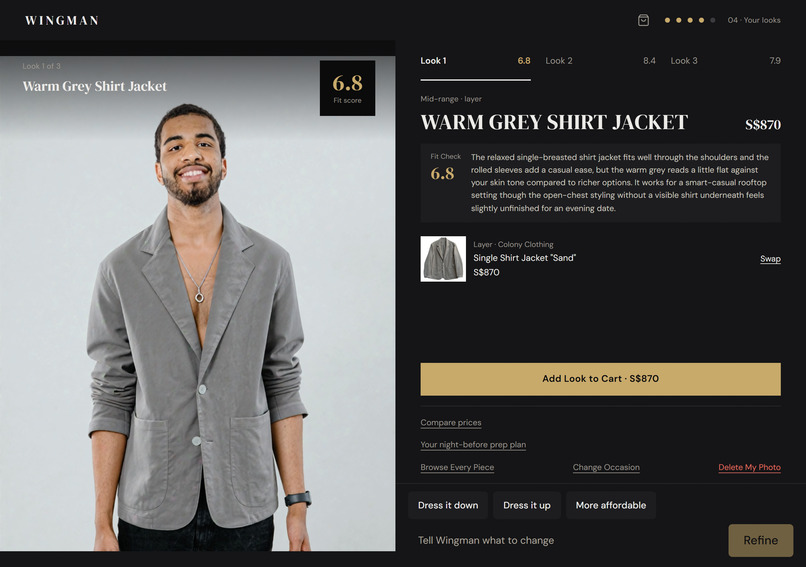
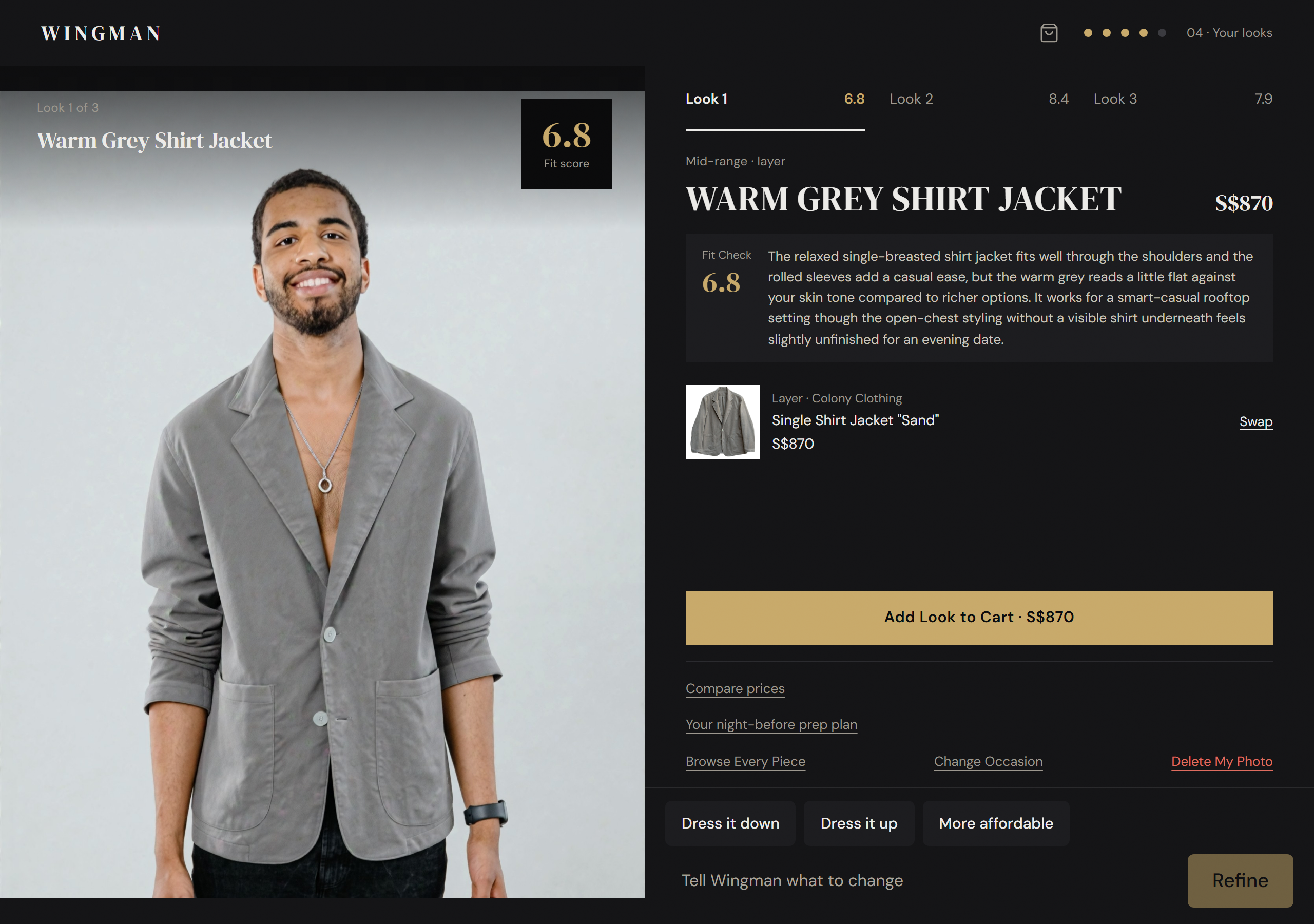
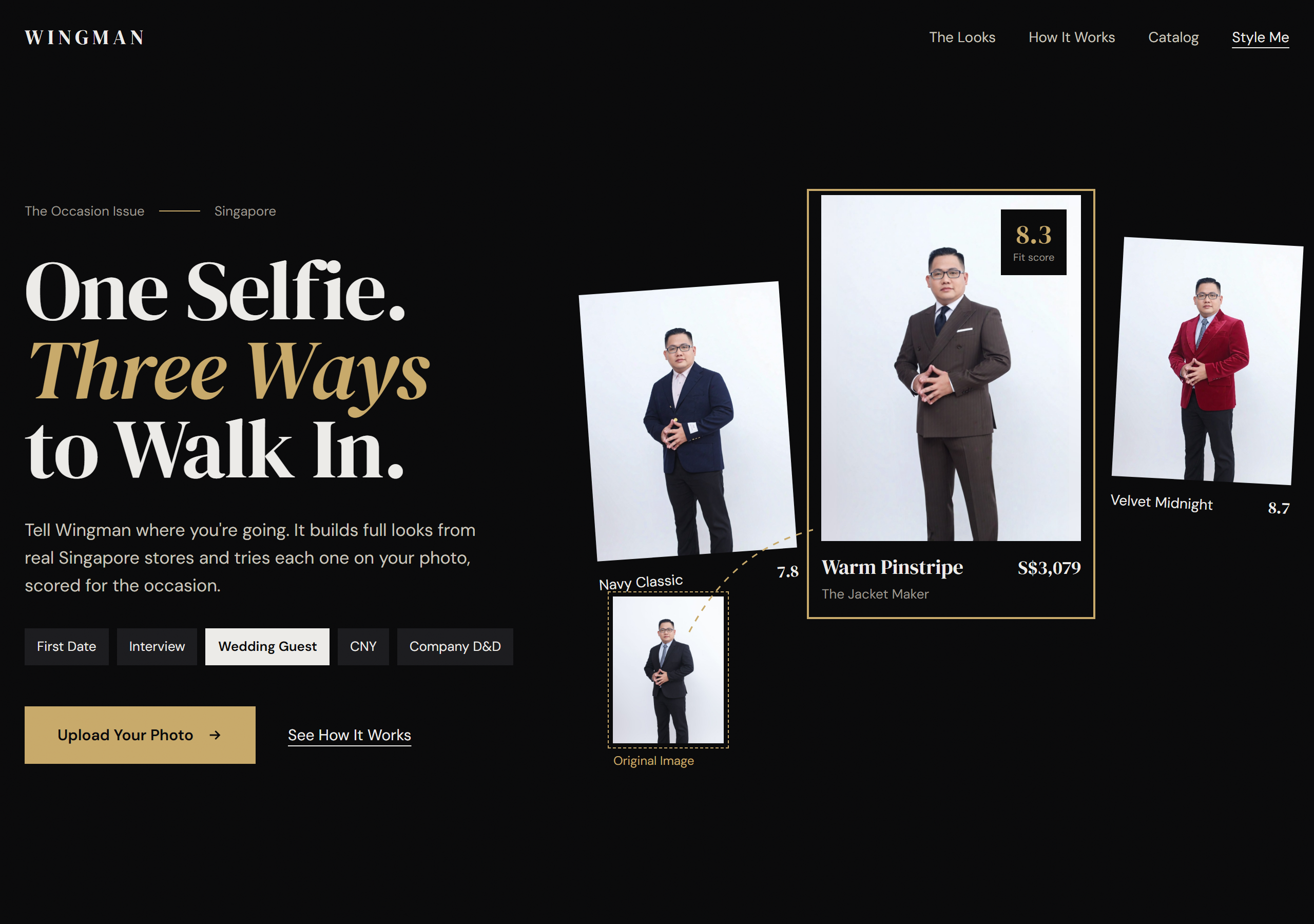
Complete outfits from real Singapore stores, tried on your photo with a Fit Check score out of 10
-
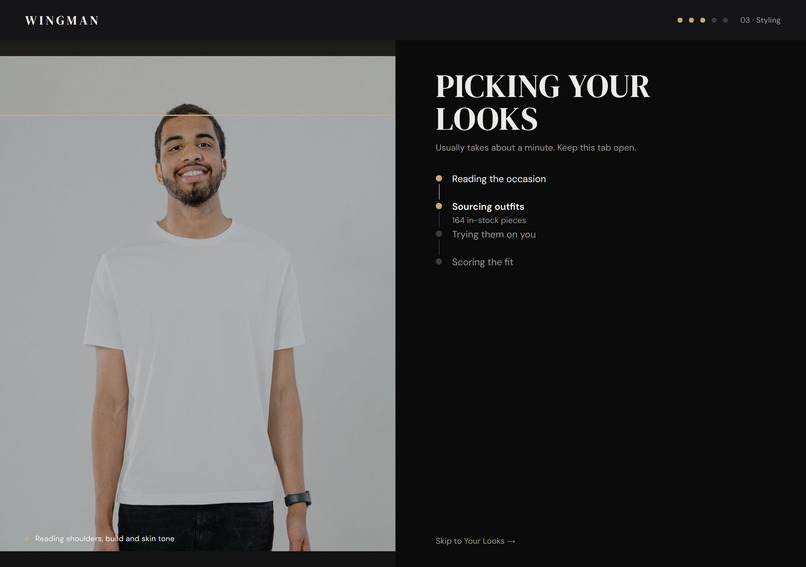
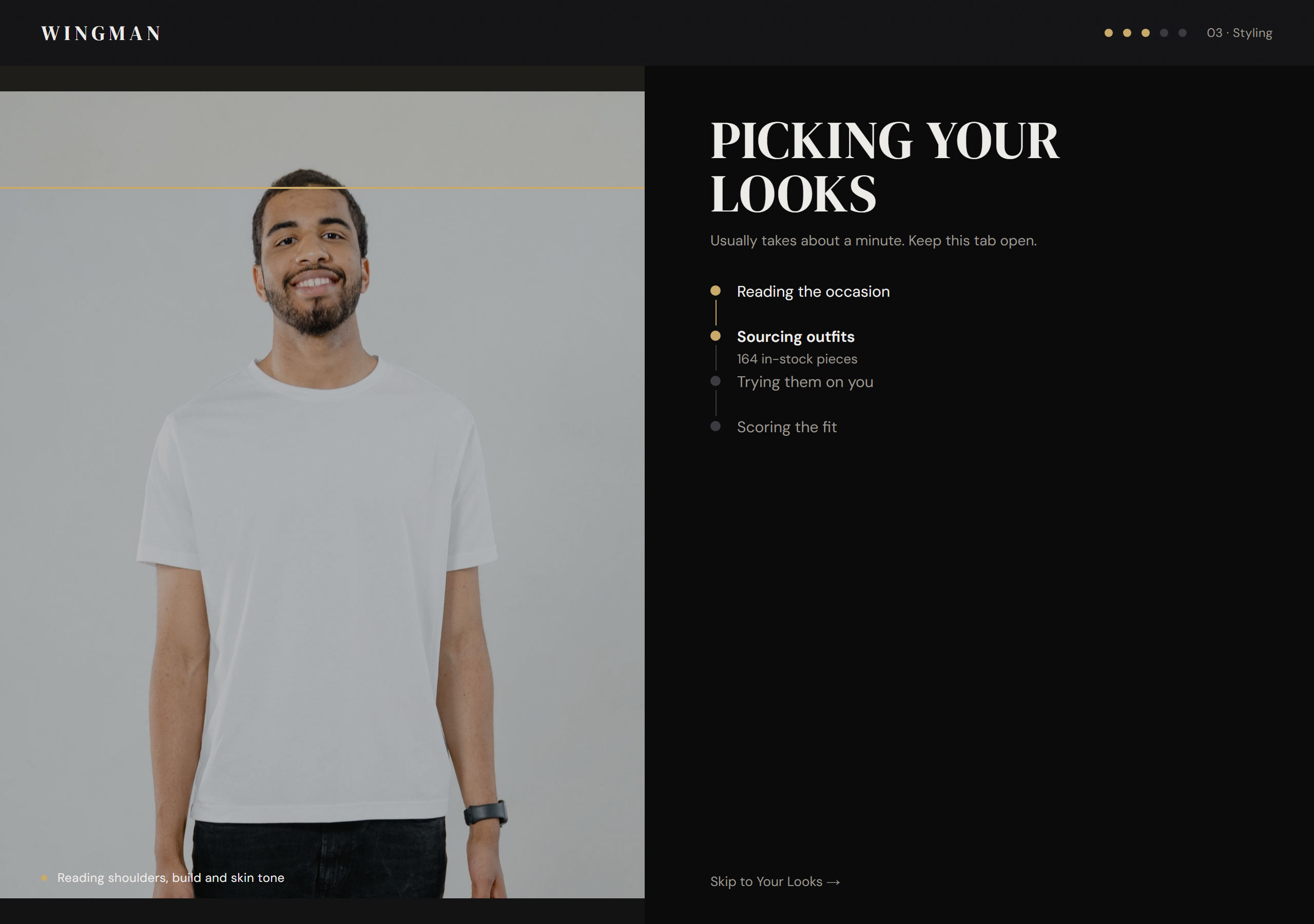
Every try-on renders live as it arrives so the wait never feels like a black box
-
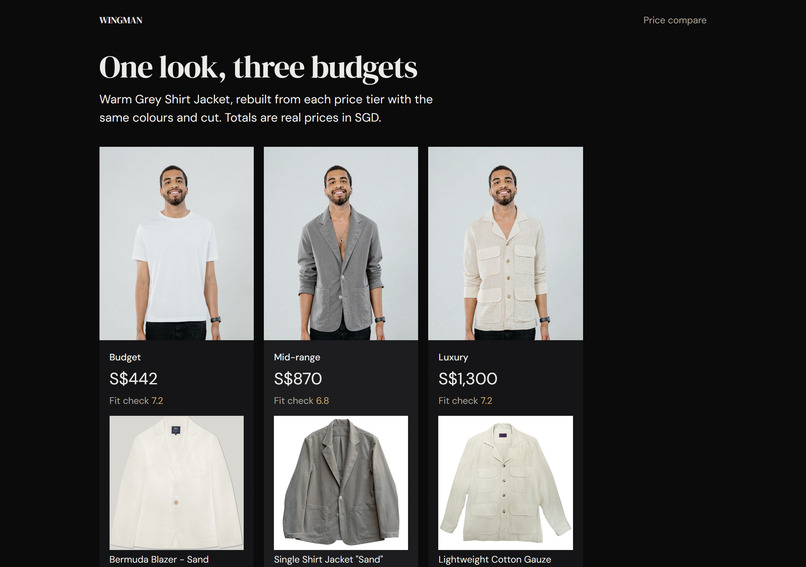
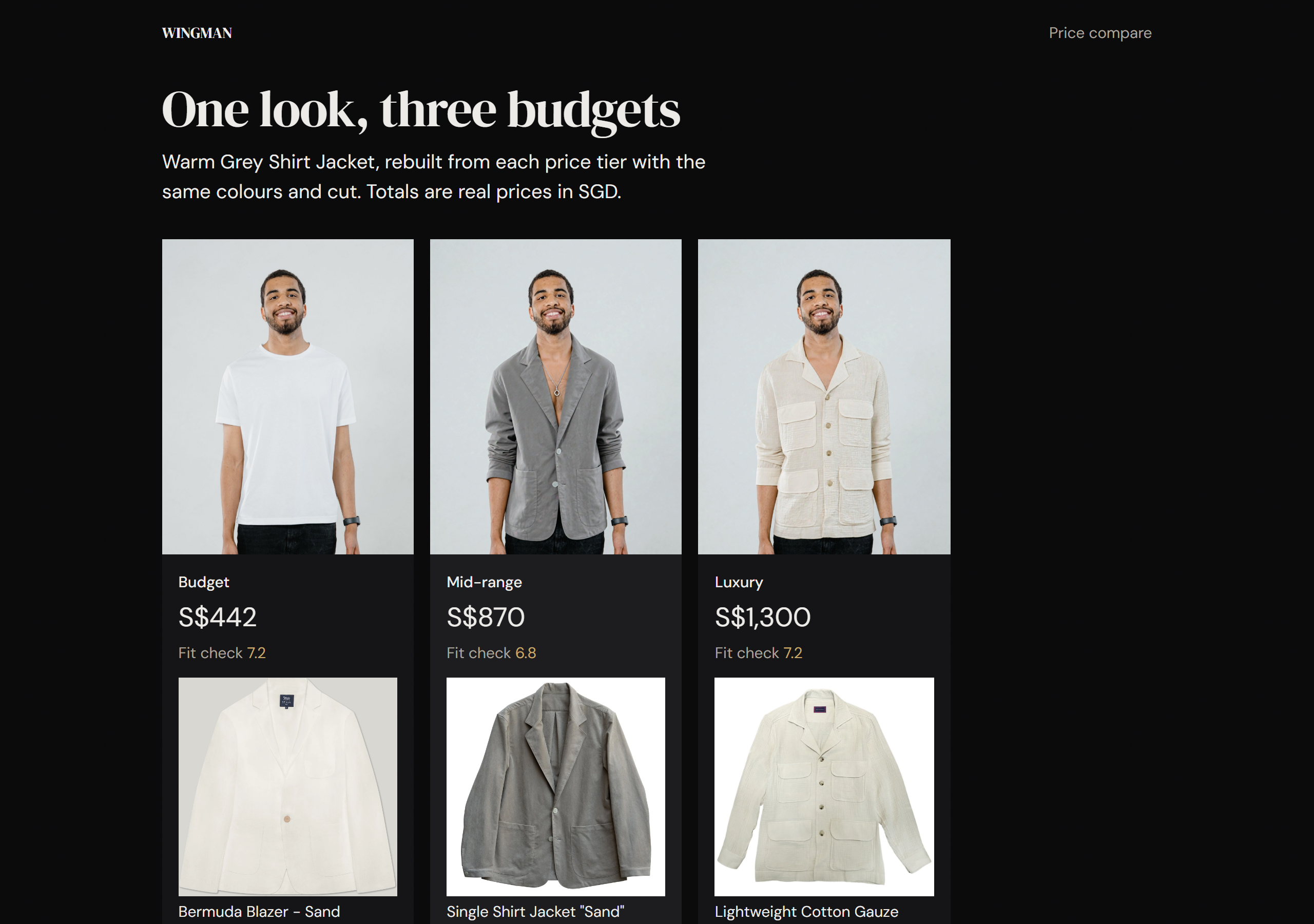
The same look rebuilt at Budget, Mid-range and Luxury side by side with real SGD totals
-
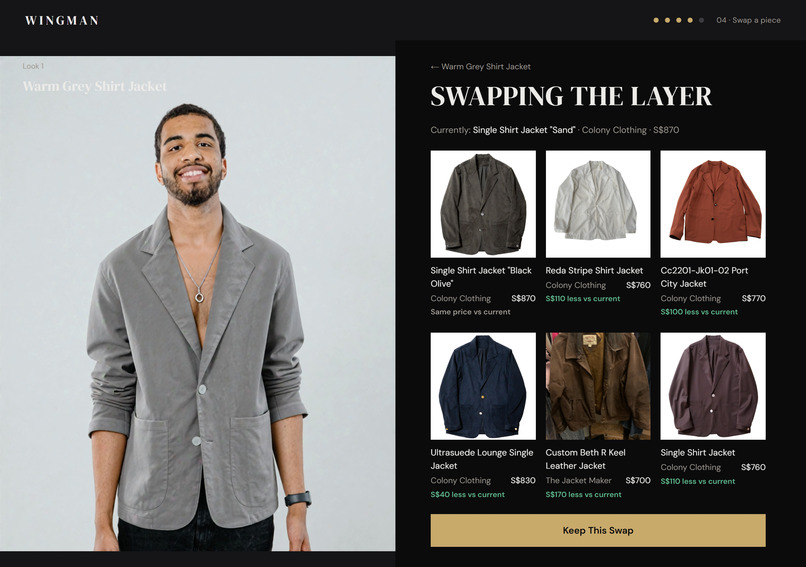
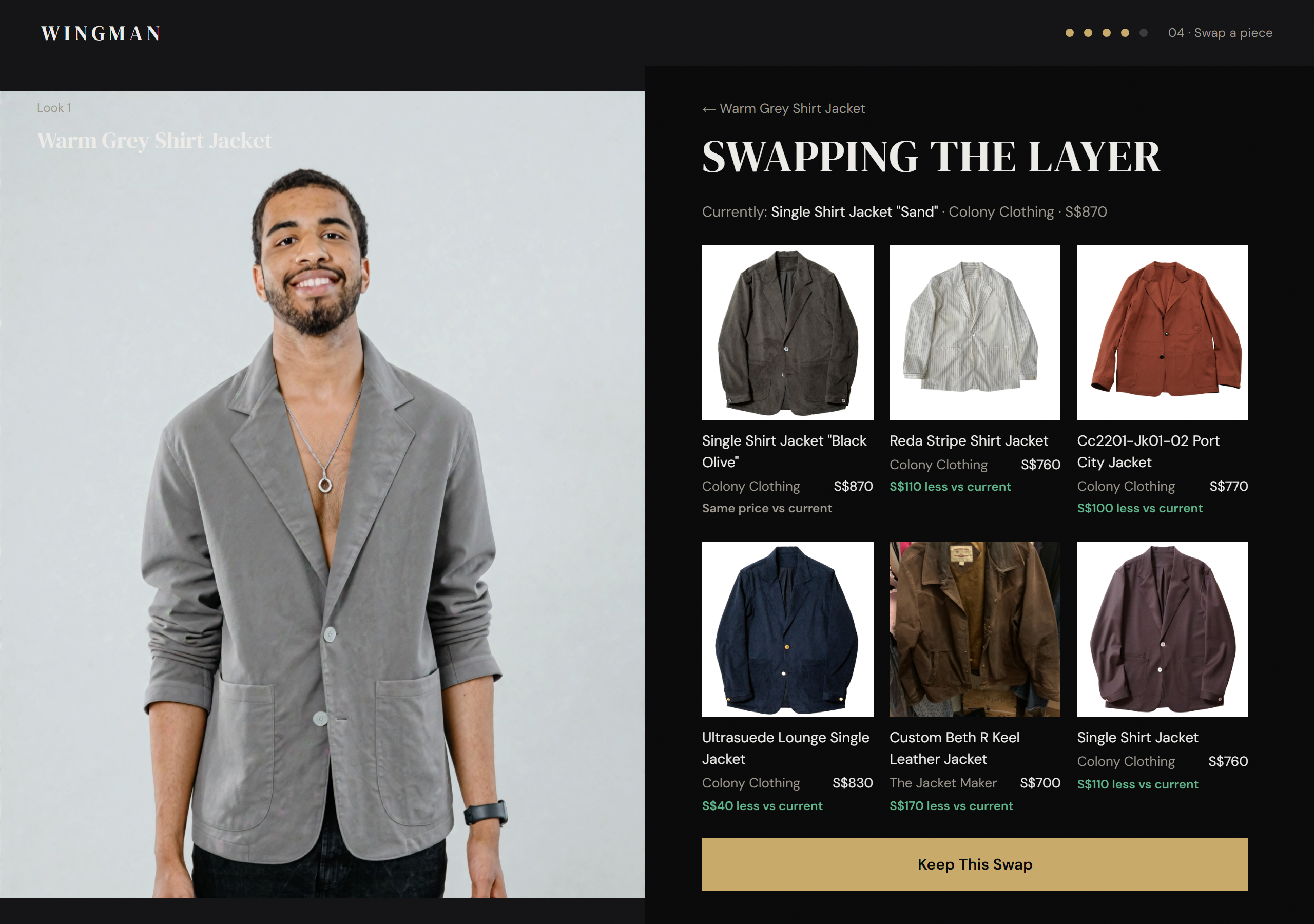
Six in-stock alternatives for any piece, each tried on your photo before you confirm
-
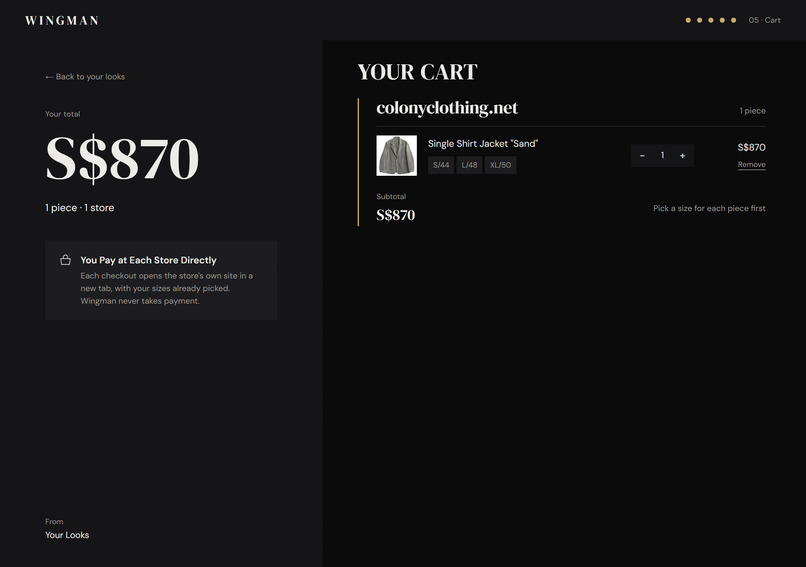
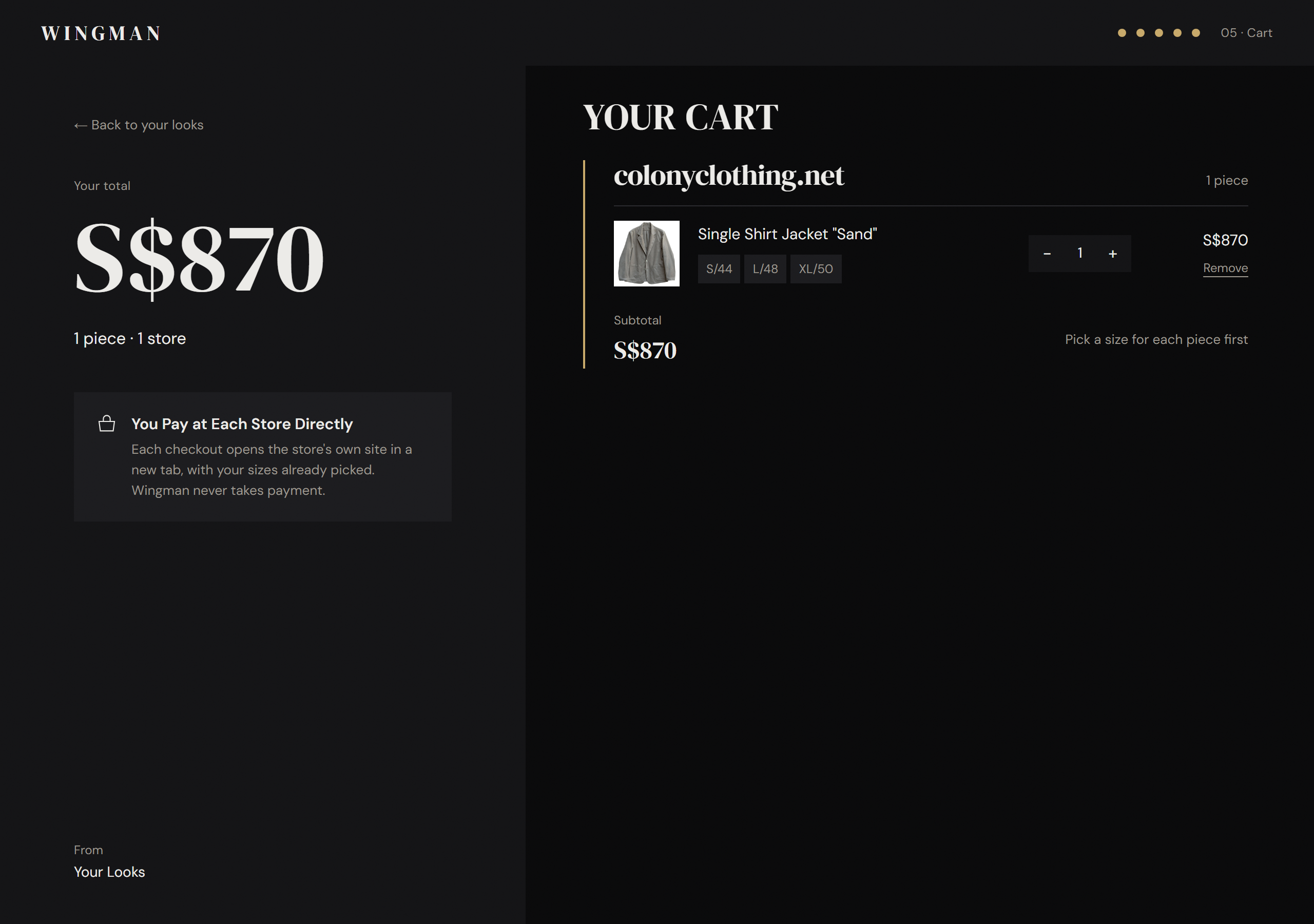
Pick your sizes and tap Checkout at the store. The cart opens with your pieces already in it
-
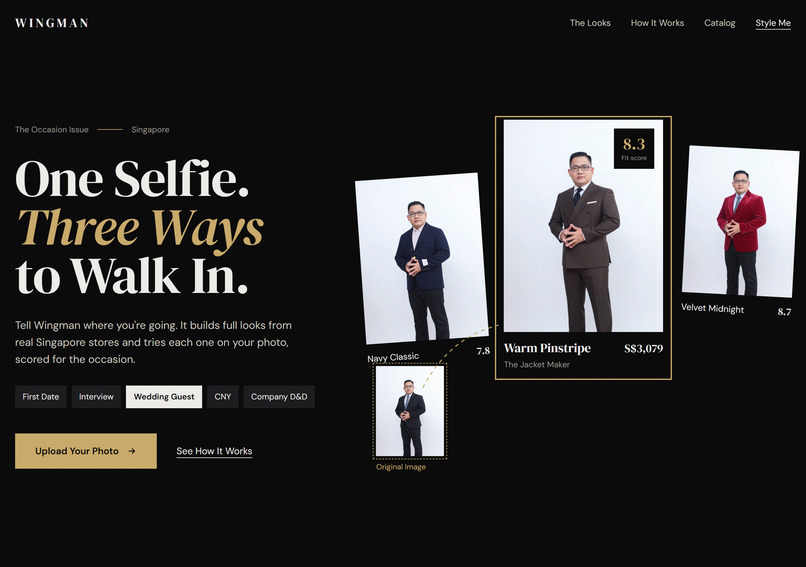
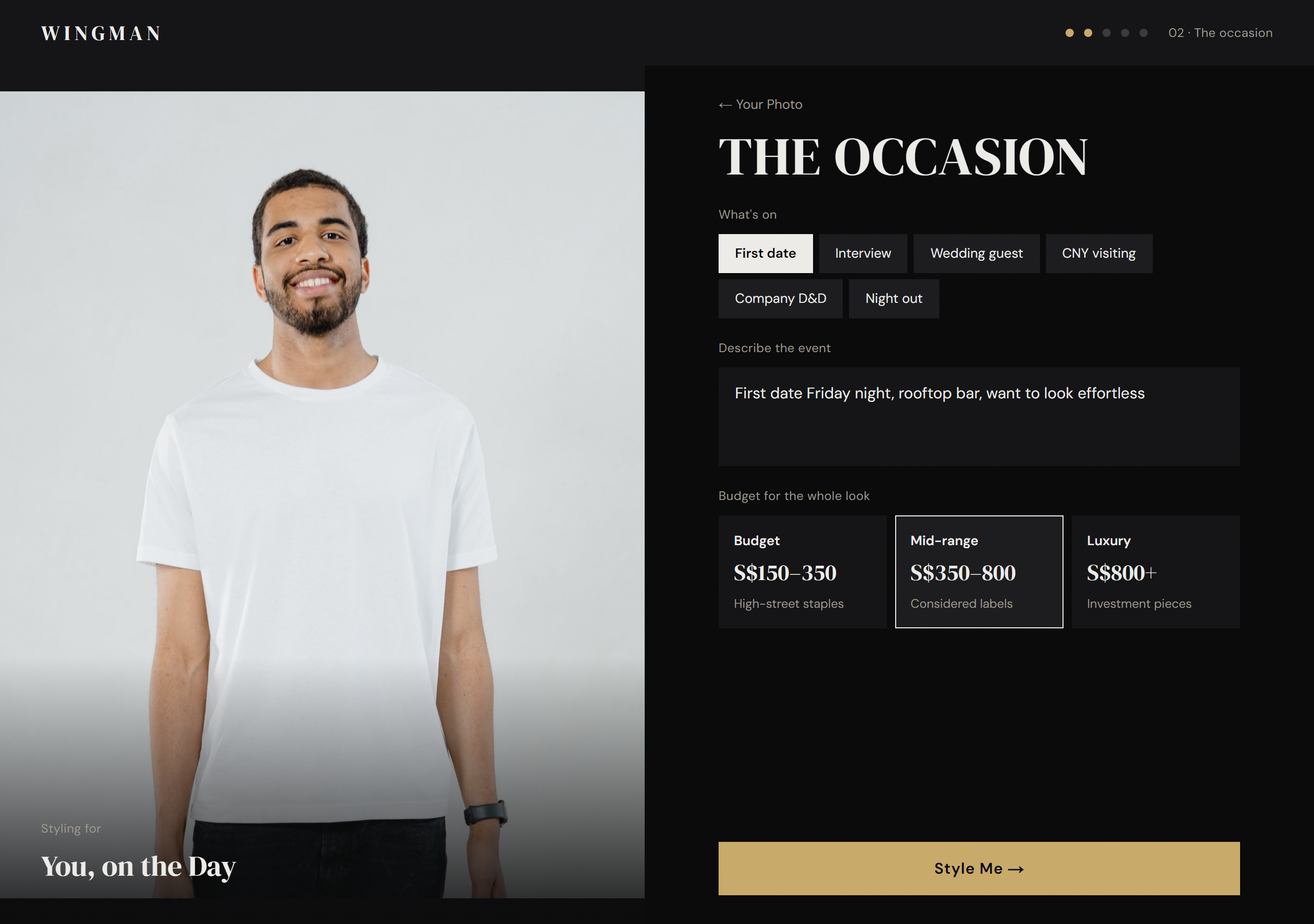
Tell Wingman the occasion and see yourself ready
-
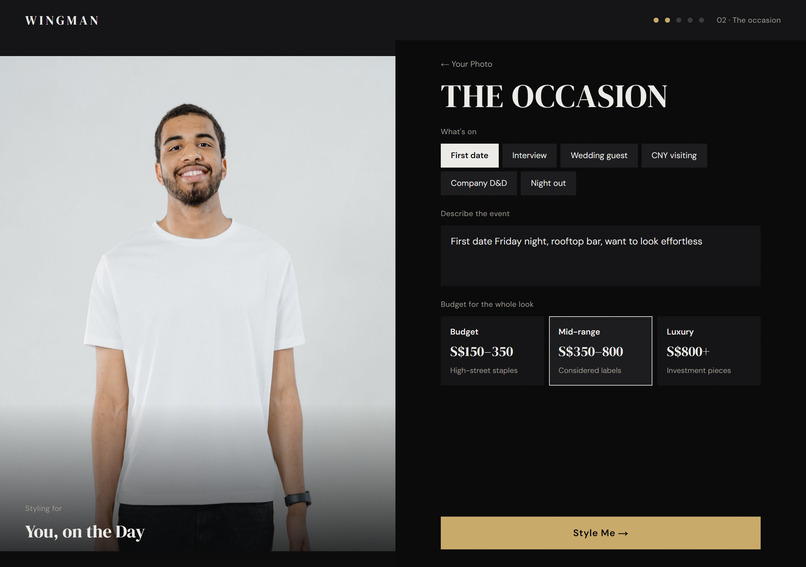
Describe the event, pick a budget tier and tap Style me
-
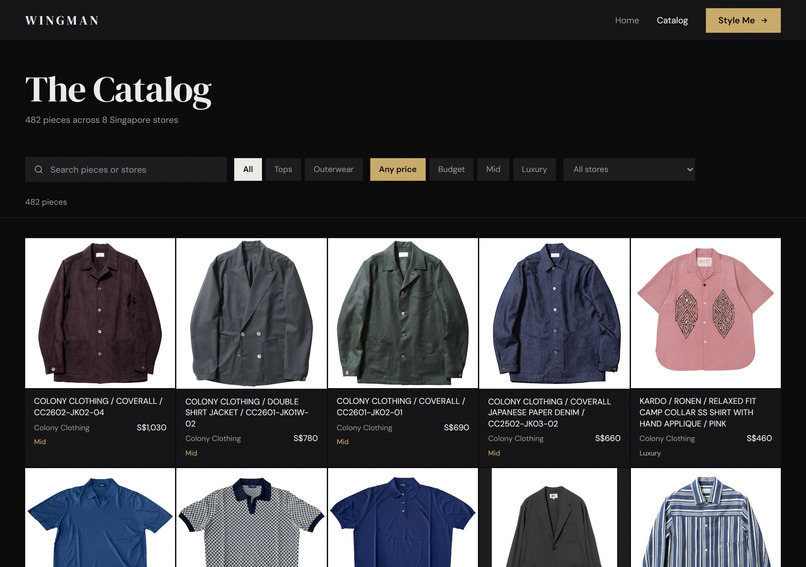
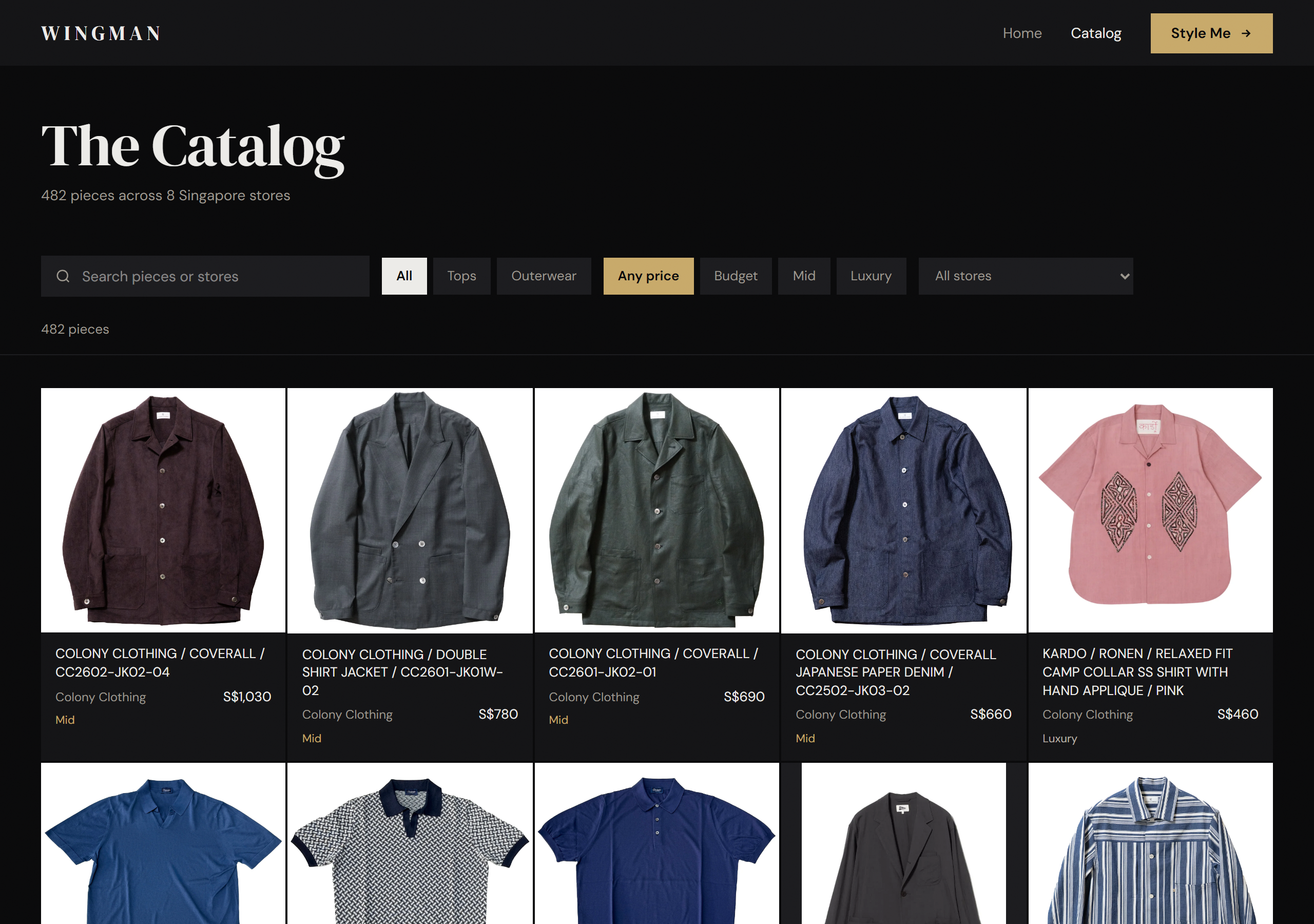
The full catalog from every store, filtered by category, tier, price and colour
Inspiration
Getting dressed for an occasion is a genuinely hard problem. You know the event, you know roughly what you want to spend, but translating that into an actual outfit from actual stores takes time and confidence most people do not have. We wanted to collapse that entire process: selfie in, dressed out.
Singapore has a strong independent menswear scene but most of those stores have no discovery layer. You have to already know them. Wingman fixes that by treating their catalogs as a single wardrobe and letting an AI stylist pull from all of them at once.
What it does
Wingman is an AI occasion stylist for men. You upload a waist-up selfie and describe the event in one sentence. Wingman picks two or three complete looks from in-stock products across 17 Singapore Shopify stores, tries each one on your photo using the YouCam Virtual Try-On API and scores it with a Fit Check out of 10. Looks that score below 6 are dropped before you see them. You can then refine by chat, swap individual pieces from six in-stock alternatives or compare the same look rebuilt at Budget, Mid-range and Luxury with real SGD totals. One tap opens the store's own cart with your sizes already in it.
How we built it
The stack is Next.js 15 with TypeScript and Tailwind CSS on Vercel. The AI layer uses Claude: Sonnet for look selection, Fit Check scoring and the refine chat and Haiku for the night-before prep plan and catalog tagging. YouCam handles the clothes virtual try-on server-side only so the photo never touches the client after upload.
The catalog pipeline fetches each store's public Shopify products feed, filters it to menswear using Claude Haiku tagging and converts prices to SGD. Budget, Mid-range and Luxury tiers are computed per category from the catalog's own price spread rather than fixed thresholds because Singapore menswear prices do not fit a universal scale.
The style agent streams results back to the browser as newline-delimited JSON. Each try-on render lands on the loading screen as it arrives so the wait feels live rather than blocked. A unit-reservation system in Supabase ensures Wingman never exceeds its YouCam unit cap even under concurrent requests: units are reserved before the call and released if the task fails. All renders are cached so a repeated request or a swap of a piece that was already rendered costs nothing.
Challenges
Getting the virtual try-on to feel trustworthy. The YouCam API requires a well-framed photo and the right garment image. We spent significant effort on the photo preparation pipeline: Claude finds the face bounding box so every crop lands correctly regardless of how the user framed their selfie. On the product side we wrote a scoring function that ranks catalog images by how centered the garment is and how clean the background is before sending anything to YouCam.
Look selection that actually holds together. Claude is good at picking individual pieces but a look needs to work as a whole: colours need to cohere, formality needs to match across top and trousers and the total needs to fit the budget. We iterated on the selection prompt and added a retry where Claude is shown its own picks alongside the catalog pool and asked to correct any obvious mismatches.
Making the refine bar safe. A chat box that can re-run the style agent is expensive. Before spending any YouCam units we run Claude first to decide whether the request is something Wingman can act on. Off-topic requests, changes to things Wingman does not sell and requests that are physically impossible to fulfill are turned down with a one-line reply. Only actionable requests trigger a new run.
Real checkout without a payment layer. We did not want to build a cart service. Instead Wingman generates a Shopify cart permalink per store: https://{store}/cart/{variantId}:{qty},.... The user lands directly in the store's own checkout with their items already in the bag. Wingman never handles payment.
What we learned
The YouCam Virtual Try-On API is remarkably robust to real-world selfie variation: different lighting, glasses and casual framing all produce usable results as long as the photo is reasonably sharp and waist-up. The main failure mode is not the API itself but sending it a garment image that is too cropped or too cluttered.
Streaming matters more than we expected. Showing each render as it arrives rather than waiting for all of them changed how the loading screen felt entirely. Users tolerate a 60-second wait when they can see progress; the same wait behind a spinner reads as broken.
Claude's structured output via tool use is reliable enough to build a production pipeline on. We use Zod to validate every response and added a one-retry loop for look selection but in practice the retry fires rarely.
YouCam APIs used
We used the AI Clothes Virtual Try-On API (v3) with garment_category: auto. It runs once per look on the loading screen, again after a piece is swapped and once per tier when the user opens Price Compare. The server prepares the photo before each call: Claude finds the face bounding box so the crop lands correctly regardless of how the selfie was framed. Results are cached by photo and product so the same render is never requested twice.
Built With
- anthropic
- claude
- next.js
- node.js
- perfectcorp
- playwright
- postgresql
- react
- sharp
- shopify
- supabase
- typescript
- vercel
- vitest
- youcam
- zod

Log in or sign up for Devpost to join the conversation.