-
-
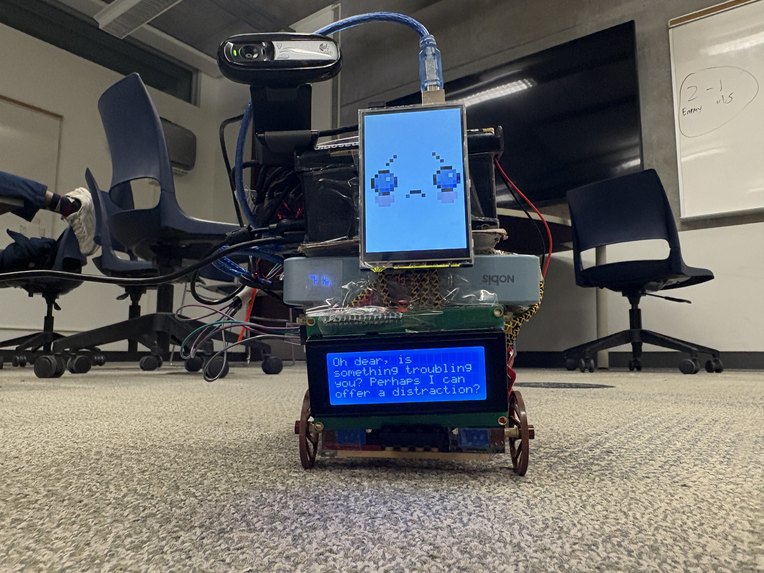
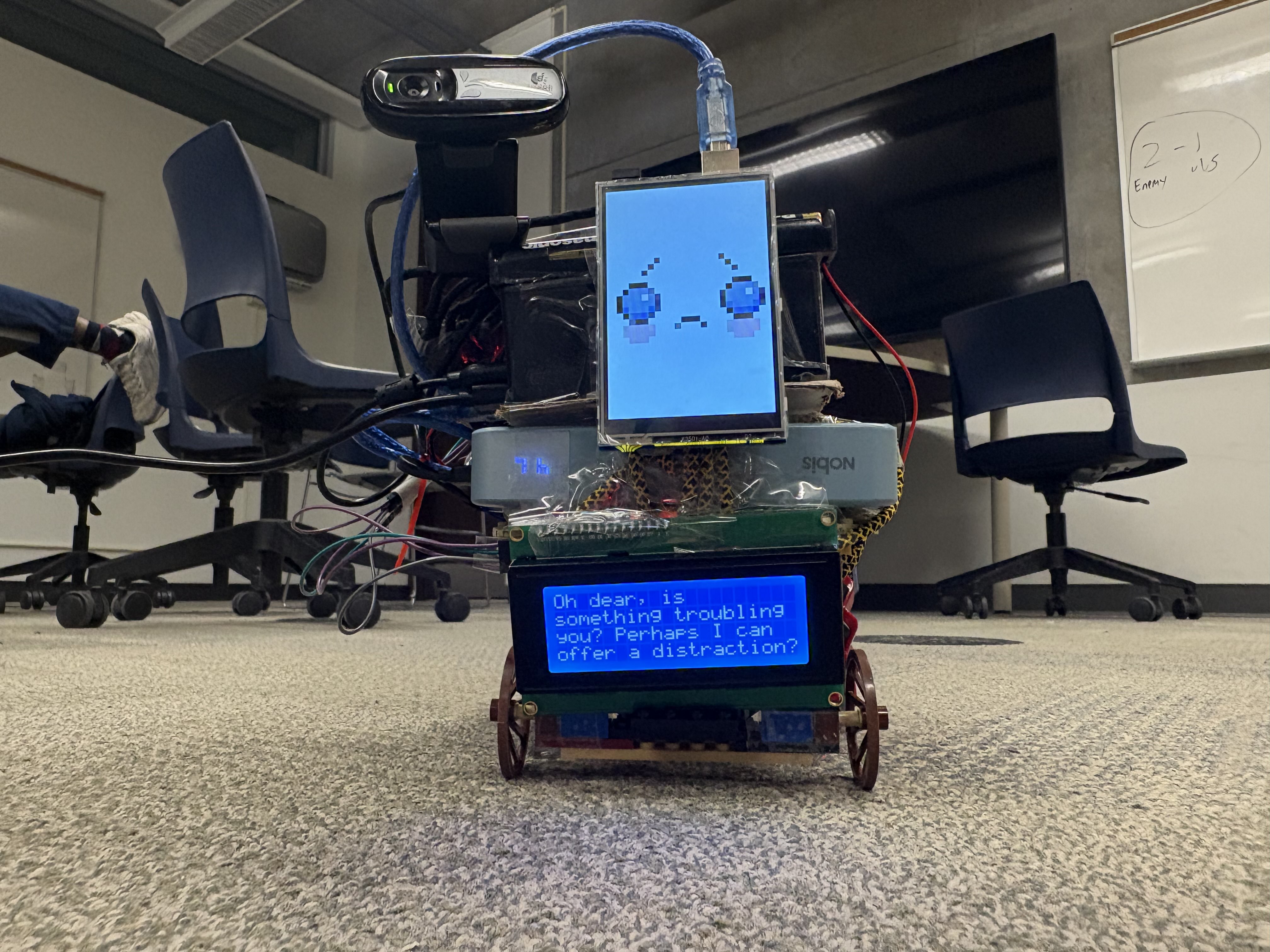
Example of Wingman reacting to emotion
-
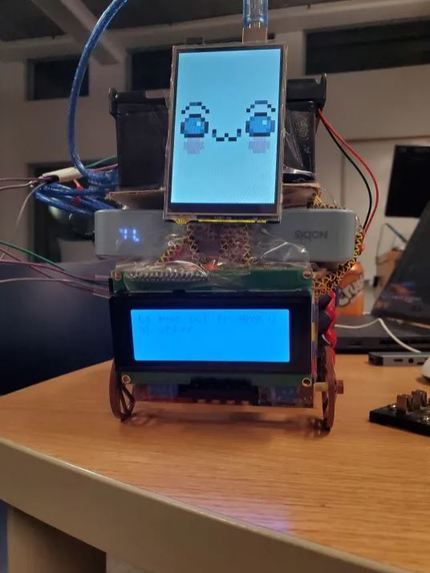
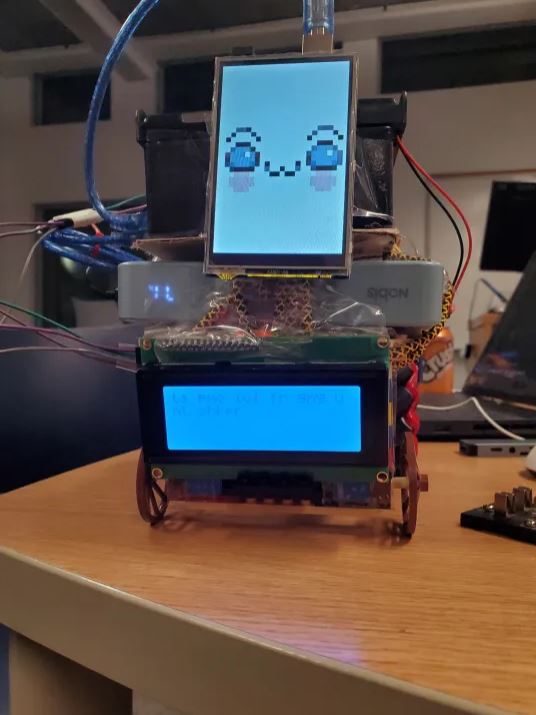
Base photo of Wingman!
-
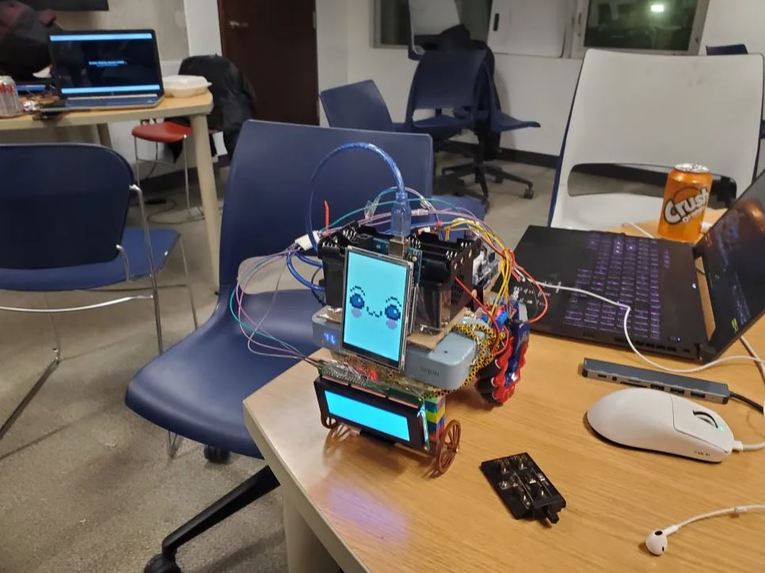
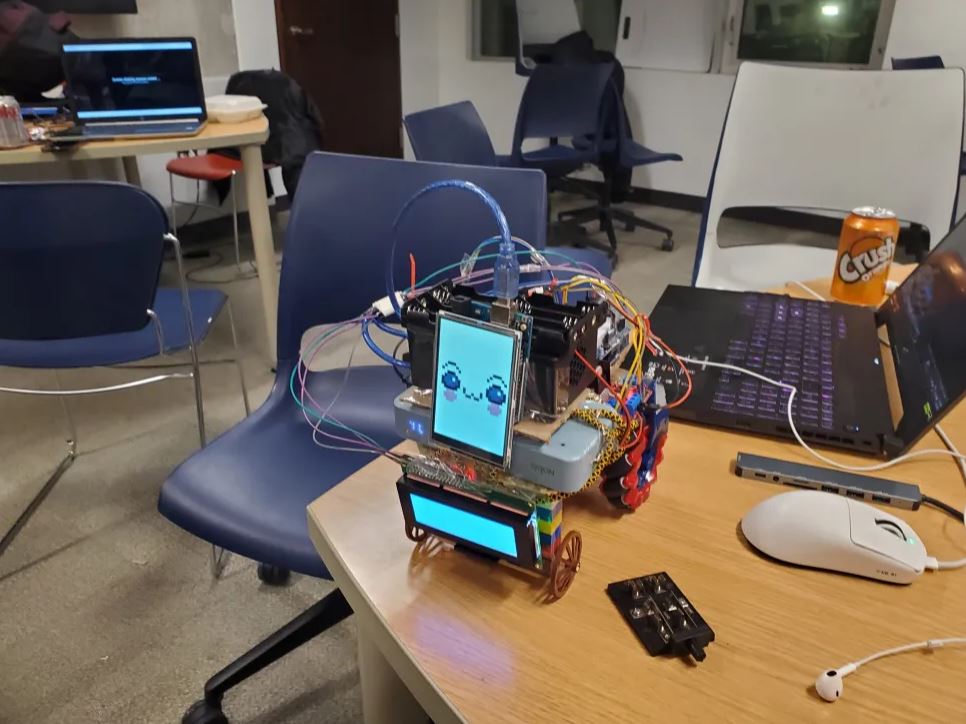
Testing!
-
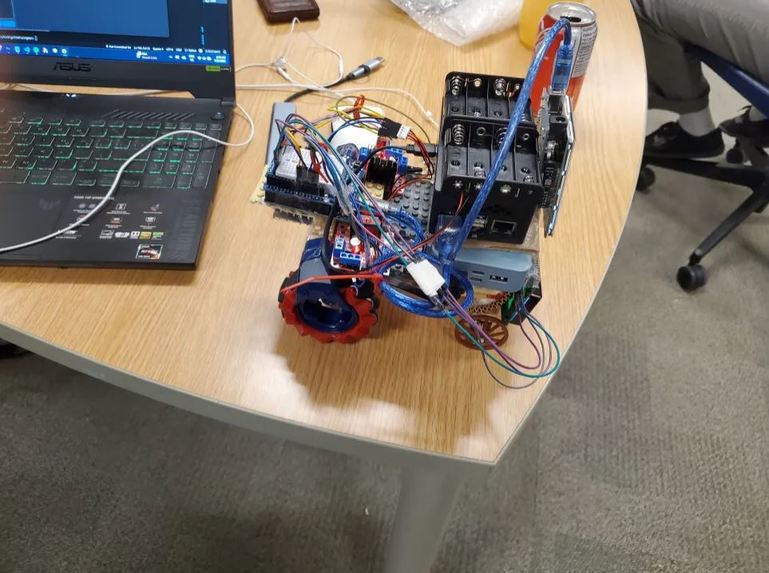
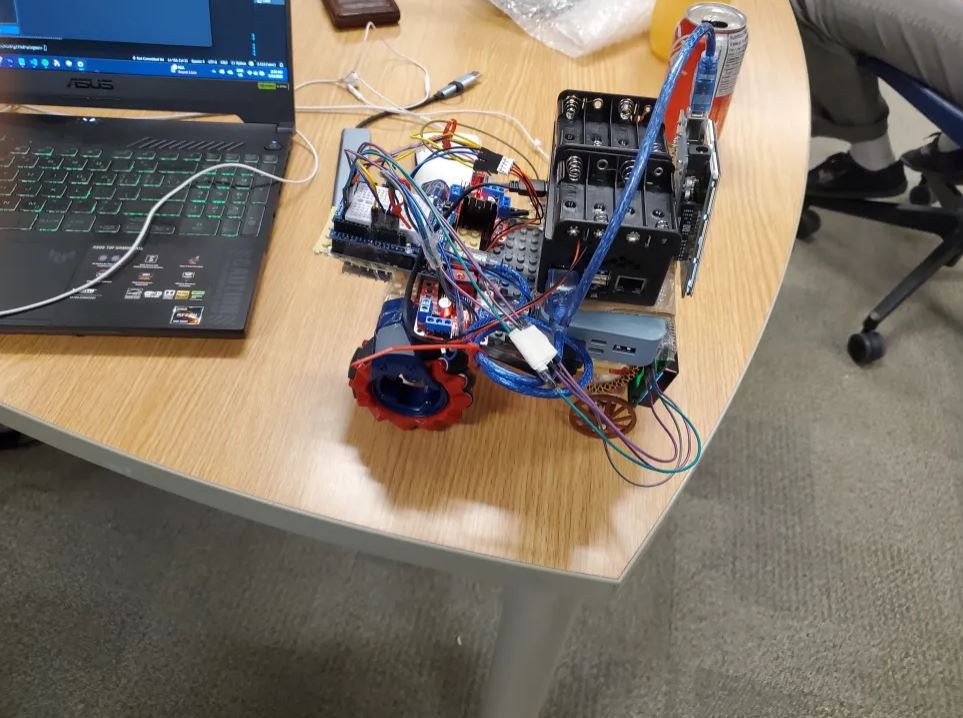
Wiring for Wingman, under the hood
Inspiration
All of our team members are big fans of tech YouTube. This includes various creators, one in particular being Michael Reeves. One of his videos, relating to a Boston Dynamics Robot dog, got us thinking- why stop at just adding functionality? Yes, the dog was amazing at what it did, but how could we give it personality? How could we make it BETTER, and even MORE helpful than assistants that exist today? After much deliberation, we arrived at Wingman- a personal assistant that follows you around, has multiple personalities, and can even recognize who you are!
Note: Dizzy is the nickname we have given to our Wingman, but you can give it any name or any personality you'd like!
What it does
Wingman is an all-in-one personal assistant that can do almost anything. It can do everything your Google Home or Alexa can do- including playing music, telling you jokes, the weather, or anything you need- while also being able to move around with you, dynamically express its modes through a screen, and even recognize you! Our project aims to drastically change the way that we interact with virtual assistants, and perhaps make them a little less robot and a little more friend :D.
How we built it
On the hardware side, we first bought an RC car with Mecanum wheels from Walmart and completely disassembled it for parts (Mainly the motor and wheels, but some parts of the chassis that hold the wheels together were kept intact). Then using an Arduino and an H-Bridge-based motor controller, we control the direction and speed that the motors spin for. We also have a liquid crystal text screen connected to the same Arduino that displays the assistant’s output. We also have a separate Arduino dedicated to running the LCD TFT display, for the different emotion and action sprites to be displayed. The Arduinos listen on a serial port for formatted input received via USB, and do all the actions. We then have a Raspberry Pi, running a virtual environment with all of our code, and the Pi communicates the outputs of the assistant using the serial ports, along with the Xbox controller inputs, and the TFT display sprite inputs.
On the software side, we wanted to add as much functionality as we could, without it being a detriment to the quality of the project. We began with using Cohere’s text-to-speech recognition, combined with Google Gemini’s prompting, in order to be able to properly interact with the user. We also decided to use a text-to-speech API, so that Wingman could actually speak to the user directly. Following this, we utilized the face-recognition library (publicly available!) and stored the files in a .pkl file. Using this, we were able to not only get the general input of the user and match the LCD based on the tone of how the user said something (as described above), but we were also able to have the AI actually respond and recognize the user based on whether they were present within the .pkl file. In addition, Wingman can control your Spotify playlist, and get the current weather for your city (or any other city if you wish!)
Through the interaction of both the hardware and the software components, Wingman was born!
Challenges we ran into
We ran into a few major challenges during the development of the project. Firstly, our mechanism involved breaking an RC car, as we had previously experimented with one and wanted to use it for the hackathon. However, this came with a host of issues, including having enough power to actually run all the motors, as well as how difficult it actually is to properly mount everything onto the setup. Outside of the motors, we also had difficulty getting animations onto our LCD screen. Since the screen needed to be accessed through an Arduino, getting it to properly display the animations for the face/s of the robot posed a great challenge. On the software side, a major challenge we ran into had to do with the various modules we used, specifically, the lack of documentation. It was difficult to get some aspects, such as facial recognition, working in time, due to the lack of documentation. Another issue with the modules came when moving the code to the Raspberry Pi, as we were required to downgrade to an earlier version of Python, and change the way some packages were installed.
Accomplishments that we're proud of
Our team was very happy to get general hardware components working with batteries. As a result of the many issues with power, it was a challenge to get the hardware side working. However, through some quick thinking, we pivoted to using 2 powered wheels rather than 4, which allowed more power to go to those wheels, and allowed the robot to move! Another accomplishment we are proud of is face recognition. It was quite difficult to properly integrate, but we were able to do it, and it allows for much better interaction with Wingman. Finally, we are very proud of actually being able to use the product with all the information contained within the Raspberry Pi, while also having the Wingman prototype actually be movable. This required a lot of effort from all the teammates, from hardware to software, and the produced product is truly something we can be proud of!
What we learned
Through Wingman, we learned the importance of testing hardware and code, as well as building around the weakest link within your code. We had a number of issues with the hardware that could have been avoided with more rigorous testing, as well as more background knowledge on how the motors/LCD screen worked. On the software side, doing more testing with the Raspberry Pi rather than on the PCs of members would have saved a lot of time in the process, which relates to the second point. Our Raspberry Pi was running on Python version 3.11.2, and rather than trying to modify our code to fit this, we instead attempted initially to change the Python version of the Pi itself. This ended up being an incredibly time-consuming process, and we soon realized that just downgrading the other files to fit this Python version was significantly faster, and would have saved us a lot of time. Overall, this project taught our group a lot about embedded systems and how to properly develop a project given tight time constraints!
What's next for Wingman
We initially built it with a 4 Mecanum Wheels setup and a spinning scanning camera in mind, to allow Wingman to scan the room and have a full 360-degree range of motion to follow the user, based on recognizing the faces and following the person. Power limitations from cheap batteries and the processing constraint of running it all on a Raspberry Pi made it so we couldn’t implement these features. So the free movement and user following would be our first features added. We also discussed ideas of implementing sign language detection to allow Wingman to communicate to users via hand signs and output responses through LCD screens. Wingman is meant to be a fun companion with many useful modules built-in for personal assistant capabilities, so it's very expandable, one idea we initially planned to create was an alarm clock that runs away from you until you catch it to turn it off.
Built With
- arduino
- cohere
- face-recognition
- gemini
- lcd
- mediapipe
- motors
- opencv
- raspberry-pi
- speechrecognition
- tts


Log in or sign up for Devpost to join the conversation.