-
-
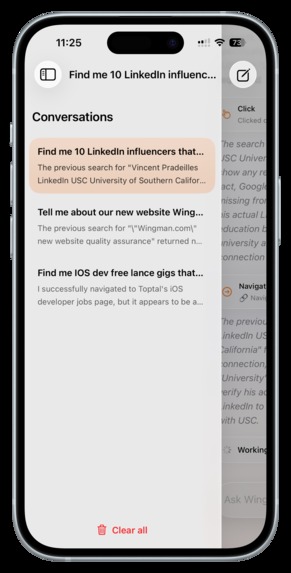
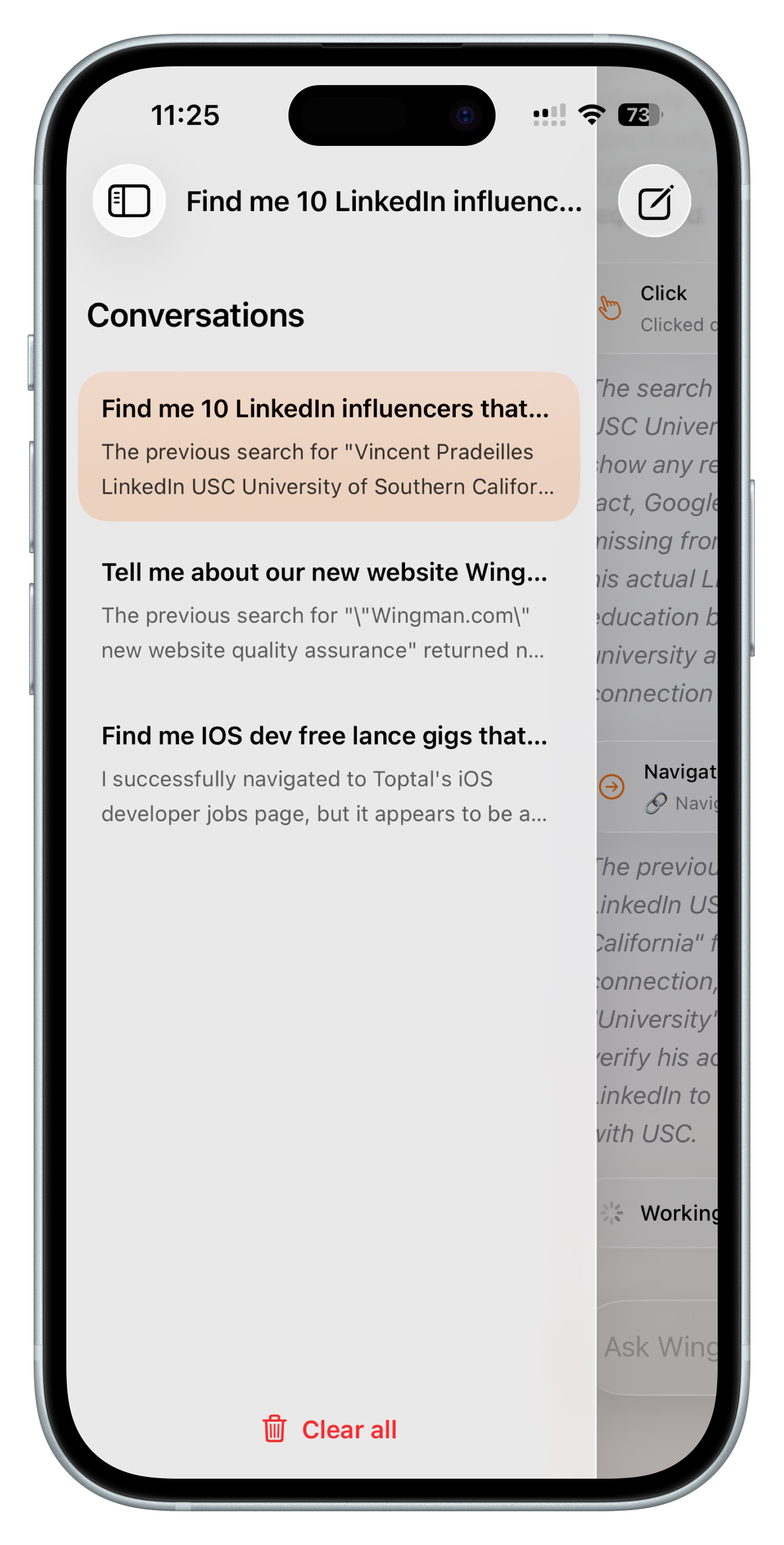
Conversations sidebar
-
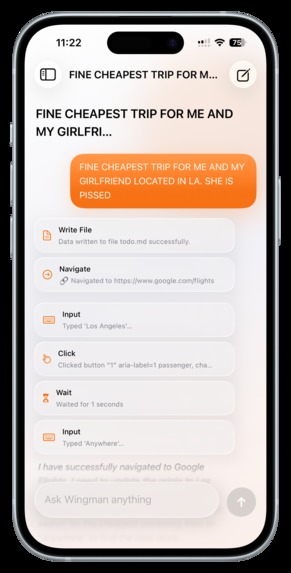
Prompt Example
-
-
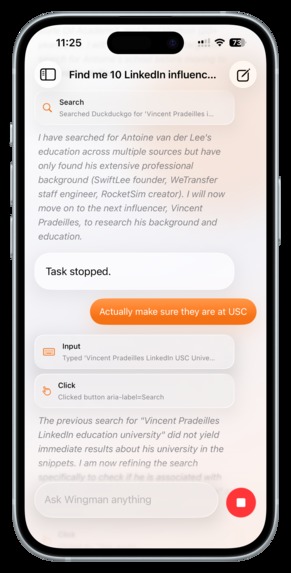
Follow Up Chat
-
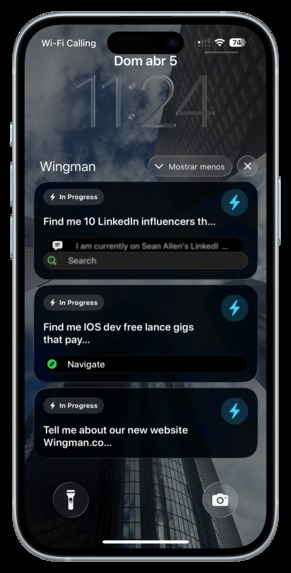
Live Activities
-
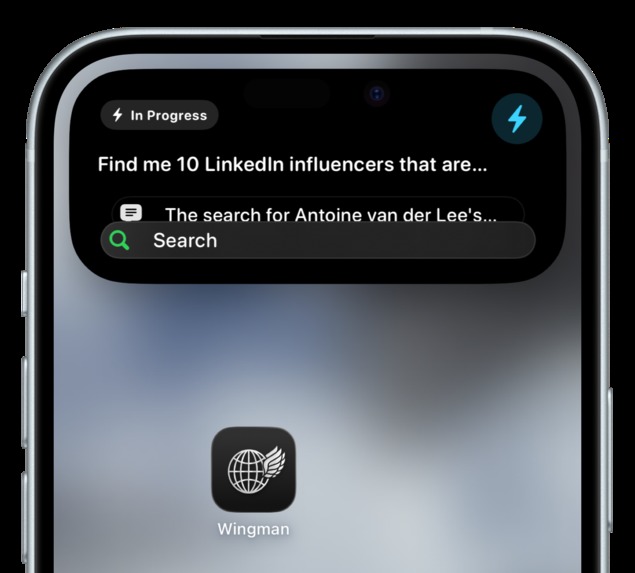
Dynamic Island Activity
Inspiration
Smart people decided to give AI a browser and suddenly it could start doing real work. Om and I started off with small things, but quickly began relying on browser-based agents for longer-running tasks like trip planning, applying to jobs, and researching people for club outreach. As we leaned on these agents more, we realized their “autonomy” didn’t really hold up in practice.
We had to babysit every single task to make sure the agent didn’t break mid run or veer off into the wrong direction. Instead of saving time, we were stuck staying at our computer, constantly checking for updates, and stepping in whenever something went wrong. Constantly reopening a webpage on your phone to check progress got tedious, while Slack updates were either too noisy or not useful enough.
To make these agents truly autonomous, we needed a frictionless way where we could step away and still stay in the loop.
What it does
Wingman lets you run and monitor browser-based tasks from your phone.
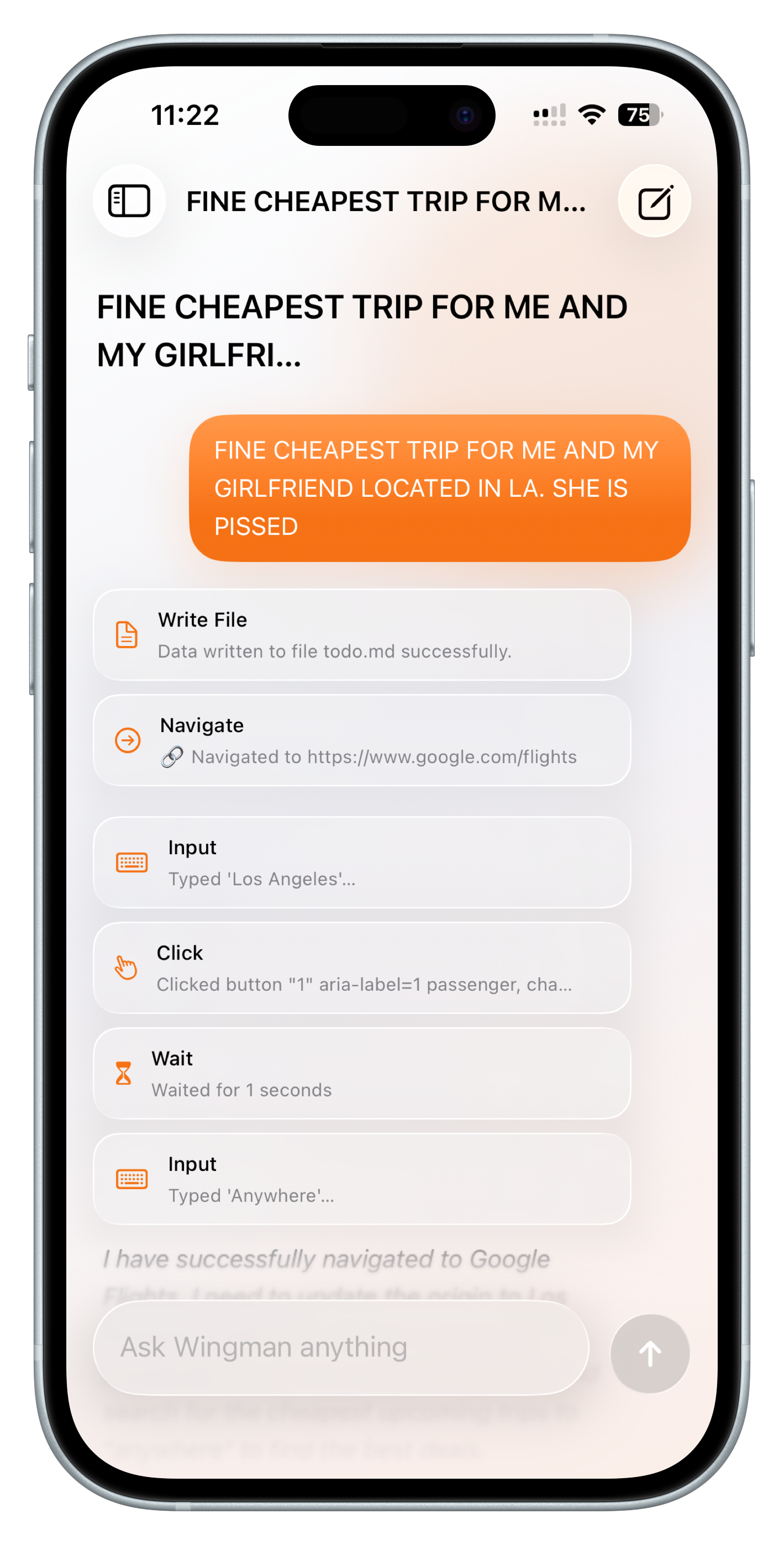
- Start tasks through chat — describe what you want, and an agent spins up to handle it in a cloud browser
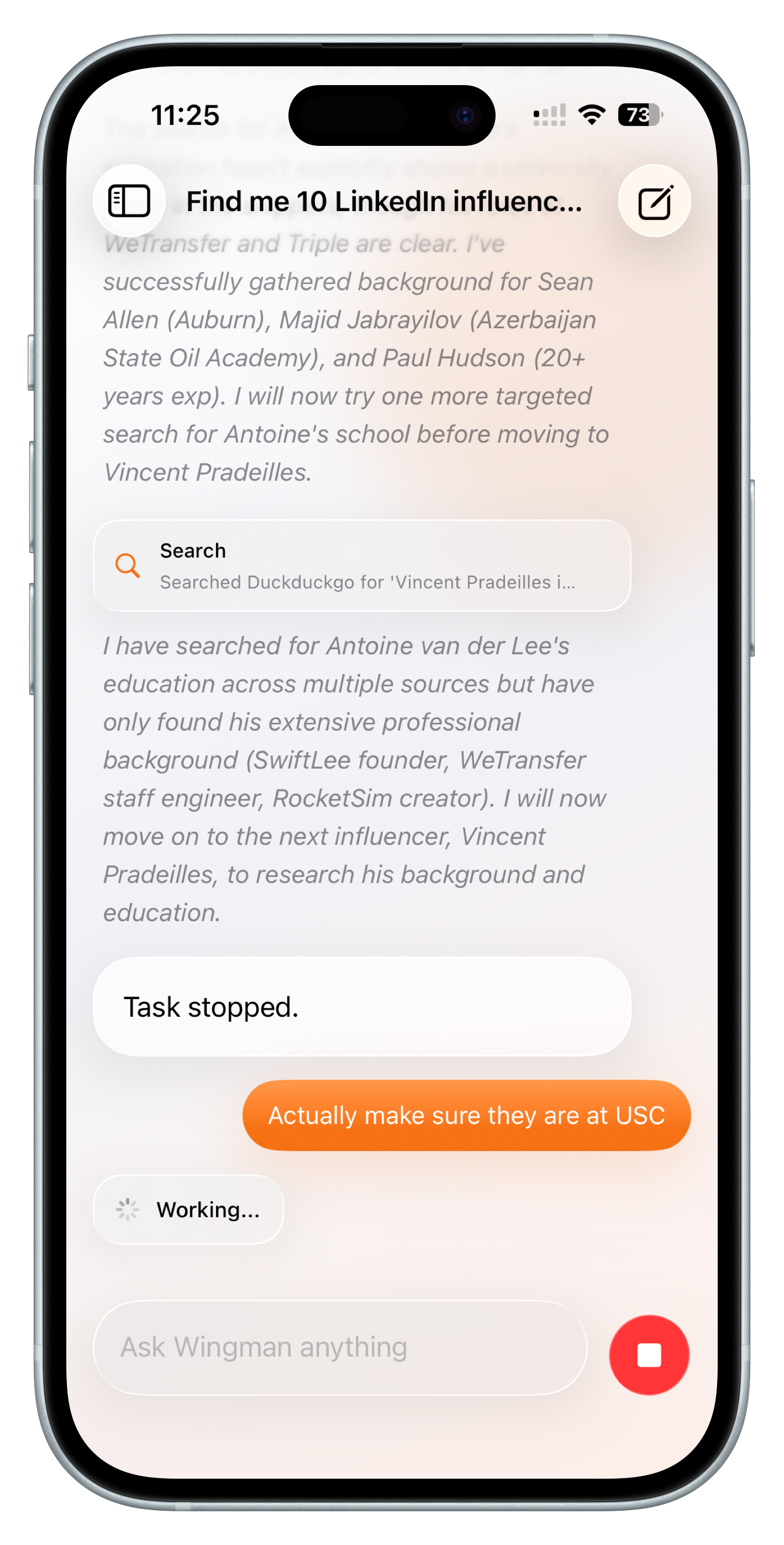
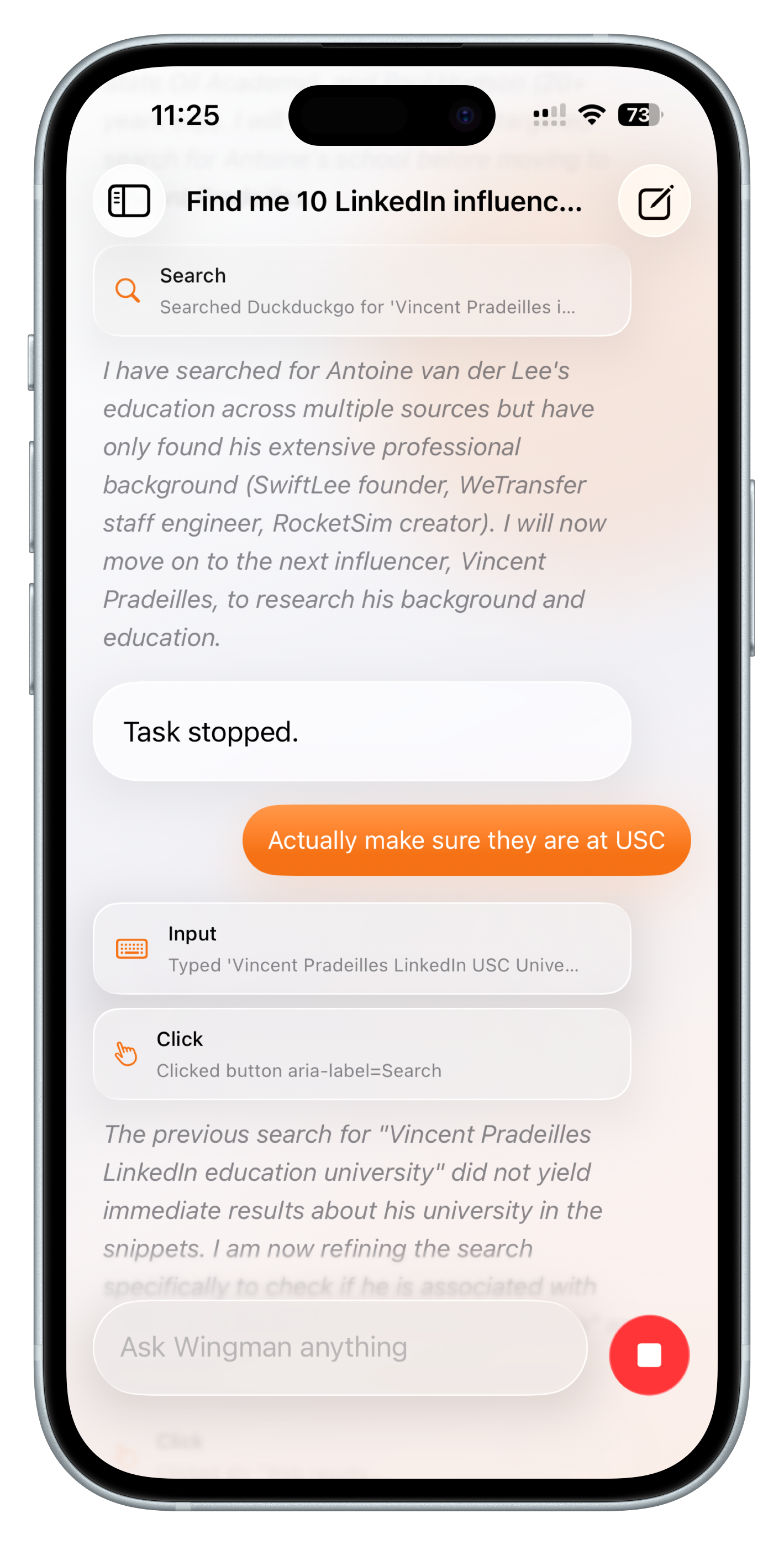
- Follow up on existing tasks — continue conversations and refine tasks without starting from scratch
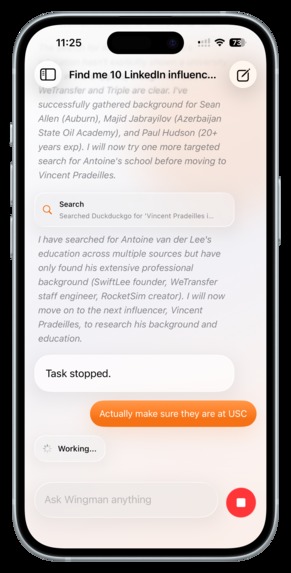
- Full visibility into execution — see agent thoughts, actions, and tool calls at every step
- Run multiple agents in parallel — kick off several tasks at once and manage them simultaneously
- Persistent task history — revisit past tasks, results, and workflows anytime
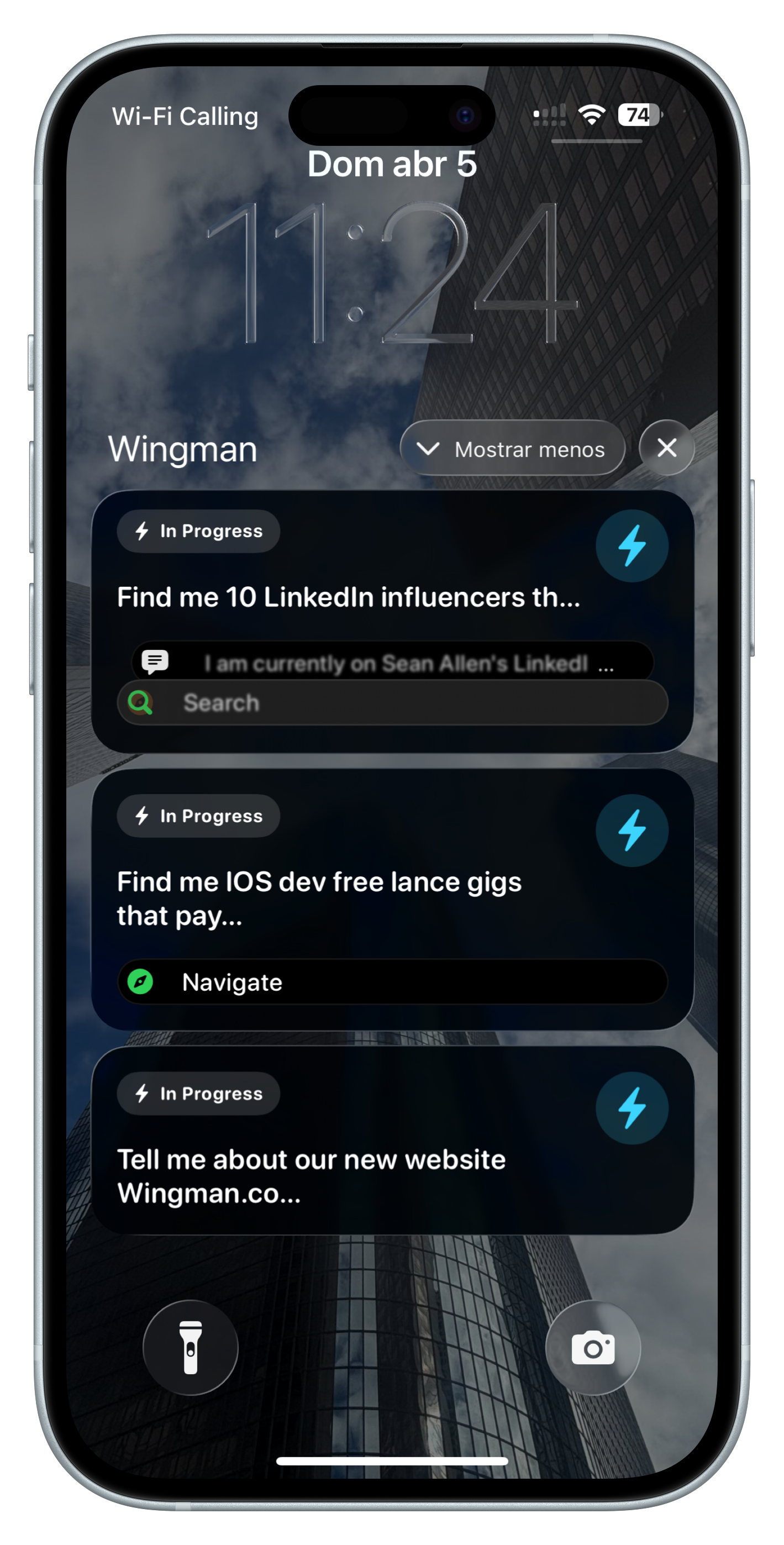
- Live Activities for every task — automatically track progress in real time across your lock screen and all your Apple devices
- Stay in the loop without checking back — get continuous updates without reopening the app
How we built it
Wingman is built on top of Browser Use cloud, with a native iOS frontend for real-time visibility.
The Server
To bridge the gap between raw agent execution and a real-time mobile experience, we hosted a server around the browser-use Python library that the iOS app can use.
- Intercepts each step of the agent’s execution
- Converts raw logs into structured step objects (thoughts, tool calls, results)
- Streams step-by-step updates in real time
- Provides simple controls to start, pause, resume, or stop tasks
This abstraction made it possible to drive real-time UI updates and notifications without dealing with messy raw output. This communicated with the Apple Push Notification service and serves as the backbone for our app.
We built a streaming layer to deliver agent updates from the backend to the iOS client as they happen. This allows the app to stay continuously in sync with running tasks without polling or refreshing.
Live Activities
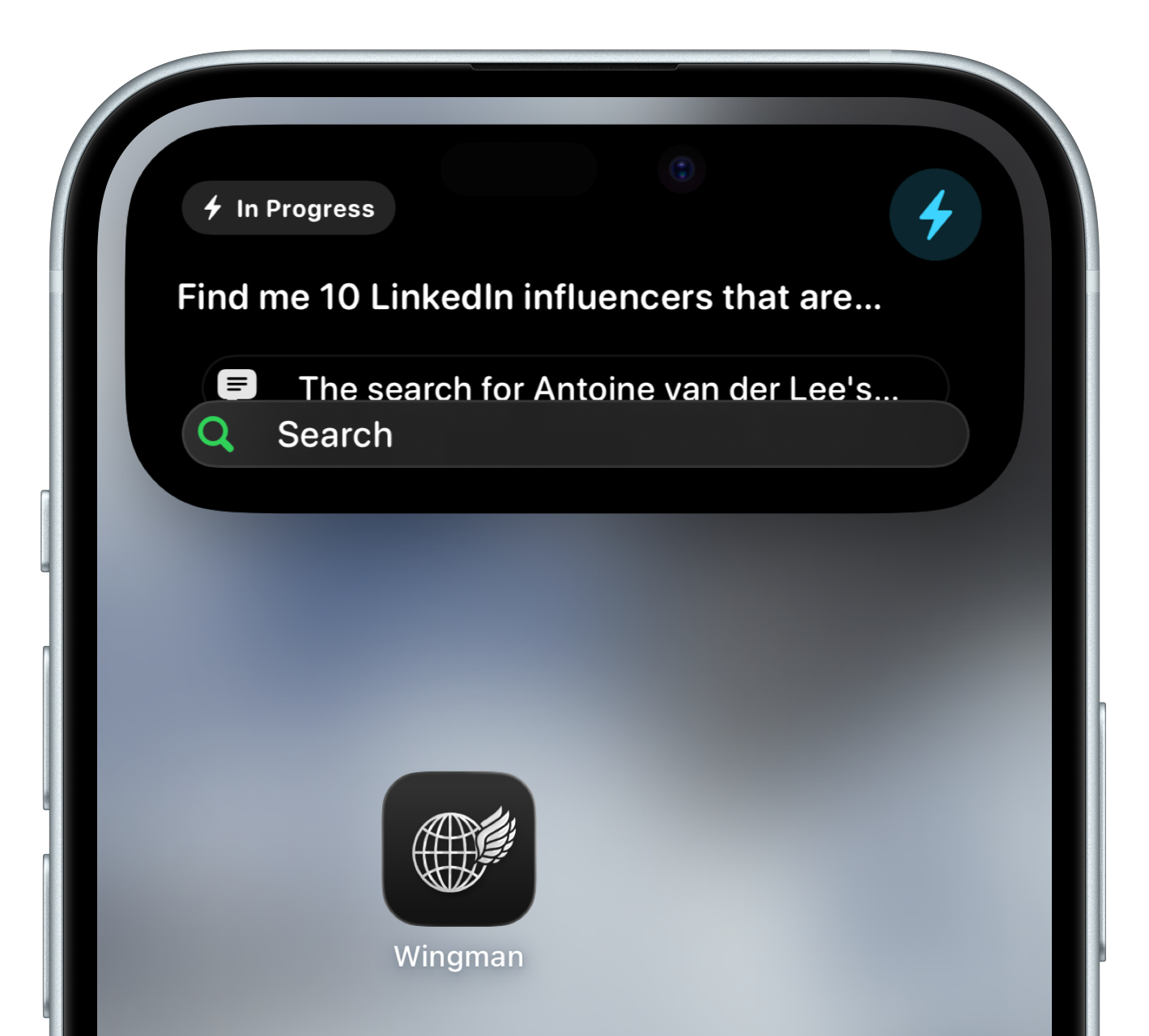
Each running task automatically creates a Live Activity, giving users real-time visibility into progress directly from their lock screen and across Apple devices.
As the agent runs, we stream step and done states from the backend and use them to drive Live Activity updates in real time. Each step updates the current task status, while completion events finalize the activity with the result.
This lets Live Activities reflect the exact state of the agent at any moment, without requiring the app to be open or manually refreshed.
Task & session management
We implemented a lightweight system to manage multiple concurrent tasks, allowing users to:
- Run multiple agents in parallel
- Revisit past tasks and results
- Continue or refine existing workflows through chat
Challenges we ran into
Hooking into each step
One of the first challenges was extracting useful step-level data from the browser-use agent. The on_step_end callback only gave us the raw agent state, with deeply nested and inconsistently structured tool data, and no clean notion of the current step by itself. We had to build our own layer to parse that history into structured steps we could actually use.
Preserving context across follow-ups
Another challenge was supporting follow-up chats without losing the original browser and session context. We wanted users to be able to continue a task naturally, but not keep every browser session alive forever. Balancing continuity with cleanup took some careful session management.
Live Activities edge cases
Live Activities were another tricky part of the system. We had to handle expired APNs tokens, keep push updates in sync with task progress, and deal with follow-up flows correctly. For example, when a user continued a completed task, we needed to end the old Live Activity and create a new one for the next run.
What we learned
The biggest thing was working directly with the Browser Use SDK. We got a better understanding of how it manages browser sessions, agent history, and step outputs to create a native mobile experience.
We also learned how Live Activities work under the hood, and how to push structured payloads to Apple Push Notification Service for real-time updates on the user’s device.
What's next for Wingman
Native iOS notifications allowing quick interventions without reopening the app.
Allow users to jump into the live browser session directly from the app to inspect, intervene, or take over when needed.
Improve how failures are detected and surfaced, with clearer recovery paths and the ability to retry or adjust tasks mid-run.
A native macOS App where you can start these tasks, and hand off and carry over to your iPhone when you want to go out and about but still stay in the loop.
Built With
- activitykit
- apns
- browser-use
- dynamic-island
- fastapi
- swift
- swiftui

Log in or sign up for Devpost to join the conversation.