-
-
WingGap
-
Ux
-
-
Geometry
A bird does not see a window
It sees open sky, reflected trees, or a clear path forward.
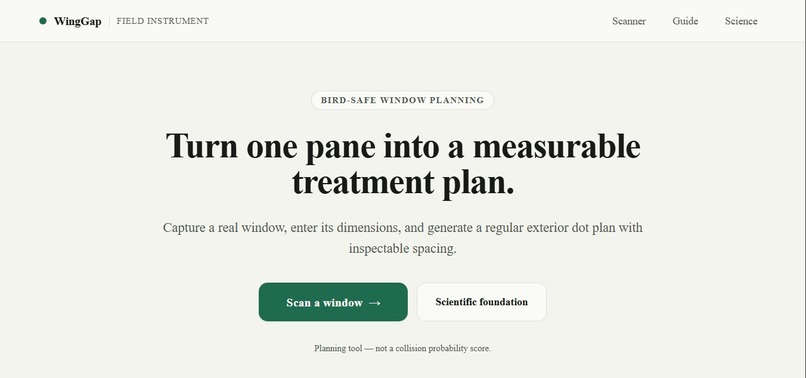
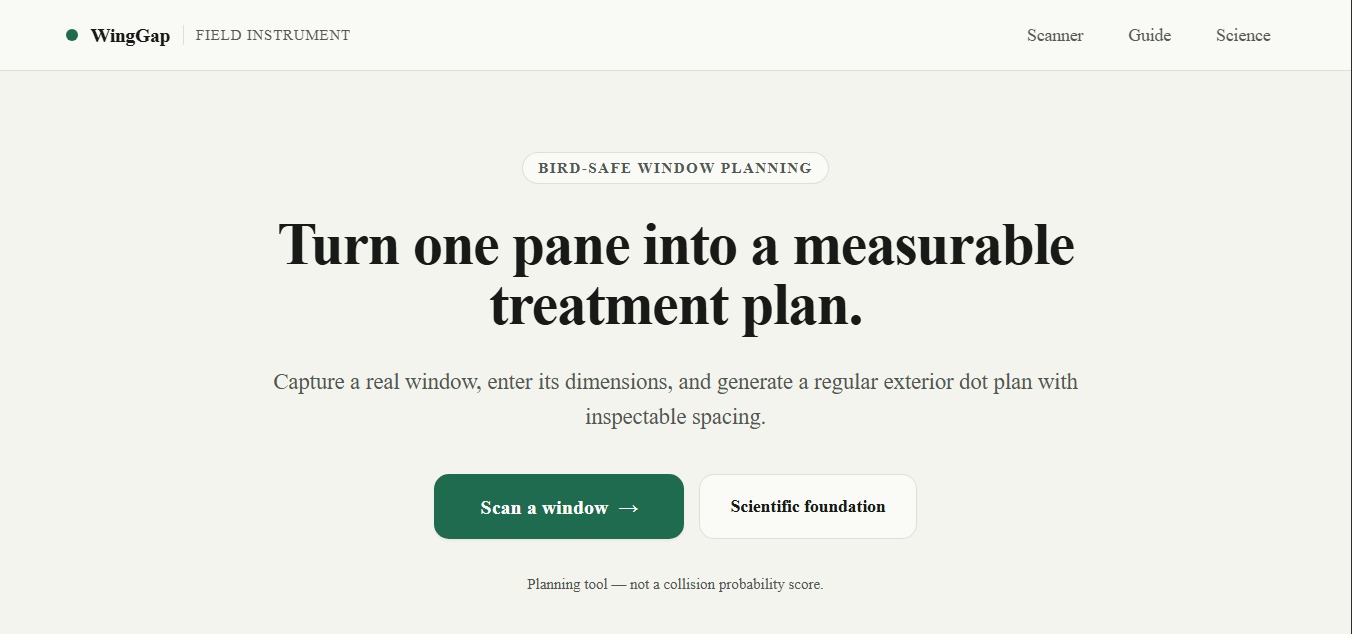
WingGap starts with the exact pane causing that problem. Point a phone at the glass, freeze one frame, mark its four corners, and enter the real width and height from a tape measure. WingGap then generates a pane-specific exterior dot layout and checks every planned gap against locked physical rules.
The proof happens in one uncut interaction. Remove one marker from the plan. The affected opening grows, the guidance check fails, and the exact reason appears on screen. Repair the layout. The missing marker returns and the plan passes again.
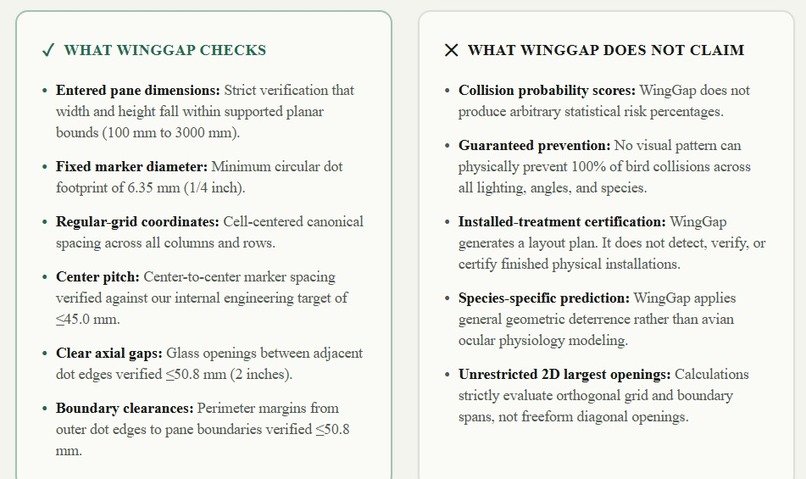
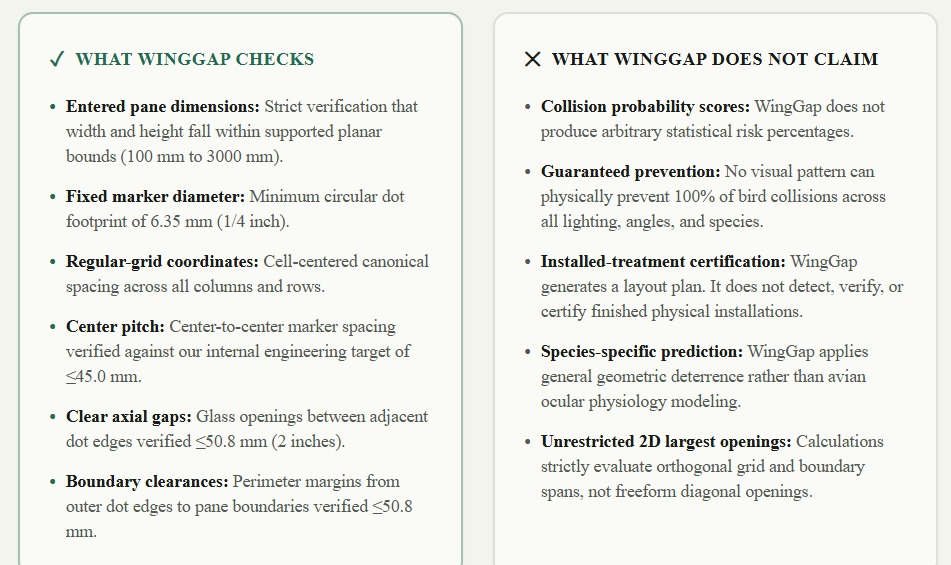
WingGap is not a collision probability score. It is a physical planning tool for treating the whole pane.
Inspiration
Clear and reflective architectural glass can look like open habitat to birds. Bird-friendly guidance explains what an effective exterior pattern should achieve, but a person standing in front of a real window still has a practical problem: how many markers are needed, where should they begin, and what happens if one marker is skipped around a handle, frame detail, or obstruction?
Estimating by eye makes that answer unreliable. Generic sticker sheets do not explain whether the final spacing still works for a particular pane. WingGap closes that last-mile planning gap.
What it does
WingGap is a mobile-first planning instrument for one planar rectangular pane.
- It explains camera use before asking for permission.
- It captures one frozen frame and releases the camera tracks.
- The user aligns four corner controls to the pane.
- The user enters both dimensions from a tape measure.
- WingGap generates a centered, pane-specific marker grid.
- A projective homography maps the physical plan into camera perspective.
- An independent validator checks pitch, clear spacing, and boundary conditions.
- The user can remove any marker and inspect the resulting failure.
- One repair action restores the canonical layout.
- The installation guide carries the actual plan into the field.
If camera access is unavailable, a manual planner provides the same deterministic grid workflow without inventing a pane size.
The physical model
WingGap works in physical millimeters, not guessed image scale.
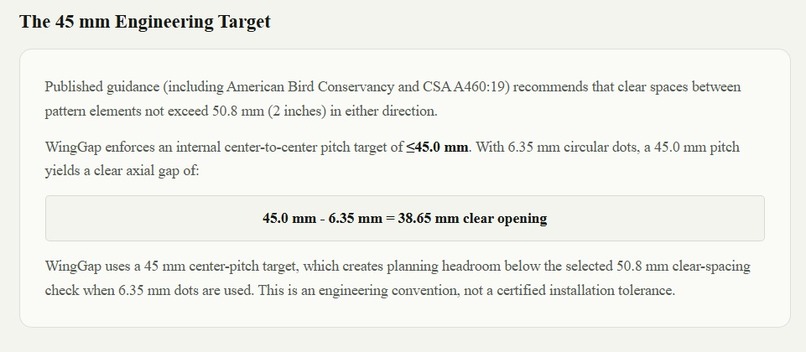
- Supported pane dimensions: 100 to 3000 mm per side
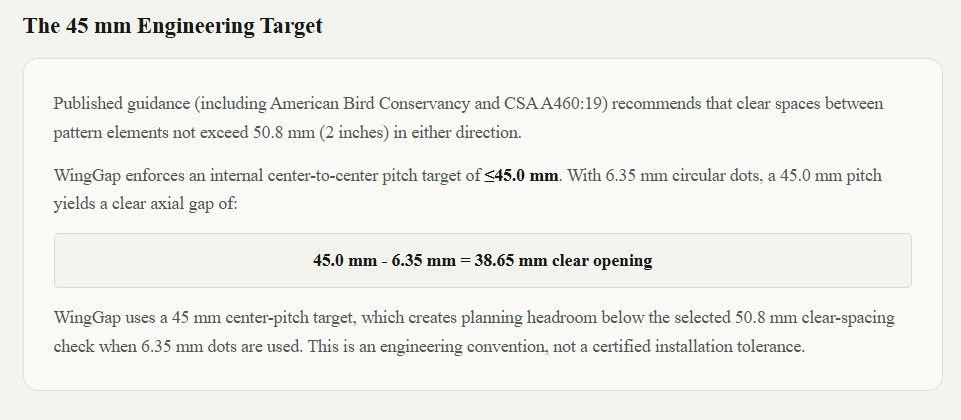
- Circular marker diameter: 6.35 mm
- Internal center-pitch target: 45.0 mm or less
- Separate guidance clear-spacing and boundary threshold: 50.8 mm
- Exterior placement
- Whole-pane treatment
Interior marker removal reports the affected center span and clear glass opening. Edge marker removal reports the affected boundary clearance and clear glass to the perimeter. These are deliberately different measurements.
Why it matters
Conservation guidance only creates impact when people can apply it correctly. WingGap turns a broad rule into a specific plan for a specific piece of glass.
It also makes mistakes visible. Instead of trusting a green badge or decorative overlay, the user can inspect why a layout passes, deliberately break it, and see the exact condition that failed.
WingGap supports Earth Forward through wildlife protection, practical conservation, and accessible field planning. It does not promise to prevent every collision and does not certify a finished installation.
How we built it
WingGap is a statically deployable Next.js application written in strict TypeScript.
The planning core computes row and column counts, centered edge offsets, and independent horizontal and vertical pitches from the measured pane dimensions. A 3 by 3 projective homography maps those physical grid points into the four-corner image quadrilateral.
Validation is intentionally separate from generation. It reconstructs the relevant measurements from locked constants instead of trusting saved status or UI state. The remove, fail, repair sequence is a real recalculation, not a scripted demonstration.
The application runs client-side. Camera frames remain in volatile browser memory and are never uploaded or persisted. Session data is structurally revalidated, and stored pass or fail labels are never trusted.
Why we did not use AI
WingGap does not use AI in its runtime product. This is deliberate.
The task requires exact and inspectable physical calculations. Deterministic geometry and independent validation are more appropriate than probabilistic image interpretation. WingGap does not claim to detect glass automatically, infer dimensions from a photograph, or predict collision probability.
Development assistants supported planning and release review, but no generated result is treated as physical truth inside the application.
Challenges we ran into
Separating image geometry from physical geometry
A photograph cannot provide trustworthy real-world scale by itself. Camera pixels are used only for perspective placement. The user supplies physical width and height, and all planning calculations remain in millimeters.
Making failure demonstrable
A polished overlay could look convincing while hiding bad spacing. We made marker removal part of the product so the validator can be challenged in front of a judge.
Preserving dimensions across unit changes
Rounded display values must not rewrite the physical pane. Release testing exposed this subtle issue, so WingGap now preserves canonical millimeter values beneath centimeter and inch inputs.
Keeping the handoff private
The desktop QR contains only the real production origin and /scan?source=qr. It carries no image, measurement, account, session, or private state.
Accomplishments we are proud of
- The core proof is interactive, deterministic, and visible.
- The plan changes correctly for materially different window sizes.
- The validator distinguishes interior spacing failures from boundary failures.
- Repair restores the canonical plan.
- The guide uses the active geometry rather than a fabricated default.
- The exported schematic is clearly stamped
NOT TO SCALE. - The product requires no account, backend, image upload, location, analytics, or telemetry.
- The release passes lint, strict type checking, 76 automated tests across 12 files, and a production build.
What we learned
The hardest part was not drawing dots. It was preserving a trustworthy chain from a physical pane to an inspectable plan.
We learned to keep physical measurements separate from screen coordinates, preserve canonical values beneath rounded display units, and treat validation as an independent policy boundary. A field tool becomes more credible when it can clearly demonstrate failure, not only display success.
Built during NextStep Hacks 2026
WingGap's implementation, deterministic planning core, independent validator, field workflow, tests, release hardening, and deployment were completed during the event period.
The project uses established projective geometry and published bird-friendly design guidance as engineering inputs. No finished WingGap application or pre-existing codebase was entered.
Current limitations
- WingGap supports one planar rectangular pane at a time.
- Both physical dimensions must come from a tape measure.
- It does not detect glass or infer scale automatically.
- It does not observe or certify the final physical placement.
- It does not predict collision probability.
- It does not guarantee collision prevention.
- Exterior placement and whole-pane treatment remain the user's responsibility.
What is next
The final step is field evidence, not new product scope. We are testing the full workflow on a real phone and real window, recording the uncut inspection sequence, and comparing the installation guide with the measured pane.
Built With
- next.js
- projective-geometry
- qrcode
- react
- tailwind-css
- typescript
- vercel
- vitest

Log in or sign up for Devpost to join the conversation.