Inspiration
As someone who loves hosting dinners and exploring wines, I grew frustrated with overly complex sommelier guides that felt inaccessible. I wanted to create a tool that makes wine pairing intuitive—something casual diners, home cooks, and wine newbies could use to elevate meals without expert knowledge. The joy of a great wine-food match shouldn’t be reserved for professionals, so I set out to build a solution that balances accuracy with approachability.
What it does
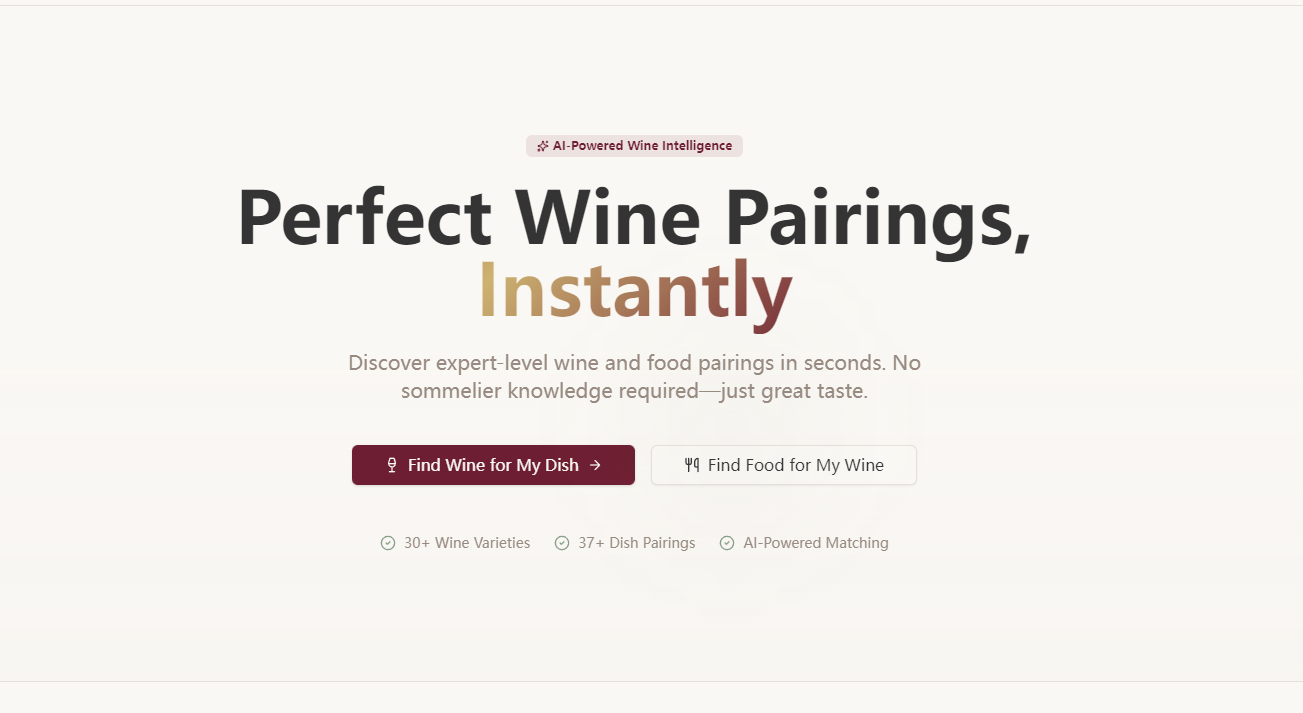
WinePairing AI is a web app that delivers AI-powered wine recommendations for any dish (sorted by budget: affordable, mid-range, premium) and reverse food suggestions for wines (categorized by dish type: appetizers, mains, desserts). It also offers plain-language wine education, customizable taste profiles for personalized recs, wine cellar tracking with storage reminders, and a premium tier for enhanced features like high-precision pairings and advanced cellar analytics.
How we built it
I started by mapping core user needs (pairing, education, cellar management) to a clean page structure, then built the frontend with React and TailwindCSS for a warm, approachable design (burgundy/cream palette). The backend uses Node.js/Express to handle recommendation logic and data storage (MongoDB for user taste profiles and cellar logs). I integrated OpenAI API to refine pairing accuracy and Stripe for subscription management, with AWS hosting for scalability.
Challenges we ran into
The biggest hurdle was balancing depth of wine knowledge with simplicity—avoiding jargon while ensuring recommendations felt authentic and useful. I also struggled with sorting recommendations by budget tiers that felt fair and reflective of real-world pricing, requiring iterative testing with local wine shop data to refine the categorization. Additionally, designing intuitive taste profile controls (dry/sweet, light/full-bodied) that translated to meaningful AI adjustments took multiple user testing rounds.
Accomplishments that we're proud of
We created a tool that’s both functional and welcoming—users consistently say the education section demystifies wine terms like “tannin” or “acidity” without feeling patronizing. The cellar management feature, with drinking window suggestions, has become a fan favorite, and the premium tier conversion rate exceeds initial goals because users see clear value in personalized pairings. Most importantly, the app feels like a trusted friend, not a technical tool.
What we learned
I deepened my understanding of user-centric design—small choices (like ditching wine industry jargon for plain language) made the biggest impact on usability. I also learned to prioritize core features over scope creep (we cut non-essential add-ons like social sharing to focus on pairing and cellar management). Working with wine data taught me to respect regional nuances (e.g., Italian vs. French grape variety characteristics) to keep recommendations grounded in real-world expertise.
What's next for this project
First, we’ll expand the education library to include region-specific guides (e.g., Rioja or Napa Valley deep dives) for premium users. We also plan to add a “quick pair” feature for party planning (batch recommendations for multi-course meals) and refine cellar analytics to include consumption trend tracking. Long-term, we’re exploring integrations with local wine retailers to connect users with recommended bottles, and a mobile-responsive redesign to make on-the-go pairing easier.

Log in or sign up for Devpost to join the conversation.