Inspiration
I love traveling, but the travel memories seem so distant during COVID-19. Some friends shared their travel memories on Instagram, and some Photoshopped themselves on scenic spots in different countries. This inspired me to create an interesting and interactive filter that my friends and I can still have fun when staying at home.
What it does
Just a tap away, this filter can take you to different countries.
1) Tap on the button of Russia (RU), you can look around the 360-degree Red Square in Moscow.
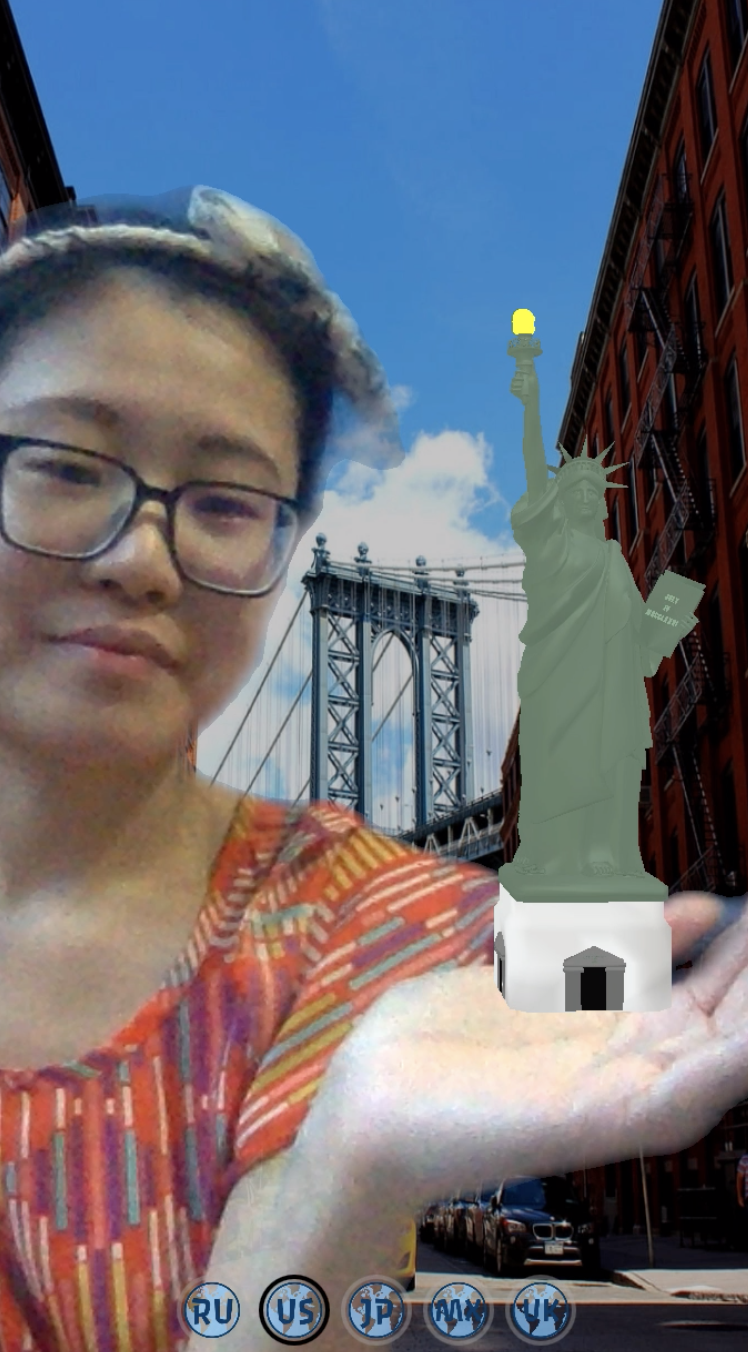
2) In the US, apart from the background of the classic Brooklyn Bridge, tap on anywhere of the picture, you can take a selfie or video of your interaction with the animated Statue of Liberty. You can dance, act, talk to her. Anything.
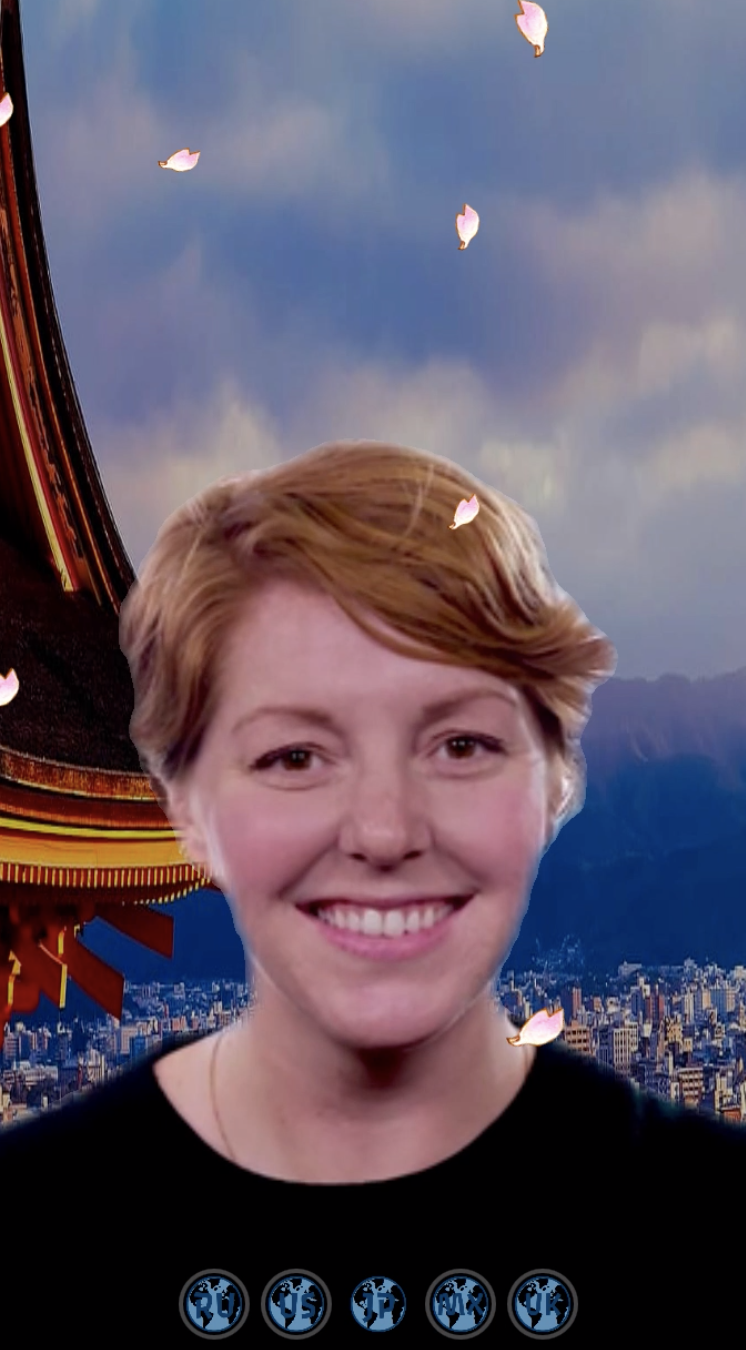
3) Tap on the button of Japan (JP), the filter will take you to appreciate cherry blossom in Kyoto.
4) In Mexico (MX), your face will be a colorful skull.
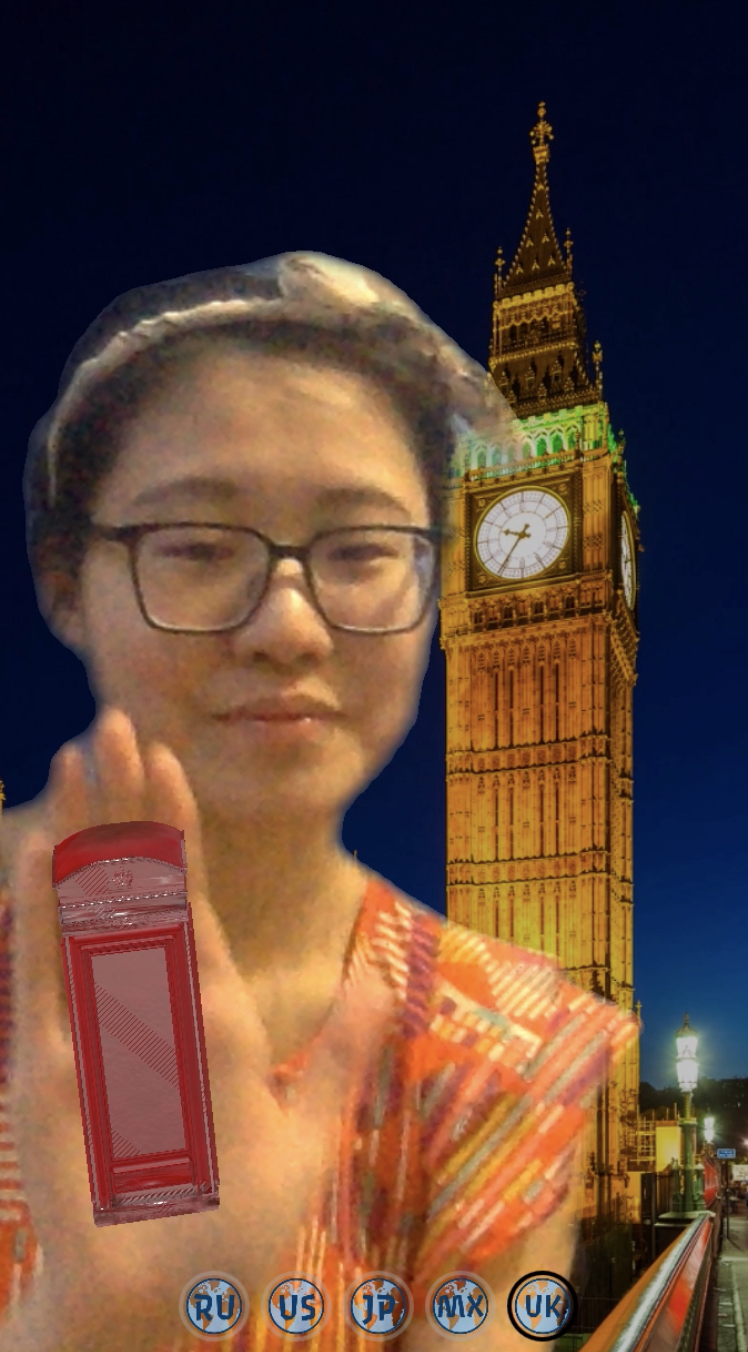
5) In the UK, tap on anywhere of Big Bang background, a phone booth will start moving. Tap again, it will stop.
How I built it
I started with background segmentation and used Picker UI to create the five-country settings. Then I tried to add some fun in each setting. A sphere was used to create a sense of panorama. The Statue of Liberty and the phone booth used Plane Tracker. The cherry blossom was generated with Particle Systems, while the skull used Face Tracker. For the assets, I used license-free pictures and 3D objects
Challenges I ran into
The main challenge was I did not know how to put a 3D object in a certain setting. For example, the Statue of Liberty appeared in every setting. At first, I thought I needed layers for 3D objects to separate them, but it did not work. I watched many tutorials and tried to write scripts, but in vain. Then I tried to connect Visible of 3D objects to Picker UI, it just worked!
Another challenge was I did not know Picker UI can be used to change backgrounds. At first, I used Animation Sequence, but I could not interact with the background. It just kept changing. After searching and watching some tutorials, it occurred to me I could use Picker UI.
Accomplishments that I'm proud of
I’m proud that I deliver my idea quite completely because of many functions I never use before. I was really happy when I realized how to make 3D objects visible and invisible because I was stuck by that for a long time.
My second hurdle was how to animate 3D objects. At first, I tried to modify others’ scripts for many times, but they just didn’t work. Then I watched a few materials, just to have a general idea. After that, I learned from scratch on SparkAR tutorials (Procedural Animation & Thumbs Up). With trial and error on the patch editor, I make 3D objects move!
What I learned
One of the most important things I learned was to keep logical. Sometimes, when I focused too much on how to use a function, I forgot my purpose and need. For example, when I was learning Picker UI, I was distracted by Slider UI, which I didn’t need for this filter.
Another thing I learned was to keep trying. Picker UI, making 3D objects appear in different settings, and animate 3D objects were the three major functions I learned. It took a while, but it’s worth it!
What's next for WindowTravel?
I hope to add more countries and interactive objects. If the file is too big, I may create version 2.0 or separate for different continents, such as WindowTravel Asia. Also, I hope users can customize their travel destinations, such as set their own background.
Built With
- javascript
- sparkar

Log in or sign up for Devpost to join the conversation.