Inspiration
In a modern age where attention is largely geared towards screens and app usage, there is a prominent epidemic of time being wasted as well unconsciously reduced focus. This application is largely geared towards those who want to take back their focus and keep track of their usage of other applications. We also drew inspiration from the screen-time feature of IOS and mac, so we decided to make a version for Windows. This project is ultimately to help those get away from excessive screens to being in the outside world living the experience that truly makes us happy.
What it does
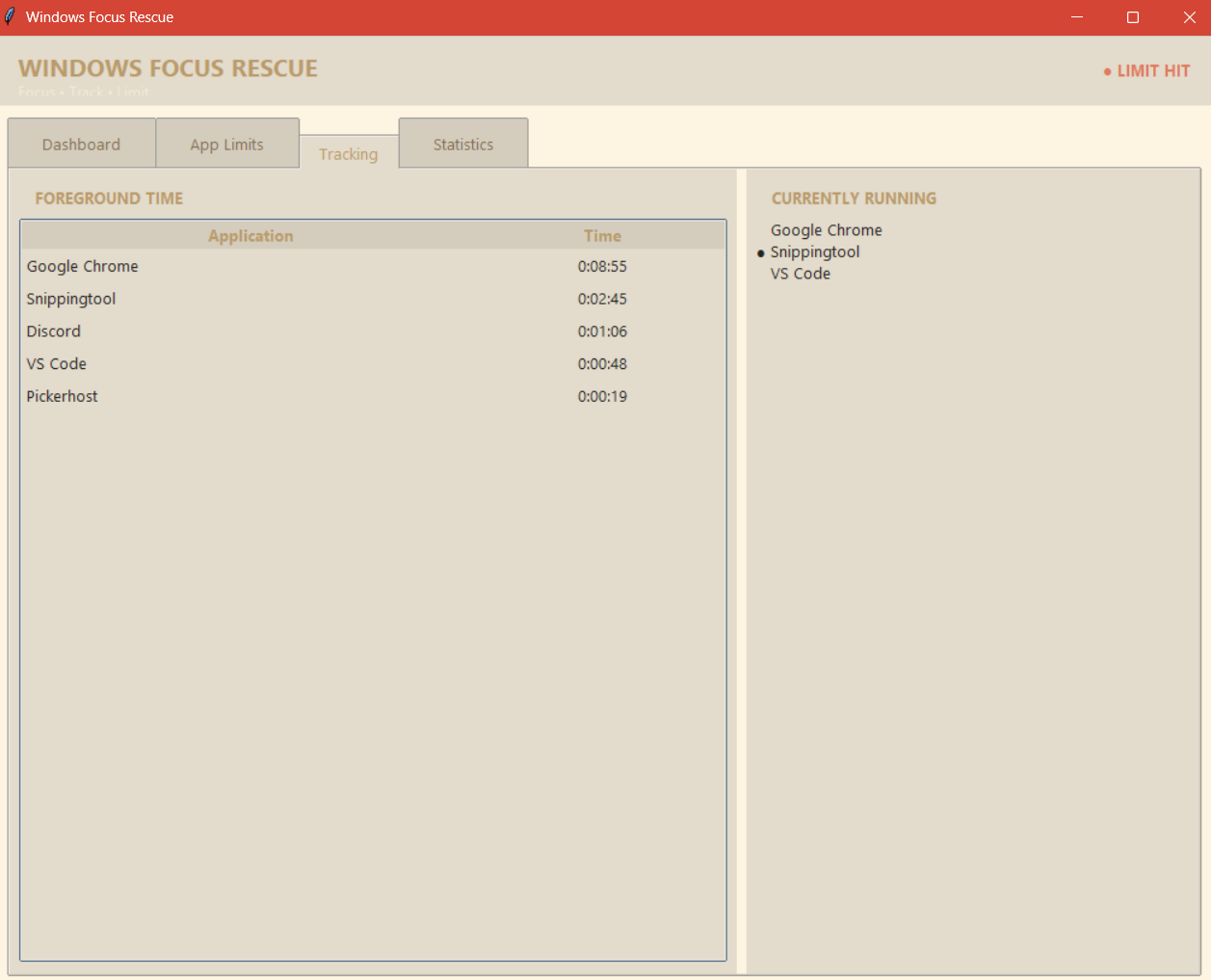
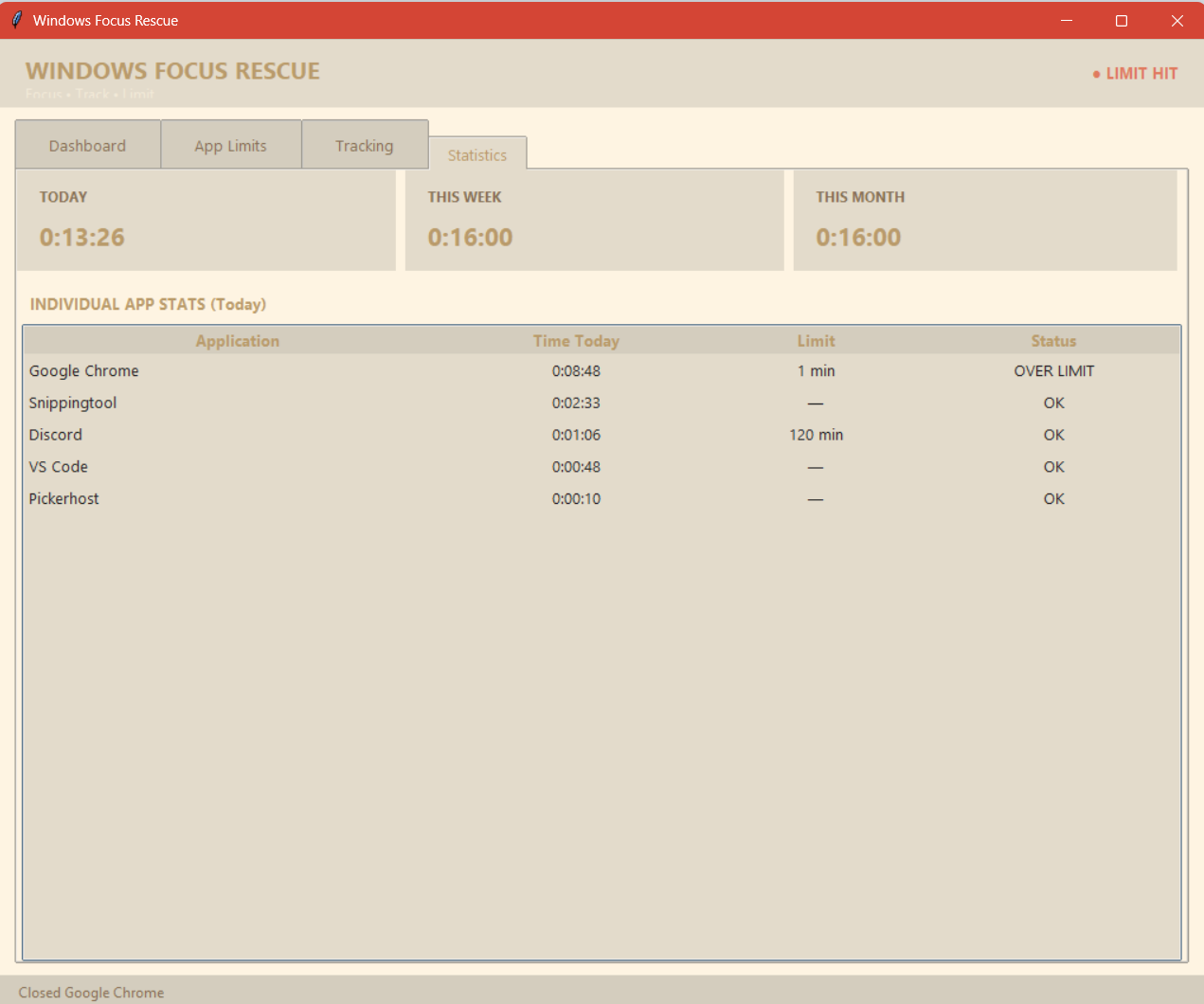
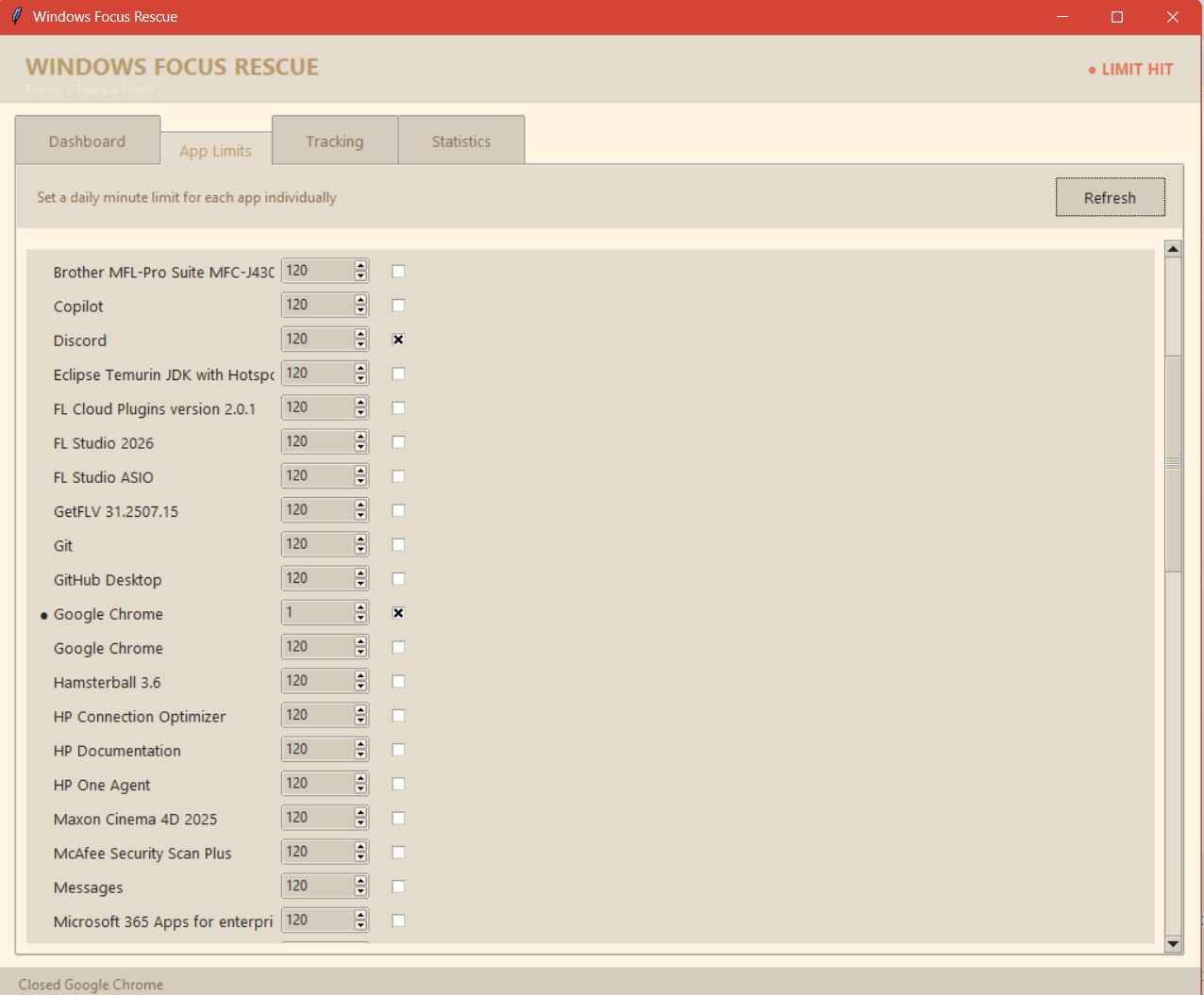
The Windows Focus Rescue app is designed to track your usage and also allows the users to set time limit for using certain apps or all of it. We have statistics starting from daily usage, to weekly usage, to monthly usage even. With this you can see how much time you have spent on the screen overall! You can also see the different apps you have used and also the time spent breakdown of each app. Also shows you the limit you have set and indicates whether you're within limit or over limit.
How we built it
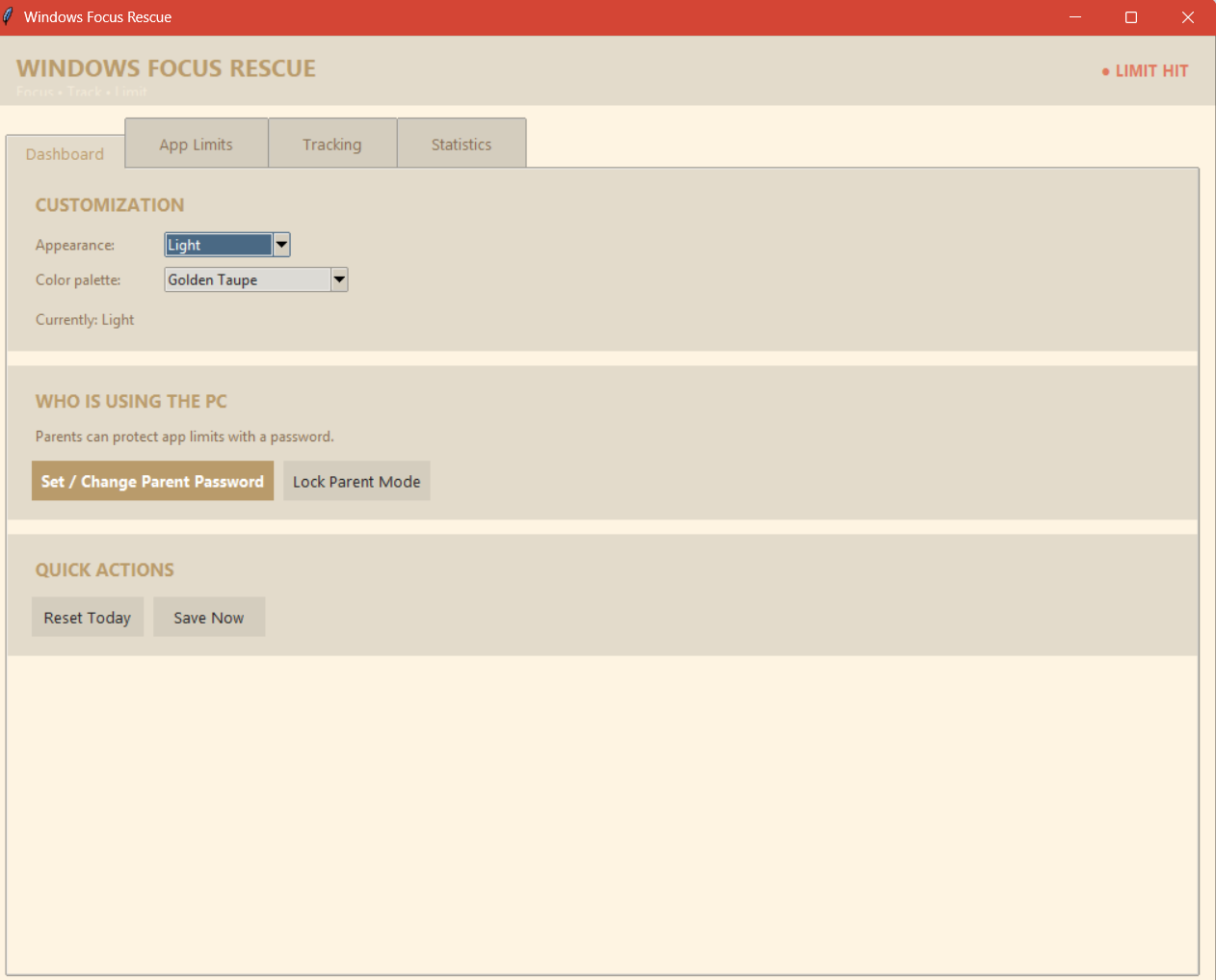
We first wanted to cover the logistics, features, and overall layout of the project. We had multiple ideas for how to restrict the user from giving in to their urges of using distracted apps, but we decided that a simple block as well as a statistical overview of usage would put it in perspective for the user. We first made a flow-chart of what the design should look like. We decided to implement three tabs: menu tab, check-list of running apps to block, and finally the statistics tab. Further down the flow chart, we covered more ground on what the information and miscellaneous features should be available. We then decided to get to programming, and decided that python would allow us to effectively collaborate as well as for the ui design and functionality. Perhaps more languages could have been utilized, but that's maybe for another time. We used the tkinter library for ui design and also the psutil as well as win32 libraries for being able to find the other applications that were running. We programmed separate functions for the tabs and features. Had some ai assist us with the functionality aspects but the ui design we had came up with ourselves.
Challenges we ran into
There was a long conquest of challenges throughout the process of this project. Our first issue was getting the program to actually recognize the running applications. We had to test it out with dummy data but eventually we were able to get it to figure it out. The next challenge was even bigger, where we were trying to get the application to cooperate with the other applications. Trying to implement the block feature was surprisingly quite stubborn as we could not actually into the application to block it, so instead we implemented an overlay that would provide a block message. What made our hearts drop was that the overall was taking over the entire screen and not allowing any movement whatsoever. After killing the program, we decided to just make it so that the our project just recognizes the window of desired application to block, and just re-size/re-adjust its overall to cover that part; instead of having to actually go into the application. Some other issues were in the statistical tab, where the timers would not run or would just be inaccurate. Potentially more issues that we are forgetting to mention but nonetheless there beneficial for our learning and understanding.
Accomplishments that we're proud of
We are very proud of what we are able to achieve with this project. Originally we came in not knowing what to do but over time as we were brainstorming ideas, we were able to achieve alot with this app, especially with the basic functionality of the project, which is to detect screen time and also allow users to put time block. What we were especially proud of was the fact we were able to jump this huge hurdle with the overlay, originally when the limit is hit, it flashes and we had no way of escaping the overlay blocker, but now we added 2 buttons, the add 5 minutes and also the close app button, which allowed us to get out of the overlay and let the user continue as normal.
What we learned
We all learned a lot about about how to build this project and what goes into building a project with different components. Although we used assistance from AI bot, we did learn more about the way to develop the application and bringing our ideas to life and especially for me (Hakim) I was able to learn more python and gain experience with python and developing applications with such.
What's next for Windows Focus Rescue
The skies the limits for this project. We feel as though the application could be way more user-friendly with more visual data representation. Also could have a more creative way blocking the apps with perhaps a puzzle or some type of interactive incentive to bypass the block or kill your intention of getting through the block. We also would like to focus on ways to make the password feature more secured so that no one could just change password as they wish, and make it more secured. We also will find a way to personalize the interface for different demographics, i.e. children, parents, and general users as to make the features more suitable for each of the demographics.


Log in or sign up for Devpost to join the conversation.