Inspiration
Window Seat started with a question: How much adventure can fit into the space around a seated player?
We created it specifically for the Meta VR Start Developer Competition 2026, taking the airplane-seat design challenge as our starting point. We wanted something enjoyable from a chair, couch or airplane seat, using small hand movements and a few spare minutes.
Paper planes felt like a natural fit: familiar, playful and satisfying to throw. Pairing them with a magical window gave us the central idea: a small physical space opening onto a much bigger imaginary world.
What it does
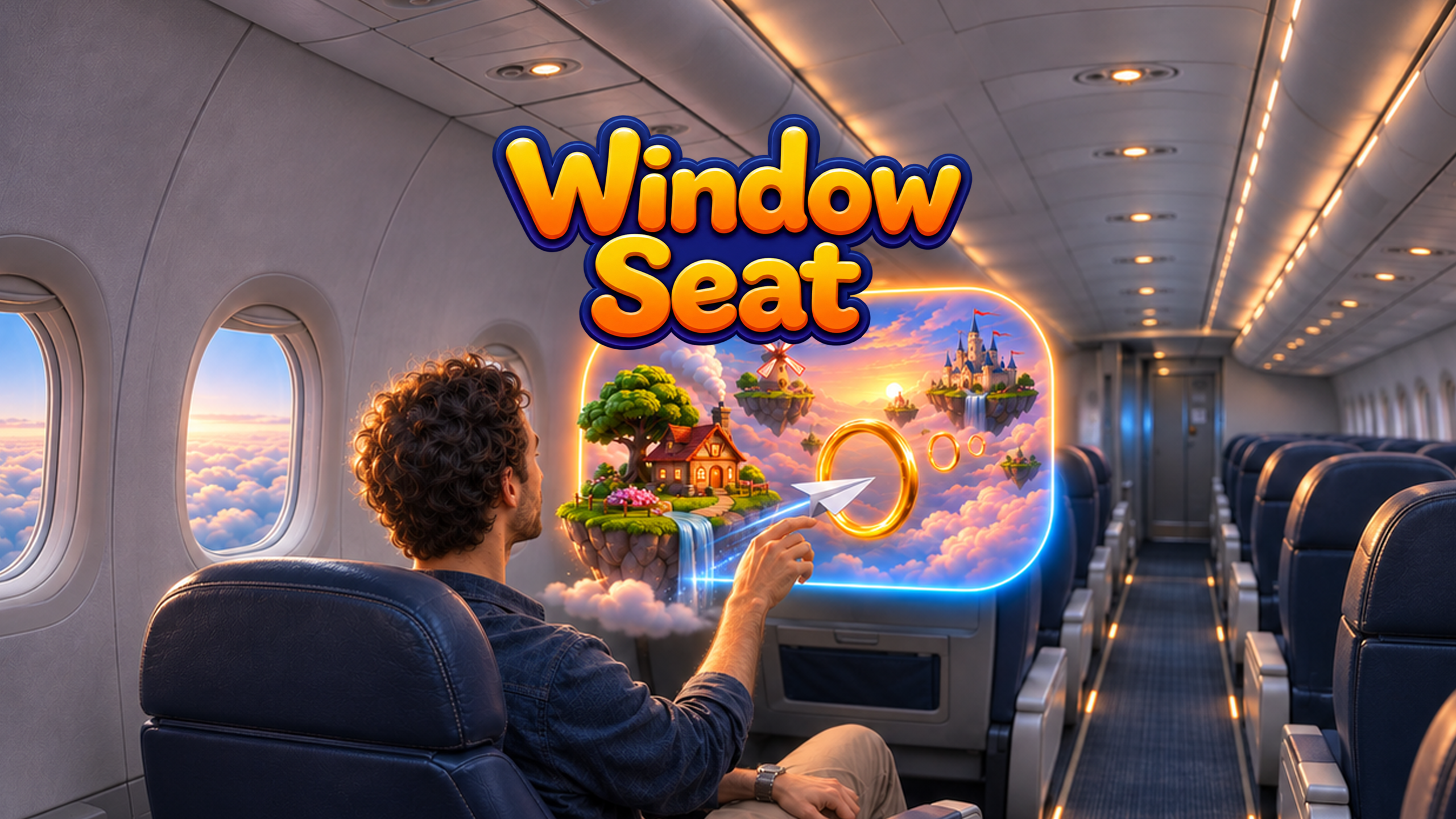
Window Seat is a seated mixed-reality game where a window appears in your real surroundings, revealing floating islands, sunlit clouds, cottages, windmills and castles.
Pinch to form a paper plane, aim and release. Fly through rings, land on islands and improve your score. Flight School provides structured challenges, while Open Skies lets you chase longer chains and personal bests.
Your surroundings remain visible, and the interaction stays close to your body. The goal is a little escape from the seat you’re already in.
How we built it
We built Window Seat in Unity with C#, using OpenXR and Unity XR Hands for tracked-hand input.
The flight system translates hand movement and wrist orientation into launch speed, direction and banking. Custom portal rendering gives the miniature world depth and parallax. When a plane crosses the window, it transitions from real-space flight into the miniature simulation.
We built hand-operated controls for moving and resizing the window, selecting challenges and replaying. Rising musical notes, flight trails and near-miss feedback help players understand each throw without interrupting the action.
Challenges we faced
Making a small throw feel natural was one of the hardest problems. Opening a pinch moves the fingertips, which can distort the measured release direction. We used recent hand-motion samples to better capture the intended throw.
Scale was another challenge. The plane needed to feel connected to the player’s hand while flying convincingly through a miniature world. We adjusted simulation scale, timing and visual feedback to make that transition coherent.
We also had to balance information with the view. Scores, menus and effects could easily overwhelm the small window. We consolidated feedback and placed controls around the frame to keep the flight readable.
What we learned
We learned how much expressive play can come from a small gesture. A slight change in release angle can give a familiar action room for practice and improvement.
We also learned that clear feedback matters as much as successful interaction. Understanding a near miss makes the next attempt more inviting.
Next, we want to refine throw feel, improve onboarding and expand the challenges while preserving the game’s compact, comfortable character.
