-
-
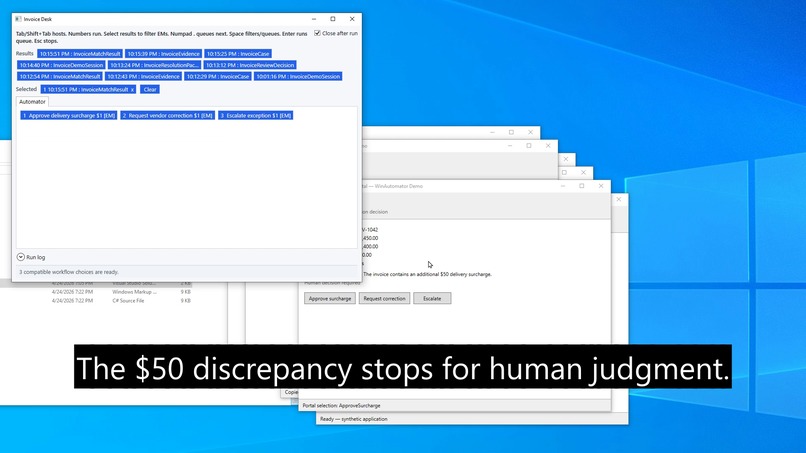
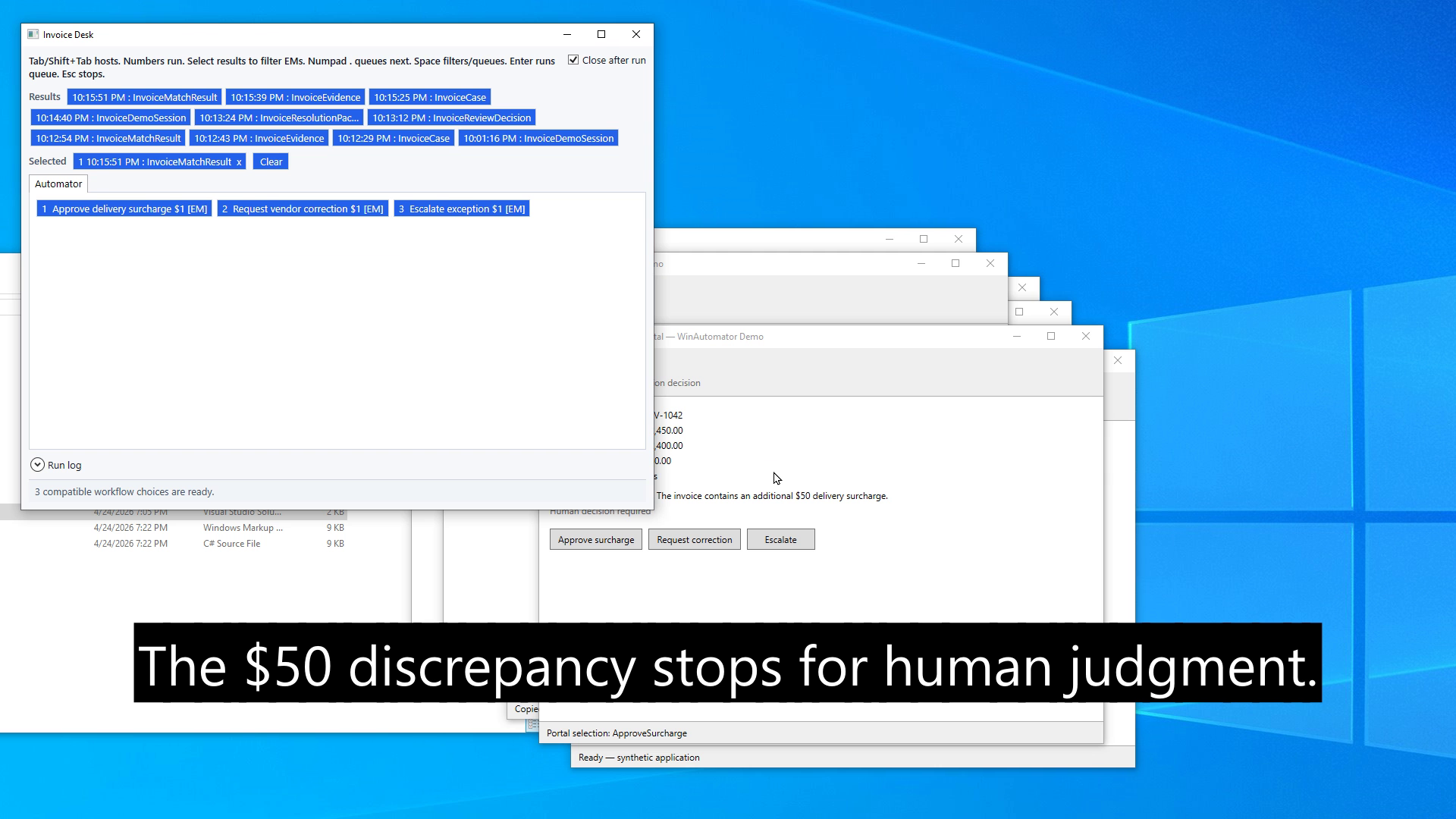
Typed result history offers three compatible human decisions after detecting a synthetic $50 discrepancy.
Inspiration
What it does
How we built it
Challenges we ran into
Accomplishments that we're proud of
What we learned
What's next for WinAutomator
Inspiration
Professional office workflows rarely live in one application. A person may search an inbox, inspect an invoice, retrieve a purchase order, verify receiving data, make a judgment, enter a decision, and preserve an audit record across several independent tools. Recorded macros are often fragile and opaque, while fully autonomous agents can hide the exact steps or cross a decision boundary without enough domain knowledge.
WinAutomator explores a middle path: automate the mechanical work, make every reusable operation inspectable, and keep the human in control where professional judgment matters.
What it does
- Records ordinary mouse and keyboard work and generates editable ReflectionScript extension methods.
- Accepts AI-proposed operations through the same visible preview, validation, and explicit-install boundary.
- Opens context-aware Automators with F8/F9 and exposes frequent operations through short numeric or letter selections.
- Publishes typed results into history so compatible later skills can reuse recent evidence.
- Automatically offers relevant next operations while preserving a visible choice when human judgment is required.
- Shows the executing operation and progress in a non-activating overlay.
The included Northstar Invoice Desk is a synthetic six-application workflow. It finds invoice INV-1042, retrieves purchase-order and receiving evidence through visible window, input, search, and clipboard operations, detects a $50 delivery surcharge, pauses for a human resolution, enters the decision, and creates an audit package. It uses no employer data or external accounts.
How we built it
AutoWin is a C#/.NET 8 WPF runtime centered on DynHost, dynamic properties and methods, ReflectionScript, centralized invocation, typed result history, and object-driven displayers. WinAutomator adds global hotkeys, window-context matching, manual and automatic recording, script generation and validation, native Windows input and clipboard automation, Windows OCR, file/workspace operations, and Chromium DevTools Protocol automation.
Each Automator is a typed object whose operations include parameters, return types, documentation, dependencies, and policy metadata. InvocationService executes the selected method and publishes its result. Typed-result continuation binds that result to compatible later operations and restores a filtered runner. The Northstar workflow is composed from this general mechanism rather than implemented as a fixed wizard.
How we used Codex and GPT-5.6
AutoWin and early WinAutomator capabilities existed before the challenge. During Build Week, Codex with GPT-5.6 helped us inspect that architecture and meaningfully extend it with reliable configurable bare F8/F9 hotkeys, typed-result continuation, the non-activating execution overlay, the complete Northstar environment and human-decision branch, dispatcher and clipboard timing fixes, tests, documentation, the three-minute demonstration, and a safe public-release boundary.
Codex accelerated implementation and diagnosis, while the human made the product, engineering, UX, and release decisions. The repository documents the pre-existing foundation and the Build Week additions.
The product applies the same philosophy to AI authoring: WinAutomator produces a structured prompt from the current object and operation context. An AI proposal can be pasted, previewed, validated, and edited, but only an explicit user action installs it. No proposal is silently trusted or executed.
Challenges
The hardest problems were making bare global hotkeys reliable without duplicate instances, moving typed results between independently authored operations without turning the demo into a wizard, foregrounding the correct application within a small cascading workspace, preserving clipboard and UI timing across dispatchers, and showing execution progress without stealing focus.
Accomplishments
We are proud that the demonstration is built from the same typed object model and reusable operations exposed to users and AI. The workflow remains inspectable at every step, stops at a real judgment boundary, and then continues with an auditable typed result.
What we learned
Small, typed, visible skills are easier to test, reuse, and evolve than opaque end-to-end macros. AI is most useful here as a collaborator and proposal author inside a clear human validation boundary.
What's next
Next steps include simplifying Windows packaging, improving selector resilience, expanding accessible test fixtures, and integrating optional hosted AI proposal generation while preserving preview, validation, and explicit user approval.
