-
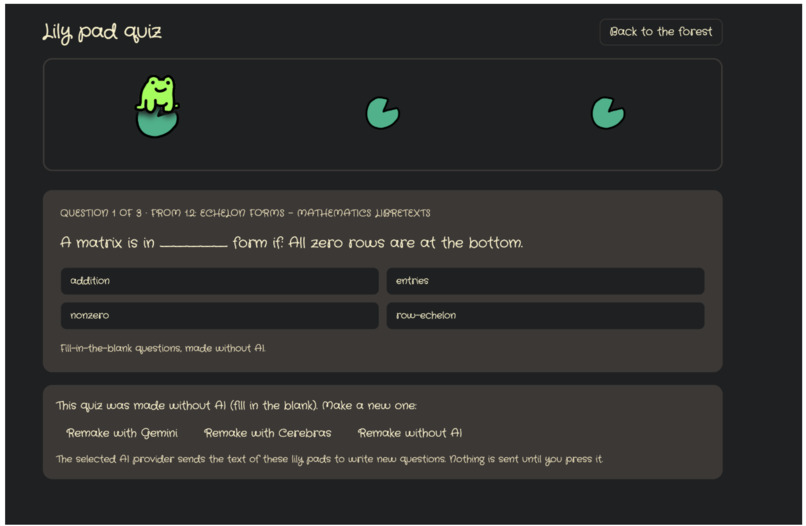
Auto generated lily pad quizzes from placed notes
-
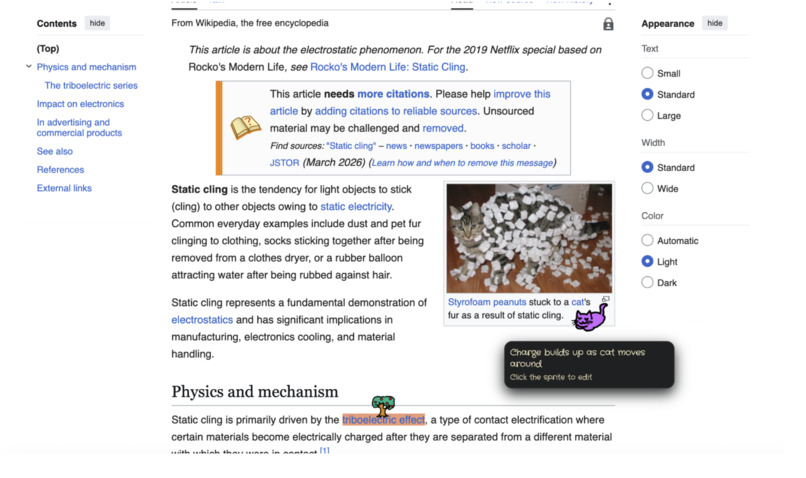
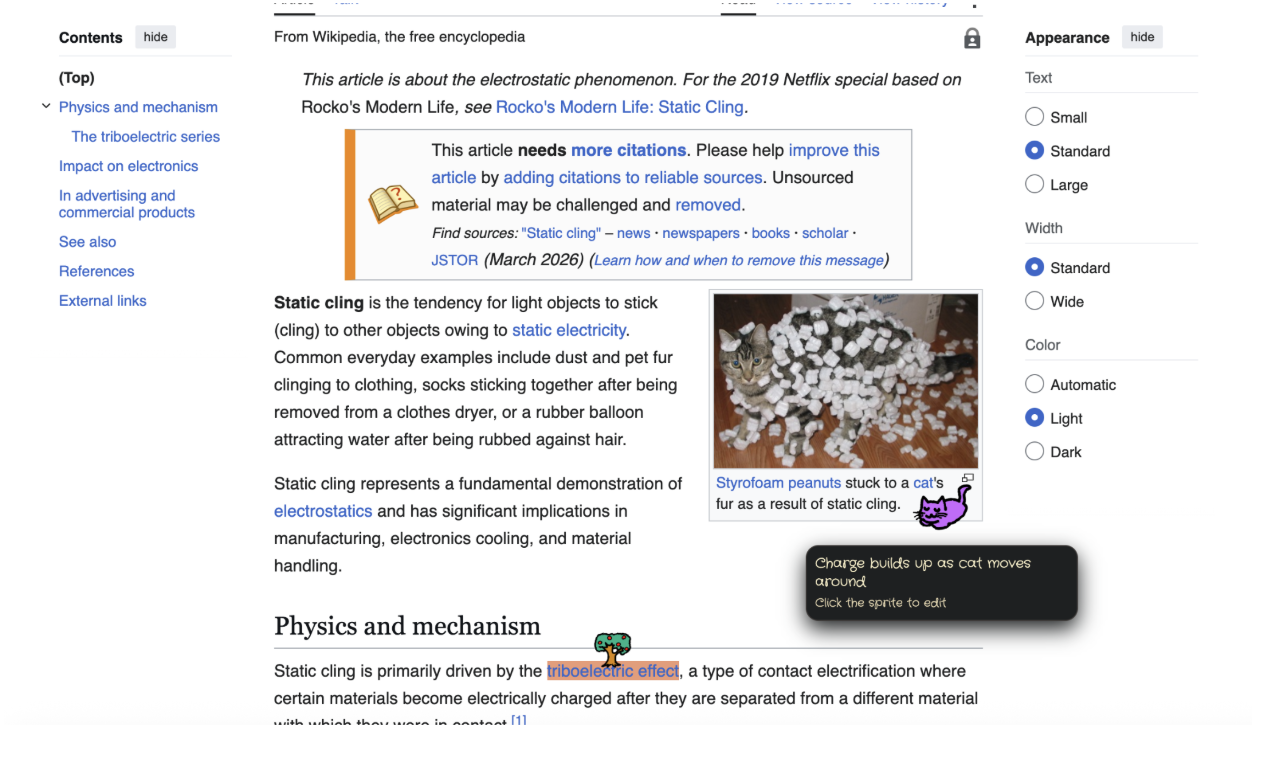
Note taking on a web page
-
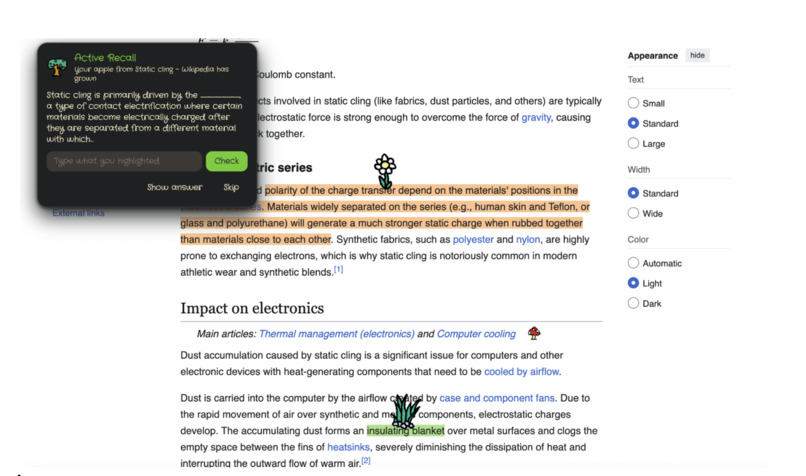
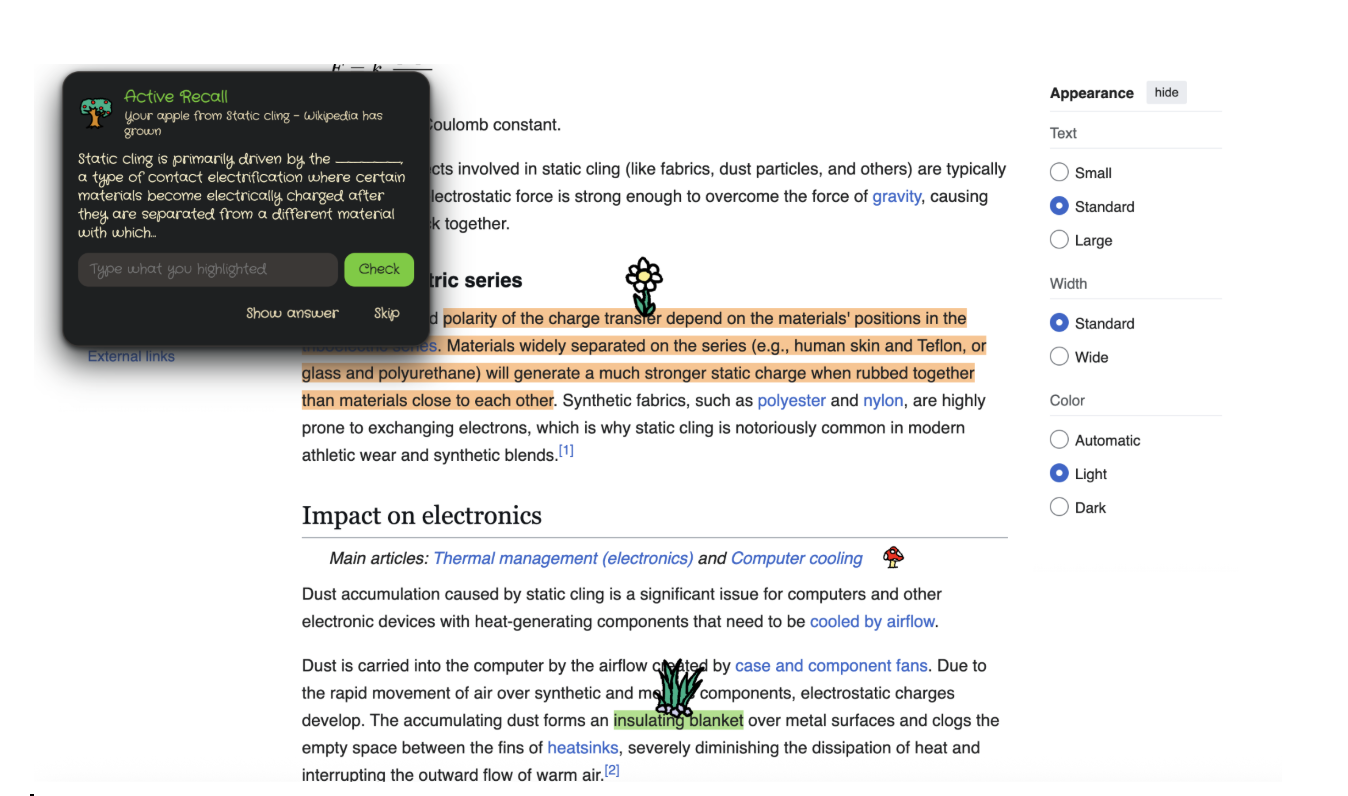
Active Recall Demo
-
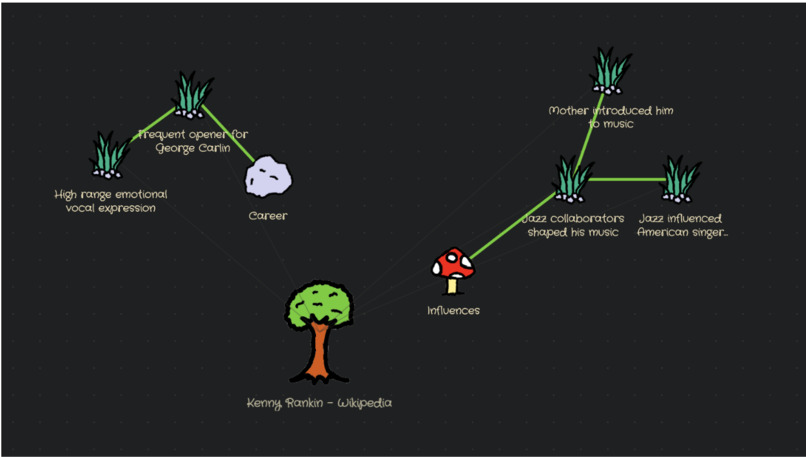
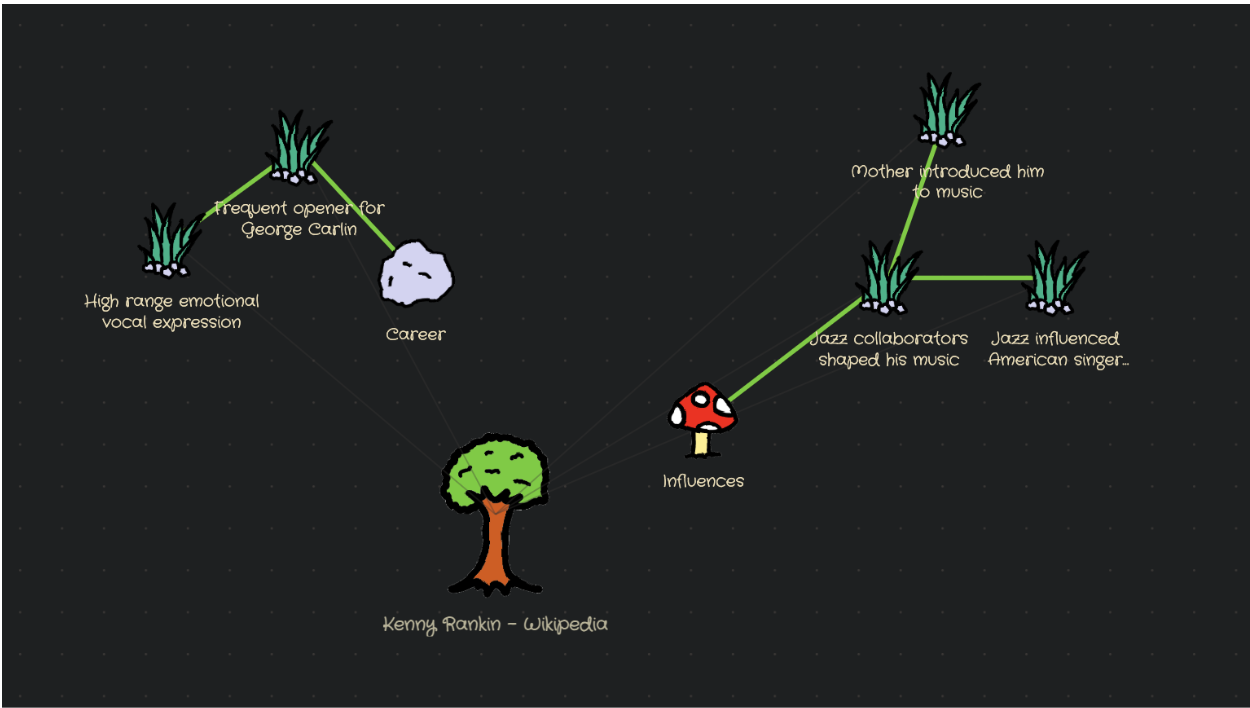
Mind map editor/viewer
-
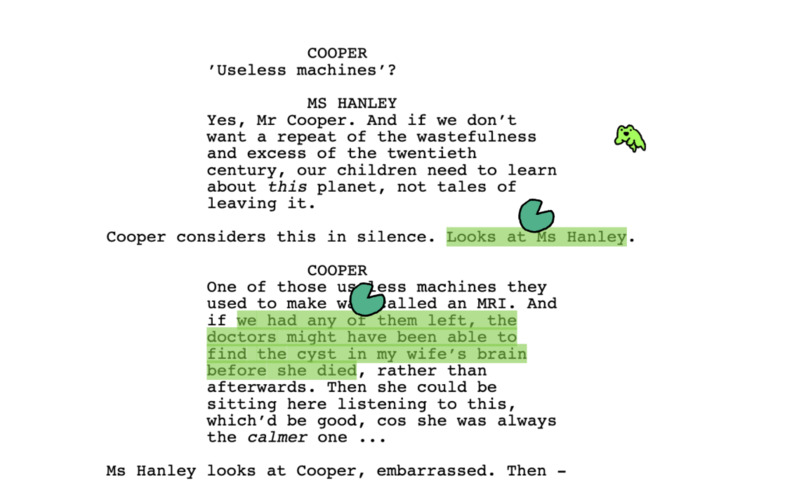
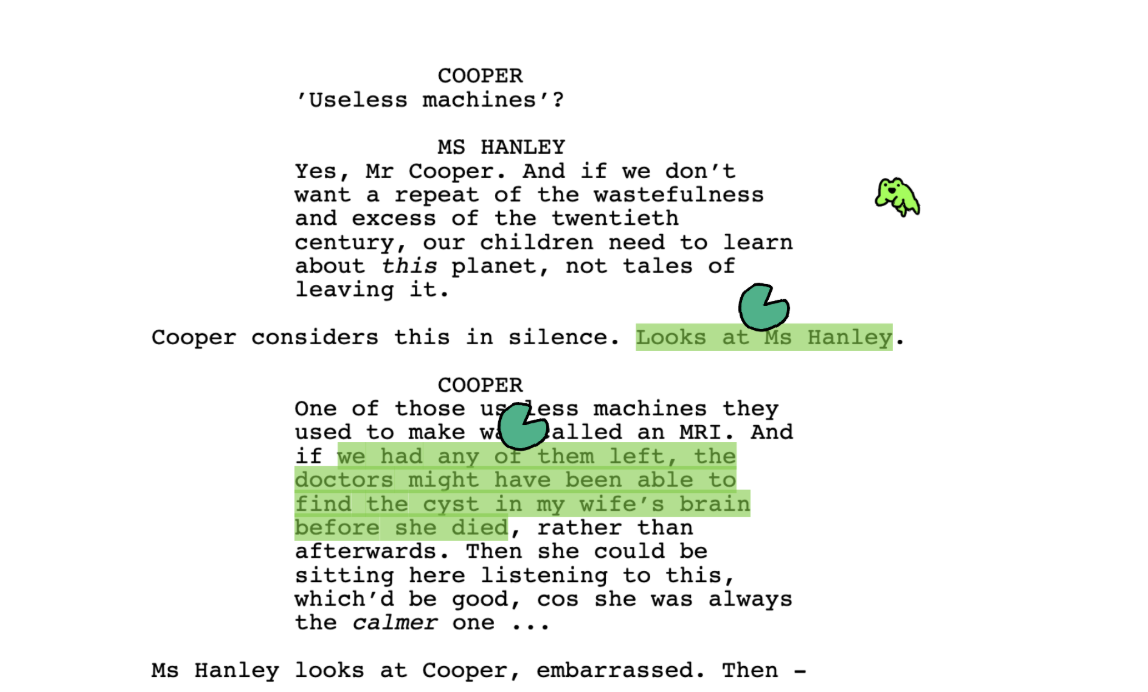
Note taking in PDF viewer
-
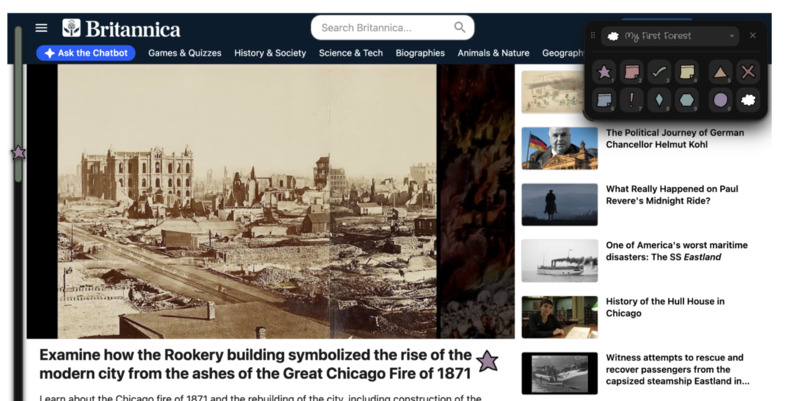
Minimalist theme
-
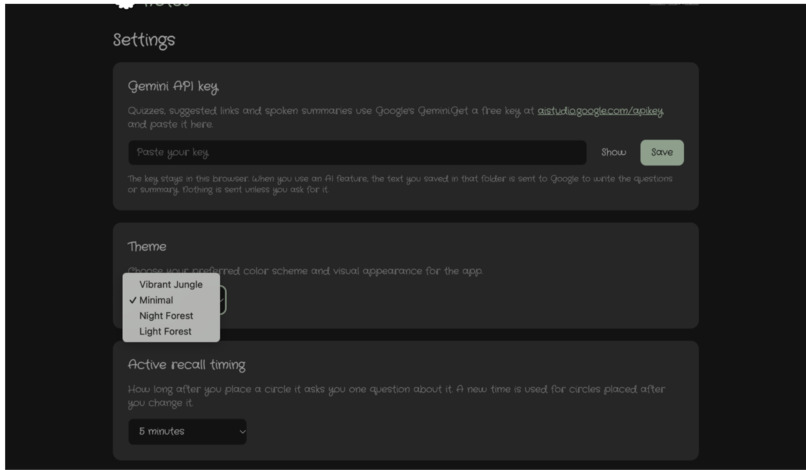
Customizable theme
Inspiration
It can be very sad to take notes on another website, especially when you've been staring at the same white screen for hours. Digital notetaking is often very dull, and we wanted to make something fun, along with great QOL features that we would actually use. The notes are plants, they grow into trees, related ideas are joined by roots, and a frog quizzes you. You can also add animal markers to make your space feel more alive.
The extension is also built on well researched learning strategies like active recall and connecting ideas through nodes. It makes research more fun and accessible as well, for people who might have trouble focusing.
What it does
Wildernotes is a Chrome extension for annotating any web page or PDF, then turning those notes into something you can study.
On any page
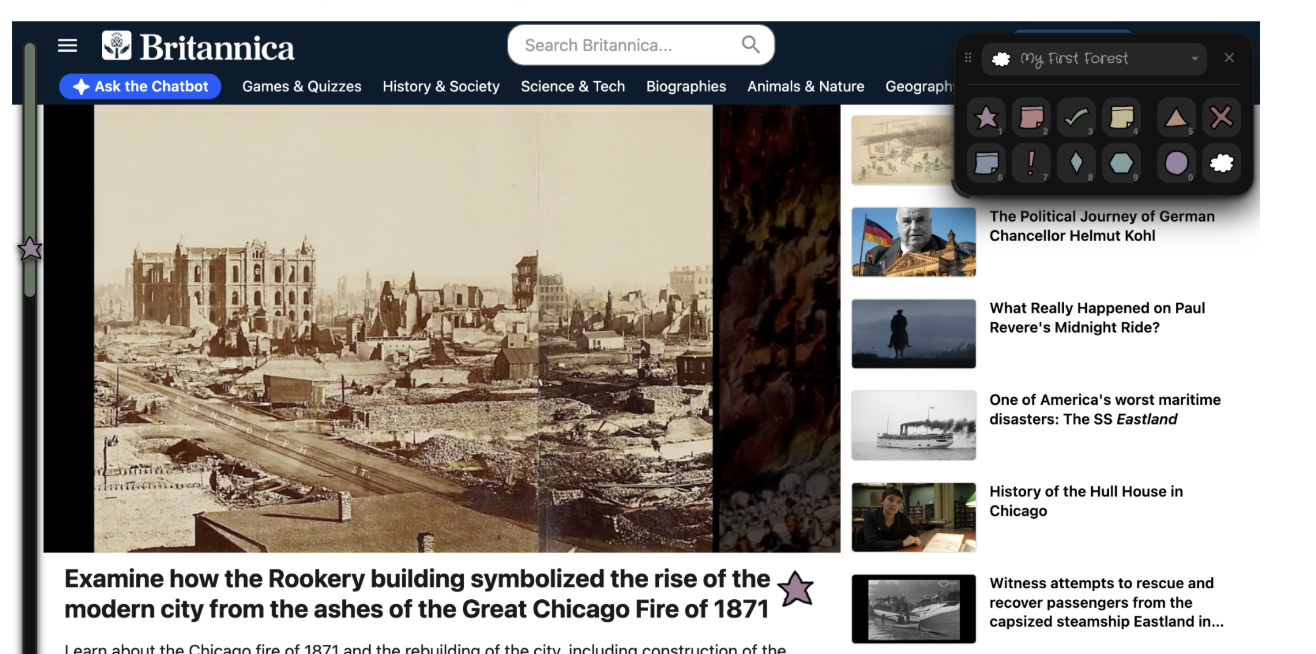
- Pick a sprite from the toolbar (sprout, mushroom, flower, cat, owl, rock, house, grass and more) and either drag over text to highlight it in that sprite's color, or click anywhere to plant the sprite right there. Each sprite can carry your own short note.
- Everything is saved to that page and comes back when you visit again, in the same spot, even after the page resizes or reflows.
- A scroll rail on the left edge shows every seed on the page. Click one to jump there; a small animal marks where you came from so you can jump back.
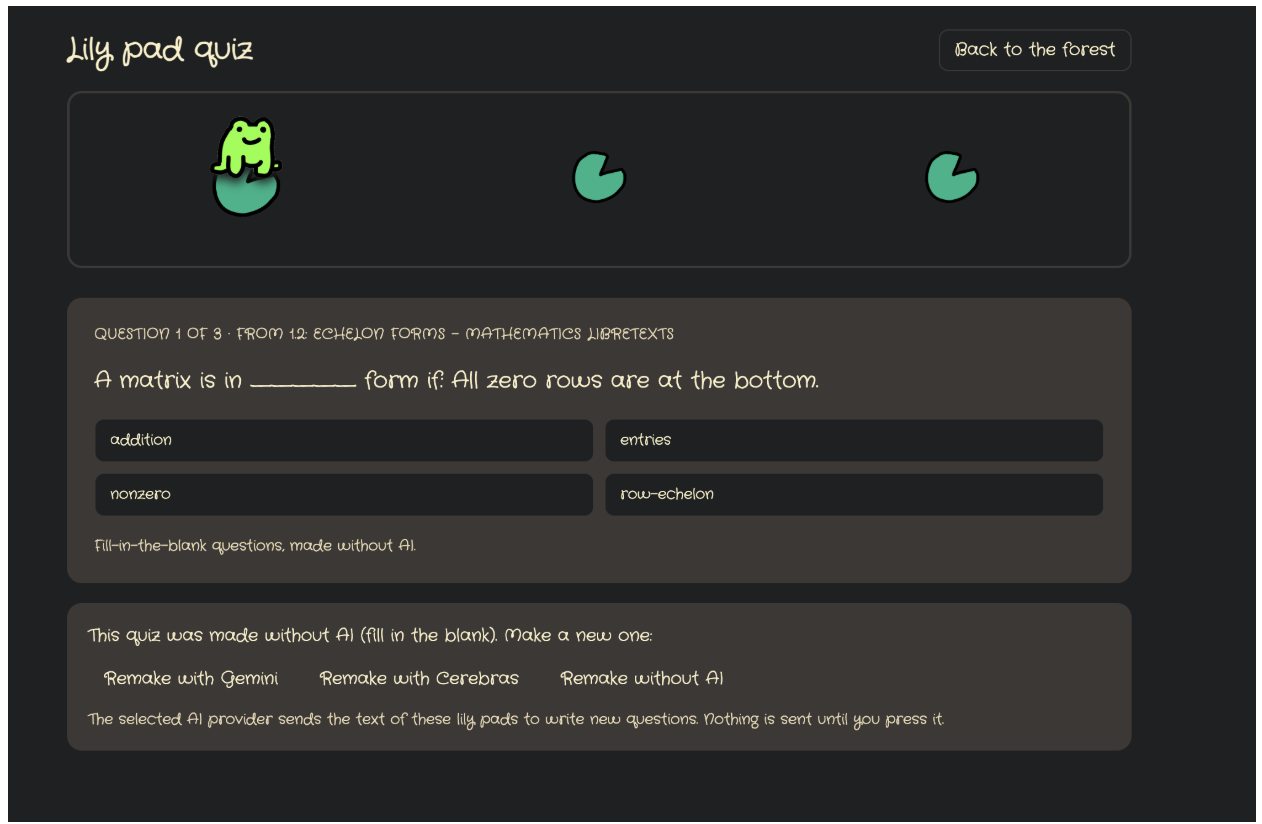
- Lily pads mark text you want to be quizzed on. Now and then a frog hops onto one and sits there.
- Apples are for active recall: plant one on a sentence, and a few minutes later (5 by default, 30 seconds for a demo) it grows into an apple tree and a pop-up asks you to fill in the blank from the paragraph you planted it in.
- PDFs open in our own PDF viewer, so you can annotate them like any other page.
- Keyboard shortcuts (1–0 for sprites, Ctrl+Z / Ctrl+Shift+Z for undo/redo, - and + for sprite size) that never interfere when you are typing on a site.
In the forest viewer
- Notes are grouped into forests (projects), shown as a grid you can arrange.
- Each forest is a list of seeds by page, and an Obsidian-style graph where every seed is a sprite node. Pages with two or more seeds get a large tree that gathers them. Shift-click two nodes to draw a root between them; hover a node to light up its neighbors.
- Lily pad quiz: Gemini writes multiple-choice questions from your lily pads (one request per quiz). Without a key or offline, it falls back to fill-in-the-blank questions made on the device. A frog hops from pad to pad as you answer.
- Grow from link: paste a URL, Gemini picks its 3–6 key ideas as exact quotes, plants them as seeds and grows roots to related seeds already in your forest, with a reason for each.
- Summarize & export: Gemini writes a study guide from a forest, which you can download as PDF or DOCX.
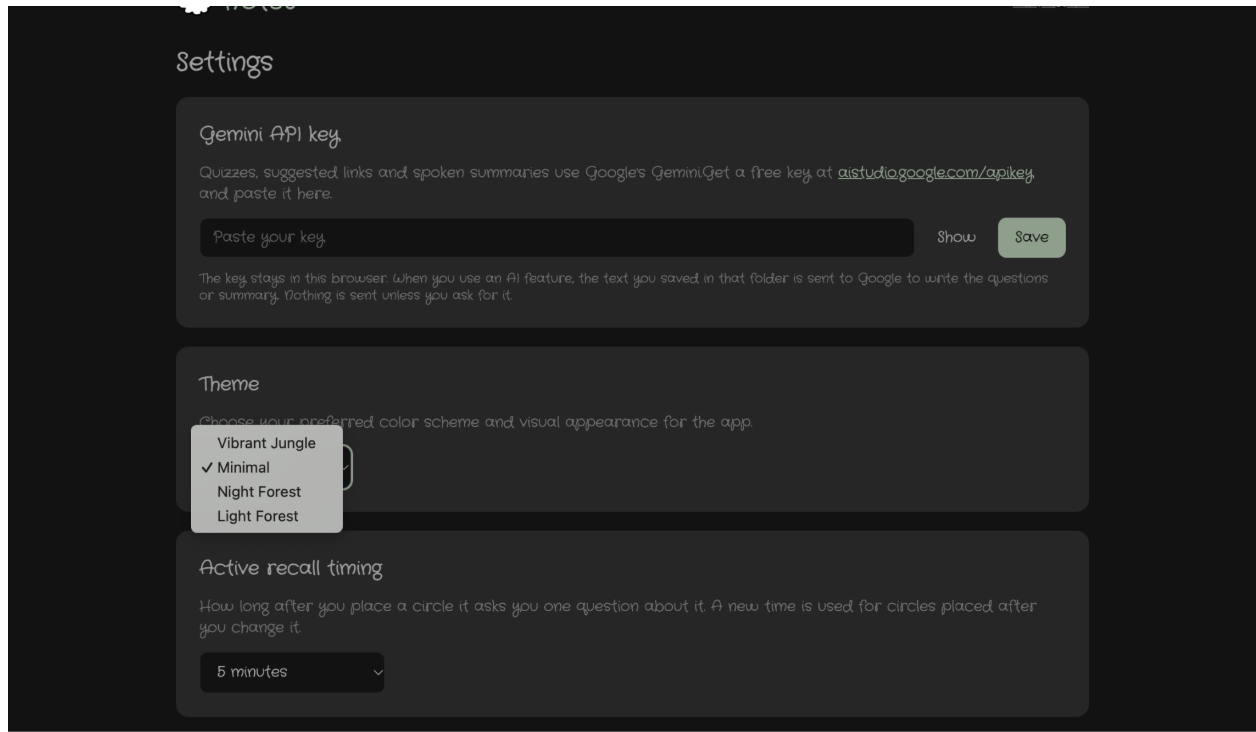
- Four themes (Vibrant Jungle, Night Forest, Light Forest, and a plain Minimal theme that swaps the nature words and art for shapes and normal language).
- No account, no server: everything is stored locally in the browser, and AI is only called when you press a button, with your own Gemini key.
How we built it
- WXT (Manifest V3), TypeScript, React and Tailwind.
- On-page UI is mounted in a Shadow DOM and put in the browser's top layer, so the website's CSS can't break our toolbar, our CSS can't break the website, and the toolbar is drawn above any site pop-up without z-index fights.
- Highlights use the CSS Custom Highlight API, which colors text ranges without inserting a single element into the page, so annotations never break a site's layout.
- Anchoring: we never save a seed as pixel coordinates. Each one stores the quoted text plus a few words on either side, then the nearest element with an offset, then the scroll percentage as a last resort. Sprites are positioned in page coordinates from that anchor, so they scroll with the text in the same frame.
- Graph view with React Flow and d3-force for the first layout; after that, positions are the user's.
- Gemini (Flash, free tier) is called only from the background service worker, one request per quiz with a JSON schema, and bad items are dropped before anything is saved.
chrome.alarmsfor the apple timer, because MV3 service workers fall asleep after about 30 seconds and a normal timer would be lost.- PDF.js for the PDF page, with a text layer so highlights work.
- Hand-drawn art by our team, with a "line boil" effect (an animated SVG turbulence filter) so the sprites wobble like a cartoon.
- Theme system: every color comes from one palette through CSS variables, checked by a script (
npm run check:theme) that fails the build if anyone hard-codes a color. - Four people, four branches, one storage module everyone writes through, so we could build in parallel without stepping on each other's data.
Challenges we ran into
- Finding the same spot again. Web pages change under you: they resize, reflow, lazy-load and repeat text. Getting a sprite to stay on the exact word it was planted on took several rewrites of the anchoring code, and sprites first trailed behind the text while scrolling until we moved them into page coordinates.
- Living inside other people's websites. Sites have their own CSS, z-indexes, modal dialogs and keyboard shortcuts. Shadow DOM, the top layer, and a careful "is the user typing?" check (inputs, rich-text editors like Google Docs, iframes) solved most of it.
- PDFs. Chrome's own PDF viewer doesn't let extensions see its text, so we built our own with PDF.js. Scanned books showed blank pages until we shipped PDF.js's image decoders, and a 200-page scan used over 1 GB of memory until we drew only the pages near the screen, bringing it down to about 21 MB:
- Google prerendering. Google preloads top search results in a hidden tab, so PDFs were opening in our viewer by themselves. We now redirect only once the user really goes to the page.
- Service workers that fall asleep. Any timer longer than a few seconds had to move to
chrome.alarms. - Free-tier AI limits. We kept AI to one request per action and made sure every AI feature has a non-AI fallback, so the demo can't fail because of a rate limit.
- Scope. Our first plan was far more than 24 hours of work. We split it into stages that were each demo-ready and cut or deferred features as we went.
Accomplishments that we're proud of
- Annotations that survive reloads and layout changes without changing a single element of the page.
- It works on PDFs, including scanned ones.
- A complete study loop: highlight → organize into a forest → connect ideas in a graph → get quizzed, with and without AI.
- "Grow from link" turns any article into connected seeds in your forest in one click.
- All the sprite and frog art is our own, and the whole app holds together as one theme.
- Some of us were new to coding, and everyone shipped working features.
What we learned
- How Chrome extensions really work under Manifest V3: content scripts, service workers that sleep, alarms, messaging between parts, and what extensions can't touch.
- Modern browser APIs we hadn't used before: the CSS Custom Highlight API, Shadow DOM, the top layer.
- That robust text anchoring is a hard problem, and why tools like Hypothesis store quotes and context instead of positions.
- How to get reliable output from an LLM: JSON schemas, validating every item, and always having a fallback.
- How to split a project between four people: agree on the data model first, keep everyone in their own folders, merge often, and write down what you did so the next person (or AI assistant) can pick it up.
What's next for Wildernotes
- Spaced repetition: after the first apple review, schedule the next ones at 1 day, 3 days and a week. Plants that are overdue start to wilt, so you can see at a glance what needs review.
- Growth on revisit: sprouts grow into trees as you come back to a page.
- The frog teacher: ask the frog for a summary of any highlight and have it read aloud
- AI-suggested roots for your whole forest that you can accept or reject, and automatic dashed paths between seeds from the same site.
- Export: JSON backup and import, Markdown, an Obsidian vault with roots as links, and Anki flashcards.
- OCR so scanned PDFs can be highlighted.
- Ask the forest: chat with the frog, answering only from your own saved notes.
- Cloud sync and shared forests for study groups, then Firefox and Edge builds, and later desktop and mobile.
Built With
- chrome
- chrome-alarms-api
- chrome-storage-api
- css-custom-highlight-api
- css3
- d3.js
- docx
- gemini-api
- html5
- javascript
- jspdf
- manifest-v3
- node.js
- pdf.js
- react
- react-flow
- shadow-dom
- svg
- tailwind-css
- typescript
- vite
- wxt

Log in or sign up for Devpost to join the conversation.