-
-
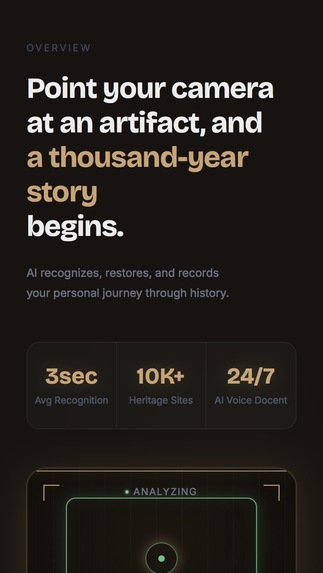
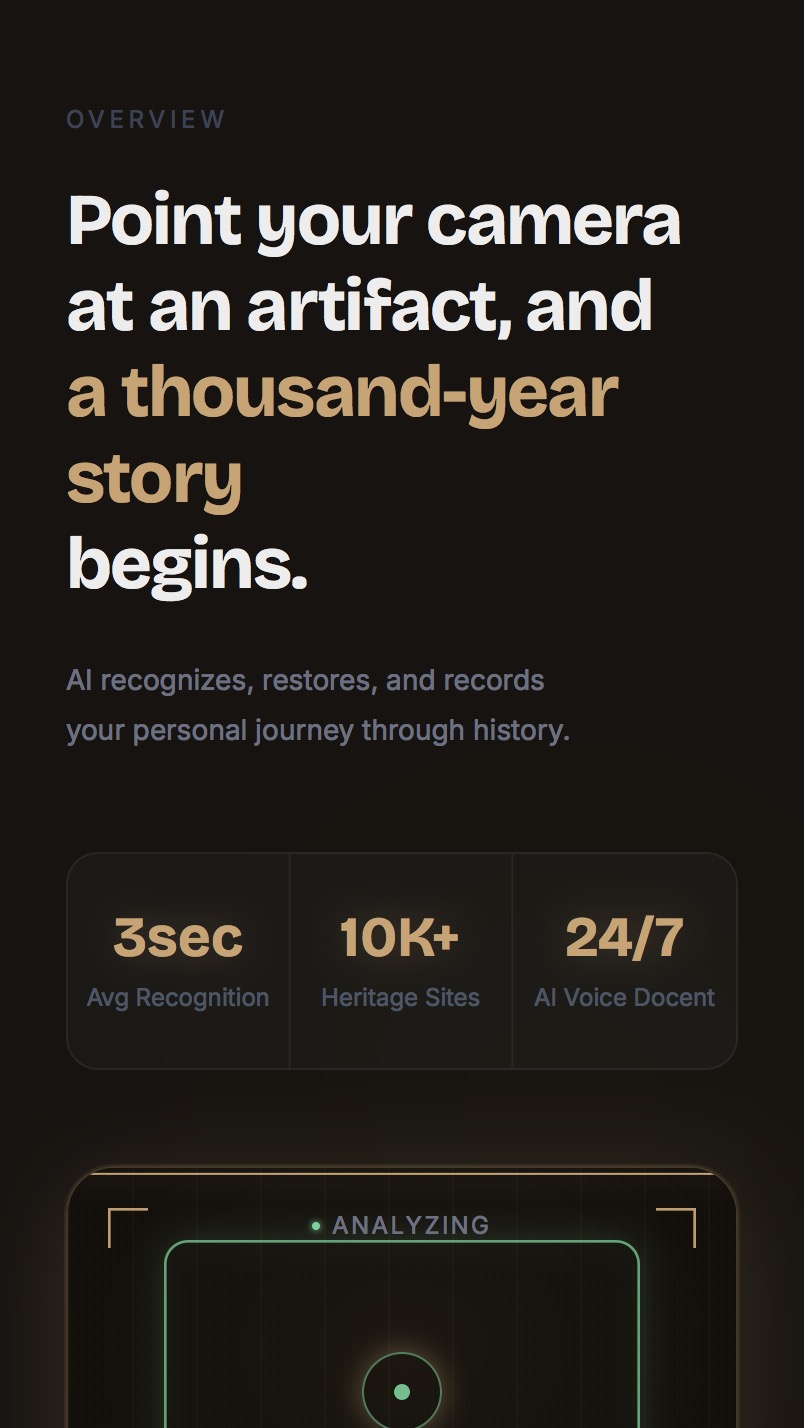
Point your camera at an artifact, and a thousand-year story begins. 3sec avg recognition across 10K+ heritage sites.
-
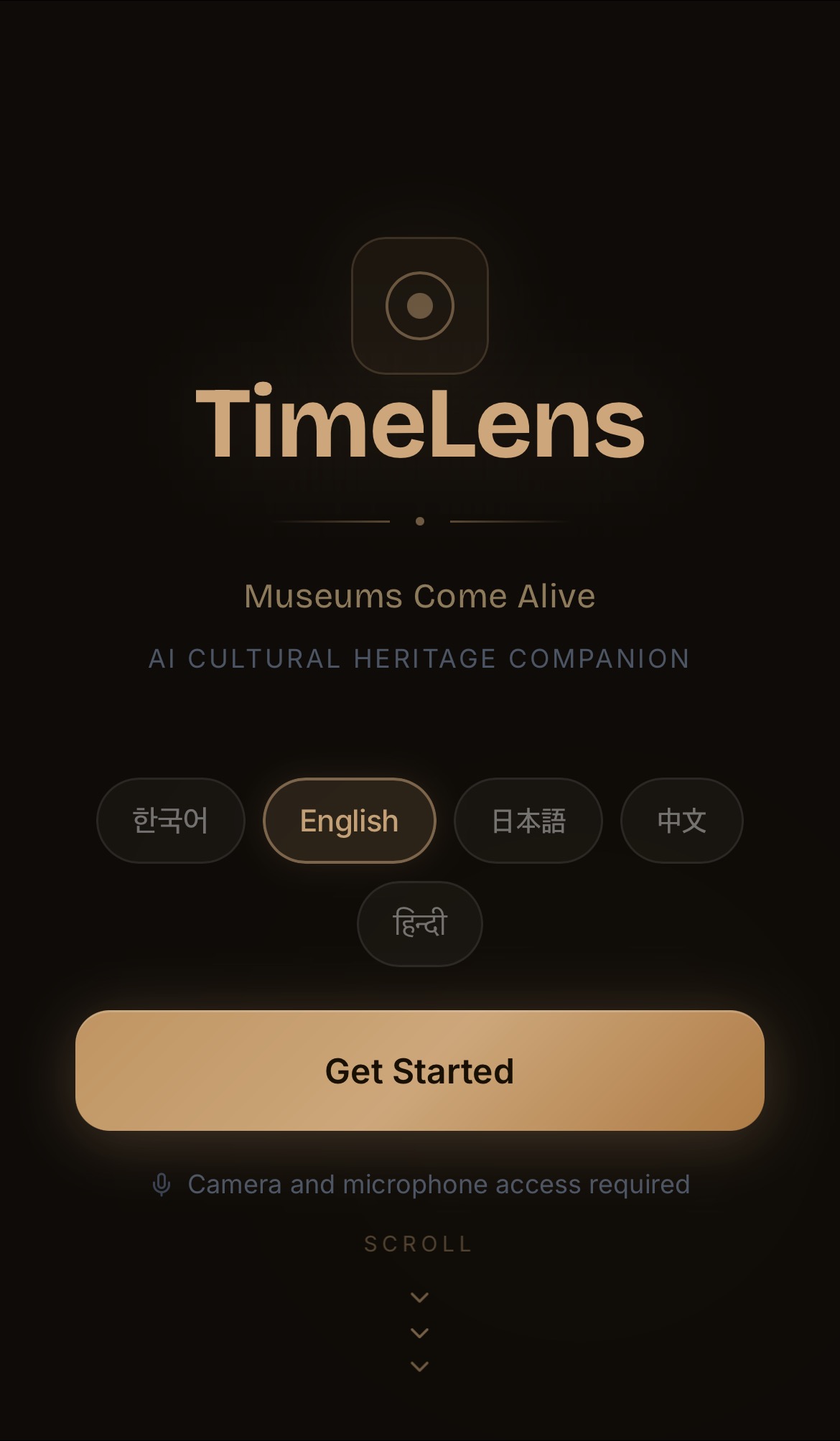
TimeLens — Select your language and start your personal museum experience.
-
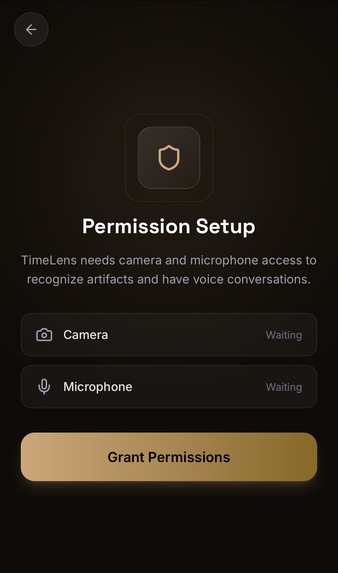
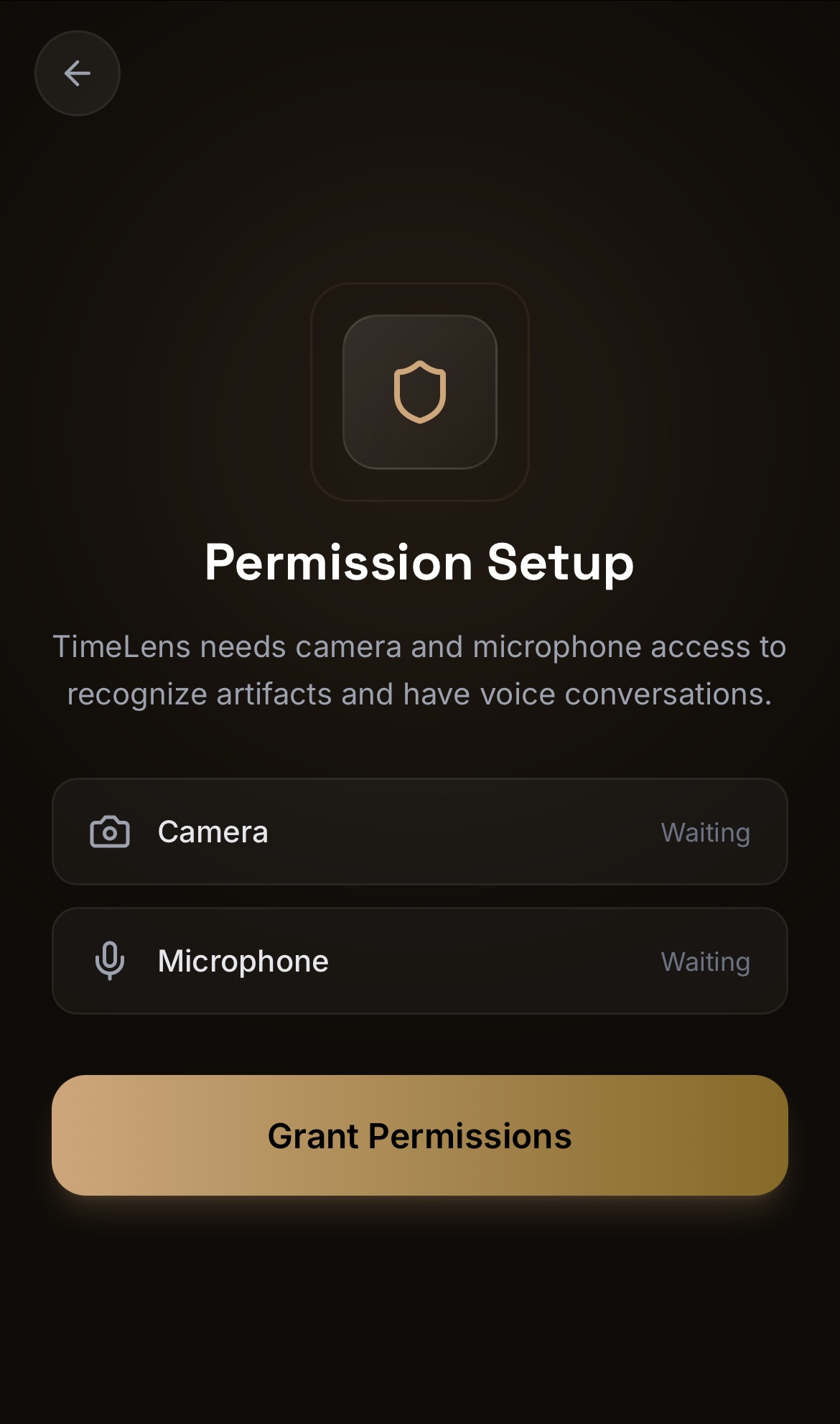
Permission Setup — Camera and microphone access required for artifact recognition and voice conversation.
-
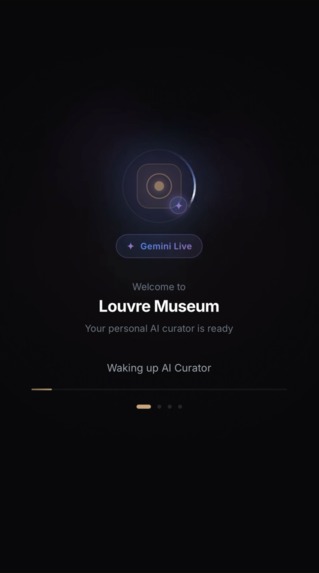
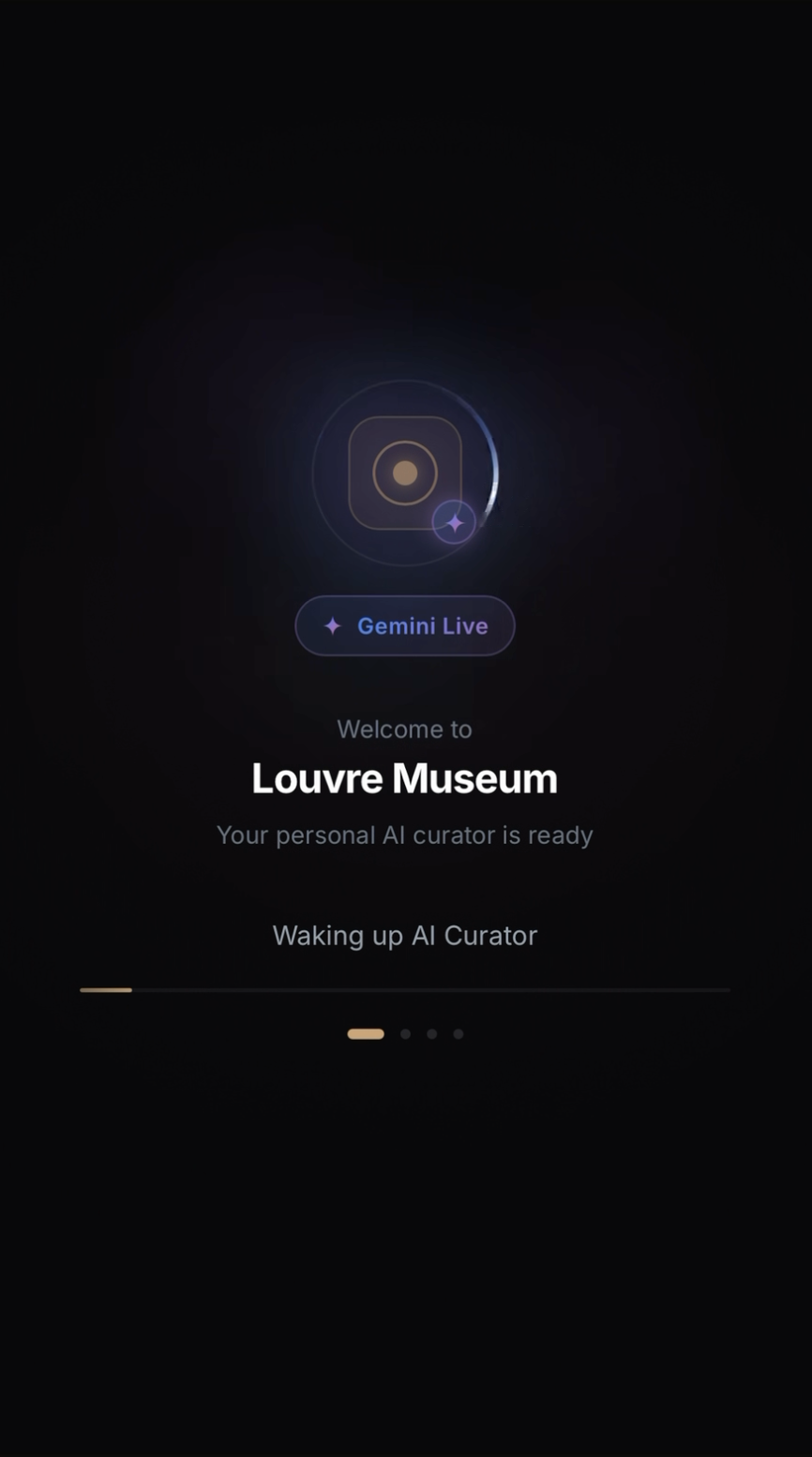
Gemini Live session initializing — "Welcome to Louvre Museum. Your personal AI curator is ready."
-
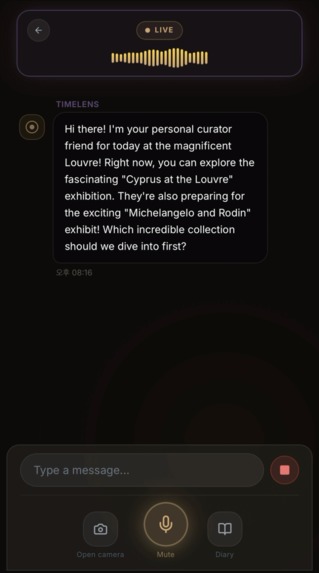
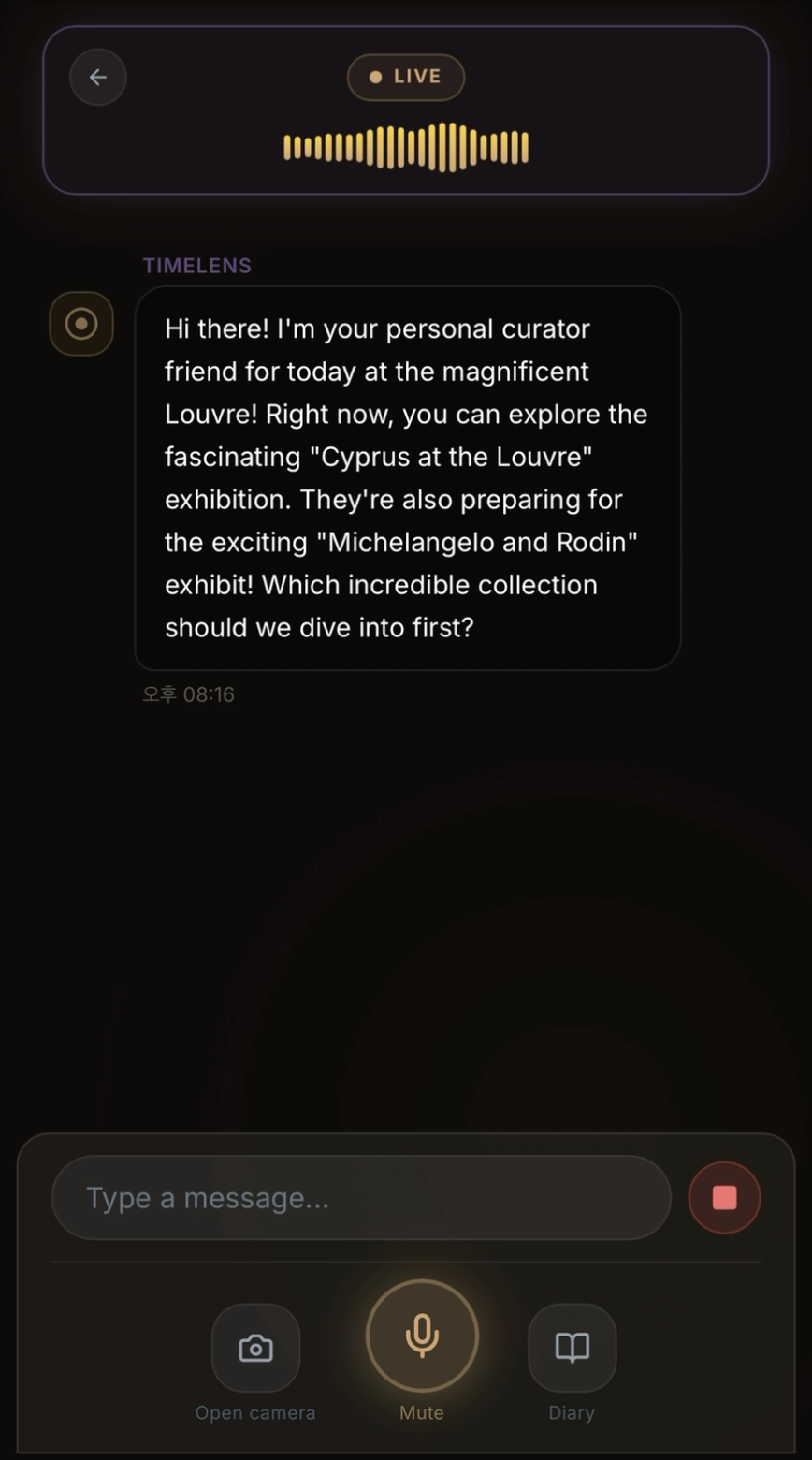
AI curator greets with today's live exhibitions at the Louvre — powered by Google Search Grounding.
-
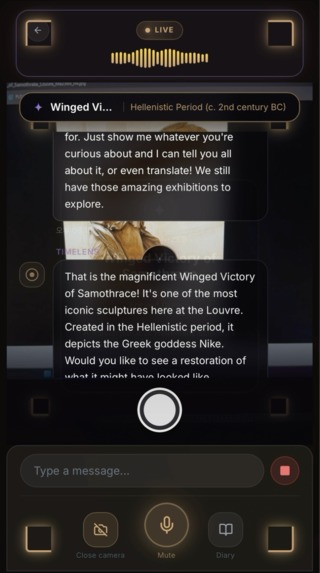
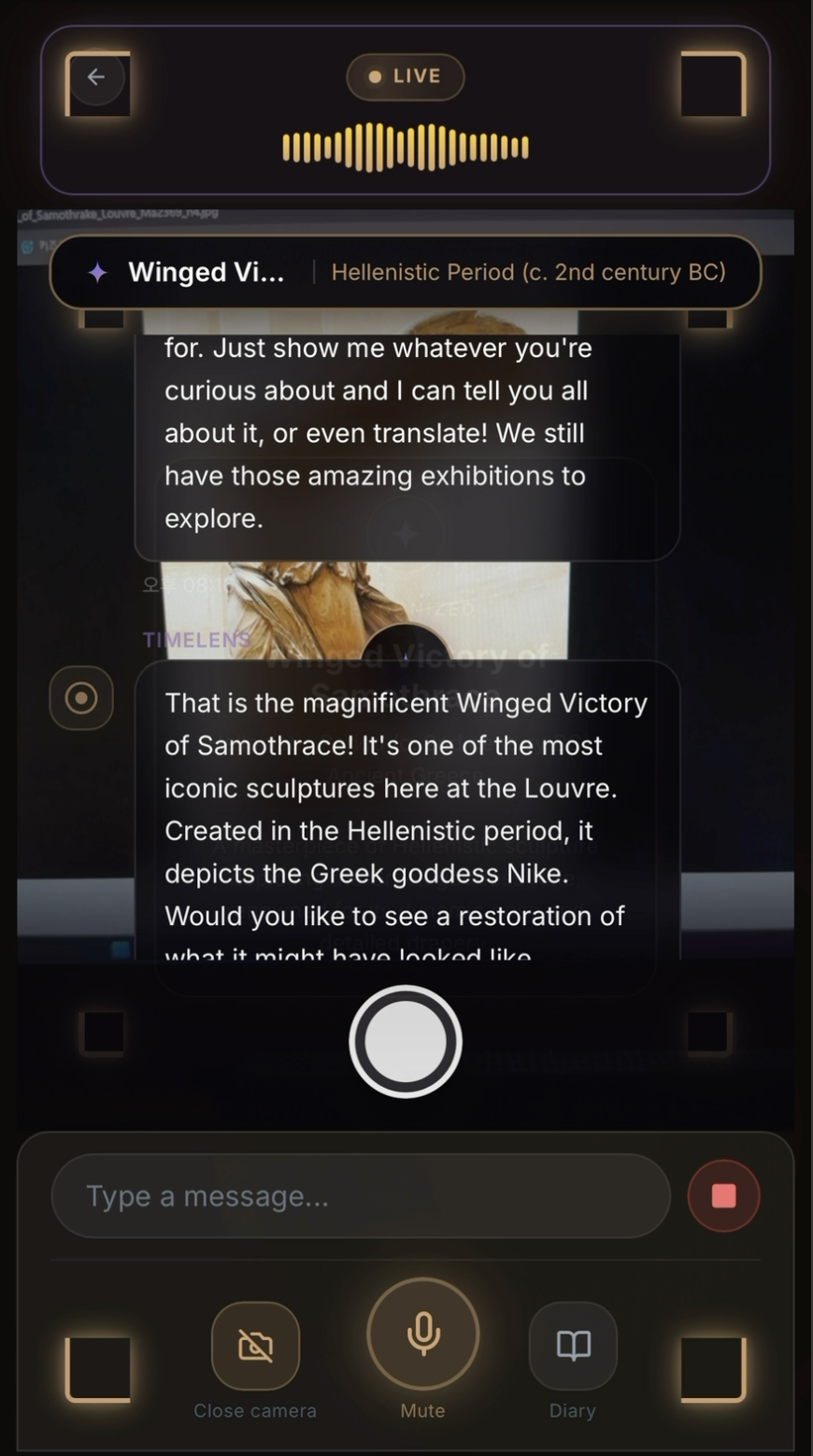
Live voice conversation while viewing the Winged Victory of Samothrace — AI narrates history and offers restoration in real-time.
-
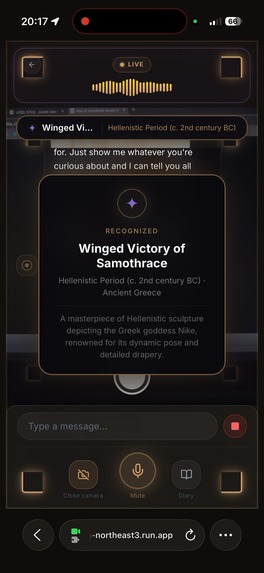
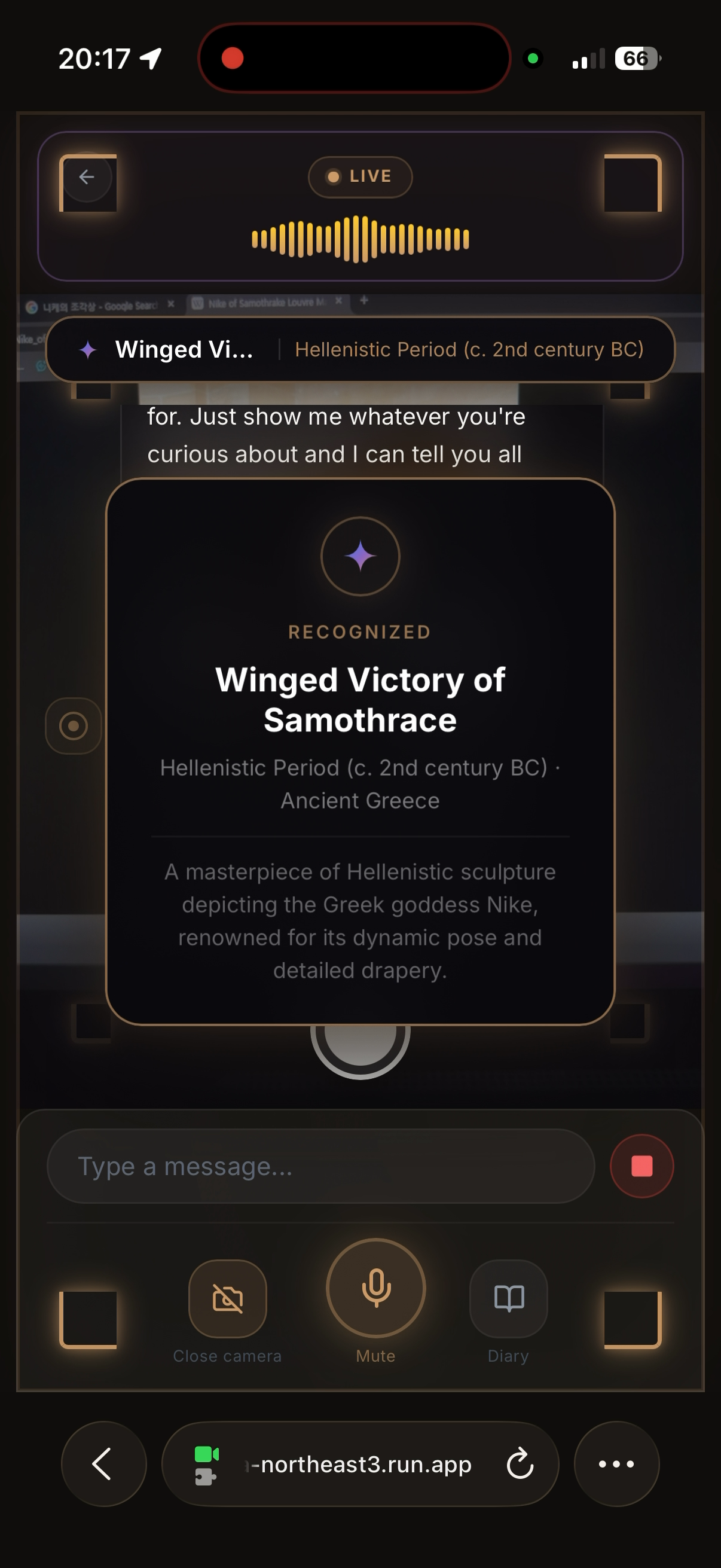
recognize_artifact in action — Winged Victory of Samothrace identified in real-time with historical context via Google Search Grounding.
-
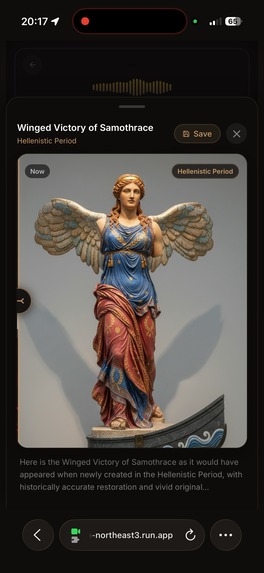
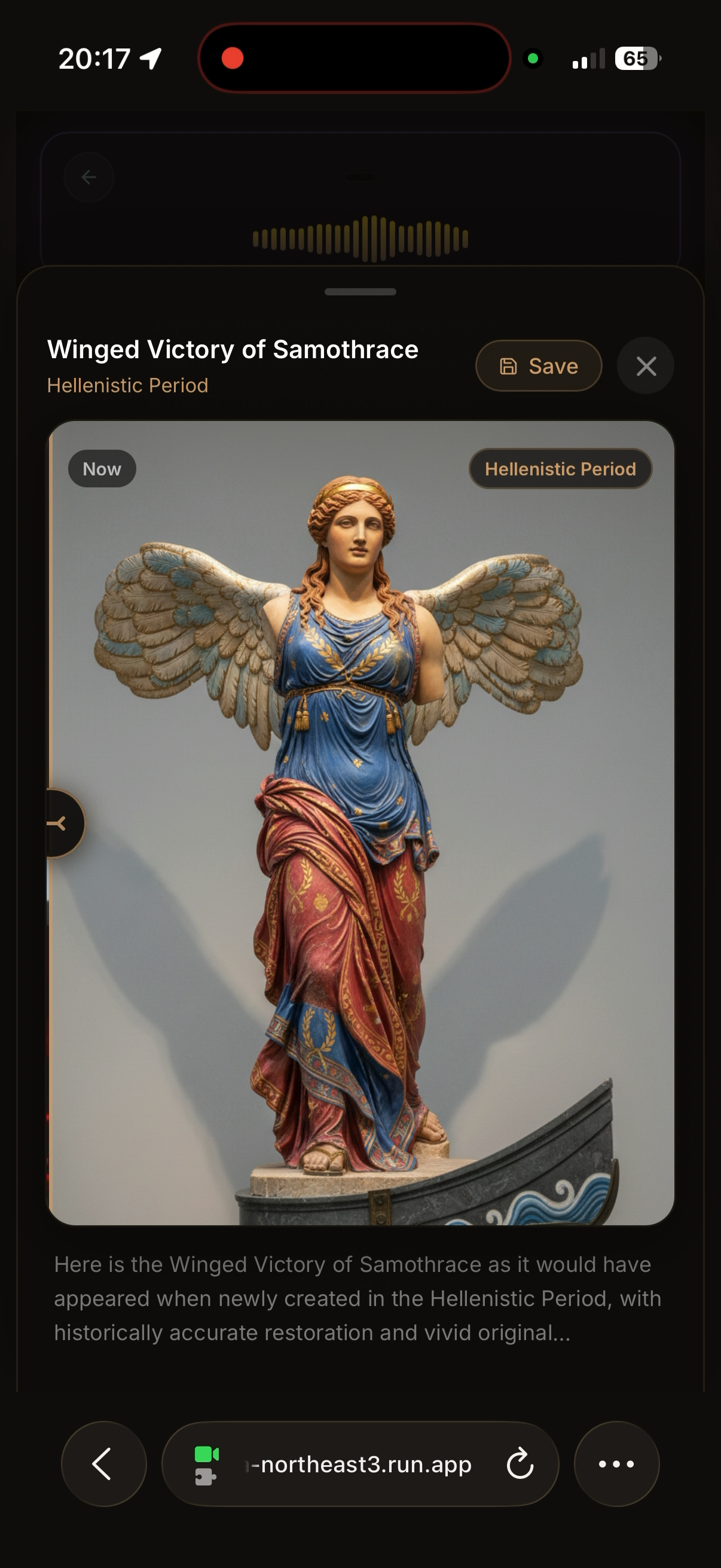
Winged Victory of Samothrace — AI-generated photorealistic restoration showing how the sculpture appeared in the Hellenistic Period.
-
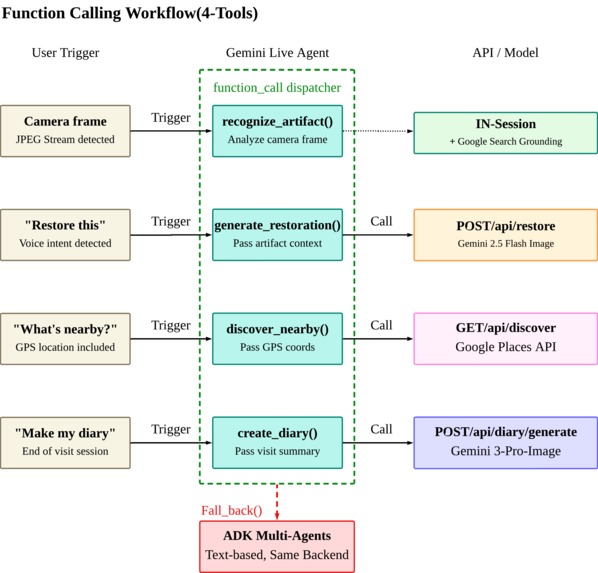
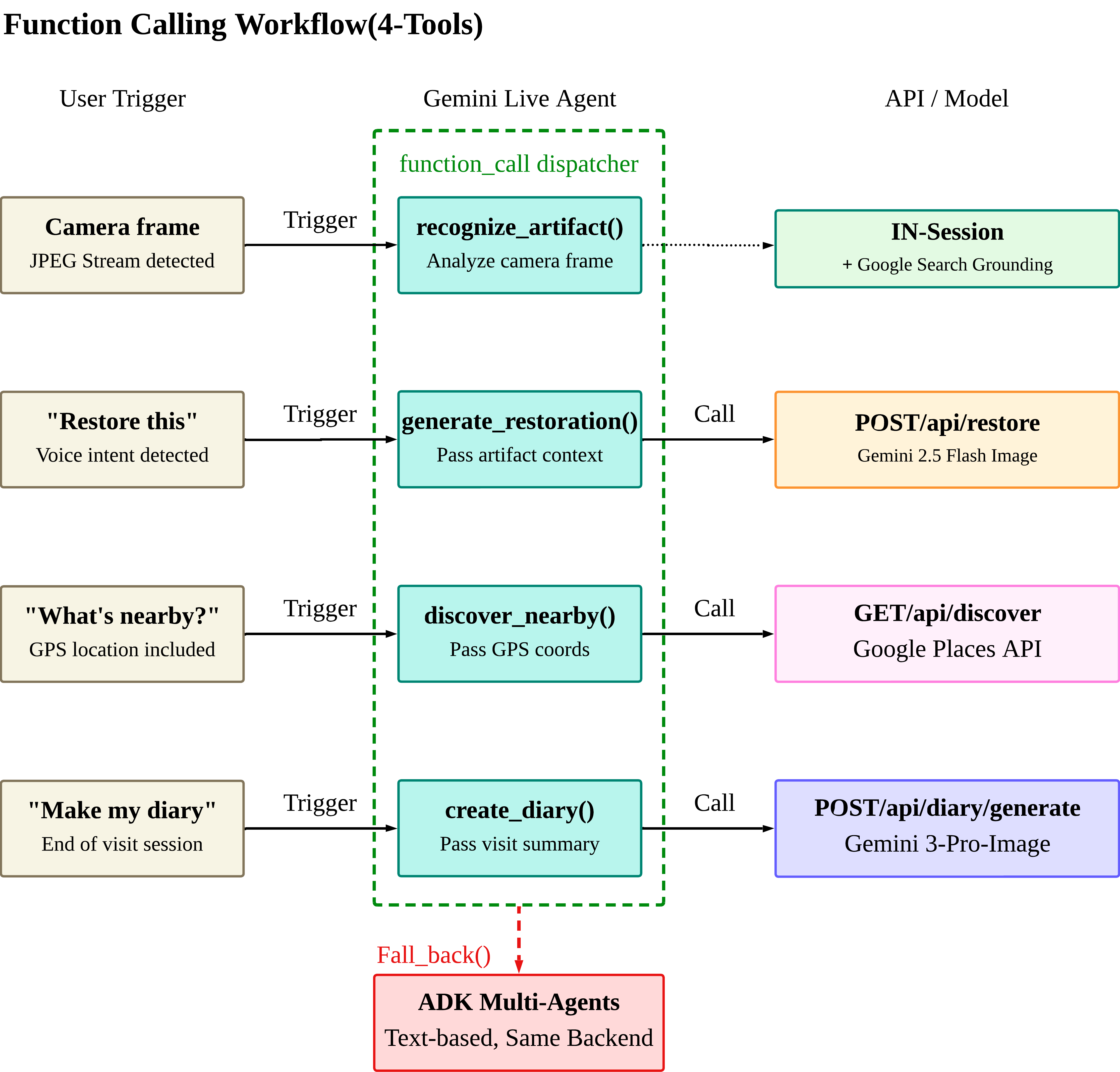
Gemini Live Agent Function Calling Workflow
-
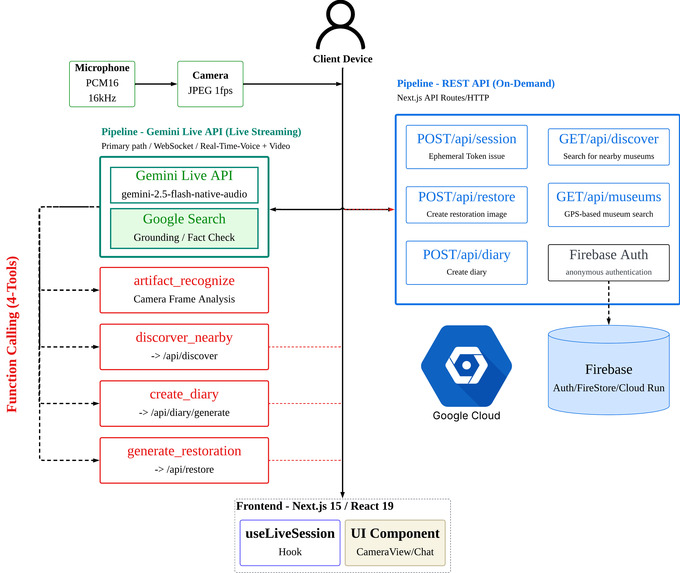
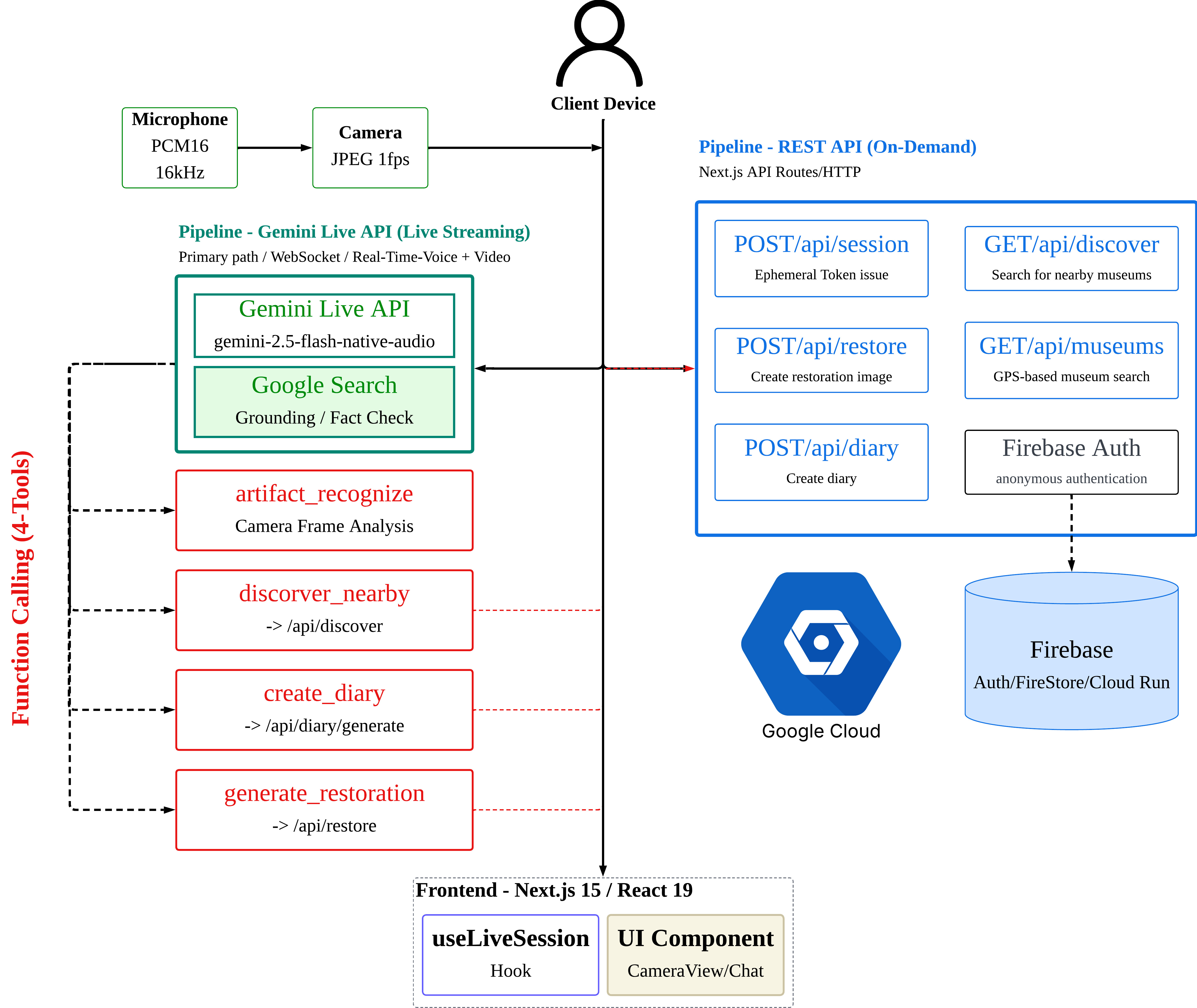
Time-Lens Architecture Design
Inspiration
Museums hold thousands of years of human history, yet the average visitor spends ~27 seconds looking at each artwork. Audio guides feel like lectures. Reading every placard is exhausting. We asked ourselves: what if you could just talk to someone who knows everything about the museum you're in?
The best museum experiences happen when a knowledgeable friend walks through the gallery with you — pointing at things, telling stories, answering your random questions. We wanted to build that friend, powered by Gemini Live API.
What it does
TimeLens turns your phone into a personal AI museum curator through natural voice conversation.
- Select your museum — Auto-detects nearby museums via GPS, or search by name
- Start talking — The AI greets you with today's exhibitions (pulled live via Google Search Grounding)
- Point your camera — Say "What is this?" or tap the shutter. TimeLens identifies the artifact instantly
- Hear the story — The AI narrates the history, craftsmanship, and cultural significance in real-time voice
- See the restoration — Ask "What did it originally look like?" and TimeLens generates a photorealistic image of the artifact in its pristine, newly-created state
- Explore nearby — Discover other museums and heritage sites within walking distance
- Keep a diary — TimeLens generates a personalized travel diary with watercolor-style illustrations
Everything happens through voice — no menus, no typing. You speak naturally, and the agent handles the rest.
How we built it
Breaking the "Text Box" Paradigm: See, Hear, and Speak
TimeLens is built around a single design principle: the AI should see what you point at, hear what you say, and speak back — seamlessly, without buttons or menus interrupting the experience.
This required solving a core architectural challenge: how do you keep a real-time voice conversation alive while simultaneously streaming camera frames, grounding responses in live data, and triggering heavy compute operations — all without the experience feeling disjointed?
The answer is a dual-pipeline architecture built on the Google GenAI SDK (@google/genai v1.43).
Dual-Pipeline Architecture
User Device (Camera + Mic)
         │
    ┌────┴─────┐
    ▼          ▼
Pipeline 1   Pipeline 2
  LIVE         REST
(Streaming)  (On-demand)
    │          │
    └────┬─────┘
         ▼
   Google Cloud
   + Gemini APIs
   + Cloud Run
   + Firebase
Pipeline 1 (Live Streaming) — The core of the "See, Hear, Speak" experience. A single persistent WebSocket session via Gemini Live API (gemini-2.5-flash-native-audio-preview-12-2025) handles everything in real-time: the user speaks, Gemini responds with audio, and camera frames (JPEG, 1fps) stream in continuously for artifact recognition. This session IS the product — it handles barge-in naturally, maintains conversational context across the entire museum visit, and decides autonomously when to invoke tools.
Pipeline 2 (REST) — Heavy on-demand operations triggered by Function Calling from the Live session: restoration image generation (Gemini 2.5 Flash), nearby discovery (Google Places API), and diary creation (Gemini 3 Pro interleaved). These never block the voice conversation — the Live session triggers them asynchronously and narrates the result when ready.
Function Calling as Orchestration: No If/Else Chains
The key architectural insight: Gemini Live API's native Function Calling is the orchestrator. Instead of building intent classifiers or routing logic, we defined 4 function declarations using @google/genai's Type and Schema interfaces, and let the model decide when to invoke them:
recognize_artifact    — Identify what the camera sees (in-session, no REST call)
generate_restoration  — Create a before/after restoration image → POST /api/restore
discover_nearby       — Find museums and heritage sites nearby → GET /api/discover
create_diary          — Generate a visit diary with illustrations → POST /api/diary/generate
Combined with Google Search Grounding (integrated directly into the Live session), the AI autonomously decides when to search for live exhibition info, when to analyze the camera frame, and when to just talk. The system prompt defines the persona and conversation flow — the model handles all routing. No if/else chains, no state machines.
recognize_artifact is unique: it never calls an external REST endpoint. Camera frames are already streaming into the Live session, so Gemini analyzes them in-session with Search Grounding for real-time fact-checking.
ADK Multi-Agent Layer: Robust Fallback with Same Backend
When WebSocket is unavailable, we use Google ADK (@google/adk v0.3) as a text-based fallback — ensuring the same restoration, discovery, and diary capabilities are accessible regardless of network conditions. This is what makes the architecture robust, not just functional.
5 LlmAgent instances orchestrated by InMemoryRunner, each with typed FunctionTool wrappers:
timelens_orchestrator (gemini-2.5-flash) — router, no tools
├── curator_agent        — Artifact narration (pure LLM, no tool)
├── restoration_agent    — 🔧 generate_restoration_image → gemini-2.5-flash-image
├── discovery_agent      — 🔧 search_nearby_places → Google Places API (New)
└── diary_agent          — 🔧 generate_diary → gemini-3-pro-image-preview (interleaved)
Both paths share the same backend helper functions — flash-image.ts, places.ts, diary-tool.ts — wrapped as ADK FunctionTool instances without modifying a single existing REST route. Whether a user speaks or types, they get identical capabilities.
Google AI & Cloud Services
| Feature | Service | Model / API |
|---|---|---|
| Voice conversation | Gemini Live API | gemini-2.5-flash-native-audio-preview-12-2025 |
| Artifact recognition | Gemini Live API + Function Calling + Search Grounding | In-session, no REST call |
| Exhibition search | Google Search Grounding | Integrated into Live session |
| Image restoration | Gemini 2.5 Flash | gemini-2.5-flash-image |
| Visit diary | Gemini 3 Pro | gemini-3-pro-image-preview (interleaved text + image) |
| Nearby discovery | Google Places API (New) | Nearby Search v2 |
| User data | Firebase Auth + Firestore | Anonymous auth + session/diary storage |
| Deployment | Cloud Run + Artifact Registry | Seoul region (asia-northeast3) |
SDK Usage
| SDK | Version | Role |
|---|---|---|
@google/genai |
v1.43 | Primary path — Live API WebSocket session, image generation, all Function Declarations via Type + Schema |
@google/adk |
v0.3 | Fallback path — 5 LlmAgent instances, 3 FunctionTool wrappers, InMemoryRunner orchestration |
Deployment: Fully Automated CI/CD
Every push to main triggers:
$$\text{git push} \rightarrow \text{GitHub Actions} \rightarrow \text{Docker Build} \rightarrow \text{Artifact Registry} \rightarrow \text{Cloud Run (Seoul)}$$
Zero manual deploy steps. The backend is robustly hosted on Google Cloud Run (asia-northeast3) with auto-scaling and zero cold-start configuration.
Challenges we ran into
CJK Transcription Quality
Gemini's outputTranscription for Korean produces text without proper word spacing:
Before: "안녕하세요뮤지엄209에오신걸환영해요"
After:  "안녕하세요.\n뮤지엄209에 오신걸 환영해요."
We built a post-processing pipeline in cleanOutputTranscript():
$$\text{output} = f_{\text{collapse}}\bigl(f_{\text{comma}}\bigl(f_{\text{sentence}}\bigl(f_{\text{sanitize}}(\text{raw})\bigr)\bigr)\bigr)$$
Where \(f_{\text{sanitize}}\) strips control characters and literal <ctrl*> tokens, \(f_{\text{sentence}}\) inserts line breaks after [.?!], \(f_{\text{comma}}\) adds spacing after commas, and \(f_{\text{collapse}}\) removes redundant whitespace — plus prompt-level rules capping sentences at \(\leq 15\) words.
Voice-Triggered Agentic Camera
Users couldn't tell when the AI was analyzing their camera. We solved this with:
- An iOS-style shutter button for manual capture
- A white flash overlay (\(200\text{ms}\) fade) on every capture — manual or voice-triggered
- Voice auto-capture: saying "이거 뭐야?" automatically opens the camera, waits \(500\text{ms}\) for stabilization, captures, and sends — all without touching the screen
We implemented \(n = 33\) voice recognition patterns across 5 languages (Korean, English, Japanese, Chinese, Hindi) covering both "what is this?" and "show me the restoration" intents.
Multilingual Prompt Adaptation
The system prompt isn't just translated — it's culturally adapted. We maintain a LANG_MAP supporting 8 languages with per-language speech rules:
- Korean: honorific rules + word spacing guidance + \(\leq 15\) word sentences
- English: different sentence structure patterns
- Japanese/Chinese: culturally appropriate example phrases
Language-specific trigger examples are embedded directly in the system prompt so the model recognizes natural phrasing in each language.
Firebase on Museum Wi-Fi
Firebase calls occasionally hang on slow museum networks. We wrapped all Firestore operations with Promise.race timeouts:
$$\text{result} = \min(T_{\text{firestore}},\ T_{\text{timeout}}) \quad \text{where } T_{\text{timeout}} = 5\text{s}$$
If Firebase times out, the app continues gracefully — session data won't persist, but the core experience (voice, camera, restoration) remains fully functional.
Accomplishments that we're proud of
- Voice-triggered agentic camera — Say "look at this" in Korean, English, Japanese, Chinese, or Hindi (\(n = 33\) recognition patterns across 2 intent categories) and the agent autonomously opens the camera, captures, and analyzes. This is what "agentic" means to us.
- Function Calling IS the orchestrator — We initially planned complex agent routing. Instead, 4 tool declarations + a well-crafted system prompt replaced the entire orchestration layer. The model decides everything autonomously.
- Before/After restoration — Seeing a crumbling Greek amphora morph into its vivid, polychrome original state — complete with painted red-figure decorations — feels genuinely magical.
- Google Search Grounding for live context — The AI greets you with today's exhibitions at your museum. No pre-built database, no manual updates. It just knows.
- Zero-regression ADK integration — We wired 5 ADK agents with 3
FunctionToolwrappers around existing helpers, without modifying a single REST route. Factory pattern + runtime validation + dependency injection.
What we learned
- Gemini Live API's Function Calling IS the orchestrator — A well-crafted system prompt + 4 tool declarations handles all routing naturally. The model decides when to search, when to look at the camera, when to restore — all autonomously.
- Prompt engineering is product design — We estimate ~80% of the UX quality comes from the system prompt. Conversation flow, personality, and speech style rules matter more than any UI component.
- Google Search Grounding is magical — Real-time exhibition info, opening hours, historical facts — all without any database. The AI just knows.
- Post-processing matters for CJK — Don't assume raw transcription is display-ready. Korean, Japanese, and Chinese need client-side cleanup for word boundaries and line breaks.
- ADK FunctionTools bridge agents and APIs — Wrapping helper functions as
FunctionToolinstances gave us the best of both worlds: agents that reason about tools, and battle-tested integrations that just work.
What's next for TimeLens
- Veo 3.1 restoration videos — Time-lapse animations showing artifacts aging in reverse
- Multi-user guided tours — A group of friends sharing the same AI curator session
- Offline museum mode — Pre-cached data for areas with poor connectivity
- AR overlay — Displaying the restored artifact directly over the real one through the camera
Built With
- clound-run
- css
- docker
- firebase
- gcp
- gemini-2.5-flash
- gemini-live-api
- github-actions
- google-adk
- google-places
- google-search-grounding
- next.js
- react
- tailwind
- typescripts


