-
-
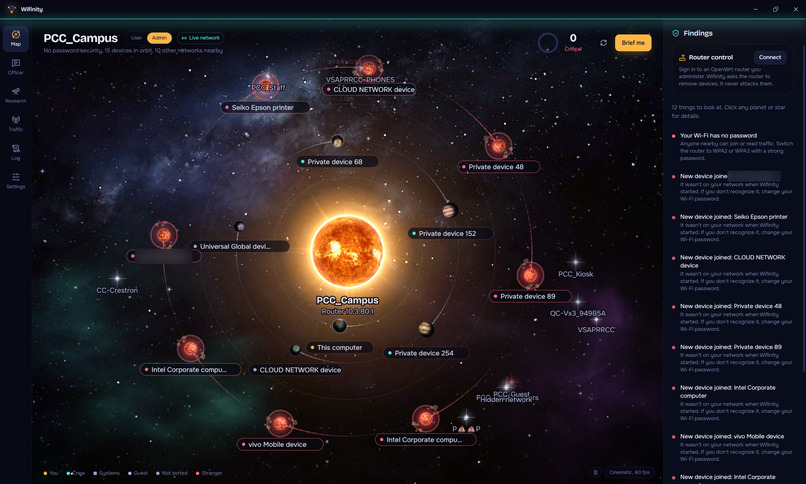
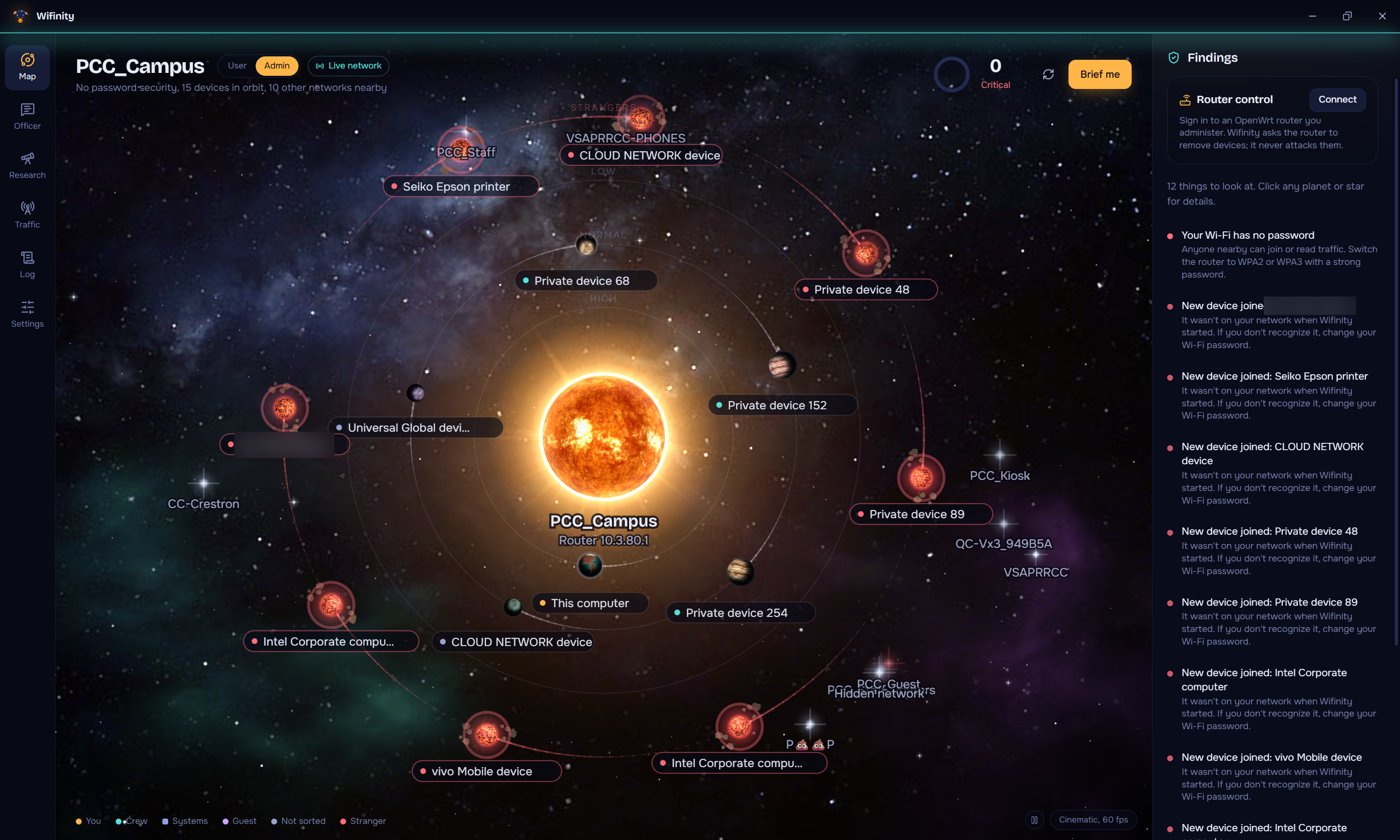
A real campus Wi-Fi with no password: 15 devices in orbit, strangers glowing red, and a 0/100 health score.
-
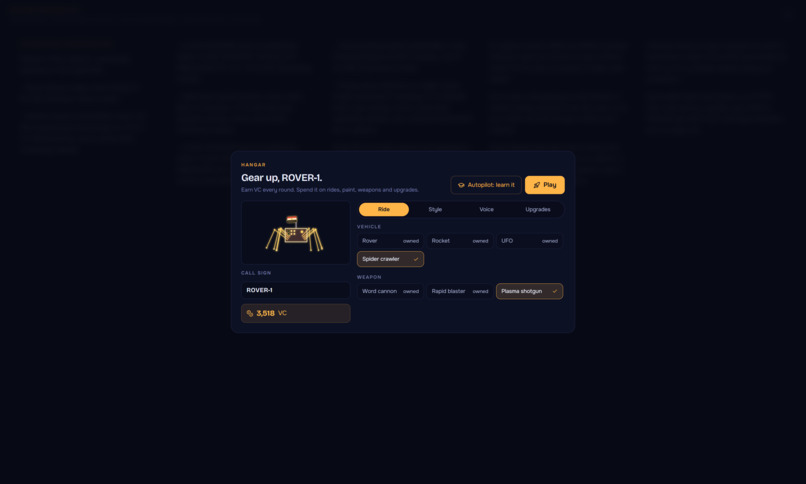
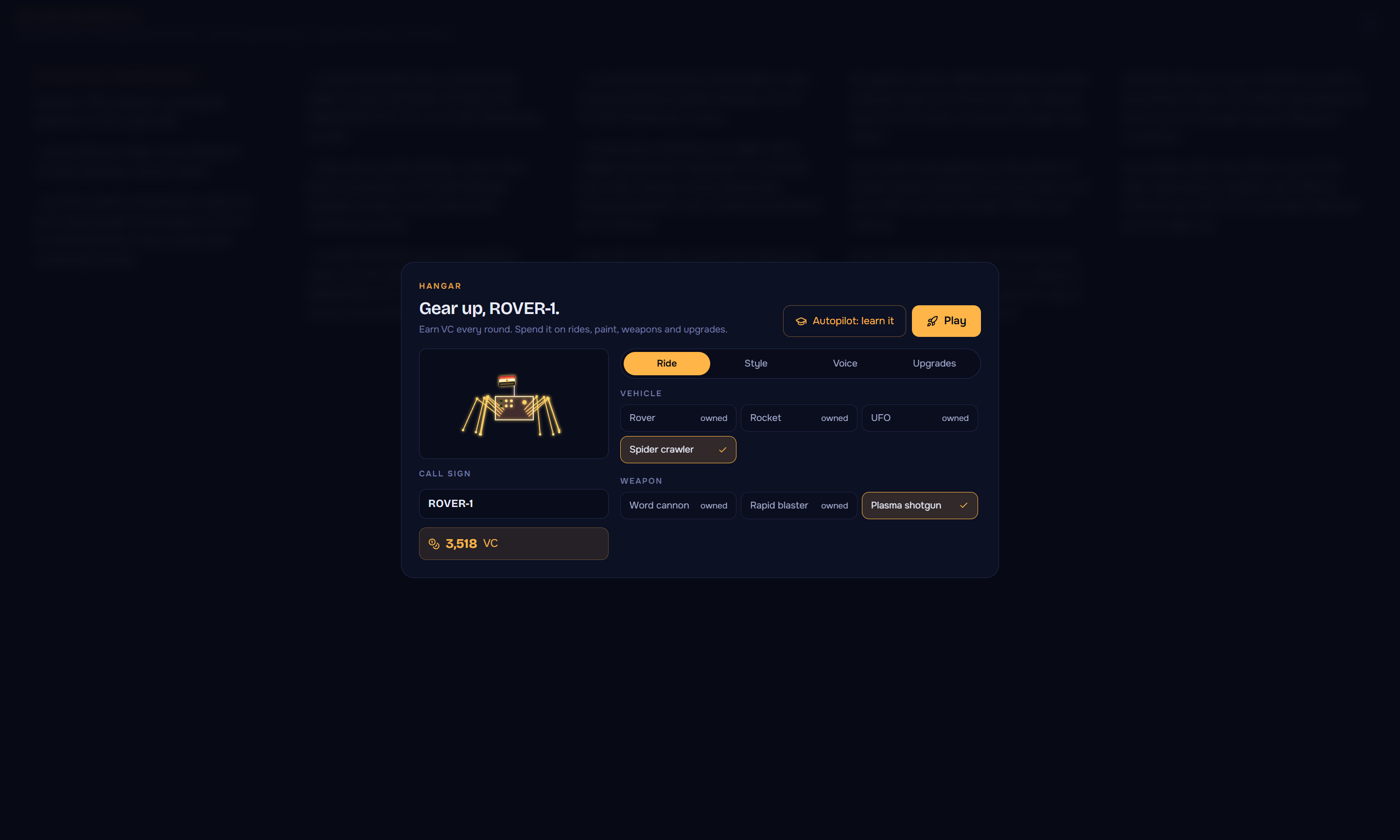
The Hangar: spend coins earned in training on rovers, rockets, UFOs, spider crawlers, weapons and upgrades.
-
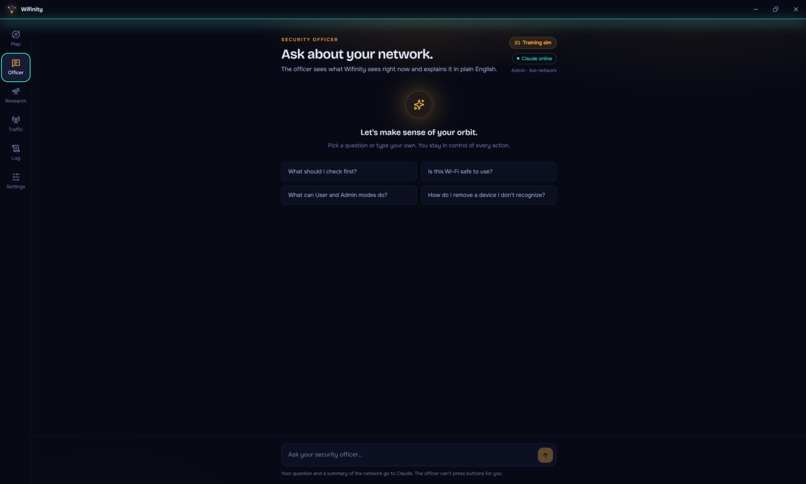
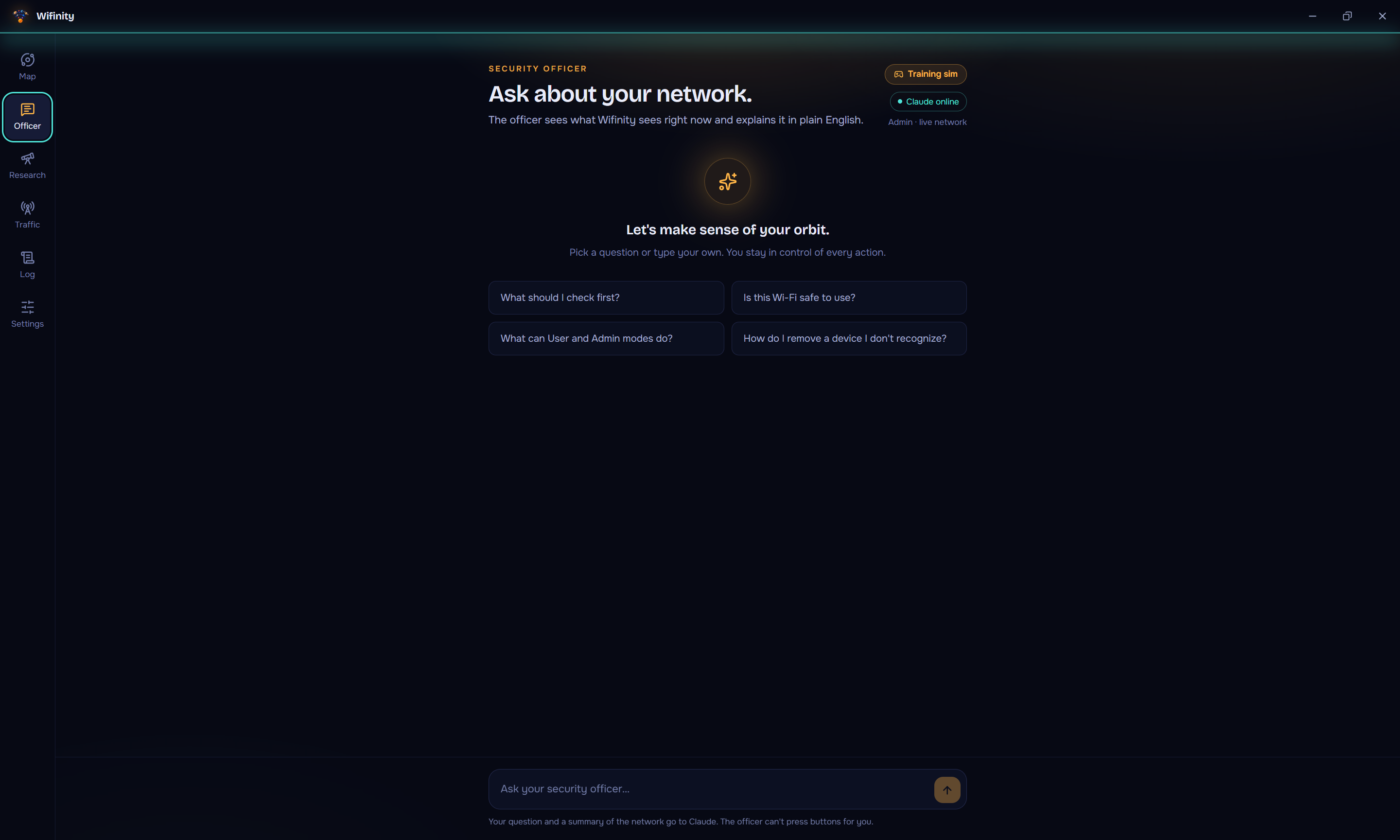
Ask the AI Security Officer anything. It sees the live scan and answers in plain English, out loud.
-
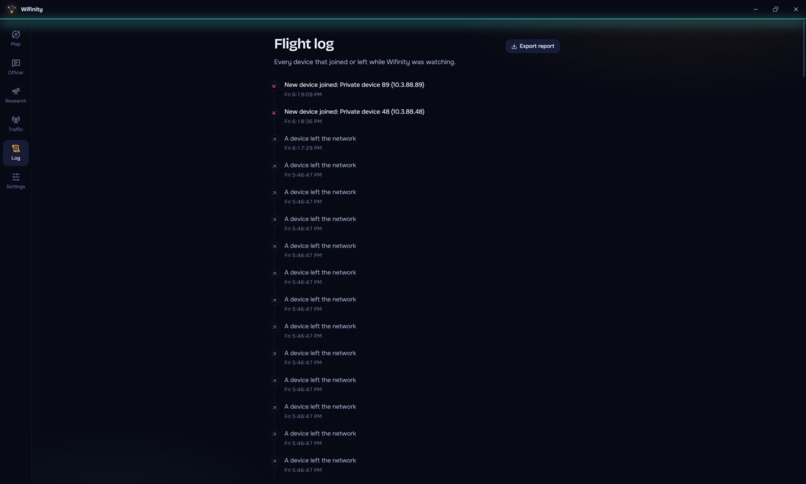
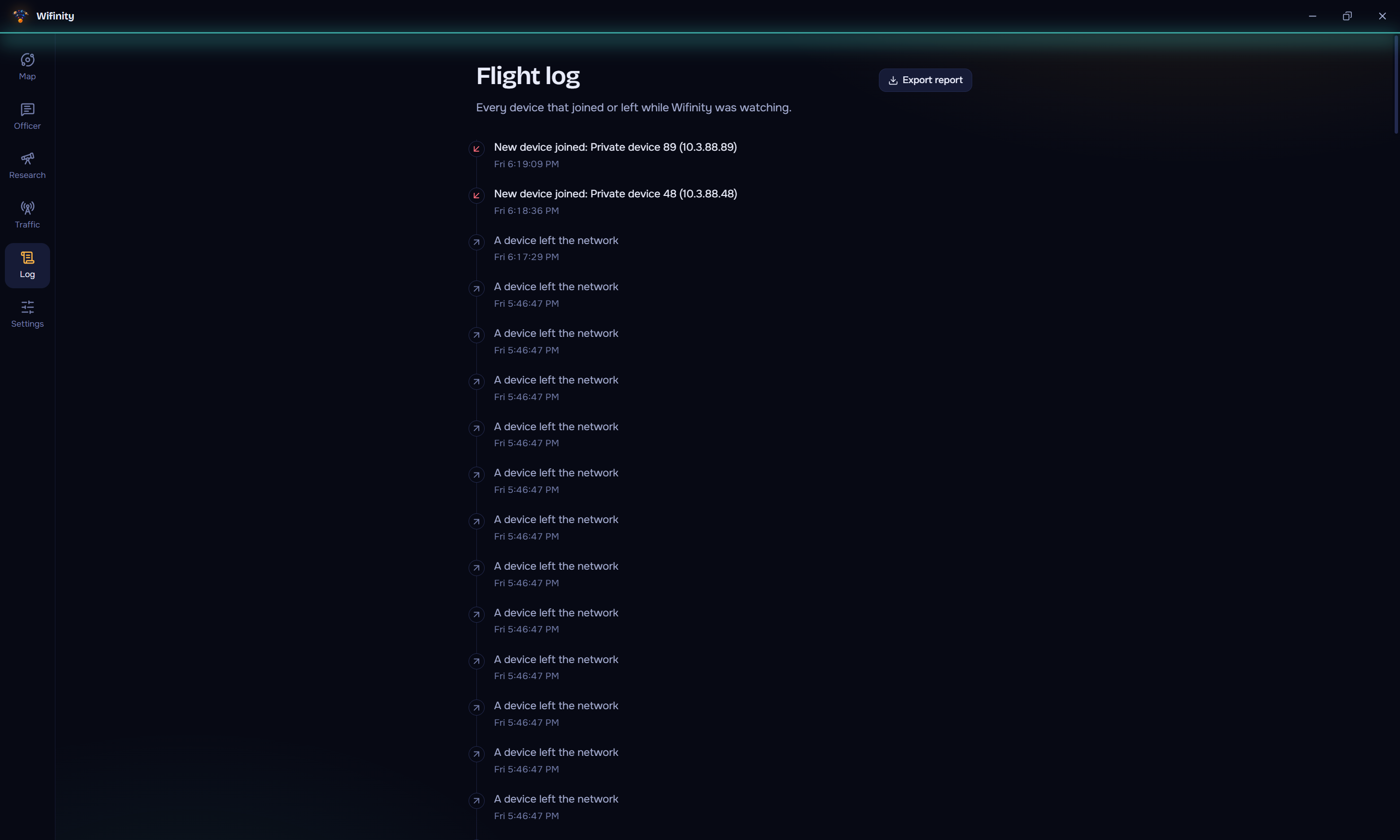
Flight log: every device that joined or left while Wifinity was watching, with exact times. Export it as a report.
-
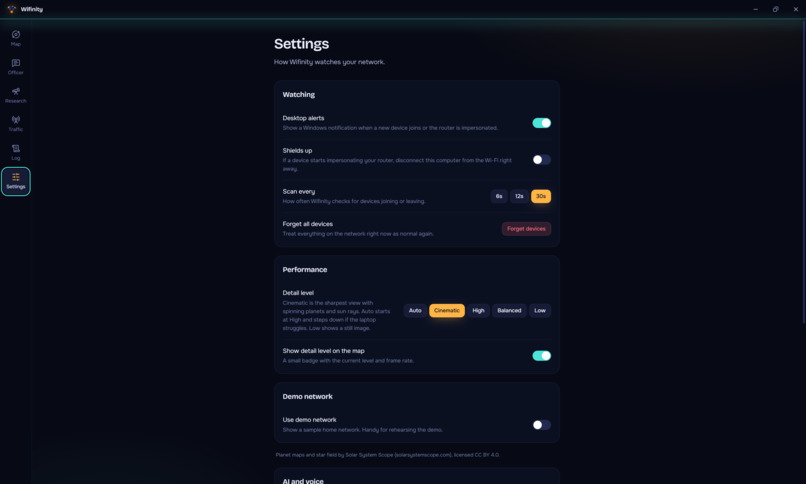
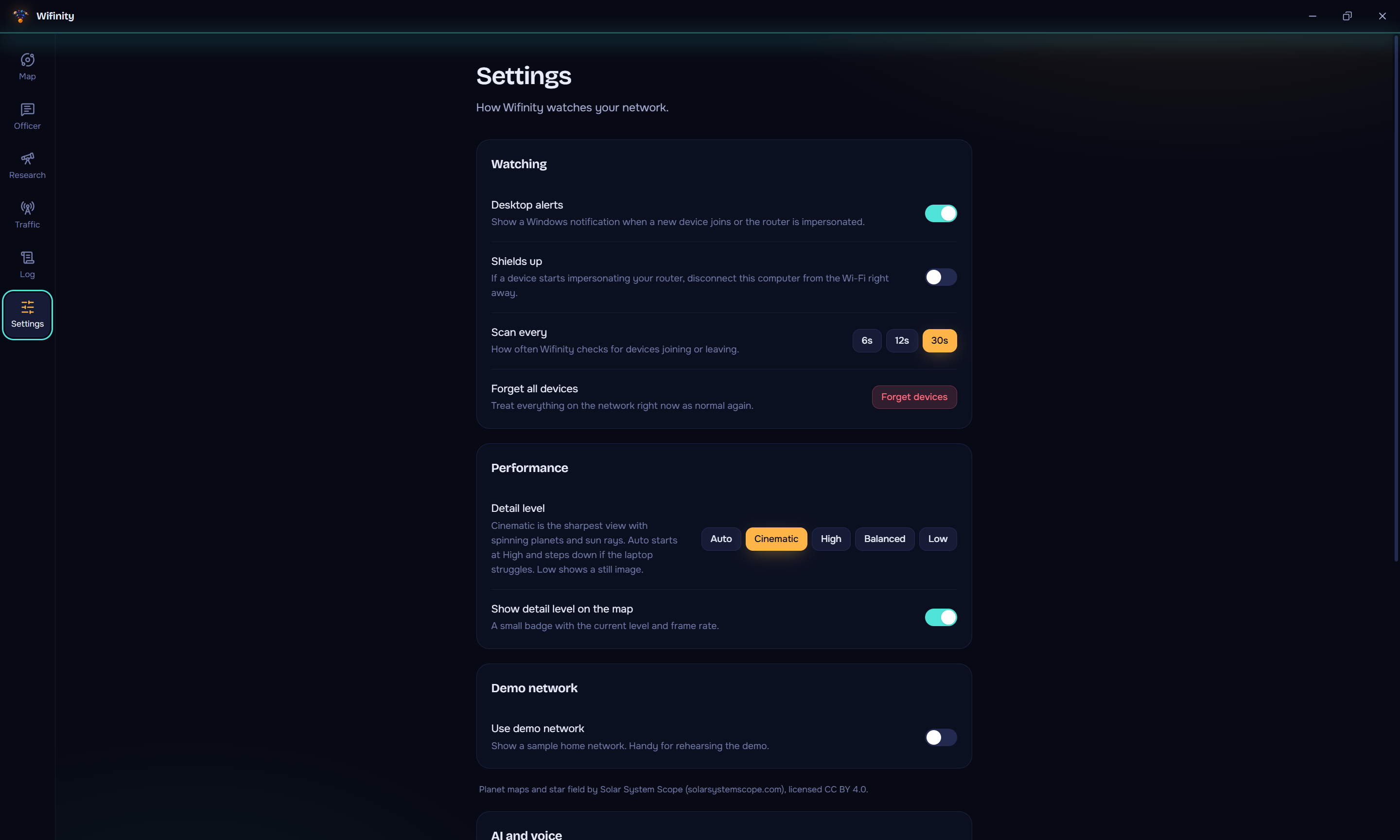
Alerts, Shields up auto-disconnect, scan speed, graphics quality, and a demo network for safe practice.
-
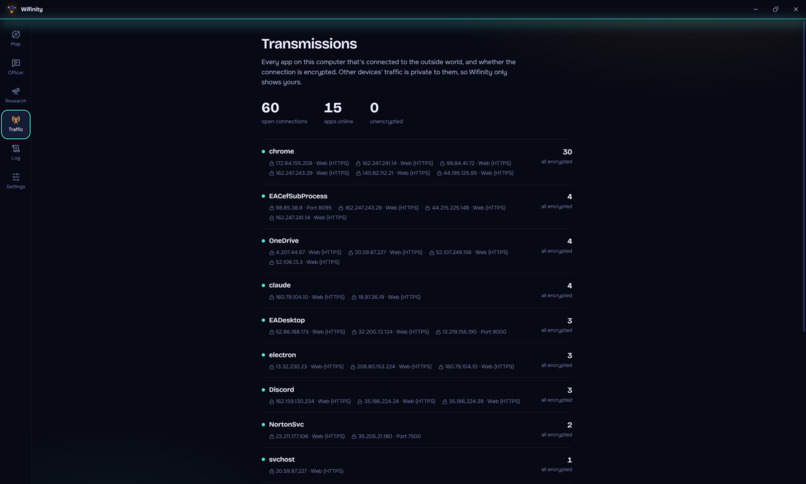
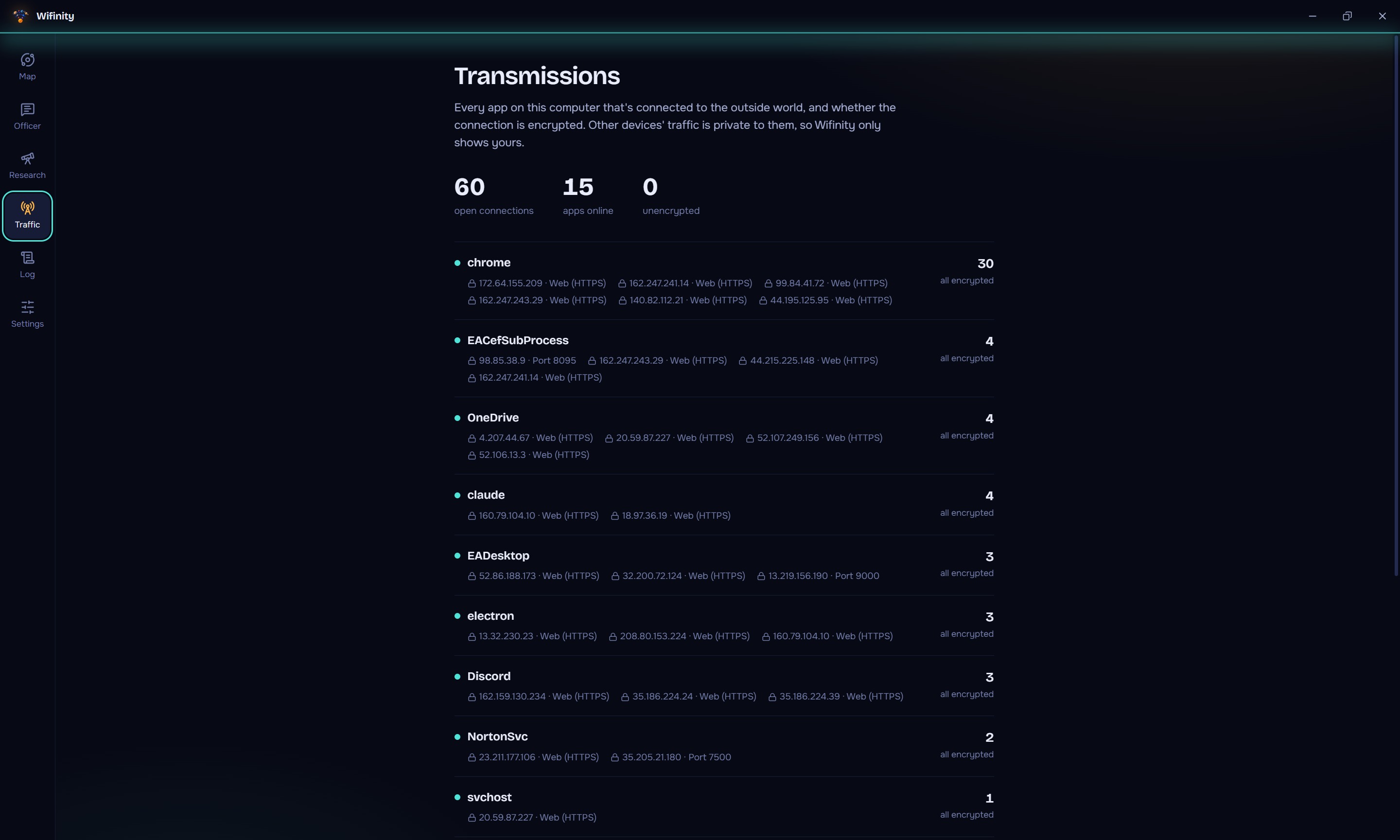
Transmissions: every app on this computer talking to the internet, and whether each connection is encrypted.
-
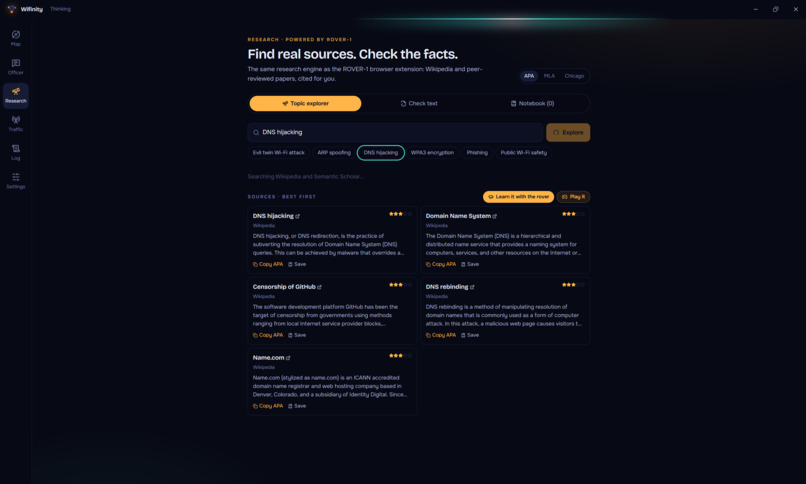
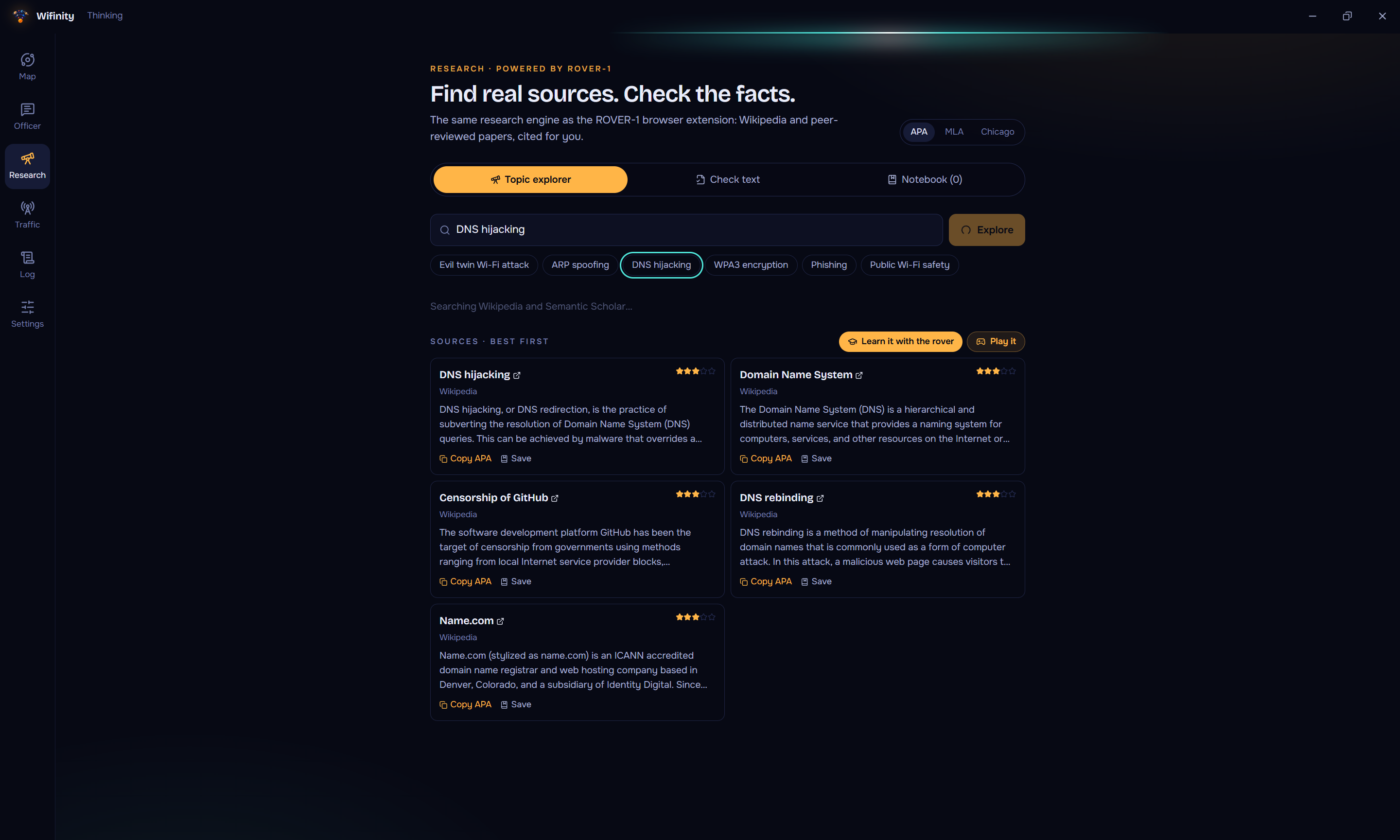
Research any topic: real sources from Wikipedia and research papers, rated by quality, with one-click citations.
-
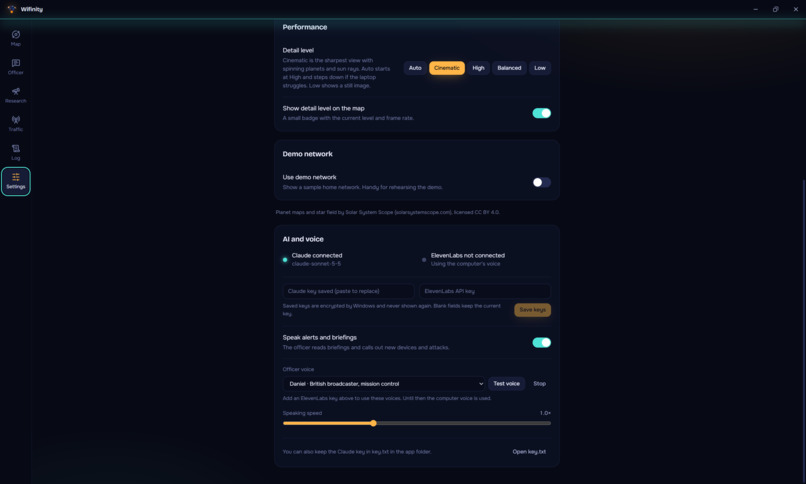
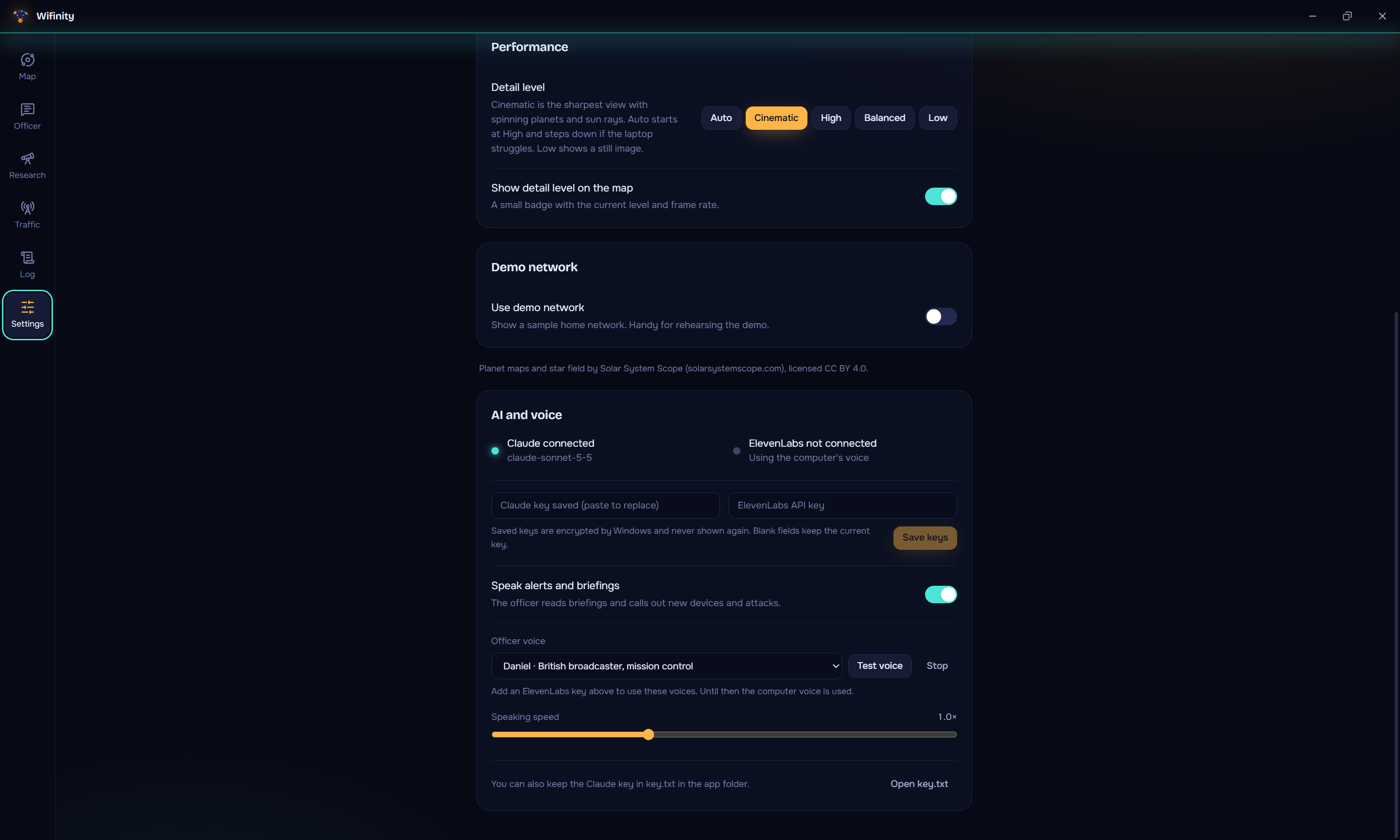
Plug in Claude and ElevenLabs. Keys are encrypted by Windows and never shown again. Pick the officer’s voice.
Inspiration
As leaders of the Cybersecurity Club at El Camino College, we've seen how easy it is for everyday people to get caught by attacks they never notice. Most people have no idea what's connected to their Wi-Fi, or whether the café or campus network they just joined is fake. Security tools are built for experts, and security advice is too boring to read. So for the Space theme, we built security software the average person can actually use and understand.
What it does
Wifinity shows your Wi-Fi as a solar system: the router is the sun, every device is a planet, and nearby networks are stars. Strangers appear as red lava planets on the outer ring.
It watches for three real attacks: -ARP spoofing: a device pretending to be your router -DNS hijacking: your web lookups sent to fake sites -Evil twin: A fake copy of your network nearby
Every scan gets a 0-100 health score, and an AI security officer explains each risk in a user-friendly, beginner-friendly way.
Rover-1 is built to make learning cybersecurity fun: Learn Mode: The rover reads a topic for you, collects key terms, and quizzes you at the end. Research Tab: Real sources from Wikipedia and Semantic Scholar, fact-checked, with citations. Training sim: fight the three attacks as bosses and upgrade your rover
How we built it
ElectronJS, React, and TypeScript for the desktop app, and Built-in Windows commands. To scan the network every 12 seconds, with no extra drivers. Rule-Based Detection, so attacks are caught instantly, even offline Claude for officer and lessons, ElevenLabs for the voice Canvas for the solar system and the rover game API keys are encrypted and kept away from the user interface
Challenges we ran into
UI design started off shaky; the low-resolution, laggy UI made the app hard to use. Optimizing the app so it didn't take forever to load whenever someone wanted to use features like Brief Me or scan more frequently. Protecting against fake Wi-Fi names that try to trick the AI Making the rover "eat" words without breaking the page and causing everything to lag Stopping the AI from teaching wrong facts, so we added a fact checker that runs first
Accomplishments that we're proud of
We are proud that we completed both projects and got them to work hand in hand. We also solved our problem statement. We also made a fun way to learn about internet security through app development and video games.
What we learned
We learned how Wi-Fi attacks work and how to use built-in Windows commands to recognize strangers connecting to the network.
What's next for Wifinity
Deeper attack detection, support for more router brands, and robustness for bigger corporations. A classroom mode to use Rover-1 as a better learning aid
Built With
- chatgpt
- claude
- javascript
- typescript

Log in or sign up for Devpost to join the conversation.