Inspiration
Every developer has spent time staring at a function they didn't write, trying to figure out why it exists in its current form. The commit message says "fix" or "update", the ticket number is somewhere in Slack, and the original author left the company six months ago. We built WhyLine because that lost context has a real cost, in review time, in wrong refactors, in bugs introduced by people who didn't understand the invariant they were breaking.
What it does
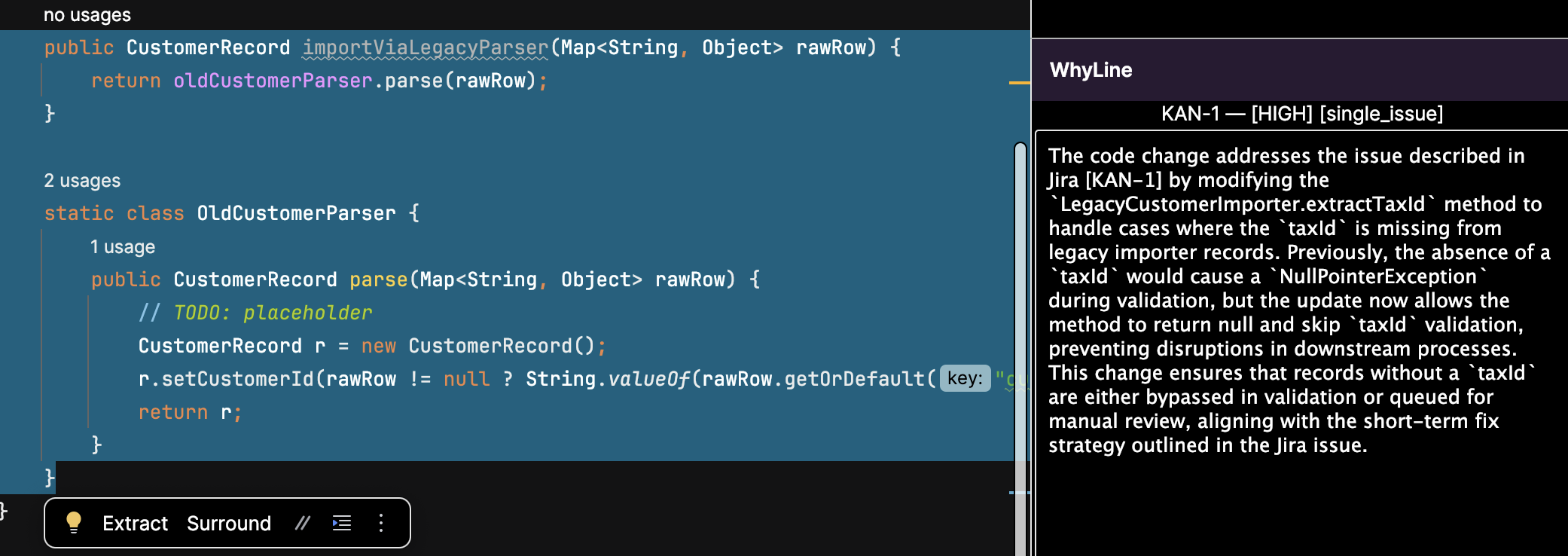
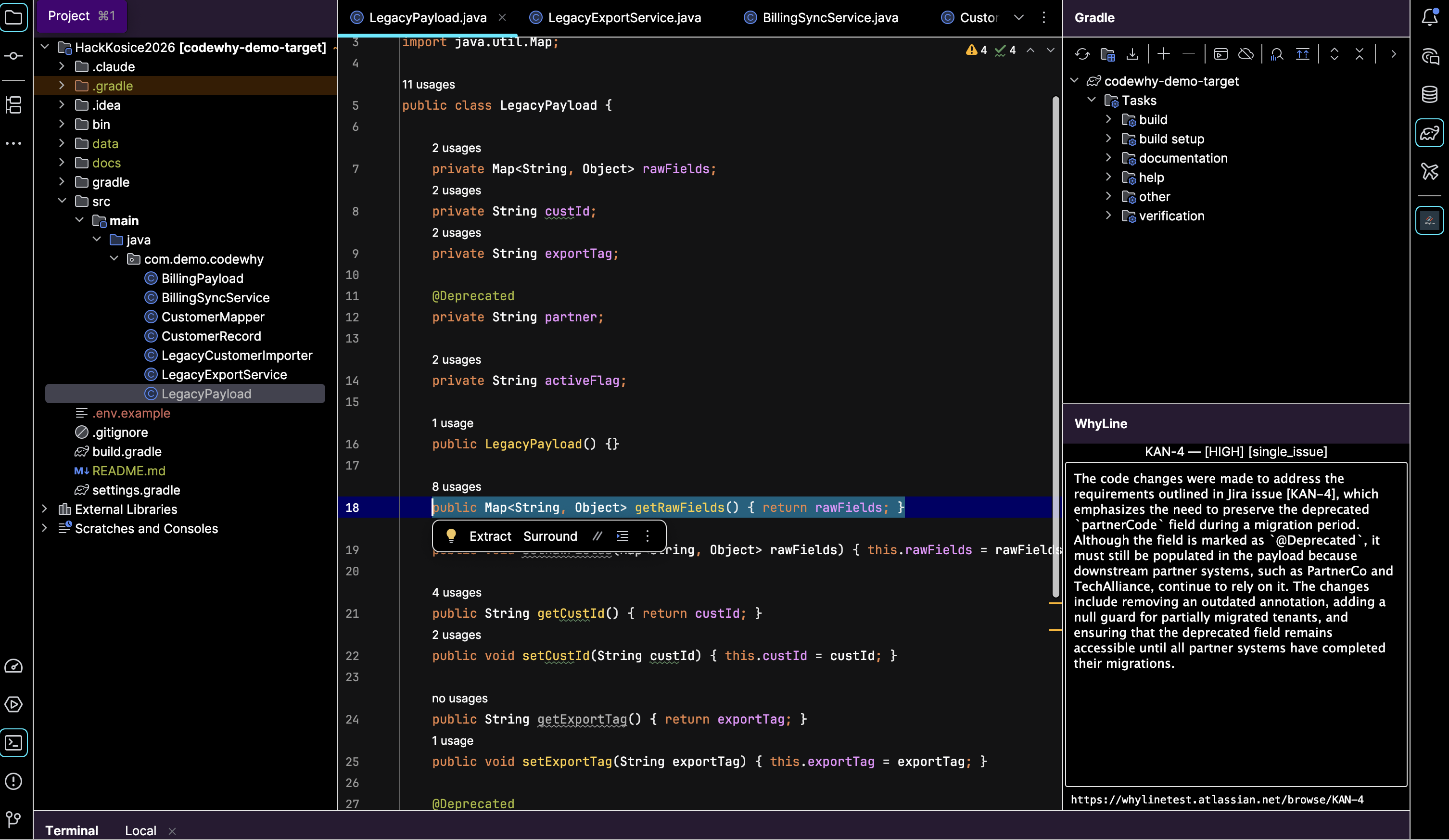
WhyLine is an IntelliJ plugin that answers the question "why did this code change?" directly inside the IDE. You select any range of lines, right-click, and choose WhyLine: Explain Why. Within seconds the tool window on the right shows you the linked Jira ticket, a short explanation of what business or engineering problem the code is solving, and a confidence level for the match.
The plugin works entirely from context that already exists: git blame, nearby commit history, diff content, the selected code itself, and your Jira board. No annotations, no extra comments, no changes to your workflow required.
How we built it
The backend is a FastAPI service backed by PostgreSQL with the pgvector extension. When a request comes in, it runs a multi-signal scoring pipeline: it extracts keywords from commit messages and diffs, searches Jira by JQL, runs a cosine vector search over OpenAI embeddings stored in pgvector, and then combines all signals into a weighted score for each candidate ticket. Signals include keyword overlap between commit messages and ticket summaries, identifier names from the file and method, temporal proximity between the commit date and ticket activity, and vector similarity.
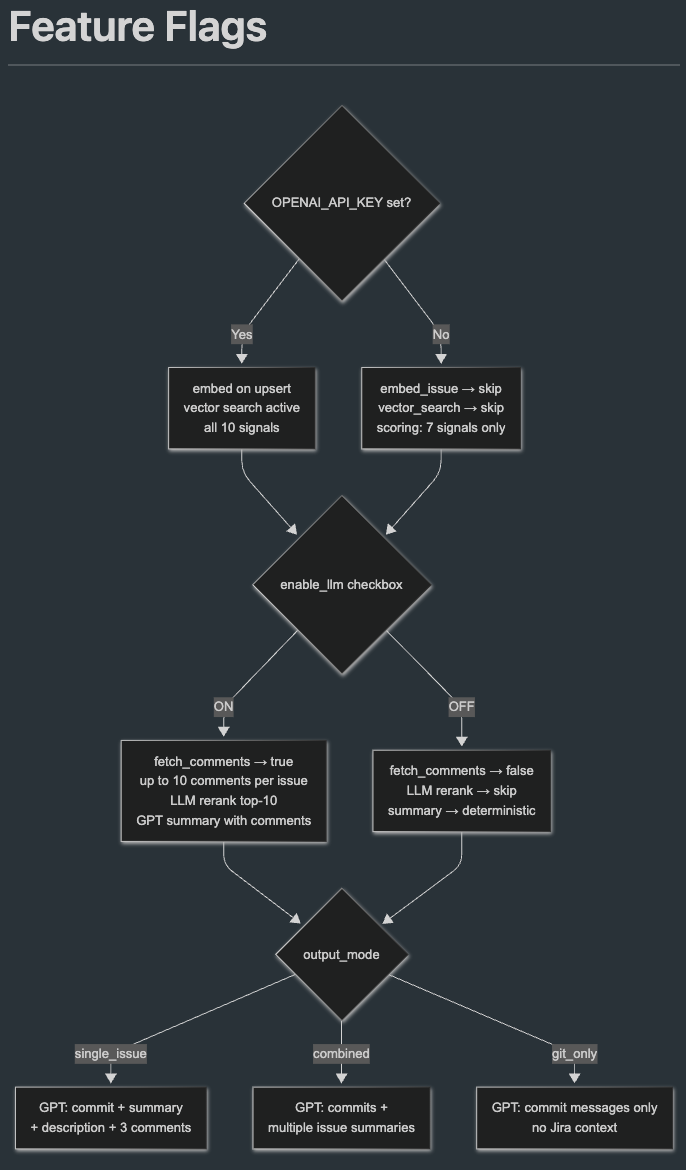
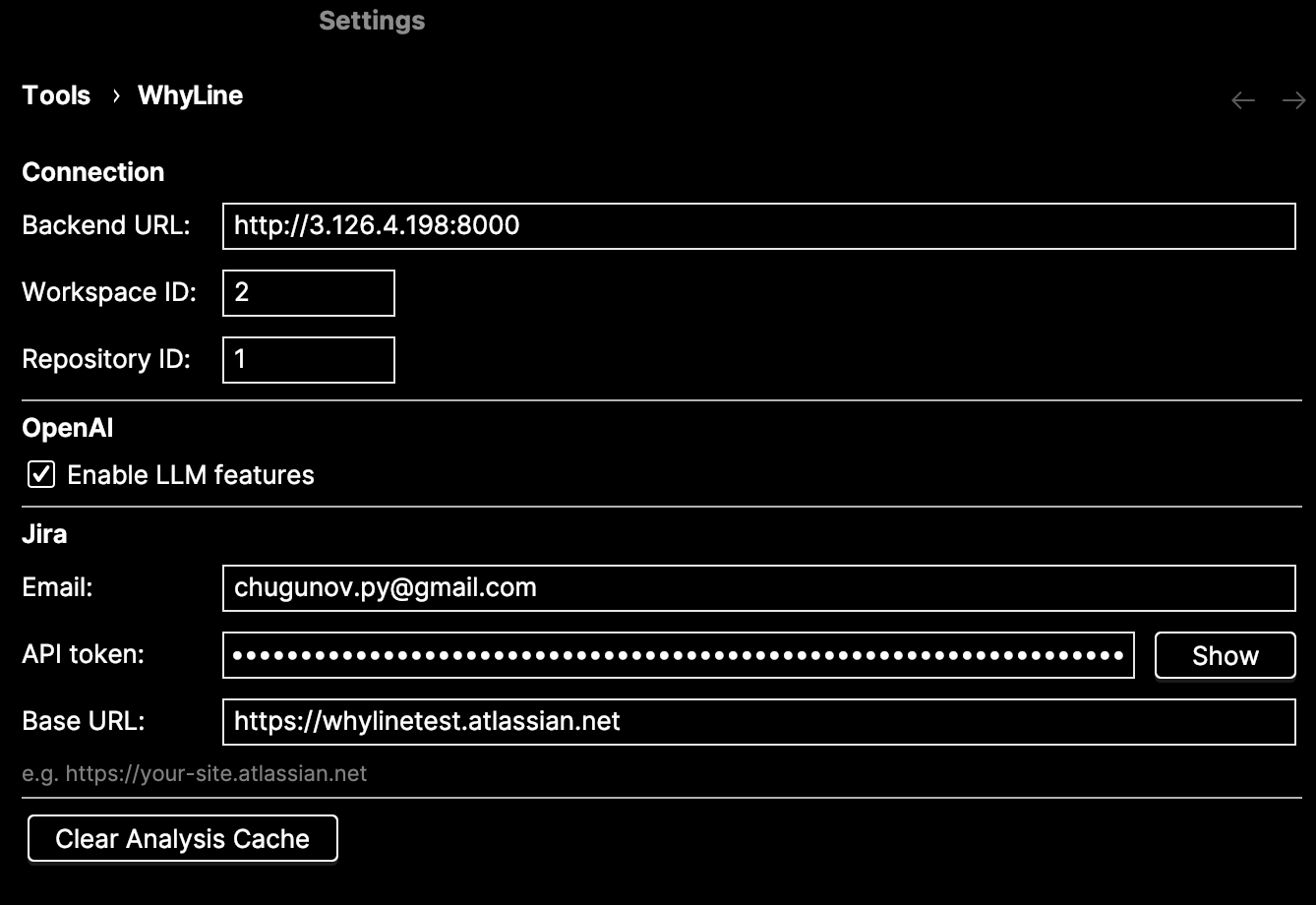
When LLM mode is enabled, the top candidates are re-ranked by GPT and a short natural-language explanation is generated from the ticket summary, description, and comments. Without LLM mode, the plugin still works using the deterministic scorer alone.
The IntelliJ plugin is written in Kotlin. It collects git context, nearby commits with diffs, and surrounding code lines directly from the IDE, then sends everything to the backend as a single request. Results are cached server-side for 24 hours per code location.
Challenges we ran into
The hardest part was making the matching reliable enough to be useful without being noisy. Early versions surfaced too many tickets or picked the wrong one when commit messages were vague. We ended up building a ten-signal weighted scorer with an explicit penalty for cases where an exact key match had near-zero semantic overlap, which caught a real class of false positives where a ticket number appeared in unrelated code.
The Jira Cloud API also had some friction: the GET-based text search endpoint returned 410 Gone, so we switched to the POST-based JQL endpoint. Parsing Atlassian Document Format for ticket descriptions required a recursive tree walker since the content is deeply nested JSON rather than plain text.
Accomplishments that we're proud of
The scoring pipeline works well without any manual tuning specific to the test repository. It handles cases where no Jira key is mentioned anywhere in the code or commits, relying entirely on semantic overlap and vector similarity to find the right ticket. The combined mode, which triggers when a large block of code is linked to multiple tickets, surfaces all contributing issues rather than forcing a single answer.
What we learned
Building something that feels reliable is much harder than building something that works most of the time. The gap between "it finds a ticket" and "it finds the right ticket" required every signal in the pipeline working together. We also learned that developer tools need to degrade gracefully: if OpenAI is not configured, the plugin still works. If Jira credentials are missing, the git context alone is still surfaced.
What's next for WhyLine
Auto-registration of workspaces and repositories so teams can onboard without manual configuration. A confidence threshold setting so teams can tune how conservative or liberal the match needs to be before showing a result. Support for GitHub Issues and Linear alongside Jira. And a marketplace-ready release so the plugin can be installed directly from the JetBrains plugin repository.
Built With
- fastapi
- git
- intellij-idea
- jira
- kotlin
- openai
- python

Log in or sign up for Devpost to join the conversation.