-
-
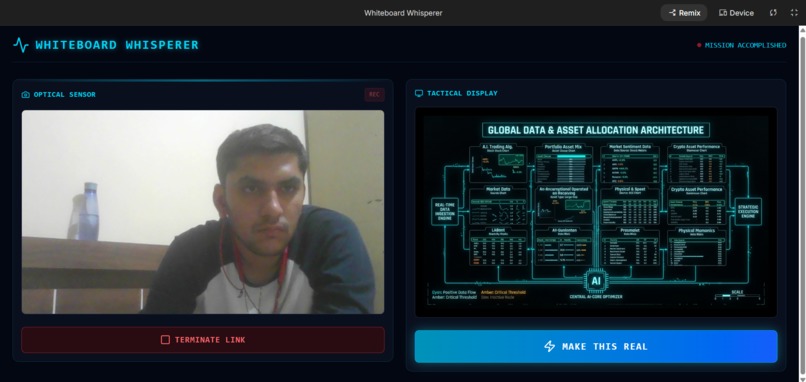
testing result
-
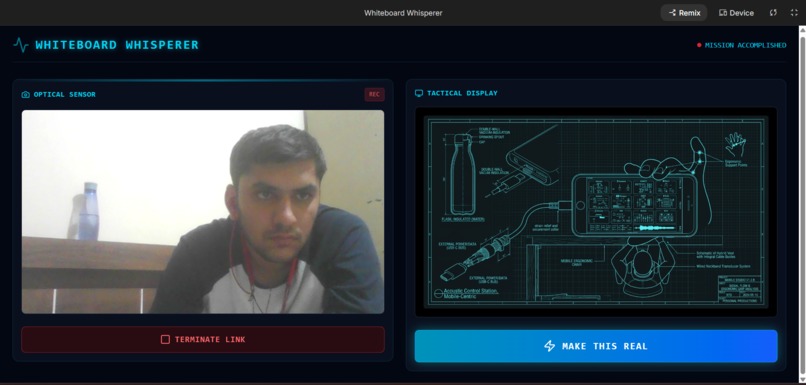
testing result
Inspiration
I have often experienced the friction of a brilliant brainstorming session: I sketch an incredible architecture on a physical whiteboard, but once the meeting ends, I have to spend hours manually drafting digital diagrams and writing tedious Jira tickets to execute the vision. I wanted to eliminate this friction entirely.
Inspired by the shift from traditional "chatbot" text-boxes to true agentic multimodality, I wanted to build a system that seamlessly bridges the physical and digital worlds. Seeing the release of the new Gemini 2.x and 3.x ecosystems—which process video, audio, and reasoning natively I realized I could build an immersive assistant that can see, hear, speak, and act alongside me as I brainstorm.
What it does
Whiteboard Whisperer is the ultimate multimodal bridge between physical brainstorming and autonomous digital execution. It acts as an active participant in my meetings through three distinct phases: Real-Time Perception: It observes me drawing on a whiteboard via webcam (capturing 1FPS video) and listens to my explanations (streaming 16kHz raw PCM audio), offering real-time verbal feedback and "affective dialog" that understands my tone.
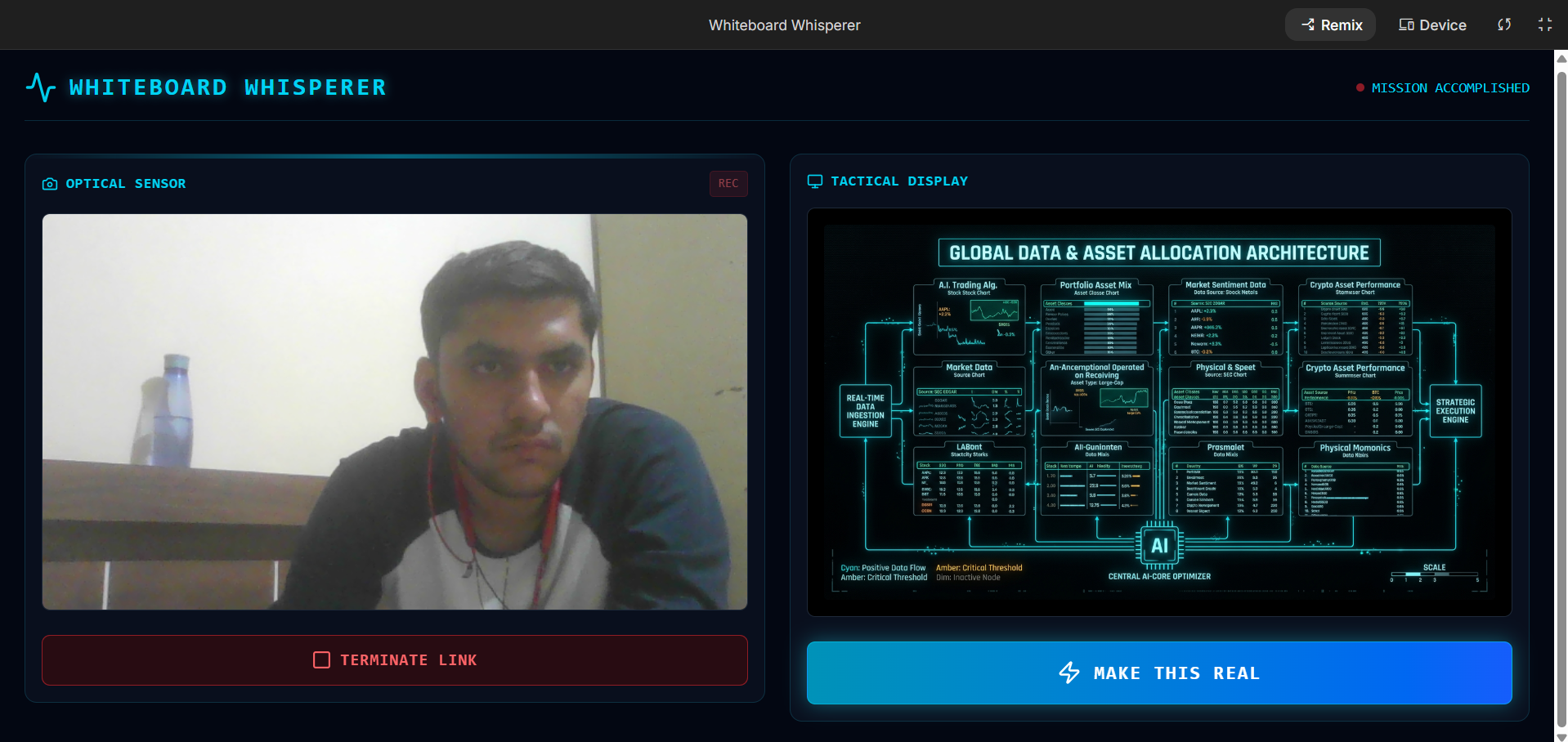
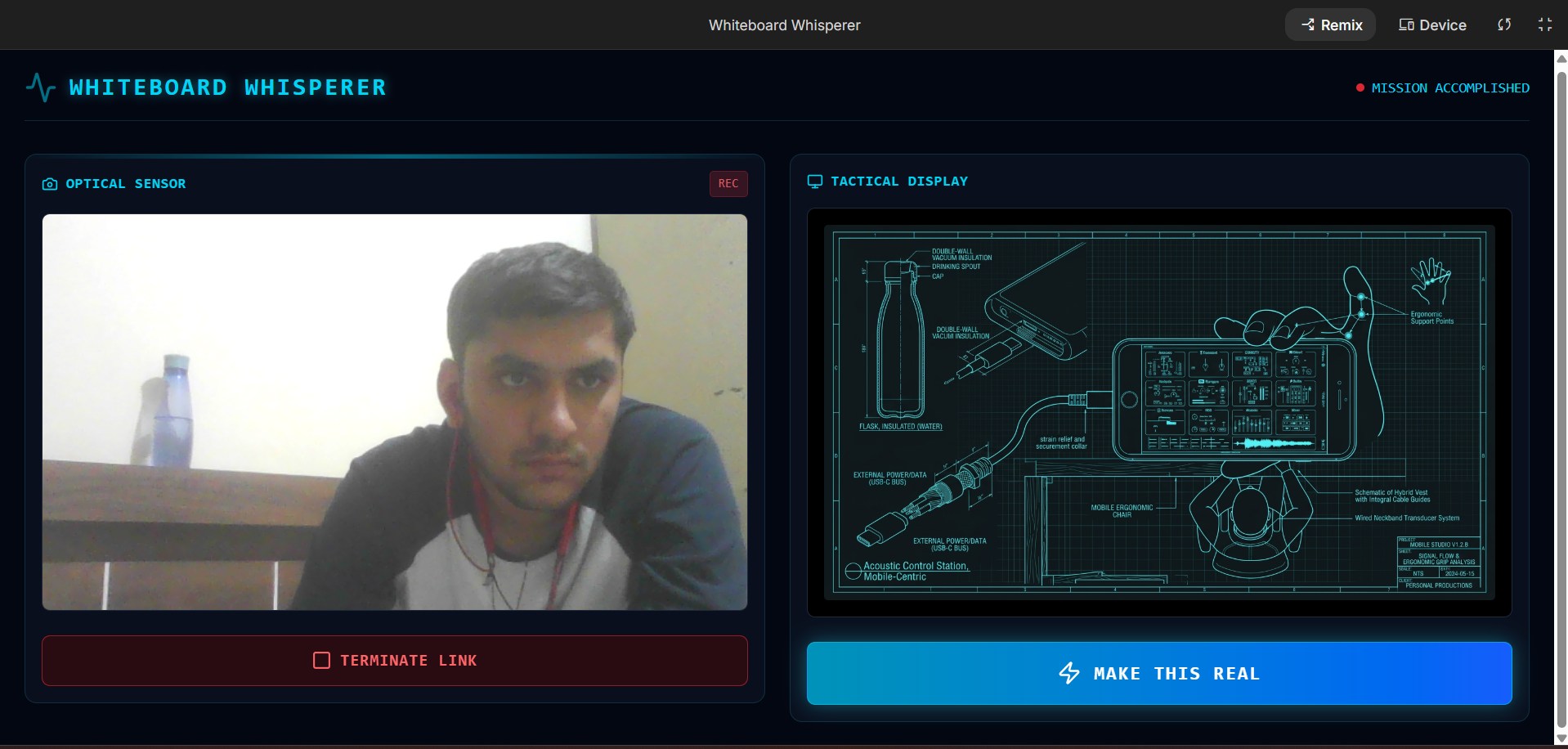
Creative Synthesis: When I hit the glowing "MAKE THIS REAL" button on the Mission Control dashboard, the app captures the final whiteboard sketch. It transforms my messy markers into a studio-quality, 4K 16:9 architectural diagram with perfectly legible text labels.
Autonomous Execution: It then hands the generated diagram and context to an autonomous agent that physically opens a headless browser, navigates to my Jira workspace, and creates detailed development tickets based on the architecture.
Crucially, it includes an Enterprise-Grade Safety (HITL) system. Before the agent clicks "Submit" on any Jira ticket, it triggers a warning modal demanding my explicit approval, keeping the human firmly in the loop.
How I built it
I architected a "Mission Control" pattern to manage the state and event validation across a distributed network of Gemini agents.
Frontend: I used Vanilla HTML5, JavaScript, and Tailwind CSS to create a dark-mode, neon-cyan "glassmorphic" dashboard. By avoiding heavy frameworks, I achieved a lightning-fast UI capable of capturing webcam feeds (Base64 JPEG) and streaming raw audio via WebRTC and the Web Audio API without latency overhead.
Backend: A Python 3.10+ FastAPI and Uvicorn server hosted on Google Cloud Run manages the stateful WebSocket (WSS) connections. The Agents: The Observer: gemini-2.5-flash-native-audio processes the continuous bidirectional audio/video stream for sub-800ms conversational responses.
The Director: gemini-3-pro-image-preview (Nano Banana Pro) acts as the creative director, utilizing its state-of-the-art text rendering and 4K capabilities to generate the architectural diagrams. The Navigator: gemini-2.5-computer-use-preview-10-2025 operates alongside Playwright to autonomously click and type inside Jira.
Challenges I ran into
Building a low-latency, multi-agent system brought several intense technical hurdles: Stateful WebSockets & Raw Audio: Handling a persistent bidirectional stream of raw 16-bit PCM audio alongside Base64 image frames required careful buffer management on the backend so that the FastAPI event loop wasn't blocked.
Computer Use Coordinate Mapping
The Gemini Computer Use model does not output raw screen pixels; it maps the screen to a normalized 1000 × 1000 coordinate grid. I implemented a mathematical scaling function to translate these normalized coordinates $$(x_{norm}, y_{norm})$$ into actionable pixels $$(x_{pixel}, y_{pixel})$$ for Playwright to execute:
$$x_{pixel} = \lfloor x_{norm} \times \frac{W_{screen}}{1000} \rfloor$$
$$y_{pixel} = \lfloor y_{norm} \times \frac{H_{screen}}{1000} \rfloor$$
Cloud Build Deployment
During deployment to Google Cloud Run, Cloud Build attempted to upload my massive 2.4 GiB local virtual environment. I had to pivot to using a strict whitelist .gcloudignore file to ensure only my actual code and requirements.txt were packaged into the Docker container.
Accomplishments that I'm proud of
Sub-800ms Latency: By utilizing native audio streaming and skipping the traditional Speech-to-Text (STT) and Text-to-Speech (TTS) pipelines, I achieved incredibly fast, natural conversational responses. Implementing HITL Safety: I successfully integrated the Computer Use model's safety_decision metric. My backend successfully intercepts any action flagged as require_confirmation and passes it to the frontend to trigger my custom safety modal.
The "Vibe": I managed to create a highly professional, cinematic UI that makes interacting with the AI feel like operating a futuristic command center.
What I learned
I learned an immense amount about the future of AI architecture. Specifically, I learned how to orchestrate multiple specialized models (Flash for speed, Nano Banana Pro for visuals, Computer Use for action) within a single cohesive workflow. I also gained deep practical knowledge in managing WebSocket connections for continuous data streaming and configuring Docker and Google Cloud Run for Playwright compatibility.
What's next for whiteboard-whisperer
I want to take Whiteboard Whisperer beyond just Jira. I plan to integrate it with other project management tools like Trello, Asana, and GitHub Issues. I also aim to implement "Collaborative Live Mapping," allowing remote team members to join the WebSocket session and see the AI-generated architectural diagrams evolve in real-time alongside the physical whiteboard sketches.
Built With
- antigravity-(google's-agentic-development-platform).-apis-&-integrations:-google-genai-sdk
- css.-frontend:-tailwind-css
- docker
- gemini-2.5-computer-use.-cloud-&-deployment:-google-cloud-run
- gemini-3-pro-image-(nano-banana-pro)
- google-ai-studio
- google-cloud-build
- html5
- jira
- languages:-python-3.10+
- pillow
- playwright-(headless-browser)
- python-dotenv.-ai-models:-gemini-2.5-flash-live-api
- uvicorn
- vanilla-javascript
- web-audio-api-(for-16khz-pcm-audio).-backend-&-frameworks:-fastapi
- webrtc-(for-1fps-video-capture)
- websockets


Log in or sign up for Devpost to join the conversation.