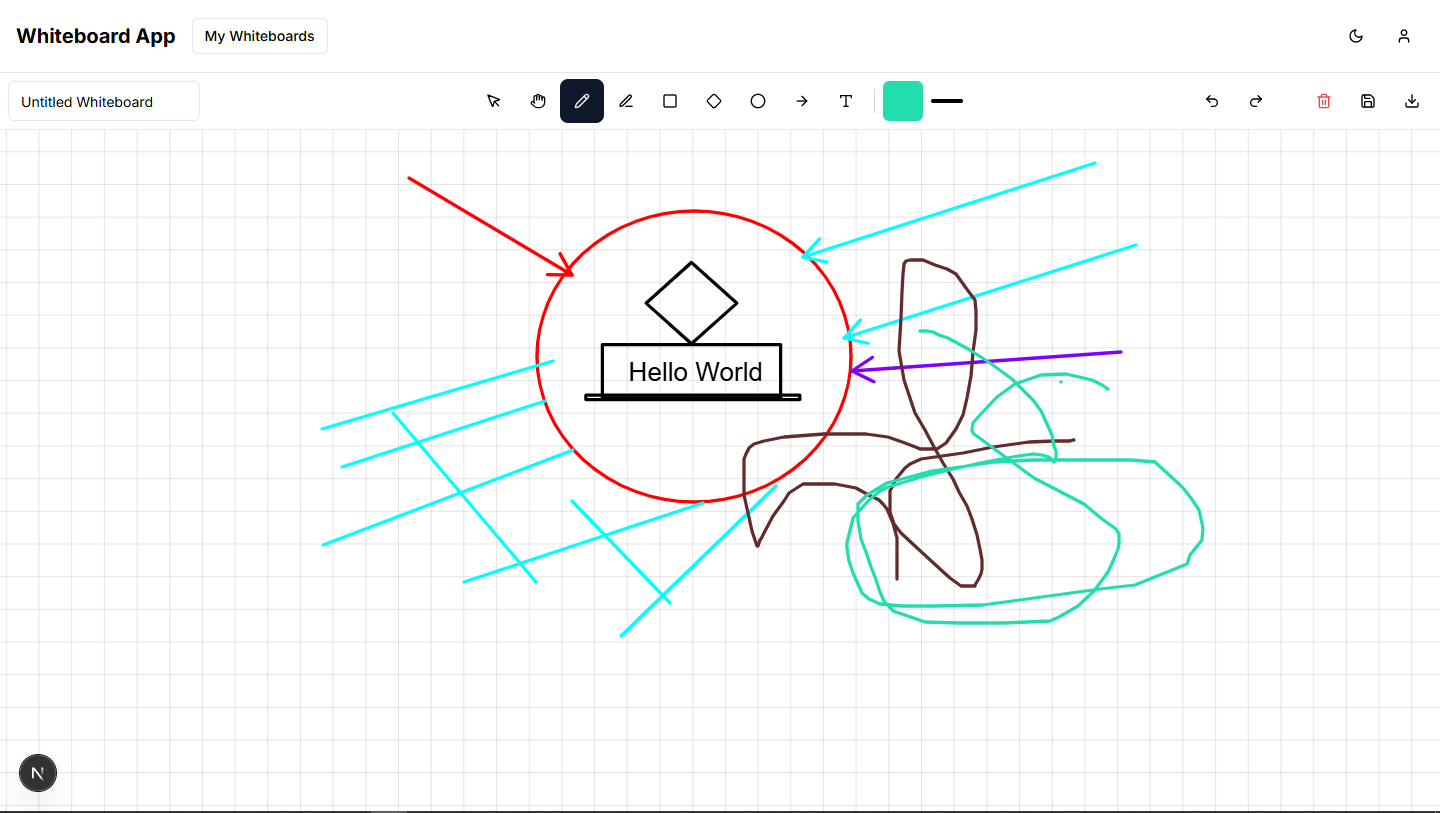
Inspiration We were inspired by the need for a digital space where users can freely express their ideas visually, especially in educational and creative environments. Many existing tools are either too complex or lack key features. Our goal was to create a simple, accessible, and powerful whiteboard tool that balances usability with functionality.
What it does The whiteboard application allows users to draw, annotate, and design on a digital canvas using intuitive tools. It features shape creation, text input, drawing tools, and the ability to download the final design. AI-powered features are also included, such as shape recognition and smart suggestions. A login system ensures secure access to advanced features and content storage.
How we built it We used the MERN stack (MongoDB, Express.js, React.js, Node.js) to develop the application. The frontend is built with React and styled using Tailwind CSS. Backend services handle user authentication, data storage, and file management. Excalidraw’s open-source capabilities were referenced to build a similar drawing experience, while maintaining our own custom architecture using the MVC pattern.
Challenges we ran into Integrating drawing functionalities that feel smooth and responsive was a technical challenge.
Implementing AI features like shape recognition and optimization required additional research and testing.
Ensuring the design is minimal yet functional involved multiple iterations.
Securing the backend and managing file downloads with user restrictions also posed complexity.
Accomplishments that we're proud of Developed a fully functional whiteboard tool from scratch.
Integrated AI-assisted features that enhance user experience.
Designed a clean, minimal interface with intuitive usability.
Successfully implemented login-based feature control and data security.
What we learned Deepened our understanding of the MERN stack in a real-world scenario.
Gained experience working with canvas and graphic libraries.
Learned how to integrate AI into a drawing tool meaningfully.
Improved our UI/UX design and user flow planning skills.
What's next for whiteboard Add real-time collaboration features so multiple users can work on the same board.
Implement version control and history tracking for board edits.
Expand AI features to suggest design improvements or auto-layouts.
Optimize performance for large-scale drawings and complex boards.
Develop a mobile-friendly version for on-the-go creativity.
Built With
- css3
- express.js
- html5
- javascript
- mongodb
- node.js
- react
- tailwindcss
- vercel


Log in or sign up for Devpost to join the conversation.