-
-
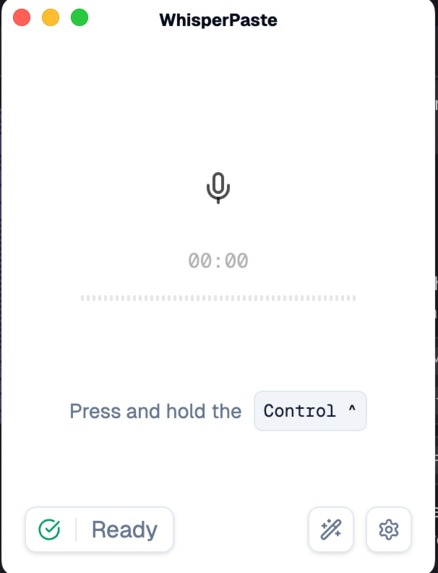
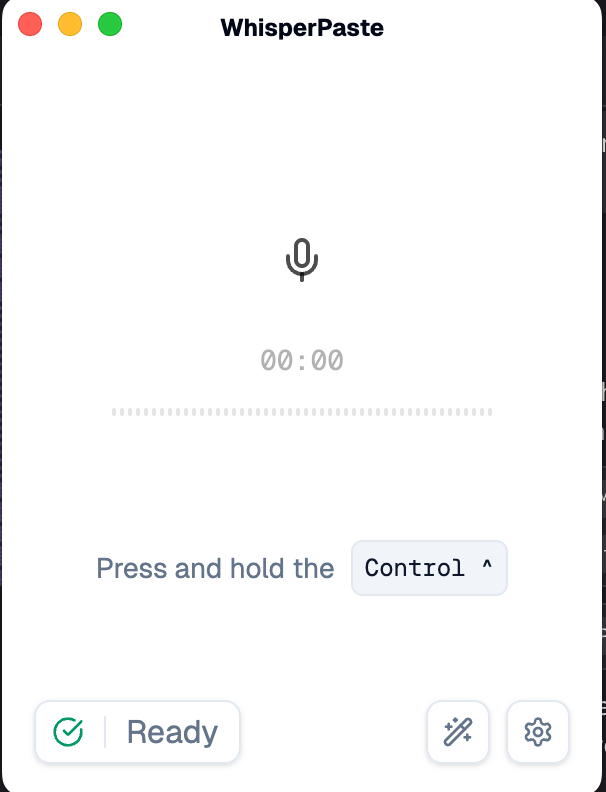
recording page
-
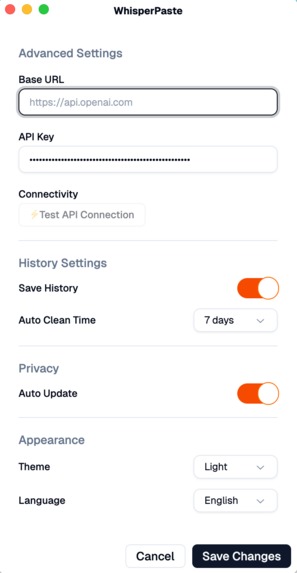
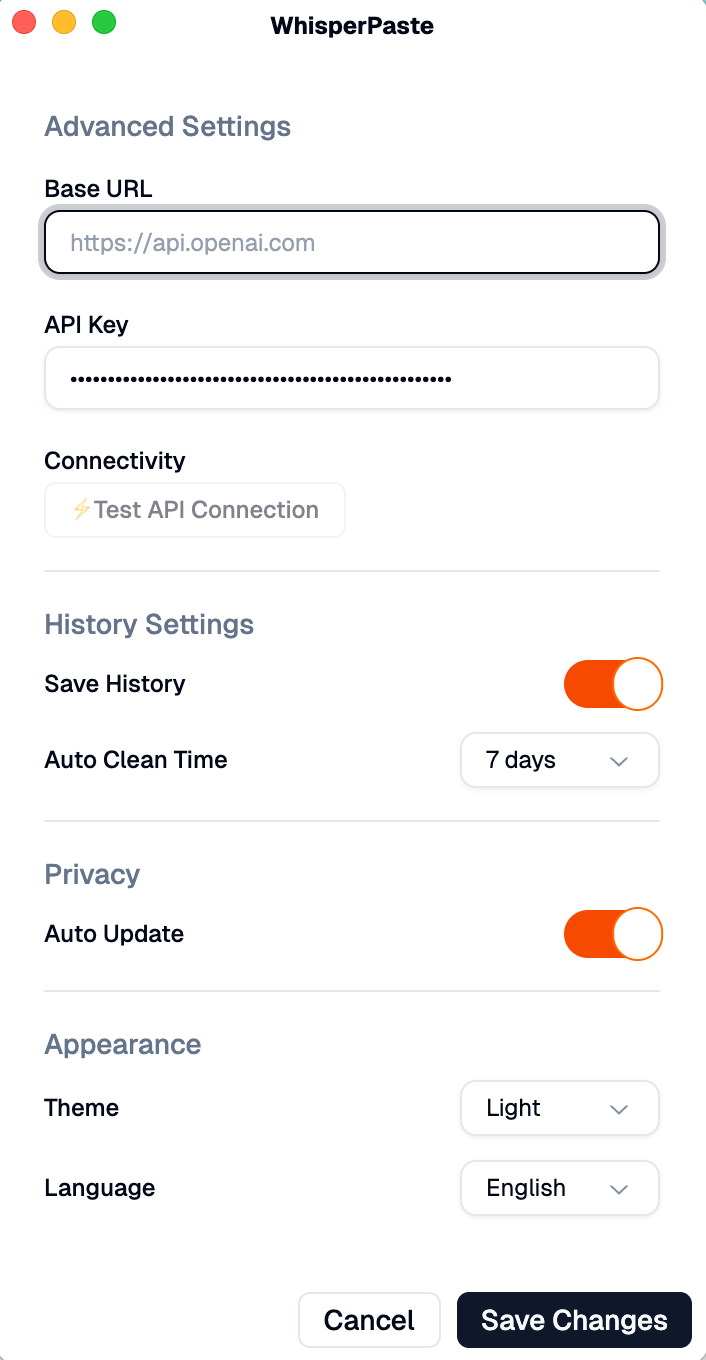
settings page
-
logo
Inspiration
The inspiration for WhisperPaste came from the daily frustration of switching between typing and speaking during work. We noticed that many people prefer to express their thoughts verbally, especially when brainstorming or taking quick notes, but then had to manually transcribe everything. We wanted to create a seamless bridge between speech and text that would make voice-to-text as natural as copy-paste.
What it does
WhisperPaste is an AI-powered desktop application that converts speech to text and automatically copies it to your clipboard. Key features include:
- Real-time Voice Recognition: Uses OpenAI's Whisper API for high-accuracy speech-to-text conversion
- Instant Clipboard Integration: Automatically copies transcribed text to system clipboard for immediate use
- Global Hotkey Support: Press and hold Ctrl to record, release to transcribe
- Cross-platform Compatibility: Works on Windows, macOS, and Linux
- Multi-language Support: Interface available in Chinese and English
- System Tray Integration: Runs quietly in the background, always accessible
- Privacy-focused: Local processing with secure API communication
How we built it
We built WhisperPaste using modern web technologies wrapped in a desktop application:
Core Technologies:
- Electron 36 for cross-platform desktop app framework
- React 19 with TypeScript for the user interface
- Vite 6 for fast development and building
- Tailwind CSS 4 with Shadcn/ui for modern, responsive design
Key Libraries:
- TanStack Router for type-safe routing
- Zustand for lightweight state management
- i18next for internationalization
- Framer Motion for smooth animations
Development Workflow:
- ESLint & Prettier for code quality
- Vitest for unit testing
- Playwright for end-to-end testing
- Electron Forge for packaging and distribution
The app integrates with OpenAI's Whisper API for speech recognition and uses native Electron APIs for system tray functionality and global hotkeys.
Challenges we ran into
Audio Processing Complexity: Handling real-time audio recording and processing across different operating systems proved challenging. We had to ensure consistent audio quality and format compatibility with the Whisper API.
Global Hotkey Implementation: Creating a system-wide hotkey that works reliably across all platforms while the app runs in the background required careful handling of Electron's global shortcuts and focus management.
Cross-platform UI Consistency: Ensuring the app looks and behaves consistently across Windows, macOS, and Linux, especially with system tray integration and window positioning.
API Configuration Management: Designing a user-friendly way to configure and test OpenAI API credentials while maintaining security and providing clear feedback on connection status.
Performance Optimization: Balancing the app's responsiveness with the processing time required for accurate speech recognition, including implementing proper loading states and error handling.
Accomplishments that we're proud of
Seamless User Experience: We created an incredibly intuitive interface where users can simply press Ctrl, speak, and release to get text in their clipboard - it feels magical.
Robust Architecture: Built a scalable, maintainable codebase with TypeScript, comprehensive testing, and modern development practices that other developers can easily contribute to.
Cross-platform Excellence: Successfully deployed a consistent experience across all major operating systems with native system integration.
Privacy-first Design: Implemented secure API communication while keeping user data private and giving users full control over their settings.
Accessibility: Created a fully accessible application with proper keyboard navigation, screen reader support, and multiple language options.
Production-ready Quality: Achieved a polished, professional application with proper error handling, loading states, and user feedback mechanisms.
What we learned
Desktop App Development: Gained deep expertise in Electron development, including system integration, packaging, and cross-platform deployment challenges.
Audio Processing: Learned about web audio APIs, audio format handling, and the intricacies of real-time audio processing in web applications.
AI API Integration: Developed skills in working with OpenAI's APIs, handling rate limits, error scenarios, and optimizing for cost and performance.
User Experience Design: Understood the importance of immediate feedback, clear status indicators, and graceful error handling in desktop applications.
State Management: Mastered modern React patterns with Zustand for global state management and learned when to use local vs global state.
Internationalization: Implemented comprehensive i18n support and learned about the challenges of creating truly multilingual applications.
What's next for whisper-paste
Enhanced AI Features:
- Support for multiple AI providers (Azure, Google, local models)
- Real-time transcription streaming for longer recordings
- Smart text formatting and punctuation enhancement
Advanced Functionality:
- Custom hotkey configuration
- Text templates and snippets integration
- History management with search and organization
- Batch processing for multiple audio files
Platform Integration:
- Browser extension for web-based transcription
- Mobile companion app for cross-device sync
- Integration with popular productivity tools (Notion, Slack, etc.)
Performance & Accessibility:
- Offline transcription capabilities using local models
- Voice commands for app control
- Enhanced accessibility features for users with disabilities
- Performance optimizations for lower-end devices
Enterprise Features:
- Team collaboration and shared configurations
- Custom model training for domain-specific vocabulary
- Advanced privacy controls and audit logging


Log in or sign up for Devpost to join the conversation.