Inspiration
Global communication still isn’t seamless. In meetings, conferences, and international collaborations, ideas get lost, not because they’re complicated, but because people can’t follow the language fast enough. The same barriers appear at home, where families speak different native languages, and in classrooms, where students pause and rewind foreign lectures just to keep up. Even with all our technology, the tools for bridging these gaps remain fragmented and slow, one app for transcription, another for translation, another for voice output, none of which preserve the speaker’s natural voice. So we asked: Why isn’t real-time multilingual communication effortless? That question inspired a single, unified “universal translator” that captures audio from any source and instantly plays it back in your language, with the speaker’s own voice, directly in your browser.
Core Idea
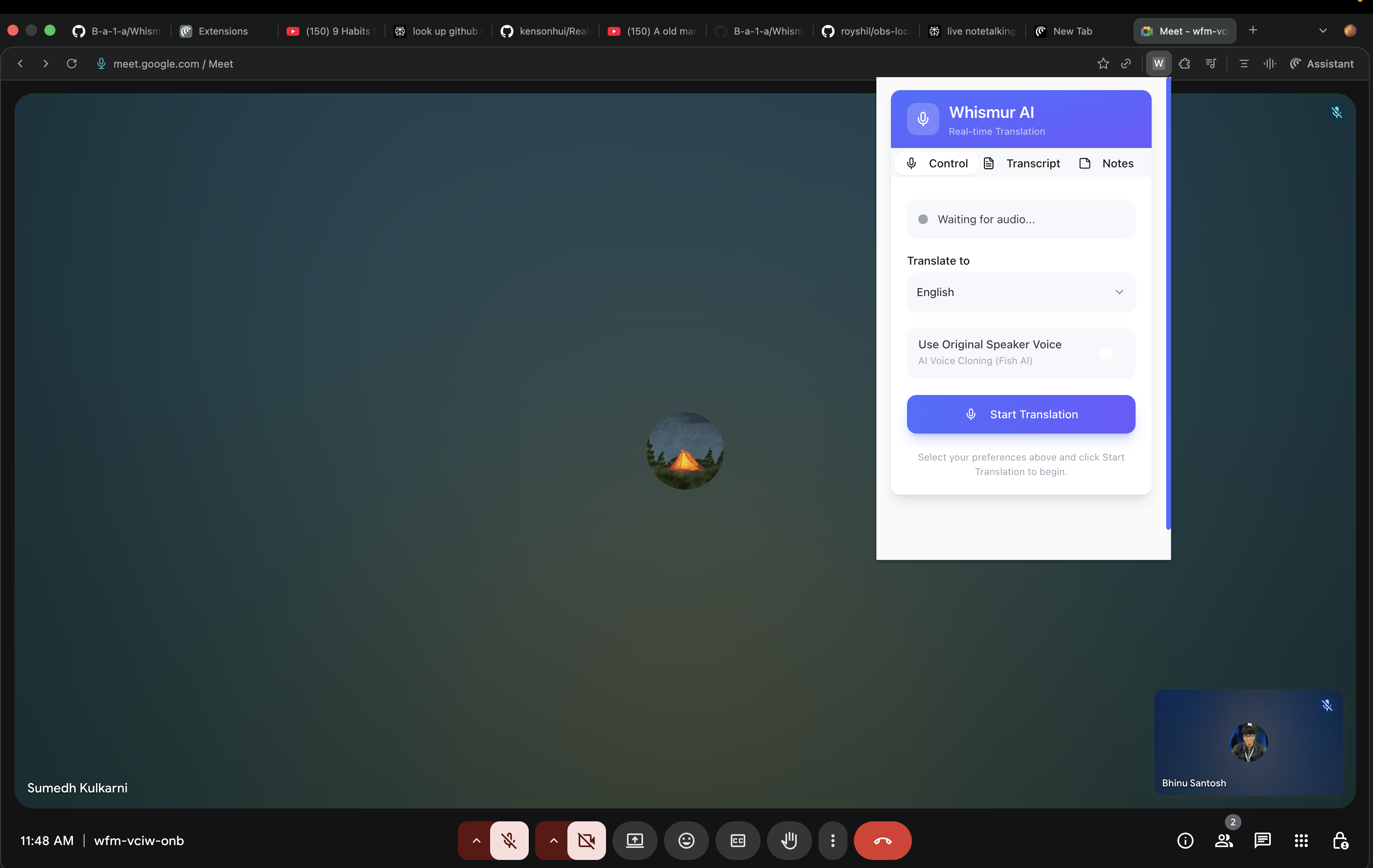
- Building a chrome extension that captures live audio from any browser tab or microphone and streams audio through a backend pipeline: STT → Translation → Voice-Cloned TTS. Plays translated speech instantly in the original speaker’s voice. So basically, Speech-to-Speech!
Tech Stack
- Frontend: React 18, Vite, Tailwind CSS, Chrome Extension Manifest V3
- Backend: FastAPI, Python 3.10–3.13, Pipecat streaming pipeline
- AI Services: Deepgram STT, OpenAI Translation, Fish Audio TTS, Fish Audio Voice Cloning
How We Built It
- Used
chrome.tabCaptureto extract real-time tab audio. - Streamed PCM audio via WebSockets to a FastAPI server.
- Implemented a Pipecat-based streaming pipeline for low-latency processing.
- Token-based translation streamed into Fish Audio TTS for near-instant synthesis.
- Built a clean React UI for language selection, transcripts, and controls.
Challenges
- Achieving <500ms perceived latency across STT → translation → TTS.
- Voice-preserving TTS requires stable phoneme patterns, not token fragments.
- Chrome MV3 restrictions: no persistent background pages, strict audio permissions.
- Managing chunking, buffering, and backpressure to prevent audio lag.
- Normalizing input audio from diverse sources (Zoom, YouTube, microphone).
What We Learned
- Real-time AI demands overlapping processing instead of sequential steps.
- Chrome extension APIs require careful handling of audio routing and permissions.
- Voice cloning in real time needs dynamic text chunking and buffering logic.
- Maintaining smooth WebSocket streams is essential for low latency.
- User experience hinges more on perceived delay than raw model speed.
Delivered Features
- Live translation from any tab or microphone.
- Original-speaker voice cloning using Fish Audio.
- Ability to mute original audio and hear only the translated output.
- Real-time transcription displayed in the extension.
- Automatic summarization and note-generation capabilities.
Future Enhancements
- Customizable voice profiles and stable personal voice cloning.
- Additional languages and dialect-specific models.
- Offline processing with local inference.
- Conversation mode for two-way translation.
- Firefox/Edge support and expanded audio-source compatibility.
Impact
This project makes global digital content immediately accessible, no matter what language it’s in. Whether someone is watching a lecture, joining a meeting, attending a workshop, or listening to an interview, they can follow along without missing anything. It also helps multilingual teams collaborate more naturally, with real-time translation that keeps conversations flowing smoothly and removes the language barrier entirely.
Built With
- chrome.tabcapture-api
- esbuild-(via-vite)-**version-control:**-git
- fish-audio-tts
- fishaudio
- github-**cloud/hosting:**-local-fastapi-server-(deployable-to-aws/gcp/render/railway)-**other:**-dotenv-for-environment-variables
- openai-translation
- pip
- pipecat
- pipecat-ai-**build-tools:**-npm
- python
- python-**frontend:**-react-18
- tailwind-css-**browser-platform:**-chrome-extension-manifest-v3
- typescript
- uvicorn
- virtualenv
- vite
- web-audio-api-**backend:**-fastapi
- websockets
- websockets-**ai/ml-services:**-deepgram-stt


Log in or sign up for Devpost to join the conversation.