
Inspiration
I don't even go to Stanford, but I think it's well-known that Stanford's unofficial mascot is a tree. "Fear the tree," I'd hear growing up. You know how people dress up as mascots at sports games? Well, I recently found out that the Stanford tree as a mascot is...a sight to see. For example, this. So, while I was brainstorming fun solo projects for TreeHacks this year (I had other commitments this weekend and didn't want to drag down a team), my brother suggested this idea as a joke. Turns out, I'm a total clown and actually implemented it. 🤡
What it does
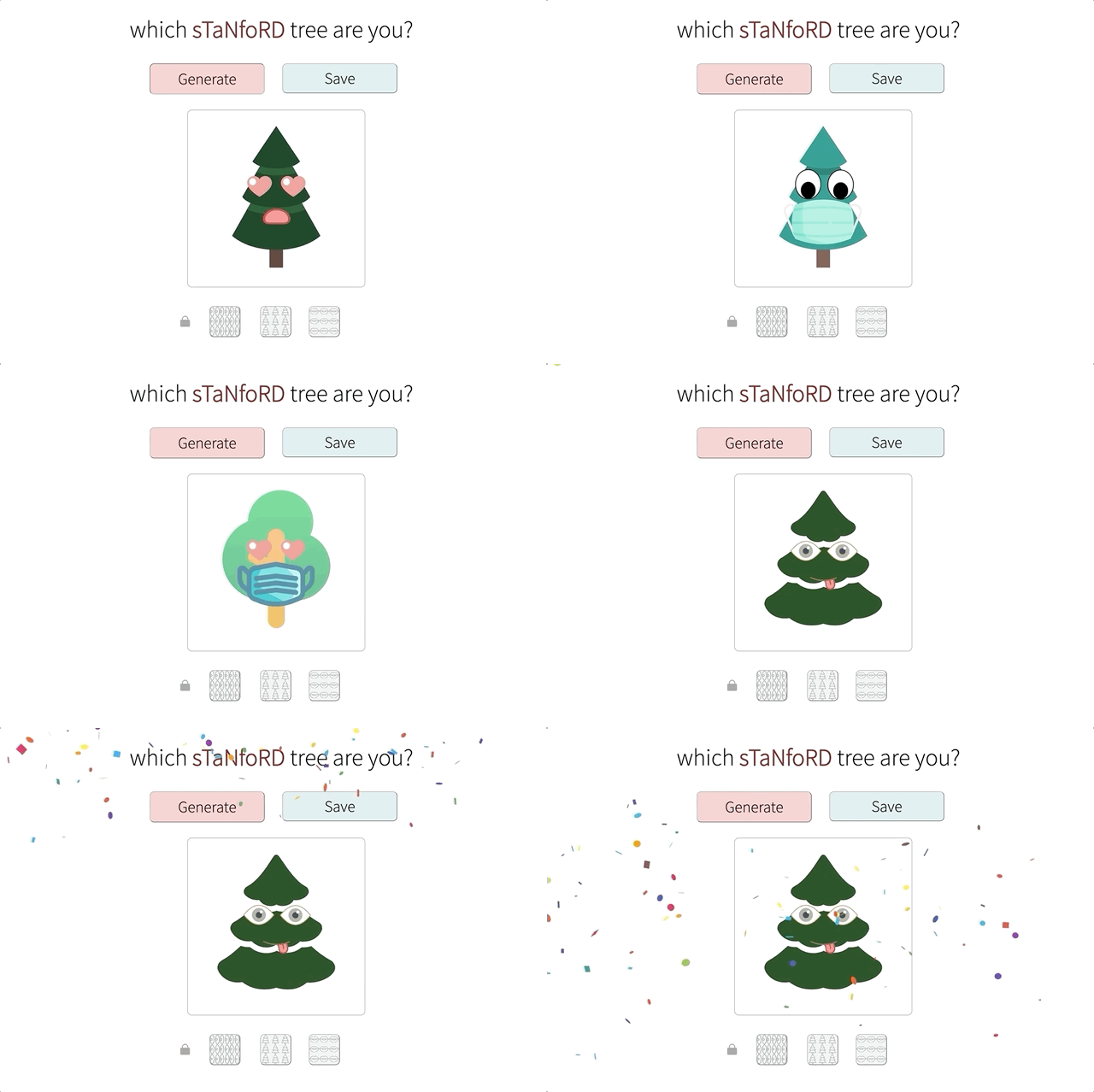
This is a random generator that randomly cycles through various designs of trees, eyes, and mouths. When you click "Generate," the generator randomly cycles through designs while gradually slowing down until it settles on the final design. This exciting moment is marked by confetti! 🥳You can also lock one or more features via the buttons on the bottom. When a feature is locked, it will remain in the design even if you hit "Generate" again. Once you see a design you like, you can hit the save button to download a PNG of the design.
How I built it
I first designed the UI in Figma, then I made a React app to bring the design to life. The website originally just generated a design with no animation when a button was clicked. Since I still had time, I added features one by one while learning a lot about React along the way. I created SVGs of the various design in Vectornator. Some were just icons that were free to use, and others were drawn by me in the app. Finally, I deployed it to Heroku since only having it locally isn't that exciting.
Challenges I ran into
I wanted to rerender the design each time the random number generator updated the state so that new images would be displayed, and I initially tried to do this with a simple onClick event handler. However, turns out React batches the state updates and only rerenders once at the end of the event handler. You learn something new every day! I got around this by using ComponentDidUpdate() combined with a timer. It was an interesting problem to tackle, and I was pleasantly surprised by the challenge since I initially thought this project would be very straightforward.
Accomplishments that I'm proud of
I'm proud of getting a somewhat functional version deployed on Heroku—in so many cases, my project works fine locally, but once it's deployed, oftentimes, it still doesn't behave quite as I want it to! This project was no different, and the random generator animation that looked so satisfying locally made my computer look like it was spazzing on Heroku. I addressed this by forcing images to load in the beginning and be cached, and also changing the image type to SVG so that the file size would be smaller. I admit, the version on Heroku still looks a little sus, but at least it's better than before!
What I learned
I became more comfortable working with React, and one of my biggest takeaways was how ComponentDidUpdate() works. This played a crucial role in the random generator animation. I also learned how to add confetti to a webpage, and hey, who doesn't like confetti? 🎊
What's next for which sTaNfoRD tree are you?
Some future improvements I have in mind include:
- Making sure the random generator animation runs smoothly on all browsers (it currently performs best locally)
- Fixing save function to support SVG inputs
- Adding more designs and accessories (like hats)
- Allowing the user to browse all of the designs and choose whatever they want
- Creating a random name generator to accompany the designs, inspired by the Tabby Cat extension
Frankly, this project is not going to help the world besides providing some people with a little entertainment, so I plan to move onto other projects. I definitely had fun building this and learning more about React, and I'm excited to apply this new knowledge in the future!
Built With
- css
- figma
- heroku
- javascript
- node.js
- react
- vectornator


Log in or sign up for Devpost to join the conversation.