-
-
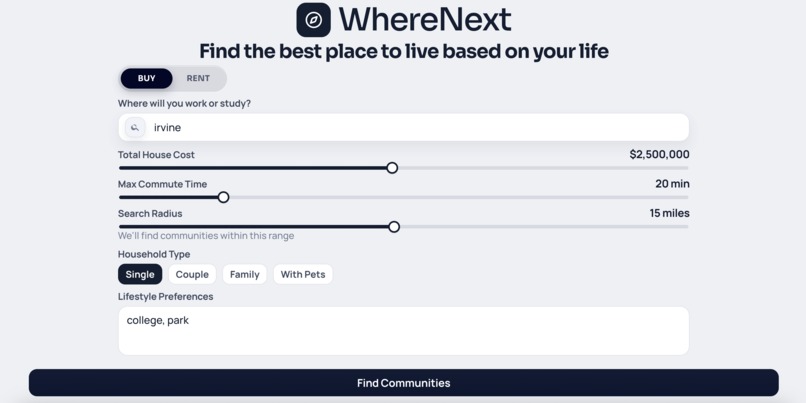
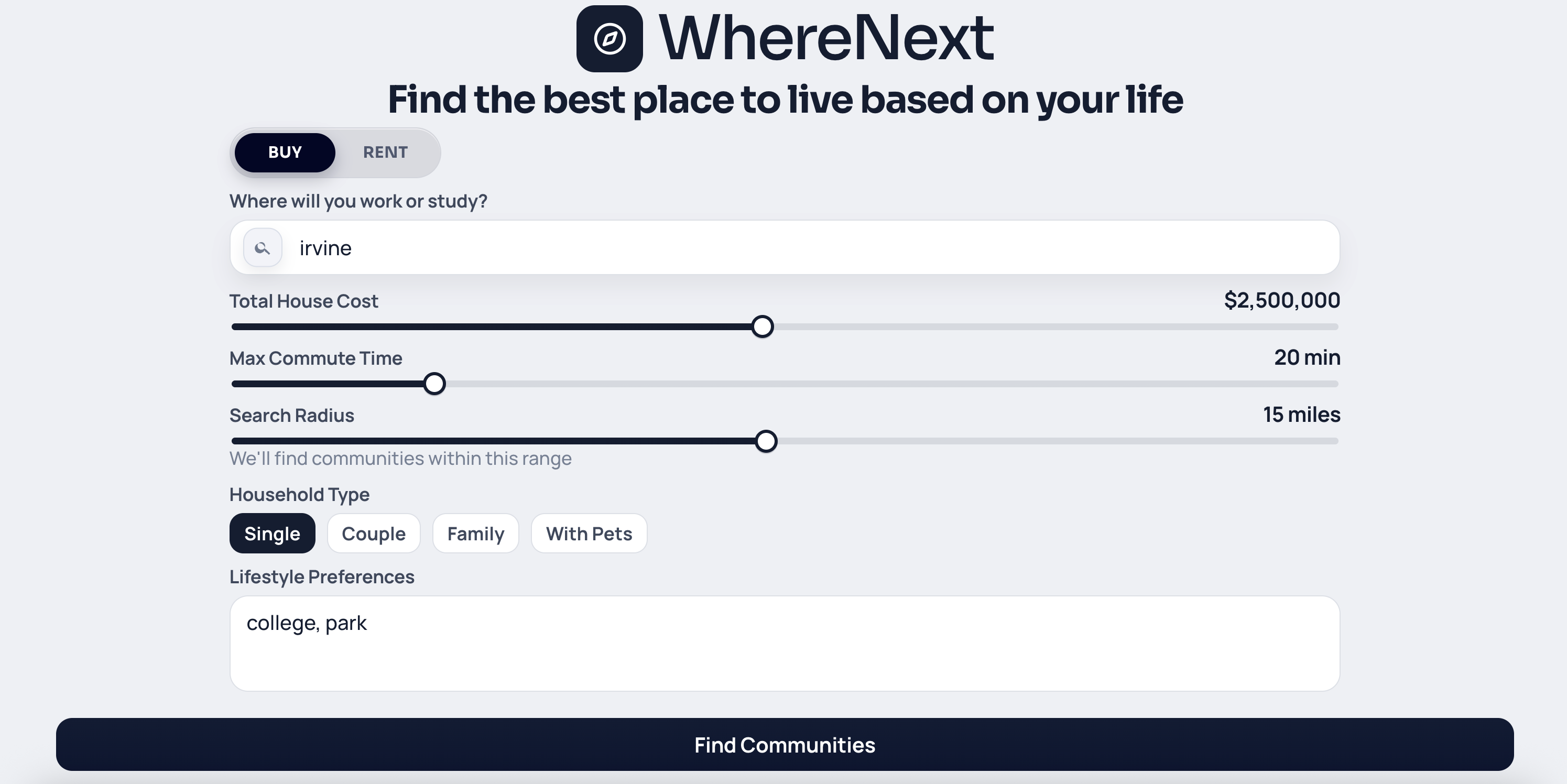
Search Page
-
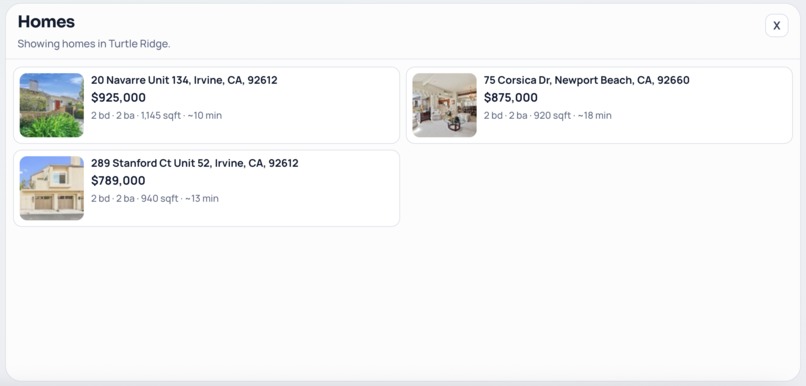
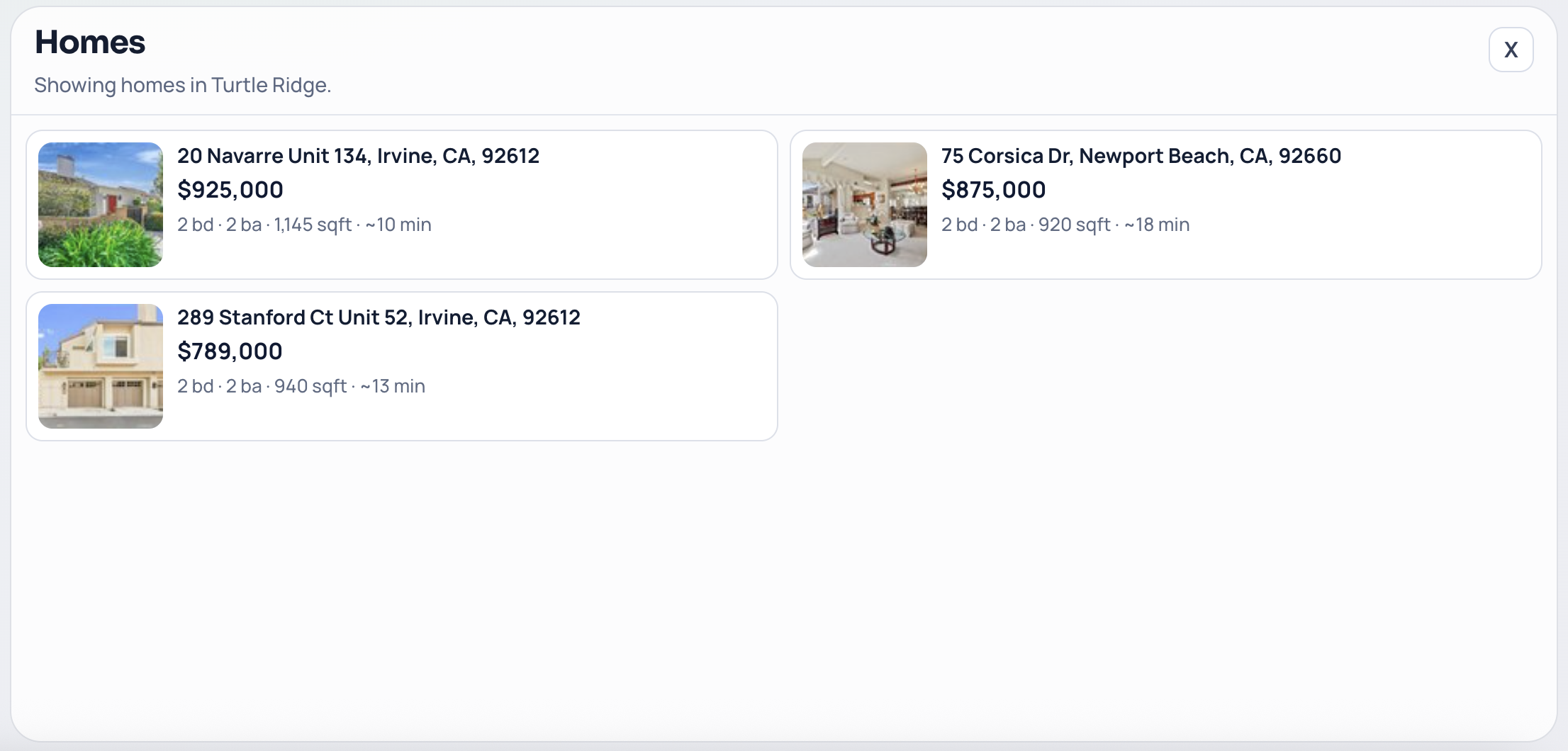
List of Homes
-
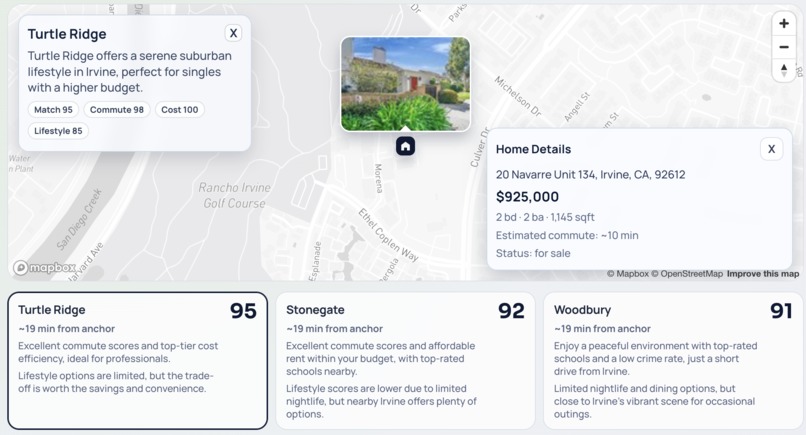
Individual Homes Displayed
-
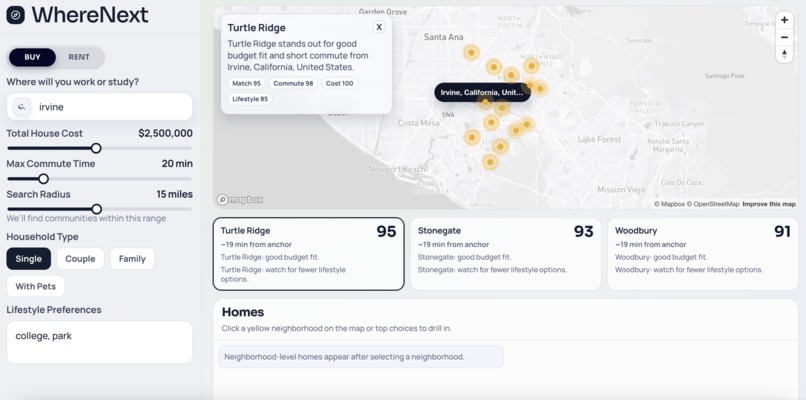
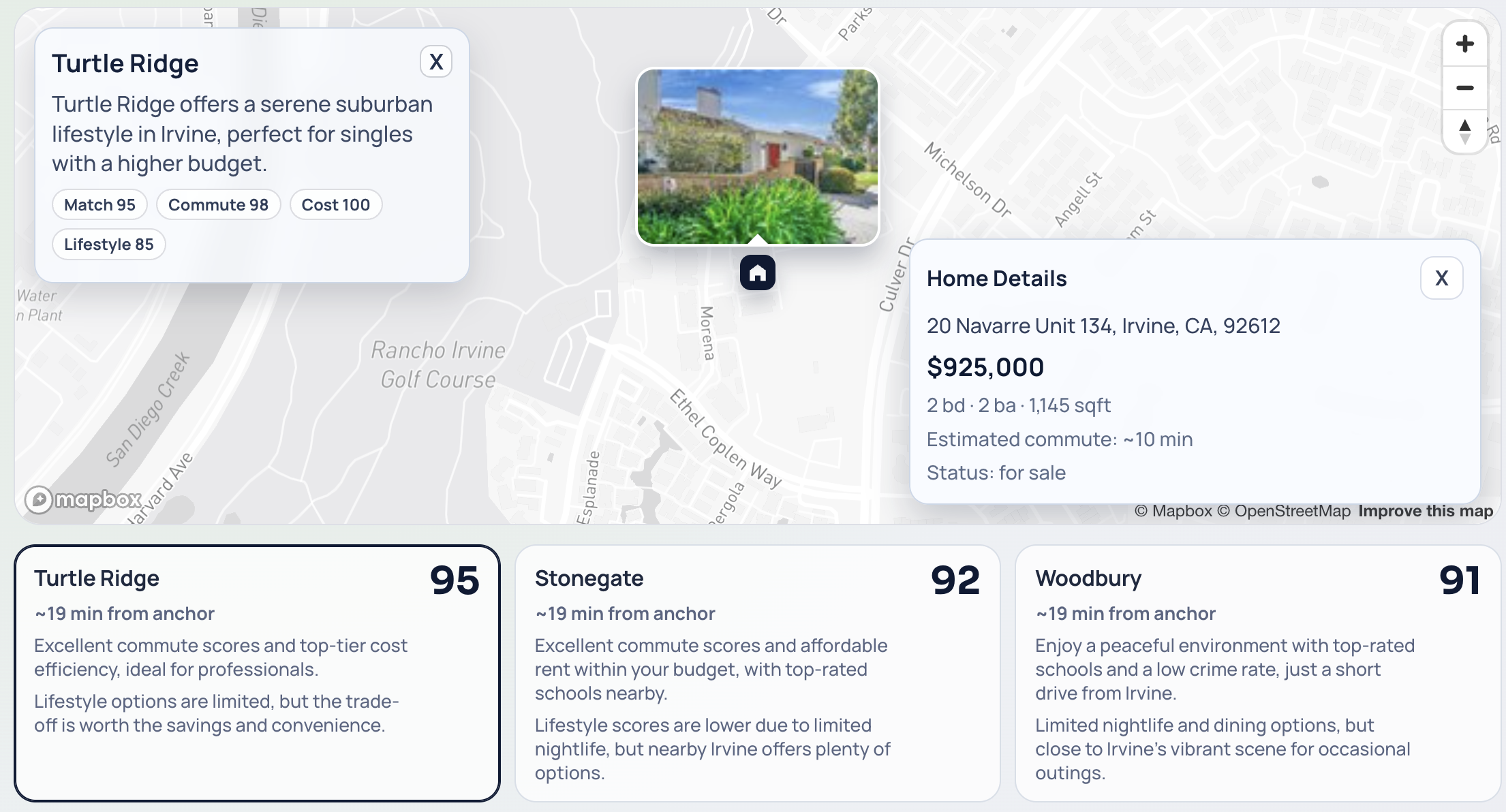
Main Page with Interactive Map and Homes
-
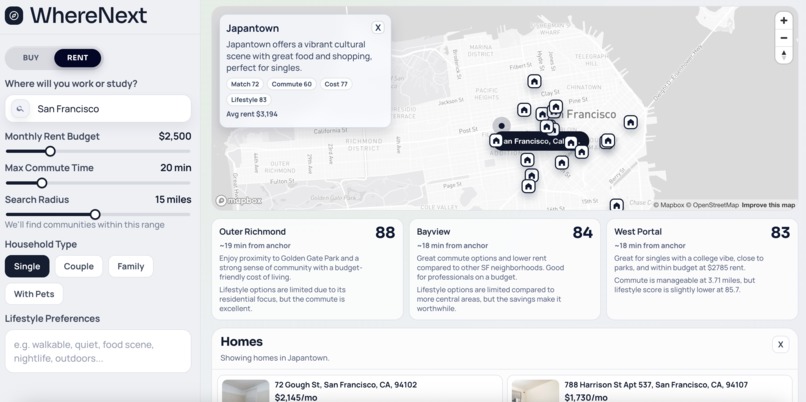
San Francisco Rent Listings
Inspiration
The current houses and apartment search tools in today’s market tend to be fragmented with one app being used to find listings and another app for maps to look at locations. Most individuals end up doing their own personal research to determine their lifestyle fit (schools, walkability, nightlife, entertainment, etc.). We determined that we wanted to make a single product with the goal of answering this question: “Where do I live based on how I currently live and how I want to live”.
What it does
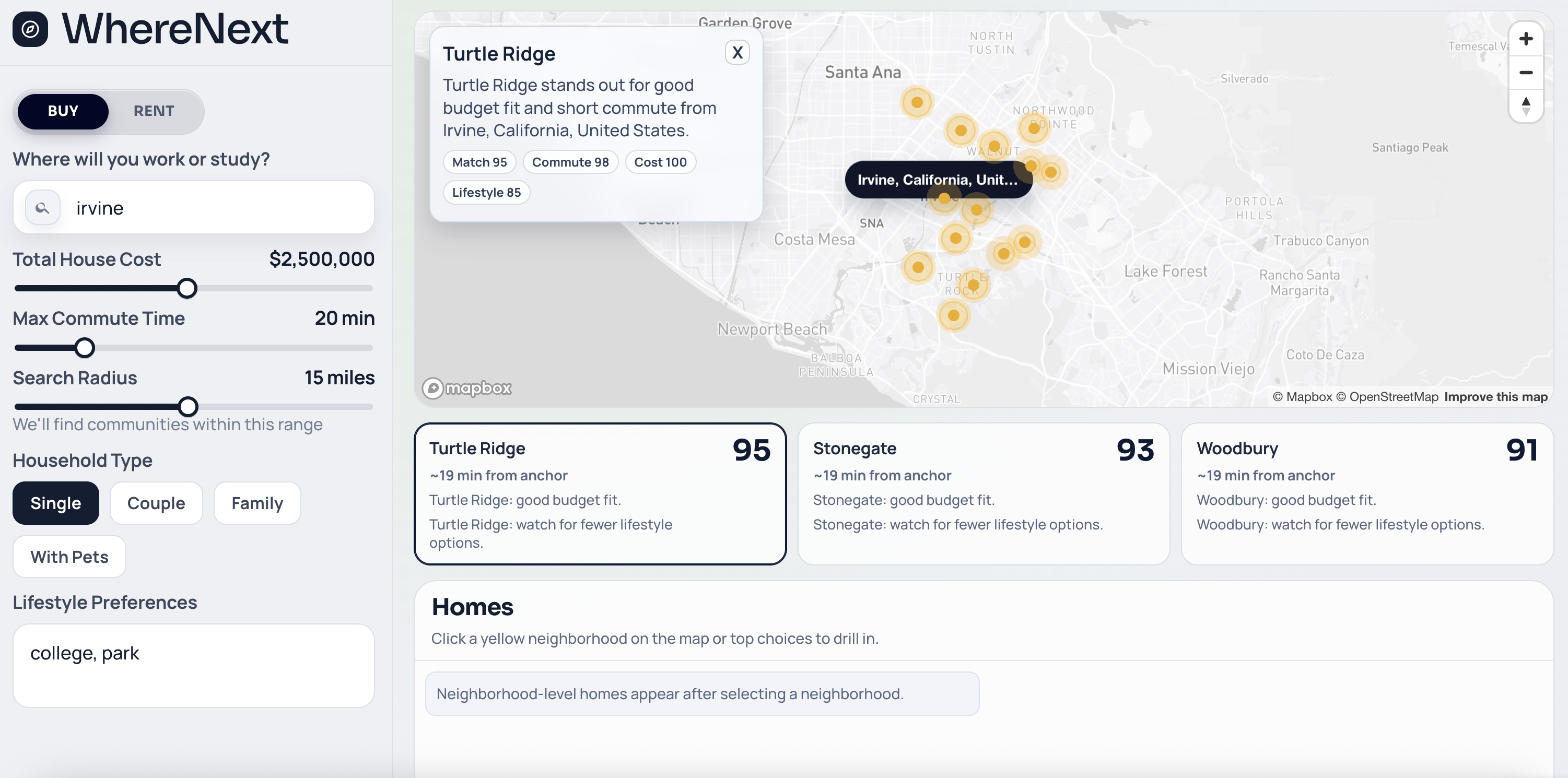
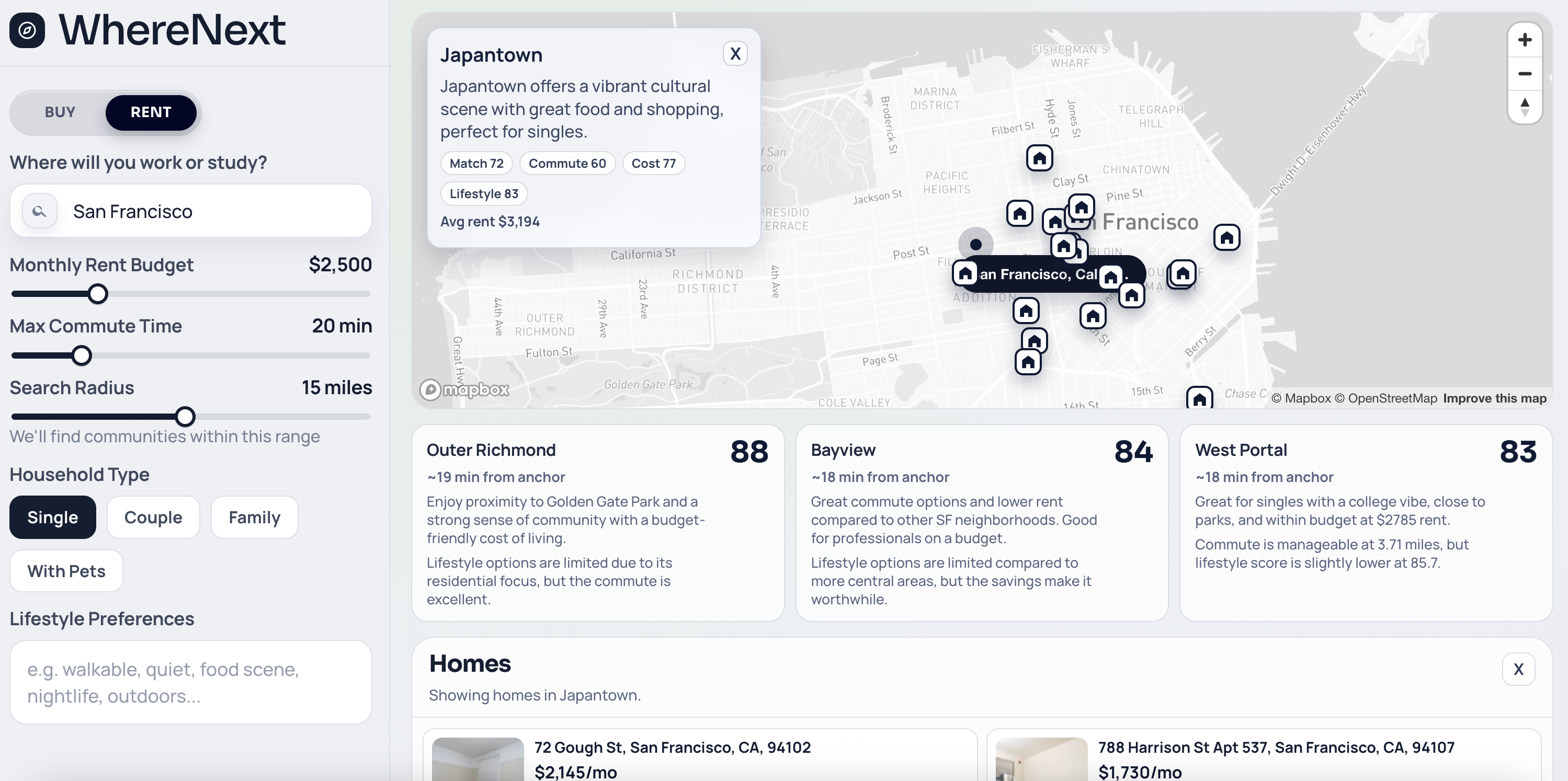
WhereNext is an application that assists people in choosing their next location to live by combining constraints such as commute, budget, and lifestyle preference into one main workflow. Most home finding services today focus on searching listings first and figuring out the fit later, however, in WhereNext we make our users start with their priorities (lifestyle, work/school location, commute time, budget) and output neighborhood recommendations, relevant homes, and an interactive map to visualize it all.
The Preference Intake (Landing Page):
- The user opens up our website and sees a page where they enter their work/school location to act as an anchor address
- They set their rent budget, salary, maximum commute limit, search radius, and if they want to rent or buy a listing
- Incorporates an input box where users can add their lifestyle preferences (example: “near college, walkable, nightlife”)
The Results:
- After filling out the information in the landing page, the user is transported to a new page where an interactive map is displayed showing recommendations of potential listings
- It ranks the neighborhoods around the entered work/school location based on affordability, commute, and lifestyle fit
- Lets the users select one of the recommended neighborhoods and allows them to view listings in that area
- Takes into account the lifestyle preferences to determine the ordering of the listings
- Uses AI to generate a concise neighborhood overview to provide information and give the users a rough understanding of each area
How we built it
On the frontend, we used TypeScript, Vite, and React with Mapbox GL JS to render an interactive map with dynamic markers, neighborhood overlays, and listing previews. On the backend, we used FastAPI (Python), integrated Property Listings from Realty API from RapidAPI, points of interest data from FourSquare Places API for analyzing lifestyle, and Mistral AI for parsing text input lifestyle preferences into structured tags.
Accomplishments that we're proud of
- A full interactive map integration with a token-based configuration through environment variables
- Smooth user flow from landing form → results page → neighborhood selection → home cards
- A dynamic neighborhood scoring system that takes into consideration commute/lifestyle/cost
- UI design that prompts readability and reduces any clutter
- User input preferences are parsed into tags → FourSquare POI proximity → Rankings for Lifestyle, Proximity, Budget
What We Learned
- The product relevance is a huge factor and is as important as the model output quality, the logic behind ranking matters
- Discipline and technique to keep a roadmap and manage the codebase when utilizing multiple APIs that work with each other.
- Fluid failure states are a necessity when working with third-party APIs
- How AI is the most useful in this project by acting as a interpretation layer by turning user intent into structured tags
What’s Next
- Adding stronger personalization to the recommendations and further explanations such as “Why is this home ranked higher than the previous”
- Incorporating better geocoding/location parsing for all any possible city requested
- Throttling improvements for any external API usage
- Expanding listing searches and richer property attributes
- Add saved searches and side-by-side neighborhood comparison.
Built With
- fastapi
- foursquare
- mapbox
- mistral
- react
- realtyapi
- typescript
- vercel


Log in or sign up for Devpost to join the conversation.