-
-
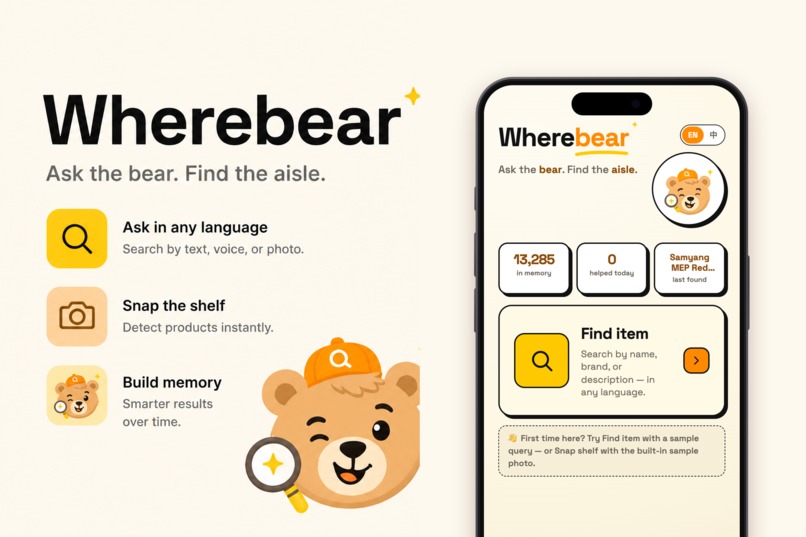
Intro
-
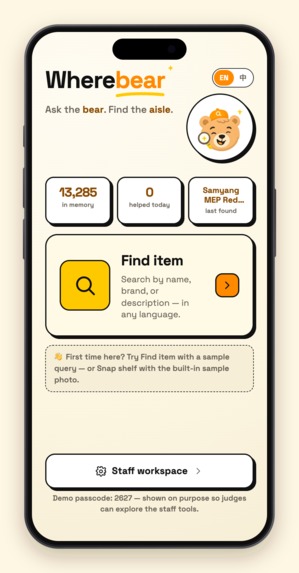
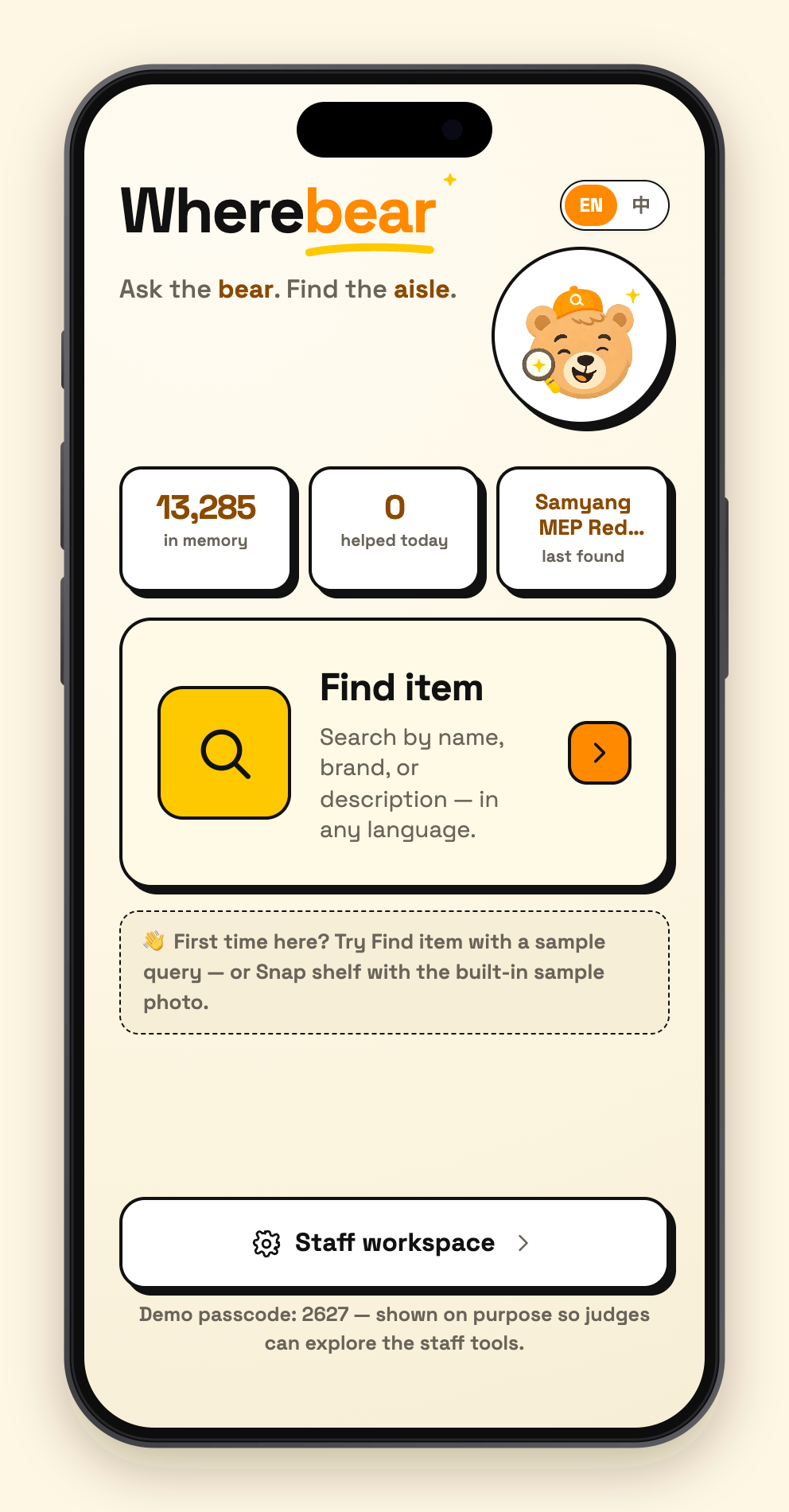
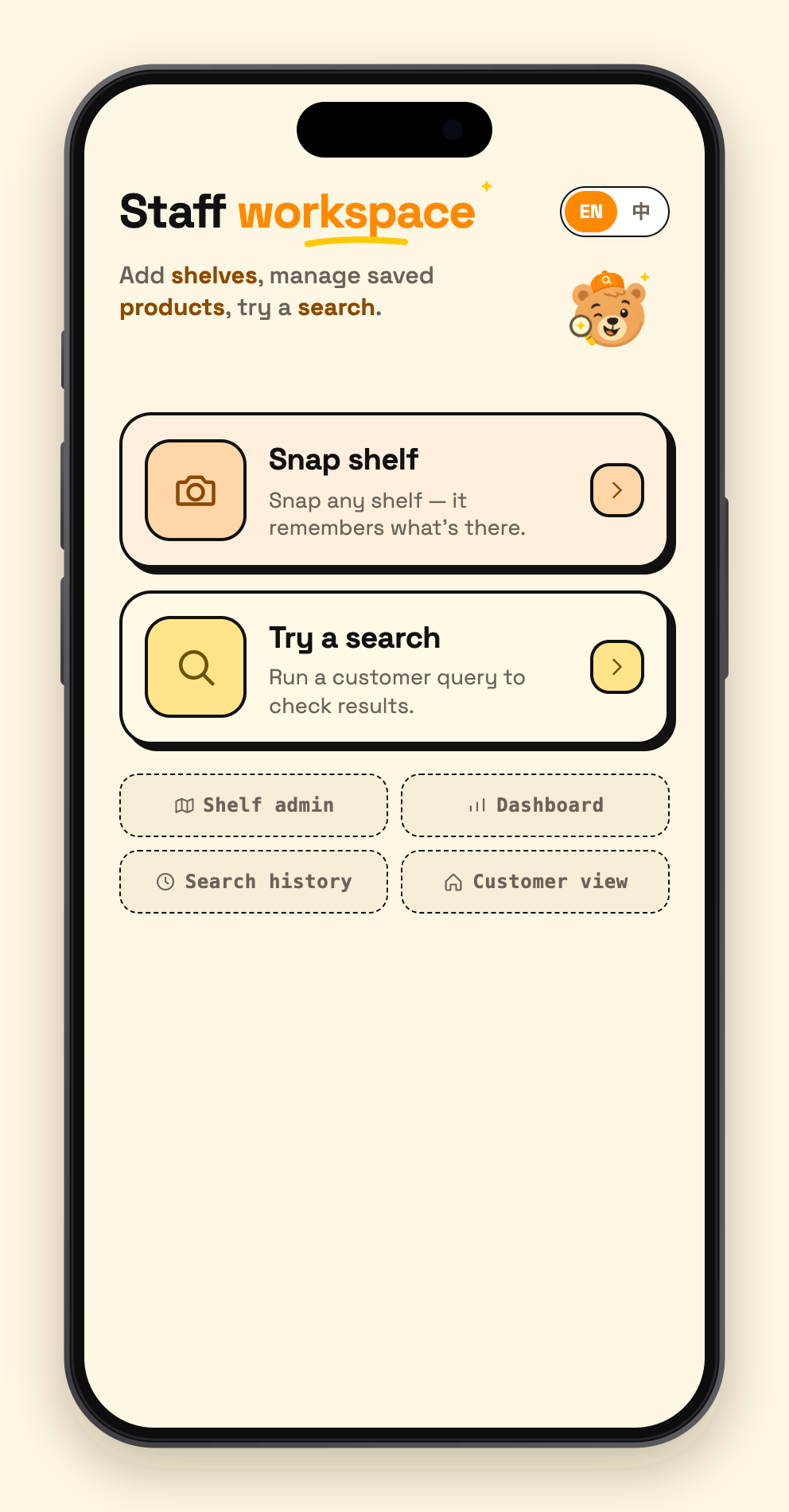
01 - home
-
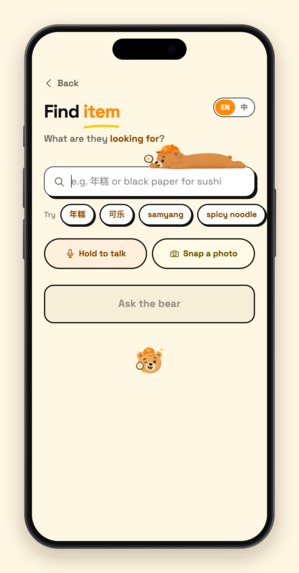
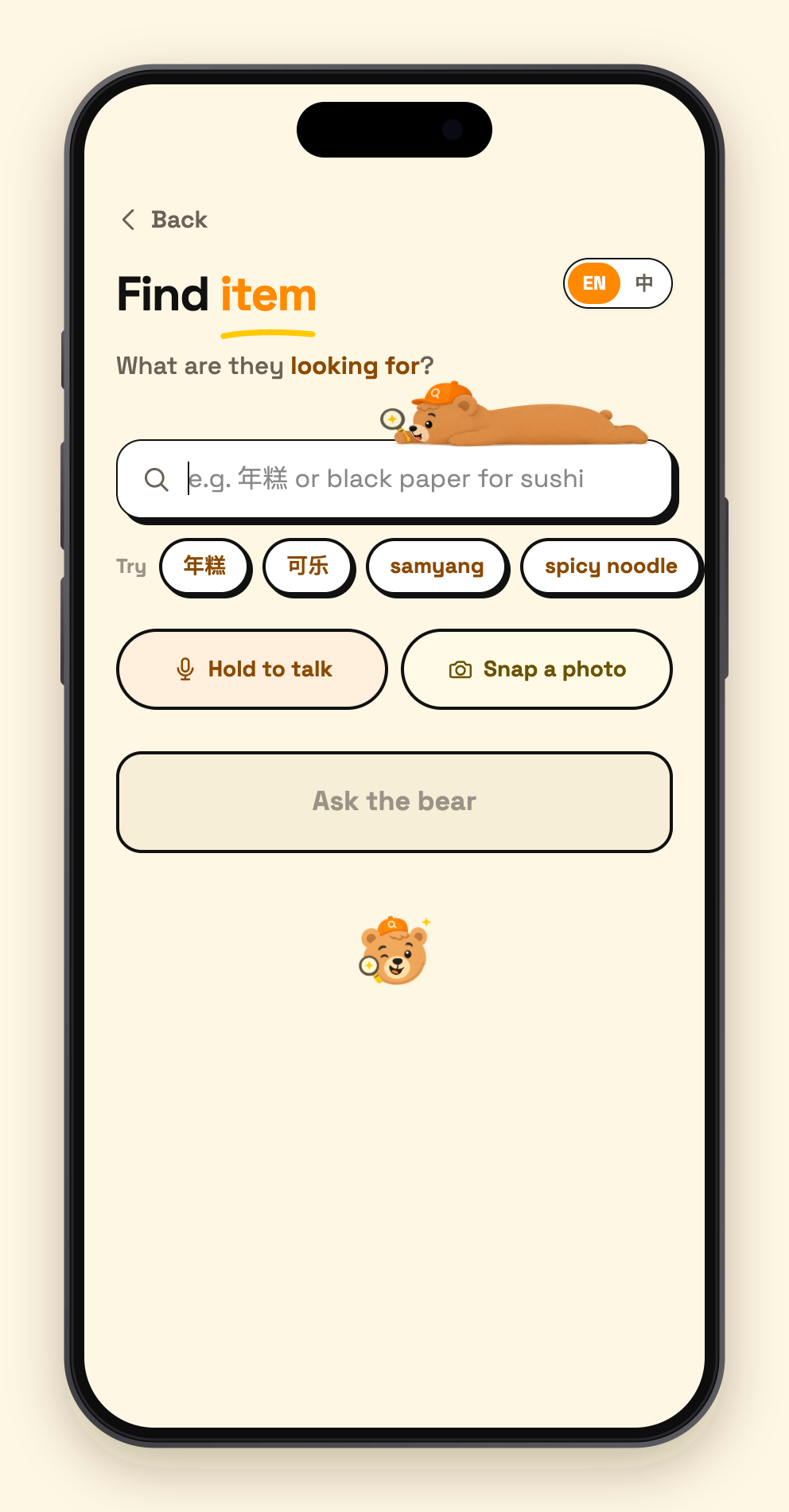
02 - find input
-
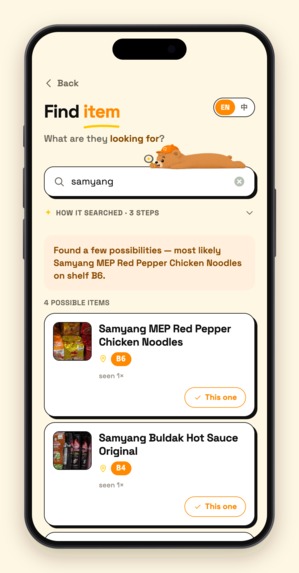
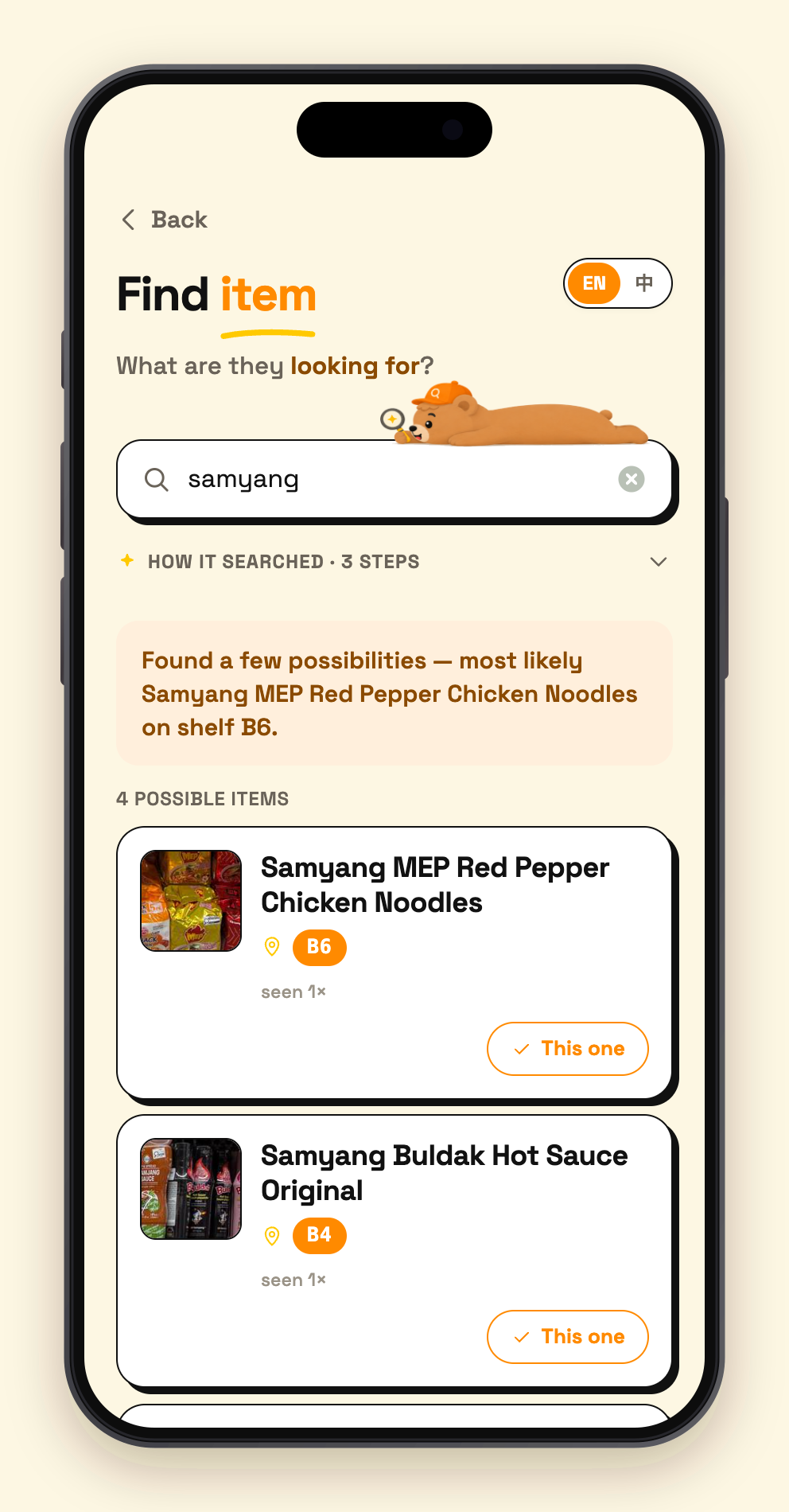
03 - search result
-
04 - admin menu
-
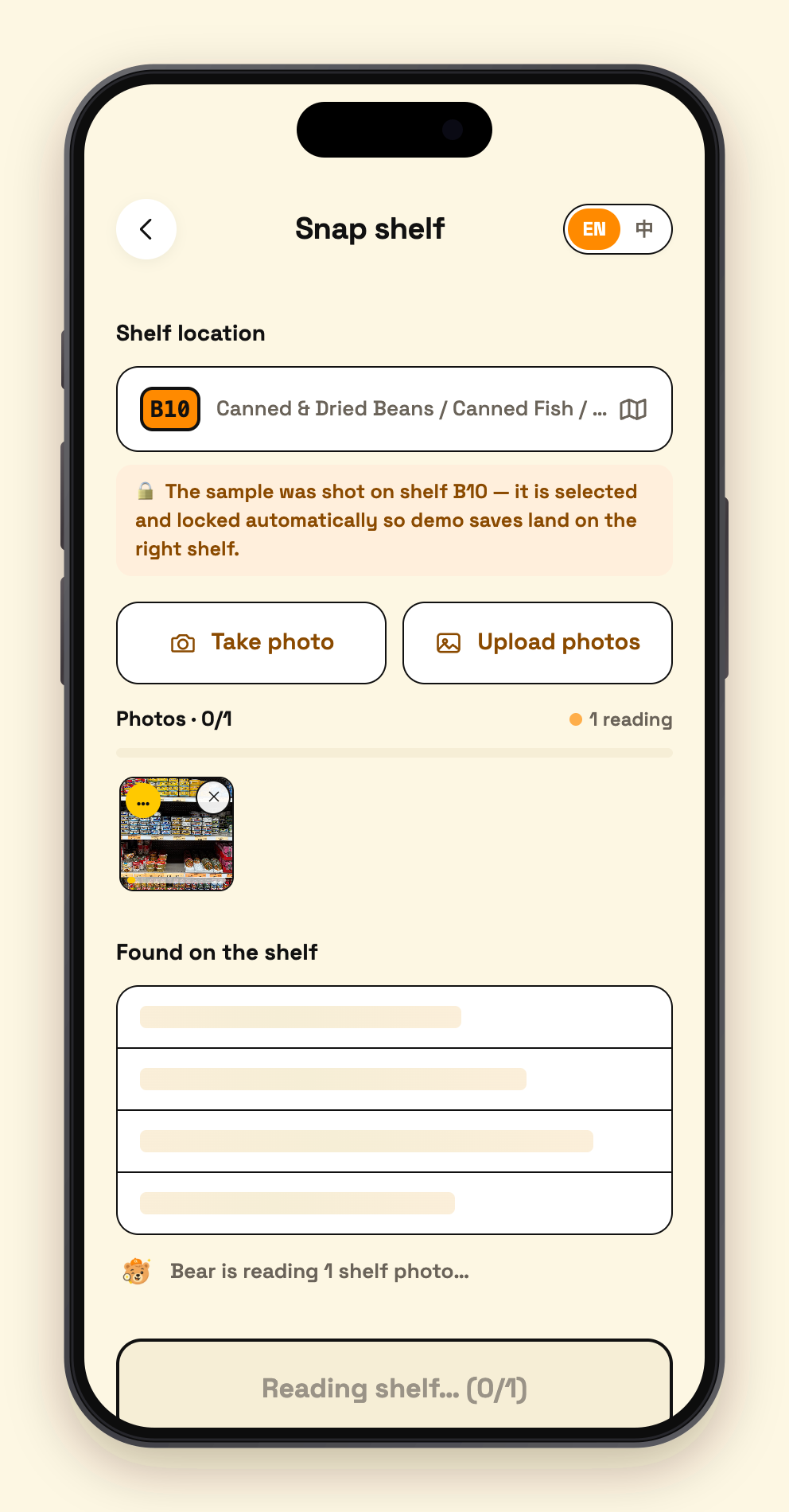
05 - snap select
-
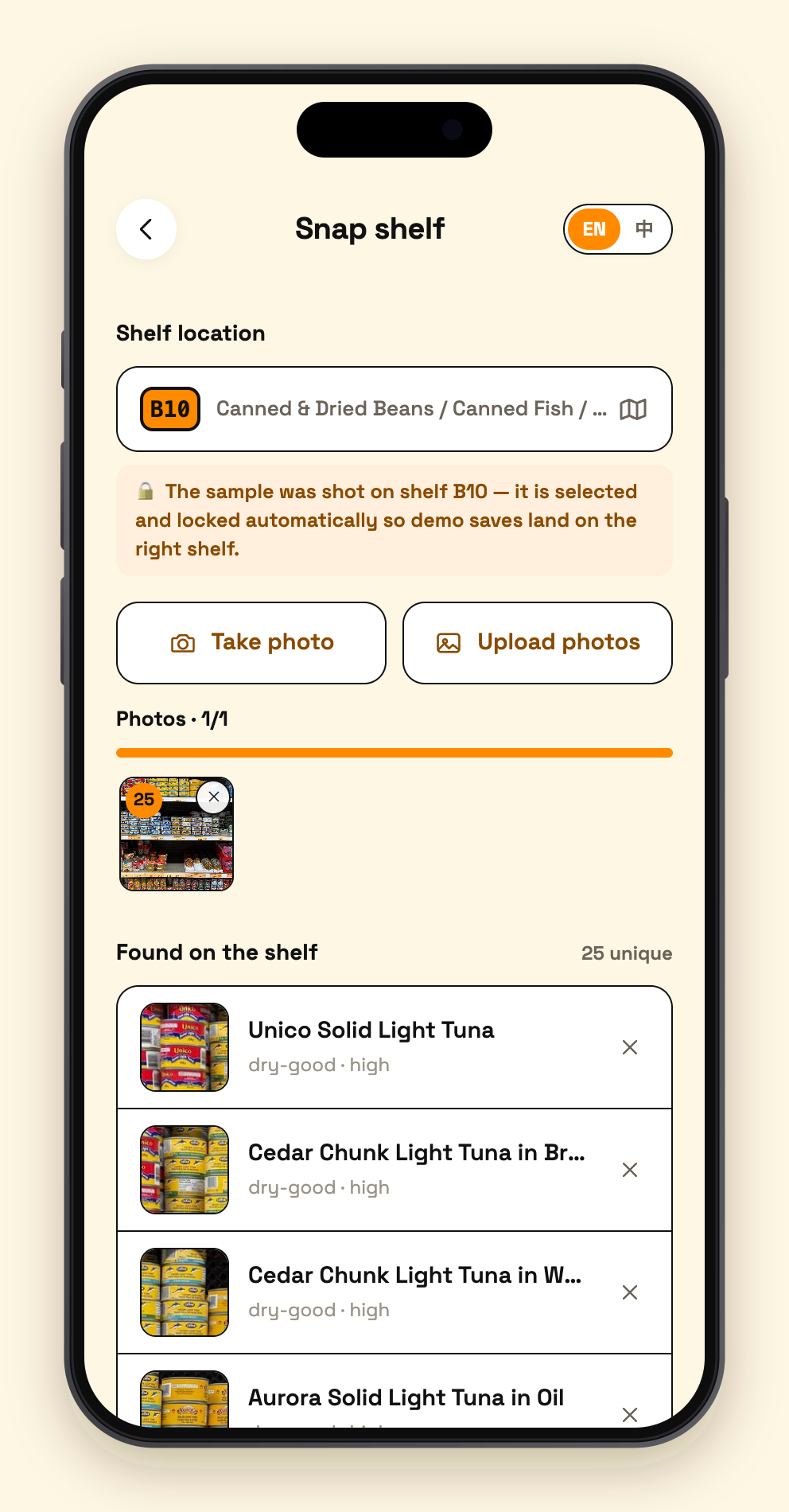
06 - snap detect
-
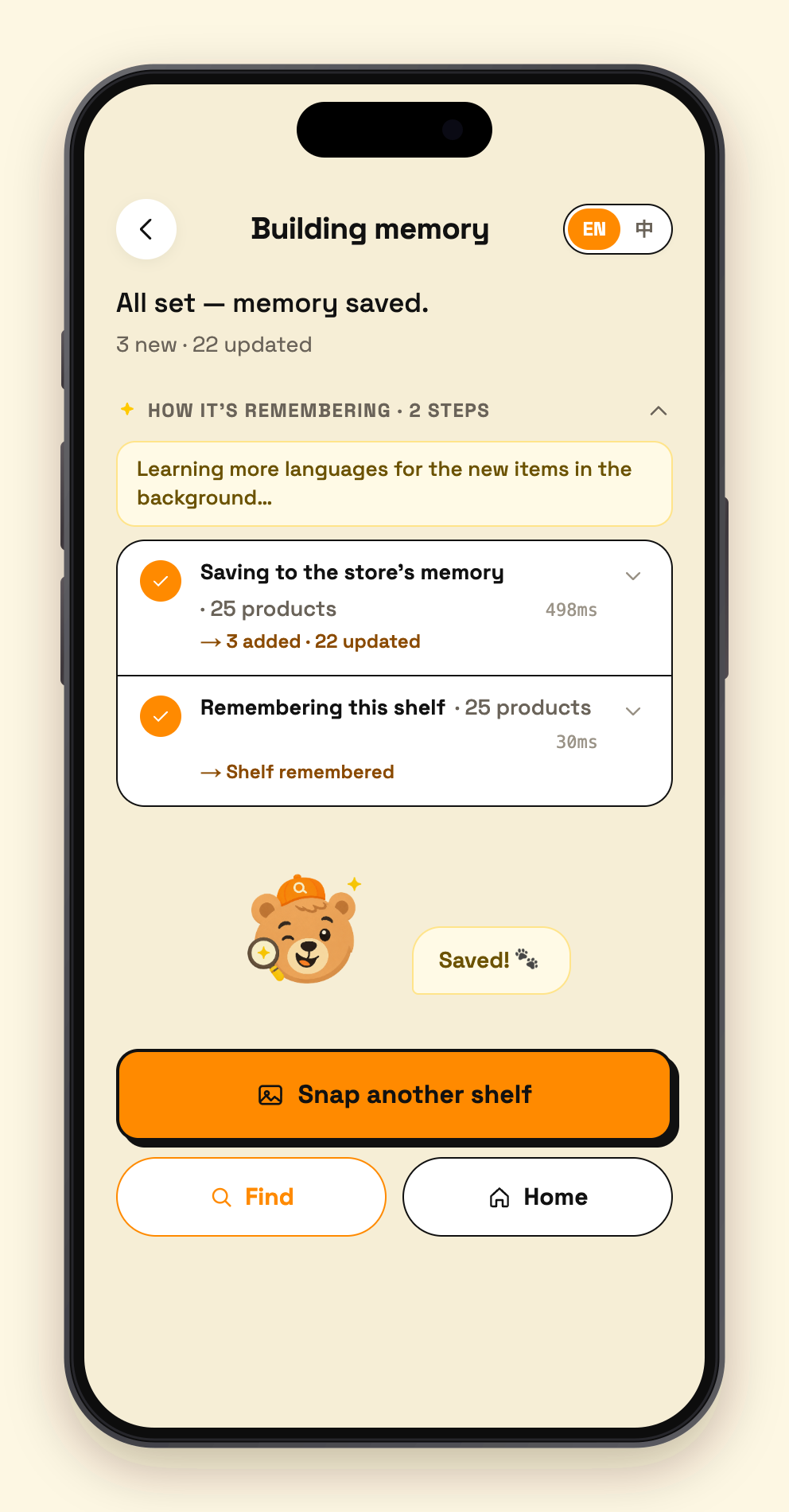
07 - progress
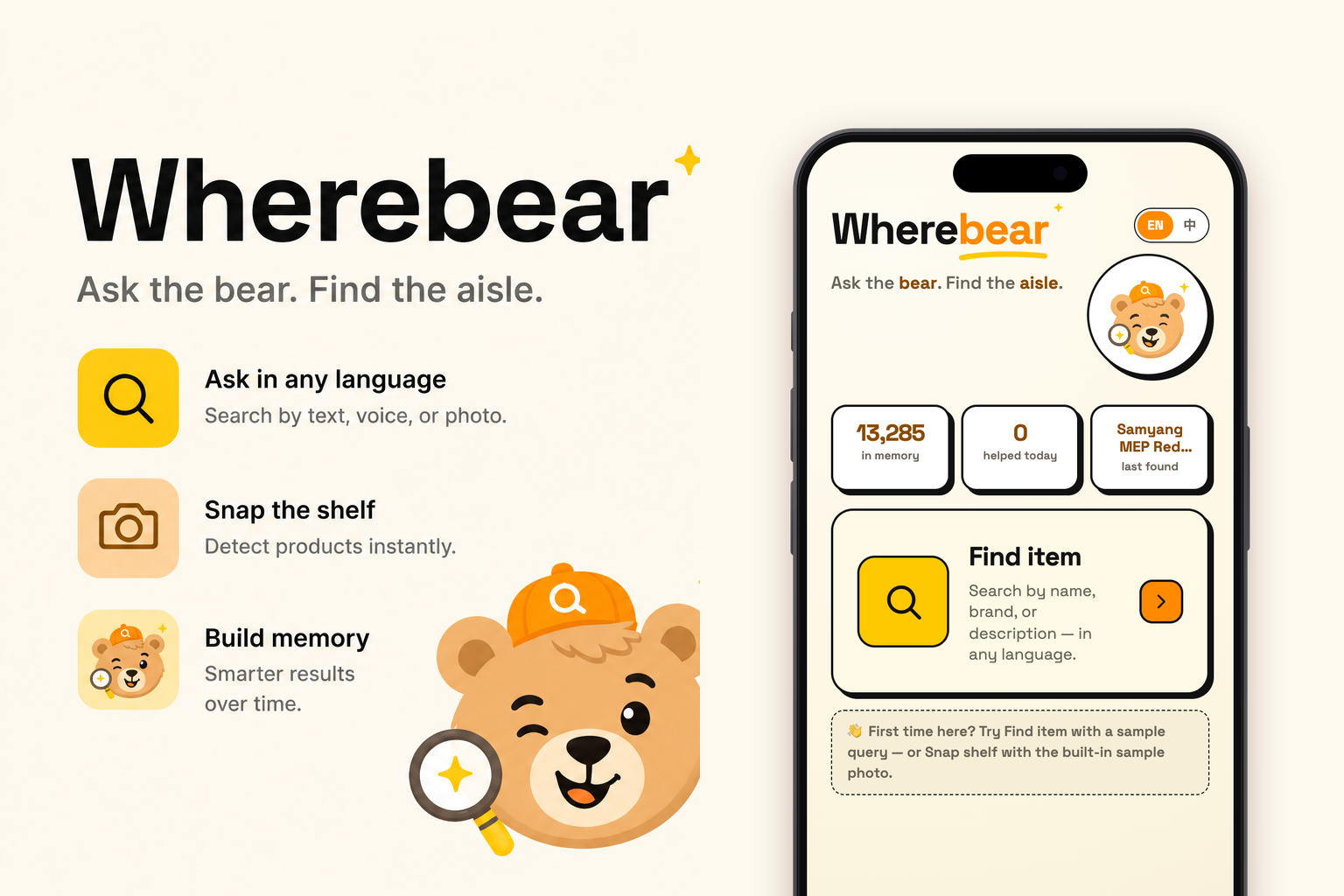
Inspiration
This January I started working in the grocery department of an Asian supermarket — unloading pallets, stocking shelves, facing products. On day one I discovered the part of the job that isn't in the job description: a constant stream of customers asking "where is the ___?" Young and old, in every language and accent, asking for ethnic specialties and niche brands I had never heard of in my life.
Five months in, beyond the handful of items I handle every day, I still couldn't answer most of these questions. At first I'd walk customers over to a senior coworker — but that wastes the customer's time, and the veterans get visibly impatient when it happens ten times a shift (after new hires joined, the questions coming my way literally doubled). The worst version of it: a customer asks two people, gets two shrugs, gives up after two disappointments, and just heads to checkout without the item.
Here's the thing — these products are not actually hard to find. More than once I pasted a customer's exact words into an chatAI, turned them into a picture or a different phrasing, and instantly knew what the item was and which aisle it lived in. The product was never deeply hidden. Language and memory were stuck in the middle.
What finally made me commit to building this were a few particular customers. A white-haired grandmother with a handwritten shopping list — handwriting I couldn't decipher, but an AI could read from a photo. Moms who could only describe what something was for, not what it was called. Faced with that, a veteran employee can only say "no idea" — not out of coldness, but because they genuinely have no tool for it. And when I used AI to find those items, the string of thank-yous I got back wasn't politeness. You can hear the difference. It was real gratitude.
Saying no is easy. It's only one product; if a customer can't find it, the owner's ledger loses a few dollars at most. But for an elderly person who came to the store alone, or someone rushing to cook dinner, that one item can be worth far more than a few dollars — it might be the one ingredient a family meal isn't complete without.
Big-box chains have product-lookup kiosks, but that whole model — enter items one by one, then never move anything — is something small and mid-size markets can't afford in either time or money. I wanted to build the opposite: a clerk snaps a photo of a shelf, and the store grows its own memory.
Building it — starting from a failed experiment
My first attempt was naive: point an AI at an entire shelf and ask what's on it. It missed more than half the products. But flip the angle and photograph a single item, and recognition is nearly 100%. That settled the architecture: detect every product in the photo first, crop each one out, then identify them individually.
What followed was a series of iterations, each driven by a real problem:
- Identical products sit side by side on shelves, so one scan produced three or four duplicate entries → added dedupe-and-merge.
- The live viewfinder forced you to shoot one photo, wait, shoot the next — far too slow → switched to batch-uploading a whole shelf run at once.
- One shelf run is 12–15 photos at over a minute each; 20–30 runs per store works out to six or seven hours → split crop identification into parallel sub-batches. I hit the API's concurrency cap along the way (unlocked it by attaching a card after reading the docs), then tuned the accuracy/speed tradeoff to 12 crops per batch — identifying 50 products dropped from 25 seconds to 8.
- Shelves change, and re-shooting a shelf would re-import old products → before saving, the system now checks which detections are new and which already exist in the database.
- Photos themselves process 3-at-a-time in parallel — bounded by server cost. That's the MVP line; with budget, this scales up multiplicatively.
Every search-side feature came from a real moment at the counter:
- Customers show me a photo on their phone and ask where it is → search by photo.
- Customers can say a product but can't spell it → voice search. And since making someone recite just a product name into a phone is awkward, it extracts the product from natural conversation — my actual habit now is to pretend I didn't catch it, open voice search, and ask the customer to say it once more. The AI pulls the product name right out.
- The extracted name is shown for confirmation before searching → saves the customer's time and saves API calls.
- The product crops saved during shelf scanning are shown next to every search result → a name alone can be ambiguous; one glance at the actual shelf photo settles it.
Two weeks in a real store
Once the features stabilized, I indexed the entire supermarket: under an hour of photographing, under half an hour of processing — 13,000+ products in the database. Compared with traditional item-by-item entry, that's a few hundred times faster.
Then I ran an experiment. I handed the app to a coworker who had been on the job for three days and knew nothing about the store, and I watched the search history in the admin panel — his usage patterns, the customers' reactions. Two weeks in, three things stood out:
- Customers would ask a veteran employee first and get "I don't know" — then ask the new guy, who found the item in seconds with the app.
- Customers who had seen it work once started skipping the veterans entirely and going straight to the new hire.
- More than one customer said they loved it — and said it was a shame no other store around had anything like it.
A three-day-old hire, answering "where is it?" better than employees with years on the floor. That's the whole point of this project: a store's memory should not be locked inside a few people's heads.
What it does
Two actions, covering the write side and the read side of a store's knowledge:
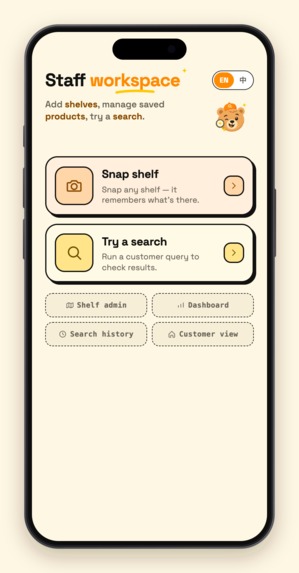
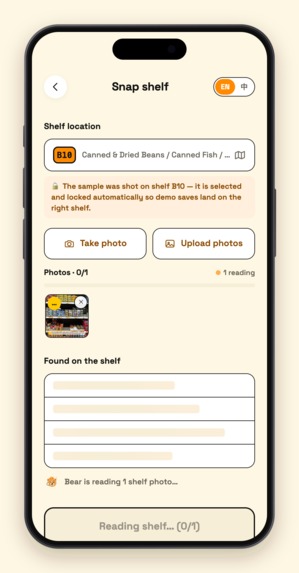
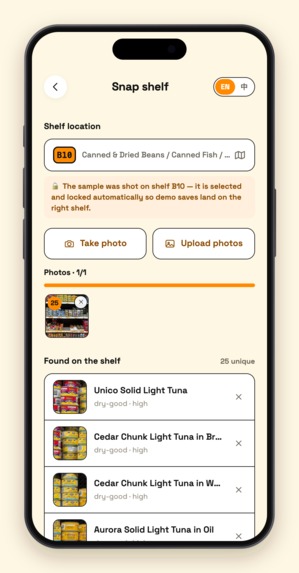
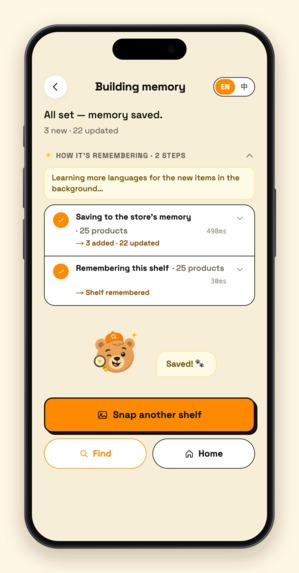
Clerk snaps a shelf (write). Shoot one photo or a whole batch. A two-stage Gemini vision pipeline first detects every SKU's bounding box, crops each product out, then batch-identifies them with specific names ("Lao Gan Ma Chili Crisp", never just "Sauce"). The clerk skims the list to confirm, picks the aisle, taps Save — the save itself takes a few hundred milliseconds, and then a background job expands every new product into multilingual aliases (Chinese / Korean / Japanese / romanizations / common misspellings / what-it's-used-for descriptions), which Atlas auto-embeds into vectors. An entire store: 13,000+ products, under an hour of shooting, under half an hour of ingestion.
Anyone searches (read). Type, speak, or photograph — any language, misspelled, or just a description ("the black paper for sushi"). The search is run by an agent built with Google ADK that does exactly what I do at the counter: it reads the query, decides for itself which tools to call — firing intent analysis and hybrid retrieval (semantic vectors + fuzzy text) in parallel — judges whether the hits are actually good enough, and only branches into category-based guessing when they aren't. Every database touch goes through the official MongoDB MCP server mounted on the agent as a toolset. In 2–3 seconds it returns: the product, the actual shelf-photo crop saved at scan time (one glance confirms it's the right item), the aisle code, and a tappable store map. Answers are bilingual, so the clerk and the customer each read their own language.
This is the "agent for a real-world challenge" in the most literal sense: listen → interpret → look it up → answer in the customer's language. The agent replaces the exact sequence of actions a human clerk performs dozens of times a shift — and unlike me, it never says "no idea."
Every step of the search — intent, retrieval, whether it went through MongoDB MCP — streams live into the UI with millisecond timings. That's not decoration: a clerk will only use this in front of a customer if they can see what the AI is doing.
How we built it
Vision write pipeline (lib/gemini.ts). Whole-shelf recognition misses half the products, so it's two stages: Stage 1 runs SKU bounding-box detection on a downscaled image (1280px); sharp crops every product server-side from the full-resolution original (the image is decoded exactly once — cropping went from 35s to 0.8s); Stage 2 packs all crops into as few large batch-identification requests as possible. Duplicates auto-merge, re-scans diff against existing inventory, and 240px real-photo thumbnails are stored inline in MongoDB for search results.
Search agent (lib/agents/adk/). A Google ADK LlmAgent drives Gemini function-calling over three domain tools (understand_intent / vector_search / suggest_by_category), plus the official MongoDB MCP server mounted directly as an ADK MCPToolset — the agent's conversation with the database runs over the real MCP protocol, and when the "MongoDB MCP" badge lights up in the UI, it's genuinely MCP underneath. The agency is real, and so are its limits: the agent decides which tools to fire and whether retrieval is good enough to stop, while a deterministic harness guarantees retrieval always happens and composes the final bilingual answer — in production, an agent's judgment is a feature, but its moods can't be a failure mode. Retrieval is hybrid: Atlas $vectorSearch (autoEmbed with voyage-4-large — our code never computes an embedding) plus fuzzy $search (which eats typos like "samyung"), fused with reciprocal rank fusion.
We deliberately did not make everything an agent: shelf ingestion is a fixed two-stage pipeline, because writes to a real store's database need to be fast and repeatable, not creative. Agent where judgment is needed, pipeline where reliability is needed — that division is itself one of our design positions.
Streaming & deployment. Both flows are Server-Sent Events end to end, every tool call pushed to the client as it happens. Next.js 16 on a GCP VM behind Caddy + PM2 (the MCP server is a child process, so serverless was never an option). On boot the server pre-warms the agent, the MCP connection, and the Vertex channel, so even the first search after a restart runs at full speed.
Challenges we ran into
1. Whole-shelf recognition missed half the products → the two-stage pipeline. Throwing shelf photos at the model produced unusably incomplete results, while single-product crops were nearly perfect. "Detect, crop, batch-identify" became the foundation of the entire write path. The cost was speed — 12–15 photos per shelf run at over a minute each — solved with parallel sub-batches (hitting and unlocking the API concurrency cap along the way), bringing 50 products from 25s down to 8s.
2. Gemini 3's two hidden traps. First: the model is only served from location='global' — every call to us-central1 404s, which took a long time to diagnose. Second (the single biggest performance killer): Gemini 3.x silently ignores the 2.5-era thinkingBudget: 0, so every call we thought had thinking disabled was actually reasoning at full tilt — batch vision identification was taking over two minutes. Switching to thinkingLevel: MINIMAL took the same call from 152s to 10s.
3. ADK's MCPToolset spawns a fresh MCP child process on every LLM turn. One search quietly launched 3–5 heavyweight processes, and our little 4GB VM was knocked completely offline twice (even SSH stopped responding). After tracing it in the ADK source, we fixed it with a subclass that caches the tool listing plus executing the locally-installed server binary directly — the MCP integration stays real, the resource cost drops to zero.
4. Free-tier quota punishes request count, not token volume. The textbook "many small parallel batches" pattern triggered 429 storms under Dynamic Shared Quota — every call spinning in exponential backoff. We inverted the whole strategy: pack work into ≤2 large requests, gate concurrency process-wide, and hedge against the silent tail where a call hangs 30–60 seconds without ever erroring. Search now holds steady at 2.5–3.2 seconds.
5. Real-store details. iOS Safari kills SSE when the app goes to background — the server catches it and finishes the job anyway, results land in the database as normal. Atlas M0 gives you 512MB total, so inline thumbnails are budgeted byte by byte. And recognition once produced names like "Mung Beans (dry-good)" — category text bleeding into product names — fixed for good by restructuring the prompt's input format.
What we learned
- MCP in production and MCP in a demo are different sports. Mounting an MCPToolset is five lines of code; keeping it alive under real traffic on a 4GB VM meant reading framework source, taming child processes, and caching tool listings. Worth it — there's now a visible, auditable protocol boundary between the agent and the database.
- Managed vectors are the right abstraction at this scale. Atlas autoEmbed means not a single embedding vector appears anywhere in our code — embedded on write, embedded on query. What you save isn't just code; it's an entire category of bugs.
- Multilingual retrieval is won at write time, not query time. Instead of translating queries, grow each product's aliases at ingestion — Chinese, Korean, Japanese, romanizations, misspellings, descriptions — so 「咖喱酱」 and "curry sauce" land next to each other in vector space, and the query side can stay dumb.
- Performance debugging needs layered attribution. Our slowness was four independent culprits stacked: framework behavior (ADK spawning a subprocess per turn), model API semantics (thinkingBudget silently ignored), quota shape (DSQ punishing request count), and local CPU (sharp re-decoding the same image). Fixing any one layer "felt a bit faster" — fixing all four took us from 200 seconds to 17.
- Streaming every agent step to the user matters more than making the agent smarter. The clerk dares to use it in front of a customer, and the customer happily waits those two seconds, because the screen shows exactly what's happening.
What's next
An interactive online tool for drawing your own store's shelf map, turning "snap shelves → build the index → go live" into a same-day SaaS onboarding flow any supermarket can complete; more languages; and mining real missed queries from search history to grow aliases backwards — so the store's memory gets sharper the more it's used.
Built With
- atlas-vector-search
- caddy
- gemini-3.5-flash
- google-adk
- google-cloud-agent-builder
- google-compute-engine
- mongodb-atlas
- mongodb-mcp-server
- next.js
- server-sent-events
- sharp
- typescript
- vertex-ai
- voyage-ai


Log in or sign up for Devpost to join the conversation.