Where's My Money? — Project Story
Inspiration
Bank statements are technically complete records of your money, and practically useless for understanding it. A line that reads UPI/9876543210/UTIB/PAYEE NAME/NA tells you nothing at a glance. We wanted to answer the question everyone asks after a bad month: where did it actually go? Most existing tools either want you to link your bank account to a third-party service, or dump you into generic pie charts that don't explain anything. We wanted something that respects both the data and the person looking at it.
What it does
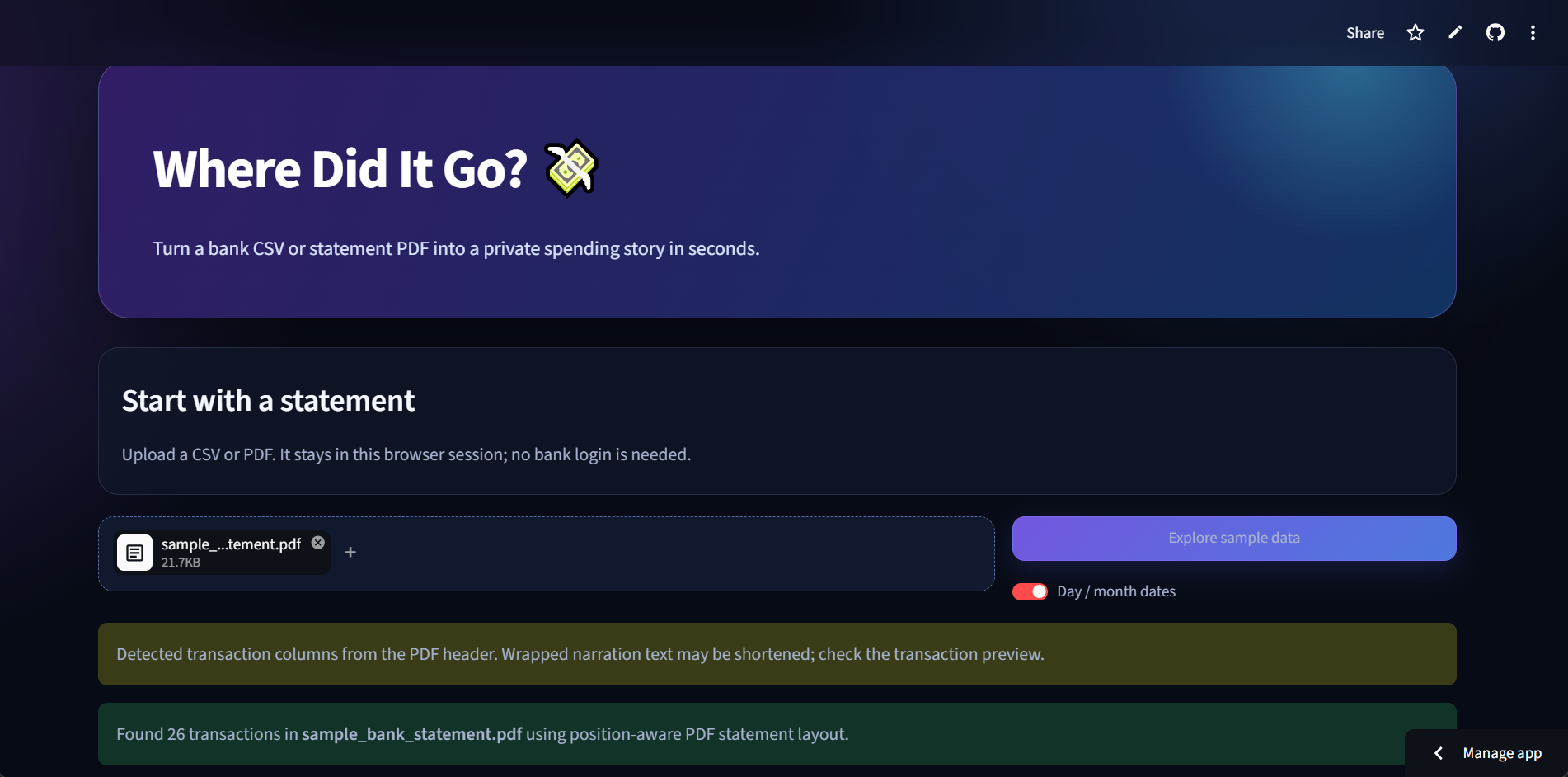
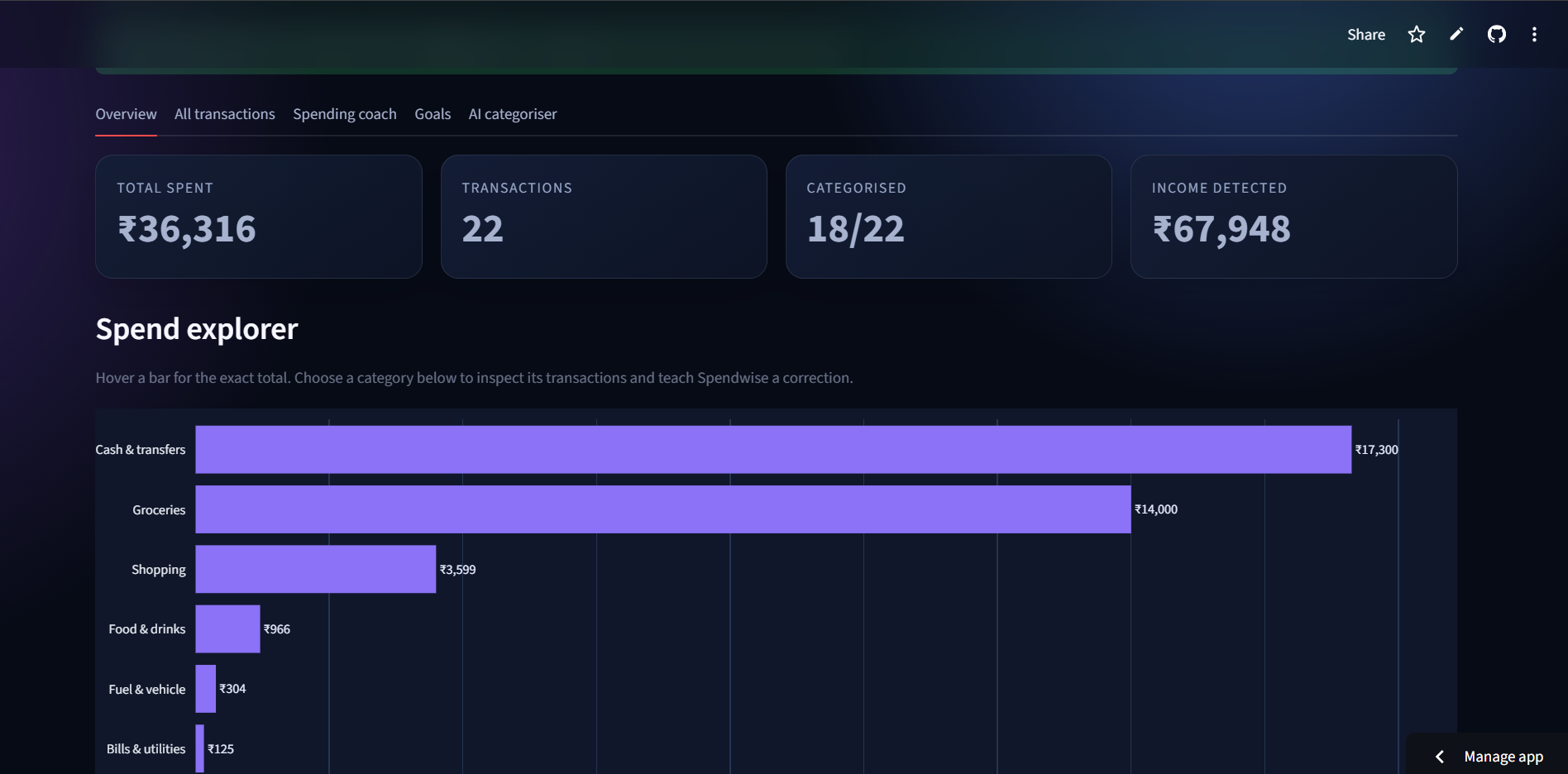
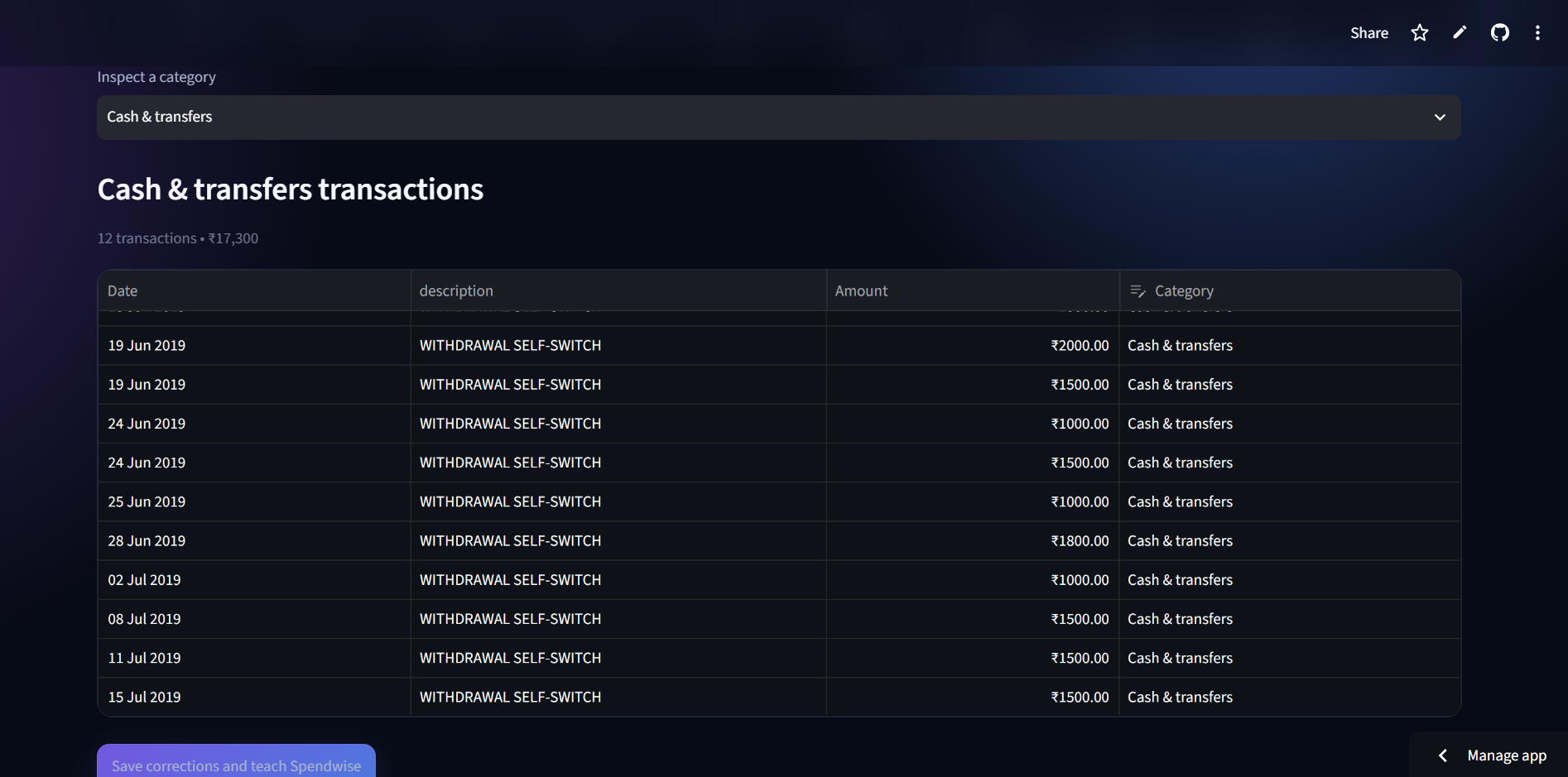
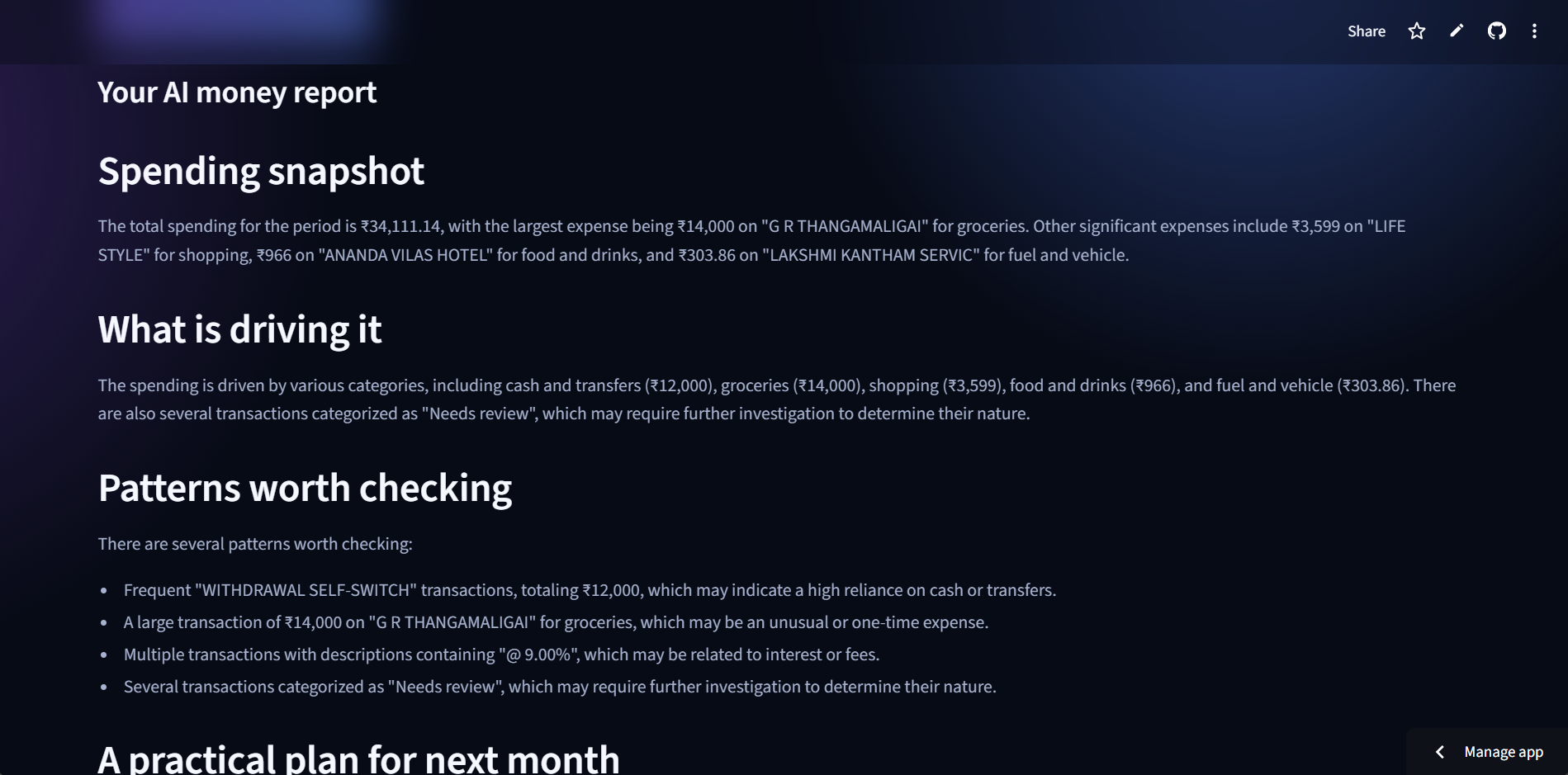
You upload a bank CSV or a text-based PDF statement. The app extracts the transactions, classifies them into clear categories like food, transport, bills, and shopping, and builds an interactive dashboard you can actually explore instead of just looking at. It generates a written financial report explaining your spending drivers and recurring patterns, and gives you a savings goal forecast based on your income and expenses. Corrections you make are remembered, so the app gets more accurate for you specifically over time.
How we built it
The core is a Streamlit app backed by a resilient parsing pipeline. Statement parsing has a dedicated path for HDFC's PDF layout and a generic position-aware parser that detects columns like date, description, credit, debit, and balance for other formats. Categorisation runs local keyword rules first as a safety net, then Groq (Llama 3.3 70B) classifies unseen merchants in a single batch call rather than one request per transaction, to save cost and time. Every AI decision is cached locally, and any manual correction the user makes overrides the AI permanently. On top of that, we layered a spending explorer built with Plotly, an AI-generated Markdown report, and a savings goal calculator.
Challenges we ran into
PDF extraction was the hardest part by far. Every bank formats its statements differently, and some wrap transaction descriptions across multiple visual lines, which breaks naive text extraction. We had to build a generic position-aware reader that could find columns by their printed position rather than assuming a fixed format. Balancing cost against accuracy in the AI layer was another challenge. Calling an LLM per transaction would be slow and expensive, so we batched merchant classification and built a local memory layer so the same merchant is never billed twice. We also had to be deliberate about what actually gets sent to the AI, since a full transaction history is sensitive data.
Accomplishments that we're proud of
The local learning loop works the way we wanted it to. Once you correct a merchant, it stays correct across every future statement, and the app never asks Groq about it again. We also managed to get PDF parsing working across two structurally different bank formats without hardcoding logic for just one bank, which was the difference between a demo trick and something that could plausibly generalise. And the app never requires a bank login or account linking, which was a non-negotiable design constraint from day one, not an afterthought.
What we learned
Good categorisation is less about the AI being smart and more about the system around it being disciplined: cache aggressively, let the user always win over the model, and keep a working offline fallback so a missing API key never breaks the core experience. We also learned that financial tools earn trust through what they don't ask for as much as what they do, keeping the data local and the account-linking absent mattered more to early testers than any single feature.
What's next for Where Did It Go?
Local OCR support for scanned or image-only statements is the biggest gap right now, since those currently just get flagged rather than processed. Beyond that, we want a confidence-based review queue for uncertain transactions, user-defined custom categories and budgets, multi-month trend comparisons so people can see spending change over time, and encrypted local storage for the correction and AI-memory files if this moves toward an actual deployed version.
Built With
- chatgpt
- groq
- llama
- natural-language-processing
- plotly
- python
- streamlit

Log in or sign up for Devpost to join the conversation.