-
-
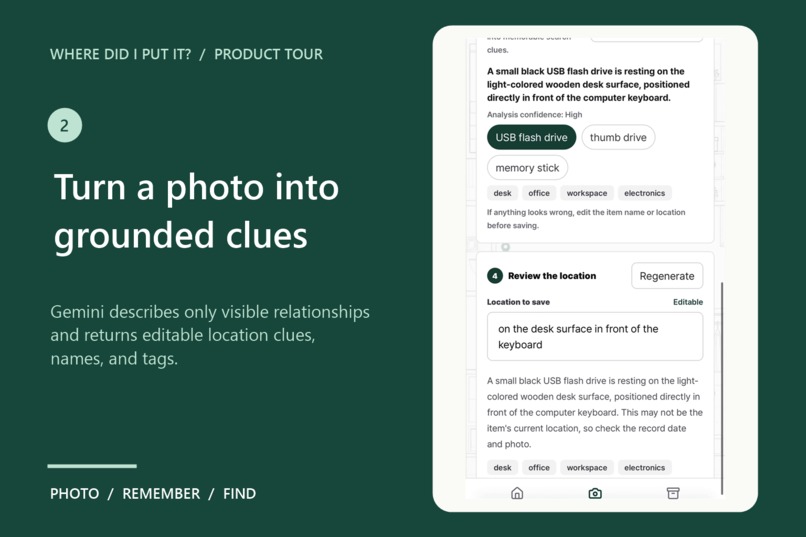
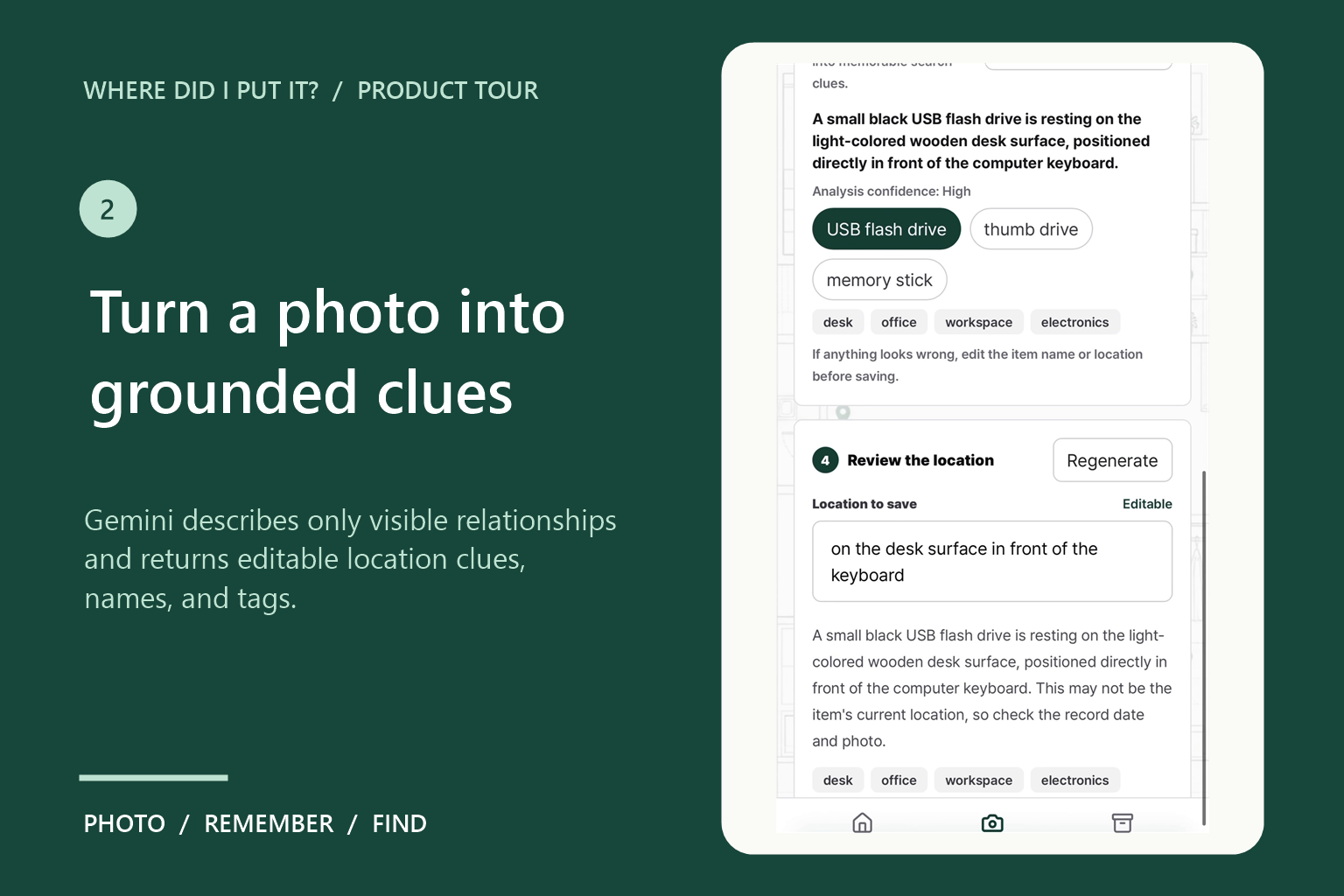
Gemini turns a photo into editable item names, location clues, and searchable tags based only on visible evidence.
-
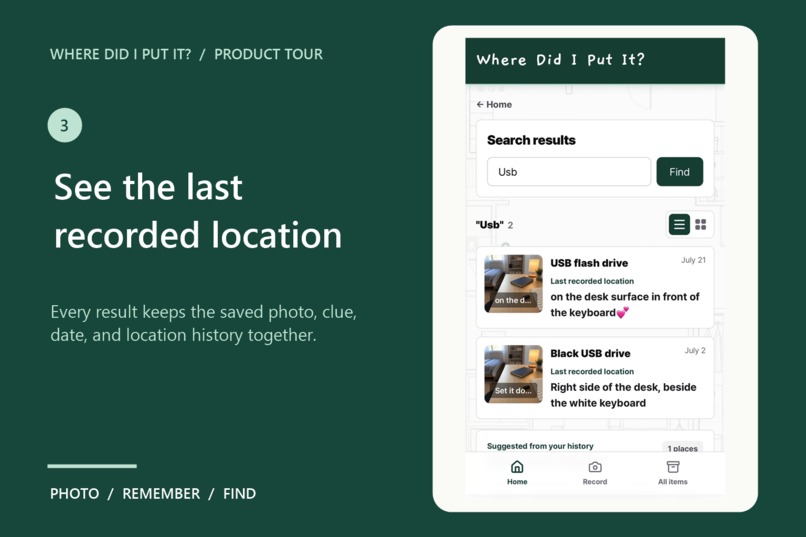
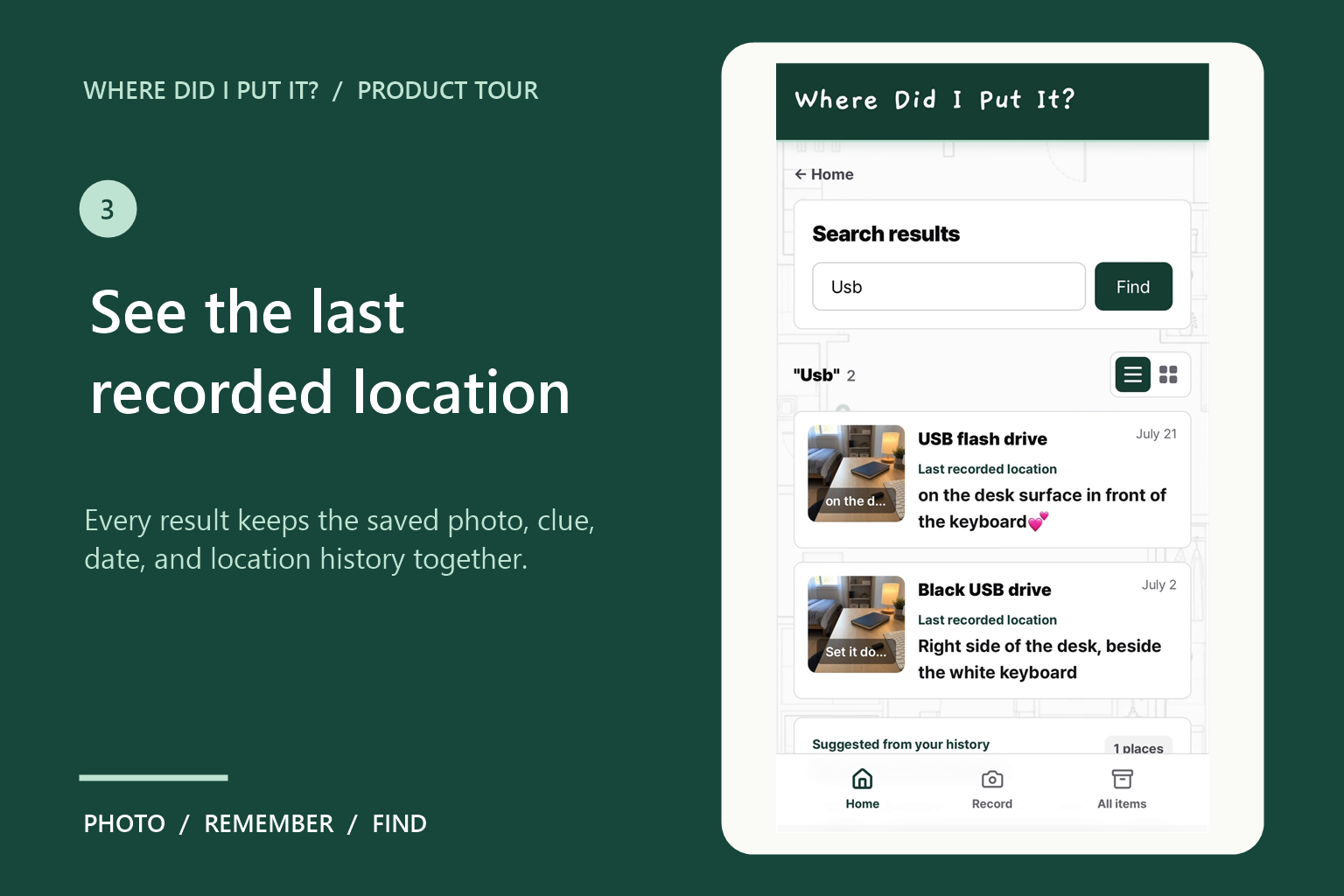
Search results bring together the saved photo, location clue, date, and previous records.
-
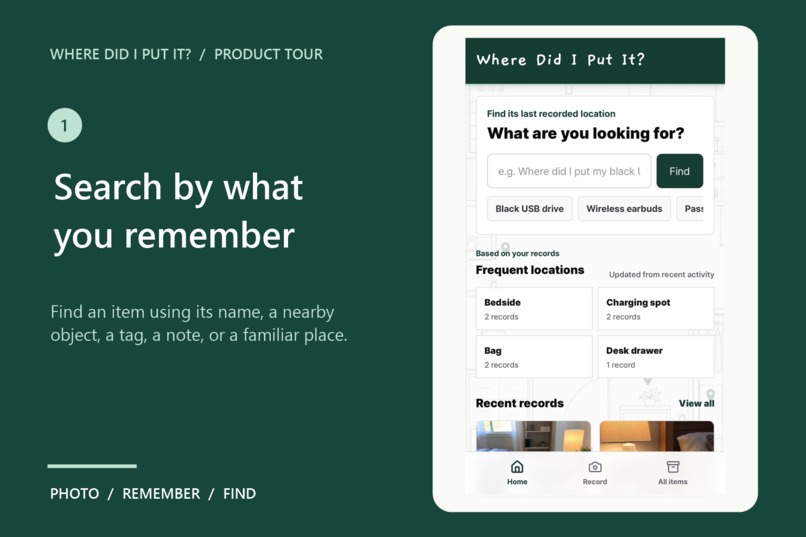
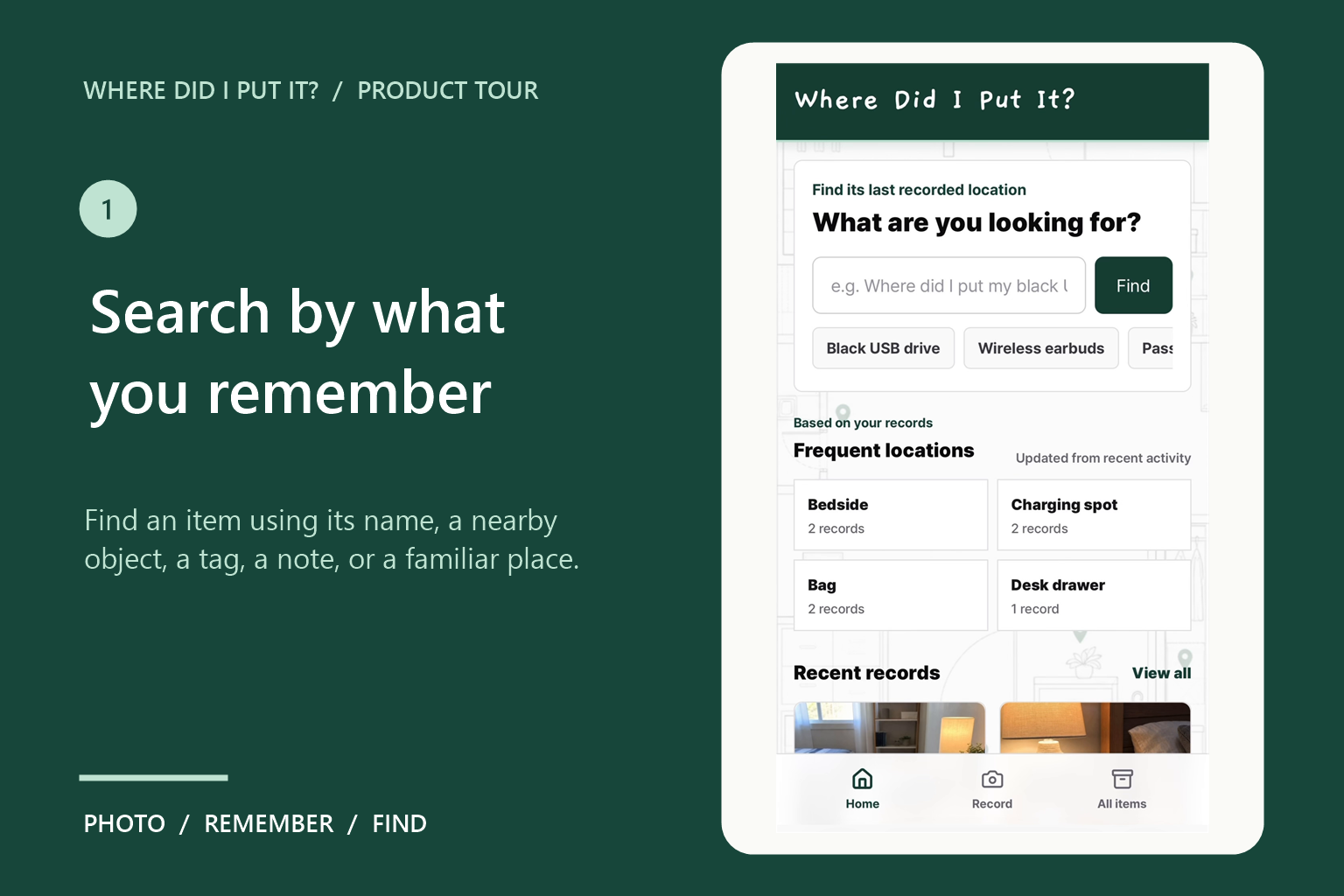
Find an item using its name, nearby objects, tags, notes, or saved places.
-
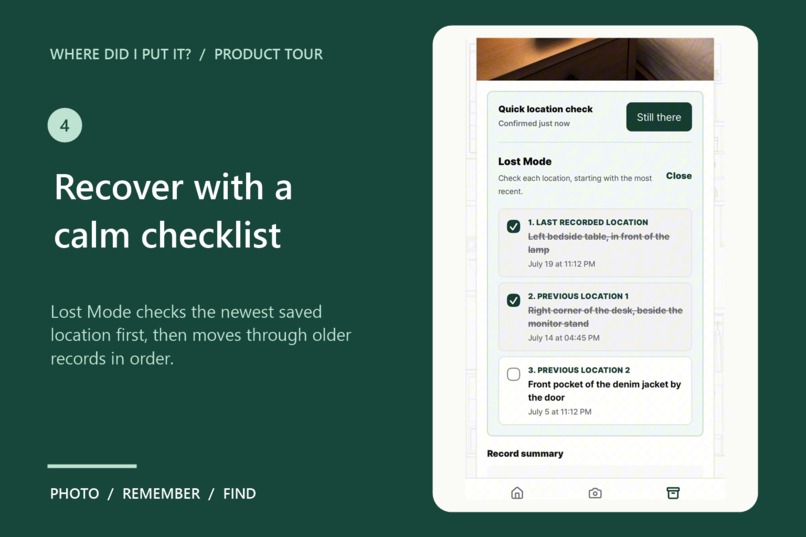
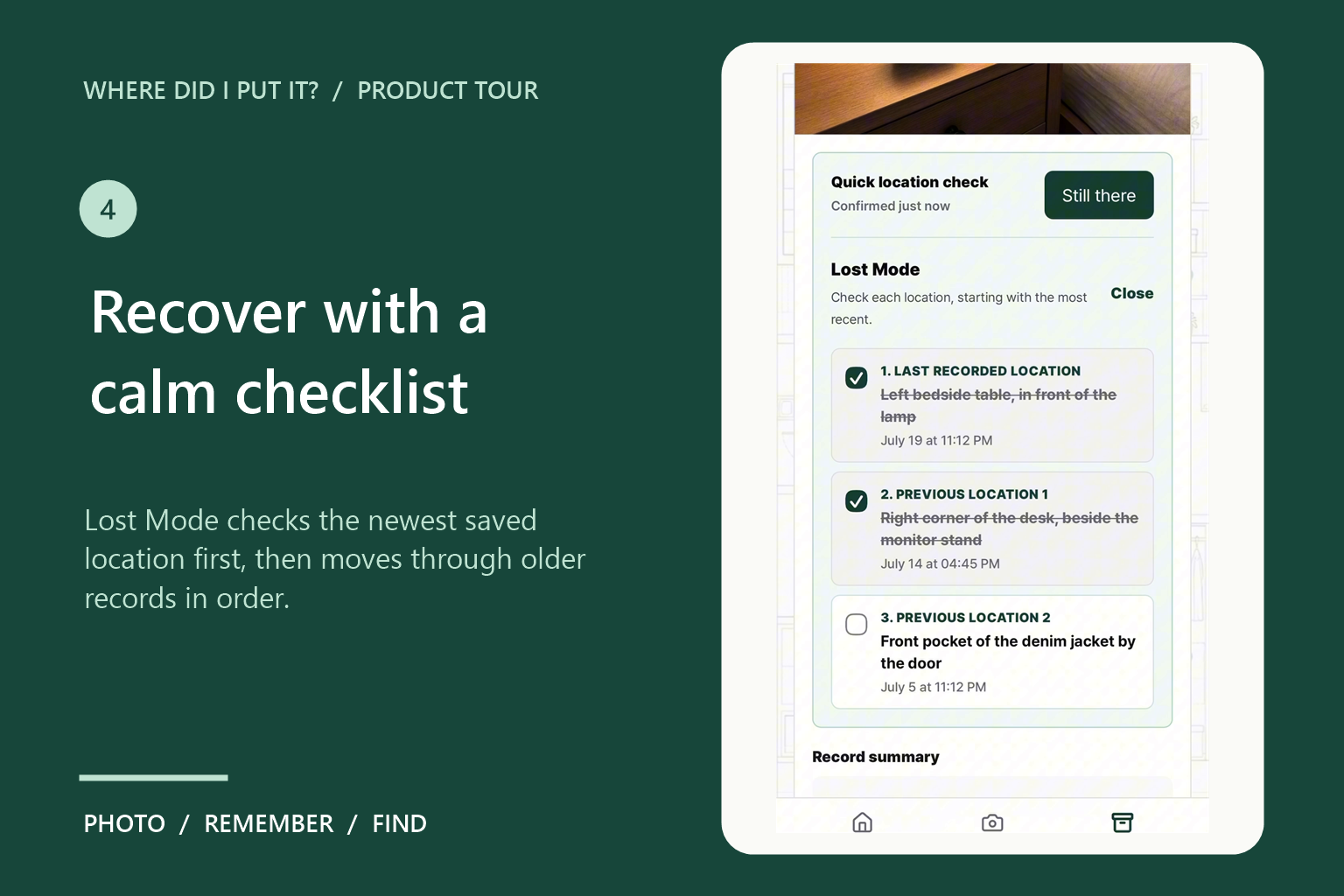
Lost Mode guides users from the newest saved location to older locations, while Still there provides an optional one-tap confirmation.
Inspiration## Inspiration
Small everyday objects disappear into ordinary places: a USB drive beside a keyboard, earbuds near the bed, or a power bank inside a bag. Usually, the object is not truly lost. What disappears is the memory of the ordinary moment when it was put away.
We wanted to create a calm, lightweight memory aid that captures that moment without requiring folders, spreadsheets, or carefully written notes.
What it does
Where Did I Put It? lets users photograph an item where it is being stored. Gemini analyzes only the visible scene and suggests:
- A concise location clue
- Likely item names
- Nearby objects
- Searchable tags
- A confidence level
Every suggestion remains editable before saving.
Later, users can search by item name, nearby object, tag, note, or place. Each record shows its saved photo, last recorded location, AI summary, notes, and location history.
If an item is missing, Lost Mode turns its newest and previous locations into an ordered checklist. When the user happens to see the item in its recorded place, the optional Still there button adds a fresh confirmation with one tap.
The app is a memory aid rather than a live tracker, so recorded locations are presented as useful clues instead of guaranteed real-time positions.
How we built it
Where Did I Put It? is a mobile-first progressive web app built with Next.js, React, TypeScript, and Tailwind CSS.
A server-side API route resizes the selected image and sends it to Google Gemini for visible-scene analysis. Zod schema validation keeps the returned location clues, item names, nearby objects, tags, and confidence values predictable. The Gemini API key never reaches the browser.
The app asks for consent before sharing an image. Saved records and compressed photos remain in the current browser using Local Storage, no account is required, and manual entry continues to work when AI analysis is unavailable.
How we used Codex and GPT-5.6
I used Codex with GPT-5.6 to inspect and extend the existing codebase, translate the complete product experience into English, refine the grounded Gemini image-analysis workflow, implement Lost Mode and the Still there confirmation flow, improve privacy and error states, update submission materials, and verify production builds and deployment.
GPT-5.6 contributed through the Codex development workflow, while the deployed application uses Gemini for image understanding. The product concept, scope, interaction decisions, privacy approach, and final positioning were directed by the human creator.
Challenges we ran into
The main AI challenge was producing useful location clues without pretending to know more than the image actually shows. The prompt restricts Gemini to visible spatial relationships and prevents unsupported guesses, such as claiming that an object is inside a closed drawer.
The interaction challenge was helping someone search without creating additional anxiety. Lost Mode provides a clear order, but it does not imply that every object must be constantly checked. Still there is intentionally optional.
Accomplishments that we're proud of
- A complete photo-to-search workflow
- Grounded Gemini image analysis with structured output
- Editable AI suggestions instead of opaque automation
- Lost Mode ordered from the newest location to older ones
- Optional one-tap location confirmation
- Local-first storage with no required account
- Manual fallback when AI analysis is unavailable
- A mobile-friendly, installable PWA
What we learned
AI is most useful here when it compresses a visual scene into a few grounded memory cues instead of making confident claims about reality.
Structured output and explicit grounding made the experience more reliable, while editable suggestions kept the user in control. We also learned that calm language matters: a memory aid should reduce cognitive load rather than introduce another obligation.
What's next
Next steps include optional encrypted cross-device sync, multilingual UI selection, an evaluation set for measuring the usefulness of generated clues, and a dedicated Found it action for closing a Lost Mode session.

Log in or sign up for Devpost to join the conversation.