-
-
App Icon
-
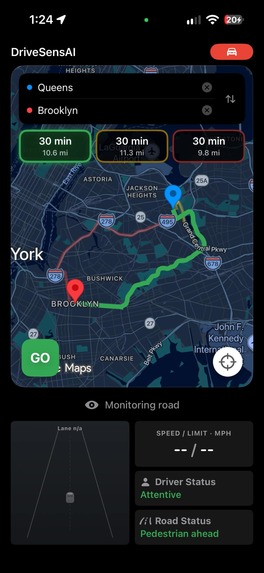
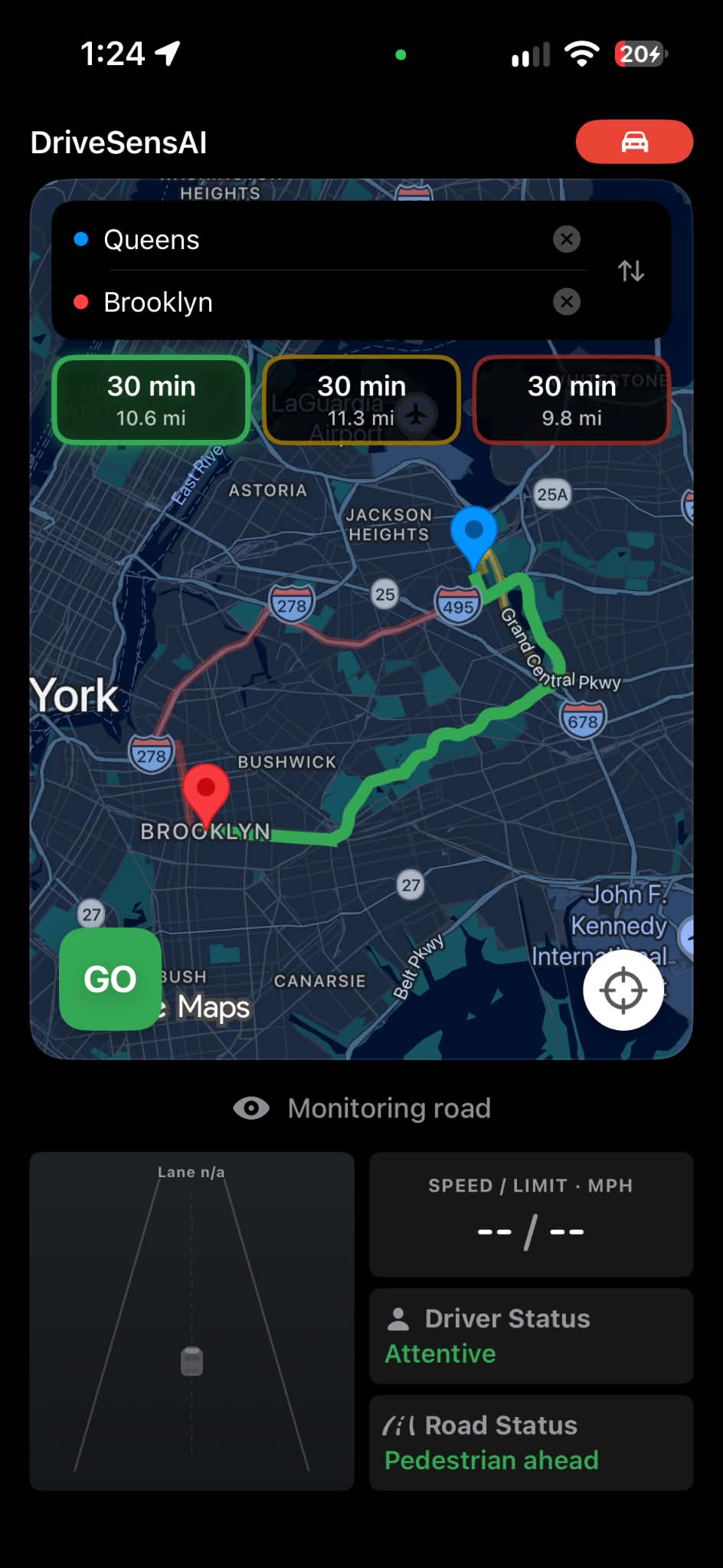
Navigation Routes - Safety Scored
-
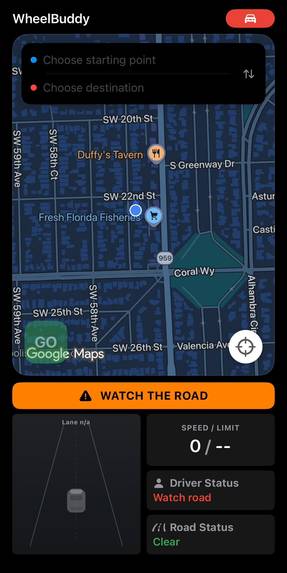
Drivers Attention Detection
-
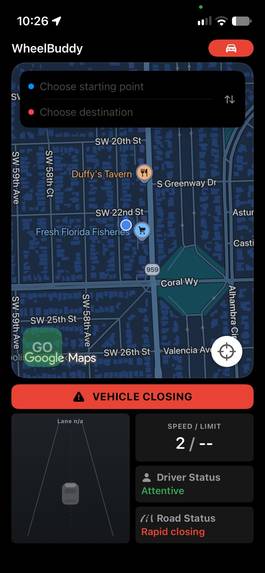
Vehicle Detection
-
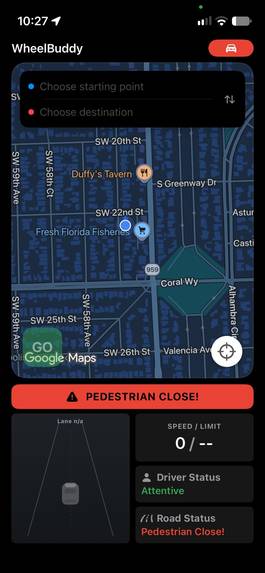
Pedestrian Detection
-
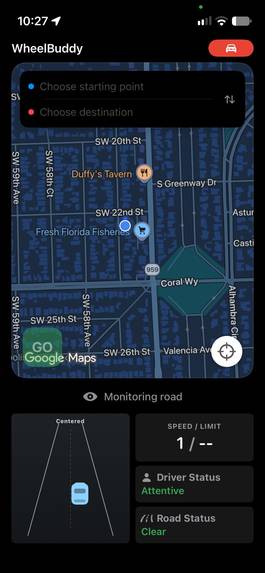
Lane Detection
Inspiration
On a trip to the Smoky Mountains, we rented a car with modern driver assistance features. We were surprised by how much more aware and reassured we felt behind the wheel. Then we came home to our older cars, which don’t have those features. We wondered: could the phone we already own help fill some of that gap?
Research from the Insurance Institute for Highway Safety found that forward collision warning was associated with 27% fewer rear-end crashes, while lane departure warning was associated with 11% fewer single-vehicle, sideswipe, and head-on crashes. Yet, car companies began including these features at a broad scale after 2015 and 55% of Americans drive older models built before 2015. These statistics inspired us to use phone cameras and AI to help drivers notice signs of drowsiness or distraction, nearby vehicles and pedestrians, and lane drift.
We also wanted to feel more informed before getting behind the wheel. When we travel after dark, the fastest route isn’t always the one we feel most comfortable taking. We wished our maps could show estimated crime risk alongside travel time so we could make a more informed choice.
WheelBuddy brings those ideas together: help us choose a route with greater confidence, then stay aware throughout the drive.
What it does
WheelBuddy supports drivers at two moments: when choosing a route and while driving it.
Before a trip, the app compares available routes using estimated crime risk for the areas and time of travel. Drivers can see a safety score for each route, explore risk by crime category, and check how the scores change by hour.
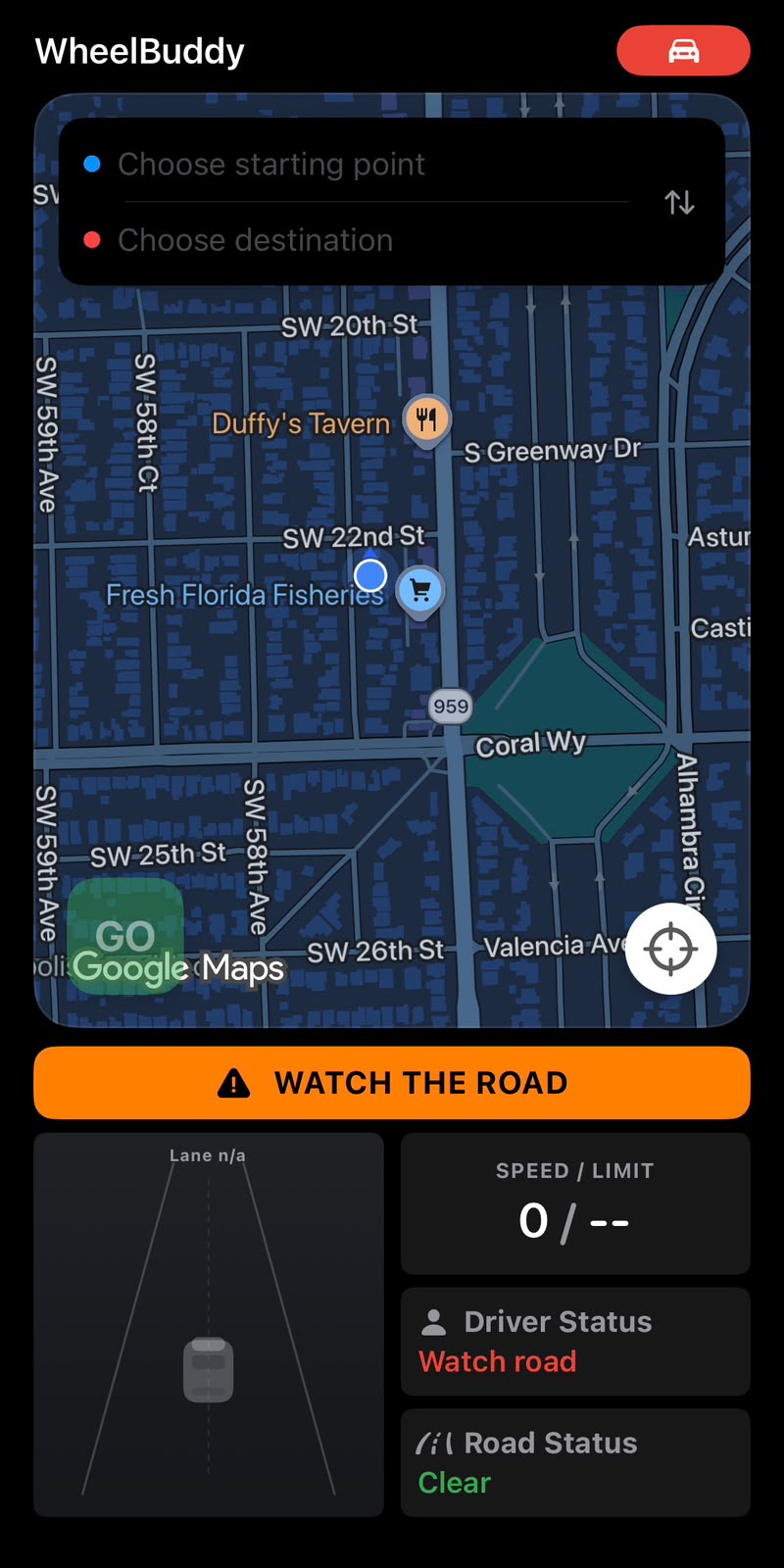
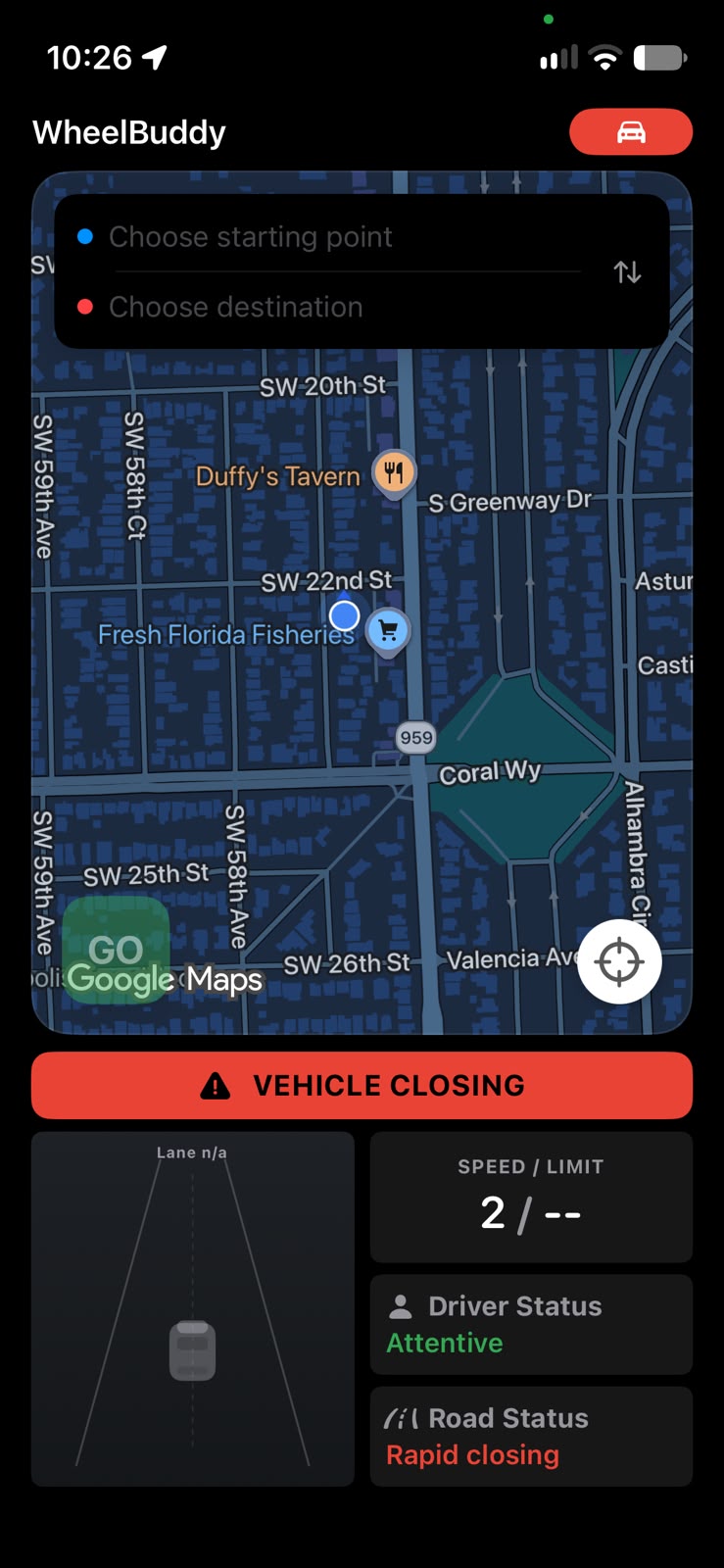
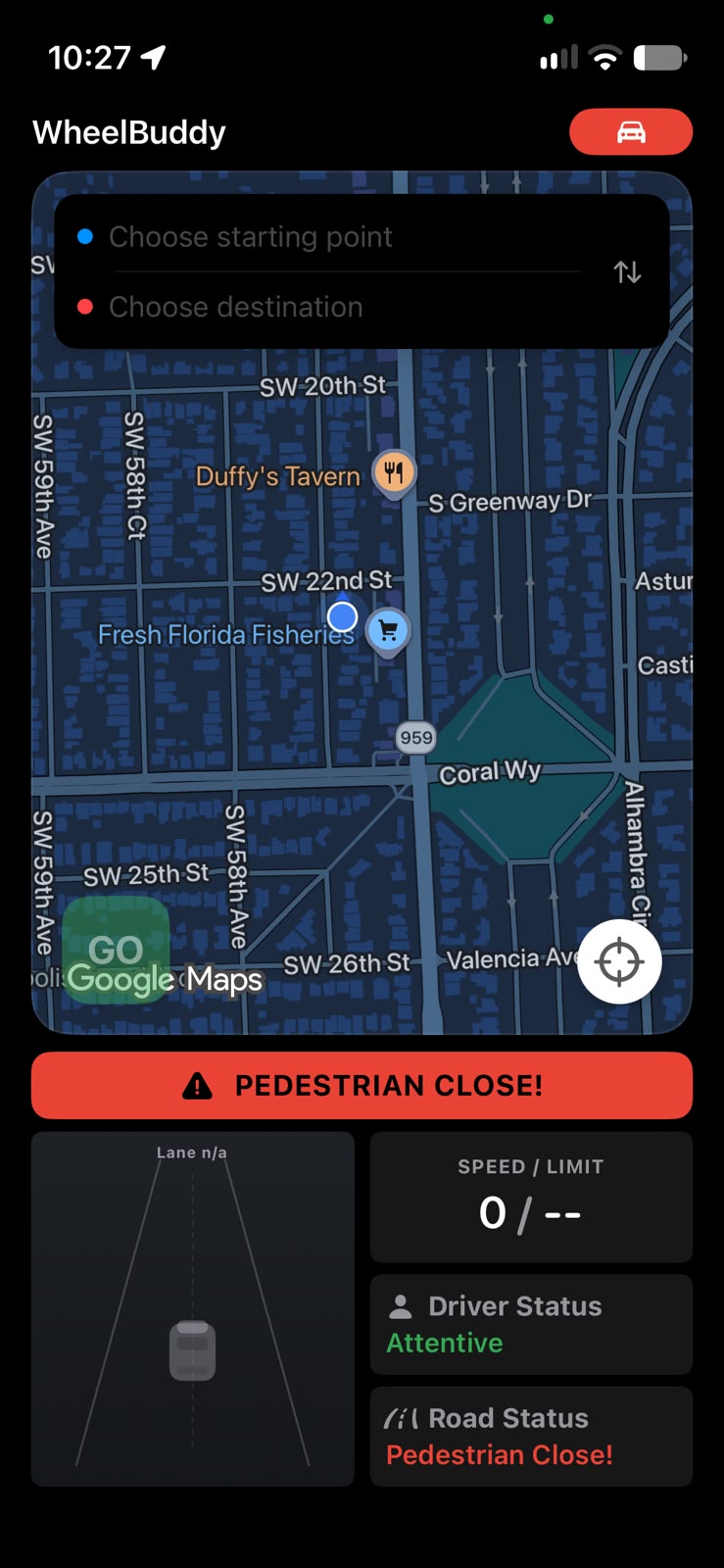
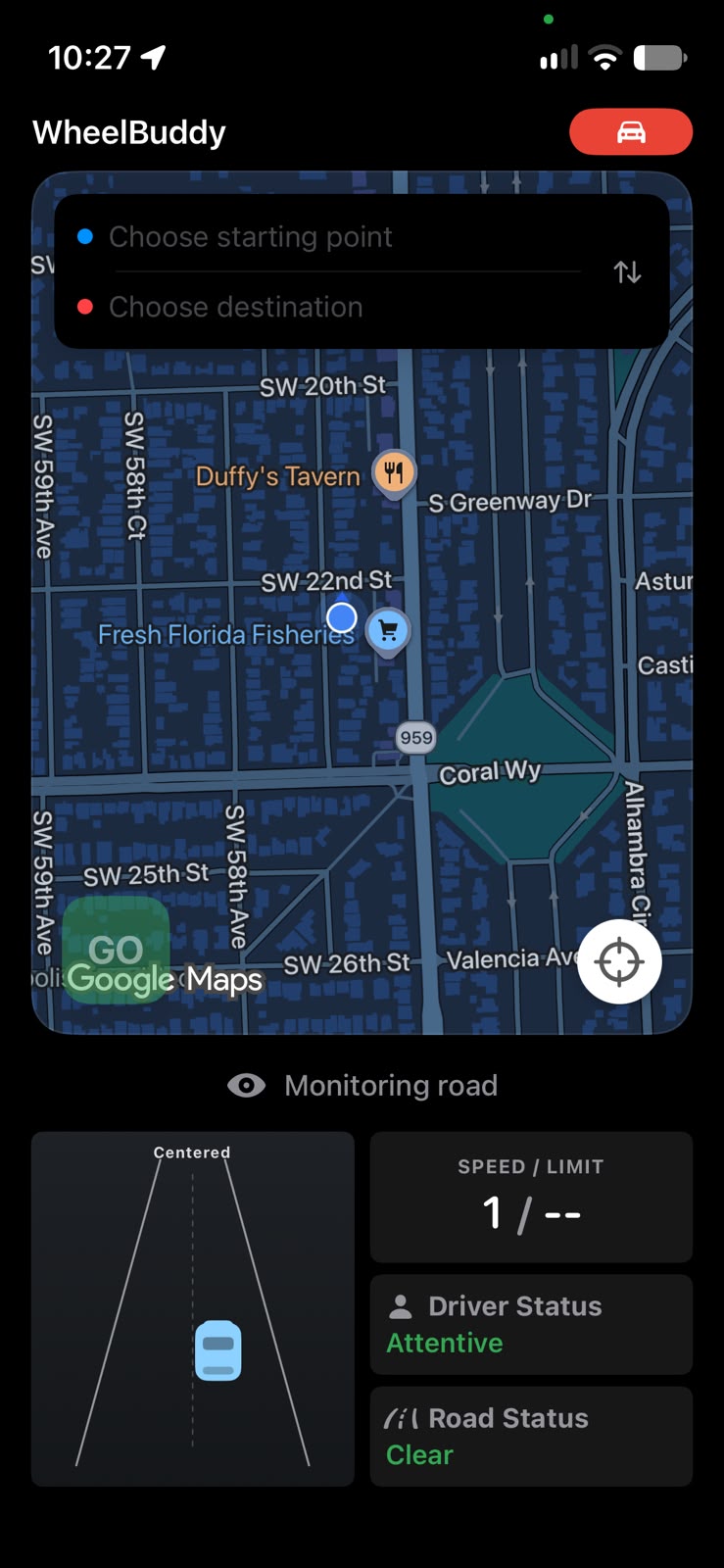
In Drive Mode, WheelBuddy uses the phone’s cameras to watch both the road and the driver. It warns about nearby vehicles and pedestrians, alerts drivers who look away for too long, and issues audio and visual warnings when it detects prolonged eye closure. Lane assistance helps drivers notice when they drift from their lane. Together, these features bring an extra layer of awareness to cars without built-in driver assistance.
How we built it
We built WheelBuddy as an iPhone app using Google Maps for route options and navigation. For each route, the app identifies the areas it passes through and sends their locations and travel times to our crime prediction model through a FastAPI server. We trained the model on historical crime data from 2016–2025 across 11 cities, then use its predictions to calculate route safety scores and hourly breakdowns.
For Drive Mode, we use the iPhone’s front and rear cameras simultaneously. We use a road-object detection model through Apple’s Core ML framework to identify vehicles and pedestrians. For driver monitoring, Apple’s Vision framework detects the driver’s face and estimates head orientation. WheelBuddy uses the estimated head orientation angle to alert the driver when they turn away from the road for too long. We trained a temporal deep-learning model on the DMD driver-monitoring dataset for drowsiness detection. For lane assistance, we run a ResNet-18-based lane-detection model directly on the iPhone with Core ML.
Challenges we ran into
Drowsiness detection was harder than we expected: the DMD dataset had far fewer closed-eye examples than open-eye examples. We used targeted augmentation and oversampling to help the model learn that class.
Lane detection implementation was especially challenging. Our first approach using Apple’s Vision framework performed poorly on our test footage, so we switched to a CurveLanes-trained ResNet-18 checkpoint from Ultra Fast Lane Detection V2, which gave us better results.
Accomplishments that we're proud of
We’re proudest of the progress we made on our two hardest features. We trained a temporal drowsiness model despite the shortage of closed-eye examples, and brought a pretrained lane-detection model onto the iPhone through Core ML. We are very proud of pushing through these obstacles even when it felt like there was no way to overcome them.
What we learned
We learned how to connect our iOS app to externally hosted models through FastAPI, use Apple’s Core ML framework for several on-device tasks, and upload externally pretrained weights into Apple's Core ML models.
What’s next for WheelBuddy
We want to take WheelBuddy beyond the hackathon and release it on the App Store. Our real-world tests have been encouraging, and they’ve also shown us where to focus next: lane assistance. We plan to improve lane detection across different roads and lighting conditions while keeping the app responsive on an iPhone. We also plan on improving driver attention detection by directly predicting driver's gaze direction from facial landmarks instead of predicting attention from head angle. After broader testing and refinement, we hope to make WheelBuddy publicly available to help drivers choose safer routes and stay alert all the way to their destination.
Built With
- ai
- apple-core-framework
- faster-api
- google-maps
- ml
- python
- swift


Log in or sign up for Devpost to join the conversation.