-
-
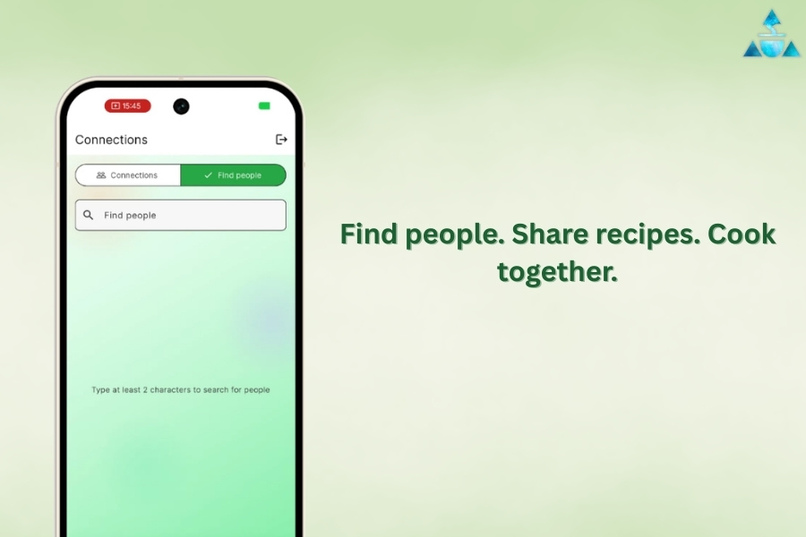
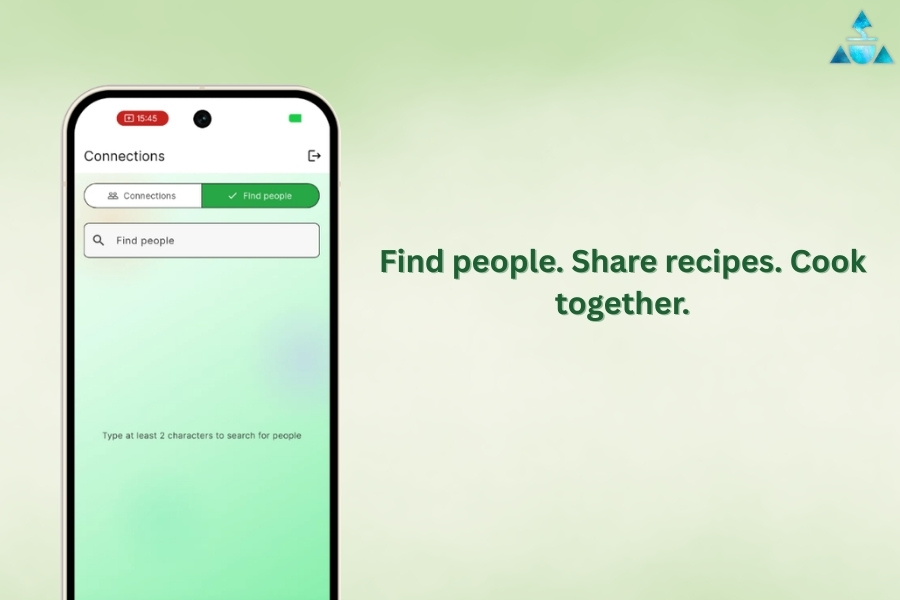
Find friends and share recipes
-
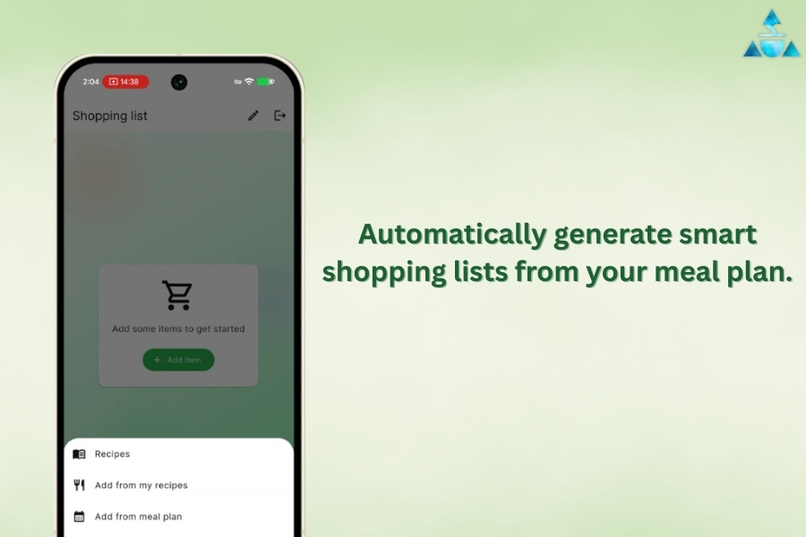
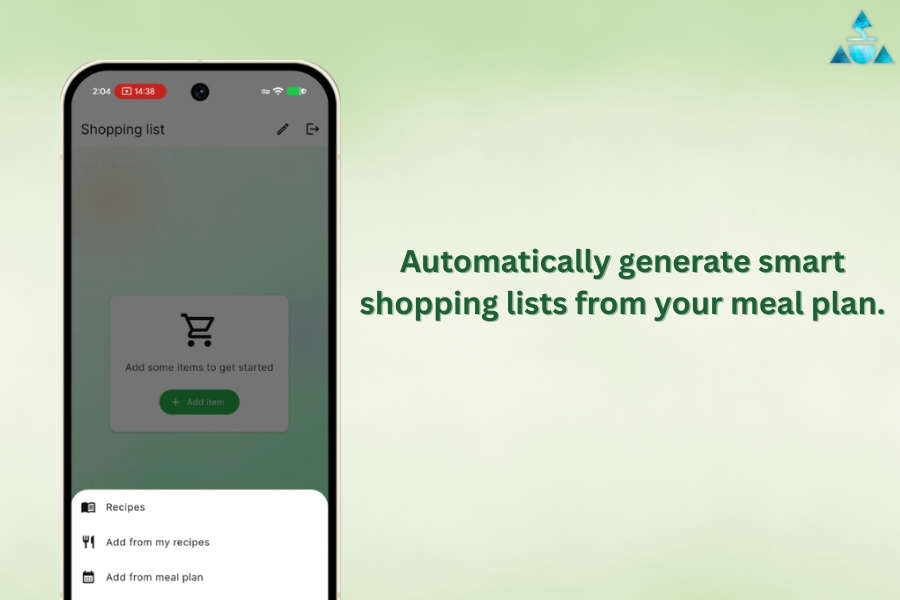
No more worrying about shopping lists
-
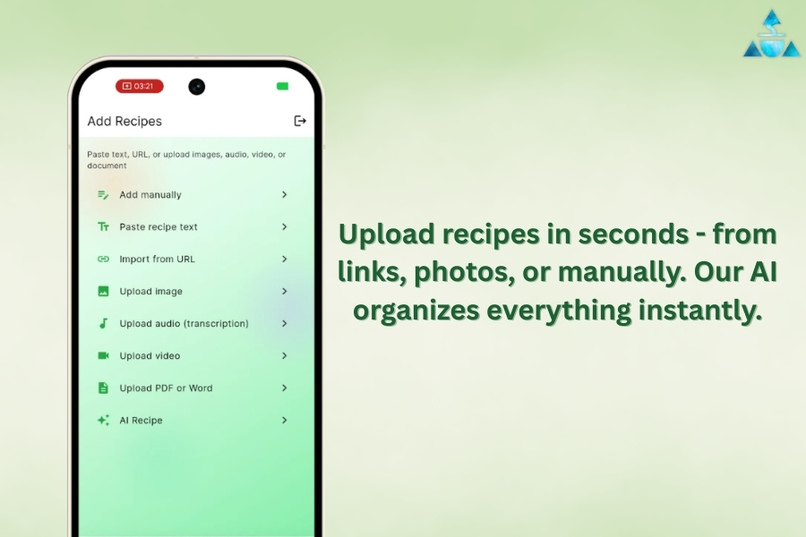
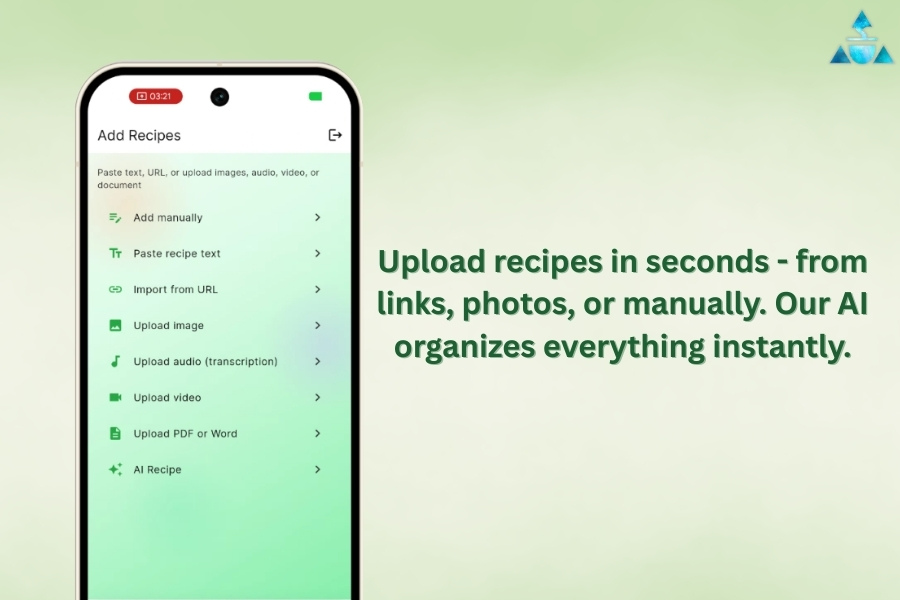
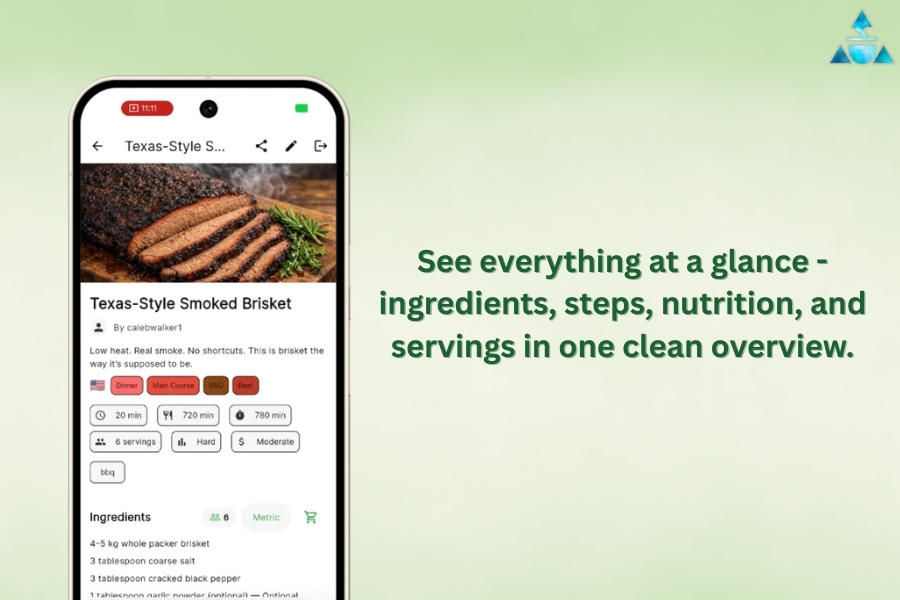
Upload recipes in a minute and access forever
-
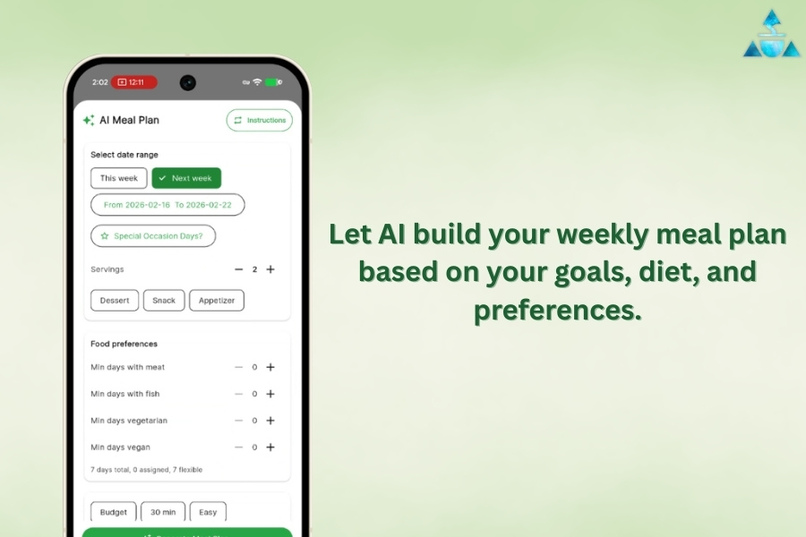
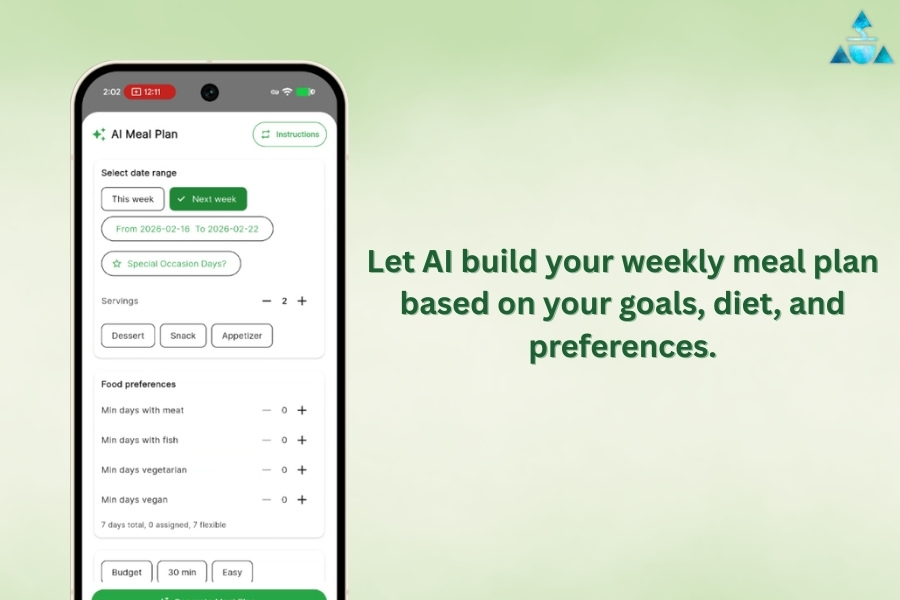
Let AI do the meal planning
-
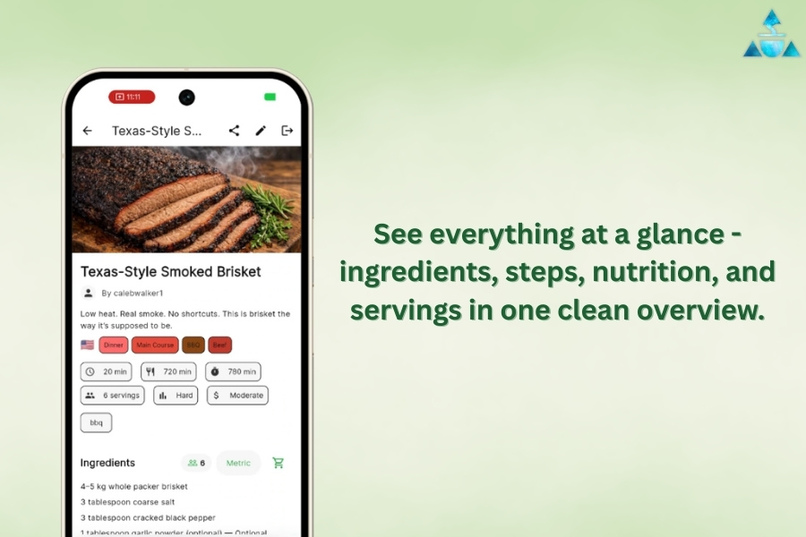
Bring structure to chaos
Inspiration
I was frustrated with the chaos of managing recipes. I'd find a great recipe online, then spend 15 minutes searching my browser history or scrolling through hundreds of photos to find it again. When I finally located it, I'd have to wade through endless blog posts about someone's childhood memories just to get to the actual recipe. Then I'd discover it's in Fahrenheit when I need Celsius, or uses cups when I need grams.
I wanted a simple solution: capture any recipe from anywhere (photo, website, voice), have it instantly organized and searchable, and displayed in the units I actually use. No more lost recipes, no more conversion calculations, no more clutter.
What it does
Basil & Co is an AI-powered recipe management and meal planning app designed for households:
Recipe Import:
- Snap a photo of cookbook pages or recipe cards → AI extracts ingredients and instructions
- Speak recipes aloud while cooking → Voice-to-text transcription
- Import from any website → Cuts through the blog fluff to extract just the recipe
- Upload videos → Transcribes cooking instructions automatically
Meal Planning:
- Plan meals for your entire household (6 meal types: breakfast, brunch, lunch, tea, snack, dinner)
- Invite guests to specific meals → Automatically adjusts serving sizes
- Multiple recipes per meal (main dish, sides, desserts)
- Repeating patterns ("Taco Tuesday") for easy planning
Shopping Lists:
- Auto-generate shopping lists from your meal plan
- Combines ingredients intelligently (no duplicates)
- Organized by grocery store category
- Collaborative lists for the whole household
Sharing & Social:
- Share individual recipes or entire meal plans with friends
- Recipe collections grow organically through sharing
- Built-in viral growth: the more you share, the more others discover the app
How I built it
Frontend:
- Flutter for cross-platform mobile (iOS + Android)
- Glass morphism UI design with strict design system from day one
- Implemented comprehensive cursor rules to maintain code quality and consistency
Backend:
- FastAPI (Python) for REST API
- PostgreSQL with Supabase for database and real-time features
- OpenAI Whisper for audio/video transcription
- Claude (Anthropic) for recipe extraction and structuring
- Tesseract OCR for text extraction from images
Key Technical Decisions:
- Video compression in Flutter (client-side) to save bandwidth
- OCR + cheap LLM for image processing (10x cheaper than vision models)
- Document extraction on backend (not client) for better accuracy
- Repository pattern for clean separation of concerns
Challenges I ran into
1. Flutter Architecture Discipline Early on, I wasted significant time with inconsistent Flutter patterns. Screens were building their own Scaffolds when they should only return content, creating duplicate backgrounds and breaking the app shell. I learned to establish strict cursor rules and design patterns from the start, which saved weeks of refactoring later.
2. Multi-format Recipe Extraction Building a system that could handle photos, PDFs, videos, voice notes, and websites required different processing pipelines. I had to balance accuracy vs. cost vs. speed. The breakthrough was using OCR + cheap LLM instead of expensive vision models, cutting costs by 10x while maintaining accuracy.
3. Household Collaboration Complexity Designing permissions for households (owners, partners, kids) with meal planning, guest invitations, and shopping lists required careful database modeling. I went through multiple iterations before landing on a clean three-level hierarchy: MealPlan → Meal → MealDish.
4. Unit Conversion Hell Recipes come in every format imaginable: Celsius, Fahrenheit, cups, grams, tablespoons, milliliters. Rather than trying to perfectly parse every variation, I focused on clean structured storage and letting users see recipes in their preferred units from the start.
Accomplishments that I'm proud of
- Smart Recipe Extraction: OCR + LLM pipeline that handles photos, videos, and websites with 95%+ accuracy
- Cost Optimization: Image processing costs 10x less than industry standard by using OCR first
- Collaborative Meal Planning: Entire households can plan meals together, invite guests, and adjust servings automatically
- Viral Growth Mechanics: Built-in sharing makes the app grow organically when people share recipes and invite friends to meals
- Clean Architecture: Strict design patterns from day one prevented technical debt
- Multi-Modal Input: Photo, voice, video, text, URL, PDF, DOCX—any way you have a recipe, we can capture it
What I learned
Technical:
- Client-side video compression saves massive bandwidth (5-10x file size reduction)
- OCR + cheap LLM beats expensive vision models for text-heavy content
- Repository pattern is worth the upfront effort for long-term maintainability
- Flutter design rules must be established early to avoid painful refactors
Product:
- Household collaboration is more complex than individual use but creates stickiness
- Sharing mechanics should be built into the core product, not bolted on
- Users care more about convenience (quick capture) than perfection (100% accuracy)
- Temperature conversion isn't as critical as I thought—users adapt
Growth:
- Social features (sharing recipes, inviting to meals) create natural viral loops
- Solving a personal pain point (lost recipes) resonates with others
- Multi-platform import (photo, voice, video) removes barriers to entry
Built With
- alembic
- asyncpg
- beautiful-soup
- chatgpt
- claude
- cursor
- docker
- fastapi
- flutter
- google-cloud
- google-cloud-run
- google-cloud-sql
- openai-api
- pillow
- postgresql
- pydantic
- pypdf2
- python
- python-docx
- sqlalchemy
- tesseract-ocr
- uvicorn

Log in or sign up for Devpost to join the conversation.