-
-
Explanation2
-
Explanation1
-
Whiteboard feature
-
Homescreen
-
Modules
-
Hints
Inspiration
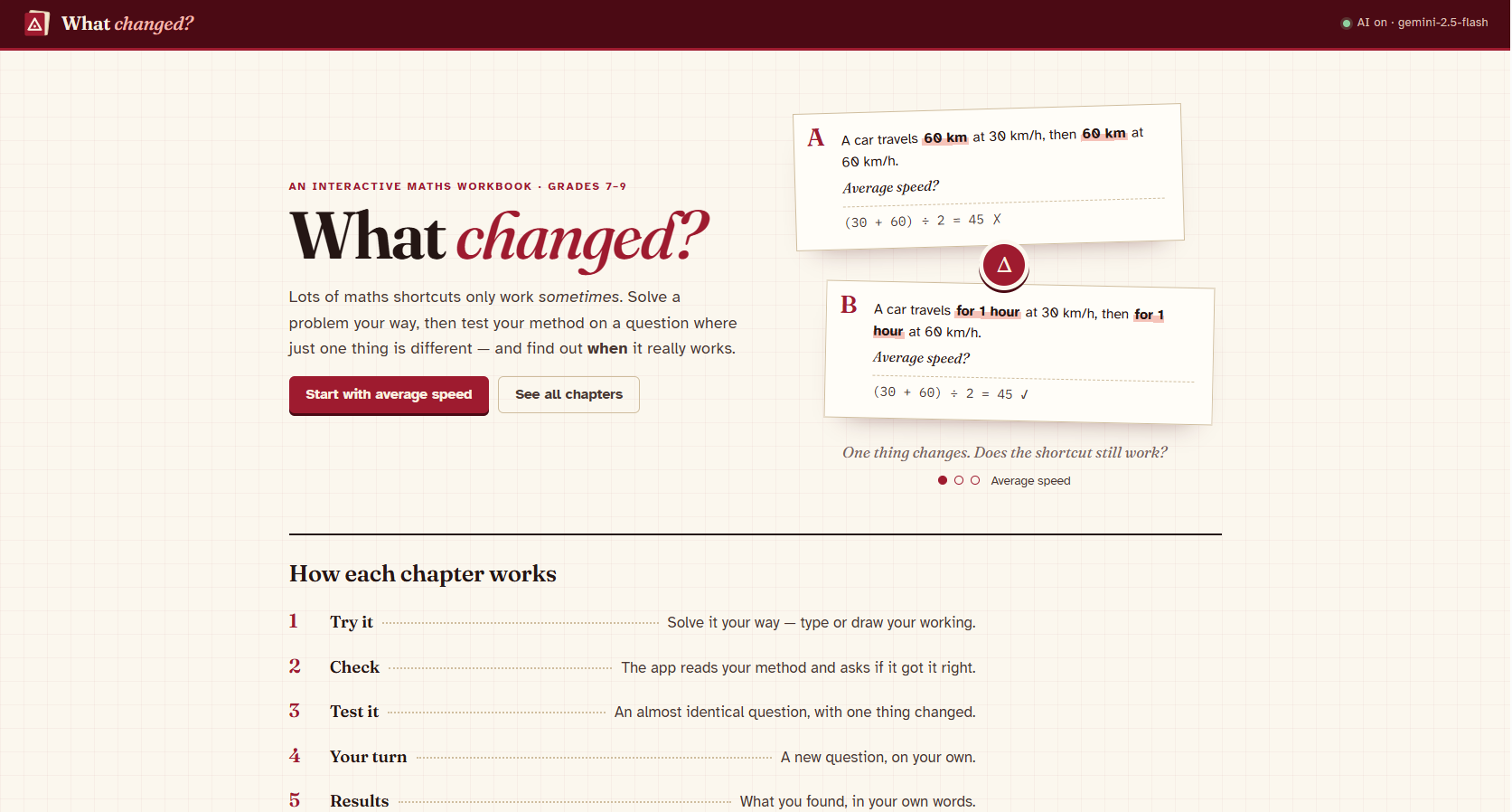
Many math's shortcuts only work sometimes: averaging two speeds, crossing out matching letters in a fraction, doubling a price when you double the amount. Students use them without ever learning when they're allowed, and being marked wrong doesn't teach that, most students got a proportional problem right but very few got the look-alike where proportional thinking fails. I wanted a tool that teaches the condition behind the shortcut, not just the answer.
What it does
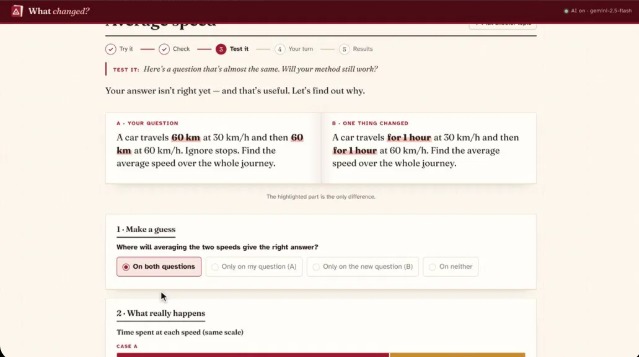
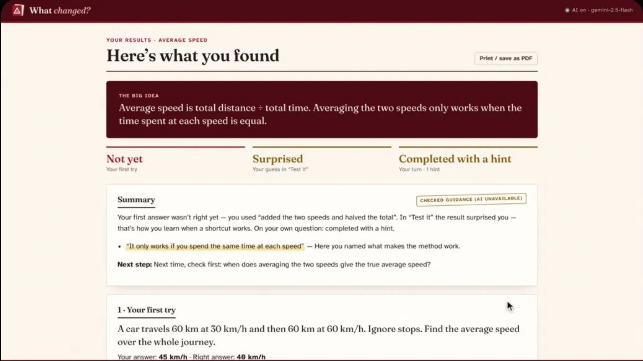
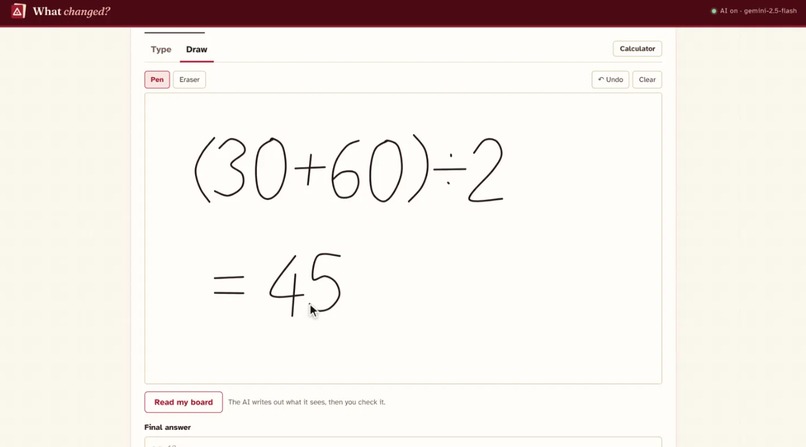
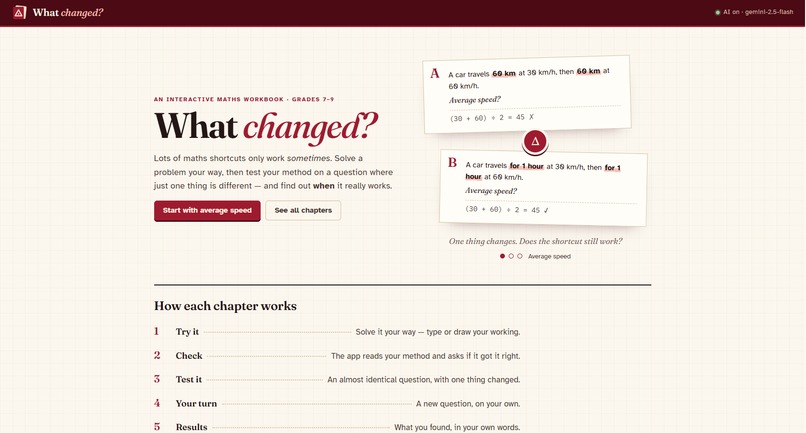
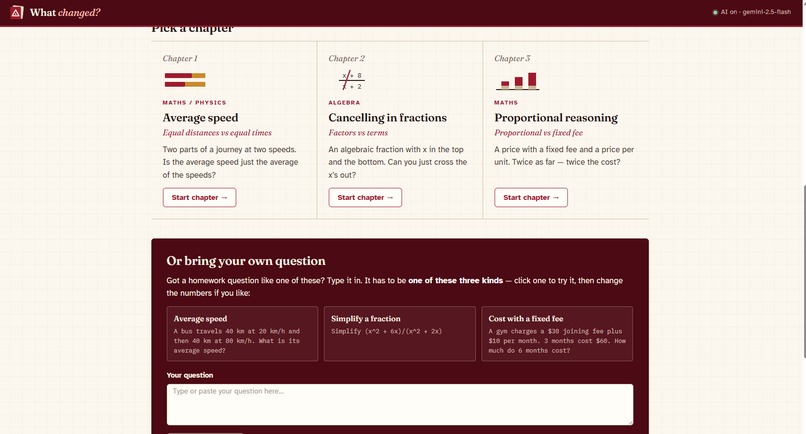
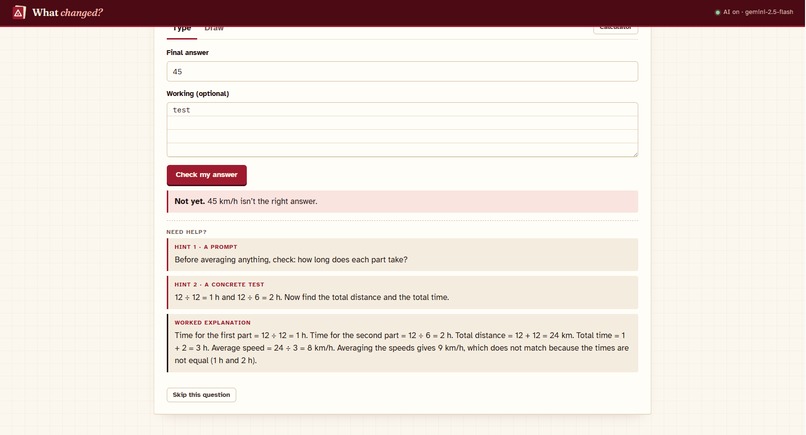
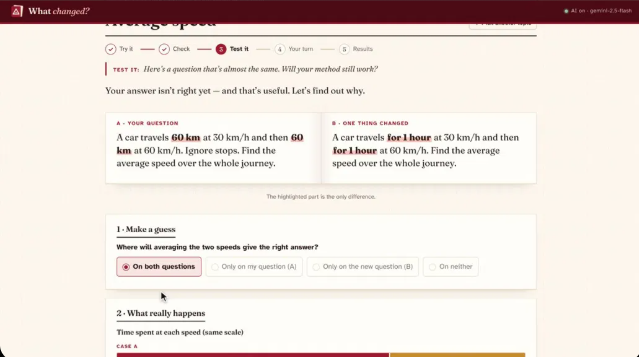
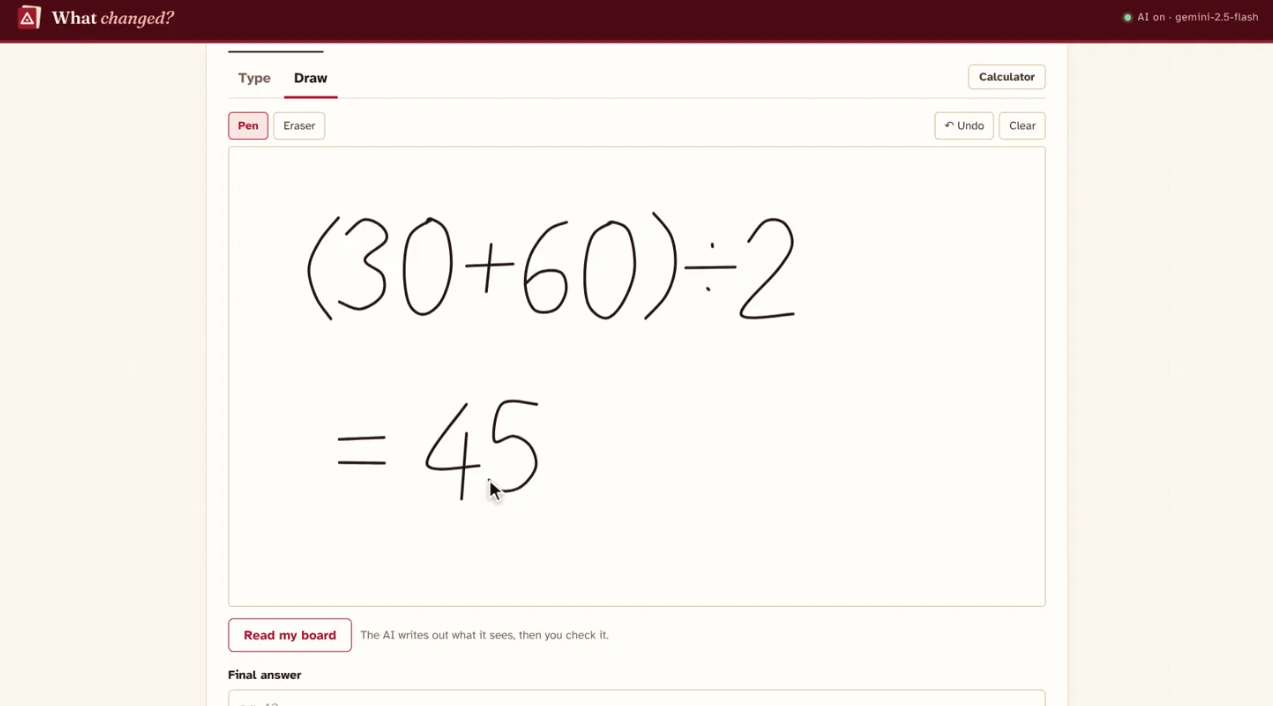
What Changed? is an interactive math's workbook for grades 8–10. The student solves a problem their own way (typing it or drawing it on a whiteboard). The app then tests their method on an almost identical question where one thing changed, side by side like an open book. The student guesses whether the shortcut survives, sees what really happens, and writes down when it works.
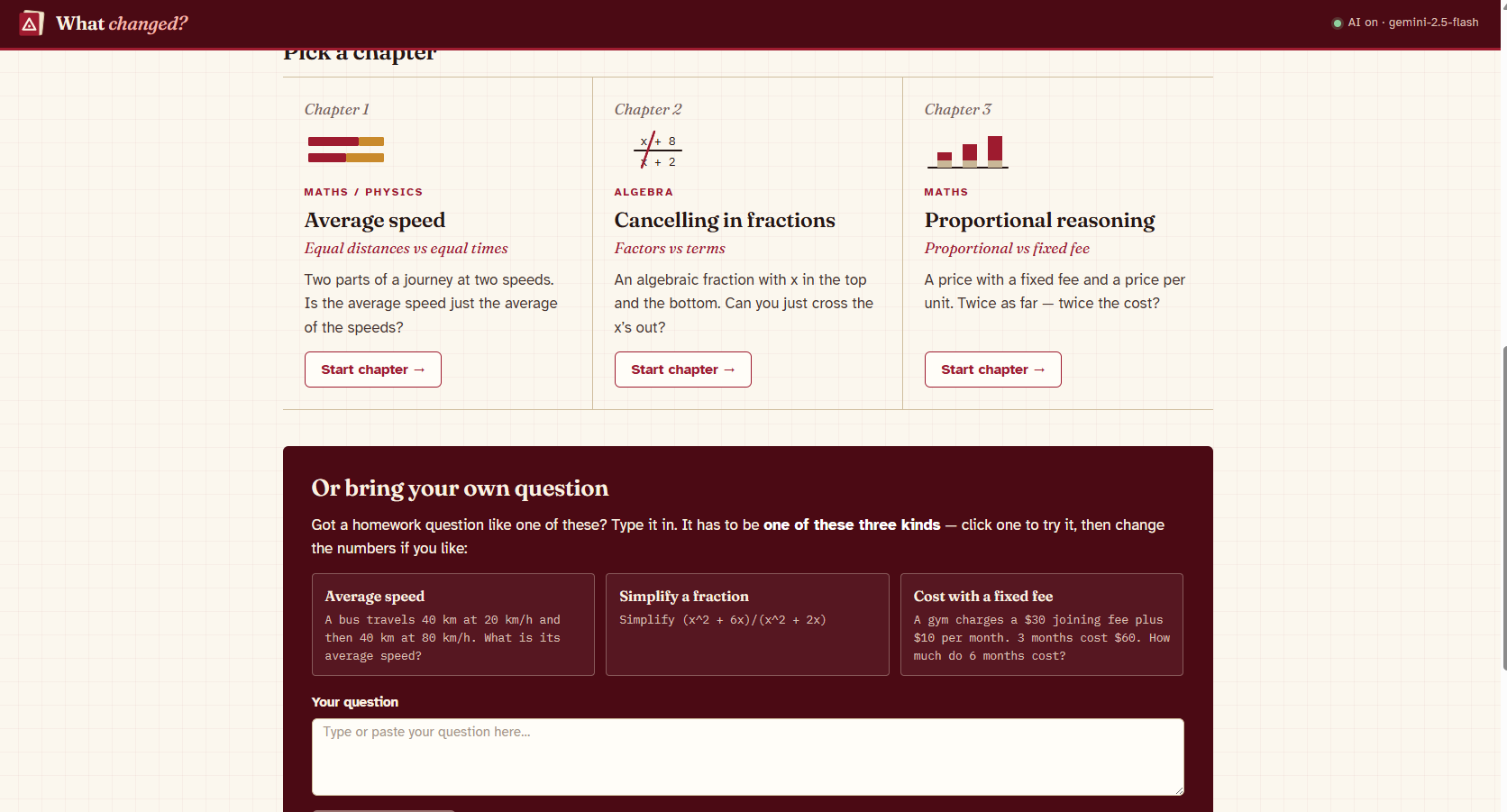
Three chapters:
- Average speed: averaging speeds only works for equal time, not equal distance.
- Simplifying fractions: only cancel things that are multiplied, never added.
- Fixed fees: doubling only works when there's no fixed fee.
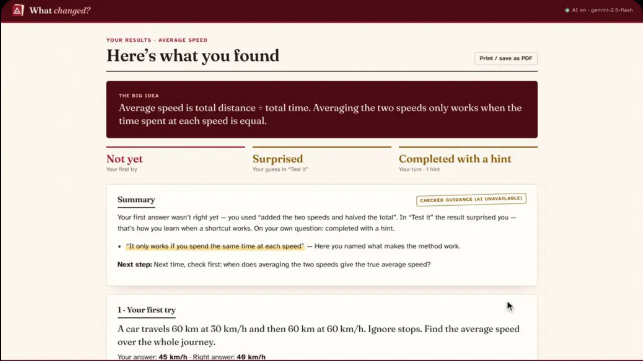
Students can also type in their own homework question; the app only accepts questions it can check itself. Each session ends with a printable results page.
How the AI is used (and why you can trust it)
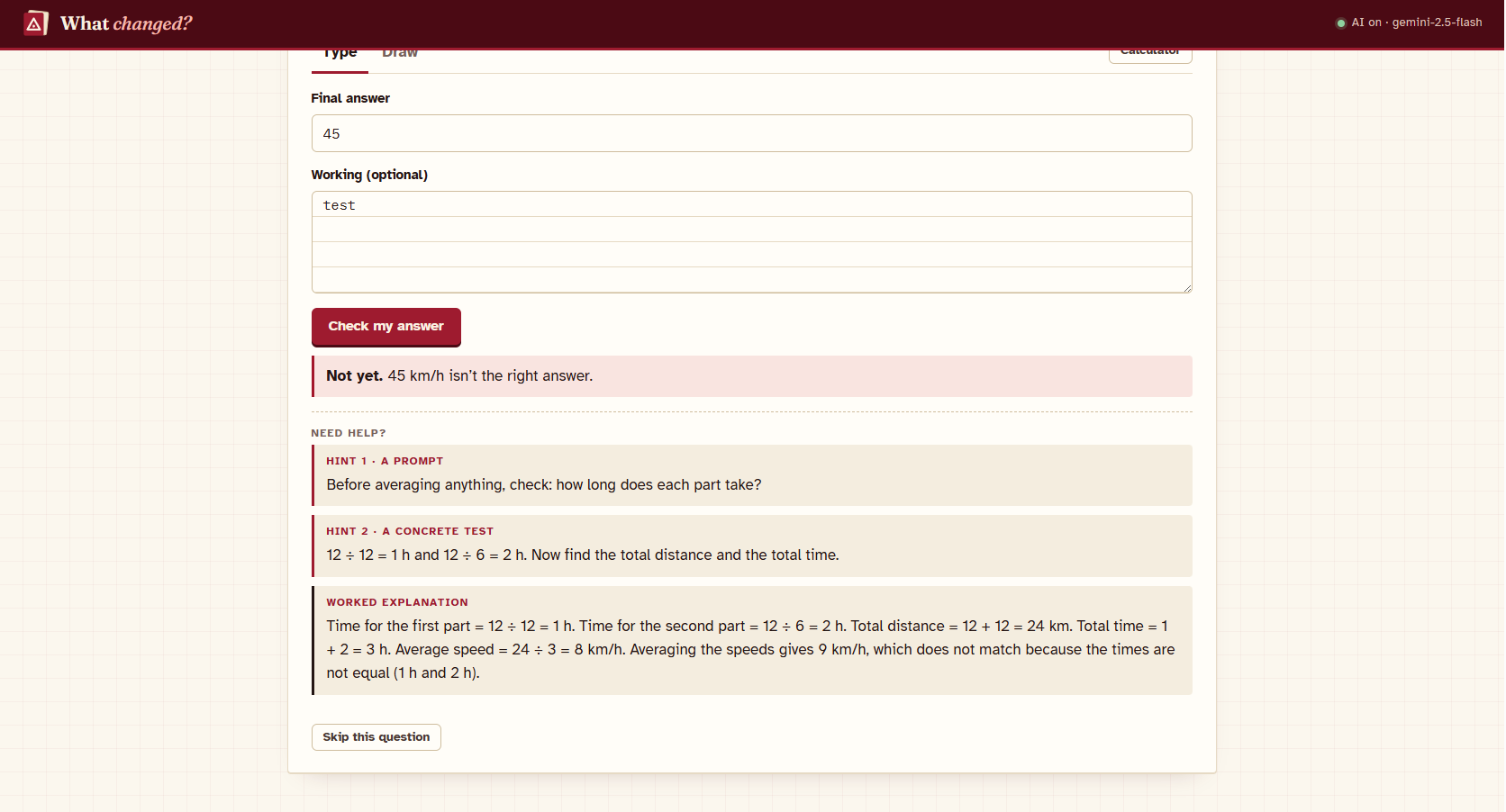
The app does all the math's. The AI only reads and talks. Each chapter computes its own answers, test cases and "Why?" explanations, so they're always correct. The AI (Google Gemini 2.5 Flash) only does language jobs: reading the whiteboard into text (which the student then checks and fixes), working out which method the student used, understanding a typed question, and giving short feedback on the student's own words. Every AI reply is validated against a strict schema, must quote the student's exact words, and is labelled on screen. If the AI is busy or off, the app falls back to its own checked rules ("demo mode").
How I built it
React 19 + Viet + TypeScript, with serverless API functions deployed on Vercel. Zod validates every AI response. The calculator uses a safe expression parser (no eval). The whiteboard is an HTML canvas. 55 automated tests (Vilest) cover the math's packs, the calculator and the AI handler.
Challenges
- Keeping the AI from ever deciding the maths, so I built each chapter as a deterministic "pack" and limited the AI to language tasks.
- Free-tier rate limits: the app tries its own rules first, caches repeat requests, turns off model "thinking", and shows a friendly "AI is busy" message instead of failing.
- Making handwriting reading safe: the model is told to copy mistakes exactly, never solve, and ignore any instructions written on the board.
What I learned
Designing around "what should the AI not do" made the product more trustworthy than letting it do everything.
What's next
More chapters (percentages, area scaling, probability), teacher view, and more languages.
Built With
- google-gemini
- html5
- react
- typescript
- vercel
- vite
- vitest
- zod

Log in or sign up for Devpost to join the conversation.